How to Prevent Ransomware Attacks: A Guide for Indiana Businesses
Preventing a ransomware attack isn't about finding one magic bullet. It's about building a fortress, layer by layer. The best defense is a smart mix of solid technical security and savvy, well-trained employees. Frankly, no single gadget or software can stop every single threat out there. The goal is to make your business such a tough nut to crack that cybercriminals give up and move on to an easier target.
It’s Not a Matter of If, But When for Indiana Businesses
Let's cut to the chase. Ransomware isn't some far-off problem you only see on the national news. It's a clear and present danger for businesses right here in Central Indiana.
Picture this: you walk into your Greenwood office on a Monday morning, coffee in hand, ready to start the week. But instead of your desktop, you see a menacing message. Every file is locked. Customer data has vanished. And a blinking cursor is demanding a payment that could sink your business. This isn't just an IT headache; it's a full-blown, stop-everything crisis.
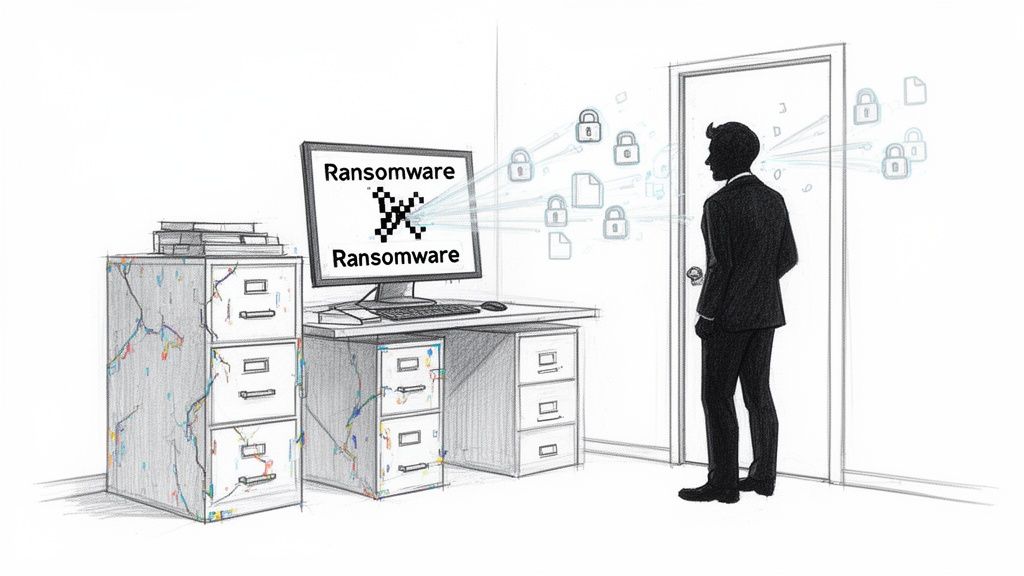
Forget the confusing tech jargon for a minute. Let's talk about what this actually means for your day-to-day operations.
- Encryption: Imagine a thief breaking into your office and pouring industrial-strength superglue into the locks of every single filing cabinet. All your crucial info—invoices, client records, payroll—is still in there, but you can't get to any of it. It's yours, but it's useless.
- Data Exfiltration: This is the nasty twist. Before they lock you out, these crooks often copy your most sensitive data and sneak it out the digital back door. This is the infamous "double extortion" play. They don't just demand money to unlock your files; they also threaten to leak your private data to the world if you don't pay up.
A Story from Just Down the Road
Think about a real manufacturing firm we know, just south of Indianapolis. An employee got an email that looked like it was from a trusted supplier. It was convincing. They clicked a link, and that was it. Ransomware began to worm its way through their network, completely undetected.
By the time the alarm bells went off, it was too late. Their entire production schedule, their inventory system, their accounting software—all of it, encrypted and unusable.
The chaos was instant. They couldn't take new orders. They couldn't ship products. They couldn't even run payroll. The criminals demanded a six-figure ransom, leaving the owner with an impossible choice: pay a fortune to faceless criminals with zero guarantee of getting anything back, or attempt to rebuild the entire business from the ground up—a process that would take weeks, if not months, and likely bankrupt them.
This is the brutal reality we work to prevent every single day. The very first step is getting a complete picture of your network's health, and you can get a head start by learning more about what goes into a thorough IT infrastructure audit.
The Bottom Line: Ransomware isn't just about losing files. It's about losing control of your business—your operations, your reputation, and your finances—in the blink of an eye.
This story is exactly why a proactive, layered defense isn't just a "nice-to-have." It's essential. And when something does go wrong, having a local IT partner here in the Indianapolis area means you have real people, right down the road, who can get hands-on immediately to stop the bleeding.
Your First Line of Defense: Patching and Hardening Systems
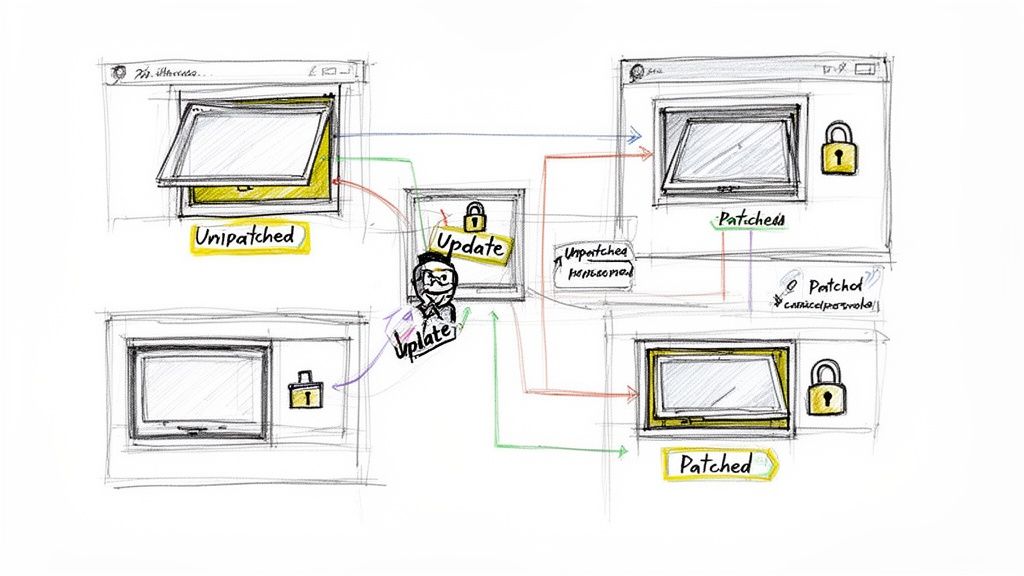
Let’s think of your business network like a fortress. Every piece of software you use—the operating system on your computers, your web browser, even your accounting program—is a window or a door into that fortress. When a software company finds a security flaw, they release a patch. Think of it as a rush order for a stronger lock.
If you don't install that patch, you're essentially leaving a window unlocked. It’s not a matter of if a thief will notice, but when.
This isn't the most glamorous part of cybersecurity, but I can't stress this enough: consistent patch management is the absolute foundation of your defense. That little "update later" button? It might as well say "thieves welcome."
The numbers here are genuinely frightening. Ransomware attacks recently shot up by a staggering 45% across the globe. What's even wilder is that the US alone was the target in 64% of all known cases.
So what’s fueling this fire? Mostly, it's attackers feasting on outdated systems. Unpatched vulnerabilities were the way in for over 60% of all data breaches last year. Research shows that patching critical weak spots within 14 days can slash your odds of getting hit by up to 70%. You can dig into more of these stats in this detailed ransomware report.
For small and medium-sized businesses right here in Indiana, this is where having a local partner like Finchum Fixes IT becomes a massive advantage. We can run vulnerability scans and get patches rolled out automatically, slamming the door on threats before you even knew they were there.
The Low-Hanging Fruit: Quick Wins
Cybercriminals are lazy. They love going after the same common, often-ignored software because it’s easy money. You can make their lives much harder by focusing on these three areas right now:
- Operating Systems (Windows & macOS): This is the big one. Your OS is the command center, and its updates contain critical fixes for brand-new attack methods. Go to every single computer in your office and enable automatic updates. Yes, even the servers.
- Web Browsers (Chrome, Edge, Firefox): Your browser is your portal to the entire internet, making it a huge target. Most browsers update themselves these days, but it costs nothing to double-check that they’re actually running the latest version.
- VPN & Remote Access Software: With so many people working from home, the software that lets them connect to your network (like a VPN) is a prime target for attackers. A compromised VPN is like giving a burglar a master key. Patch it obsessively.
Pro-Tip: Shrink the Target with System Hardening
Once you’ve got patching under control, there's another incredibly powerful—and free—strategy called system hardening. It might sound complicated, but the idea is dead simple: turn off anything you don't need.
Every feature, service, and app running on a computer is another potential way for an attacker to get in. By disabling things you don't use, you literally shrink the "attack surface," giving them fewer places to shoot.
For example, most business PCs come loaded with background services that are totally irrelevant to what you do. A good technician can spot these in a heartbeat and shut them down, effectively bolting a bunch of side doors you never knew were open. This whole process is a cornerstone of good security, which we cover more in our guide to endpoint security best practices.
The Big Idea: System hardening isn't about buying more security software. It’s about being smart and systematically removing risk from the tech you already have.
When you combine disciplined patching with smart system hardening, you create a seriously tough barrier. You’re no longer the low-hanging fruit that ransomware gangs love to pick.
Sure, a truly determined attacker might still try to find a way in, but you’ve made sure they can’t just waltz in through an open window. And if you’re in the Greenwood or Indianapolis area and this all sounds like a headache, just remember—this is exactly what we’re here for.
Building a Human Firewall Against Phishing Attacks
You can have the best security software money can buy, but all it takes is one accidental click from a well-meaning employee to bring the whole system crashing down. And the bad guys know it. That’s why they’ve shifted their focus from brute-forcing their way through digital walls to simply tricking their way through the front door—by targeting your team.
This is where we pivot from technology to people. Your team isn't a liability waiting to happen; they are your most intelligent and adaptable security asset. They just need the right training to unlock that potential.
Phishing Scams Aren't What They Used to Be
Long gone are the days of clumsy emails from a "foreign prince" with laughably bad grammar. Today's phishing attacks are terrifyingly sophisticated. Scammers are now using AI to craft flawless, convincing emails that look identical to an invoice from a local vendor you work with in Carmel or a shipping notification for a package you're actually expecting.
They’ll use real company logos, spoof sender addresses to look legitimate, and create a powerful sense of urgency that pressures your staff into clicking before they can even think. Some will even call your office pretending to be from your bank or a software provider, a tactic known as vishing (voice phishing).
Turning Your Team into Threat Detectors
The goal here isn't to put everyone through boring, day-long seminars. It's about building muscle memory—training your staff to become a vigilant, proactive human firewall that can spot a scam from a mile away.
A recent World Economic Forum survey found that ransomware is the top cyber risk for 45% of organizations, and 72% see a growing threat from AI-powered attacks. But here’s the good news: strong employee training was the key factor in 64% of cases where businesses successfully recovered without paying the ransom.
Given that human error is the starting point for a whopping 37% of breaches, empowering your team isn't just a good idea—it's non-negotiable.
Pro-Tip: The 5-Second Email Check
This is my favorite trick because it’s so simple and effective. Train your team to take just five seconds before clicking any link or opening any attachment. In those five seconds, they should ask themselves three quick questions:
- Was I expecting this? An out-of-the-blue invoice is a classic trap.
- Does the sender’s address look right? Seriously, just hover over the name to see the real email address hiding underneath.
- Does this actually make sense? Why would UPS be sending me a link from a random Gmail account? It just doesn’t add up.
This simple pause is often all it takes to spot a fake and shut down a ransomware attack before it even begins. For a deeper dive into locking down your inbox, check out our guide on email security best practices. Building this habit across your organization creates a powerful, living defense that software alone can never match.
Phishing Red Flags vs. Legitimate Communication
Use this quick reference guide to help your team instantly tell the difference between a potential phishing scam and a safe email. It's all about spotting the small details that give the game away.
| Red Flag (Warning Sign) | Green Flag (Likely Safe) |
|---|---|
| Urgent, Threatening Language: "Your account will be suspended! Act now!" | Calm, Informational Tone: Provides information without pressuring you into immediate action. |
Mismatched Sender Address: The display name is "Microsoft," but the email is from mcrsoft-security@hotmail.com. | Consistent Sender Address: The name matches the domain (e.g., billing@microsoft.com). |
| Generic Greetings: "Dear Valued Customer" instead of your actual name. | Personalized Greetings: Uses your name or other specific identifying information. |
| Suspicious Links: Hovering over a link reveals a strange URL, not the company’s actual website. | Legitimate Links: The link text and the URL preview match the expected, official website. |
| Unusual Attachments: Unexpected invoices or documents, especially ZIP or EXE files. | Expected Attachments: You were anticipating the file, and it’s in a standard format like PDF. |
| Poor Grammar & Spelling: Obvious mistakes are a huge red flag in professional emails. | Professional Language: The email is well-written, with proper grammar and spelling. |
Strengthening your 'human firewall' starts with knowing what to look for. To get even better at this, check out this excellent guide on How to Identify Phishing Emails.
The Ultimate Safety Net: A Modern Backup Strategy
Let's cut to the chase. When ransomware inevitably slips past your defenses—and one day, it might—your backups are the only thing standing between a massive headache and a full-blown, business-ending catastrophe. This isn't just about saving files; it's about having a time machine that can rewind the clock to before the chaos began.
A truly solid backup strategy makes the core threat of ransomware—holding your files hostage—completely powerless. You can pay the crooks and hope they send a working key, or you can confidently restore your own clean data and tell them to get lost. It really is that simple.
The Gold Standard: The 3-2-1 Rule
This isn’t some arcane IT secret; it’s a simple, time-tested rule of thumb for making sure your data survives anything. The whole point is to build in redundancy so a single point of failure—whether it's a fried server or a ransomware attack—can't take your business down with it.
Here’s the 3-2-1 Rule in plain English:
- Keep THREE copies of your data. This is your live, original data plus two complete backups.
- Use TWO different types of media. Don't just copy files to another server in the same rack. A common-sense approach is having one local backup on a dedicated device (like a Network Attached Storage or NAS) and another copy in the cloud.
- Store ONE copy offsite. This is the killer move against ransomware. If a disaster hits your office in Greenwood—be it a fire, flood, or malware—that offsite backup is physically and digitally isolated, keeping it safe and sound.
Your Secret Weapon: Immutable Backups
Now, let's talk about the real game-changer: immutable backups. Think of these as being written in permanent ink. Once a backup is made, it's locked in a digital vault—it cannot be changed, encrypted, or deleted for a set period. Not by an administrator with full privileges, and certainly not by a piece of ransomware.
Modern ransomware is wickedly smart. The first thing it does is hunt down and encrypt your backups to cut off your only escape route. Immutable backups make that impossible. It is, without a doubt, your "get out of jail free" card.
The scale of this threat is just staggering. Global ransomware damages are projected to hit $57 billion, which breaks down to $156 million stolen from businesses every single day. A shocking 44% of all data breaches now involve ransomware. But here's the good news: immutable backups are the ultimate defense, allowing 64% of victims to simply restore their data and refuse to pay the criminals. Businesses with tested, offsite backups slash their recovery time by 75% and cut costs by more than half. You can dive deeper into these eye-opening ransomware statistics.
Pro-Tips: Making Your Backups Bulletproof
Having backups is good. Having backups you can actually trust is everything. Here are three quick things you can do right now to ensure your safety net will hold when you need it most.
- Quick Fix 1: Test Your Restores Quarterly. An untested backup isn't a backup; it's a prayer. At least once a quarter, pick a random but important file or folder and perform a full test restore. This simple check confirms everything is working and that you actually know how to get your data back when the pressure is on.
- Quick Fix 2: Segregate Your Backup Network. Don't let your backup systems live on the same network as everything else. Put them on a separate, isolated segment. Think of it as building a digital moat around your vault. If ransomware gets loose on your main network, it can't easily hop over and poison your backups.
- Quick Fix 3: Use Air-Gapped Backups. For your absolute most critical data, an "air-gapped" backup is the way to go. This is a copy that is physically disconnected from any network when it’s not in use—think an external hard drive stored securely in a safe or a specialized cloud service. Ransomware can't infect what it can't reach.
When disaster strikes, every minute of downtime costs you real money. Having a local IT partner right here in the Indianapolis area means you aren’t just a ticket number in a remote queue; you have a team that can be onsite, providing hands-on support to get you back up and running fast.
If your current backup strategy feels more like a wish than a plan, we need to talk. Let's build a safety net that lets you laugh in the face of a ransomware threat instead of losing sleep over it.
Taking Your Ransomware Defenses to the Next Level
Alright, you've got the basics down. Patching is happening, your team knows a scammy email when they see one—that’s like locking your windows and putting a security sign on the lawn. Now, it’s time to install the deadbolts and reinforce the walls.
Let's dig into two powerful tactics that make cybercriminals absolutely miserable because they stop attacks cold: Multi-Factor Authentication (MFA) and Network Segmentation. They might sound like jargon reserved for big corporations, but they are completely within reach for small businesses and deliver a massive security payoff.
Make Stolen Passwords Useless with MFA
First up is the heavy hitter: Multi-Factor Authentication. The concept is refreshingly simple. Instead of just needing one thing to get in—your password (something you know)—MFA demands a second proof of identity. This is usually something you have, like a temporary code generated by an app on your smartphone.
Think of it this way: your password is the key to your office. If a thief swipes it, they can just stroll right in. But with MFA, they now need the key and a unique PIN that flashes on your phone for 60 seconds. All of a sudden, that stolen key is just a useless piece of metal.
This one move is shockingly effective at slamming the door on unauthorized access, which is how most ransomware attacks get started. If a crook can't get into your email or log into your network, they can't plant their nasty software.
Here's the hard truth: Stolen passwords and usernames are the #1 way attackers break into small business networks. MFA pretty much single-handedly neutralizes this entire threat. Turning it on for your critical systems is one of the most impactful security decisions you can make.
Pro-Tip: Your Quick-Win MFA Action Plan
You don't need a massive IT project to get this rolling. Here’s something you can do right now:
- Protect the Crown Jewels First: Log into your primary business email (like Microsoft 365 or Google Workspace) and your online banking portal. Dive into the security settings. Both platforms have dead-simple, step-by-step instructions for enabling MFA. This takes about five minutes and immediately shields your most vital communication and financial assets.
Build Digital Walls with Network Segmentation
Now, what if an attacker does find a way in? This is where we talk about damage control, and the key is network segmentation.
Picture your whole business network as one giant, open-concept office. If a fire starts in a trash can, it can rip through the entire space in minutes, torching everything. Network segmentation is the act of building internal firewalls—creating separate, contained rooms. A fire in the sales department gets stopped by the walls and can't spread to the server room next door.
That's exactly what this does for your computer network. We divide it into smaller, isolated sub-networks.
- Your front-desk PCs are in one "room."
- Your accounting team is in another.
- Your critical servers are in their own Fort Knox-style "vault."
This whole strategy works on the principle of "least privilege." The computers in the sales segment have absolutely no business talking directly to the accounting servers, so the network rules simply forbid it.
See How Segmentation Stops Ransomware in its Tracks
Let’s walk through a real-world scenario. An employee in marketing gets a clever phishing email, clicks a bad link, and their computer gets infected.
-
Without Segmentation: The ransomware is off to the races. It spreads like a wildfire across the flat network, hopping from the marketing PC to the main file server, then to the database server, encrypting every file it can reach. In a matter of minutes, your entire business is at a standstill.
-
With Segmentation: The ransomware infects the marketing PC, but the moment it tries to spread, it slams into a digital wall. It can't even see the servers sitting in other isolated segments. The damage is completely contained to one, non-critical machine.
This is the classic watertight-compartment analogy from shipbuilding. A breach in one area doesn't sink the entire vessel. Instead of a business-ending catastrophe, you're left with a manageable cleanup job on a single computer.
Putting proper network segmentation in place does require careful planning and a bit of technical know-how. This is one of those times where having a local IT partner who understands your business is invaluable. We can map out a segmentation plan that secures your assets without getting in the way of your team's workflow.
These advanced defenses—MFA and network segmentation—are about building a resilient business that can take a punch, not just one that hopes it never gets into a fight. If you’re ready to add these professional-grade layers to your security fortress, let's talk.
Creating Your Ransomware Incident Response Plan
Let's be brutally honest: all the best defenses in the world won't make you invincible. Hope is not a strategy. When a ransomware attack hits, pure, unfiltered panic is your biggest enemy. A clear, written Incident Response (IR) plan is what separates a manageable problem from a business-ending catastrophe. This is your playbook for replacing chaos with calm, methodical action.
When that dreaded ransomware note pops up on a screen, the clock starts ticking. Your first move shouldn't be a frantic Google search for "what to do now"—it should be to grab your IR plan and flip to page one.
The First 60 Minutes Are Critical
Your plan doesn't need to be a 100-page dissertation. It just needs to answer a few crucial questions with zero ambiguity. Think of it as your emergency "break glass in case of fire" instructions.
Here are the absolute non-negotiables your plan must cover:
- Who gets the first call? This should be your dedicated IT partner. Their direct number needs to be printed, bolded, and highlighted in the plan. Having a local team in the Indianapolis area means you get an expert who already knows your systems inside and out and can be on-site in Greenwood to start containing the damage.
- How do you stop the bleeding? The immediate priority is to stop the ransomware from spreading like wildfire. Your plan must be crystal clear: any infected machine gets immediately unplugged from the network. Don't just shut it down. Physically disconnect the ethernet cable and kill the Wi-Fi. This simple, forceful action can save the rest of your network.
- Who's in charge? You need a designated point person—a crisis commander. When things are hitting the fan, you can't have decisions made by a committee. This person is empowered to approve actions, communicate with your IT team, and keep leadership in the loop.
This decision tree shows just how powerful a single layer of defense, like Multi-Factor Authentication (MFA), can be. It's often the one thing that stands between a close call and a major breach.
As you can see, a stolen password becomes almost useless when MFA is in the picture. It slams the door shut on the attacker before they can even get a foot inside.
Pro-Tips for a Response Plan That Actually Works
A plan sitting on a digital shelf is worthless. Here’s how to make your IR plan a living, breathing tool that’s ready when you need it.
- Print Physical Copies: What happens if the server holding your IR plan gets encrypted? Uh oh. Keep multiple hard copies in accessible but secure locations. Give one to each key leader to keep at home. You can't execute a plan you can't access.
- Run a Tabletop Exercise: At least once a year, get your key people in a room and walk through a simulated attack. It’s a low-stress fire drill that lets you find the holes in your plan before you're under real pressure. You will be amazed at what you uncover. Trust me.
- Establish a "Do Not Pay" Policy: The FBI and cybersecurity experts are unanimous on this: never pay the ransom. There's no guarantee you'll get your data back, and you're just funding the next wave of attacks. Make this an official, written company policy so no one is tempted to negotiate out of fear.
An incident response plan is your fire extinguisher. You hope you never have to use it, but you'd be crazy not to have one ready to go.
If building a plan from scratch feels overwhelming, you're not alone. We help businesses across Central Indiana craft and test response plans that actually work, giving them real peace of mind. Give us a call, and let’s make sure you’re prepared for the worst.
Common Ransomware Questions (and Straight Answers)
Working with businesses here in Central Indiana, I hear the same questions pop up time and time again. Let's cut through the noise and tackle the big ones.
"We're a small shop. Are we really a target?"
I wish I could say no, but that’s a dangerous myth. The truth is, attackers often see small businesses as the perfect target precisely because they assume they’re too small to have beefy security.
Cybercriminals aren’t hand-picking victims one by one; they’re using automated bots to sniff out any weak spot on the internet. It doesn't matter if you have 5 employees or 5,000. If your data is critical to your operations, it’s valuable—and that's all they care about.
"I have antivirus. Isn't that enough?"
Think of antivirus as a solid deadbolt on your front door. It’s absolutely essential, but it won't do you much good if the windows are unlocked and the back door is wide open.
Ransomware creators are constantly cooking up new strains designed to slip past traditional antivirus software. It's a fantastic first line of defense, but it's just one piece of the puzzle. Relying on it alone is a recipe for disaster.
"If we get hit, should we just pay them to get it over with?"
It’s tempting, I get it. Your business is at a standstill and you just want the nightmare to end. But paying the ransom is a huge gamble. The FBI and cybersecurity pros all give the same advice: don't do it.
Here’s why:
- There’s no guarantee they’ll give you the key. You're dealing with criminals, not a reputable software vendor. Many victims pay up and get nothing but silence in return.
- You’re funding their next attack. That money goes right back into developing nastier ransomware and hitting more businesses.
- You're painting a target on your back. Paying up flags you as a company that will pay again, making you a prime candidate for a repeat performance.
A rock-solid, tested backup and recovery plan is your real get-out-of-jail-free card. For a deeper dive into building a robust defense, check out this excellent guide on how to prevent ransomware attacks.
Building a defense against ransomware isn't a one-and-done task; it's an ongoing strategy. If this feels overwhelming and you'd rather focus on running your business, we should talk. As a local IT partner serving the Greenwood and Indianapolis area, we provide the hands-on help you need to lock things down for good.
Reach out to Finchum Fixes IT for a no-pressure consultation. Let's make sure you have a plan, not just a prayer. https://finchumfixesit.com