Business IT Support Near Me: A Local Guide
You're in a Greenwood office, the server is running hot, the Wi-Fi keeps dropping, and the one employee who “knows computers” is on vacation. Business IT support near you should prevent that scramble with managed monitoring, secure networks, tested backups, fast response, and a recovery plan tied to the systems that keep Indiana businesses earning.
A business owner along the I-65 corridor usually doesn't need another glossy technology pitch. You need staff who can work, customers who can reach you, applications that stay available, and a clear answer when something breaks. The practical question isn't whether you can find a computer repair shop nearby. It's whether your IT partner can turn wasted tech time into billable hours and replace unpredictable emergencies with a monthly operating budget.
The Reality of Local Tech Failure
A downtown Indy office calls at 9:07 a.m. The accounting application won't open, the conference-room video call is frozen, and the wireless network is rejecting new devices. In a Greenwood business park, the equivalent problem may be an aging server that hums loudly, runs hot, and takes longer to respond every week. Neither issue looks dramatic until five people stop working.
Older brick buildings create a different headache. Thick walls, badly placed access points, consumer-grade routers, and competing wireless signals can leave one conference room usable and another nearly dead. Adding random range extenders often makes the network noisier rather than healthier. A proper survey identifies coverage gaps, channel interference, cabling limitations, and the traffic patterns created by voice, video, cloud applications, and guest devices.

Why improvised fixes fail
The familiar response is to reboot the router, replace a cable, restart the server, and hope the problem stays away. That may restore service temporarily, but it doesn't tell you why the failure happened or whether the next outage will affect payroll, production, scheduling, or customer communications.
A single technically capable employee creates another risk. If that person maintains the firewall, knows the administrator password, manages Microsoft 365, and handles backups from memory, the business has a knowledge bottleneck disguised as savings. Vacation, turnover, or a serious incident can expose gaps nobody documented.
Practical rule: If the fix exists only in someone's head, it isn't a business process.
A managed approach starts with documentation and baseline measurements. For a spotty network, technicians map access points, review switch configuration, test wired and wireless throughput, and separate business traffic from guest access. UniFi networking can provide centralized visibility for suitable environments, but the platform isn't a substitute for design. For an overheated server, the work includes hardware health, storage condition, virtualization dependencies, backup integrity, application recovery order, and a migration path.
The result should be permanent risk reduction, not a recurring visit from a geek with a screwdriver. Johnson County business owners need support that understands local growth, older commercial buildings, remote workers, and the operational pressure created by proximity to downtown Indy tech hubs.
Calculating the True Cost of Downtime
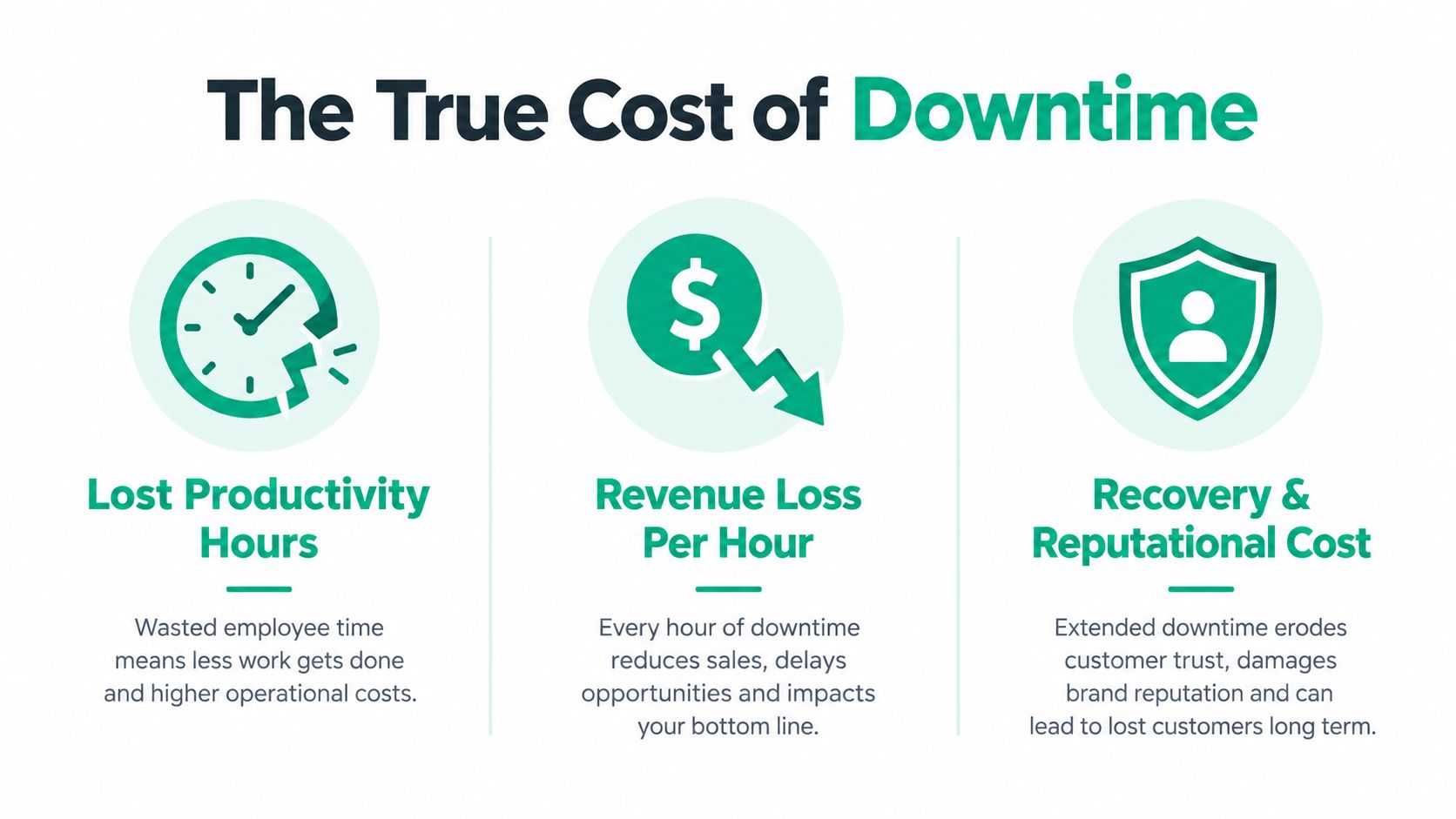
Downtime consumes more than the minutes shown on a status page. Employees wait, calls go unanswered, orders stall, access to files disappears, and managers start making decisions without reliable information. One commonly cited planning figure places the potential cost of unplanned downtime at up to $9,000 per minute, but the actual impact depends on staffing, revenue flow, customer commitments, and how quickly essential systems can be restored.
The more useful exercise is to define an outage budget. List the applications that must return first, the people who make recovery decisions, and the point at which a technical issue becomes a customer-facing incident. A business continuity plan should distinguish between a tolerable inconvenience and a failure that threatens payroll, patient operations, production, or contractual obligations.
Use a business impact analysis template to document those priorities rather than relying on memory. Recovery time objectives describe how quickly a service must return. Recovery point objectives describe how much recent data the business can afford to lose. Those decisions determine backup frequency, redundancy, staffing, and the right service-level agreement.
Cybersecurity creates a second bill
The cybersecurity case is just as direct. A 2023 CISA business security infographic reported that 73% of small and midsized business owners and operators had experienced a data breach, a cyberattack, or both during the preceding 12 months. That exposure sits beside a perception gap, because 70% of SMBs had reported in 2022 that they believed they were prepared to defend against an attack or breach.
CISA also reported that 42% of affected SMBs experienced revenue loss, while 32% reported loss of customer trust and another 32% reported employee turnover. SMBs represented 89% of cyber incidents in which company losses exceeded 10% of annual revenue, according to the same source. These figures explain why endpoint protection, secure network configuration, backup validation, and incident planning belong in ordinary operations, not in a drawer labeled “we'll handle that later.”
A useful recovery program helps keep RTO and RPO on track through tested procedures, not just successful backup notifications. CISA warns that ransomware can search for accessible backups and delete or encrypt them, while ordinary cloud synchronization may replicate encrypted files over healthy copies. Immutable off-site backups, offline copies, object lock, delete protection, and restore testing address that specific failure mode.
The ROI of managed IT appears when those controls reduce disruption and give employees their working time back. Predictable monthly support costs are easier to budget than emergency labor, rushed hardware purchases, lost sales, and a recovery process nobody has rehearsed.
Evaluating Providers Like a Pro
Search results for business IT support near me are full of similar promises: responsive help desk, secure systems, cloud services, and friendly technicians. Those phrases don't tell you whether a provider can find your forgotten SaaS accounts, identify exposed remote access, restore a failed application, or explain the first hour of a ransomware incident in plain English.
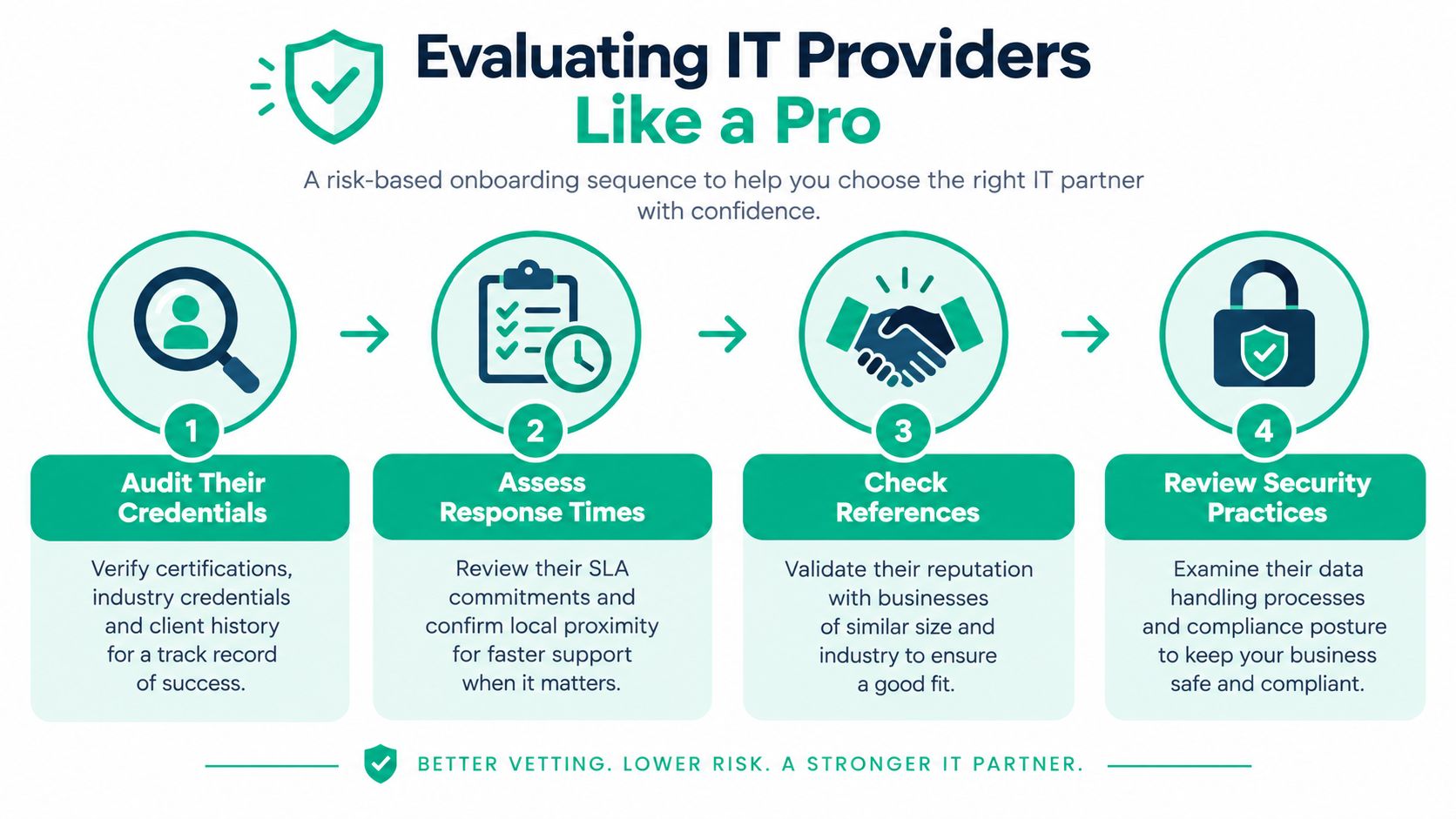
Start with an onboarding process that follows risk rather than sales packaging.
Build the inventory before buying tools
A provider should identify endpoints, identities, SaaS accounts, network devices, backups, line-of-business applications, and third-party connections. That includes laptops sitting in home offices, old admin accounts, vendor VPN access, printers with network credentials, and cloud applications purchased on a company card.
Rank each asset by business criticality and data sensitivity. A public-facing marketing site, a scheduling platform, a file repository containing customer records, and a production workstation don't carry the same recovery priority. Without that ranking, providers tend to apply the same checklist everywhere and call the result security.
Then ask for evidence. The review should include MFA status, privileged-account separation, endpoint detection, patch status, backup design, and tested recovery procedures. Verizon's 2025 SMB data breach snapshot found that 96% of small-business breaches involved system intrusion, social engineering, or basic web-application attacks, while ransomware appeared in 88% of SMB breaches. The provider should show how its controls address those paths, not merely name an antivirus product.
Test response, not just credentials
A tabletop incident exercise exposes weaknesses that a proposal rarely shows. Give the provider a scenario such as a locked file server, a disabled administrator account, or a compromised mailbox. Ask who gets called, who authorizes isolation, how staff communication works, which systems return first, and what evidence gets preserved.
Track monthly measures that describe risk reduction:
- Patch compliance: Which important systems remain exposed?
- Detection and containment: How quickly does the team find and control urgent activity?
- Restore success: Has a backup produced usable data in a real test?
- Critical vulnerabilities: Which items remain unresolved, and why?
- Third-party access: Can vendor privileges be revoked and reviewed?
Don't confuse a low ticket count with a healthy environment. A quiet help desk may mean stable systems, or it may mean employees have stopped reporting problems. When reviewing a provider's wider business understanding, even resources such as a local SEO agency in Berlin illustrate a useful principle: specialized support works best when it begins with the client's actual operating context, not a generic service menu.
For a deeper provider-selection checklist, review this managed service provider guide. The right partner should be able to explain escalation, after-hours coverage, documentation ownership, security responsibilities, and what happens when a vendor or cloud platform fails.
Understanding Technical Safeguards
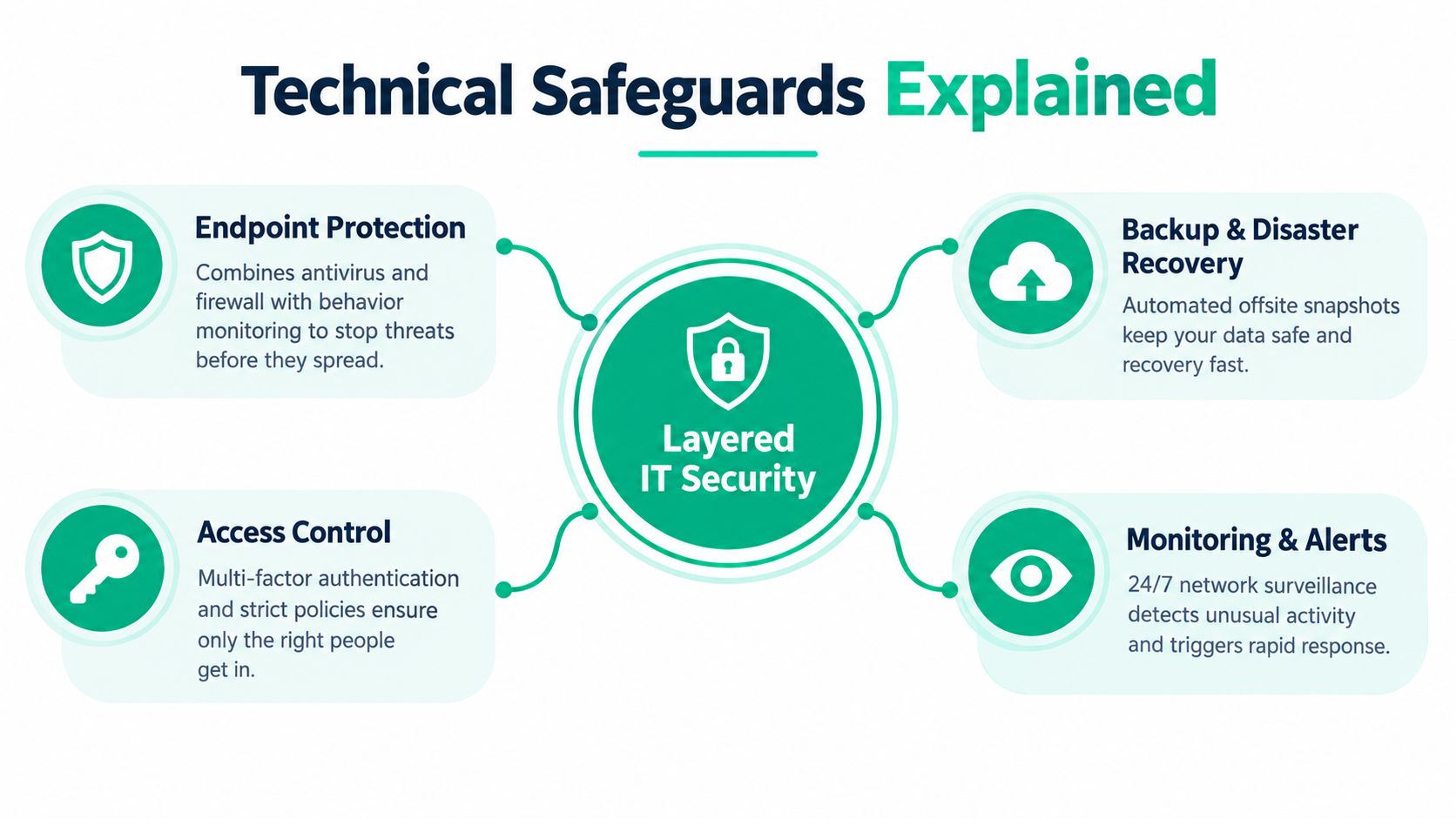
Antivirus alone is not a security program. It can detect known malware and suspicious behavior, but it doesn't decide whether a user should access a finance folder, whether a departing contractor still has privileges, or whether the company can recover after ransomware encrypts the server.
Zero Trust architecture starts with a less comfortable assumption: no user or device is trusted by default. Access depends on identity, device condition, location, application need, and policy. MFA, least privilege, separate administrator accounts, conditional access, and prompt revocation reduce the damage caused by stolen credentials.
A reactive technician may clean one infected laptop and leave the underlying account, browser extension, remote-access tool, or exposed application untouched. A provider using SOC-as-a-Service monitoring watches authentication events, endpoint activity, firewall alerts, and unusual behavior so someone can investigate before a local employee notices a problem.
Networks need design, not more bars
Wi-Fi quality depends on placement, radio conditions, cabling, switching, and client density. In an old brick building, latency-optimized mesh nodes can improve coverage where cable installation is difficult, but mesh backhaul still needs careful planning. If every access point competes for the same wireless path, adding another node may increase congestion.
A competent network review checks roaming behavior, voice and video latency, guest isolation, VLAN design, failover options, and the difference between an internet outage and an internal wireless fault. UniFi networking may be appropriate for centralized management and visibility, while another environment may need different hardware. The design should follow the building and workload.
Recovery goes below the file name
When storage fails, copying what the operating system can still see may not be enough. Bit-level data recovery works beneath the normal file system layer to reconstruct readable information from damaged media, though success depends on the failure and the condition of the device. It isn't a replacement for tested backups. It is a specialist response when the primary copy is damaged or incomplete.
Endpoint controls should combine behavior monitoring, firewall policy, patch management, and user education. Products such as Bitdefender GravityZone can fit into that layered model, but a product name doesn't prove coverage. The useful question is whether alerts reach a monitored team, whether incidents are contained, and whether recovery instructions are written before the emergency.
Finchum Fixes IT provides managed support, computer diagnostics, cybersecurity, network and Wi-Fi work, data recovery and migration, custom web and mobile software, and ongoing technical support for Indiana businesses. Its Indiana SMB endpoint protection guide is a practical reference for separating a real control set from a single security purchase.
Navigating Compliance and Standards
Compliance becomes manageable when the legal requirement is translated into an operational task. For Indiana healthcare organizations, the HIPAA Security Rule requires a contingency plan for emergencies that damage systems containing electronic protected health information. That plan includes procedures for backing up ePHI, restoring lost data, and continuing critical business processes in emergency mode, as described in HHS Security Rule guidance.
That requirement has a direct technical meaning. The practice needs an application and data criticality analysis, documented recovery priorities, protected backups, restore procedures, incident response steps, and periodic testing. If patient scheduling, billing, imaging, or clinical records depend on a server, the recovery runbook should say what returns first and who approves the decision.
Frameworks turn vague risk into work
Healthcare providers should also use the HHS ransomware fact sheet to connect ransomware preparation with contingency planning, incident response, reporting, criticality analysis, and restore testing. An immutable off-site backup architecture is useful because it gives the organization a protected recovery path when local hardware is encrypted or destroyed.
Defense contractors face a different obligation set, including CMMC expectations around access control, auditability, incident handling, system integrity, and protection of controlled information. The provider should map safeguards to the applicable requirements, document ownership, preserve evidence, and distinguish between a policy that exists and a control that operates.
For general Indiana businesses, NIST CSF 2.0 organizes outcomes into Govern, Identify, Protect, Detect, Respond, and Recover. NIST says the first four functions operate continuously, while Respond and Recover address incidents and restoration. A target profile, risk register, action plan, or plan of action and milestones gives management a way to track progress without pretending every risk disappears after one audit.
That same approach supports software development and AI adoption. Teams building custom web or mobile applications should protect source code, secrets, customer data, and deployment access through least privilege, code review, dependency management, logging, and rollback procedures. An approved generative AI tool policy alone won't control personal accounts, browser extensions, shadow AI, exposed API keys, or confidential data pasted into public models.
A SOC 2 readiness checklist can help organize evidence, but no checklist replaces ownership. The provider, business leaders, application owners, and compliance counsel must agree on who maintains each control and how often it gets tested.
Getting Your Free Network Assessment
The next step is practical. Schedule a Free Network Assessment or a Security Risk Audit for your Greenwood or Indianapolis business before a failure forces the conversation.
The review should identify aging hardware, wireless dead zones, exposed remote access, unsupported software, backup weaknesses, undocumented administrator accounts, and applications without a recovery priority. It should also connect those findings to business impact: which staff lose billable time, which customers wait, which systems return first, and what response the monthly budget buys.
Johnson County business owners dealing with growth need a partner who can scale support without losing local accountability. Hamilton County growth creates similar pressure, while downtown Indy tech hubs often demand reliable remote access, cloud services, custom applications, and secure collaboration. A local assessment should reflect those realities, not hand you a generic risk score.
If you're researching wider digital support at the same time, you can contact seopaslaugos.io for a separate SEO consultation. Keep that work distinct from infrastructure planning. Your network assessment should focus on continuity, security, recovery, and the technical conditions that let employees serve customers without interruption.
Use the Indiana SMB network security assessment guide to prepare your questions. Don't wait for a crashed server or ransomware event to validate your setup. A documented outage budget, tested recovery plan, and responsive local support can turn wasted tech time into billable hours and make monthly IT spending predictable.
Finchum Fixes IT helps Greenwood and Indianapolis businesses with managed IT, cybersecurity, UniFi networking, Wi-Fi design, computer repair, data recovery, custom software, and business continuity planning. Visit Finchum Fixes IT to schedule a Free Network Assessment or Security Risk Audit before your next outage chooses the recovery plan for you.