Endpoint Security Best Practices for Indianapolis SMBs
Let's get one thing straight: your business's frontline isn't the front door of your shop in Greenwood or your office in downtown Indianapolis. It’s every single laptop, desktop, server, and smartphone connecting to your network. These are your "endpoints," and they're the number one target for cybercriminals looking for an easy way in. A single compromised device can quickly escalate into a full-blown crisis, leading to data breaches, operational downtime, and a hit to your reputation that no small business can afford.
Forget the vague, academic fluff. This isn't a theoretical discussion; it's a practical battle plan. We're breaking down the essential, actionable endpoint security best practices that every Indiana business owner needs to implement yesterday. We’ll cover everything from locking down devices with multi-factor authentication and advanced threat detection to establishing ironclad policies for patching, backups, and user access. Think of this as your go-to guide for transforming your digital perimeter from a weak link into a fortress.
This guide focuses on the devices you and your team use daily. However, it's important to remember that a comprehensive security posture extends into every part of your IT infrastructure. For those utilizing cloud services, a solid understanding of cloud-specific defenses is equally critical. For a broader perspective that complements your endpoint strategy, consider reviewing these robust AWS security best practices to ensure your cloud environment is just as secure.
Let's get straight to the point and start fortifying your business, one endpoint at a time.
1. Implement Multi-Factor Authentication (MFA) Across All Endpoints
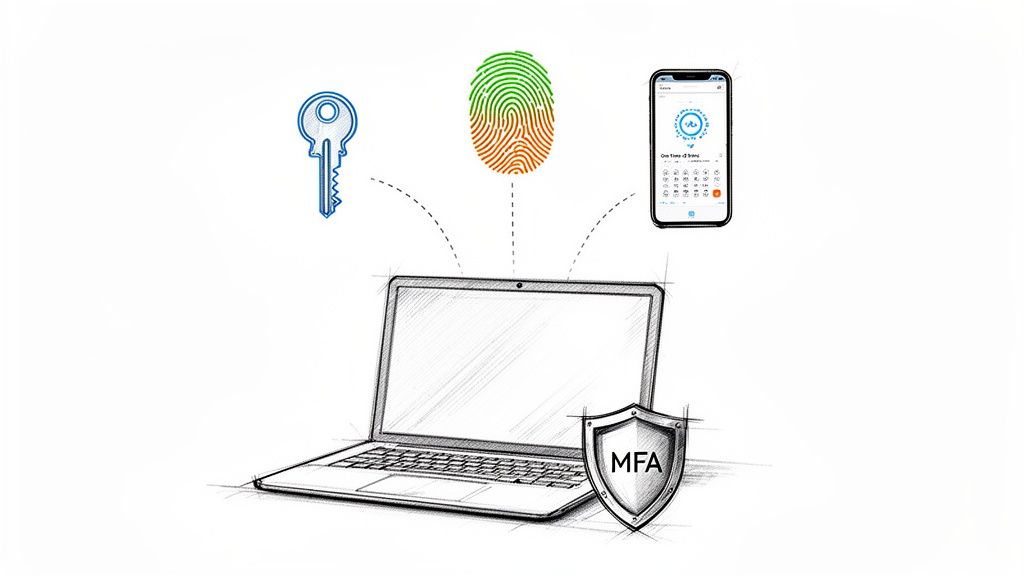
Think of your password as the lock on your front door. It’s a decent first line of defense, but a determined crook with the right key (a stolen password) can walk right in. Multi-Factor Authentication (MFA) is like adding a deadbolt and a security guard who asks for a secret handshake. It demands users prove their identity in more than one way before granting access, making it exponentially harder for cybercriminals to break in, even if they’ve stolen a password.
MFA combines something you know (your password) with something you have (like your phone) or something you are (like your fingerprint). When you log in, after entering your password, you'll be prompted for a second piece of evidence, usually a code from an app like Google Authenticator or a text message. This simple step is one of the most powerful endpoint security best practices you can deploy.
Why MFA is a Non-Negotiable for Indiana Businesses
For businesses here in Indiana, from law firms in Carmel handling sensitive client data to healthcare providers in Greenwood protecting patient records under HIPAA, MFA is a game-changer. It’s a foundational control for protecting remote workers accessing company resources from home. A compromised password for your Office 365 or VPN (the secure tunnel for remote work) is no longer an automatic catastrophe.
Pro-Tip: Prioritize the Crown Jewels. Don't try to boil the ocean. Start with your most critical systems. This typically includes email (like Microsoft 365), your VPN for remote access, and any financial or core business applications. Secure these first, then expand to other apps.
Having a local IT partner in the Indianapolis area can be invaluable for a smooth MFA deployment, providing hands-on support and training to ensure your team is secure and productive.
2. Deploy Endpoint Detection and Response (EDR) Solutions
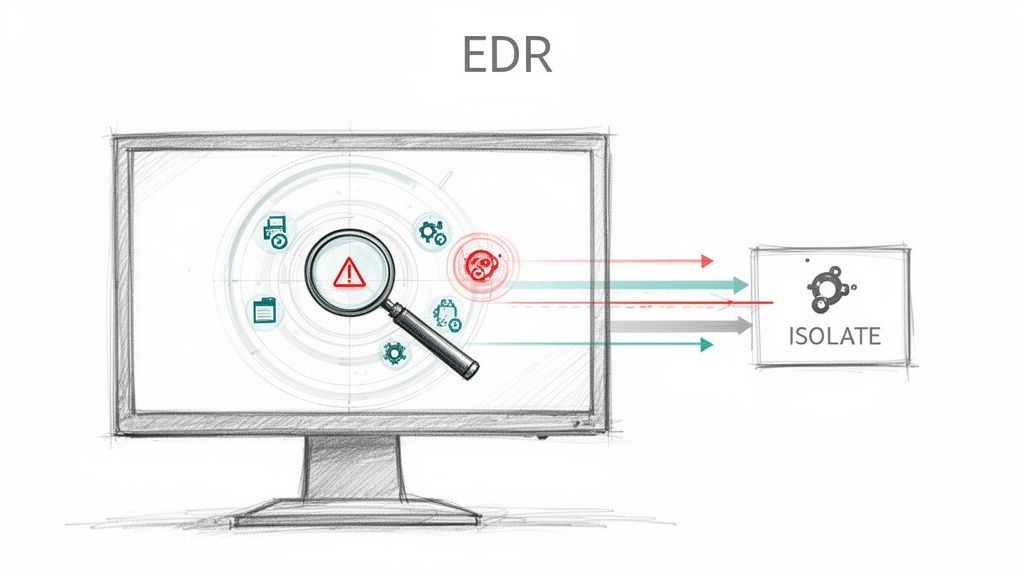
If traditional antivirus is a security guard checking IDs at the front door, Endpoint Detection and Response (EDR) is a team of Secret Service agents inside the building, constantly watching for suspicious behavior. While antivirus looks for known threats, EDR is the next-generation security solution that hunts for the unknown. It analyzes activities on your endpoints in real-time, using behavioral analysis to spot sophisticated attacks that slip past conventional defenses.
This proactive approach is crucial for modern endpoint security best practices. EDR doesn't just block a known virus; it detects an attacker trying to move laterally through your network or a "zero-day" exploit that has no existing signature. It provides the visibility you need to see an attack as it unfolds and gives you the power to stop it cold before real damage is done.
Why EDR is a Must-Have for Indiana Businesses
For businesses across Central Indiana, the stakes are high. Imagine a manufacturing firm in Plainfield detecting the initial stages of a ransomware attack and isolating the infected machine before it can encrypt the entire server. Or a financial services company in downtown Indianapolis identifying an insider threat by flagging unusual data access patterns. These aren't far-fetched scenarios; they're the daily reality EDR is built to handle, providing enterprise-grade protection that's accessible for SMBs.
Partnering with a local Greenwood IT expert can help you select, configure, and manage the right EDR solution, turning a complex security tool into a powerful, automated defender for your business.
3. Establish a Robust Patch Management Program
Imagine your business software is like a high-tech fortress. The developers built strong walls, but occasionally, they find a small, overlooked crack. A software patch is the digital masonry crew that rushes out to seal that crack before an invader can exploit it. A robust patch management program is your system for making sure this crew is always on schedule, keeping your fortress impenetrable.
Without a patch management strategy, your endpoints are riddled with known vulnerabilities that cybercriminals actively hunt for. It’s like leaving your windows open with a sign that says, “Free entry for hackers.” This systematic process of identifying, testing, and deploying updates for operating systems, applications, and firmware is a cornerstone of effective endpoint security best practices, closing security gaps before they become catastrophic breaches.
Why Patching is Critical for Indiana Businesses
For Indiana businesses, from manufacturing firms in Plainfield protecting their operational networks to healthcare practices in Greenwood maintaining HIPAA compliance, timely patching is non-negotiable. An unpatched server or workstation is one of the most common entry points for ransomware attacks. Automating this process ensures your business is protected without disrupting your day-to-day operations.
Quick Fix: Automate and Verify. Use tools to automate patch deployment so you're not chasing down every computer update manually. But don't just "set it and forget it." Regularly audit your endpoints to verify that patches were successfully installed and that no devices have fallen through the cracks. This simple check-up prevents major headaches.
Managing this process can be complex. A local IT partner here in the Indianapolis area can implement and manage an automated patch management solution, ensuring your systems are always up-to-date and secure without you lifting a finger.
4. Enforce Device Encryption and Data Protection
Imagine a company laptop full of sensitive client data is left in a coffee shop in Fishers. Without encryption, that's not just a lost device; it's a full-blown data breach waiting to happen. Device encryption acts like a digital safe, scrambling all the data on a drive into an unreadable code. Even if someone physically gets their hands on the laptop's hard drive, the information remains gibberish without the correct decryption key (usually tied to the user's password).
This process, often called full-disk encryption (FDE), is a fundamental endpoint security best practice that transforms a potential disaster into a mere inconvenience. It's built right into modern operating systems like Microsoft's BitLocker and Apple's FileVault, making it one of the most accessible yet powerful security layers you can activate to protect your company's data, whether it's on-site or on the go.
Why Encryption is Crucial for Indiana Businesses
For organizations across Indiana, encryption is non-negotiable. A law firm in Zionsville must protect client-attorney privileged communications. A healthcare provider in Avon is required by HIPAA to safeguard patient data on all devices. Encryption ensures that a lost or stolen device doesn't automatically violate compliance mandates and destroy client trust. As remote work continues, ensuring data security is more critical than ever; for more on this, check out these 6 Ways To Ensure Data Security In Remote Work Environments.
A local Greenwood IT partner can manage your encryption deployment, handle key escrow securely, and ensure your entire fleet of devices is compliant and protected without disrupting workflow.
5. Implement Application Whitelisting and Hardening
Imagine your computer is an exclusive nightclub and you’re the bouncer. Application whitelisting is your VIP list; if a program’s name isn’t on the list, it’s not getting in. Period. This security model flips traditional antivirus on its head. Instead of trying to block a near-infinite list of known-bad programs (blacklisting), you only permit a pre-approved list of essential applications to run. This simple, powerful flip in logic stops malware, unapproved software, and unauthorized tools dead in their tracks.
By strictly controlling what software can execute on your endpoints, you drastically shrink the "attack surface" available to cybercriminals. It’s one of the most effective endpoint security best practices for preventing both sophisticated external attacks and well-meaning-but-risky internal software installations. Combined with application hardening, which involves configuring approved apps to be as secure as possible, you create a fortress around your systems.
Why Whitelisting is a Must-Have for Indiana Businesses
For businesses across Central Indiana, from manufacturing firms in Plainfield protecting production systems to financial advisors in Zionsville safeguarding client portfolios, whitelisting is a critical control. It ensures that only company-vetted software runs on your network, preventing employees from accidentally installing malware-laden freeware or using unapproved tools that could leak sensitive data.
A local IT partner like Finchum Fixes IT can help you analyze your software usage and implement a whitelisting policy that enhances security without frustrating your staff.
6. Conduct Regular Security Awareness Training and Phishing Simulations
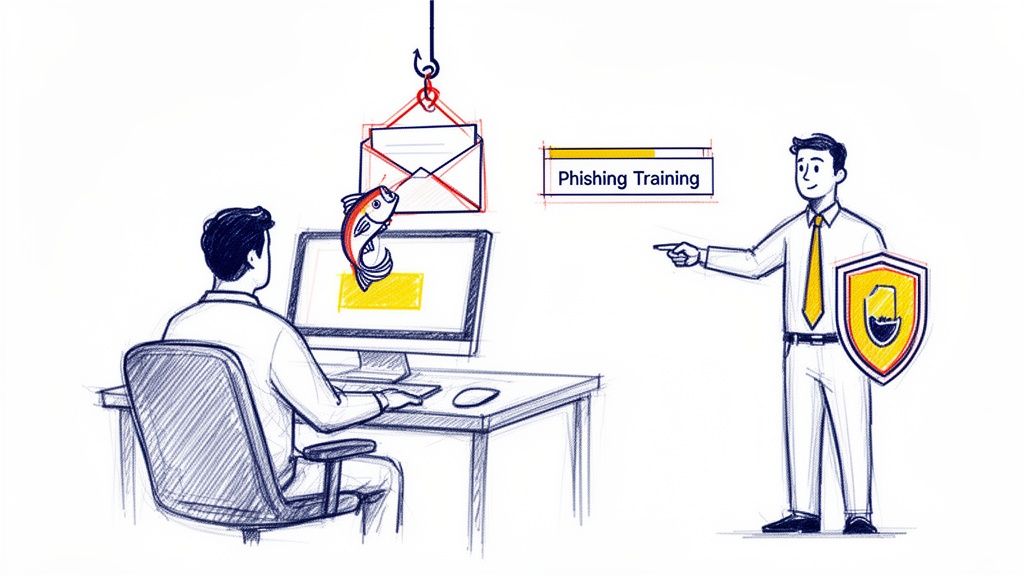
You can have the most advanced EDR and firewalls on the planet, but they won't stop a well-meaning employee from clicking a malicious link in a fake shipping notification. Human error is the backdoor that cybercriminals love to exploit. Security awareness training turns your team from a potential liability into your first line of defense, creating a human firewall that is one of the most cost-effective endpoint security best practices.
This isn't about boring, all-day seminars. Modern training combines engaging, short video modules with simulated phishing attacks. These fake emails, designed to mimic real-world threats like invoice scams or password alerts, test your team's vigilance in a safe environment. When an employee clicks, instead of unleashing malware, they get a gentle, teachable moment explaining what to look for next time.
Why Training is a Must for Indiana's Workforce
For Indiana businesses, from manufacturing companies in Plainfield guarding trade secrets to law firms in Zionsville protecting privileged client communications, a trained employee is a powerful asset. An attorney who can spot a sophisticated Business Email Compromise attempt or a plant manager who recognizes an industrial espionage lure can prevent a catastrophic breach with a single, smart decision not to click.
Pro-Tip: Start with a Baseline Test. Before any training, send out a baseline phishing simulation to your team. This gives you a clear metric of your company's current vulnerability. It's the "before" picture that proves the value of your training investment and shows you exactly where to focus your efforts. Because phishing is a primary attack vector, you can explore other defenses in our guide to the top 10 email security best practices for Indianapolis businesses.
Implementing and managing a training program can feel like a full-time job. A local IT partner in the Greenwood area can handle the entire process, from baseline testing to ongoing simulations and reporting, ensuring your human firewall stays strong.
7. Deploy Host-Based Firewalls and Intrusion Prevention Systems (HIPS)
Think of your office building's main entrance security as your network firewall. It’s great for stopping trouble at the front door. But what if a threat sneaks in through a delivery or an unlocked window? A host-based firewall is like having a dedicated security guard stationed at the door of every single office. It controls who and what gets in or out of each individual computer, creating a powerful last line of defense.
Host-based firewalls and Intrusion Prevention Systems (HIPS) work directly on the endpoint (your laptops and servers) to inspect and control traffic. They can block unauthorized applications from "phoning home" to a cybercriminal's server or prevent malware from spreading from one workstation to another on your internal network. This is a critical layer of endpoint security best practices that contains threats even after they've breached the perimeter.
Why Every Indiana Business Needs an Endpoint Guard
For businesses in Indiana, this is non-negotiable. A manufacturing firm in Plainfield can use HIPS to prevent an attacker from moving laterally from a compromised front-office PC to the critical machinery on the shop floor. A local government contractor in Greenwood can monitor for and block unusual outbound connections, preventing the exfiltration of sensitive project data. This granular control is essential for a robust defense.
Implementing these rules correctly is a core part of a layered defense, complementing your wider network security strategy. For hands-on help configuring and managing these systems, having a local IT partner in Indianapolis can make all the difference.
8. Maintain Comprehensive Endpoint Inventory, Asset Management, and Backup/Disaster Recovery
You can't protect what you don't know you have. An endpoint inventory is like your security team’s GPS; without it, you're just wandering in the dark. This practice combines knowing every single device connected to your network with a robust plan to bring them back from the dead after a disaster. It’s the foundational one-two punch against chaos, whether from a ransomware attack or a catastrophic hardware failure.
This isn’t just about making a list. True asset management tracks hardware specs, software versions, who owns it, and where it is. It helps you find that one ancient Windows 7 machine running a critical piece of software before a hacker does. Paired with a solid Backup and Disaster Recovery (BDR) plan, which creates automated, encrypted copies of your data, it means your business can survive nearly anything thrown at it.
Why Inventory and Backups are Your Business's Life Insurance
For Indiana businesses, this is about pure survival. A Greenwood healthcare practice that gets hit with ransomware can be back online in hours, not weeks, by restoring from an offline backup. A law firm in Indianapolis can confidently prove compliance by showing an accurate asset list of all devices handling client data. This combination of visibility and resilience is a cornerstone of modern endpoint security best practices.
Quick Fix: Test Your Getaway Plan. Backups are completely useless if they can't be restored. Schedule regular recovery tests—at least quarterly. The middle of a real crisis is the worst possible time to discover your recovery process is broken. A simple test confirms your "life insurance" will actually pay out when you need it.
A local IT partner like Finchum Fixes IT can help deploy automated inventory systems and implement a bulletproof BDR strategy, ensuring your Central Indiana business is both accounted for and prepared for anything.
9. Implement Privileged Access Management (PAM) for Administrator Accounts
Think of your standard employee user account as a key to the office. A privileged administrator account, on the other hand, is the master key to the entire building, including the server room, the executive offices, and the safe. If a criminal gets that key, they don’t just steal a few laptops; they can change the locks, disable the alarms, and walk away with everything. Privileged Access Management (PAM) is the high-tech security system that locks those master keys away and only hands them out when absolutely necessary, under strict supervision.
PAM solutions are designed to control, monitor, and manage the "keys to the kingdom." Instead of letting administrator credentials float around freely, PAM enforces policies like just-in-time (JIT) access, where privileges are granted for a specific task and then immediately revoked. This is a cornerstone of advanced endpoint security best practices, drastically reducing the attack surface by minimizing the number of powerful, always-on accounts that can be compromised.
Why PAM is Crucial for Indiana Businesses
For regulated industries in Indiana, like financial firms in downtown Indy or government contractors in Fishers meeting NIST controls, PAM isn't just a good idea; it's often a requirement. It provides a full audit trail of who accessed what, when, and why. This prevents both malicious insiders from causing damage and external attackers from escalating their privileges after an initial breach, turning a minor incident into a company-wide disaster.
Implementing a PAM solution correctly requires expertise. A local IT partner like Finchum Fixes IT can help you deploy and manage these systems, ensuring your most critical assets are protected without disrupting your operations.
10. Monitor and Control USB and Removable Media Access
Think of a USB port as an unlocked side door to your office. While incredibly useful for quick data transfers, it’s also a wide-open invitation for both malware to walk in and for sensitive data to walk out. An employee might unknowingly plug in an infected flash drive they found, or a disgruntled contractor could copy your entire client list onto a tiny thumb drive in seconds. Controlling access to removable media is a critical endpoint security best practice that plugs this often-overlooked security gap.
Device control and Data Loss Prevention (DLP) solutions give you the power to decide who can use removable media, what kind of devices are allowed, and even what type of data can be copied. It’s like having a digital bouncer at every USB port, checking IDs and patting down files before they enter or leave your network. This prevents both malicious data theft and accidental data loss from a misplaced drive.
Why Device Control is a Must for Indiana Businesses
For Indiana businesses, the risks are real and tangible. A law firm in Fishers can’t afford to have confidential case files copied by an intern. A manufacturing plant in Plainfield must protect its proprietary designs from being siphoned off by a departing employee. By implementing USB and removable media controls, you put a lock on that side door, ensuring your intellectual property and client data stay securely inside your business where they belong.
Deploying a policy like this can be tricky. Working with a local IT partner in the Indianapolis area ensures you can configure these granular controls correctly, providing the right level of access without creating security holes or frustrating your team.
10-Point Endpoint Security Best Practices Comparison
| Solution | Implementation Complexity 🔄 | Resource Requirements ⚡ | Expected Effectiveness ⭐ | Ideal Use Cases 💡 | Key Advantages 📊 |
|---|---|---|---|---|---|
| Implement Multi-Factor Authentication (MFA) Across All Endpoints | 🔄🔄 Moderate — directory integration and user onboarding | ⚡⚡ Low–Moderate — licensing, support, tokens/apps | ⭐⭐⭐ High — greatly reduces credential-based compromise | Remote/distributed teams, email/VPN, regulated SMBs | 📊 Strong account protection; compliance alignment; low UX impact |
| Deploy Endpoint Detection and Response (EDR) Solutions | 🔄🔄🔄 High — deployment, tuning, SOC processes | ⚡⚡⚡ High — per-endpoint licensing, analyst time | ⭐⭐⭐⭐ Very high — detects advanced/behavioral threats, lowers MTTD | High-value assets, orgs lacking SOC, healthcare/finance | 📊 Behavioral detection, automated response, forensic data |
| Establish a Robust Patch Management Program | 🔄🔄🔄 Moderate–High — testing, staging, rollback processes | ⚡⚡ Moderate — tooling, testing infra, scheduling | ⭐⭐⭐ High — closes known CVEs, reduces ransomware risk | All endpoints; servers, OT, regulated environments | 📊 Reduces exploitable vulnerabilities; provides audit trails |
| Enforce Device Encryption and Data Protection | 🔄🔄 Low–Moderate — key management and recovery planning | ⚡ Low — OS tools available; key escrow recommended | ⭐⭐⭐ High — protects data at rest if device is lost or stolen | Laptops, portable devices, client/customer data holders | 📊 Limits breach impact; meets encryption regulatory requirements |
| Implement Application Whitelisting and Hardening | 🔄🔄🔄 High — inventory, approval workflow, ongoing maintenance | ⚡⚡⚡ Moderate–High — management tools and admin effort | ⭐⭐⭐⭐ Very high — prevents majority of malware execution | Servers, admin workstations, regulated industries | 📊 Strong preventive control; reduces lateral movement |
| Conduct Regular Security Awareness Training & Phishing Simulations | 🔄🔄 Low–Moderate — program setup and continual reinforcement | ⚡ Low — training platform and program coordinator | ⭐⭐⭐ Medium–High — reduces phishing success over time | All staff, high-risk roles (finance, HR, execs) | 📊 Cost-effective risk reduction; builds security culture |
| Deploy Host-Based Firewalls and Intrusion Prevention Systems (HIPS) | 🔄🔄 Moderate — rule management and tuning at scale | ⚡⚡ Moderate — licensing and administrative overhead | ⭐⭐⭐ High — blocks lateral movement and C2 communications | Remote endpoints, multi-site orgs, critical systems | 📊 Protects off-network; granular application-level control |
| Maintain Endpoint Inventory, Asset Management & Backup/DR | 🔄🔄🔄 High — discovery, backup design, regular testing | ⚡⚡⚡ High — storage, backup infrastructure, tooling | ⭐⭐⭐⭐ Very high — enables rapid recovery and visibility | All organizations needing continuity, compliance-heavy firms | 📊 Prevents shadow IT; enables fast ransomware recovery; auditability |
| Implement Privileged Access Management (PAM) for Administrator Accounts | 🔄🔄🔄 High — vaulting, JIT workflows, session capture | ⚡⚡⚡ High — solution cost, admin overhead, integrations | ⭐⭐⭐⭐ Very high — reduces privileged-account and insider risk | Domain admins, DBAs, service accounts, regulated enterprises | 📊 Enforces least privilege; provides session audit trails |
| Monitor and Control USB and Removable Media Access | 🔄🔄 Moderate — policy, exceptions, user coordination | ⚡⚡ Low–Moderate — DLP/device-control tools and admin time | ⭐⭐⭐ Medium–High — reduces removable-media exfiltration and malware spread | Healthcare, legal, finance, IP-sensitive manufacturing | 📊 Prevents data exfiltration via removable media; audit trail for investigations |
Bringing It All Together: Your Next Steps for a Secure Business
We've just navigated a ten-point gauntlet of cyber-defense, from the digital bouncer that is Multi-Factor Authentication to the velvet rope of USB port control. It's a lot to take in, and if you’re feeling a bit like you just tried to drink from a firehose, that’s perfectly normal. The good news? You don't have to boil the entire ocean at once. The real secret to mastering these endpoint security best practices is not about achieving instant, perfect security; it's about building a durable, layered defense one smart decision at a time.
Think of it like securing your physical business here in Indiana. You lock the front door (MFA), install a good alarm system (EDR), and make sure your windows aren't left wide open (Patch Management). You don’t give every employee the keys to the safe (Privileged Access), and you have a plan for what to do if something goes wrong (Backups & Disaster Recovery). Endpoint security is the digital equivalent of that common-sense approach, applied to every laptop, server, and smartphone that touches your business data.
From Information to Action: Your Three-Step Launch Plan
The biggest mistake is paralysis. Don't let the scope of this list stop you from starting. Here's a practical, no-nonsense way to get the ball rolling today, turning this article from a "nice to know" into a "look what we did."
-
Tackle the "Big Two" Immediately: If you do nothing else this week, focus on Multi-Factor Authentication (MFA) and Patch Management. These two pillars alone eliminate a massive portion of the attack surface that cybercriminals exploit. Enforcing MFA is your single most effective defense against stolen passwords, and a consistent patching schedule closes the known vulnerabilities hackers are actively hunting for. These are not optional; they are the foundational bedrock of modern security.
-
Gain Total Visibility: You cannot protect what you cannot see. Your next priority is a comprehensive Endpoint Inventory. Use a tool (even a well-managed spreadsheet is a start) to document every device connecting to your network. This crucial step is the prerequisite for effective EDR deployment, policy enforcement, and knowing what to protect with backups. It’s the map you need before you can plan your journey.
-
Empower Your People: Technology is only half the battle. Your team is your first and last line of defense. Roll out a basic Security Awareness Training program. Start with a simple, engaging session on identifying phishing emails—the number one delivery vehicle for ransomware. This investment pays dividends faster than almost any other security control.
The Real Goal: Resilience, Not an Impenetrable Fortress
Let's be blunt: no one is 100% "hacker-proof." The goal of implementing these endpoint security best practices isn't to build an unbreakable digital fortress. That’s a fantasy. The real goal is to become a resilient, unattractive, and frustrating target. It's about making it so difficult and so costly for an attacker to breach your defenses that they give up and move on to the lower-hanging fruit down the road.
By layering these controls, you create a security posture that can withstand an attack, detect it quickly, and recover with minimal disruption. It’s about ensuring that a single mistake, a single clicked link, or a single compromised device doesn't bring your entire operation to its knees. That resilience is what separates businesses that survive a cyber incident from those that become another statistic. It’s the peace of mind that lets you focus on growth, innovation, and serving your customers, knowing you've done your due diligence to protect the business you've worked so hard to build.
Feeling overwhelmed or just want a professional partner to handle this for you? As your local Greenwood and Indianapolis IT experts, Finchum Fixes IT translates these complex security frameworks into practical, affordable solutions for small and medium-sized businesses. Visit us at Finchum Fixes IT to schedule a no-obligation consultation and let's secure your business, together.