Custom Software Development Services for Indy Businesses
TL;DR
- Custom software development services make sense when your team spends too much time working around software instead of serving customers, billing jobs, or closing orders.
- For Indiana SMBs along the I-65 corridor, the breaking points usually show up in scheduling, invoicing, field service coordination, inventory control, patient intake, and reporting.
- Off-the-shelf software is faster to purchase and easier to start with. Custom software makes more sense when your workflow is specific, your systems need to share data, or manual re-entry keeps eating billable time.
- A typical project includes discovery, design, development, testing, launch, and ongoing support.
- Costs and timelines depend on scope, integrations, compliance requirements, and how much process cleanup needs to happen before development starts.
- Vet local vendors carefully. Ask how they handle integrations, security, support, and industry requirements such as HIPAA, CMMC, or NIST CSF.
A common growth problem shows up in Greenwood, Whiteland, Franklin, and the rest of the I-65 corridor. The business adds customers, hires more people, and pushes more work through the same systems. Then everyday tasks start taking longer than they should.
In one office, a dispatcher enters the same service call into multiple tools because scheduling, billing, and customer updates do not connect. In another, a bookkeeper exports spreadsheets at the end of the week to fix invoices before they go out. In a warehouse or shop, the dashboard says one thing while the floor says another, so a manager walks the building to verify counts by hand.
Those are not minor IT annoyances. They are operating costs.
Hours disappear into rework. Billing gets delayed. Staff members become dependent on memory and side notes. For a Johnson County business owner, that usually means less cash flow, less visibility, and fewer productive hours from a team that is already stretched.
At that point, custom software stops being a luxury project and starts looking like basic operational cleanup.
When Off-the-Shelf Software Stops Working for Your Indiana Business
A lot of Johnson County business owners don't call asking for “custom software development services.” They call because something is jammed up. Usually it's a process problem wearing an IT mask.
A common Southside example is a growing logistics or field service company in a Greenwood business park using generic scheduling software that wasn't built for local dispatch reality. Drivers have route changes. Customers want text updates. Accounting needs clean billing codes. Operations wants proof of service. The software handles each piece halfway, so staff fills the gaps with spreadsheets, emails, and side notes.
The hidden cost is process mismatch
When your software doesn't match your workflow, your employees become the integration layer. That's expensive. It also creates business continuity risk because the process now depends on tribal knowledge instead of a reliable system.
Here's what that looks like in practice:
- Dispatch bottlenecks: One person knows the “right way” to force the schedule into the app.
- Billing delays: Office staff manually reconcile service data before invoices can go out.
- Customer frustration: Clients get inconsistent updates because information lives in multiple places.
- Training problems: New hires need to learn workarounds, not just the job.
Practical rule: If your team needs a cheat sheet to explain how to use the software “properly,” the software is probably the problem.
Custom software fixes that by shaping the system around the business instead of forcing the business to bend around the system. That doesn't mean every company needs a giant platform built from scratch. Sometimes the right move is a focused internal app, an API integration, or a replacement for one ugly manual process that's wasting time every day.
Why more companies are making this move
This isn't a fringe buying pattern anymore. One market estimate values the global custom software development services market at USD 43.16 billion in 2024, with projected growth to USD 146.18 billion by 2030, a projected 22.6% CAGR from 2025 to 2030, according to Grand View Research's custom software development market report.
That tracks with what local businesses are doing. More Indiana companies want systems that fit their exact workflow, talk cleanly to existing tools, and don't trap them in a licensing model that gets more painful every year.
For a business owner, the takeaway is simple. If generic software is eating staff time, causing downtime, or making compliance harder, “making do” is usually the more expensive choice.
Understanding Custom Software vs Packaged Solutions
Off-the-shelf software is like renting a tux for one event. It works, mostly. The sleeves are a little off, the shoulders pinch, and you spend the evening adjusting it.
Custom software is a bespoke suit. It costs more upfront, takes longer to make, and fits the job it was built for.
That's the cleanest way to think about the difference.
What custom software actually means
Custom software is built around one organization's workflow, data model, and integration boundaries. Packaged software is built for a wide market and asks you to adapt to it.
That distinction matters in real operations. A manufacturer in Johnson County may need a production board tied to barcode scanners and inventory rules. A medical office in Indy may need intake, document routing, and HIPAA-aware access controls. A defense supplier may need tighter workflow traceability to support CMMC expectations. Those are not “turn on a setting” problems.
A side-by-side view
| Factor | Custom Software | Off-the-Shelf Software |
|---|---|---|
| Fit to workflow | Built for your exact process | Built for average market needs |
| Implementation speed | Slower because it starts with discovery and design | Faster to buy and deploy |
| Upfront cost | Usually higher | Usually lower at the start |
| Long-term control | You control features, roadmap, and integrations | Vendor controls roadmap and limits |
| Integration | Can be designed around your QuickBooks, CRM, ERP, or UniFi-connected environment | Often needs connectors, plug-ins, or workarounds |
| Compliance handling | Can be built around HIPAA, CMMC, or internal policy requirements | May offer broad controls but not your exact process |
| Competitive advantage | Strong when your process is part of how you win business | Weak, because competitors can buy the same tool |
| Vendor lock-in | Lower if ownership and architecture are handled correctly | Higher, especially with subscription products |
For a deeper local comparison, this Indiana guide to custom software vs off-the-shelf breaks down the trade-offs in plain language.
What works and what doesn't
Packaged software works well when the process is standard. Payroll is a good example. Basic ticketing can be too. If your need is common, buying software is often the smart move.
Custom software works when the mess sits between systems or inside a unique workflow. That's where companies get real value.
What usually fails is the middle ground:
- Buying a tool that's close enough
- Stacking add-ons to fake a custom workflow
- Asking staff to live inside exceptions forever
- Ignoring security architecture while patching systems together
Buy packaged software for commodity functions. Build custom software for the processes that actually make your business money or protect it from operational failure.
That line saves businesses a lot of regret.
How Custom Software Translates to Business Growth
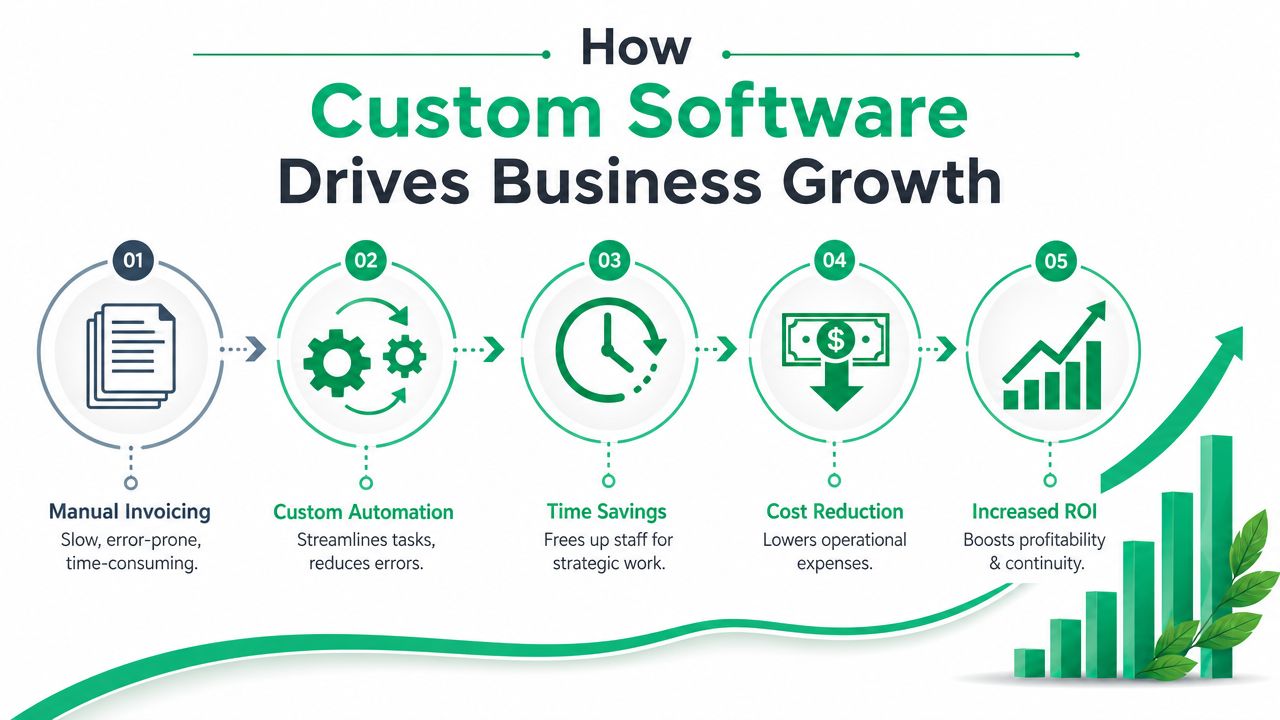
Growth doesn't come from “having an app.” It comes from removing friction in the work that already pays your bills.
For Indiana SMBs, that usually means reducing hand-entry, tightening scheduling, improving visibility, and cutting the downtime that starts when employees have to stop and figure out which system has the correct answer. Every time a team member waits on bad software, you're burning productive time that should be tied to service delivery, sales, or client work.
Where the ROI usually shows up
A Hamilton County professional services firm might have staff entering the same client data into intake forms, billing software, and a CRM. A custom workflow app can route data once, validate it, and push it to the right systems through APIs. That reduces rework and gives those employees more time for actual client-facing tasks.
A healthcare group near downtown Indy has a different problem. They need patient data handled correctly, role-based access, auditability, and workflows that don't fight the front desk. In that environment, software design isn't just about convenience. It's tied to security policy, HIPAA handling, and business continuity.
Industry providers make this point clearly. Custom software is often justified when a business needs advanced analytics, intelligent automation, computer vision, or regulated workflows that packaged tools can't cleanly support, as described by Luxoft's overview of enterprise custom software development.
Why this matters for continuity
Software that fits your process reduces the number of places work can fail. That matters if you're trying to keep trucks moving, appointments booked, inventory accurate, or technicians billable.
Strong builds usually include:
- Automation of repeat work: Invoice prep, document routing, approvals, and status updates.
- Integration with existing systems: QuickBooks, CRMs, ERP platforms, scheduling tools, and identity systems.
- Security by design: Zero Trust architecture, proper authentication, logging, least-privilege roles, and secure APIs.
- Operational visibility: Dashboards that show real work status instead of stale exports.
A practical local read on this is the benefits of custom software development for Indy businesses.
Good custom software doesn't add another screen for your staff to click through. It removes three screens they already hate.
That's also where compliance gets easier. If a contractor needs CMMC-aligned process controls, or a general business wants tighter alignment with NIST CSF, custom systems can embed those controls into the workflow instead of leaving them as policy documents nobody follows.
From Idea to Launch A Step-by-Step Breakdown
Business owners usually worry that a custom build will become a black box. That happens when the vendor can't explain the process in plain English.
A healthy software project is structured. You should know what happens, what you're approving, and what your team needs to provide at each point.
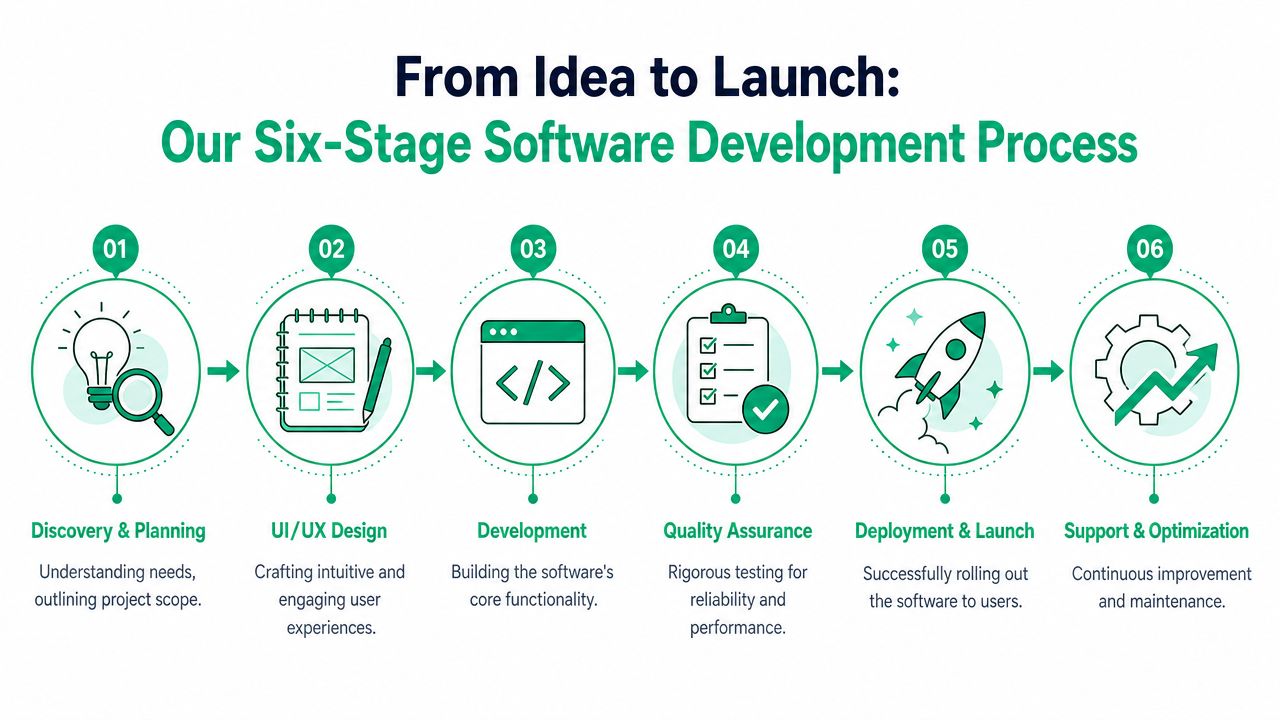
Early in the process, the visual below helps frame the work.
The six stages that keep projects sane
A standard delivery lifecycle includes discovery and planning, design, development, testing, deployment, and maintenance. In common project frameworks, the development phase often spans 8 to 24 weeks and testing 2 to 6 weeks, according to Dreamix's guide to custom software development services.
-
Discovery and planning Useful questions are asked at this stage. What breaks now? What has to integrate? What can wait? What would make the project a win six months after launch? If a vendor skips this and jumps straight to a quote, that's a problem.
-
UI and UX design
This isn't just making screens pretty. It's deciding how dispatchers, office staff, techs, or managers move through the work with the fewest clicks and the fewest mistakes. -
Development The team builds the actual system, usually in short cycles. Architecture is paramount during this stage, encompassing secure APIs, database structure, role-based permissions, audit logs, and cloud deployment choices.
-
Quality assurance and testing
Good teams test workflows, edge cases, permissions, integrations, and failure points. If the app touches sensitive data, they should also talk intelligently about secure coding, vulnerability management, and logging.
Before a business owner commits to a developer, this guide to hiring a custom application developer in Indiana is worth reading.
What a local team should explain clearly
In our 17 years of local service, one pattern keeps repeating. Projects go sideways when business owners are handed jargon instead of decisions.
Ask for plain answers to these:
- Who owns the roadmap: You or the vendor?
- How are changes handled: Formal approval or casual scope creep?
- What happens after launch: Support desk, retainer, or “call us if it breaks”?
- How is security built in: Zero Trust architecture, MFA support, encrypted data handling, and logging should come up naturally.
This short video gives a non-technical overview of the process:
Custom software is also moving closer to AI-assisted workflows. If you're evaluating where this is headed, Webtwizz has a useful read on the future of AI app customization that helps frame what belongs in the product now versus later.
What usually works best
The best projects don't start with features. They start with one operational bottleneck everyone agrees needs to disappear.
That might be intake. It might be quoting. It might be field-to-office communication. Solve the painful thing first, then expand.
Budgeting for Custom Software in Indianapolis
A Greenwood distributor loses two hours every Friday because staff export orders from one system, clean them up in Excel, then re-enter the same data into accounting. A contractor running jobs up and down I-65 loses billable time when field updates reach the office late. Those are budget problems before they look like software problems.
What does this cost?
The honest answer depends on what the system has to do, what it has to connect to, and how much risk the business can tolerate. A simple internal workflow tool sits in one budget range. A platform with user permissions, reporting, mobile access, and integrations with QuickBooks, CRM data, or vendor portals sits in another.
The ranges you can cite without guesswork
Custom software usually lands somewhere between a focused first release and a larger multi-phase system. Timeline and cost rise with integration work, security requirements, and the amount of cleanup needed before development starts. If a vendor promises a secure, fully integrated business platform for the price of a used riding mower, the scope is either incomplete or the support plan disappears after launch.
I usually tell Central Indiana owners to budget in phases, not in one giant number. Start with the bottleneck that costs the most time each week. Then price the first release, the follow-up improvements, and the ongoing support separately.
The pricing models you'll run into
| Pricing model | Best fit | Watch-outs |
|---|---|---|
| Fixed price | Smaller projects with tightly defined scope | Change requests can become expensive fast |
| Time and materials | Complex builds where requirements become clearer during development | Requires steady oversight and clear priorities |
| Retainer or support agreement | Ongoing enhancements, support, patching, and optimization | Responsibilities need to be spelled out clearly |
For many Indianapolis-area SMBs, a hybrid model works best. Lock down the first release. Then handle changes, support, and incremental improvements under a monthly agreement. That keeps cash flow more predictable and reduces the chance that every small adjustment turns into a separate quote.
What pushes the budget higher
Some cost drivers are easy to spot. Others show up after discovery starts.
- Integrations: Connecting QuickBooks, CRMs, ERPs, shipping tools, or supplier systems adds testing, error handling, and maintenance work.
- Security and compliance: HIPAA, CMMC, insurance requirements, and audit trails affect architecture, access control, and logging.
- Data cleanup: Years of spreadsheet workarounds, duplicate records, and inconsistent naming can slow progress before a developer writes a line of code.
- Support expectations: Hosting oversight, patching, monitoring, backups, and user support need their own line item.
Labor model matters too. Local collaboration often costs more up front than offshore development, but it can save money if your process is messy, your requirements are still shifting, or your team needs quick decisions during the build. If you're comparing options, this overview of software development offshoring strategies is useful context.
For owners mapping software against broader technology spending, this SMB guide to IT budget planning, ROI, and resilience helps frame the decision the right way.
A better budgeting question is simple. Which process along your operation is wasting enough labor, causing enough downtime, or delaying enough invoices that fixing it will pay for itself? In Johnson County and across the I-65 corridor, that is usually where the significant return shows up first.
Your Checklist for Vetting a Local Software Vendor
Not every development shop is built for real business operations. Some can produce slick demos but struggle with messy integrations, compliance demands, or long-term support.
That matters in Central Indiana, where many SMBs don't need a flashy app. They need a stable system that works in an old brick building with patchy Wi-Fi, talks to the accounting stack, and doesn't fall apart when the office manager takes a vacation.
Questions worth asking before you sign anything
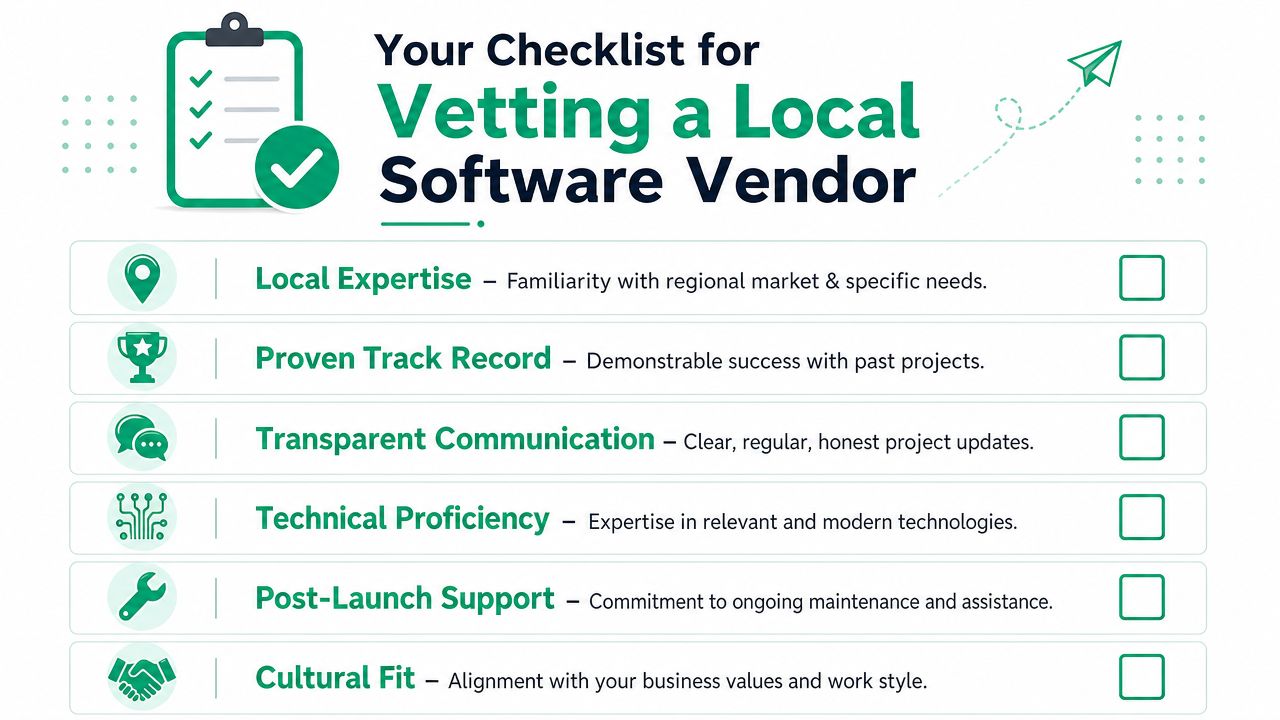
Use this checklist when you're interviewing vendors:
- Ask about local context: Have they worked with Johnson County or Indianapolis-area businesses that share your operational style?
- Ask how they handle security: They should be able to explain Zero Trust architecture, secure authentication, logging, and patch management in plain English.
- Ask about infrastructure reality: Can the system function cleanly across cloud apps, office workstations, mobile devices, and networks built on equipment like UniFi access points?
- Ask about compliance: If you have HIPAA, CMMC, or NIST CSF requirements, can they describe how those affect the design?
- Ask about support after launch: Who handles updates, bug fixes, training, and outage response?
One local option in this space is Finchum Fixes IT, which provides custom software work alongside broader IT support, networking, and security services for Indiana businesses. That's useful when the app has to live inside a real production environment, not just on a developer's laptop.
Red flags that show up early
If the proposal sounds like it could have been sent to a dentist, a warehouse, and a law office without changing anything, it's too generic.
Watch for these warning signs:
- No discovery questions: They quote too fast.
- No ownership clarity: You can't tell who controls code, hosting, or future changes.
- No support plan: Launch is treated like the finish line.
- No compliance fluency: They nod at HIPAA or CMMC but can't explain the technical impact.
- No architecture depth: They avoid discussing APIs, data flow, identity, or backup strategy.
If you're weighing local delivery against overseas teams, this article on software development offshoring strategies is useful because it lays out where remote models can work and where communication, time zone, and accountability issues can hurt execution.
Common Questions from Indiana Business Owners
The practical questions are usually the right ones.
What happens after the software is built
The software still needs care. Operating systems change. Dependencies need updates. Users ask for adjustments. Security patches matter. If the application handles important workflows, support should include monitoring, maintenance, backups, and a clear escalation path when something breaks.
For systems tied to business continuity, I'd also want backup planning discussed in the same breath as launch planning. That can include immutable off-site backups for core data, role-based admin control, and documented recovery steps.
Can custom software integrate with our current tools
Yes, usually. This is one of the biggest reasons companies pursue custom builds in the first place.
A solid development team can connect software to accounting systems, CRMs, vendor portals, reporting tools, and internal databases through APIs or controlled data exchange. If the environment is older, the job may involve more cleanup and translation, but it's still often the right path.
How do you keep custom software secure
Security has to be in the architecture from day one. That means proper identity controls, least-privilege access, encrypted data handling, logging, patching, and review of integration points.
For most SMBs, I want to hear language like Zero Trust architecture, NIST CSF alignment, secure coding, MFA support, and ongoing monitoring. If the app handles sensitive data or regulated workflows, the security conversation should happen before anyone talks about colors, logos, or dashboard widgets.
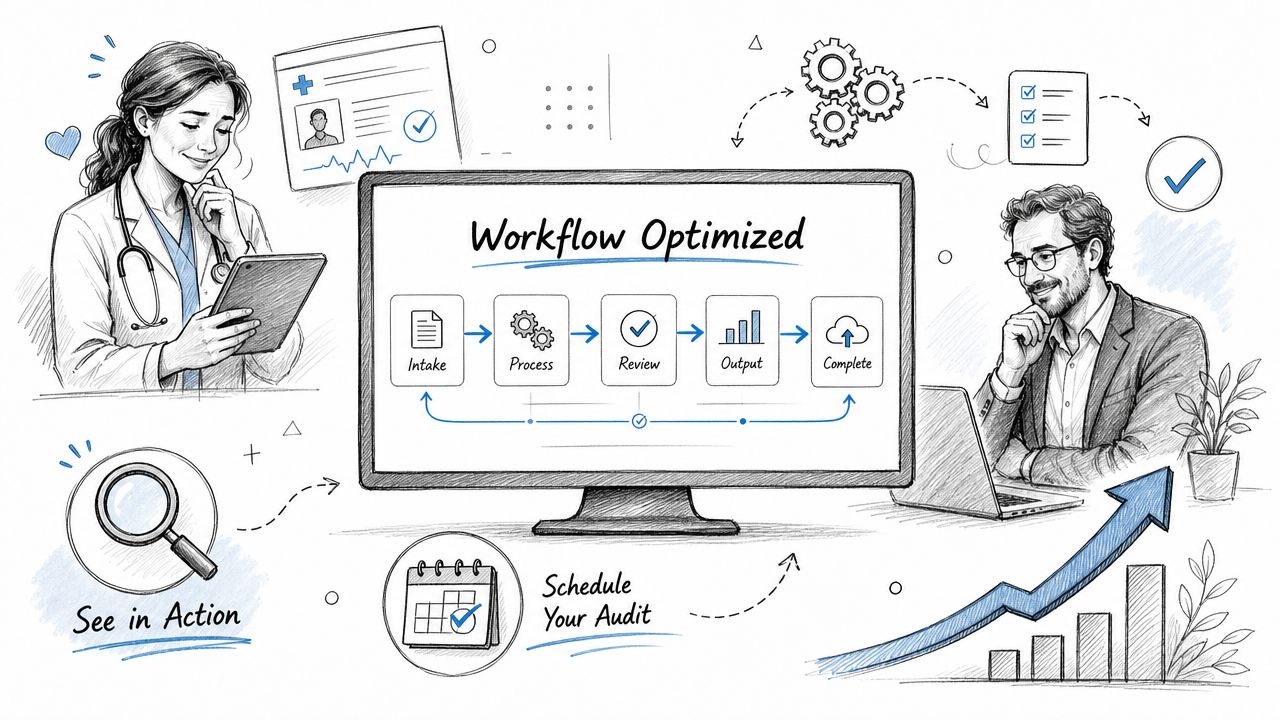
See Custom Software in Action and Schedule Your Audit
Local business owners usually know when the software problem is real. They feel it in missed handoffs, delayed invoices, scheduling confusion, and employees wasting good hours on bad process.
A medical office in the north suburbs might need patient intake that routes correctly and keeps permissions tight. A distributor near the I-65 corridor may need inventory and dispatch updates visible without constant phone calls. A service company in Greenwood may just need one clean internal system that turns job completion into invoice-ready data without manual cleanup.
What a smart next step looks like
Don't start by asking for a giant app. Start by identifying the process that's causing the most friction or downtime.
Then verify four things:
- What breaks now
- Which systems must connect
- What security or compliance rules apply
- Who supports it after launch
If your pain point is customer management, quoting, follow-up, or sales workflow, this look at custom CRM software development that drives business growth is a good place to narrow the scope.
Some businesses also want AI features layered into the workflow, such as guided search, internal knowledge lookup, or task assistance. In that case, it helps to review practical examples of how teams build your AI assistant before deciding whether AI belongs in phase one or a later release.
A good software project should do three things. Cut wasted effort. Reduce avoidable downtime. Make the business easier to run.
If your current tools are doing the opposite, it's time to stop working around them.
If you're in Greenwood, Indianapolis, or elsewhere in Central Indiana and you suspect your software stack is dragging down operations, schedule a Free Network Assessment or Security Risk Audit with Finchum Fixes IT. We'll help you identify where bad workflows, weak integrations, or security gaps are costing you time, continuity, and margin, then map out what a practical fix looks like.