Top 12 Best Patch Management Software Picks for 2026

- Effective patch management is crucial for business continuity, preventing downtime that can cost up to $9,000 per minute. It converts reactive IT firefighting into a predictable, automated process that boosts security and productivity.
- The best software depends on your specific environment. Microsoft-centric businesses in downtown Indy may prefer Intune, while companies with on-premise servers in Greenwood might need the control of Microsoft Configuration Manager (MECM).
- Cloud-native tools like Automox and NinjaOne are ideal for managing remote workforces spread across the I-65 corridor. They simplify patching for Windows, macOS, and Linux without needing on-premise hardware.
- Third-party application patching (Adobe, Chrome, Zoom) is critical. Tools like ManageEngine Patch Manager Plus and Patch My PC specialize in this, closing a major security gap.
- For businesses in regulated industries needing to meet HIPAA or CMMC compliance, solutions like Qualys VMDR offer risk-based patching and robust audit trails.
We’ve all seen it: a Greenwood business park paralyzed because a single unpatched server vulnerability let ransomware in. That’s not just a technical headache; it’s catastrophic downtime, costing up to $9,000 per minute and grinding operations to a halt. Ignoring patch management is like leaving your front door wide open on the I-65 corridor, inviting every digital miscreant to waltz right in.
This isn’t just about avoiding disaster; it’s about smart business continuity and ROI. In our 17 years of local service, we've seen how effective patch management converts "wasted tech time" from reactive panic into predictable monthly budgets and billable hours. It’s a core function of preventive maintenance. For businesses aiming for compliance with standards like HIPAA for healthcare or CMMC for defense contractors, a documented patching process built on a Zero Trust architecture isn't optional—it's mandatory.
Finding the right tool is the hard part. The market is flooded with options, from sprawling enterprise platforms to lean, focused utilities. How do you choose the best patch management software for your specific needs without getting lost in marketing fluff?
That's why we built this guide. We’ve cut through the noise to bring you a no-nonsense breakdown of the top 12 patch management solutions. We’ll show you exactly how each tool works, its real-world pros and cons, and which is the best fit for specific use cases—from a small Johnson County shop to a growing Hamilton County enterprise. Each review includes screenshots and direct links so you can see the software for yourself. Let’s find the right tool to keep your business secure and running smoothly.
1. Microsoft Intune
For businesses already living in the Microsoft 365 world, using Microsoft Intune for patch management is a no-brainer. Think of it as the native-tongue speaker for your Windows environment. Intune provides some of the best patch management software capabilities by giving you direct, granular control over Windows Update for Business. You can create different "rings" of deployment, pushing patches to a small test group of machines before rolling them out to your entire downtown Indy office.
What makes Intune stand out is its deep integration. Because it's part of the same ecosystem as Entra ID (formerly Azure AD), setting up secure access and policies is a unified process. A critical aspect of securing any IT environment, including patch management, involves understanding and implementing principles like Role Based Access Control. Intune’s cloud-native approach also means you can manage devices anywhere, from a sales rep's laptop on the I-65 corridor to a remote worker's Mac in Hamilton County, without needing a VPN. To dig deeper into the core concepts, you can learn more about what patch management is and why it's so important.
Pros & Cons
- Pro: Its tight integration with Microsoft 365 and Entra ID reduces agent bloat and simplifies administration. No need for another username and password combo.
- Pro: Unmatched, granular control over Windows update rings and compliance policies lets you automate patching with precision.
- Con: Its native third-party application patching is notoriously weak. You'll likely need a bolt-on solution like Patch My PC to cover software like Adobe, Java, and Chrome.
Website: Microsoft Intune Pricing
2. Microsoft Configuration Manager (MECM / SCCM)
For organizations with significant on-premises infrastructure, Microsoft Configuration Manager (formerly SCCM) remains the undisputed heavyweight champion of Windows patching. If Intune is the cloud-native speaker, ConfigMgr is the grizzled system administrator who built the server room in your Greenwood office park brick by brick. It offers some of the best patch management software capabilities through its powerful, direct integration with Windows Server Update Services (WSUS). This allows you to create incredibly detailed deployment schedules and maintenance windows, ensuring critical servers aren't rebooted during business hours.
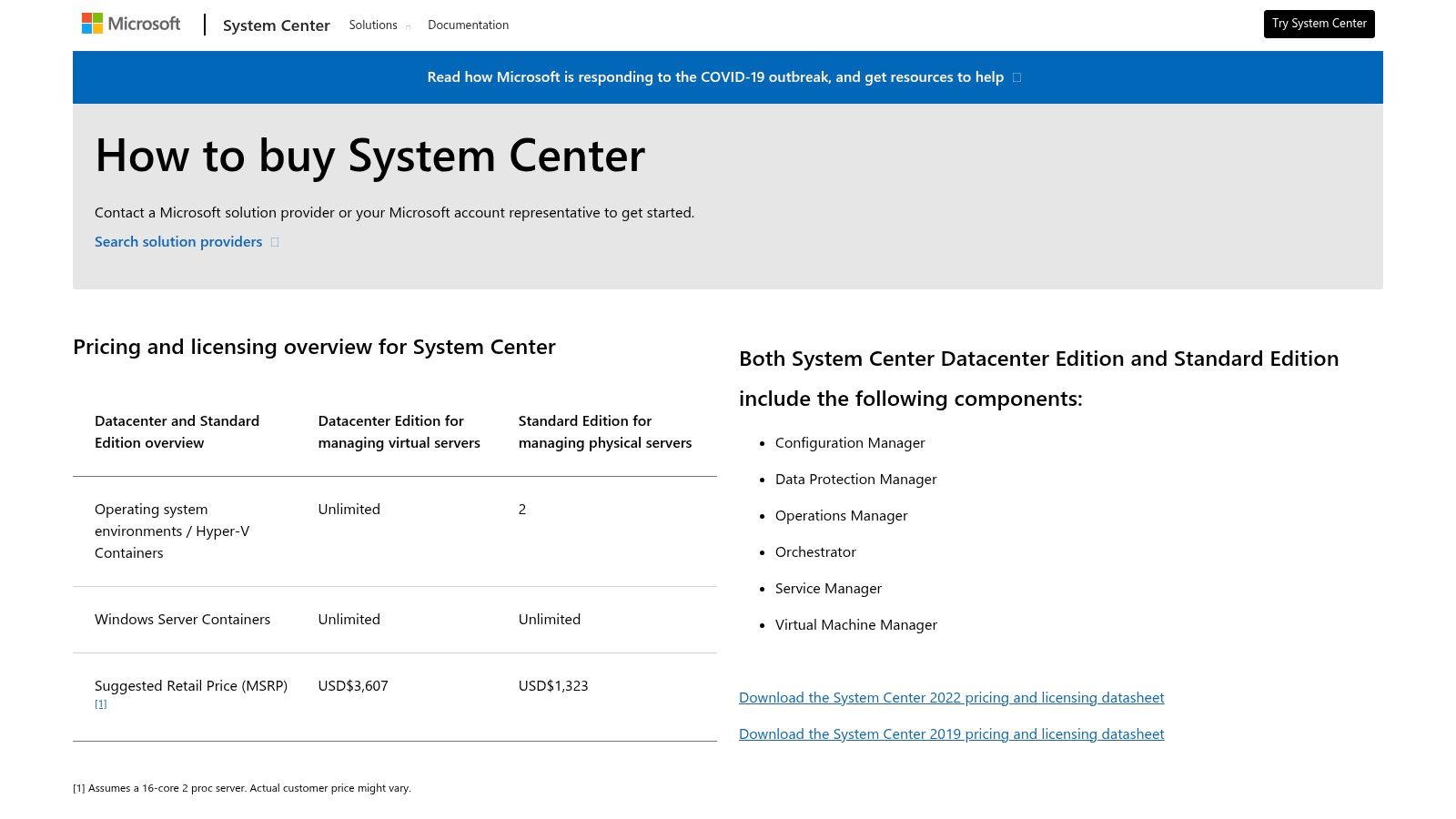
The real power of ConfigMgr is its sheer control. It’s built for complex environments where you need to manage everything from data center servers to workstations spread across multiple buildings. What makes it a modern contender is its ability to co-manage with Intune. This hybrid approach gives you the granular, on-prem control of ConfigMgr for your servers while using Intune’s cloud-native agility to manage laptops traveling up and down the I-65 corridor. It’s a mature, feature-rich tool that provides deep reporting and compliance baselines, crucial for businesses needing to meet standards like HIPAA or CMMC.
Pros & Cons
- Pro: Mature and extremely feature-rich for Windows server and workstation patching at a large scale. The scheduling and reporting tools are second to none.
- Pro: Deep integration with the on-prem Microsoft ecosystem like Active Directory and WSUS makes it the go-to for traditional IT environments.
- Con: It requires significant on-prem infrastructure, including dedicated servers and a SQL Server license, which means higher operational overhead and specialized expertise to manage.
Website: Microsoft System Center Pricing
3. Automox
If you're managing a fleet of devices scattered across the state, from a sales rep's laptop on the I-65 corridor to a remote worker's Mac in Hamilton County, Automox is built for you. This cloud-native platform was designed from the ground up to patch Windows, macOS, and Linux systems without needing a VPN or wrestling with on-premise infrastructure like WSUS. It provides some of the best patch management software capabilities by being incredibly fast to deploy; you just install a lightweight agent and can start securing endpoints in minutes.
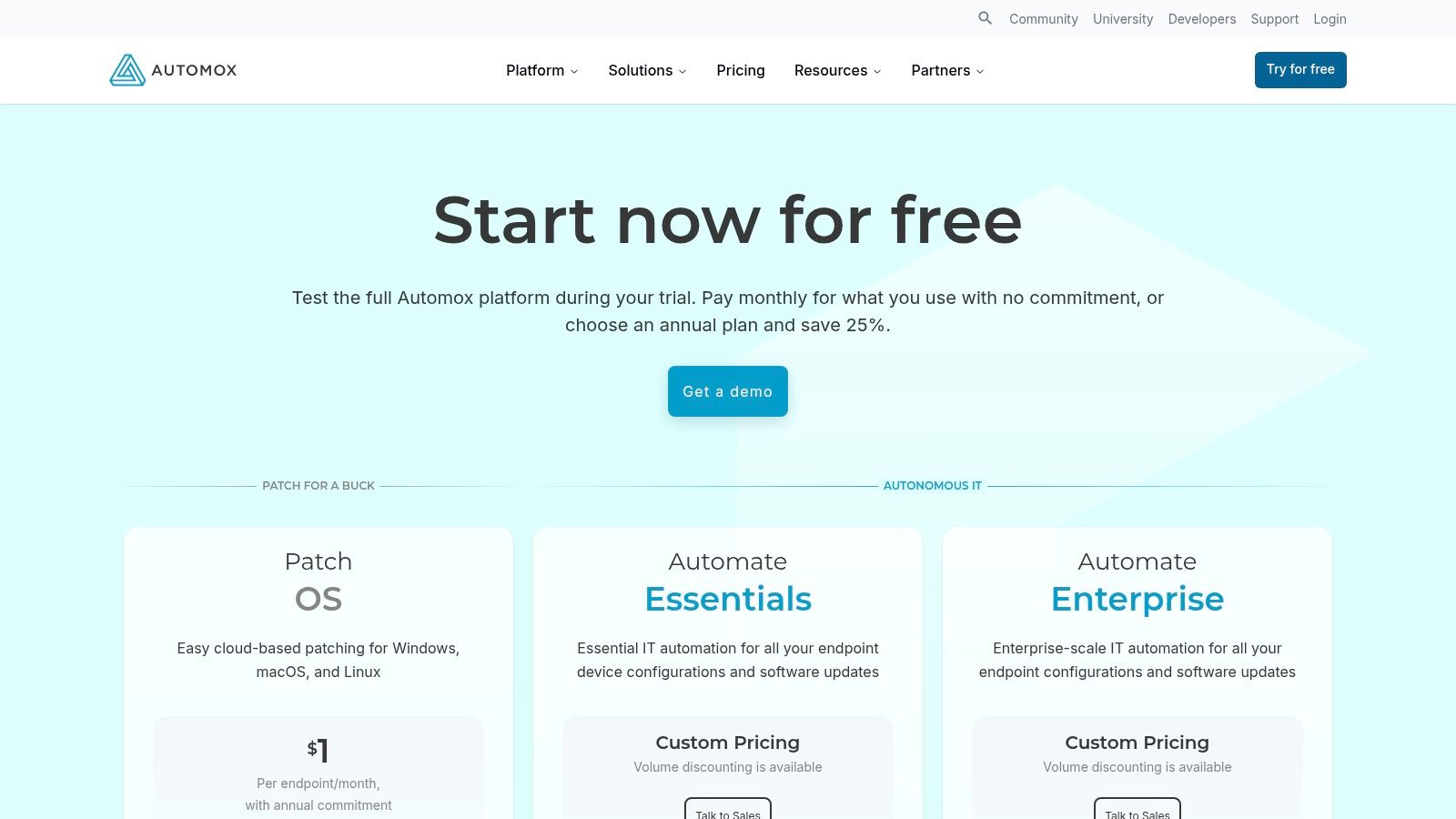
The real power of Automox comes from its automation. Beyond simple scheduling, it uses "Worklets," which are essentially powerful scripts that can handle complex, multi-step tasks. This means you can not only patch an operating system but also enforce specific configurations or remediate vulnerabilities automatically. For a Johnson County business that doesn't have a large IT staff, this level of automation is a game-changer, turning hours of manual work into a set-it-and-forget-it policy. This prevents downtime and converts wasted tech time into billable hours.
Pros & Cons
- Pro: Its cloud-first, agent-based model is perfect for remote or distributed workforces, making rollout exceptionally fast and simple.
- Pro: Strong automation through policies and Worklets allows for hands-off remediation beyond just basic OS and software patching.
- Con: The most extensive third-party application catalog is reserved for higher-priced plans, so you'll need to check if your critical apps like Adobe or specific developer tools are covered in the tier you choose.
Website: Automox Pricing
4. ManageEngine Patch Manager Plus
For businesses in the greater Indianapolis area running a mixed fleet of Windows, macOS, and Linux machines, ManageEngine Patch Manager Plus is a serious contender for the best patch management software. It acts like a universal translator for your entire network, patching not only the operating systems but also a huge catalog of third-party applications. This means you can secure everything from a server in your Greenwood office to a designer's MacBook in Fishers from a single console, without juggling different tools.
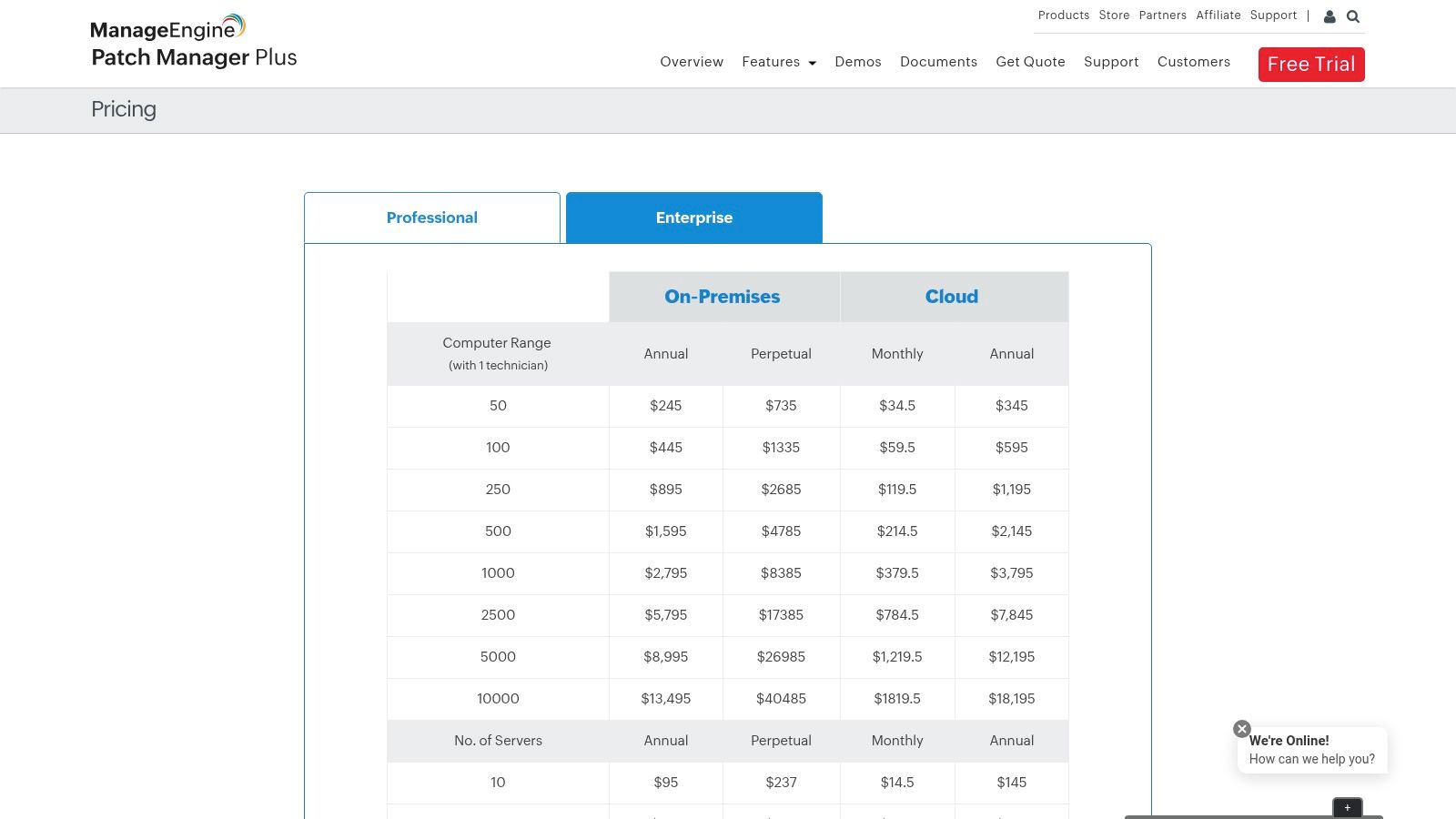
The platform's strength lies in its flexibility. You can deploy it as a cloud service or keep it on-premises, and its published pricing is refreshingly transparent for SMBs. We've seen Johnson County businesses benefit from its test-and-approve workflow, which lets you vet patches on a small group of non-critical systems before a full rollout. This prevents a bad update from grinding your operations to a halt, ensuring business continuity. Its reporting features are also top-notch, giving you the documentation needed to prove compliance for standards like HIPAA or NIST CSF.
Pros & Cons
- Pro: Transparent SMB-friendly pricing and editions mean you aren't paying for enterprise features you'll never use.
- Pro: Its broad third-party application coverage is massive, handling updates for hundreds of common and obscure programs right out of the box.
- Con: The user interface is powerful but can be a bit overwhelming at first; its depth requires some initial time to learn and configure properly.
Website: ManageEngine Patch Manager Plus Pricing
5. NinjaOne Patch Management
For the IT team that needs to do everything with one tool, NinjaOne is a serious contender. It’s a full-blown Remote Monitoring and Management (RMM) platform where patch management is a core, tightly integrated feature, not an afterthought. This makes it one of the best patch management software choices for managed service providers or smaller internal IT departments across Indiana that can't afford a dozen different subscriptions. You can automate patching for Windows, macOS, and even some Linux distributions, all from the same dashboard you use for remote access and monitoring a server in a Greenwood business park.
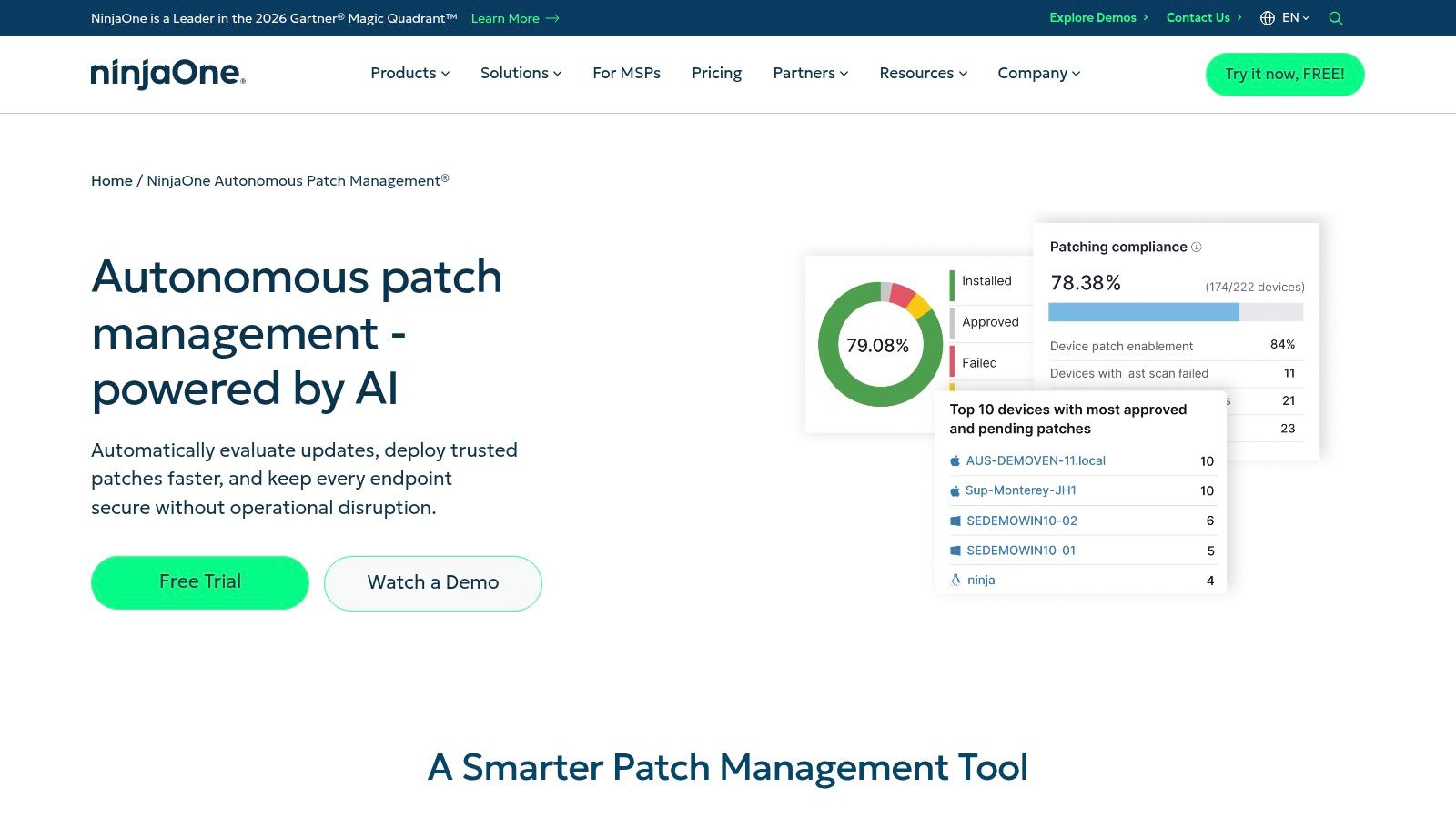
What really sells NinjaOne is its massive catalog of third-party applications, letting you patch everything from Adobe Reader to Zoom without extra tools. The policy-based engine lets you set different schedules for sensitive servers versus standard workstations, ensuring updates don't disrupt critical operations during business hours. This consolidation of tools is not just about convenience; it also strengthens your security posture. By managing patches and endpoint security from a single pane of glass, you can quickly correlate a vulnerability with an active threat, a key tenet when you search for the best endpoint protection software for Indiana businesses. Its cloud-native design means you have total visibility whether the device is on your corporate network or connected to coffee shop Wi-Fi.
Pros & Cons
- Pro: Its unified platform consolidates multiple IT tools (patching, RMM, backup, ticketing) into a single agent and interface, drastically simplifying management for smaller teams.
- Pro: A massive third-party application catalog covers thousands of titles, offering exceptional coverage for non-Microsoft software without needing a separate solution.
- Con: Pricing is quote-based and requires a conversation with sales. The per-device cost can vary significantly based on which modules you bundle and your total number of endpoints.
Website: NinjaOne Patch Management
6. PDQ (Connect; Deploy & Inventory)
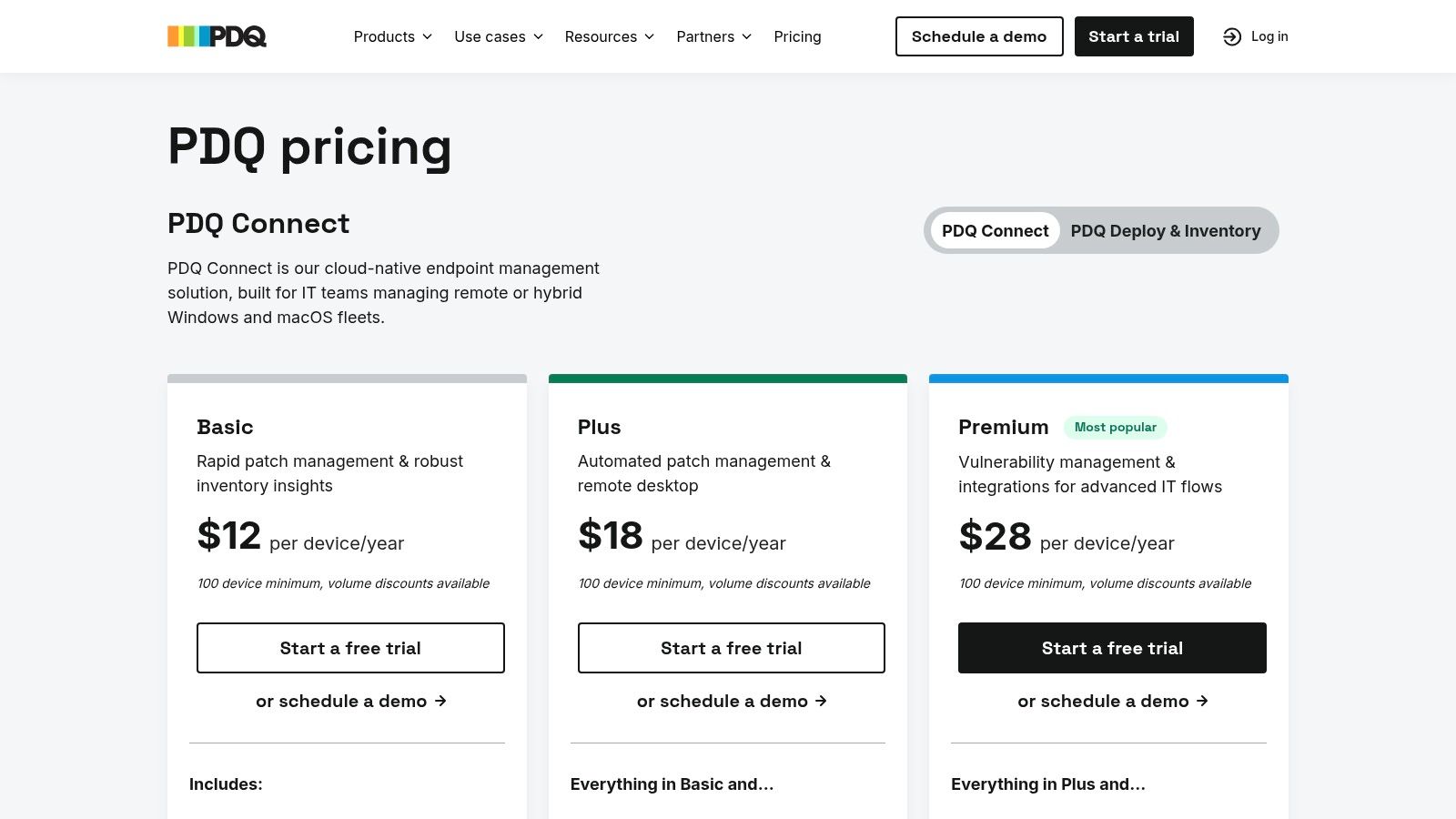
PDQ has long been a sysadmin favorite, a trusted tool in the belt for getting software deployed without a fuss. Their offerings split into two paths: PDQ Deploy & Inventory for classic on-premise Windows management, and the newer PDQ Connect for cloud-based patching of Windows and macOS. Think of Deploy & Inventory as the perfect solution for a single-site Greenwood business with an air-gapped network, while Connect is built for managing machines spread across Hamilton County and beyond. The real magic is in their massive, pre-built Package Library, saving you countless hours you'd otherwise spend scripting silent installs for common apps like Bitdefender GravityZone.
What makes PDQ one of the best patch management software choices for many small businesses is its straightforward, no-nonsense approach. The platform is designed for rapid deployment, not for navigating a maze of menus. Whether you're pushing out a critical Chrome update to every machine or inventorying software to ensure compliance, the workflow is intuitive. Their pricing is also refreshingly transparent, with simple annual costs that won't give your finance department a headache. For technicians who value speed and reliability, PDQ delivers practical results without unnecessary complexity.
Pros & Cons
- Pro: The pre-built Package Library is a huge time-saver, handling updates for hundreds of common third-party applications automatically.
- Pro: Its pricing model is famously transparent and affordable, making it accessible for SMBs without deep IT budgets.
- Con: Linux support is almost non-existent, and its macOS management, while improving in Connect, is still less mature than its Windows capabilities.
Website: PDQ Pricing
7. SolarWinds Patch Manager
For the Greenwood business running a traditional, on-premise Windows network with aging server hardware, SolarWinds Patch Manager feels like coming home. If your team is already comfortable managing servers with Windows Server Update Services (WSUS) or Microsoft System Center Configuration Manager (SCCM), this tool bolts right on to supercharge those workflows. It extends these native Microsoft tools, giving them the third-party patching muscle they desperately lack, making it a contender for the best patch management software in a classic IT shop. Instead of manually approving patches in WSUS, SolarWinds automates it and even handles complex patch supersedence, preventing downtime and boosting business continuity.
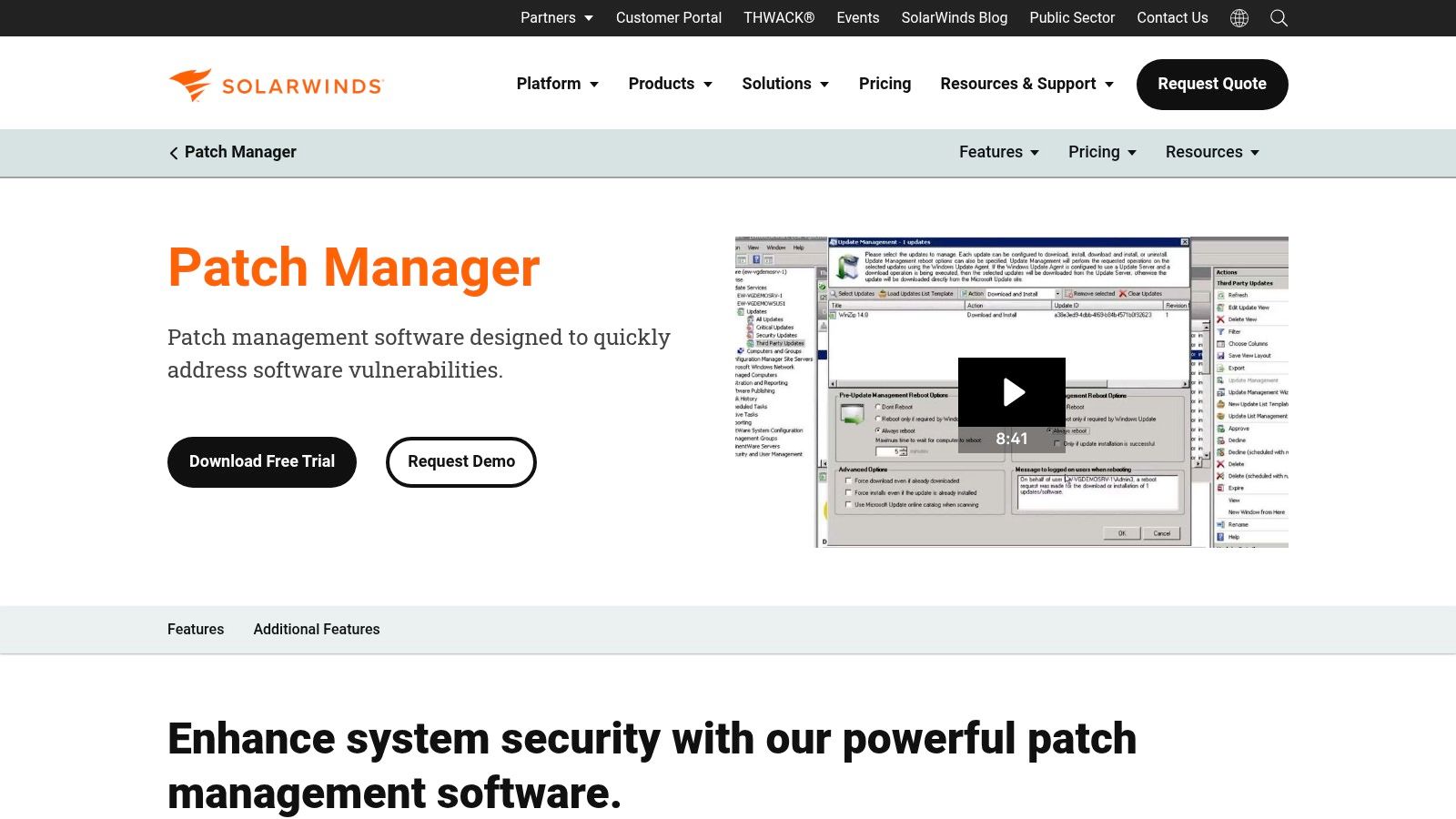
The real value here is centralizing everything. You get a single dashboard to see patch status for Microsoft and popular applications like Adobe, Java, and Google Chrome across your entire fleet. This is especially critical for organizations in Johnson County that handle sensitive data and must demonstrate compliance for regulations like HIPAA or CMMC. The reporting is robust, providing the exact documentation an auditor wants to see. It can run as a standalone product or plug directly into the broader SolarWinds Orion Platform, which many local enterprises already use for network monitoring.
Pros & Cons
- Pro: It's an incredibly familiar environment for seasoned WSUS and SCCM administrators, reducing the learning curve to near zero.
- Pro: The strong reporting and controlled workflows are ideal for businesses needing to prove patch compliance for regulatory audits.
- Con: It requires a dedicated on-premise Windows Server and SQL database, which adds to infrastructure overhead and isn't a fit for cloud-first companies.
- Con: Pricing is quote-based and depends on your node count, which can make budgeting less predictable than a simple per-user subscription model.
Website: https://www.solarwinds.com/patch-manager
8. Qualys VMDR with Patch Management
If you're running a business in a compliance-heavy field like healthcare or defense contracting, you know that just patching isn't enough; you need to prove why you patched what you patched. Qualys VMDR with Patch Management connects those dots brilliantly. Instead of just showing you a list of missing patches, it directly correlates identified vulnerabilities (CVEs) with the specific patches needed to fix them. This risk-based approach turns patching from a chore into a targeted security mission, which is the cornerstone of a SOC-as-a-Service monitoring strategy.
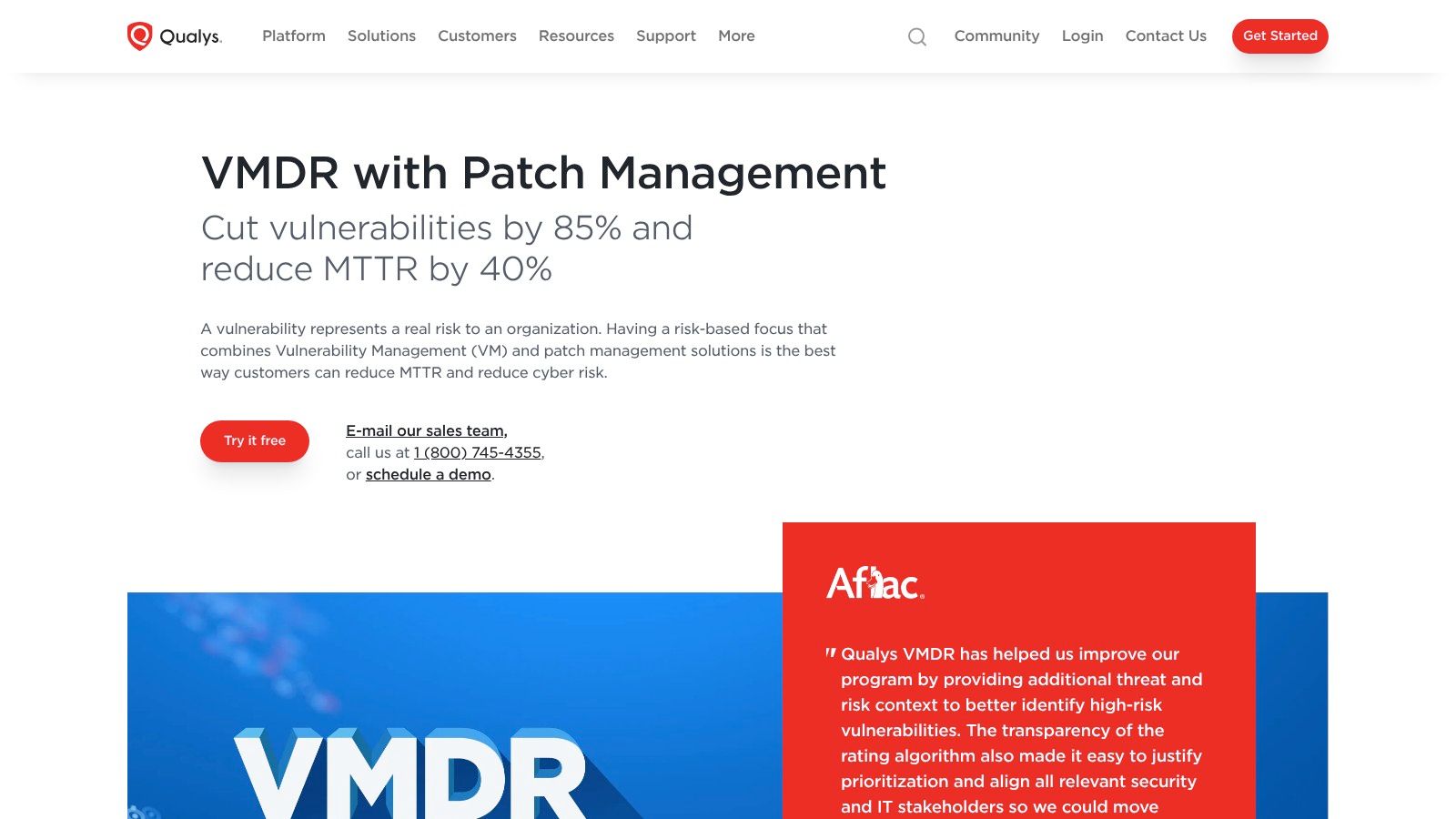
Qualys uses its powerful Cloud Agents to see everything happening on your devices, whether they're servers in a Greenwood data center or laptops traveling up the I-65 corridor. This visibility allows for what they call "TruRisk" scoring, prioritizing fixes that pose the biggest threat to your business. This is one of the best patch management software solutions for organizations that need to demonstrate a mature, risk-informed security posture for audits like HIPAA or CMMC. The platform moves beyond simple patch deployment and into the realm of true vulnerability lifecycle management, a core component of our holistic cybersecurity services.
Pros & Cons
- Pro: Its unified vulnerability management and patching dramatically shrinks the time from identifying a threat to neutralizing it.
- Pro: The scalable SaaS model and single-agent architecture make it a strong fit for sprawling or growing companies with hundreds of endpoints.
- Con: The pricing and modular structure can be complex to navigate, and it’s generally aimed more at enterprise-level budgets than a small Johnson County startup.
Website: Qualys VMDR with Patch Management
9. Ivanti Neurons for Patch Management (including Patch for Intune)
For businesses that need enterprise-grade patching but are already committed to the Microsoft stack, Ivanti presents a compelling hybrid solution. Think of it as the expert translator who comes in to handle all the languages Intune doesn't speak natively. Ivanti Neurons for Patch Management delivers one of the best patch management software experiences by using risk-based intelligence to prioritize what gets fixed first, moving beyond simple CVE scores to tell you what vulnerabilities are actively being exploited in the wild.
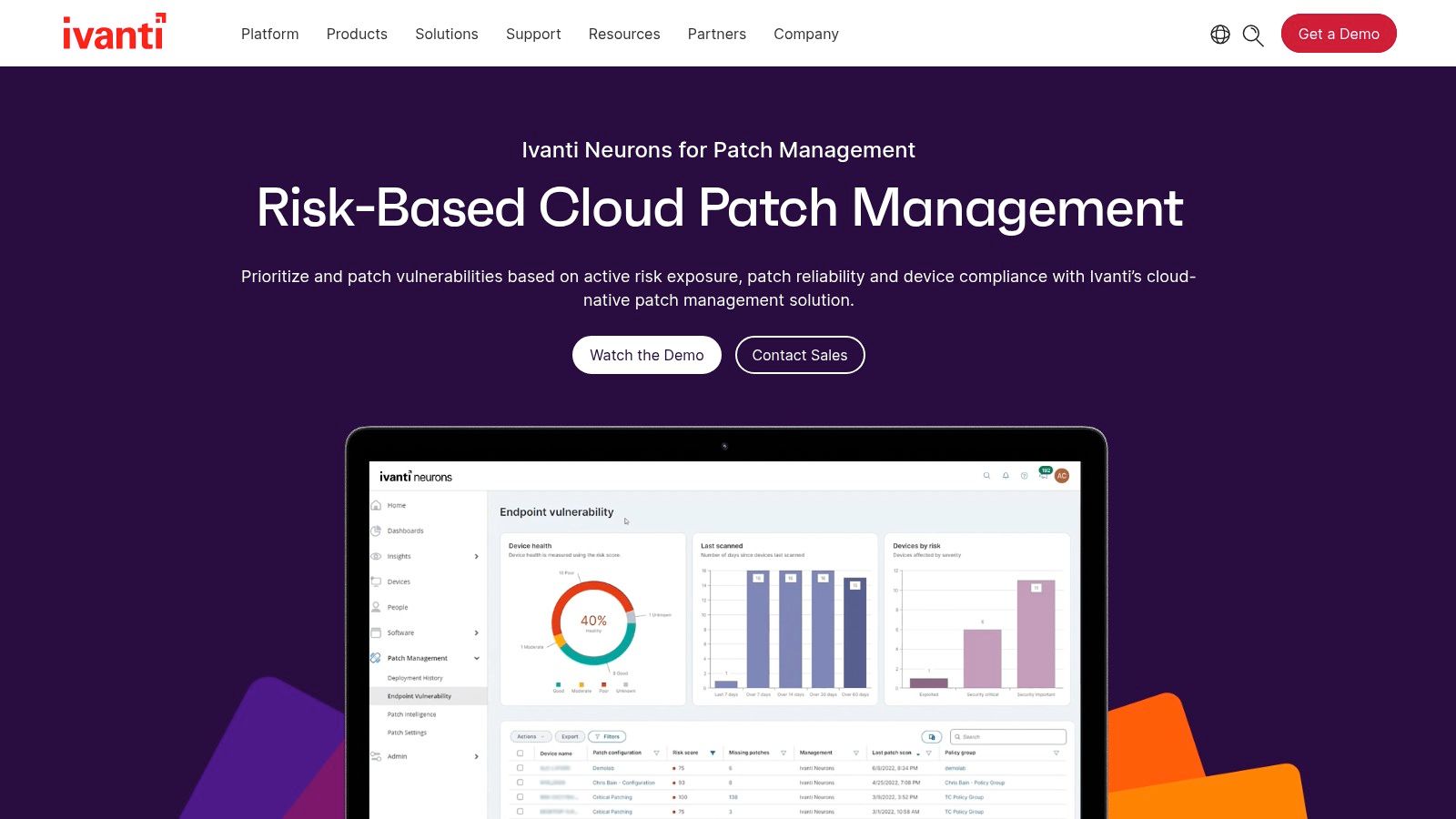
Its real power for many local businesses, especially those in Hamilton County that have adopted Intune, is its "Patch for Intune" feature. This directly integrates into your existing Intune tenant, massively expanding its third-party app catalog. Suddenly, you can push updates for hundreds of non-Microsoft applications like Adobe, Java, and countless others right from the same console. It's the perfect way to plug Intune's most significant gap without adding a completely separate, disconnected system, making it an ideal add-on for a growing Greenwood business that wants to centralize its IT management and ensure business continuity.
Pros & Cons
- Pro: Its massive third-party application catalog and automation capabilities are top-tier, covering far more software than many competitors.
- Pro: The "Patch for Intune" component integrates beautifully with Microsoft estates, turning Intune into a complete OS and third-party patching tool.
- Con: Pricing isn't public; it's quote-based and can get pricey depending on the bundles and licenses you need, which might be a hurdle for smaller SMBs.
Website: Ivanti Neurons for Patch Management
10. GFI LanGuard
For the small business in Greenwood or a Franklin law firm that still runs on-premise servers, GFI LanGuard feels like an old friend. It's a classic, straightforward tool that combines vulnerability scanning and patch management into a single, cohesive console. This approach eliminates the need to juggle multiple platforms, which is a huge win for a small IT team. Instead of just pushing updates, LanGuard first scans your network, identifies missing patches and security holes, and then lets you fix them from the same screen.
What makes GFI LanGuard a solid choice for certain environments is its focus on self-contained, on-premise networks. If your business operates with restricted internet access or has legacy Windows machines that aren't cloud-friendly, this software has you covered with its offline patch repository. For businesses with multiple locations, like a series of clinics across Johnson County, the Central Management Server consolidates data from each site, giving you a unified view without relying on a purely cloud-based architecture. Understanding this interaction is a key piece of overall IT health, much like knowing what network security is and why it matters for Indiana businesses. It's one of the best patch management software options for this specific niche.
Pros & Cons
- Pro: Combining vulnerability scanning and patching in one interface simplifies the workflow for security and IT operations. You find the problem and fix it in the same place.
- Pro: It's built for on-premise, firewalled, and even air-gapped networks, making it practical for environments where cloud-first tools struggle.
- Con: It's not a cloud-native SaaS tool, so it can feel sluggish and less scalable compared to modern alternatives. Peer reviews often cite performance limits in very large deployments.
Website: GFI LanGuard
11. Heimdal Patch & Asset Management
For the business that wants its patching and endpoint security under one roof, Heimdal Patch & Asset Management offers a compelling, unified package. This isn't just about slapping on Windows updates; Heimdal provides some of the best patch management software for handling both OS and critical third-party applications like Java, Adobe, and countless others. It runs as a single agent, which means less performance drain on your workstations and servers from Greenwood to Fishers. Its "Infinity Management" feature is a standout, allowing you to deploy custom software and proprietary patches that most other tools can't touch.

The platform is more than just a patch-pusher; it includes a solid software inventory component. This is crucial for tracking what's actually running on your network, a key part of maintaining compliance for standards like CMMC or HIPAA. When we dissembled a similar client’s failing RAID array, knowing their exact software inventory was critical for a successful recovery. If you need a complete picture of your digital estate, you can explore some of the top IT asset management software picks for Indiana businesses. Heimdal’s ability to consolidate patching, DNS filtering, and next-gen antivirus into one console is a big win for IT teams looking to reduce complexity and vendor sprawl.
Pros & Cons
- Pro: Consolidates patching with other endpoint security layers (NGAV, DNS filtering) into a single agent, reducing system overhead and simplifying vendor management.
- Pro: Powerful third-party patching engine with "Infinity Management" for deploying custom or in-house software packages.
- Con: Its bundle options and pricing can be complex. Documentation and public pricing are often geared more toward EU/UK markets, which can require a direct sales call for U.S. businesses.
Website: Heimdal Patch Management Software
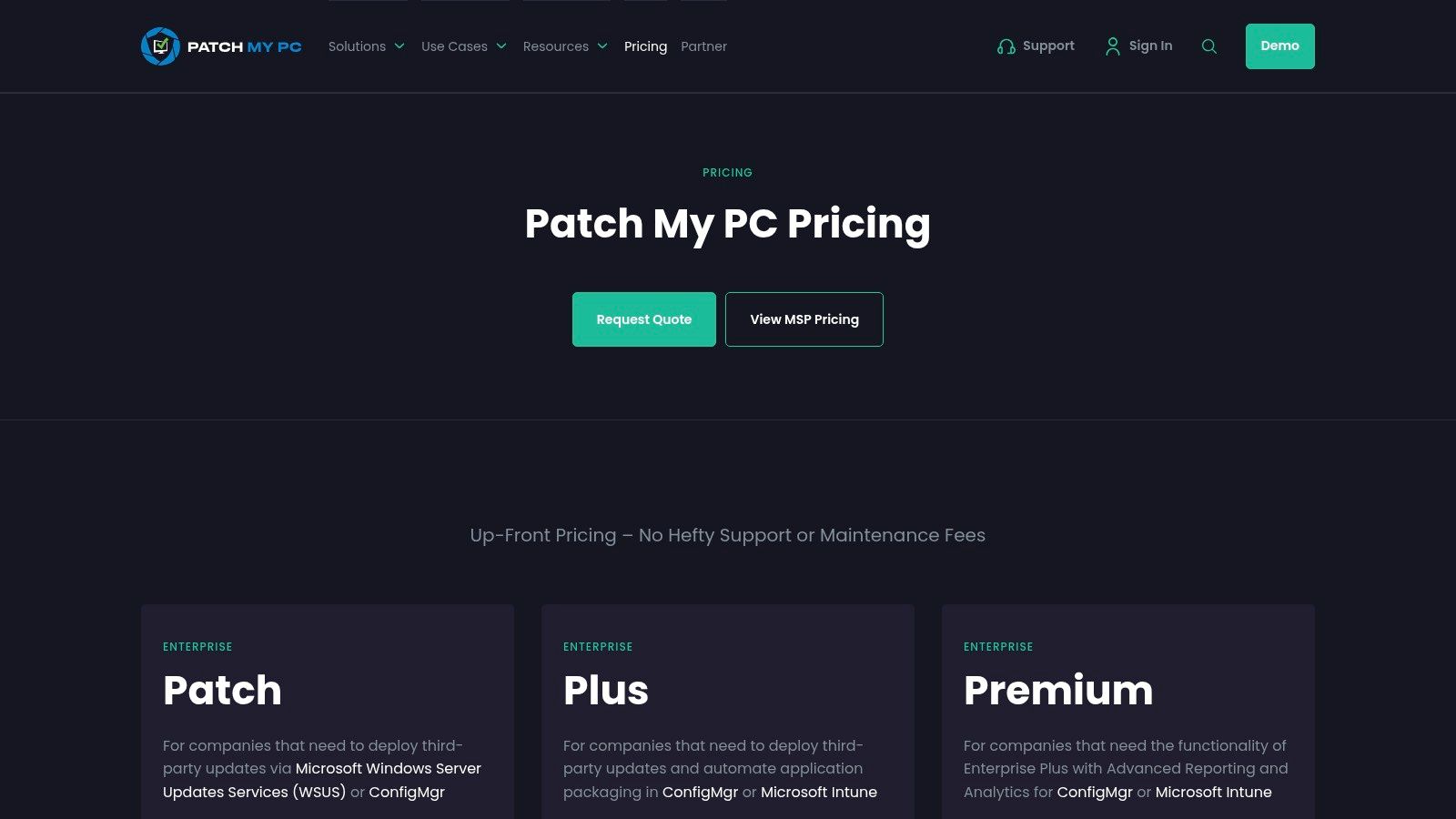
12. Patch My PC
If you've ever tried patching third-party apps with Intune or ConfigMgr alone, you know the headache. Patch My PC isn't a standalone platform but rather the indispensable "easy button" that fills Microsoft’s biggest gap. It acts as a specialized add-on, automatically packaging, deploying, and updating hundreds of common business applications like Adobe Reader, Google Chrome, and Zoom. Instead of spending hours building custom packages for a downtown Indy office, you get a system that does it for you, directly within your existing Microsoft tools.
What makes Patch My PC a key part of the best patch management software stack for Microsoft shops is its seamless integration. It works natively inside Intune and Configuration Manager, so there's no new console to learn. The service handles everything from detecting new versions to managing update supersedence and even running pre- and post-installation scripts. This automation is a game-changer for IT teams, converting time previously wasted on manual packaging into hours that can be spent on more critical projects.
Pros & Cons
- Pro: It dramatically cuts down the time required to package and maintain third-party applications, a notoriously manual process in Microsoft environments.
- Pro: The support team is legendary for its expertise and responsiveness, and the pricing tiers are transparent and easy to understand.
- Con: It's an additional cost on top of your Microsoft licensing, which can be a hurdle for budget-conscious Johnson County businesses. The catalog might also lack very niche or obscure line-of-business apps.
Website: Patch My PC Pricing
Top 12 Patch Management Tools — Feature Comparison
| Solution | Core features ✨ | UX / Quality ★ | Pricing / Value 💰 | Target audience 👥 | USP / Best for 🏆 |
|---|---|---|---|---|---|
| Microsoft Intune | Cross‑platform UEM, Windows Update for Business, compliance & co‑management | ★★★★☆ — Deep M365/Entra fit | 💰 Included in M365 tiers; add‑ons available | 👥 Microsoft‑centric orgs, hybrid estates | 🏆 Best for tight Microsoft ecosystem integration |
| Microsoft Configuration Manager (MECM / SCCM) | On‑prem Windows patching, WSUS integration, phased deployments | ★★★★ — Mature, feature‑rich | 💰 On‑prem infra + SQL costs; higher ops overhead | 👥 Large Windows shops requiring on‑prem control | 🏆 Best for complex scheduling & full on‑prem control |
| Automox | SaaS agent patching (Windows/macOS/Linux), automation Worklets, 3rd‑party catalog | ★★★★ — Fast rollout for distributed fleets | 💰 SaaS tiers; full 3rd‑party catalog in higher plans | 👥 Remote/distributed devices, MSPs & SMBs | 🏆 Fast SaaS deployment + strong automation |
| ManageEngine Patch Manager Plus | Cross‑platform patching, test/approve workflows, on‑prem or cloud | ★★★★ — Robust reporting for mixed envs | 💰 Transparent SMB pricing; good value | 👥 SMBs and mixed OS environments | 🏆 Broad 3rd‑party coverage with SMB‑friendly pricing |
| NinjaOne Patch Management | Cloud RMM/UEM with OS & 3rd‑party patching, remote access, monitoring | ★★★★★ — Highly rated ease of use | 💰 Quote‑based; module/volume dependent | 👥 Small IT teams wanting consolidated tools | 🏆 All‑in‑one platform for SMB IT consolidation |
| PDQ (Connect; Deploy & Inventory) | Package library, deploy & inventory, air‑gap support | ★★★★ — Reliable, pragmatic tooling | 💰 Low, transparent annual pricing; volume discounts | 👥 Sysadmins & Windows‑focused teams | 🏆 Cost‑effective Windows deployment & inventory |
| SolarWinds Patch Manager | Automates WSUS/SCCM workflows, 3rd‑party catalogs & publishing | ★★★★ — Familiar for WSUS admins | 💰 Quote‑based; requires on‑prem Windows/SQL | 👥 WSUS/SCCM environments, regulated orgs | 🏆 Ideal for WSUS/SCCM automation and reporting |
| Qualys VMDR (with Patch) | CVE→patch correlation, cloud agents, TruRisk scoring, ITSM integration | ★★★★☆ — Enterprise, risk‑based focus | 💰 Complex module pricing; enterprise scale | 👥 Large enterprises & security teams | 🏆 Unified vulnerability + patch orchestration |
| Ivanti Neurons for Patch | Risk‑based prioritization, large 3rd‑party catalog, Patch for Intune | ★★★★ — Enterprise automation & compliance | 💰 Quote‑based; can be premium | 👥 Enterprises needing broad catalog + Intune ext. | 🏆 Extensive catalog + Intune third‑party extension |
| GFI LanGuard | Vulnerability scanning + remediation, patch repo, offline workflows | ★★★ — Practical SMB tool, less cloud‑native | 💰 On‑prem licensing; SMB oriented | 👥 SMBs, air‑gapped or firewall‑restricted sites | 🏆 All‑in‑one scan + patch for restricted networks |
| Heimdal Patch & Asset Management | Cloud patching, 3rd‑party automation, asset inventory, security integration | ★★★★ — Single‑agent convenience | 💰 Bundle/region complexity; mixed pricing | 👥 Teams wanting patching + endpoint security in one | 🏆 Single agent combining patching and security layers |
| Patch My PC | Auto‑packaging & auto‑updates for 3rd‑party apps (Intune/ConfigMgr/WSUS) | ★★★★★ — Highly regarded support & reliability | 💰 Clear minimum tiers; add‑on cost to MS tooling | 👥 Organizations standardizing on Microsoft management | 🏆 Premier 3rd‑party catalog for Microsoft ecosystems |
Choosing Your Patching Champion: Bringing It All Home
Well, that was quite a tour through the digital armories of patch management. We’ve looked at everything from Microsoft’s built-in behemoths to nimble, cloud-native disruptors. It’s clear the days of manually running Windows Update on every machine after hours are, thankfully, long gone. Finding the best patch management software for your Indiana business isn't about picking the one with the most features; it's about choosing the right tool for your specific mission.
Think of it like this: a downtown Indy law firm with strict HIPAA compliance needs a different defense than a growing logistics company on the I-65 corridor worried about keeping its warehouse UniFi networking gear and workstations running. One needs ironclad reporting and audit trails (hello, Qualys VMDR), while the other needs broad OS support and speedy deployment to avoid operational hiccups (maybe an Automox or NinjaOne). Your choice is a strategic one that directly impacts your ability to prevent downtime and keep your team focused on billable work, not fighting tech fires.
Recapping the Patching Playbook
So, what are the big takeaways from our deep dive?
- Cloud vs. On-Prem is a Real Choice: Tools like MECM and SolarWinds Patch Manager offer deep, granular control for businesses that need or want to keep their management infrastructure in-house. On the flip side, cloud-native solutions like Automox, NinjaOne, and PDQ Connect offer incredible flexibility and rapid deployment, perfect for remote workforces or companies without a dedicated server room.
- Automation is Non-Negotiable: The real ROI of a good patch management tool comes from its ability to automate. You want a system that can scan, approve, and deploy critical patches based on rules you set, freeing up your IT team (or you) from tedious, repetitive tasks. This is how you convert "wasted tech time" into productive, revenue-generating hours.
- Third-Party Apps Are the New Frontier: Patching Microsoft products is just the beginning. Most cyberattacks now exploit vulnerabilities in third-party software like Adobe, Chrome, or Zoom. A top-tier solution must have a robust catalog of third-party application patches. Tools like Patch My PC and ManageEngine Patch Manager Plus really shine here.
- Integration is King: Your patch management tool shouldn't live on an island. The best solutions integrate with your existing RMM, PSA, or ticketing systems. This creates a single source of truth, streamlines workflows, and gives you a complete picture of your IT environment's health.
Making the Final Call: You or a Pro?
After reviewing these options, you might feel ready to grab a free trial and start testing. For many tech-savvy business owners in Johnson County, that’s a great first step. But for others, this list might just highlight how complex and time-consuming this critical security task can be. Managing patch approvals, troubleshooting failed deployments, and ensuring compliance with standards like CMMC or NIST CSF is a full-time job.
This is often the point where partnering with a managed service provider (MSP) makes sense. An MSP doesn't just sell you software; they manage the entire process for a predictable monthly cost. They handle the testing, scheduling, and deployment, and they provide the detailed reports you need to prove compliance and sleep soundly at night. They bring years of experience—we've seen it all, from failed server patches in Greenwood business parks to complex compliance needs in Hamilton County tech firms—and apply that knowledge to protect your business with solutions like immutable off-site backups. It turns a chaotic, unpredictable IT task into a fixed, predictable monthly operational expense.
Ultimately, whether you DIY or partner with an expert, the goal is the same: to build a resilient, secure, and efficient business. Don't let unpatched software be the unlocked door that invites trouble. Take control, make a plan, and turn your patch management strategy into a competitive advantage.
Feeling overwhelmed by the options or just want a professional to handle this for you? The team at Finchum Fixes IT has spent over 17 years implementing and managing robust patch management systems for businesses across Central Indiana. We can perform a free, no-obligation Security Risk Audit for your Greenwood or Indianapolis area business to identify your current vulnerabilities and recommend the right solution.