Protect Your Business: What is Patch Management and Why It Matters
TL;DR: Key Takeaways
- What It Is: Patch management is the disciplined process of identifying, testing, and applying software updates (patches) to fix security holes, improve performance, and keep your business operational. It's a fundamental part of any serious cybersecurity plan.
- The Southside Problem: Many businesses in Greenwood and along the I-65 corridor operate with outdated software, leaving them vulnerable. A single unpatched system is an open invitation for a cyberattack.
- Business Continuity & ROI: Proper patch management prevents catastrophic downtime, which can cost up to $9,000 per minute. It converts wasted tech repair time into billable hours and establishes a predictable monthly IT budget.
- Compliance is Key: For Indiana businesses in healthcare (HIPAA), defense contracting (CMMC), or those following NIST CSF guidelines, timely patching isn't optional—it's a requirement to avoid fines and lost contracts.
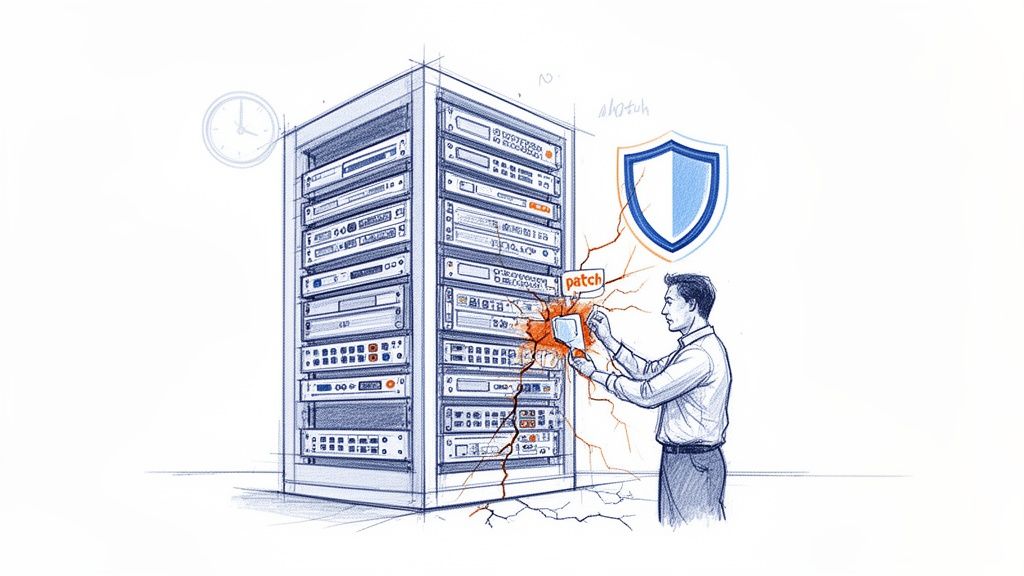
Think of your business like a ship on the open sea. Patch management is the constant work of checking the hull for leaks, reinforcing the weak spots, and sealing any cracks before you start taking on water. In the tech world, it's the disciplined process of finding, testing, and applying software updates—or "patches"—to fix security holes and keep everything running smoothly.
For any Indiana business, ignoring this is like leaving your front door wide open overnight. I see it all the time with businesses in the Greenwood and Indianapolis area—aging server hardware in a local business park or a small office with unpatched software. One little vulnerability is all it takes for an attack to grind your operations to a halt, expose sensitive data, and hit you with devastating costs.
This guide will show you how to transform this seemingly tedious chore into a powerful security advantage that protects your bottom line and keeps you in business.
It's a Lot More Than Just Clicking "Update"
Many business owners I talk to in Johnson County think patching is just about hitting that "Update Now" button whenever it pops up. If only it were that simple.
True patch management is a strategic, continuous cycle. It starts with knowing every single piece of software and hardware on your network—from the servers in the back room to the UniFi networking gear on the ceiling—and then systematically deploying the right fixes at the right time.
This process is the bedrock of any real cybersecurity strategy. Without it, you're a sitting duck for ransomware and other nasty attacks that specifically target well-known, easy-to-fix security flaws. You can dive deeper into building a complete defense in our guide to cybersecurity services.
A professionally managed approach means every patch gets tested before it goes live, preventing those dreaded update-induced crashes that bring everything to a standstill. It turns a chaotic guessing game into a predictable, automated process that keeps you safe from threats and helps you meet strict compliance standards like the NIST CSF.
Why Unpatched Software Is a Ticking Time Bomb
Imagine a successful manufacturing firm humming along in a Greenwood business park. They’re crushing their production goals, but their servers are running on software with vulnerabilities that were fixed years ago.
This is what we in the IT world call “patch debt.” It's a sneaky risk that builds up over time, painting a giant, invisible bullseye on your business for cybercriminals. Hackers usually aren't brilliant codebreakers picking complex digital locks. Most of the time, they’re just opportunists, systematically rattling every doorknob they can find. They use automated scanners to scour the internet—including the Indianapolis metro area—looking for these exact kinds of unpatched systems.
In our 17 years of serving local businesses, we’ve seen it happen again and again. A single, forgotten vulnerability brings an entire company to its knees. When we disassembled a similar client's failing RAID array, we found the root cause wasn't hardware failure, but a breach that came through an unpatched system. It's almost never a complex attack; it's a simple, preventable failure to apply a patch.
This isn't some far-off global issue. It has immediate, real-world consequences for any business right here in Johnson County.
The True Cost of a Single Missed Patch
When a hacker finds one of those unlocked doors, the outcome is rarely good. We're not talking about some abstract digital threat; we're talking about tangible, business-ending disasters.
- Catastrophic Data Breaches: One unpatched loophole is all an attacker needs to waltz in and steal sensitive client data, financial records, or your company's secret sauce. For a healthcare provider in Hamilton County, this could mean immediate HIPAA violations and crippling fines.
- Operational Shutdowns: Ransomware loves finding its way in through outdated software. An attack can shut down production lines, freeze point-of-sale systems, and encrypt every last file you have. Revenue grinds to a dead halt. To get a better handle on this, check out our guide on how to prevent ransomware attacks on your Indiana business.
- Compliance Nightmares: If you're a defense contractor along the I-65 corridor, failing to patch your systems puts your CMMC certification at risk. That means lost government contracts and a reputation that’s suddenly in tatters.
Understanding how dangerous unpatched software is really highlights the need for solid Network Security for Small Business, which is your first and best line of defense.
You don't have to take my word for it—just look at the market. The global patch management market was valued at a cool USD 788.8 million in 2022 and is expected to rocket to USD 1,375.8 million by 2030. North America accounts for nearly half of that, and with 72% of cybersecurity pros reporting that cyber risks are getting worse, the pressure to lock things down is intense. This isn't just about IT chores; it's about basic business survival.
The Real Process Behind Professional Patching
So, how does professional patch management really work? It’s not about mindlessly clicking "Update Now" and crossing your fingers. Think of it more like a pit crew for a race car—a finely tuned, coordinated operation where speed and accuracy are everything.
This isn't just another IT chore. It's a strategic process that keeps your business secure, compliant, and actually running without those dreaded, out-of-the-blue interruptions. It’s not just about slapping on fixes; it’s about applying the right fixes, at the right time, in the right way.
This diagram shows just how fast unpatched software can go from a tiny crack in the wall to a full-blown catastrophe.
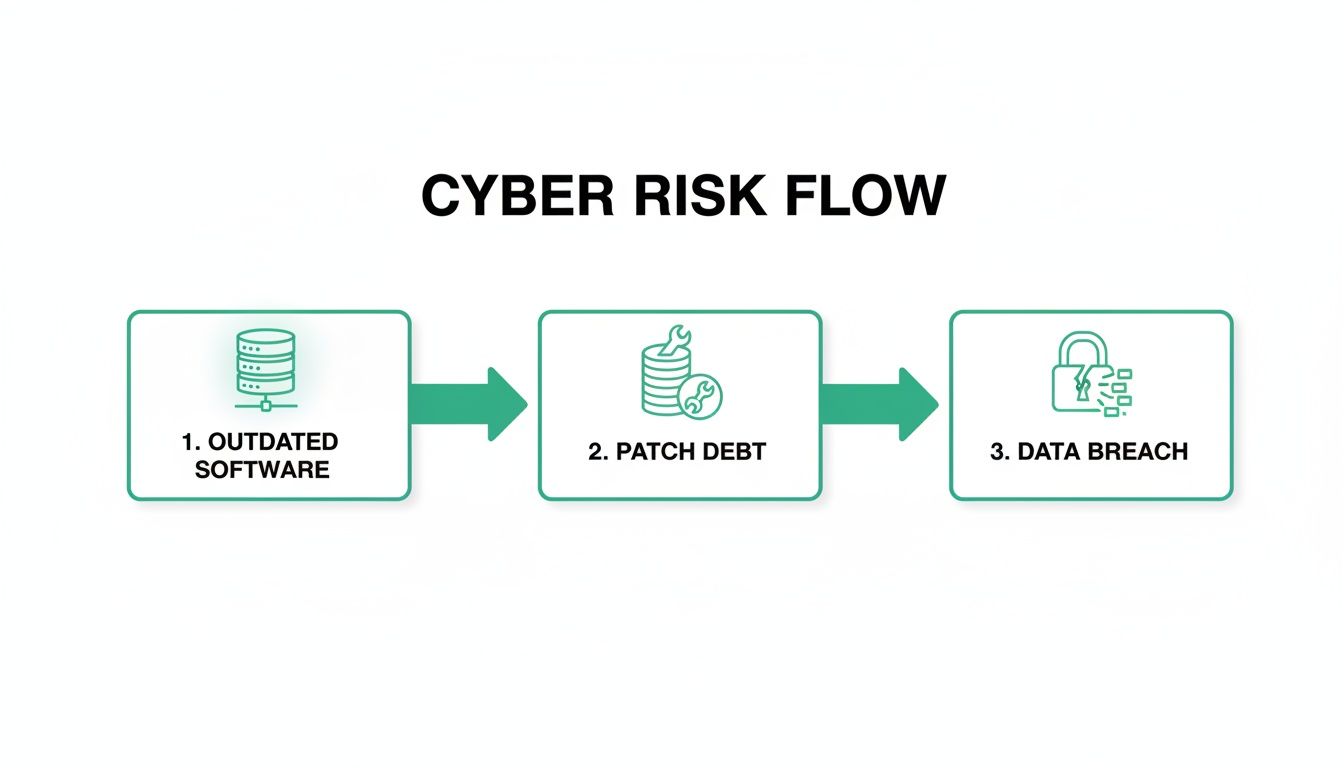
The progression is simple but absolutely brutal: outdated software piles up into "patch debt," which is a fancy term for a ticking time bomb. Sooner or later, that bomb goes off, leading to a data breach that could shut you down for good.
Stage 1: Discovery and Prioritization
First things first: Discovery. You can't protect what you can't see. We start by building a complete inventory of every single device and piece of software connected to your network. We’re talking servers, workstations, laptops, mobile devices, and even the networking gear like your UniFi access points.
Then comes Prioritization. Here's the thing—not all patches are created equal. A critical "zero-day" vulnerability that hackers are actively using right now is an all-hands-on-deck emergency. A minor update that tweaks a font? That can wait. We dig into each patch, using real-world threat intelligence to figure out which ones pose the biggest, baddest threat to your business.
In our 17 years of local service for businesses across the I-65 corridor, we’ve seen countless companies get this wrong. They’ll dutifully apply a routine Windows update while leaving a gaping hole in a third-party application like Adobe or Java—which is exactly what attackers were targeting.
Stage 2: Testing and Deployment
With our priorities straight, we move on to Testing. This is the step most people skip, and frankly, it's where disaster often strikes. We never, ever roll out a patch blind. Instead, we deploy it in a safe, isolated "sandbox" environment that perfectly mimics your live systems.
This lets us confirm the update plays nice with everything else. Does it break your accounting software? Slow down your CRM? We find out before it can cause a real problem. Trust me, we’ve seen well-intentioned updates cripple entire departments because no one bothered to test them first.
Finally, it’s go-time: Deployment. To make sure we don't disrupt your workday and cost you money, we schedule the rollout of tested, approved patches for off-peak hours, like overnight or on a weekend.
The job isn't done until the paperwork is filed. We wrap up with detailed reports that confirm every system is successfully updated. This documentation is your golden ticket for proving compliance with standards like HIPAA or CMMC.
This systematic approach transforms patching from a risky guessing game into a powerful safeguard for your business. It's a crucial piece of a much larger puzzle. For a broader look at how this fits into your company's tech strategy, check out our guide to IT infrastructure management.
How Patching Boosts Your Bottom Line and Keeps Regulators Happy
Let’s be honest, “patch management” sounds like a technical chore best left to the IT department. But in reality, it’s a critical business decision that directly impacts your company’s health, security, and profitability. For many businesses right here in Central Indiana, keeping software up-to-date isn’t just a good idea—it’s the law.
Think about a healthcare provider in Hamilton County. For them, consistent patching is a non-negotiable part of staying HIPAA compliant. Or consider a defense contractor working anywhere along the I-65 corridor; patching is a cornerstone of meeting tough CMMC requirements. Ignoring this isn't just risky; it's an open invitation for hefty fines, failed audits, and the loss of major contracts.
Turning Wasted Tech Time into Real Profit
Beyond just staying on the right side of regulations, smart patch management delivers a serious return on investment (ROI). Every business owner has felt the sting of "wasted tech time"—those panicked hours your team spends scrambling after a security breach, trying to fix software that suddenly stopped working, or battling systems locked down by ransomware.
Every minute they spend on that is a minute they aren't working on what actually makes you money. A managed patching strategy flips the script, trading reactive chaos for a predictable, flat monthly cost. Since downtime can cost a business a staggering $9,000 per minute, minimizing it is paramount. Your team is freed up to focus on revenue-generating tasks instead of constantly putting out IT fires.
We see this shift happen all the time. A logistics company in Greenwood was losing nearly a full workday every month to random, frustrating IT failures. Once we put a managed patching and monitoring system in place, their emergency calls dried up. Those hours went right back into their core operations, where they belong.
This move from frantic repairs to proactive maintenance is the bedrock of business continuity. And the market knows it. The U.S. patch management market is expected to balloon to USD 293.3 million by 2026 as companies race to secure their devices and meet compliance demands. You can dig into the numbers yourself in a market research report from Data Bridge Market Research.
Let's look at a side-by-side comparison to see the real-world difference a managed strategy makes.
Patch Management Impact on Business Metrics
| Metric | Without Managed Patching | With Managed Patching |
|---|---|---|
| Downtime | Frequent, unplanned outages causing lost revenue and productivity. | Minimal, scheduled downtime during off-hours, preserving uptime. |
| Security Risk | High; vulnerabilities remain open for weeks or months, inviting attack. | Low; patches are tested and deployed quickly, closing security gaps. |
| IT Costs | Unpredictable and high, dominated by expensive emergency repairs. | A predictable, flat monthly fee for proactive maintenance. |
| Compliance | At-risk, with difficult, manual processes for generating reports. | Streamlined, with automated reporting to easily prove compliance. |
| Employee Focus | Staff are frequently pulled off tasks to deal with IT issues. | Staff can focus on their core jobs and revenue-generating activities. |
As you can see, the choice is between constant uncertainty and predictable stability. A managed approach doesn't just fix problems; it prevents them from ever happening.
The Modern Toolkit for Automated Security
So, how do you get this level of protection without hiring an entire IT army? It comes down to using the right tools for the job. We combine top-tier security software like Bitdefender GravityZone with our SOC-as-a-Service (Security Operations Center) to build an automated defense shield.
This powerful duo works around the clock to:
- Spot and test new patches the moment they're released.
- Deploy updates automatically during off-hours so your business isn't disrupted.
- Watch for threats in real-time using a modern Zero Trust architecture.
- Generate compliance reports on demand, giving you proof that you've done your due diligence.
This integrated system ensures you are always protected and compliant—without you or your team ever lifting a finger. It’s how you turn your IT from a source of constant anxiety into a reliable asset that helps you grow. Before you dive in, it’s wise to see where you stand. Our ultimate 10-point IT infrastructure audit checklist is the perfect place to start.
Common Patch Management Mistakes to Avoid
After 17 years of providing IT support across Central Indiana, we've seen it all. And let me tell you, the same few mistakes pop up over and over, causing massive headaches for businesses. Good patch management isn't just about clicking "update"—it's about sidestepping the common traps that can leave your company wide open to attack.
Knowing what not to do is just as critical as knowing what to do.

From downtown Indy tech hubs to Johnson County storefronts, here are the most dangerous missteps we see out in the wild.
The "Patch and Pray" Method
This is the big one. A business owner sees a security alert, panics, and pushes the update to every single machine at once. We call this the "patch and pray" method, and it almost always ends in tears.
Sure, you might close that security hole. But you might also crash your accounting software, knock your point-of-sale system offline, or break a tool your team depends on. Suddenly, you've traded a potential security problem for a definite operational outage that costs you thousands in downtime.
There's a simple rule here: Always test patches first. Set up an isolated environment—a spare machine or a virtual server—and make sure the update doesn't break anything. It’s a non-negotiable step.
Ignoring Third-Party Software
So many businesses are laser-focused on their Windows updates but completely forget about everything else. Adobe Acrobat, Java, Zoom, Slack, browser plugins... the list goes on.
Hackers know this. They absolutely love hunting for holes in popular third-party apps because they know those are the ones people forget to patch.
We recently helped a downtown Indy tech hub that got hit hard by a breach. They were on top of every single server patch, but the attackers slipped in through an old, unpatched plugin on a single marketing computer. This is a perfect example of why a Zero Trust architecture—where you assume no user or app is automatically safe—is so vital.
Having an Inconsistent Schedule
Patching can't be something you do "when you get around to it." A haphazard schedule means critical systems can sit vulnerable for weeks or even months. Without a clear, documented process, patches get missed, updates are applied randomly, and no one really knows what's safe and what’s a ticking time bomb.
This lack of consistency is a massive hurdle. Even with all the new automated tools available, a recent industry analysis found that holdups from internal approvals and disconnected teams create huge security gaps. While autonomous solutions can make deployment up to 80% more efficient, they only work if you have a solid strategy. You can see the full findings on patch management automation on Dimension Market Research.
You need a plan and professional oversight to make sure every single thing—from servers to software plugins—is patched, verified, and secure.
When to Call In the Pros for Patch Management
Deciding whether to handle IT in-house or call for backup is a huge decision for any business owner. But when it comes to something as critical as patch management, the DIY approach can quickly spiral into a costly, time-sucking mess that leaves you more vulnerable than when you started.
If your current update process feels less like a calm, organized strategy and more like a frantic game of whack-a-mole, that’s your cue. It’s time to think about a change.
The warning signs are usually blinking in bright red neon. If you don't have a dedicated IT person who lives and breathes cybersecurity, you're already playing from behind. Every time you pull a valuable employee off their real job to troubleshoot a tech headache, you're literally turning revenue-generating hours into wasted overhead.
Clear Signs It’s Time to Outsource
Let's be blunt: for most small and medium-sized businesses around Indianapolis, building a solid in-house patching system just isn't realistic. The cost of the specialized tools alone—not to mention the expert salary to run them—is way more than the predictable monthly cost of a managed service.
Here are the tell-tale signs it’s time to call in the professionals:
- You Handle Sensitive Data: If your business stores information covered by HIPAA, or if you're chasing CMMC certification, DIY patching is a compliance nightmare just waiting to happen.
- Your Team is Bogged Down: Your people should be focused on bringing in new clients and growing the business, not wrestling with software updates or cleaning up the mess after a bad patch causes a system crash.
- You Don’t Have a Dedicated IT Team: Without an expert keeping watch, it's almost guaranteed you're missing critical patches for things like your UniFi networking gear or all those third-party apps—which are hackers' favorite backdoors.
- You Want to Be Proactive, Not Reactive: If you’re sick of putting out fires and want to start preventing them in the first place, you need a managed, proactive security strategy.
For the majority of Johnson County business owners we talk to, the "aha" moment comes when they realize a managed service doesn't just apply patches; it provides peace of mind. It’s a shift from constant worry to confident security.
Let us help you see exactly where your weak spots are. We can show you how our managed IT solutions transform this chaotic process into a simple, powerful shield for your business.
Stop guessing and start securing. Our team is ready to provide a Free Network Assessment—designed specifically for businesses in the Greenwood and greater Indianapolis area—to pinpoint your exact risks.
Got Questions About Patch Management? We've Got Answers.
We talk to business owners across the Indianapolis area all the time, and a few key questions about patch management always pop up. Let's cut through the jargon and get you some straight answers.
How Often Do We Really Need to Patch Our Systems?
Honestly, it all comes down to the level of threat. When a truly nasty vulnerability hits the news—especially a “zero-day” exploit that cybercriminals are already using—the answer is right now. Yesterday, if possible.
For everything else, a regular monthly schedule is a good rhythm to get into. Think of Microsoft's famous "Patch Tuesday" as a great starting point.
The real magic, though, is in knowing which is which. A professional managed service provider lives and breathes this stuff. We use up-to-the-minute threat intelligence to tell the difference between a five-alarm fire and a minor tweak, making sure your most important systems get patched first, every time.
Is This Going to Shut Down My Business?
This is the big one, especially for our clients in Greenwood and Johnson County. We get it. Unplanned downtime can hemorrhage money, costing up to $9,000 per minute. But here's the twist: a proper patch management strategy is all about preventing disruption, not causing it.
After 17 years of doing this locally, we’ve learned the secret ingredient is obsessive testing. We never just throw a patch at your live systems. Instead, we run it in a "sandbox"—a safe, identical copy of your environment—to make absolutely sure it won't clash with your essential software.
Once we know a patch is safe, we schedule the deployment for when it won't bother anyone, like overnight or on a weekend. This careful approach means any impact on your team's workday is tiny or, more often, completely nonexistent. You turn wasted tech time into protected, billable hours.
Can’t My Antivirus Just Handle This?
Let's think of your business's security like a medieval fortress. Your antivirus software, like a great tool such as Bitdefender GravityZone, is the vigilant guard posted at the main gate. It's fantastic at spotting and stopping known bad guys trying to storm the entrance. You absolutely need it.
Patch management, on the other hand, is the team of masons and engineers constantly inspecting the fortress walls, sealing up cracks, and reinforcing weak spots before the enemy can exploit them.
One without the other leaves you wide open. You need both the gate guard and the wall crew to build a defense that can actually withstand an attack.
Stop wondering if your business is protected and start knowing it is. The experts at Finchum Fixes IT are ready to provide a no-obligation Security Risk Audit for your business. We’ll identify your vulnerabilities and show you a clear path to a secure, predictable, and compliant IT environment.
Ready to secure your business for good? Get your Free Network Assessment today.