10 IT Asset Management Best Practices For Indiana Businesses in 2026
TL;DR: Key Takeaways
- Stop Wasting Money: Effective IT asset management (ITAM) stops you from overpaying for unused software licenses and buying duplicate hardware. It turns a chaotic tech budget into a predictable monthly expense.
- Prevent Downtime: By tracking asset health and lifecycle, you can replace aging hardware like servers in a Greenwood business park before they fail. This prevents costly downtime, which can reach $9,000 per minute.
- Boost Security & Compliance: Knowing every device on your network is essential for cybersecurity. ITAM helps you find and patch vulnerable devices, protecting you from breaches and ensuring you meet compliance standards like HIPAA or CMMC.
- Increase Efficiency: Integrating your asset inventory with your help desk gives technicians instant access to device history, warranty info, and configurations, resolving issues faster and converting "wasted tech time" into billable hours.
For a growing business in Johnson County, every server, laptop, and software license is a critical tool. But without a plan, those tools can turn into costly headaches. You might have aging server hardware in a Greenwood business park slowing down operations, or perhaps spotty UniFi networking in an old brick building on the Southside causing daily frustrations. These aren't just minor tech problems; they are black holes sucking up cash and productivity.
Unplanned downtime can cost a business like yours up to $9,000 per minute. That’s a catastrophic figure that stems directly from not having a firm grip on your technology. This guide lays out essential IT asset management best practices designed for real-world application, not just theory. This is a direct playbook, built from our 17 years of local service, for converting wasted tech time into billable hours and creating a predictable monthly IT budget.
We will show you exactly how to track, manage, secure, and optimize every piece of technology you own. You'll learn how to stop overpaying for software licenses, prevent security breaches from unpatched devices, and plan for hardware replacements before they fail catastrophically. The goal is simple: get you back to focusing on running your business, not chasing down lost equipment or fighting surprise software audits. To truly stop your IT assets from disappearing into a black hole and ensure comprehensive management, explore these comprehensive guidelines on 10 IT Asset Management Best Practices. Following this roadmap will put you in complete control of your technology infrastructure, turning a major liability into a powerful strategic advantage.
1. Implement a Centralized Asset Inventory System
You can’t manage what you can’t see. Trying to run a business without knowing what hardware and software you own is like a mechanic trying to fix a car blindfolded. This is where a centralized asset inventory system becomes one of the most fundamental it asset management best practices you can adopt. It’s your single source of truth, a digital command center that tracks every laptop, server, software license, and mobile device from the moment you buy it to the day it’s retired.
For many Johnson County businesses we’ve worked with, the initial state is chaos: spreadsheets stored on different computers, old invoices in a filing cabinet, and a healthy dose of “shadow IT” where employees buy and use apps without approval. A centralized system, like Snipe-IT or ServiceNow, replaces this mess with a unified dashboard. It documents who has what, where it is, and its current status, which is critical for everything from daily support to major upgrades.
How to Get Started
Putting a system in place stops you from buying duplicate software licenses or discovering a critical server is five years past its warranty after it fails. It turns guesswork into data-driven decisions.
- Start Small, Win Big: Don’t try to catalog every mouse and keyboard on day one. Begin with your most critical assets like servers, firewalls, and networking gear. Once that’s done, expand to employee laptops and key software.
- Establish Standards Immediately: Create clear naming conventions (e.g.,
INDY-LAP-001,GRW-SVR-002) and tagging standards. Consistency is your best friend for accurate reporting later. - Integrate and Automate: Connect your asset inventory with your help desk. When a support ticket comes in for a specific laptop, the technician instantly sees its entire history, specs, and warranty status. Use tools with barcode or RFID scanning to make adding new gear a quick, error-free process.
- Assign Ownership: Every asset needs an owner. This accountability ensures devices are returned when an employee leaves and that software licenses are properly managed. This simple step can drastically improve how your managed IT services for your small business function, as it clarifies responsibility.
2. Establish Asset Lifecycle and Secure Decommissioning Protocols
An IT asset's journey doesn't end after you buy it; it has a whole life story. Treating your tech like it has a beginning, middle, and an end is one of the most critical it asset management best practices for controlling costs and security. This means mapping out every stage: procurement, deployment, maintenance, and finally, secure retirement. Ignoring this cycle is like letting a car rust in a field- it's a wasted asset and a potential liability.
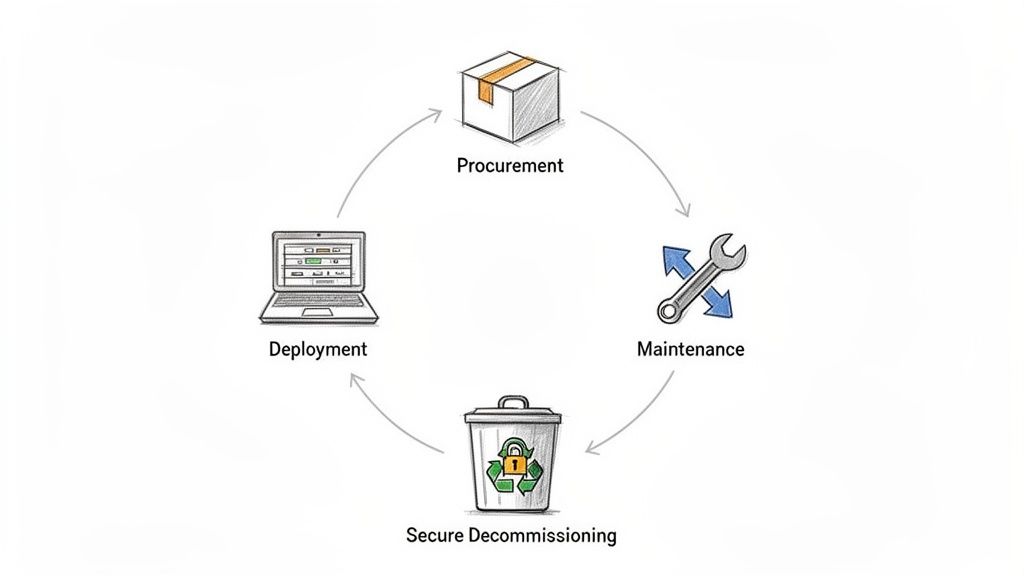
For many businesses we see along the I-65 corridor, old servers and laptops get shoved into a closet, still holding sensitive company or client data. A formal lifecycle process prevents this. It ensures you get maximum value from your gear while it's active and guarantees data is wiped clean before disposal, a non-negotiable step for healthcare or financial firms facing HIPAA or CMMC regulations. Properly managing this process is a cornerstone of strong IT infrastructure management, turning potential risks into a controlled, documented procedure.
How to Get Started
Thinking about an asset's end-of-life from day one stops you from holding onto ticking time bombs. It protects your data, keeps you compliant, and ensures you're not paying to power a server that should have been recycled years ago.
- Create Asset Profiles: Laptops, servers, and networking gear have different lifespans. Create distinct lifecycle profiles that define expected use periods, maintenance schedules, and replacement triggers for each category.
- Track Total Cost of Ownership (TCO): Your initial purchase price is just the beginning. Document costs for maintenance, support contracts, and eventual disposal to get a true picture of an asset's financial impact.
- Implement Secure Decommissioning Rules: Don’t just delete files. Mandate a data destruction standard like NIST SP 800-88. For our healthcare clients in Johnson County, this isn't a suggestion; it's a requirement to avoid massive HIPAA fines. This includes creating immutable off-site backups before destruction.
- Partner with Certified Recyclers: Work with an R2 or e-Stewards certified vendor for e-waste. They provide a certificate of destruction, which is your proof that a hard drive containing client data was properly destroyed and not sold on eBay. Maintain a clear chain of custody for every decommissioned asset.
3. Maintain Detailed Asset Documentation and Configuration Records
If a centralized inventory is your what, then detailed documentation is your how. Knowing you have a server is good; knowing its exact RAM configuration, RAID setup, firmware version, and when its security was last patched is what separates a well-oiled machine from a ticking time bomb. This level of detail is one of the most crucial it asset management best practices for ensuring business continuity and rapid troubleshooting. It’s the playbook your team uses when things go sideways.
For many businesses we assist in the I-65 corridor, documentation is often an afterthought, scribbled on a notepad or living only in the head of a single IT person. When that person is on vacation or leaves the company, simple problems become catastrophic failures. Centralized, detailed records in a system like Atlassian Confluence or Microsoft SharePoint turn individual knowledge into a permanent, searchable company asset. This documentation is the key to faster issue resolution and smooth knowledge transfer.
How to Get Started
Proper documentation means that when a critical application fails on a Saturday, your on-call technician isn't guessing. They can instantly pull up the server’s configuration history, see what changed last, and reference screenshots of its working state, turning a multi-hour outage into a ten-minute fix.
- Create Standard Templates: Don't leave documentation to chance. Build a template that technicians must complete when deploying any new asset. It should include fields for specifications, network settings, installed software versions, and initial configuration details.
- Automate Baseline Data: Use your asset discovery tools to automatically populate the initial records. These tools can pull hardware specs, OS versions, and serial numbers, giving your team a solid foundation to build upon.
- Document Known Issues and Fixes: Create a "living" document for each critical asset. When a problem occurs and is solved, document the symptoms, the fix, and any workarounds. This builds an internal knowledge base that saves immense time later.
- Schedule Quarterly Audits: Information gets stale. Set a recurring calendar reminder to audit your documentation every quarter. Check for obsolete information, identify gaps where new assets were added but not documented, and ensure everything is up to date. This is vital for compliance standards like HIPAA or CMMC.
4. Implement Automated Asset Discovery and Monitoring
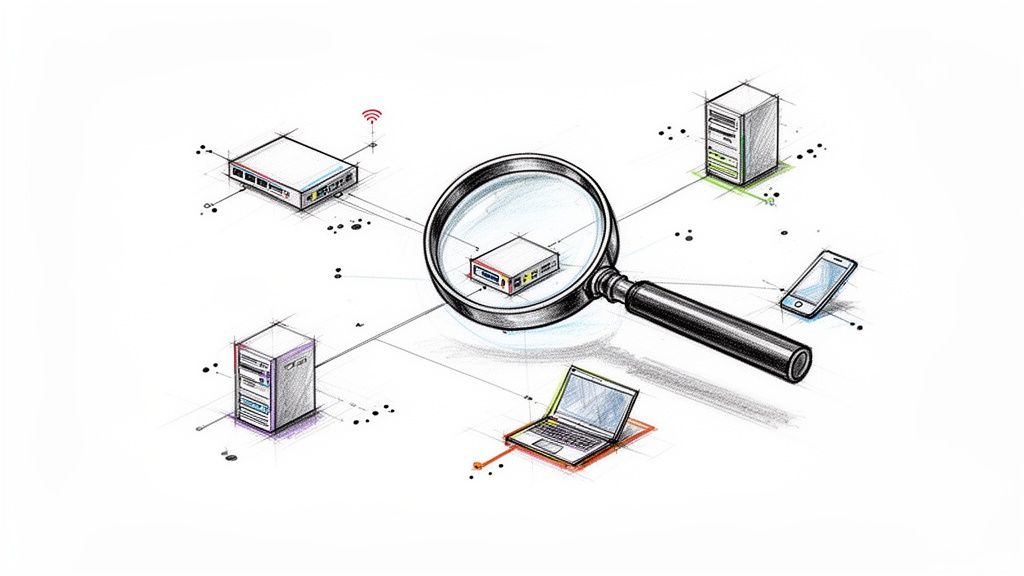
A manual inventory is outdated the second you finish it. New devices connect, software gets installed (sometimes without permission), and configurations change. This is why automated asset discovery and monitoring is one of the most critical it asset management best practices for any security-conscious organization. Think of it as your digital watchdog, continuously scanning your network to automatically find and catalog every connected device, software install, and system setting. It’s the difference between knowing what you thought you had and knowing what you actually have in real time.
For businesses along the I-65 corridor, this means no more surprise devices popping up on the network or finding out a server’s Bitdefender GravityZone software is disabled after an incident. Automated tools like Lansweeper or Tenable.io constantly sweep the environment, identifying everything from a new employee’s smartphone connected to the Wi-Fi to a rogue server spun up in a forgotten corner of the data center. This continuous visibility reduces immense manual labor and closes dangerous security gaps, preventing downtime.
How to Get Started
Automated discovery transforms IT from a reactive to a proactive function. It helps you instantly spot unauthorized devices, identify unpatched software vulnerabilities, and ensure your inventory is always current for compliance audits like HIPAA or CMMC.
- Schedule Scans Intelligently: Configure discovery tools to run during off-peak hours. This minimizes any potential performance impact on your network while employees are working.
- Segment and Prioritize: Don't scan your entire network at once. Use network segmentation to create smaller, manageable scanning zones. Prioritize critical areas like server subnets or segments containing sensitive data.
- Integrate with Your CMDB: The data from discovery tools is most powerful when fed directly into your central asset inventory system. This ensures your single source of truth is always up-to-date without manual entry.
- Investigate Unknowns: Make it a policy to investigate every unknown device the system discovers. Is it a visitor’s phone or an unauthorized access point? Knowing the answer is key to maintaining a secure perimeter. You can find more detail in our guide on the 10 best practices for network monitoring your Indiana business needs.
5. Establish Clear Asset Ownership and Accountability Structures
An IT asset without an owner is an IT problem waiting to happen. If everyone is responsible, then no one is. This is why one of the most critical it asset management best practices is establishing clear ownership and accountability for every piece of hardware and software in your environment. It’s the difference between a laptop being returned pristine when an employee leaves and finding it abandoned in a desk drawer three months later, password-locked and useless.
For many growing businesses in Johnson County, equipment gets handed down without any formal record. When that device inevitably needs a repair or an upgrade, the help desk wastes precious time playing detective to figure out who it even belongs to. Assigning explicit ownership, both to a person (custodian) and a department, puts an end to this chaos. It creates a chain of responsibility that is vital for security, maintenance, and financial tracking.
How to Get Started
When you formalize ownership, you instantly reduce asset loss, speed up support, and make audits a breeze. It's about turning a free-for-all into a well-oiled machine.
- Define Ownership and Custodianship: An "owner" is often the department that paid for the asset, while the "custodian" is the individual employee using it. Document this distinction in your asset management system.
- Integrate with Identity Management: Tie your asset records directly to your identity system, like Active Directory or Entra ID. When an employee profile is updated or deactivated, it should automatically trigger a workflow for their assigned assets.
- Require Acknowledgment: Don't just assign an asset; require the custodian to digitally or physically sign an acknowledgment of responsibility. This simple step reinforces the seriousness of caring for company property.
- Conduct Regular Ownership Audits: At least quarterly, run a report to reconcile your asset database with reality. This helps catch discrepancies from employee transfers or unrecorded equipment swaps before they become bigger issues.
- Document Escalation Paths: What happens if a device is damaged or not returned during offboarding? Create a clear, documented procedure for how to handle these situations, taking the guesswork away from your HR and IT teams.
6. Implement Software License Compliance and Optimization
Software licensing can feel like a high-stakes game of whack-a-mole; just when you think you’ve got it under control, another unauthorized app or renewal notice pops up. This is where software license compliance and optimization becomes a critical component of your it asset management best practices. It’s about more than just avoiding angry letters from software vendors; it’s about stopping your business from flushing money down the drain on unused licenses.
For many businesses along the I-65 corridor, software spending is a wild frontier. Employees install whatever tools they want, and nobody tracks how many licenses for Microsoft 365 or Adobe Creative Cloud are actually being used. We’ve seen Hamilton County companies discover they’re paying for dozens of premium software seats for employees who left months ago. A solid software asset management (SAM) process, guided by tools like ServiceNow SAM or Flexera, ends this financial leakage and keeps you audit-proof, directly boosting your ROI.
How to Get Started
Getting a grip on your licenses stops you from facing massive, unbudgeted fines from a software audit or overspending on shelfware. It puts you in control of your tech stack and your budget.
- Create Clear Workflows: Establish a formal process for requesting, approving, and purchasing all software. No more "I'll just put it on the company card." This centralizes purchasing and ensures every piece of software is accounted for from day one.
- Use Automated Discovery: Manually tracking software is impossible. Use automated tools that scan your network to identify every application installed on every machine. This creates a baseline of truth, uncovering shadow IT and flagging version discrepancies that are vital for understanding patch management and its importance.
- Reconcile and Right-Size: Regularly compare your software inventory against your purchase records and license agreements. Run usage reports to identify inactive licenses. If someone hasn't used that expensive CAD software in six months, reassign that license to someone who will.
- Negotiate Smarter: Don’t just accept the sticker price. By understanding your exact needs, you can negotiate volume licensing agreements or enterprise contracts that significantly reduce your per-user cost. Document all renewal dates in your central system to avoid last-minute, high-pressure renewals.
7. Develop Predictive Maintenance and Replacement Strategies
Waiting for a critical server to smoke and die before you replace it isn't a strategy; it’s a recipe for disaster. Moving from a reactive "fix-it-when-it-breaks" model to a proactive one is one of the most powerful it asset management best practices you can adopt. This means using data to predict when hardware will fail, allowing you to schedule maintenance or replacements before they cause catastrophic downtime. It’s like having a crystal ball for your technology.
Many businesses along the I-65 corridor run their equipment into the ground, only to face an expensive emergency and days of lost productivity. Predictive maintenance flips that script. By analyzing performance data, age, and historical trends, you can forecast failures. Think of hard drives using S.M.A.R.T. data to signal impending doom, or enterprise-grade tools like Dell EMC ProSupport Plus that actively monitor and alert you to potential issues. It's about making surgical strikes instead of fighting fires to guarantee business continuity.
How to Get Started
This approach stops downtime before it starts and turns unpredictable capital expenses into a planned, manageable budget line item. For optimal performance and to extend the lifespan of your IT assets, developing a robust preventive IT maintenance program is key.
- Gather Your Data: Start collecting performance metrics from all critical devices. Track CPU usage, memory, disk I/O, and network throughput. Establish what “normal” looks like for different asset types so you can spot deviations.
- Set Intelligent Alerts: Don't just set an alert for when a server is down. Create thresholds that trigger a review when performance degrades. For example, an alert for a server’s disk consistently hitting 90% capacity can signal it's time for an upgrade before it crashes.
- Calculate Repair vs. Replace: Create a simple Total Cost of Ownership (TCO) calculation. If a five-year-old server needs a $1,000 repair but a new, more efficient model costs $3,000 and comes with a three-year warranty, the replacement is often the smarter financial move.
- Schedule Smart: Plan your proactive maintenance during low-impact windows, like overnight or on weekends. This minimizes disruption and keeps your team productive. Use these predictive insights to refine your IT roadmap and budget with confidence.
8. Create Asset Management Governance and Policies
An IT environment without rules is just organized chaos waiting to happen. Establishing governance and policies is one of the most critical it asset management best practices because it creates the rulebook everyone follows. This isn't about creating corporate red tape; it's about building a predictable, secure, and scalable framework that defines how assets are purchased, managed, documented, and retired. It’s the difference between a well-run machine and a garage full of spare parts with no instructions.
For many growing businesses in Johnson County, "policy" is an unwritten understanding that quickly breaks down. One department buys Macs, another buys PCs, and the finance team is left guessing at budget forecasts. Formal governance, drawing from frameworks like the NIST CSF or ISO/IEC 20000, replaces this ambiguity with clear processes. It ensures that when you need to prove HIPAA compliance or prepare for a CMMC audit, you have a documented, enforceable system to stand on.
How to Get Started
Good governance stops rogue spending, standardizes your technology stack, and aligns your IT investments with your actual business goals. It turns reactive firefighting into proactive strategy.
- Start with a Lightweight Framework: You don’t need a 500-page binder on day one. Begin by defining policies for your most crucial areas: asset purchasing workflows, data classification, and end-of-life disposal procedures.
- Document and Centralize: Write down your policies in plain English and make them easily accessible to all employees, not buried in a forgotten folder on a server. A simple, searchable wiki or a section in your employee handbook works great.
- Build a Cross-Functional Team: Don't create policies in an IT vacuum. Involve department heads from finance, procurement, and operations. This ensures buy-in and creates policies that work for the entire organization, not just the tech team.
- Define Escalation Paths: Exceptions will happen. A top sales performer might need a non-standard laptop for a key presentation. Your policy should clearly define who can approve such requests and how they are documented, preventing a single exception from becoming a new, unwritten rule. This accountability is a core part of effective managed IT services for your small business and keeps everyone on the same page.
9. Integrate Asset Management with Help Desk and Service Management
Operating your IT help desk without it being connected to your asset inventory is like sending a paramedic to an emergency with no patient history. They can treat the immediate symptom, but they lack the full context to solve the root problem efficiently. Integrating these two systems is one of the most impactful it asset management best practices because it instantly arms your support team with crucial data. It stops the frantic back-and-forth asking for serial numbers or trying to remember which laptop model a user in a downtown Indy tech hub has.
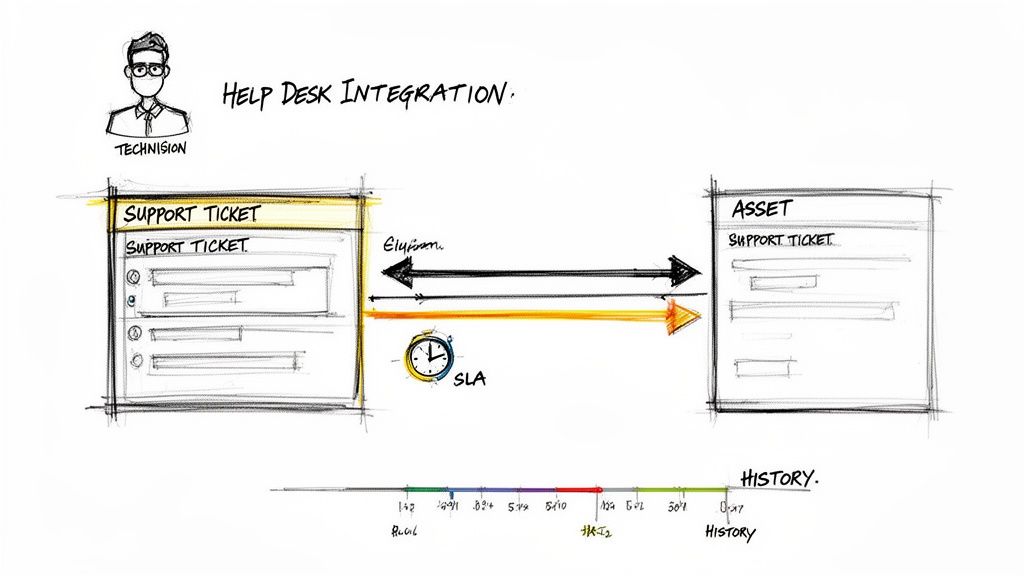
This integration creates a single, unified view. When a support ticket arrives, the technician doesn't just see the user's complaint; they see the specific device, its configuration, warranty status, repair history, and associated software licenses. Platforms like ServiceNow, Jira Service Desk, and Zendesk are built for this. A ticket for a slow computer automatically links to the asset, revealing it's seven years old with a traditional hard drive and is two years past its warranty, immediately pointing to a hardware replacement instead of wasted diagnostic time.
How to Get Started
Connecting your systems converts your help desk from a reactive ticket-closing machine into a proactive problem-solving engine. It’s the difference between patching a leak and replacing the rusty pipe causing it.
- Automate the Link: Configure your systems to automatically associate incoming tickets with assets. This can be done by matching the user's name to their assigned device or by pulling the computer name or serial number from an agent installed on the endpoint.
- Arm Technicians with Data: Ensure warranty information, purchase dates, and past maintenance records are visible directly within the ticket interface. When a support call comes in, the technician should instantly know if the device is under warranty, saving your business from paying for repairs that should be free.
- Build Smart Templates: Create help desk ticket templates for specific asset types. A ticket for a server issue should prompt for different information than a ticket for a printer problem, pre-populating fields based on the asset selected.
- Turn History into Knowledge: Use the integrated data to identify trends. If you see that a specific laptop model accounts for 40% of your hardware support tickets, you can build a knowledge base article for common fixes and, more importantly, stop buying that model in the future. This data is pure gold for improving your overall IT strategy.
10. Establish Regular Asset Audits and Reconciliation Processes
An asset inventory is only as good as its accuracy. If your records say you have a server in your Greenwood office, but it was actually retired six months ago, you're making decisions based on ghost data. This is why one of the most critical it asset management best practices is establishing regular audits and reconciliation. It’s the process of physically verifying your assets against your digital records to catch discrepancies, find missing equipment, and ensure your data is trustworthy.
Think of it like a bank reconciling its cash drawer at the end of the day. For many Indiana businesses, a surprise audit reveals "ghost assets," equipment that exists on paper but is long gone, skewing depreciation schedules and budgets. We’ve seen government contractors along the I-65 corridor fail CMMC security reviews over unaccounted-for laptops. Regular audits turn your inventory from a well-intentioned guess into a validated, defensible fact, which is essential for compliance and financial accuracy.
How to Get Started
Audits stop you from paying for software on laptops that were lost or stolen months ago or failing a HIPAA audit because you can't prove where a specific workstation is located. It’s about accountability and operational integrity.
- Schedule for Minimal Disruption: Plan your physical audits during low-activity periods, like a slow week or after business hours, to avoid interrupting your team’s workflow.
- Arm Yourself with Technology: Use barcode or QR code scanners tied to your asset management system. A quick scan can verify a laptop’s existence and location in seconds, turning a week-long manual slog into a one-day task.
- Investigate Every Mismatch: Don't just correct a record; find out why it was wrong. Did a device move without a transfer being logged? Was a new laptop deployed without being tagged? Use these findings to pinpoint and fix gaps in your process.
- Create Focused Checklists: An effective audit plan is well-organized. You can prepare for one by using something like an IT infrastructure audit checklist to ensure nothing is missed, breaking down tasks by location (e.g., "Carmel office, 2nd floor") or asset type ("All Firewalls"). This structured approach ensures a thorough and efficient review.
10-Point IT Asset Management Best Practices Comparison
| Initiative | Implementation Complexity 🔄 | Resource Requirements ⚡ | Expected Outcomes ⭐📊 | Ideal Use Cases | Key Advantages ⭐💡 |
|---|---|---|---|---|---|
| Implement a Centralized Asset Inventory System | Moderate–High: integrations, data model & change mgmt | Platform software, connectors, scanner tools, staff training | ⭐⭐⭐⭐ — real-time visibility, fewer duplicates, faster support | Multi-location enterprises; MSP-managed clients | Single source of truth; improved compliance & budgeting. 💡Start with critical assets. |
| Establish Asset Lifecycle & Secure Decommissioning Protocols | High: cross-team processes and certified procedures | Policy owners, disposal vendors, documentation tools | ⭐⭐⭐⭐ — secure disposal, TCO clarity, audit readiness | Regulated industries (HIPAA, CMMC), sensitive-data environments | Protects data, maximizes ROI, ensures compliant disposal. 💡Use NIST guidelines. |
| Maintain Detailed Asset Documentation & Configuration Records | Moderate: templates, CMDB design, discipline | CMDB/docs platform, time for capture, automated discovery | ⭐⭐⭐⭐ — faster troubleshooting, better DR and audits | Complex configurations, frequent changes, audit needs | Speeds resolution and onboarding; supports audits. 💡Enforce templates at deployment. |
| Implement Automated Asset Discovery & Monitoring | Moderate–High: credentialing, tuning, network access | Discovery/monitoring tools (e.g., Bitdefender), SIEM integration, scanning creds | ⭐⭐⭐⭐⭐ — continuous inventory, early vulnerability detection | Security-conscious orgs, dynamic networks, large estates | Detects shadow IT & failures; reduces manual effort. 💡Tune schedules to limit impact. |
| Establish Clear Asset Ownership & Accountability Structures | Low–Moderate: policy & IAM alignment | Policy definitions, identity integration, periodic audits | ⭐⭐⭐ — fewer losses, clearer escalations, chargeback accuracy | Organizations with shared assets or cost centers | Clarifies responsibility; speeds issue resolution. 💡Integrate with identity systems. |
| Implement Software License Compliance & Optimization | Moderate: license mapping, reconciliation processes | License management tools, procurement/finance coordination | ⭐⭐⭐⭐ — reduced spend, audit readiness, right-sizing | Heavy software spenders, subscription-heavy teams | Prevents penalties; optimizes licensing costs & ROI. 💡Automate discovery and reconcile often. |
| Develop Predictive Maintenance & Replacement Strategies | High: analytics, historical data, ML models | Monitoring infrastructure, analytics tooling, analysts | ⭐⭐⭐⭐ — reduced unplanned downtime, optimized CAPEX | Critical infrastructure, high-availability systems | Proactive failure prevention; better replacement planning. 💡Track outcomes to refine models. |
| Create Asset Management Governance & Policies | Moderate: stakeholder alignment and training | Policy owners, training programs, review cadence | ⭐⭐⭐ — consistent handling, fewer rogue purchases, audit support | Scaling organizations, regulated sectors (NIST CSF) | Standardizes processes; enables scalability. 💡Start lightweight and evolve. |
| Integrate Asset Management with Help Desk & Service Mgmt | High: bi-directional integrations and sync | Integration middleware, ticketing system, training | ⭐⭐⭐⭐⭐ — faster MTTR, improved SLA performance, context-rich tickets | MSPs, support-heavy operations, large IT teams | Instant asset context in tickets; higher first-contact resolution. 💡Automate ticket-asset linking. |
| Establish Regular Asset Audits & Reconciliation Processes | Moderate: planning, logistics, follow-up | Audit teams, barcode/RFID scanners, reconciliation tools | ⭐⭐⭐ — accurate records, loss detection, compliance evidence | Organizations needing financial accuracy or CMMC/HIPAA compliance | Validates inventory; identifies discrepancies early. 💡Use barcode/RFID to speed audits. |
Take Control of Your Tech and Get Back to Business
So, we’ve just walked through ten critical IT asset management best practices. It might seem like a lot to take in, but think of it less as a tedious checklist and more as a blueprint for sanity. This isn't about creating more administrative work for your team; it's about reclaiming control, slashing surprise costs, and building a technology foundation that actually supports your business goals instead of sabotaging them. For many Indiana SMBs, from the growing businesses in Hamilton County to the established manufacturers in Johnson County, IT feels like a black box of blinking lights and unexpected invoices.
Mastering these concepts turns that black box into a clear, predictable, and powerful tool. It’s the difference between guessing what you have and knowing what you have. It’s the difference between reacting to a catastrophic server failure and proactively replacing aging hardware before it costs you $9,000 a minute in downtime. Implementing these IT asset management best practices is how you stop wasting money on unused software licenses and convert that "wasted tech time" back into billable hours and a predictable monthly budget.
From Chaos to Control: The Real-World Payoff
Let's ground this in reality. Imagine two businesses in Greenwood. One ignores asset management. Their network closet is a spaghetti monster of unlabeled cables, they have no idea if their critical server is on its last legs, and they're paying for 50 software licenses when they only need 20. When a critical piece of hardware fails, it's a frantic, expensive scramble that brings business to a screeching halt.
Now, picture their competitor who follows a structured IT asset management plan. They know every device on their network, from the UniFi access points providing solid Wi-Fi in their old brick building to the specific workstation running a crucial piece of software. Their CMDB shows them that a key server is approaching its end-of-life, so they schedule a planned, after-hours replacement. No downtime, no panic, no lost revenue.
In our 17 years of local service, the most expensive problems we fix are almost always rooted in a lack of basic asset knowledge. When we dissembled a similar client’s failing RAID array, a problem that bit-level data recovery and a solid asset monitoring plan could have prevented, it highlighted the real cost of neglect.
This structured approach is non-negotiable for anyone handling sensitive data. For a healthcare provider, it means breezing through a HIPAA audit because you can prove every device is patched and secure. For a defense contractor along the I-65 corridor, it’s the bedrock of meeting CMMC requirements. It’s about building a defensible security posture, one inventoried and managed asset at a time.
Your Actionable Next Steps
Feeling overwhelmed? Don't be. You don't have to boil the ocean. Start small.
- Pick One Battle: Choose one of the ten practices we discussed. Maybe it's just getting a basic inventory using an automated discovery tool.
- Document the Pain: Identify your biggest IT headache. Is it spotty Wi-Fi? Surprise software renewal bills? Constant help desk tickets for the same old printer? Connect that pain point back to a specific asset management gap.
- Ask for Help: You're an expert in your business, not in SOC-as-a-Service monitoring or Zero Trust architecture. Partnering with a managed service provider removes the guesswork and accelerates your results.
Implementing these IT asset management best practices is how you finally get ahead of the technology curve. It’s about making smart, data-driven decisions that save you money, protect you from threats, and let you focus on what you do best: running your business.
Ready to stop guessing and start knowing exactly what’s on your network? The team at Finchum Fixes IT has spent years helping businesses across the Greenwood/Indianapolis area transform their chaotic tech into a strategic asset. We can provide a Free Network Assessment to show you what you have, where the risks are, and build a concrete plan to get you in control.