10-Point Employee Onboarding Checklist for Indiana SMBs
Monday, 8:03 a.m. A new hire walks into a Greenwood office, opens a laptop, and hits three problems before coffee. Windows wants updates. Email is not provisioned. The WPA2 password taped under the front desk does not work with the new security policy on the router. That employee is on payroll, but not productive.
A solid employee onboarding checklist fixes that before day one starts. For Indiana SMBs, the checklist needs to do more than cover forms, a handbook, and a welcome meeting. It needs to lock down devices, assign access by role, enroll endpoints in backup and security systems, and document the setup well enough to satisfy HIPAA, CMMC, or a client audit without a scramble.
I have seen this play out across Johnson County for years. Shops near the I-65 corridor deal with patchy building Wi-Fi, aging line-of-business software, and small teams where one missed setup step can stall the whole morning. The companies that handle onboarding well treat it like an IT deployment project, not an HR errand.
That approach pays off fast. Formal onboarding improves retention, and structured onboarding gets people to useful work sooner. The impact is significant: downtime can cost up to $9,000 per minute, and every hour lost to account issues or device prep is an hour your team cannot bill, ship, answer, or close.
Good onboarding also sets up the hardware lifecycle from the start. Asset tags, ownership records, refresh dates, and disposal rules should be defined early, especially if you want cleaner audits later. If you need a stronger process, review these strategies for responsible IT asset management and compare them with practical IT asset management software for Indiana businesses.
Presentation still matters. FLYP's welcome kit solutions can help set the tone. Just make sure the box arrives with a machine that is patched, encrypted, enrolled, and ready to work. That is the difference between onboarding as an expense and onboarding as a productivity system.
1. Hardware and Device Provisioning
Monday, 8:03 a.m. A new hire in Greenwood opens a laptop, joins guest Wi-Fi by mistake, and waits through updates while your office manager hunts for a charger that fits the dock. That employee is already losing trust in the process, and your team is burning time before any real work starts.
Hardware provisioning should feel like a finished deployment, not a scramble. For Indiana SMBs, that usually means a Windows 11 Pro laptop or managed Mac that is fully patched, encrypted, enrolled in MDM, labeled, and tested against the apps that matter to the role. In a medical office, I want the device verified against the EMR, scanner software, and Microsoft 365. In a defense-adjacent shop working toward CMMC, I also want local admin locked down, logging in place, and the machine assigned to the right policy set before it ever leaves the bench.
Take a look at the kind of kit that sets the tone right.
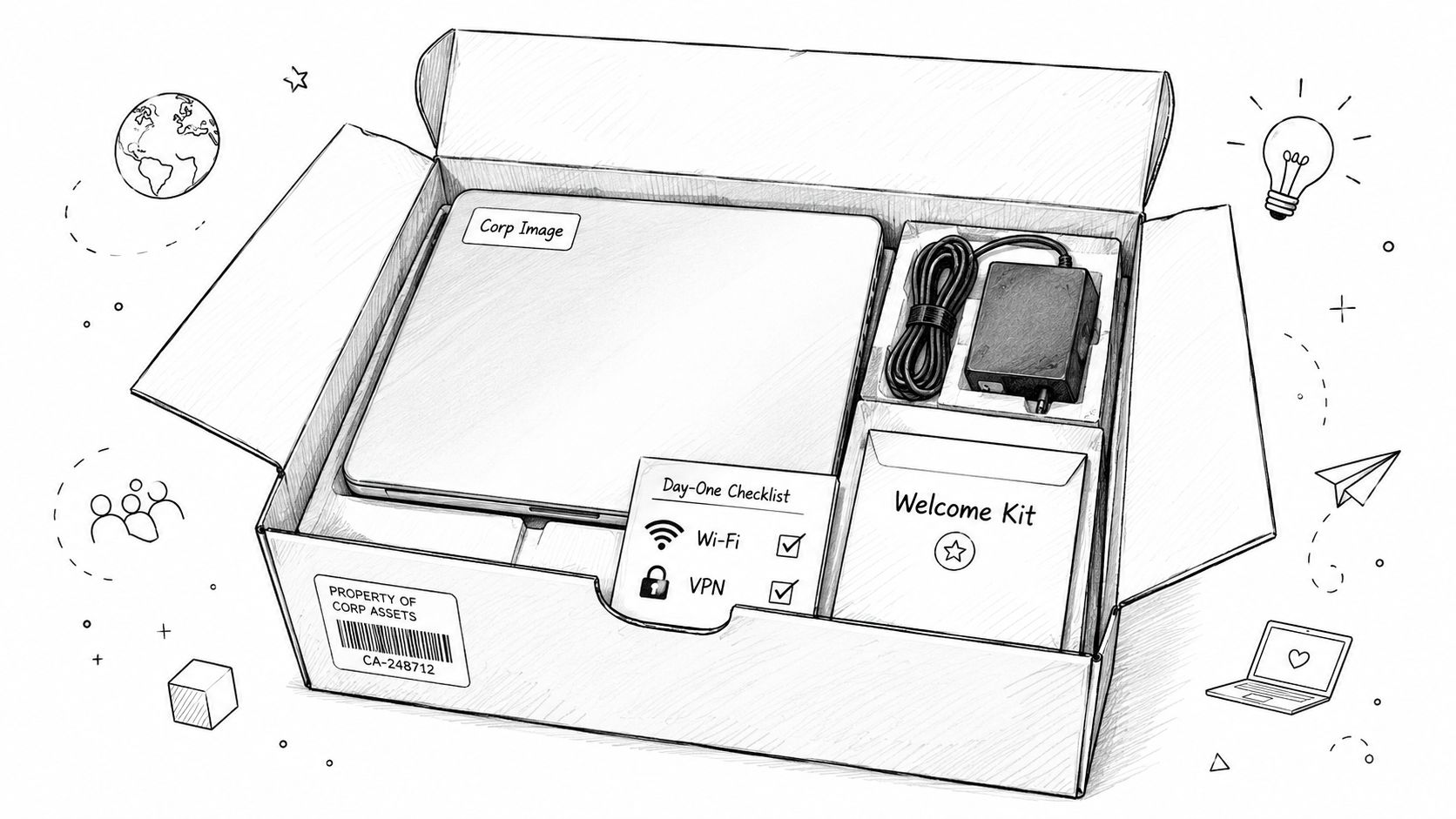
The device also needs a clean chain of custody. Record the serial number, assigned user, purchase date, warranty status, encryption status, and recovery key location the same day you provision it. That step matters more in regulated environments because lost inventory records turn into audit pain fast. HIPAA practices need proof that protected data only lives on managed systems. CMMC-minded manufacturers need tighter control over who had what device, when, and under which security baseline.
Bench workflow that saves trouble later
A Windows build should be boring. Boring is good.
- Apply the standard build: Use WDS, MDT, or Microsoft Intune Autopilot with your approved Windows 11 Pro baseline.
- Install the required stack: Add Microsoft 365 apps, your RMM agent, endpoint protection, VPN client, printer package, and role-specific software.
- Join and enroll the device: Connect it to Microsoft Entra ID or on-prem Active Directory, then confirm policy check-in through Intune or your MDM platform.
- Test real access: Sign in with a staging account, open line-of-business apps, verify printing, and run a VPN test from outside the office network.
- Document the asset: Store serial, MAC address, assigned user, warranty data, and deployment date in ConnectWise or your asset platform.
I use one simple rule. If the laptop has not passed a live test on the same network conditions the employee will use, it is not ready.
For companies cleaning up asset sprawl, this roundup of IT asset management software for Indiana businesses is a practical place to start. Pair that with documented strategies for responsible IT asset management so retired hardware does not become a security or compliance mess. If your provisioning process still depends on manual spreadsheets and memory, these identity and access management tools for growing businesses help tighten the handoff between the device on the desk and the user account behind it.
A quick walkthrough helps your team standardize the handoff.
2. Identity and Access Management
A new hire walks into your Greenwood office at 8:00, sits down with a ready laptop, and still cannot do real work because nobody finished the account setup. I have seen that cost half a day in a medical practice and nearly a full shift in a machine shop waiting on ERP, CAD, or file share access. Identity work decides whether day one starts clean or turns into ticket triage.
Set up one unique identity for each employee before they arrive. Tie access to the role, not the person doing favors over Teams or email. Shared inboxes, recycled generic accounts, and broad default permissions create audit gaps fast, especially for Indiana firms dealing with HIPAA, CMMC, or customer security questionnaires.
For a Greenwood clinic, that usually means Microsoft 365, Teams, the EMR, and whatever scanner or fax integration the front desk still depends on. For a defense supplier on the south side of Indy, it can mean Entra ID groups for segmented shares, ticketing, CAD licensing, supplier portals, and tighter conditional access based on device compliance and location.
Build the account before the person arrives
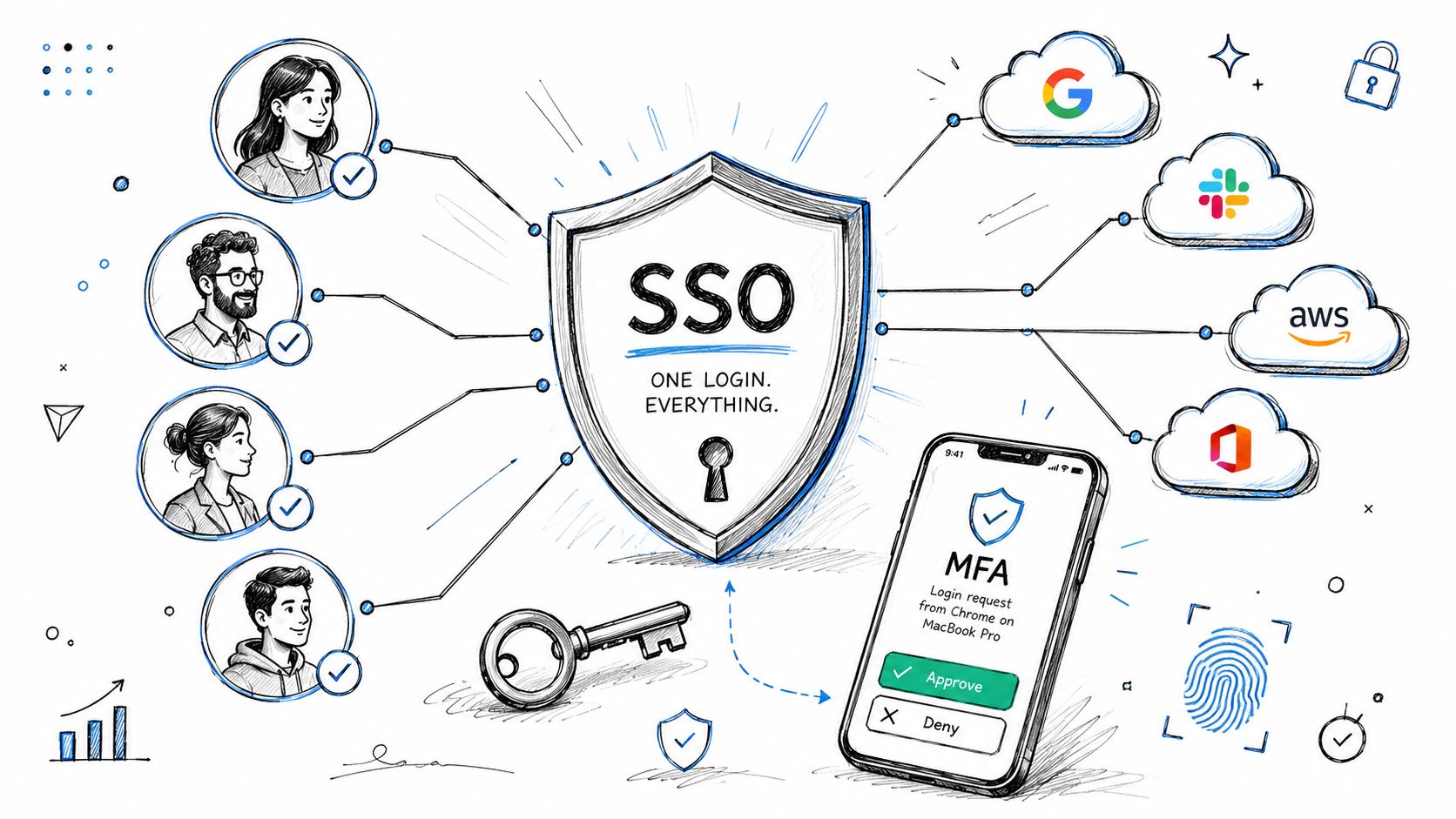
A solid IAM setup usually includes Active Directory or Microsoft Entra ID, Exchange Online, MFA, and SSO through Entra ID or Okta. The point is to have fewer passwords, fewer reset tickets, cleaner audit trails, and faster offboarding later.
I split access into two passes. First, grant the basics needed to communicate and get through orientation. Then approve sensitive systems after the manager signs off, policy acknowledgments are complete, and the device meets your control baseline. That keeps accounting staff out of HR data, keeps shop-floor users out of engineering folders, and keeps a rushed onboarding from turning into a compliance problem.
A practical script flow for a Windows-heavy shop might look like this:
New-ADUserSet-ADAccountPasswordEnable-ADAccount- Add the user to role-based security groups
- Assign Microsoft 365 licensing
- Trigger enrollment instructions for MFA
If you're comparing platforms, this guide to identity and access management tools can help you sort through Entra ID, Okta, JumpCloud, and similar options. If your access model also depends on device trust, this review of endpoint protection software for Indiana businesses is a useful next step, because conditional access only works when the endpoint status is reliable.
Delayed access is one of the fastest ways to make a new employee feel unprepared, and generic HR checklists usually miss the difference between basic access and compliance-sensitive access. Analysts at Qooper make that point in their employee onboarding checklist research. In practice, the fix is simple. Build role templates, require approvals for privileged systems, and test the sign-in path before the start date.
3. Cybersecurity Posture and Endpoint Protection
A new hire shows up at 8:00 in Greenwood, opens a laptop on your Wi-Fi, clicks the first Teams invite, and starts pulling down email. If that machine is missing encryption, behind on patches, or not reporting to your security stack, you did not finish onboarding. You just put an unmanaged endpoint into production.
For Indiana SMBs, this step carries more weight than a generic HR checklist admits. A medical office has to protect patient data on day one. A machine shop bidding on defense work needs endpoint controls that support CMMC evidence. Even a 15-person accounting firm needs to know the laptop can be lost, stolen, or phished without turning into a full-blown incident.
Day one protection should cover endpoint detection, disk encryption, patching, host firewall rules, and a quick hardware validation so the employee can work without opening avoidable support tickets. Productive and hardened both matter. A machine that is productive but not hardened is still an unfinished job.
What a hardened day-one build actually includes
For an office on the Southside running Microsoft 365 Business Premium, I usually push the baseline through Intune and Defender, then verify the machine by hand before release:
- EDR and antivirus: Microsoft Defender for Business, Bitdefender GravityZone, or another managed EDR with active check-in confirmed
- Disk encryption: BitLocker on Windows, FileVault on macOS, with recovery keys escrowed properly
- Patch status: OS and third-party updates installed, pending reboots cleared, and update rings applied
- Host firewall: Enabled with the right profile and no broad exceptions left behind from staging
- Peripheral validation: Camera, headset, dock, second monitor, and printer test if the role needs them
- Script and media controls: PowerShell policy, Office macro restrictions, USB controls, and browser hardening where appropriate
The hand-check matters because policy deployment and actual device state are not always the same thing.
I use a short validation pass before the laptop leaves IT:
Get-BitLockerVolumeGet-MpComputerStatusgpresult /r- Event Viewer review for endpoint agent check-in
- Test phishing-resistant or MFA-backed sign-in on a known business app
If you want a stronger baseline before rollout, use an IT security audit checklist for Indiana businesses to catch the gaps that usually show up after the first incident, not before it.
The bigger point is trust. Office location does not create trust. Device health, user identity, and session controls do. That approach gives healthcare practices cleaner HIPAA coverage, gives defense contractors better support for CMMC documentation, and turns security setup into a productivity driver instead of a cleanup project two weeks later.
If you're evaluating tooling, this review of endpoint protection software for Indiana businesses is worth reading.
4. Compliance Documentation and Regulatory Training
A new hire clicks into your systems at 8:15 a.m. By 10:00, they have access to patient records, pricing files, or project folders tied to federal contract work. If the training log is missing, the signed policy set is incomplete, or nobody matched access to job duties, you have an audit problem on day one.
Indiana SMBs run into this more than they expect. A medical office in Greenwood needs proof that staff were trained on privacy and handling rules before touching protected health information. A machine shop supporting defense work around central Indiana needs evidence tied to CMMC controls, not a vague note that the employee "completed onboarding." Retail and service firms that process card data need staff trained on what they can store, where they can send it, and what never belongs in email or chat.
Keep the process role-based and time-boxed. Day one should cover security basics, acceptable use, password and MFA expectations, phishing reporting, and who to call when something looks off. Days 2 through 5 should add the job-specific modules tied to the systems and data that person will use.
The record matters as much as the training.
Use your LMS or HRIS like an audit trail. Cornerstone, BambooHR, Microsoft Learn paths, or a controlled SharePoint workflow can all work if one owner is accountable for assignment, completion tracking, and retention. I care less about the platform than I do about whether you can pull evidence in five minutes when a client, insurer, or regulator asks for it.
A clean packet should include:
- Signed acknowledgments: Acceptable use policy, handbook receipt, confidentiality terms, and NDA if the role requires it
- Assigned learning path: General security training plus HIPAA, CMMC, PCI, or internal policy modules based on actual job function
- Completion proof: Date, time, quiz result if used, and the system that recorded it
- Manager confirmation: Written confirmation that assigned access matches the employee's duties
- IT sign-off: Proof that the account, device, and policy setup followed your onboarding standard
For Indiana companies building this into a broader control set, an IT security audit checklist for Indiana businesses helps tie onboarding records to the evidence you will need later. If remote users are part of the role, your policy packet should also point to the approved remote access standard and the best VPN options for small business teams so employees are not guessing their way through secure access from home.
Good documentation does more than satisfy auditors. It cuts repeat questions, shortens supervisor cleanup, and prevents the common Indiana SMB problem where HR says the employee is onboarded but IT still has no proof the person was trained for the data they can reach. That is how onboarding stops being a cost center and starts producing useful work on day one.
5. Network Access and VPN Configuration
A new hire walks into a Greenwood office on Monday, connects to Wi-Fi, and cannot reach the file share, line-of-business app, or printer. By 10:30, your office manager is calling IT, the employee is idle, and day one payroll is already paying for preventable setup mistakes.
Network access needs to be part of onboarding because it directly affects productivity and risk. In Indiana SMBs, that usually means two environments to control on day one: the office network and remote access from home, job sites, or client locations. If you handle healthcare data, defense work, or anything else that falls under HIPAA or CMMC, loose VPN setup and broad network access create problems fast.
Make remote access predictable
Predictable beats flexible here. Preinstall the VPN client during imaging. Load certificates before the laptop leaves your bench. Turn off split tunneling unless a documented business case says otherwise. Enable a kill switch if the platform supports it. Then test the connection from outside the building before the employee needs it for real work.
For a Windows endpoint, a solid checklist looks like this:
- Install the client: OpenVPN, Cisco AnyConnect, or a Zero Trust client such as Cloudflare
- Import certificates: Machine or user cert applied during provisioning
- Validate DNS resolution: Confirm internal apps and hostnames resolve over the tunnel
- Check device posture: BitLocker, endpoint protection, and MDM status must pass before access is granted
- Send logs to monitoring: Forward VPN and access events to your SIEM or SOC service
If you are still choosing a platform, this guide to the best VPN options for small business teams will help you compare the trade-offs.
Handing a new employee a VPN installer isn't onboarding. It's deferred support work.
Office access deserves the same discipline. Map the user to the right VLAN or security group. Confirm they can reach only the printers, shares, VoIP systems, and internal apps tied to their role. In older Johnson County buildings, I also check wireless coverage before the first day. Brick walls, patched-together access points, and forgotten guest networks create support tickets that look like user error but are really network design problems.
Zero Trust access is usually the better fit for Indiana small and midsize businesses than a broad, flat VPN. It limits users to the apps they need, gives you cleaner logs, and reduces the blast radius if credentials are stolen. For teams that want to tie remote access decisions back to recovery planning, Nutmeg Tech on business continuity is a useful reference.
6. Data Backup and Disaster Recovery Enrollment
If a new laptop dies on day three and there's no backup, your onboarding process failed. It doesn't matter how pretty the welcome email looked.
Every workstation should be enrolled in backup on day one. Install the agent during imaging, seed the first backup during off-hours, encrypt it, and make sure there's an immutable off-site copy if the user handles anything important. That's business continuity, not just IT hygiene. When downtime can cost up to $9,000 per minute, recovery speed becomes a budget issue, not a technical preference.
For most SMB stacks, that means Veeam, Acronis, Datto, or a cloud-first endpoint backup product tied into a documented recovery runbook. If your team supports healthcare or legal workflows, you also need to confirm where that data lands and who can restore it.
Test the restore, not just the backup job
I've seen too many owners feel good because the dashboard said “successful” while the restore process was still a mess. Run a real test. Restore a user profile. Pull back a deleted document. Confirm the encryption key path. Time the process.
A solid workflow looks like this:
- Install backup agent during imaging
- Schedule initial full backup after hours
- Apply retention by role
- Enable immutable off-site backups
- Verify checksum and backup health alerts
- Run a test restore and document it
Business continuity guidance from Nutmeg Tech is a good outside read if you're trying to connect backup policy to actual continuity planning.
When we dissembled a similar client's failing RAID array years ago, the save came from disciplined backups and bit-level data recovery methods, not luck. That's the standard. Your onboarding checklist should place the endpoint inside your recovery plan before the user starts generating work product.
7. Software Licensing and Asset Documentation
Licensing sounds boring until the audit email lands.
Every new workstation should leave imaging with a documented list of installed software, assigned user, activation state, and proof of entitlement. Microsoft 365, QuickBooks, Adobe Creative Cloud, AutoCAD, specialized EMR clients, developer IDEs, all of it. If you can't answer “what's installed on that laptop and why,” you've got a process gap.
Onboarding often becomes too lengthy and disorganized. Checklist completion rates hold at 75% to 85% when the list has 3 to 4 items, but drop to 30% to 40% when the checklist grows past 10 items, and each added step beyond the sweet spot reduces completion by roughly 8% to 12%, according to AdoptKit's onboarding benchmark analysis. So don't build one giant license checklist. Build short role-based packs. “Accounting laptop,” “CAD workstation,” “help desk endpoint,” and “developer machine” work better than one monster document nobody finishes.
Keep one source of truth
A usable license record should include:
- Assigned user and device asset ID
- License type and activation date
- Renewal or subscription end date
- Purchase invoice or entitlement record
- Admin owner for reassignments
For a downtown Indy startup growing fast, this matters because hiring speed hides software sprawl. One person installs a trial. Another uses a personal Adobe login. Six months later nobody knows what's legitimate. A tight onboarding record stops that drift early and turns surprise spend into a predictable monthly budget.
8. License Key Management and Audit Response
Documentation tells you what's installed. Key management proves you're allowed to run it.
Store activation keys and vendor entitlements in a proper vault, not a spreadsheet called software_keys_final_v3.xlsx on a shared drive. Use MFA for vault admins, restrict exports, and attach purchase proof to each entry. If the vendor asks questions, you should be able to answer them without dragging three departments into a fire drill.
For many SMBs, that vault is IT Glue, Hudu, Keeper, 1Password Business, or another encrypted documentation platform. The tool matters less than the discipline. Key records need ownership, access controls, and a standard audit packet.
Build your audit packet before you need it
Keep these together:
- Entitlement records: What was purchased and for how many users or devices.
- Invoice archive: Clear proof of purchase and renewal history.
- Assignment history: Who used the software and when it was reassigned.
- Deactivation notes: What happened when staff left.
- Vendor contacts: Renewal rep, support path, and contract owner.
This section is where operators save real money, even without flashy stats. Predictable license records cut emergency purchasing, avoid duplicated subscriptions, and stop vendor disputes from pulling staff off billable work. For Johnson County business owners, that means fewer ugly surprises during renewal season.
9. Open Source and Developer Tooling Compliance
If you employ developers, onboarding can't stop at Microsoft 365 and antivirus. You also need a rulebook for open-source software, package managers, source control, and build tooling.
A new developer laptop should arrive with Git, approved IDEs, language runtimes, dependency scanning, and access to repositories based on role. If you're in healthcare, finance, or defense-adjacent work, tie that machine into software supply chain controls from the start. That includes SBOM generation, package policy enforcement, and secure secret handling.
Set the developer baseline early
A practical Windows developer setup might include:
- Git installation and config:
git config --global user.nameandgit config --global user.email - Package tooling: npm, pip, NuGet, or Maven based on stack
- Secret hygiene: Pull credentials from a vault, never local text files
- Dependency scanning: Snyk, GitHub Advanced Security, or a CI-integrated scanner
- Repository policy: Separate production, staging, and personal sandbox access
This isn't just a software development concern. It touches business continuity. One bad dependency or a leaked API token can trigger outages, incident response, and customer pain. For downtown Indy tech hubs shipping web apps, mobile apps, or internal automation, the onboarding checklist should include code signing access, branch protections, CI permissions, and documented approval paths.
The win is simple. Developers start building instead of self-assembling their toolchain from tribal knowledge. That lowers risk and gets them to useful work faster.
10. Onboarding Project Coordination and Documentation
Monday at 8:15 a.m., a new hire walks into your Greenwood office, opens a laptop, and hits three avoidable problems in the first hour. Email works, but the line-of-business app does not. VPN is live, but MFA enrollment never finished. HR marked onboarding complete, while IT still has two open tickets and security has no training record for the audit file.
That failure is usually a coordination problem, not a tooling problem.
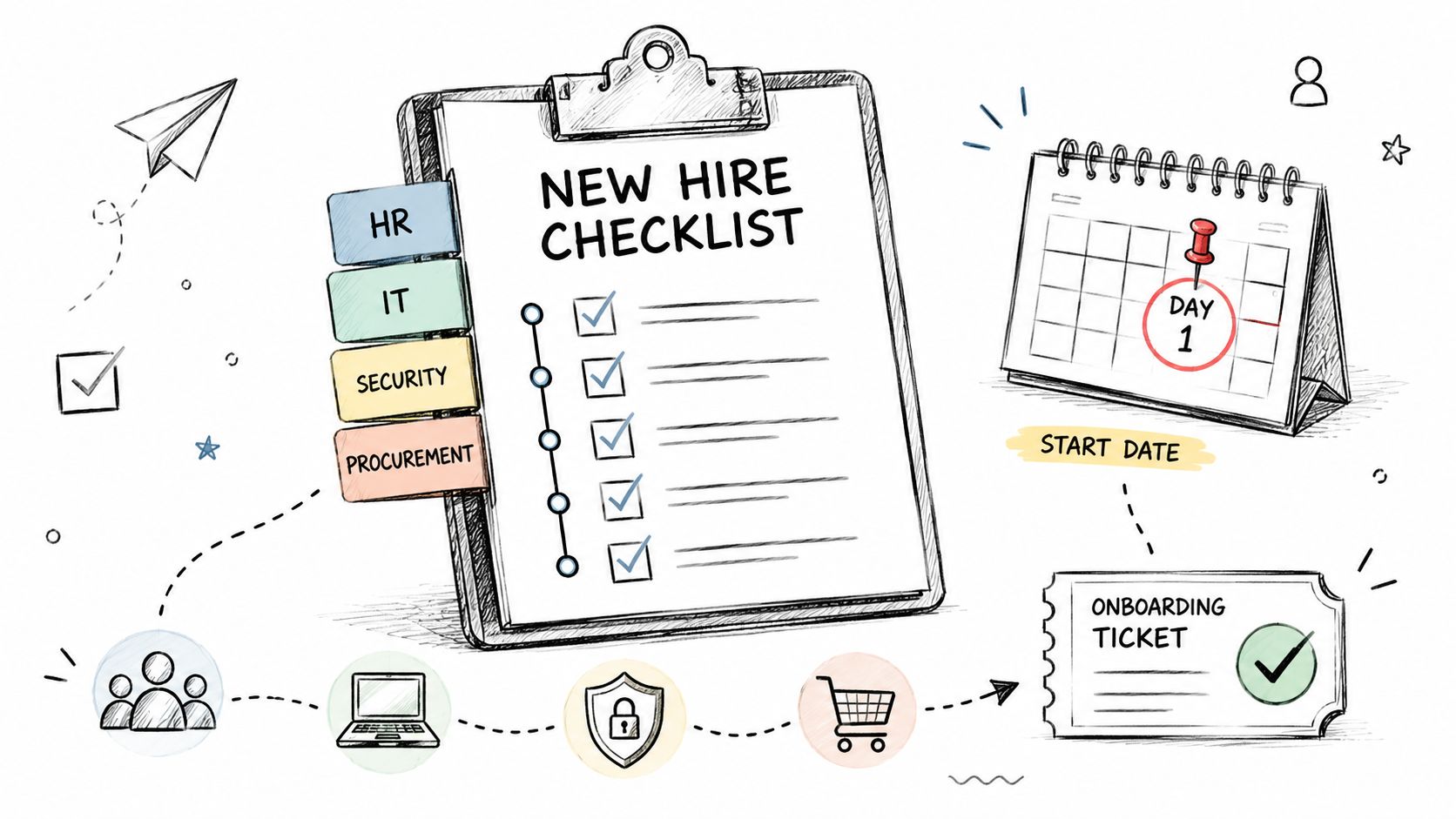
Indiana SMBs feel this harder than bigger firms. One missed step can slow a two-person clinic front desk, delay a machinist getting into ERP, or leave a defense-adjacent engineering hire outside the systems they need for CMMC-controlled work. The fix is straightforward. Run onboarding like a small project with named owners, deadlines, proof of completion, and a clear escalation path inside ConnectWise, Jira, HaloPSA, or whatever system your team already uses.
Keep the checklist short, then expand by role
The best onboarding systems I've seen in central Indiana keep the master checklist tight. Then they attach role-based modules for sales, finance, healthcare ops, developers, and regulated positions. That keeps the core process easy to manage while still covering the extra controls a HIPAA or CMMC environment needs.
It also prevents a common mistake. Teams document technical setup and signatures, then skip the recurring human check-ins that determine whether the employee can get productive. Paylocity's onboarding checklist research points to the importance of structured support during the first stretch, especially for remote and hybrid staff. Weekly blocker-removal check-ins are far more effective than a one-time “how's it going?” check-in.
A clean coordination model usually assigns work like this:
- HR owner: Offer documents, W-4, I-9, handbook, policy acknowledgments
- IT owner: Device prep, account setup, MFA enrollment, backup assignment, network access, support handoff
- Manager owner: 30-60-90 goals, team introductions, application approval requests, workload ramp
- Security or compliance owner: Required training, conditional access review, phishing baseline, audit evidence retention
The 30-60-90 plan should be documented in the same workflow, not buried in a manager's notes. In practice, 30 days covers tools, systems, and operating rhythm. By 60 days, the employee should have the right internal relationships and approval paths. By 90 days, they should be producing useful work with fewer exceptions, fewer access tickets, and fewer compliance gaps.
That is where onboarding stops being an admin task and starts paying for itself. Done right, the process reduces rework, shortens time to contribution, and gives you the documentation to answer a HIPAA review, a cyber insurance questionnaire, or a customer security assessment without scrambling.
10-Point Employee Onboarding Checklist Comparison
| Item | Implementation Complexity 🔄 | Resource Requirements ⚡ | Expected Outcomes 📊 / Quality ⭐ | Ideal Use Cases | Quick Tip 💡 |
|---|---|---|---|---|---|
| Hardware & Device Provisioning: Workstation Setup and Asset Management | Medium–High 🔄, imaging, MDM, asset tagging | MDM/WDS, imaging lab, spare devices, IT time (3–4 wk lead) ⚡ | 📊 Day‑one readiness; reduces early tickets 30–40% · ⭐⭐⭐⭐ | New hires, rapid scaling, compliance‑sensitive orgs | Order equipment 4 weeks ahead; maintain a tested golden image |
| Identity & Access Management (IAM): AD, Email, SSO | Medium 🔄, AD/SSO integration, MFA enrollment | Azure AD/Okta licenses, scripts, IAM admin time ⚡ | 📊 Fewer password resets; faster offboarding · ⭐⭐⭐⭐ | Cloud/SaaS environments, hybrid AD migrations | Automate user creation; pre‑stage MFA on devices |
| Cybersecurity Posture & Endpoint Protection: EDR, Firewall, Policy | High 🔄, EDR tuning, firewall GPOs, SIEM integration | EDR licenses, SOC/SIEM, security admin effort ⚡ | 📊 Real‑time detection and containment; lowers breach risk · ⭐⭐⭐⭐ | Healthcare, manufacturing, high‑risk networks | Pilot EDR; tune alerts and run monthly simulations |
| Compliance Documentation & Regulatory Training | Medium 🔄, LMS integration, role mapping | LMS/HRIS, course content, administrative oversight ⚡ | 📊 Audit‑ready training records; fewer compliance findings · ⭐⭐⭐ | Regulated industries (HIPAA, CMMC, PCI) | Assign training 24 hrs before start; require signed acknowledgments |
| Network Access & VPN Configuration: Secure Remote Connectivity | Medium–High 🔄, certs, conditional access, ZT policies | VPN/Zero Trust solution, cert management, bandwidth planning ⚡ | 📊 Secure remote access; auditable sessions; fewer remote tickets · ⭐⭐⭐⭐ | Remote staff, satellite offices, field teams | Pre‑stage X.509 certs; disable split tunneling by default |
| Data Backup & Disaster Recovery Enrollment | Medium 🔄, initial seeding, retention, DR runbooks | Backup solution, off‑site storage, bandwidth, test time ⚡ | 📊 Rapid recovery from ransomware/hardware failure; meets RTO/RPO · ⭐⭐⭐⭐ | Data‑critical teams, ransomware targets | Schedule full backups off‑hours; test restores quarterly |
| Software Licensing & Asset Documentation | Low–Medium 🔄, inventory capture, key storage | License management tool, password vault, admin reconciliation ⚡ | 📊 Audit‑ready inventory; predictable renewals · ⭐⭐⭐ | Organizations facing vendor audits, procurement teams | Link licenses to asset IDs and invoices; reconcile quarterly |
| License Key Management & Audit Response | Low–Medium 🔄, vaulting, playbooks, exports | Encrypted key vault, procurement links, process owner ⚡ | 📊 Faster audit responses; reduced penalty risk · ⭐⭐⭐ | Firms with frequent vendor audits or large licensing footprints | Require MFA/hardware keys for vault admins; keep an audit packet |
| Open Source & Developer Tooling Compliance | Medium 🔄, CI/CD scanning, SBOM generation | Dependency scanners, CI access, license expertise ⚡ | 📊 SBOMs, fewer license/vulnerability issues · ⭐⭐⭐ | Software vendors, contract‑sensitive projects | Enforce dependency scans in CI and store SBOM per release |
| Onboarding Project Coordination & Documentation | Low–Medium 🔄, playbook upkeep, cross‑team tasks | Ticketing/checklist tooling, dedicated owner, templates ⚡ | 📊 Fewer missed items; predictable day‑one productivity · ⭐⭐⭐⭐ | Organizations with multi‑discipline onboarding | Use role‑based templates and weekly status reviews |
Turn Your Checklist into a Competitive Advantage
A good employee onboarding checklist does more than welcome a new person. It keeps the business running. It protects customer data. It shortens ramp time. It turns random setup work into a managed process with predictable costs and cleaner accountability.
That's the piece many Indiana SMBs miss. They think onboarding sits with HR, while IT just reacts to tickets. In practice, the first week of employment is one of the highest-risk windows for downtime, misconfiguration, and sloppy access control. If the laptop isn't ready, the user sits idle. If MFA isn't enforced, your risk jumps immediately. If backups aren't in place, one hardware failure can wipe out fresh work product before anybody notices.
The upside is just as real. When onboarding is structured, businesses retain people longer, reduce confusion, and get new hires productive faster. For owners in Greenwood, along the I-65 corridor, and across downtown Indy tech hubs, that means less wasted tech time, fewer interruptions for senior staff, and more hours pushed back into service delivery, sales activity, development work, and customer response. That's where ROI shows up. Not in a fancy document. In fewer support fires, fewer access mistakes, and a smoother path to billable work.
It also strengthens compliance posture in ways auditors prioritize. HIPAA wants documented safeguards, role-appropriate access, and training evidence. CMMC expects control over identities, devices, and protected information. NIST CSF gives general businesses a practical way to map assets, protect systems, detect trouble, respond cleanly, and recover without chaos. A technical onboarding process supports all of that from day one.
In our 17 years of local service, we've seen the same pattern repeat. Businesses with aging server hardware, spotty Wi-Fi, scattered credentials, and undocumented software always feel onboarding pain first. The fix isn't another generic checklist PDF. The fix is a managed process that ties together device prep, IAM, Zero Trust architecture, endpoint defense, immutable off-site backups, and SOC-as-a-Service monitoring with real accountability behind it.
That's how you stop day one from becoming a mess. And that's how you turn onboarding from a cost center into a productivity driver.
If your current process feels like a scramble, it's time to tighten it up. Finchum Fixes IT has spent 17 years refining onboarding, cybersecurity, networking, cloud setups, data recovery, software development support, and IT support for local businesses. A Free Network Assessment or a Security Risk Audit can show you exactly where your process is leaking time, money, and security.
If your Greenwood or Indianapolis-area business wants a tighter employee onboarding checklist, stronger cybersecurity, better networking, cleaner cloud access, or a recovery plan that holds up under pressure, talk to Finchum Fixes IT. Schedule a Free Network Assessment or a Security Risk Audit and get a practical plan that cuts downtime, supports compliance, and gets new hires productive from their first hour.