IT Security Audit Checklist: Protect Your Indiana Business
Your server is humming in a Greenwood office park. The front desk is answering calls, invoices are going out, and the shipping computer in the back is still running on hardware that should have been replaced two budget cycles ago. Then a stale admin account gets used, a laptop misses a security update, or the guest Wi-Fi touches the wrong system. Work stops fast.
For Central Indiana business owners, that kind of outage hits in plain dollars. Payroll keeps running. Orders stall. Staff sit idle while someone figures out whether the problem is ransomware, a bad login, or a backup that looked fine on paper but fails under pressure. I see the same pattern across Johnson County and up into Hamilton County. Older equipment stays in service too long, brick buildings create Wi-Fi blind spots, and flat networks let one bad device reach far more than it should.
That is why a practical it security audit checklist matters. It gives owners and office managers a way to check the systems that affect downtime, insurance questions, and compliance work before a small gap turns into a long afternoon.
A useful audit is not just a security exercise. It is a spending filter. It helps you decide whether to replace aging switches, lock down Microsoft 365, separate shop-floor devices from accounting, or tighten remote access first. If your team needs a starting point on account protection, these multi-factor authentication best practices for business are one of the fastest risk-reduction steps to review.
TL;DR: Your Key Takeaways
- Start with identity first: Access control, MFA, and account cleanup stop a large share of preventable account misuse.
- Protect every endpoint: Laptops, phones, and shop-floor devices need patching, encryption, and active monitoring.
- Segment the network: Separate guest Wi-Fi, office systems, servers, and IoT so one bad device does not expose everything.
- Test backups, don’t admire them: Off-site and immutable backups only help if you can restore them.
- Tie audits to business continuity: A good it security audit checklist reduces downtime, supports HIPAA, CMMC, and NIST CSF work, and turns reactive fixes into planned monthly IT spend.
1. Access Control and Identity Management Verification
A Greenwood office manager finds out on Monday morning that a former employee can still sign in to Microsoft 365. Email is still open. Shared files are still open. If that account also has VPN or finance access, a simple offboarding miss turns into downtime, cleanup work, and an uncomfortable call with your insurance carrier.
That is why identity gets checked first. Account misuse is still one of the most common ways businesses get hit, especially in smaller environments where one person wears three hats and access decisions pile up over time. Around Johnson County, I see the same pattern often. Old accounts stay active, shared logins never get retired, and owners keep broad permissions because nobody wants to break QuickBooks, payroll, or the copier scan folder.
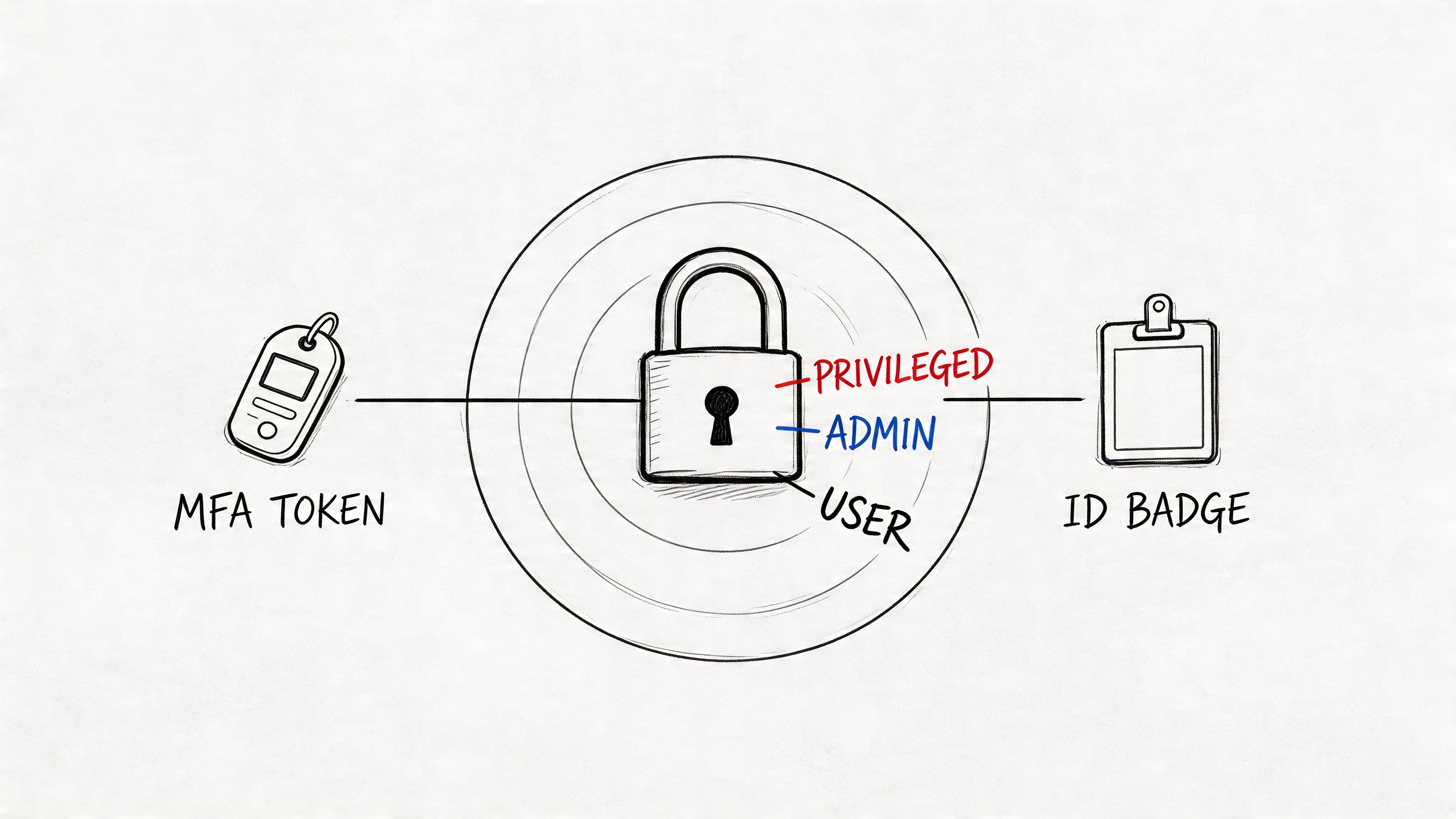
A solid review covers Microsoft Entra ID, Okta, local Active Directory, VPN access, line-of-business apps, payroll systems, banking portals, and any vendor account with remote access. Hamilton County firms often have an extra layer here because client contracts, HIPAA requirements, or CMMC work demand cleaner access records and tighter admin controls.
What to verify first
- Privileged accounts: Review global admins, domain admins, backup admins, finance logins, and any account that can reset passwords or change security settings.
- MFA coverage: Start with email, VPN, remote access, and cloud apps that hold sensitive data.
- Joiner, mover, leaver process: Confirm that new hires, role changes, and terminations follow a documented checklist, not memory.
- Permission rationale: Every privileged permission should tie to a real job duty and an owner who approves it.
- Shared and stale accounts: Look for generic logins, old vendor accounts, and users who have not signed in for months.
MFA lowers risk, but rollout still needs some judgment. Start with owners, finance staff, administrators, and anyone with remote access. Then expand to the rest of the company in phases so support calls do not swamp your team on day one. If you want a practical rollout model, this guide to multi-factor authentication best practices for businesses is a good place to start.
Access reviews also have a dollars-and-cents side. One unnecessary global admin account can do more financial damage than a worn-out firewall. For Central Indiana businesses trying to stretch IT budgets, cleaning up permissions is often cheaper than replacing hardware and gives a faster reduction in risk. It also makes later work easier, especially if you are planning device controls and want your user and device policies to line up with endpoint security best practices for Indianapolis SMBs.
Practical rule: If an account can reach payroll, banking, email, or backups, review it by name, confirm the reason, and require MFA.
What fails is "set it and forget it." Access drifts. Staff change roles. Vendors get temporary access and keep it for years. A good audit catches that before it turns into an outage.
2. Endpoint Security and Device Management Assessment
The weak point usually isn’t the server rack. It’s the laptop in a car, the sales rep’s phone, or the front-desk PC that hasn’t rebooted in weeks.
An endpoint review should cover desktops, laptops, phones, tablets, and oddball devices that businesses forget about, like warehouse scanners, conference room systems, and smart TVs on office Wi-Fi. Hamilton County firms with hybrid staff often have more endpoint sprawl than they realize, especially if they’ve grown fast and never cleaned up their Microsoft Intune or mobile device policies.
What a solid endpoint review looks like
A strong audit checks whether antivirus or EDR is active, disk encryption is enabled, local admin rights are limited, patching works, and remote wipe is available for portable devices. Tools like Bitdefender GravityZone, Microsoft Defender for Endpoint, CrowdStrike Falcon, and Intune all have their place. The right pick depends on budget, staffing, and how much visibility you need.
The business continuity angle matters here. Unpatched endpoints are a common entry point for ransomware and credential theft. If your staff can’t access quoting software, the EMR, or the shared drive, revenue stops while everyone waits for IT to triage machines one by one.
- Inventory first: You can’t secure devices you don’t know exist.
- Encrypt mobile systems: Laptops with client files or patient data should never leave the office unencrypted.
- Control BYOD: Personal devices need clear rules, or they shouldn’t connect to company data.
- Test before broad rollout: New policies can break old printers, weird accounting tools, or legacy VPN clients.
For SMBs in Indianapolis, practical endpoint hardening often beats fancy tooling with no follow-through. This overview of endpoint security best practices for Indianapolis SMBs gives a grounded way to tighten devices without turning daily work into a headache.
A machine that “seems fine” is often one missed patch, one disabled agent, or one bad browser extension away from becoming your incident report.
What doesn’t work is relying on a basic antivirus icon and assuming you’re covered. If no one checks policy status, update failures, encryption state, and login patterns, you’re guessing.
3. Network Security and Segmentation Review
A Greenwood shop gets hit by malware through a front-desk PC. On a flat network, that problem rarely stays at the front desk. It reaches shared drives, printers, old Windows boxes in the back office, camera systems, and sometimes the server that runs quoting, scheduling, or billing. I still see this setup across Central Indiana, especially in older buildings where the network expanded one switch at a time and nobody stepped back to redesign it.
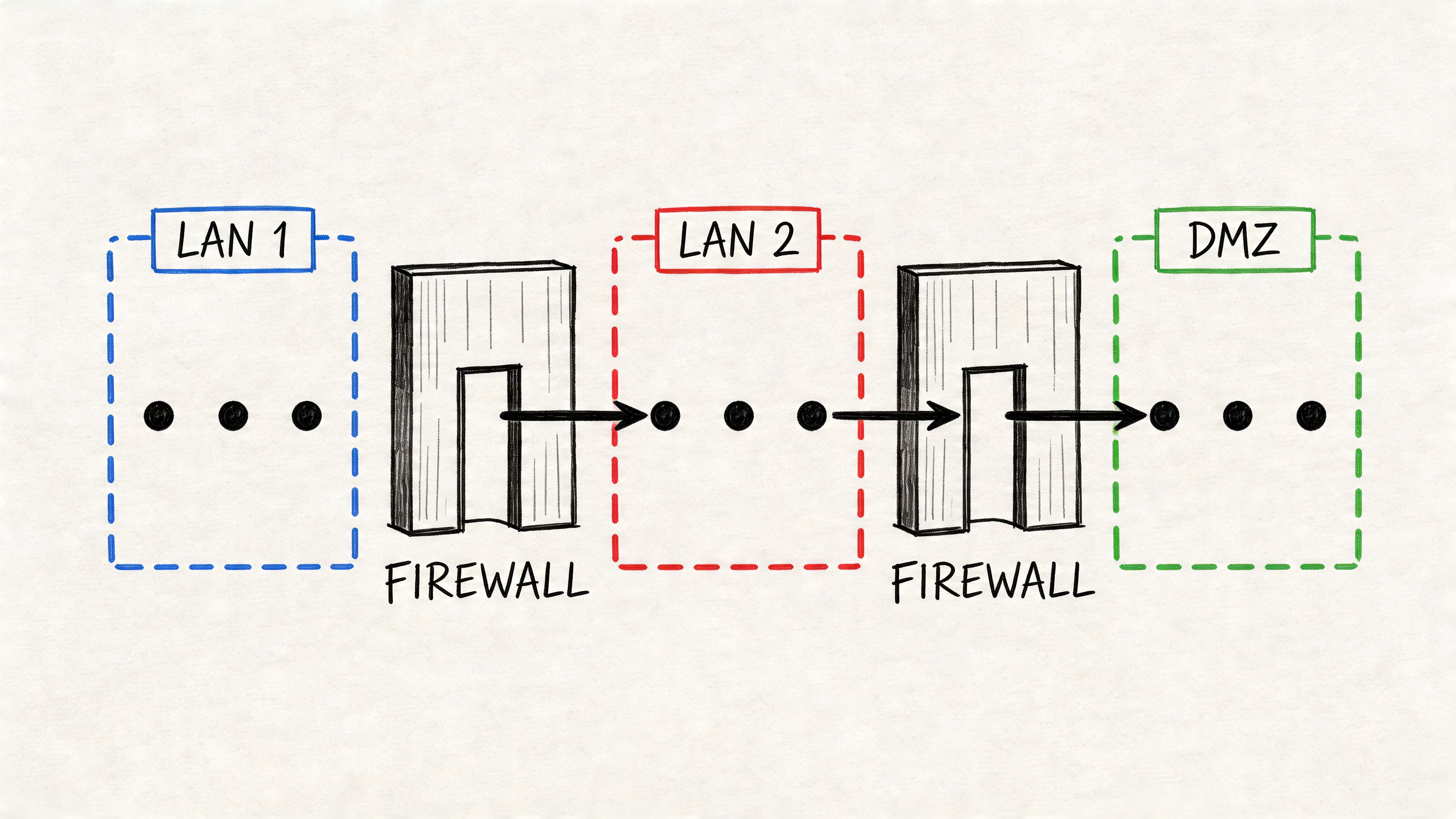
A good audit checks how traffic is allowed to move, not just what firewall sits at the edge. Review firewall rules, VLAN layout, remote access, wireless security, switch configs, and logging. For many small and midsize businesses, UniFi is a practical fit because it gives clear visibility into guest, office, phone, and camera networks without a big management burden. In Hamilton County firms with tighter compliance pressure or more complex vendor access, Cisco or Palo Alto may make more sense because they offer deeper policy control and reporting.
Segmentation pays for itself by limiting downtime. If a camera, copier, or warehouse tablet gets compromised, it should not be able to reach accounting, file shares, or line-of-business servers. That matters for any company, but it hits especially hard in places running older gear. A manufacturer in Johnson County may still have legacy equipment that cannot be patched quickly. Segmentation becomes the practical control that keeps those systems operating without giving them broad access to everything else.
Physical access belongs in this review too. If someone can walk into a closet, plug into an open switch port, reset hardware, or handle firewall equipment without oversight, the network design on paper does not mean much. Audits should verify locks, badge access, surveillance coverage, and who is allowed to touch core network gear.
If you’re reviewing perimeter controls, this local guide to the best firewall choices for Indiana small businesses is a useful companion. It also helps to connect segmentation with data loss prevention practices for Indiana businesses, because limiting network paths reduces how far sensitive files can spread during an incident.
A short explainer helps if you want to see segmentation concepts in action.
- Separate guest Wi-Fi: Guest traffic should never share a network with staff devices or internal systems.
- Isolate IoT and building systems: Cameras, badge readers, printers, smart TVs, and HVAC controls should sit in their own segment with tight rules.
- Review old firewall rules: Temporary vendor access and quick fixes often stay in place for years.
- Limit east-west traffic: Staff PCs usually do not need direct access to servers, cameras, and every other workstation.
- Lock down remote access: VPN and remote admin access should be limited, logged, and approved for the systems each user needs.
The common mistake is buying a stronger firewall while leaving everything behind it in one big trust zone. Attackers do not need much room. A flat internal network gives them plenty.
4. Data Protection and Encryption Audit
If you don’t know where sensitive data lives, you can’t protect it well. That’s the first problem this audit item exposes.
Start by identifying data by business value and risk. Patient records, payroll files, tax documents, legal case files, CAD drawings, customer lists, and internal financials shouldn’t all be treated the same. A Greenwood medical office has a different data profile than a machine shop near Franklin or a fast-growing SaaS team in downtown Indy.
Check the data in motion and at rest
An audit should verify full-disk encryption on laptops, encryption on servers where it makes sense, secure file sharing, and encrypted connections for web apps, email, VPNs, and cloud storage. It should also trace how encryption keys are stored and who can recover them. Good controls on paper fall apart fast when no one can restore access after a key management mistake.
Many businesses tend to overcomplicate things. They buy a tool, turn on one setting, and assume the job is done. It isn’t. Encryption without key documentation, recovery procedures, and data classification creates its own outage risk.
- Classify important data: Know what’s confidential, regulated, or business-critical.
- Encrypt portable devices: Lost laptops shouldn’t become reportable incidents.
- Use secure transfer methods: Emailing sensitive files as plain attachments is still common and still risky.
- Document key recovery: If one admin holds the only answer, you don’t have a process. You have a dependency.
For Indiana businesses trying to tighten handling around file sharing, retention, and exfiltration risk, these data loss prevention best practices for Indiana businesses are worth reviewing.
Security should protect operations, not trap them. If encrypted backups and locked-down files can’t be recovered during a crisis, the control was only half-built.
What works is matching protection to the actual business process. The accounting team needs secure access that doesn’t slow month-end to a crawl. The owner needs remote access that’s safe and simple enough to use correctly. That balance matters.
5. Vulnerability Management and Patch Assessment
A Greenwood business owner usually notices patching only after something breaks. The email server starts acting strange on a Monday morning. A front desk PC in Johnson County is still running software from years ago because one scanner only works with that setup. Then a routine security review turns into an emergency.
That is why a patch audit has to look past Windows updates and ask a harder question. What in this environment is exposed, outdated, unsupported, or one missed reboot away from downtime?
For Central Indiana companies, the answer often sits in the corners. Old workstations tied to specialty equipment. Firewall firmware nobody has touched since install day. Browser plugins and runtimes left behind after a vendor upgrade. Hamilton County firms with compliance pressure have another problem. Auditors may ask for proof that updates are tracked, approved, and applied within a reasonable window. If that record does not exist, the work might have happened and still fail review.
What a patch audit should uncover
A useful review checks operating systems, firmware, hypervisors, browsers, Microsoft 365 apps, Adobe products, Java, line-of-business software, network gear, and any public-facing systems. Manufacturing shops along the I-65 corridor usually carry the most patch debt because production systems often depend on aging hardware or vendor-controlled devices that cannot be updated on a normal schedule.
There is always a trade-off. Fast patching lowers exposure, but careless rollout can break accounting software, medical applications, label printers, or ERP connectors. Good teams use test groups, maintenance windows, and a written approval path for higher-risk updates.
Focus on these points:
- Keep an accurate asset inventory: Track device names, software titles, versions, and who owns each system.
- Rank patching by business risk: Internet-facing systems, admin machines, and systems handling sensitive data should move first.
- Test updates that could interrupt operations: This matters most for specialty software, older hardware, and vendor-managed systems.
- Document exceptions clearly: If a device cannot be patched, record the reason, the business owner, and the temporary safeguards around it.
- Review unsupported software: If the vendor no longer provides fixes, plan replacement before it creates a bigger outage or insurance problem.
Manual patching can work in a very small office, but it falls apart once you have multiple locations, remote staff, or a mix of old and new systems. This comparison of patch management software options for 2026 is a practical starting point if you need better visibility and scheduling.
Do not stop at servers and PCs. Website software needs the same discipline, especially if your company relies on online forms, customer portals, or WordPress plugins. Reviewing common website security vulnerabilities helps catch another path attackers use when internal systems are better protected than the public-facing site.
The return on investment is straightforward. A planned update window costs far less than a day of lost production, missed appointments, or emergency vendor support because one neglected system finally failed under pressure.
6. Backup and Disaster Recovery Verification
A Greenwood office loses power during a summer storm. The server comes back halfway. Shared files are missing, QuickBooks will not open, and the backup dashboard still shows green. That is the moment an audit stops being paperwork and becomes a business continuity check.
Backups fail unnoticed more often than owners expect. In older Johnson County offices, I still see aging servers with local backup jobs that have not been restore-tested in years. The logs look fine until someone needs a full recovery.
A good audit checks whether backups match how the business runs. A Hamilton County financial firm may need tighter retention and clearer recovery documentation for compliance reviews. A dental practice in Greenwood may care more about getting imaging, scheduling, and billing back by the next morning. A small manufacturer may put ERP, inventory, and production scheduling at the top because every hour down turns into missed shipments and overtime.
What to verify during backup and recovery review
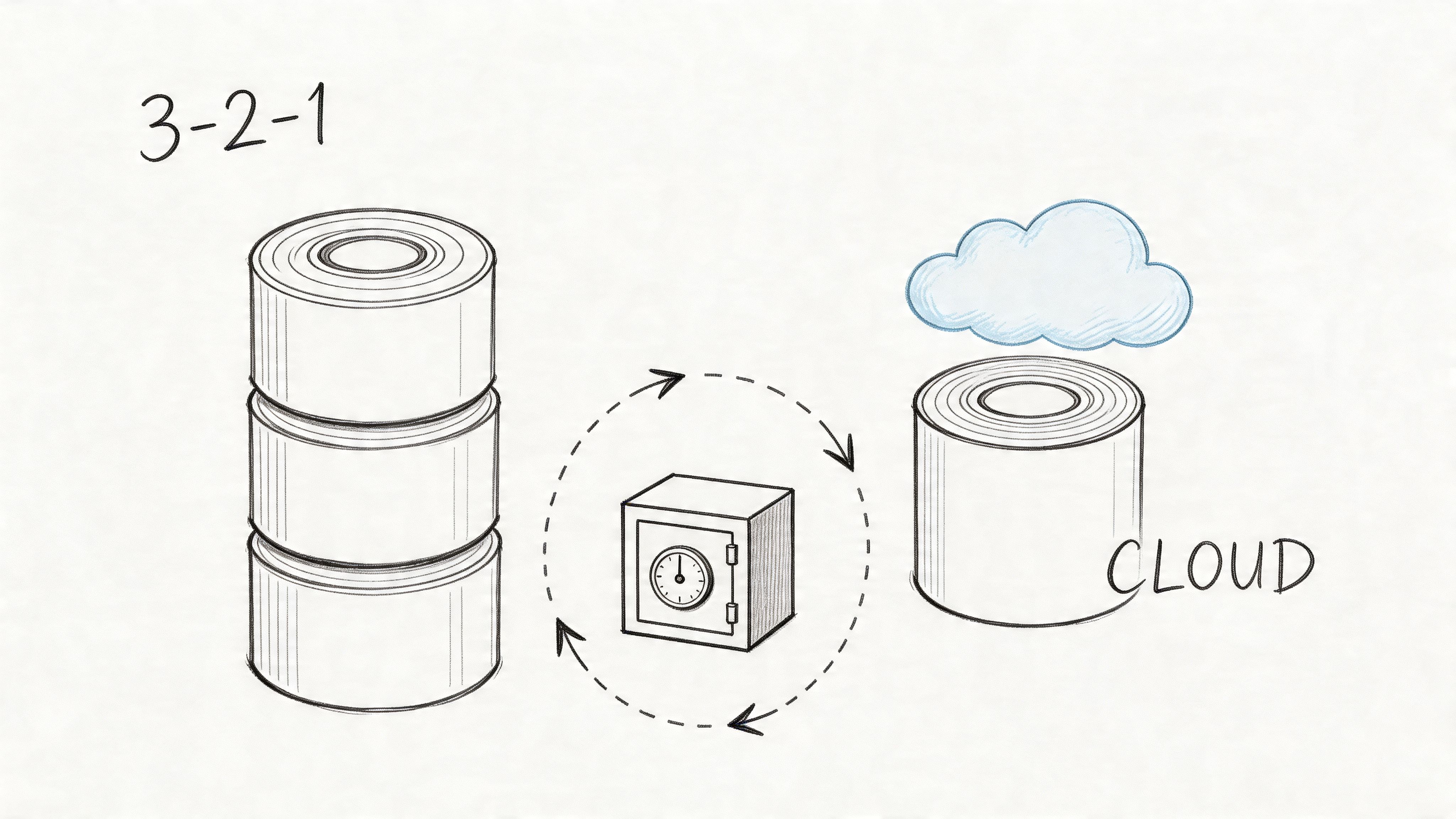
Review backup frequency, retention, off-site copies, immutable storage, encryption, and restore steps. The software matters less than the recovery design. Veeam, Acronis, and cloud-native platforms can all do the job if someone has mapped them to business priorities and tested the result.
- Run restore tests on priority systems: Recover a server, application, or VM, not just a single file.
- Confirm off-site and immutable copies: Ransomware often reaches local storage and network shares.
- Set clear RTO and RPO targets: Decide how long recovery can take and how much data loss the business can tolerate.
- Protect recovery runbooks and credentials: Store them where the team can reach them during an outage, even if the main network is down.
- Check backup coverage for cloud apps: Microsoft 365 and other SaaS platforms still need their own recovery plan.
“Backup completed” is not the same as “business can recover.”
I also look for practical gaps that never show up in a dashboard. Who knows the admin password if the office manager is out? Can the internet circuit fail over if the primary provider has an outage? If a line-of-business app is tied to an old server in a back closet, has anyone verified that the backup will restore to current hardware or to the cloud?
Documented recovery steps matter because pressure changes how people work. A binder full of screenshots from three years ago will not help much during a Monday morning outage. A short, current runbook with named owners, recovery order, vendor contacts, and last test date usually will.
The return on investment is easy to see. One scheduled restore test costs a fraction of a lost workday, emergency recovery labor, and the customer frustration that follows. For Central Indiana business owners, backup verification is less about checking a box and more about keeping payroll, operations, and client service running when something breaks.
7. Security Awareness and User Training Assessment
You can spend plenty on tools and still get burned by one rushed click from a tired employee. Training matters because staff make security decisions all day, even when they don’t think of them that way.
This isn’t about shaming people with fake phishing emails and a leaderboard of who messed up. That approach usually backfires. Staff stop reporting suspicious messages because they don’t want to look foolish. In healthcare offices and family-run businesses around Johnson County, that kind of culture can subtly make risk worse.
Train for the job people actually do
Role-based training works better. Front-desk staff need help spotting invoice scams and fake package alerts. Finance needs tighter guidance around payment changes and executive impersonation. Developers and technical staff need secure coding and change-control habits. Remote workers need practical coaching around VPN use, home Wi-Fi, and data handling.
A proper audit checks whether training happens at onboarding, whether refreshers exist, whether policy acknowledgments are tracked, and whether managers reinforce the rules. It also checks whether users know how to report something strange without waiting for permission.
- Make training short and relevant: Staff retain practical examples better than generic slide decks.
- Coach repeat issues: A pattern of risky clicks needs support, not just punishment.
- Use local scenarios: A fake vendor invoice or shipping change request feels more real than abstract cyber trivia.
- Include executives: Owners and managers are common targets because they can approve money and access.
The strongest user awareness programs feel like operations training, not theater. They show employees how to protect patient records, client data, payroll changes, and remote work habits in the systems they use every day.
What doesn’t work is annual checkbox training that everyone clicks through while doing something else. If no one changes behavior, the training wasn’t useful.
8. Logging, Monitoring, and Incident Response Capabilities
A Greenwood owner comes in Monday morning, and the first sign of trouble is simple. Files will not open, staff cannot sign in, and nobody can tell whether the issue started at 6 a.m. or late Friday afternoon. At that point, the problem is no longer just security. It is payroll, customer service, scheduling, and lost revenue.
A good audit checks whether your team can answer basic questions fast. What happened, when did it start, which systems are affected, and who is responsible for the first response? If those answers take hours, the business stays down longer than it should.
For Central Indiana companies, this matters because many environments are mixed. A manufacturer in Johnson County may still rely on an older server for one line-of-business app while Microsoft 365, cloud backups, and remote access sit on top of it. A Hamilton County firm may also need cleaner evidence for client contracts or regulatory reviews. Logging has to cover the systems that run the business, not just the newest tools.
Review the signals that matter
An audit should confirm that critical systems record sign-ins, admin changes, failed access attempts, endpoint detections, firewall events, backup failures, and unusual file activity. It should also confirm that logs are retained long enough to investigate a real incident and that someone owns the review process.
Tools like Microsoft Sentinel, Splunk, Elastic, and SOC-as-a-Service platforms can help. The trade-off is straightforward. More data gives you better visibility, but it also raises cost and creates more noise if alerts are not tuned well. I usually tell owners to start with the systems that affect operations first. Email, endpoints, firewalls, servers, backups, and identity systems give the best return early.
- Centralize the important logs: Firewall, endpoint, Microsoft 365, servers, and backup systems should feed one review workflow.
- Tune alerts for real risk: Repeated sign-in failures, new admin accounts, disabled security tools, and backup errors deserve attention before low-value noise.
- Assign ownership: A named person or outside provider should review alerts, escalate issues, and document actions taken.
- Write the first-hour steps down: Who isolates a device, who approves shutdowns, who calls leadership, and who speaks with clients or vendors.
- Run tabletop exercises: A short practice session often exposes missing contacts, unclear authority, and weak assumptions.
Speed matters here.
If an alert fires at 2 a.m., the right next step should already be documented. That keeps a suspicious login from turning into a full day of downtime.
What fails in practice is easy to spot. A company buys a SIEM because it sounds mature, sends every possible log into it, and never tunes the alerts or assigns ownership. Then the team ignores the dashboard until a real incident hits. Monitoring only pays off when it leads to a quick, repeatable response.
9. Compliance and Regulatory Requirements Assessment
A Greenwood owner usually finds out compliance matters at the worst time. A hospital client sends over a security questionnaire. A larger customer asks for proof of controls before renewal. A payment processor flags a gap. By then, fixing the issue costs more because the work is rushed and operations are already on the line.
For Central Indiana businesses, compliance is rarely just a legal checkbox. It affects revenue, contract approvals, cyber insurance questions, and how long you stay down after an incident. Hamilton County healthcare practices often start with HIPAA. Manufacturers and defense-related firms near the I-65 corridor may need to meet CMMC requirements. Retailers and service companies that process cards need to pay attention to PCI-DSS. A good audit starts by identifying which rules apply to your business, then checking whether you can prove the controls are in place.
Proof matters more than policy language.
Written policies still matter, but they only help if they match how your team operates. I have seen companies with polished templates and no evidence behind them. That falls apart fast in an audit or customer review. Auditors, insurers, and clients want records they can verify, such as access reviews, encryption settings, vendor agreements, training history, backup test results, and documented exceptions.
If your company handles regulated data or sells into regulated industries, weak security controls can turn into contract loss, fines, or expensive cleanup. That risk is real even for a business with one office in Johnson County and a small staff. A single compliance gap can delay a deal, trigger outside legal review, or force an unplanned hardware and software spend when budgets are already tight.
Focus the assessment on these points:
- List the frameworks and obligations that apply: HIPAA, PCI-DSS, CMMC, state privacy rules, customer contract terms, and your own policy commitments.
- Match each requirement to evidence: If multifactor authentication, encryption, or retention rules are required, collect the screenshots, reports, logs, and records that prove they are active.
- Document gaps and temporary exceptions: A known issue with an owner, deadline, and remediation plan is far easier to defend than a surprise finding.
- Recheck scope after business changes: New locations, cloud migrations, acquisitions, remote staff, and replacement systems often change what is in scope.
- Tie compliance work to downtime prevention: The same control that satisfies an auditor often reduces outage risk, especially around backups, access, patching, and vendor access.
That last point gets missed. Compliance work has a return when it is tied to operations. Replacing unsupported hardware, cleaning up shared accounts, or tightening data retention may not feel exciting, but those steps reduce the odds of downtime and cut the cost of recovery if something goes wrong.
The companies that handle compliance well treat it like an operating discipline, not a once-a-year paperwork exercise. That approach holds up better under customer review and usually costs less over time.
10. Third-Party Risk Management and Vendor Security
A Greenwood manufacturer gets locked out of its scheduling portal on a Tuesday morning. Production slows, customer calls stack up, and the problem is not on the plant floor. It starts with a vendor login no one reviewed closely enough.
That is how third-party risk usually shows up. Not as an abstract security issue, but as downtime, missed shipments, payroll delays, or a long weekend spent tracing who had access to what. For Central Indiana businesses, the weak point is often a practical one: an older server still talking to a vendor tool in Johnson County, a payment processor tied into a retail shop, or a healthcare billing partner serving Hamilton County firms with tighter contract and compliance demands.
Start with a plain question. Which outside companies can reach your systems, your data, your backups, or your building systems? That list usually includes more than leadership expects: payroll providers, MSPs, print vendors, phone systems, cloud app consultants, HVAC remote maintenance tools, and contract developers.
A useful vendor review checks both security and business impact. If a vendor has access to sensitive data, ask for recent security documentation such as a SOC report, ISO 27001 certification, or a completed security questionnaire. If the vendor supports a business-critical function, review the contract terms for breach notification, recovery expectations, subcontractor use, and who pays for response work if their failure disrupts your operations.
Local context matters. I see Central Indiana companies keep long vendor relationships because the service is reliable and the team knows the business. There is value in that. There is also risk if nobody revisits access after a system change, acquisition, office move, or cloud migration.
Use the audit to document these points:
- Keep a current vendor inventory: Record what each vendor can access, what data they handle, and how dependent your operations are on them.
- Rank vendors by real business risk: Review first the providers that can stop production, interrupt payment processing, expose regulated data, or create a long outage.
- Review access paths: Confirm how vendors connect, whether multifactor authentication is required, and whether old accounts or remote tools are still active.
- Check contract language: Incident notice periods, minimum security expectations, cyber insurance terms, and data return or destruction clauses should be clear.
- Test the fallback plan: If the vendor is offline for a day, who takes over, what manual process exists, and how much revenue is at risk?
A clinic using a billing service has one set of concerns. A machine shop relying on a contractor to maintain an inventory portal has another. A retailer with outside POS support needs to know exactly who can touch payment systems and how quickly that access can be shut off.
Brand recognition is not proof of security. Documented review is. The return is straightforward: fewer surprise outages, faster response when a vendor has an incident, and less money lost while your team figures out a dependency it should have mapped months earlier.
IT Security Audit Checklist: 10-Point Comparison
| Control | 🔄 Implementation Complexity | ⚡ Resource Requirements | ⭐ Expected Effectiveness | 📊 Ideal Use Cases | 💡 Key Tips |
|---|---|---|---|---|---|
| Access Control and Identity Management Verification | High, planning, integration, and role design | Moderate–High, IAM platforms, PAM, MFA, training | Very High, prevents unauthorized access and credential attacks | Enterprise identity boundaries, finance, healthcare | Start with high‑privilege accounts; use conditional access and quarterly recertification |
| Endpoint Security and Device Management Assessment | Medium–High, agent rollout, BYOD policies | High, EDR/antivirus, MDM, licensing | High, blocks device-level threats and aids response | Distributed workforce, remote workers, clinical devices | Inventory devices first; prioritize encryption and automated patching |
| Network Security and Segmentation Review | High, network redesign and firewall tuning | Moderate–High, firewalls, IDS/IPS, monitoring tools | High, limits lateral movement and protects critical assets | Multi‑tenant networks, OT/IT separation, payment systems | Map traffic flows; segment high‑value assets first and document rules |
| Data Protection and Encryption Audit | Medium–High, key management and integration | High, encryption tools, HSMs, key rotation processes | Very High, renders stolen data unusable and meets regulations | Databases, cloud storage, backups, regulated data sets | Classify data by sensitivity; use HSMs and enforce TLS 1.3+ |
| Vulnerability Management and Patch Assessment | Medium, continuous scanning and testing | Moderate, scanners, staging environments, automation | High, reduces attack surface and prevents known exploits | Web servers, enterprise OS/firmware, application stacks | Establish SLA lifecycle; prioritize by CVSS and test patches in staging |
| Backup and Disaster Recovery Verification | Medium, design, testing, and DR playbooks | High, storage, off‑site/immutable backups, bandwidth | Very High, ensures recoverability from ransomware/hardware failure | Databases, critical services, legal retention needs | Test restores quarterly; implement immutable off‑site backups and document RTO/RPO |
| Security Awareness and User Training Assessment | Low–Medium, program rollout and reinforcement | Low–Moderate, training platforms, phishing simulations | Medium–High, significantly reduces social engineering success | All organizations, especially high human‑risk roles | Deliver role‑specific training, run phishing simulations, reinforce regularly |
| Logging, Monitoring, and Incident Response Capabilities | High, SIEM tuning and IR playbook development | High, SIEM, storage, skilled analysts or SOCaaS | Very High, enables rapid detection and forensic response | 24/7 operations, regulated environments, large networks | Centralize logs securely, tune alerts, and run quarterly incident drills |
| Compliance and Regulatory Requirements Assessment | Medium–High, mapping controls to rules | Moderate, audit tools, documentation, external advisors | High, reduces legal/financial risk and supports contracts | Healthcare, finance, defense contractors, PCI/HIPAA scopes | Conduct gap analysis, document evidence, engage external auditors |
| Third-Party Risk Management and Vendor Security | Medium, assessments and contract changes | Moderate, questionnaires, monitoring, audits | Medium–High, reduces supply‑chain and vendor risks | Organizations using external vendors, cloud providers, MSPs | Prioritize vendors by access/criticality; require SOC/ISO reports and contractual security terms |
Turn Your Checklist into Action
A checklist is useful, but it doesn’t fix anything by itself. Its primary value comes from turning findings into a sequence of practical decisions. What gets fixed first, what can wait, what needs a policy change, what needs a hardware refresh, and what needs outside help. That’s where many Central Indiana businesses get stuck. They know something is off, but they don’t have a clean path from “we found gaps” to “we reduced risk without breaking operations.”
That’s especially true in mixed environments. A Greenwood office may have old on-prem hardware, newer Microsoft 365 services, spotty Wi-Fi through a brick building, and one critical line-of-business app that no one wants touched. A Hamilton County firm may be further into cloud tools and remote work, but now has a bigger identity and vendor footprint. The right response isn’t the same in each case, even if the it security audit checklist looks similar on paper.
The business continuity side should drive the priorities. If email goes down, can your team still function? If the file server gets encrypted, how fast can you restore? If an owner’s Microsoft 365 account is compromised, what financial and reputational damage follows? These aren’t abstract cybersecurity questions. They’re operating questions. They affect billing, scheduling, payroll, customer service, and whether your staff spends the week working or waiting.
That’s also why audits deserve an ROI conversation, not just a fear-based one. Good security work reduces wasted tech time. It cuts down on emergency cleanup, repeated password resets, mystery network slowness, failed backups, and avoidable downtime. It gives owners a better way to budget because spending shifts from surprise repairs and after-hours fire drills to planned monthly support, lifecycle upgrades, and targeted remediation. When security aligns with business continuity, the budget conversation gets easier.
There’s a technical side to doing this well. Zero Trust architecture isn’t just a buzzword when it’s applied correctly. It means users, devices, and network segments prove trust instead of inheriting it. SOC-as-a-Service monitoring helps smaller teams watch logs and alerts without building a full in-house security operation. Immutable off-site backups matter because ransomware operators often target the backup path first. Latency-optimized mesh nodes and properly planned UniFi networking can stabilize older buildings where unreliable Wi-Fi creates both productivity and security headaches. Those details matter because the “how” is what separates a paper plan from a resilient environment.
If your company develops software or automates workflows, the audit scope has to widen again. AI-assisted changes, cloud-native apps, CI/CD pipelines, and vendor plugins all need governance. That doesn’t mean every Indiana SMB needs an enterprise security department. It means the audit should reflect how your business runs today, not how it ran five years ago.
If you need outside perspective, that’s often the point where a local partner becomes useful. Finchum Fixes IT is one option for businesses in Greenwood and Indianapolis that want help turning findings into a prioritized remediation plan. The work usually starts with the basics. Clean up identity, lock down endpoints, segment the network, verify backups, document response steps, and align controls to HIPAA, CMMC, NIST CSF, or customer requirements where needed.
The point isn’t to chase perfection. It’s to remove the obvious gaps, reduce downtime risk, and create a security posture you can operate month after month. If you’ve read this far, you probably already know where a few weak spots are.
You don’t need more guesswork. You need a plan, a timeline, and someone to validate what’s real versus what only looks secure on paper. If your team is in Greenwood, Indianapolis, or anywhere across Central Indiana, it may be time to pair this checklist with a real review. That kind of outside perspective also helps when companies are hiring, outsourcing, or reshaping IT responsibilities, which is why broader technology workforce solutions often intersect with security planning.
If your business is in the Greenwood or Indianapolis area and you want a clear picture of where your risks sit, schedule a Free Network Assessment with Finchum Fixes IT. A focused Security Risk Audit can show you what needs attention now, what can wait, and how to reduce downtime without turning your IT budget into guesswork.