8 Managed IT Services Benefits for SMBs
Managed IT services can cut cost volatility, strengthen security, improve recovery, and reduce downtime. CompTIA-cited survey data found that 50% of MSP customers saved 1–24% in annual IT costs, 33% saved 25–49%, and 13% saved more than 50%. Managed IT cost data supports the practical case for replacing reactive repairs with predictable support.
A Greenwood business park can hide serious technology problems behind an otherwise normal workday. An aging server throws intermittent errors, employees lose Wi-Fi near the brick conference room, or an unmonitored laptop becomes the entry point for ransomware. The problem isn't always dramatic at first. It's the missed sales call, the stalled estimate, the employee waiting on a printer, or the manager pulled away from billable work to restart a system.
Managed IT services benefits matter because they connect technical maintenance to uptime, risk, and cash flow. A well-run provider monitors systems, manages patches, protects endpoints, tests recovery, documents controls, and gives leadership a clearer operating budget. Downtime can cost up to $9,000 per minute, a figure frequently cited in business continuity discussions, so prevention deserves more attention than emergency repair alone.
For a healthcare organization, that may mean HIPAA safeguards. For a defense contractor, CMMC requirements matter. For many other Central Indiana businesses, the NIST CSF provides a useful security structure. The right provider should explain what it monitors, what it guarantees, what it excludes, and how it proves results. Here are eight benefits, viewed through the practical bottlenecks faced by businesses along the I-65 corridor, in Johnson County, Hamilton County, and downtown Indy tech hubs.
1. Predictable Monthly IT Budgets
A Southside contractor can start a month with routine support needs and end it facing a server failure, emergency visit, replacement hardware, and overtime charges. Break-fix IT makes that swing difficult to plan for. Managed IT services combine support, monitoring, maintenance, and technology planning into a defined operating expense, but the contract creates value only when its scope, exclusions, and response commitments are clear.
Historical survey data shows why businesses consider an MSP. A CompTIA-cited survey found that 50% of businesses using an MSP saved 1–24% in annual IT costs, while 33% saved 25–49% and 13% reported savings above 50%. Industry summaries also report reductions of up to 30% in IT costs and an average 28% reduction in total cost of ownership, according to earlier cited managed-services data. Those figures do not guarantee the same result for every Greenwood or Carmel company. They do show how planned service can replace scattered emergency spending with a budget that leadership can review.
Compare the whole operating cost
A useful comparison includes more than provider invoices. Add employee time spent troubleshooting, duplicate software licenses, delayed projects, unplanned hardware purchases, and revenue lost during outages. Industry reporting says managers spend 40% less time on IT tasks with managed services, while providers can eliminate 15–25% of redundant IT tools and licenses. A practical IT budget planning guide offers a way to organize that review.
Ask a provider:
- Request a 12-month analysis: Compare break-fix invoices and internal labor with the full managed fee.
- Define response tiers: Put critical and non-critical response commitments in writing.
- Include recovery: Confirm that disaster recovery and immutable off-site backups are included, not optional add-ons.
- Review consumption: Use quarterly business reviews to adjust coverage as staffing, locations, and applications change.
Finchum Fixes IT can address this Southside bottleneck by connecting monitoring, support, security, networking, and recovery within one operating plan. The practical benefit is a clearer decision about where cash goes, with fewer avoidable emergencies competing with hiring, equipment, and growth.
2. Proactive Threat Detection and Prevention
A phishing email can reach an employee during a busy afternoon, and a delayed response can turn one compromised account into a business interruption. Central Indiana accounting firms, medical suppliers, manufacturers, and professional offices all carry different data risks, but they share the need to detect suspicious activity before attackers encrypt files or move through the network.
Managed security should combine endpoint detection and response, identity controls, firewall management, vulnerability review, and human escalation. Tools such as Bitdefender GravityZone can protect endpoints, while SOC-as-a-Service monitoring gives a provider a structured process for reviewing alerts and isolating suspicious devices. Zero Trust architecture adds another layer by requiring users and devices to prove they should access a resource instead of assuming that everything inside the office network is safe.
Match controls to the business
A small Greenwood accounting firm doesn't need the same security design as a defense manufacturer, but it does need more than antivirus installed years ago. Start by identifying critical servers, executive workstations, remote access paths, cloud applications, and privileged accounts. Then ask the provider how its controls map to the NIST CSF, how it handles MFA, and who investigates a high-severity alert after normal business hours.
Cybersecurity concerns remain a primary market driver, and managed security services are projected to grow at an 11.72% CAGR through 2031, according to managed services market research. That growth doesn't mean outsourcing automatically makes a company secure. Shared responsibility still applies. Internal staff must follow access, email, password, and incident-reporting procedures, and the provider must document its own access and escalation practices.
Use threat detection and response guidance for Indiana businesses when evaluating coverage. Ask whether Finchum Fixes IT monitors only servers or the full endpoint estate, whether it can isolate a device, and whether reports show attempted, blocked, and unresolved events. Protection should support revenue continuity, not just generate a monthly dashboard nobody reads.
3. Automated Backup and Disaster Recovery
A backup that has never been restored is an assumption, not a recovery plan. A server failure in a Johnson County medical practice, a ransomware event at a downtown law office, or a damaged storage array in a Hamilton County design firm can all expose the same weakness: the business owns backup software but can't prove that its data and applications will return in a usable state.
The basic 3-2-1 rule remains a strong starting point. Keep three copies of data, on two different media, with one copy off-site, and include at least one offline or immutable copy. Backup practice guidance explains why this separation matters. If ransomware can reach every copy through the same administrator account or network path, the organization hasn't created meaningful resilience.
Recovery objectives must be written down
A provider should document the recovery time objective, or RTO, and the recovery point objective, or RPO. RTO describes how quickly a system must return. RPO describes how much recent data the business can afford to lose. A small office may tolerate a longer restoration for a file server but require faster access to a scheduling system or cloud application.
Use layered protection:
- Immutable off-site backups: Prevent routine administrative changes or ransomware from altering the protected copy.
- Separated credentials: Keep backup administration independent from production administrator accounts.
- Test restores: Restore files, virtual machines, and application data in a controlled test environment.
- Document dependencies: Record DNS, identity, licensing, network, and application requirements.
A backup appliance and cloud recovery option can support business continuity, but they need monitoring and testing. Place the SMB backup and recovery playbook beside your recovery documentation, then ask Finchum Fixes IT to demonstrate a restore rather than confirming that a job completed.
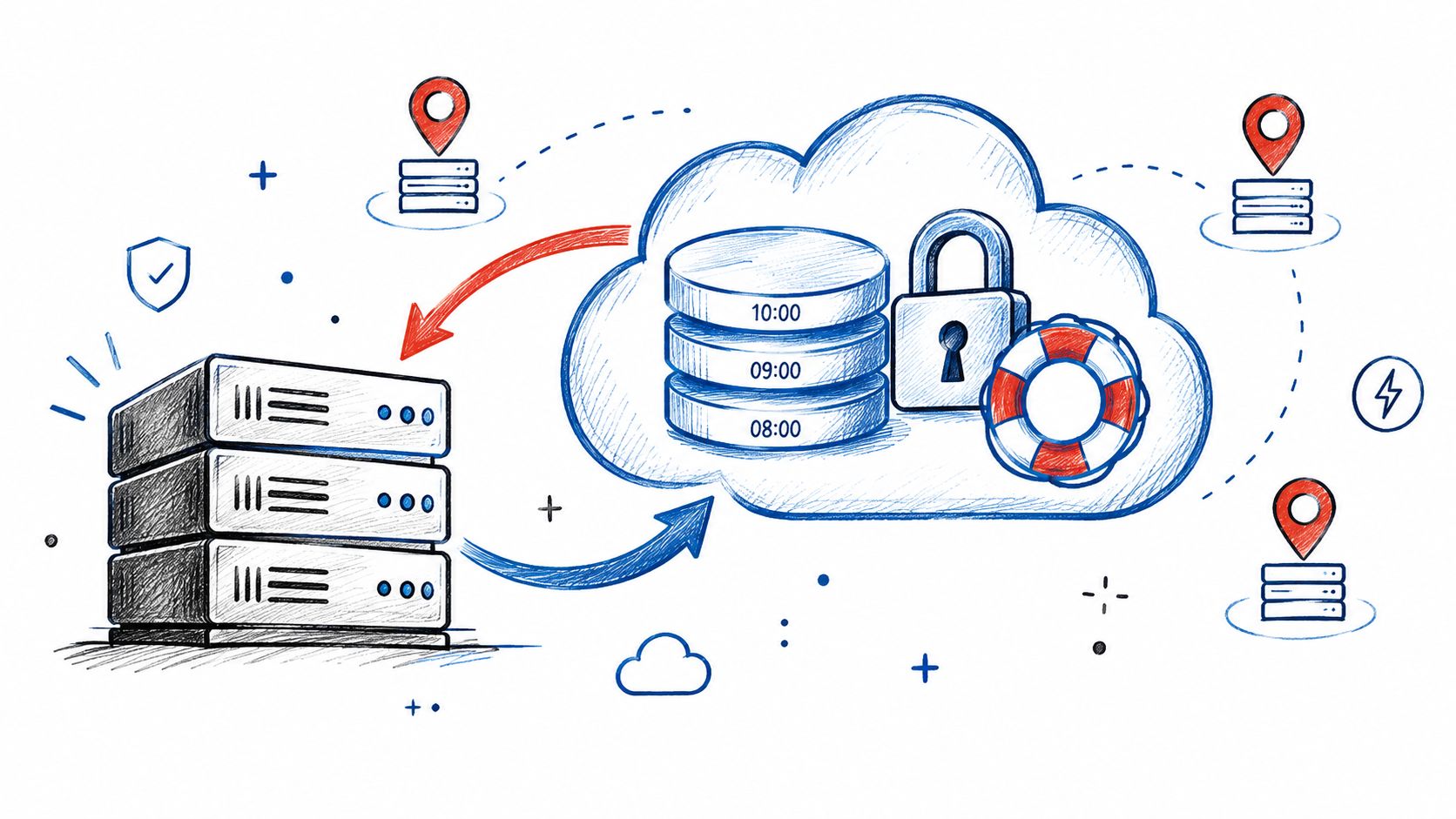
Recovery planning also protects cash flow. The ITIC reliability report shows that when hourly downtime losses reach $1 million, the implied cost is $526 per server per minute. The ITIC report PDF makes the scale issue clear. Not every Southside business operates at that exposure, but every business should know its own downtime threshold.
4. Patch Management and System Hardening
A production workstation in a Southside manufacturing shop may stay unpatched because a reboot could interrupt a shift. An older Greenwood office can face the opposite problem, with no assigned owner and updates applied inconsistently. Both situations leave attackers a path toward file servers, ERP systems, or cloud credentials.
Patch management works best as a controlled operating process. The provider inventories endpoints and infrastructure, checks whether systems remain supported, tests important updates, stages deployment, monitors failures, and records unresolved exceptions. Coverage should include operating systems, browsers, remote access tools, firmware, network equipment, and business applications, rather than Windows updates alone.
The practical test is what happens after an update causes trouble. A provider should deploy first to a small group of representative devices, verify application behavior, performance, reboots, and security status, then expand the rollout. For production systems, scheduled maintenance windows may protect uptime, while faster deployment may reduce exposure. The right choice depends on operational risk and cash flow.
Hardening reduces the number of paths a compromised device can use. A guest VLAN, separate administrative access, restricted server routes, and firewall rules limit unnecessary trust between users, devices, and sensitive systems.
Before signing, ask:
- Inventory coverage: Does the provider track every endpoint, switch, access point, server, and cloud connector?
- Exception handling: What happens when a patch fails or a device cannot be updated?
- End-of-life planning: Does the roadmap specify replacement, isolation, or retirement?
- Evidence: Can the provider show patch status and unresolved exceptions by device?
The Patch management best practices guide can support a discussion about ownership and reporting. Finchum Fixes IT can combine patch orchestration with system hardening, endpoint protection, and network segmentation. The measurable effect is fewer preventable interruptions and a smaller known attack surface. Patching does not remove every threat, so MFA, backups, staff training, and incident response still belong in the operating plan.
5. Enhanced Networking and Wi-Fi Infrastructure
An old brick office in Greenwood can lose productive time to weak Wi-Fi. Masonry, metal shelving, nearby networks, poor access-point placement, and consumer routers can cause repeated reconnects, frozen video calls, and unreliable cloud applications.
A managed network starts with an RF site survey rather than a floor-area estimate. Technicians measure signal strength, interference, channel use, building materials, and device density. The resulting design may use latency-optimized mesh nodes, wired backhaul, PoE access points, VLANs, and quality-of-service rules for voice and video. The trade-off is straightforward: better coverage and capacity require planning and sometimes new cabling, but random hardware purchases can leave dead zones and recurring support costs.
Diagnose before buying hardware
Apple's documented Mac troubleshooting workflow uses Terminal commands such as ping for connectivity, traceroute for routing, and network diagnostic reports for broader review. Apple also identifies -75 dBm as the point at which Mac computers begin scanning for a stronger Wi-Fi signal, which can help diagnose coverage problems.
A technician may check:
ifconfig: Interface status and addressing.netstat: Routing and network statistics.nslookupordig: DNS resolution.traceroute: Path and latency issues.nc: Service reachability on a port.
The macOS network diagnostic commands reference helps separate DNS, routing, wireless, and application faults when a user reports that “the internet is down.”
For Indiana businesses comparing wireless designs, review this expert wireless network design guidance. Ask a provider for a coverage map, device inventory, monitoring plan, failover approach, and growth capacity. Finchum Fixes IT can assess UniFi networking, Ubiquiti access points, PoE switching, guest separation, and QoS across Greenwood and the wider Indianapolis area. Reliable Wi-Fi protects billable time and keeps cloud-based work moving.
6. Compliance and Audit Support
A Southside healthcare office can lose staff time quickly when an auditor requests access records, training logs, or incident documentation that no one has organized. A defense supplier may need controls aligned with CMMC Level 2, while a general business can use the NIST CSF to structure governance, protection, detection, response, and recovery. The technology matters, but so does proving that it operates consistently.
A managed provider can maintain asset inventories, access reviews, patch reports, backup test records, vulnerability scans, incident tickets, and policy acknowledgments in one controlled process. That documentation does not transfer legal responsibility from the business. It does give owners and reviewers a clearer record of who approved an action, when it occurred, and whether the issue was resolved.
Make audit evidence part of the work
Compliance holds up better when employees follow documented steps during normal operations. Role-based access control limits users to required systems. MFA protects remote access. Centralized logging supports investigations. Vulnerability scans expose technical gaps, and tabletop exercises test whether staff can respond to an incident before customer service and revenue work are disrupted.
A provider evaluation should focus on accountability:
- Framework mapping: Which controls does the provider configure, and which remain with the client?
- Exception ownership: Who reviews failed checks and approves remediation?
- Testing cadence: How often are backups, incident plans, and access controls tested?
- Evidence quality: Can the provider produce dated records showing an owner and verification status?
- Contract language: Does the agreement define audit support, exclusions, and breach-notification duties?
The practical result is a shorter path from a control to its evidence. Finchum Fixes IT can help Indiana organizations organize technical controls and supporting records, so an inspection does not become an emergency project. Ask how its team documents remediation, preserves review history, and reports unresolved risks. Those answers connect compliance work to reduced operational risk, clearer ownership, and less staff time pulled away from customers.
7. Managed Data Recovery and Migration
A failed drive in a Hamilton County architecture firm can put years of CAD projects at risk. A server replacement in a growing Carmel company can interrupt identity services, file permissions, line-of-business applications, DNS, and remote access if the team moves data without mapping dependencies. Recovery and migration need separate plans because each creates a different operational risk.
Bit-level data recovery works below the file-system layer. Specialists assess damaged storage and create controlled images where possible, then work from the image instead of repeatedly stressing the original drive. Physical damage, RAID failure, encryption, deleted data, and corrupted file systems require different handling. A simple desktop file copy may worsen the condition or produce incomplete results.
Migration succeeds when the business can verify the new environment before retiring the old one. The provider should document users, applications, permissions, integrations, storage growth, licensing, and system dependencies. It can then stage the destination, move a controlled data set, validate access, schedule cutover, and retain a rollback path.
Cloud computing may make capacity easier to adjust, but identity governance, backup, cost controls, and recovery testing still require active management.
Before approving the project, ask how the provider will:
- Preserve permissions: Check user access after migration, rather than relying on file counts.
- Protect originals: Retain verified source data until acceptance checks pass.
- Test applications: Confirm that accounting, CAD, clinical, or production software works after the move.
- Define downtime: Record the expected outage window and communication process.
- Secure disposal: Retire drives according to the organization's data-handling requirements.
For Southside and Central Indiana businesses, this process limits lost billable time and prevents a migration from becoming an unplanned outage. Finchum Fixes IT provides computer diagnostics, data recovery, secure migration, cloud support, and custom software development. Ask its team what can be recovered, what cannot be guaranteed, how confidentiality will be maintained, and how operations can remain open during the change.
8. Finchum Fixes IT and Cross-Cutting Results
A Southside manufacturer can have current patches, functioning backups, and strong Wi-Fi, yet still lose production when those controls are managed separately. The practical test is whether the provider connects device health, security alerts, recovery procedures, and network performance to uptime, risk, and cash flow. A backup test should show that priority applications can be restored within the organization's written objective. A Wi-Fi assessment should identify the access points or interference causing lost work time. A patch report should show which devices create security or compliance exposure.
Finchum Fixes IT is based in Greenwood and serves businesses along the I-65 corridor, Indianapolis, Johnson County, Hamilton County, and nearby Indiana communities. Its listed services include managed IT support, cybersecurity, networking and Wi-Fi design, data recovery and migration, cloud services, custom software development, AI-powered web and mobile applications, and technical support for mission-critical environments. The company also describes professionals with Microsoft, CompTIA, and Cisco credentials, along with an average urgent-response time of under two hours, in its publisher information.
Evaluate the provider, not just the package
Managed services now cover more than help desk tickets. Cloud operations, security monitoring, resilience planning, and strategic support all affect whether a Central Indiana business can keep serving customers during a disruption. Managed services market analysis provides market context, but market growth does not establish a provider's performance.
Ask for references from organizations with similar applications, staffing, and compliance requirements. Request a sample monthly report, escalation contacts, contract exclusions, recovery-test evidence, and a system inventory showing what is monitored. Ask who owns decisions during a ransomware event or extended internet outage, how quickly the provider communicates, and which work remains with your staff.
For a Southside office or Central Indiana shop, Finchum Fixes IT can address disconnected repair work by tying support, security, networking, recovery, and software needs to daily operations. The evaluation should focus on documented controls and response workflows, not the number of services in the package.
Managed IT Services: 8-Benefit Comparison
| Service / Feature | Implementation Complexity 🔄 | Resource Requirements ⚡ | Expected Outcomes ⭐📊 | Ideal Use Cases 💡 | Key Advantages ⭐ |
|---|---|---|---|---|---|
| Predictable Monthly IT Budgets: Converting Break‑Fix to Fixed OPEX | Moderate, contract setup & onboarding (1–3 months) | Fixed monthly fee; MSP tools; minimal in‑house ops time | Stable budgeting; ~18–22% annual IT spend reduction; faster response times | SMBs moving off break‑fix; firms needing predictable costs | Predictable costs; lower TCO; SLA-backed response |
| Proactive Threat Detection & Prevention: Stopping Ransomware & Breaches | High, 24/7 SOC, EDR tuning, Zero Trust rollout | 24/7 SOC, EDR agents, threat intel, staff training | MTTD reduced to <6 hrs; fewer breaches; lower cyber insurance premiums | Regulated/high‑risk orgs handling sensitive data | Prevents ransomware; automated IR; compliance enablement |
| Automated Backup & Disaster Recovery: Recover in Hours | Moderate, design 3‑2‑1, immutable storage, DR testing | Off‑site immutable storage, bandwidth, backup software, restore tests | RTO 2–8 hrs; RPO ≈1 hr; rapid business continuity; lower downtime costs | Healthcare, legal, finance, any org requiring fast recovery | Immutable backups; geo‑redundancy; verified restores |
| Patch Management & System Hardening: Close Vulnerability Windows | Moderate, automated scanning, staged rollouts, rollback | Patch orchestration tools, test lab, scheduled maintenance windows | Vulnerability window reduced from months to hours; fewer exploitations | Environments with many endpoints or legacy apps | Automated patching; rollback safety; compliance evidence |
| Enhanced Networking & Wi‑Fi Infrastructure: Eliminate Dropouts | Moderate–High, RF survey, AP placement, PoE installs | CapEx for APs/switches ($5k–$25k), site survey, installers | Consistent throughput; >98% uptime; reduced productivity loss | Offices, warehouses, manufacturing floors with connectivity issues | Eliminates dropouts; Wi‑Fi 6 performance; centralized management |
| Compliance & Audit Support: Pass Inspections Without Scramble | High, framework mapping, remediation, continual evidence | Compliance platforms (Drata/Vanta), documentation, remediation effort | Faster first‑pass audits; avoided fines; lower compliance workload | HIPAA/CMMC/PCI regulated businesses and contractors | Audit‑ready evidence; reduced fines; faster certifications |
| Managed Data Recovery & Migration: Rescue & Move Safely | High for emergency recovery; moderate for planned migrations | Clean‑room recovery tools, migration orchestration, staging & testing | Salvaged data; minimal migration downtime; reduced litigation risk | Organizations with irreplaceable data or cloud migration projects | Bit‑level recovery; zero‑downtime migration; integrity validation |
| Finchum Fixes IT, Local Experience & Cross‑Cutting Results | Low (summary), integrated delivery across services | Local MSP expertise, consolidated toolset, regional support | Avg. 18–22% IT spend savings; faster detection & recovery metrics | I‑65 corridor SMBs seeking local, measurable ROI | Local track record; measurable ROI; end‑to‑end managed services |
Turn IT Risk Into a Measurable Operating Advantage
The best managed IT services benefits show up in operating results. You have fewer surprise repair bills, better visibility into security gaps, documented recovery steps, more consistent Wi-Fi, and less employee time lost to routine technical work. Those results don't come from a logo, a dashboard, or a contract alone. They come from defined ownership and repeatable technical workflows.
Start with your current break-fix spend. Include emergency invoices, replacement hardware, software duplication, internal troubleshooting time, delayed projects, and lost sales activity. Industry summaries say managed services can reduce IT costs by up to 30% and produce an average 28% reduction in total cost of ownership, but your business needs its own baseline and assumptions. Managed services industry cost information is a useful starting point, not a substitute for a local assessment.
Then measure downtime exposure. Identify which applications stop revenue, which systems affect compliance, and how long employees can work manually. Recovery objectives should be written in business terms. “Restore the server” isn't enough. You need to know which data returns first, which applications depend on identity or DNS, who authorizes recovery, and when customers receive an update.
Provider questions should be specific:
- Security scope: Does monitoring include endpoints, servers, identity, cloud services, firewalls, and network devices?
- EDR coverage: Will the provider deploy Bitdefender GravityZone or an equivalent EDR platform, and who investigates alerts?
- Backup design: Are immutable off-site backups included, protected with separate credentials, and tested through actual restores?
- Patch coverage: Does management include operating systems, third-party applications, firmware, switches, and access points?
- SLA exclusions: Which incidents fall outside response commitments, and what happens during a vendor outage?
- Recovery testing: How often will the provider test files, virtual machines, and critical applications?
- Documentation: Will you receive asset inventories, risk registers, network diagrams, and incident records?
- Reporting: Do monthly reports show unresolved risk, response activity, backup health, and recommended investments?
Security deserves extra caution. Managed services can improve protection, but they don't automatically make a business secure. A provider needs appropriate tools, trained staff, disciplined access controls, and an escalation process. Your employees still need policies and training, and leadership still needs to approve risk decisions. AI-assisted operations may improve efficiency, but you should ask what human oversight, logging, approval controls, and testing prevent automation from creating blind spots.
The same practical standard applies to networking and cloud computing. A provider should inspect the building before recommending UniFi networking, map wireless coverage before adding access points, and explain how VLANs, PoE, QoS, DNS, and routing affect application performance. Cloud migration should include identity, backup, cost controls, data protection, and rollback planning. Custom software development should begin with a business workflow and measurable acceptance criteria, not a promise that AI will solve every process.
The managed services market was valued at USD 401.2 billion in 2025 and is projected to reach USD 847.4 billion by 2033, with a projected 9.9% CAGR from 2026 to 2033, according to managed IT services market information. That expansion reflects growing demand, but it also gives buyers more providers to compare. Choose the partner that can explain your environment in plain English, show how it reduces risk, and connect every recommendation to uptime and cash flow.
Businesses in Greenwood and Indianapolis can also review how IT firms reduce missed calls because communication failures are operational failures. A missed customer call, an inaccessible CRM, or an unplanned outage all point to the same need for dependable systems and accountable support.
Finchum Fixes IT provides managed IT support, cybersecurity, networking and Wi-Fi design, backup and recovery, data migration, computer repair, cloud services, and custom software development for Indiana businesses. Visit Finchum Fixes IT to request a Free Network Assessment or Security Risk Audit for your Greenwood or Indianapolis business and turn hidden technology risk into a documented operating plan.