Helpdesk Tier 1: A Guide for Indy Businesses
A Monday morning in Johnson County can get expensive fast. A receptionist cannot sign in, the copier stops sending scans, Microsoft 365 starts rejecting passwords, and the person who knows "a little IT" gets pulled away from payroll, sales, or operations to sort it out.
That is the point of helpdesk tier 1. It gives your business a clear first line for common support issues before they turn into lost hours, missed orders, and frustrated staff.
TL;DR
- Helpdesk tier 1 handles the everyday issues that slow a business down first. Password resets, Microsoft 365 problems, VPN access, printer errors, Wi-Fi complaints, and basic workstation troubleshooting.
- A structured service desk improves response time, keeps requests organized, and reduces the number of interruptions that reach your senior technical staff.
- Strong Tier 1 support resolves a large share of routine tickets without escalation, which protects engineer time for security work, vendor coordination, projects, and recovery planning.
- For Johnson County businesses, the value is simple. Less downtime, better use of payroll hours, and cleaner processes for regulated environments that need to document access, support activity, and device handling.
- For medical offices, manufacturers, and government contractors in Central Indiana, Tier 1 support also supports day-to-day compliance discipline. That matters when HIPAA or CMMC requirements affect how issues are reported, accessed, and escalated.
Business owners in Greenwood, Franklin, and Whiteland usually are not asking whether they need Tier 1, Tier 2, or Tier 3 support. They are asking a more practical question. Can my team stay productive, and how much does it cost me when they cannot?
That question matters more in Indiana SMBs than many owners expect. Older buildings can have spotty cabling or weak wireless coverage. Small internal teams often wear too many hats. A manufacturer may need shop-floor PCs running on time, while a healthcare office has to keep patient workflows moving and protect access controls at the same time. In those environments, basic support is not administrative overhead. It is part of business continuity.
If you need a plain-English explanation of how day-to-day support ties into resilience, this guide to business continuity vs disaster recovery for small businesses is a good place to start.
At Finchum Fixes IT, we see the same pattern over and over. Without a defined front line, small issues bounce between employees, managers, vendors, and whoever last fixed the printer. With a professional helpdesk, requests go into a system, common problems get handled quickly, and serious issues reach the right engineer before they create a larger outage.
That structure is what turns support from a recurring distraction into a controlled business process.
The True Cost of a Monday Morning IT Fire
A common Southside scenario goes like this. A business owner opens the door in a Greenwood business park, coffee in hand, ready for a normal start. Instead, the line-of-business app won't open because the server session failed overnight, half the team can't authenticate, and everyone starts asking the same question at once.
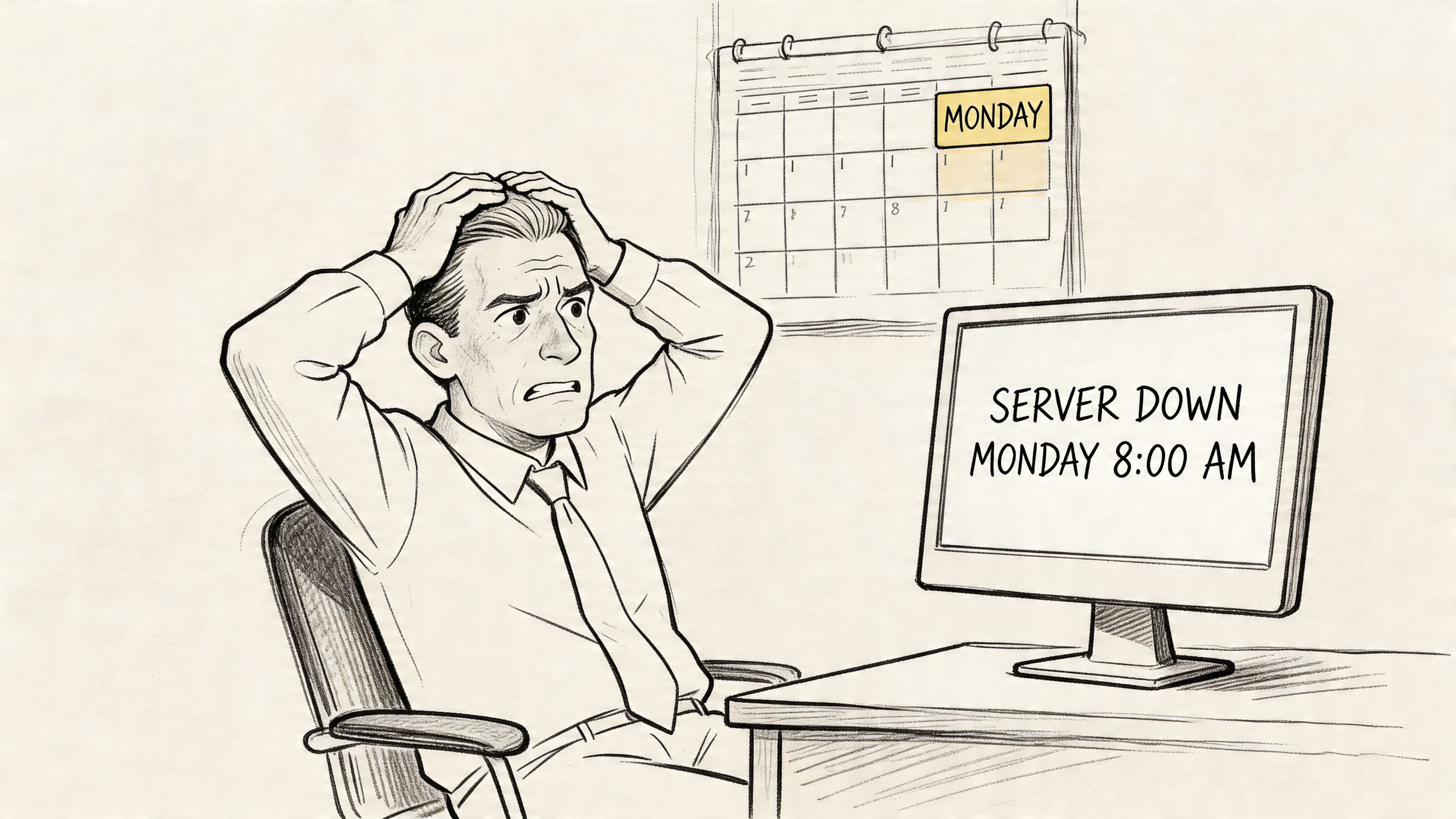
That isn't “just a computer problem.” It's a business continuity problem. Staff are on the clock and stalled. Customers don't care whether the issue came from a Windows update, a bad switch port, or a failed profile sync. They only see delays.
If you want a plain-English breakdown of the difference between surviving an outage and preparing for one, this guide on business continuity vs disaster recovery lays it out well.
What reactive support gets wrong
Break-fix support usually starts after the damage has started. Somebody notices a failure, sends an email, leaves a voicemail, or walks desk to desk asking who knows computers. That approach creates three problems fast:
- No intake control means multiple people report the same issue in different ways.
- No priority logic means a locked-out employee can get mixed in with a less urgent request.
- No documentation trail means the next technician starts from zero.
For a small business on the I-65 corridor, that chaos shows up as wasted payroll hours, delayed quoting, missed appointments, and frustrated staff.
Practical rule: If your team still handles tech requests through hallway conversations, personal cell phones, or random emails, you don't have support. You have interruption management.
The business owner view
A professional helpdesk starts fixing the primary problem first. Not the keyboard, not the app, not the printer. The problem is unplanned downtime and the lack of a system for stopping small issues from turning into office-wide disruption.
This matters even more in environments with compliance pressure. A healthcare office dealing with HIPAA access controls can't afford messy account handling. A machine shop bidding on defense work tied to CMMC can't treat user authentication and endpoint issues as casual admin work. A structured frontline support process keeps those requests organized, documented, and routed correctly.
A good Monday doesn't depend on luck. It depends on having a front line that catches noise early and restores order fast.
What Exactly Is a Helpdesk Tier 1
Helpdesk tier 1 is the first human layer of IT support. Comparable to a triage nurse in a busy clinic, the job isn't to perform every advanced procedure. The job is to assess the issue quickly, resolve the common problems on the spot, and send the harder cases to the right specialist with clean notes.
That triage role is more strategic than many owners realize. Without it, your expensive network engineer ends up burning time on password resets, printer mappings, and basic Outlook profile errors while larger work stalls.
For business owners weighing internal support against outside help, this comparison of managed service vs staff augmentation for Indy business owners is worth reading because it shows where responsibilities sit.
What Tier 1 is responsible for
Tier 1 owns the front door of support. That includes:
- Receiving requests from phone, email, portal, or chat
- Classifying the issue so the right urgency and category are assigned
- Handling common fixes using approved steps and knowledge base articles
- Documenting the work so nothing gets lost if escalation is needed
- Communicating with the user in plain language, not technician shorthand
In a healthy setup, Tier 1 protects the rest of the IT function. It filters noise, keeps queues moving, and makes sure simple problems don't swallow the day.
What Tier 1 is not
Tier 1 isn't your firewall architect. It isn't your cloud migration lead. It isn't the person rebuilding a failed virtual host or doing bit-level data recovery from damaged media.
Those tasks belong further up the chain. Tier 2 handles deeper troubleshooting. Tier 3 gets into advanced engineering, infrastructure, or vendor-level work. The value of Tier 1 is that it keeps those higher tiers available for work that requires that level of access and experience.
A business with no frontline support usually pays senior-level costs for entry-level interruptions.
Why non-technical owners should care
You don't need to memorize support tiers. You need to know whether your people can get back to work without dragging half the office into the problem.
That's the point of helpdesk tier 1. It gives your company a repeatable front-end system for common issues, fast triage, and clean escalation. In practical terms, that means fewer random interruptions, better uptime, and a more predictable IT budget.
Daily Responsibilities of a Tier 1 Technician
A good Tier 1 technician keeps small IT problems from turning into a half-day disruption. In a Johnson County business, that can mean getting a Franklin office back into Microsoft 365 before payroll starts, fixing a Greenwood front desk scanner before patient paperwork piles up, or restoring VPN access for a salesperson who needs current pricing before a client meeting. The work looks routine on paper. The business impact is not.
As noted earlier, well-run Tier 1 support resolves a large share of everyday tickets without pushing them up the chain. That matters for ROI. Every common issue closed at the front line protects billable hours, reduces idle time, and keeps senior engineers focused on security, infrastructure, and project work instead of password resets and printer calls.
What fills a Tier 1 technician's day
The daily workload is usually a mix of user support, light technical fixes, and careful documentation.
On a normal day, Tier 1 handles:
- Access issues such as password resets, account lockout resolution, multifactor authentication problems, and Microsoft 365 sign-in failures
- Endpoint support including approved software installs, patch checks, printer setup, docking station problems, and basic laptop troubleshooting
- Connectivity issues like VPN login trouble, Wi-Fi complaints, dropped network drives, and remote access failures
- Device triage for bad monitors, failed peripherals, startup errors, webcam problems, and battery or power issues
- User-facing compliance tasks such as verifying access requests, following least-privilege rules, and making sure HIPAA or CMMC-related procedures are followed before changes are made
That last point matters more in Indiana healthcare, manufacturing, and defense-adjacent firms than many owners realize. Tier 1 is often the first checkpoint between a normal service request and a compliance mistake. If someone asks for access to protected records or controlled files, the technician cannot just "make it work." They have to verify identity, confirm approval, and follow the process your business has decided to enforce.
Tier 1 also records patterns. If the same Teams login error appears every Monday, or one department keeps losing printer mapping after updates, that should become a documented fix, not a recurring time sink. The same goes for file recovery requests. A technician should know when to use a standard recovery process and when to escalate, especially for staff dealing with deleted documents. Our guide on recovering deleted business files safely covers the kind of issue Tier 1 sees often.
Common Helpdesk Tier 1 Tickets and Resolutions
| Ticket Type | Example Scenario | Typical Resolution |
|---|---|---|
| Password and account access | Employee in Franklin can't sign into Microsoft 365 on Monday morning | Verify identity, reset password or unlock account, confirm sign-in works |
| Email client trouble | Outlook keeps prompting for credentials | Check profile status, clear saved credentials, reconnect account |
| VPN connection | Sales rep on the road can't reach company files | Confirm internet access, review VPN client status, guide credential re-entry, test connection |
| Wi-Fi connectivity | Back office in an older brick building gets weak signal | Confirm device settings, reconnect to correct SSID, test adapter, flag coverage issue for network team if needed |
| Printer and scan issues | Front desk can't scan to shared email | Verify device connectivity, test scan profile, reapply saved settings if needed |
| New user setup | New hire starts in Greenwood office | Create account, assign approved access, set up email, verify device sign-in |
| Endpoint protection questions | User sees a Bitdefender GravityZone notice and stops working | Review alert type, confirm if action is required, guide the user or escalate if it's a true security event |
The best Tier 1 technicians solve the right problems quickly and recognize early when a ticket carries security, compliance, or downtime risk.
What works and what fails
Standardization works. Clear runbooks, approved scripts, remote support tools, endpoint management, and a living knowledge base let Tier 1 staff solve repeat problems quickly and consistently. That is how an SMB keeps support reliable even when one technician is out sick or turnover hits the service desk.
Tribal knowledge fails. If one person is the only one who knows how to reconnect a scanner, reissue a VPN token, or fix a line-of-business app login, your support process is fragile. In-house teams feel that pain fast. So do business owners who are paying senior technical rates for simple interruptions.
For Central Indiana SMBs, this is usually the trade-off. Build an internal Tier 1 function and commit to process, training, coverage, and documentation, or use a local managed service provider that already has those pieces in place. Either way, the goal is the same. Keep your staff working, protect compliance requirements, and stop routine tickets from eating the time you need for higher-value IT work.
A Sample Tier 1 Workflow for a Common Issue
A salesperson leaves Greenwood early, heads north on I-65, and stops for coffee before a client visit. They open the laptop, try to connect to the company VPN, and nothing works. No VPN means no shared files, no current pricing sheets, and no access to the quote they need in the next meeting.
A loose support setup turns that into a string of missed calls and frustrated messages. A real Tier 1 workflow makes it routine.
How the ticket moves
The rep sends an email to the helpdesk address or submits a portal request. Tier 1 receives the ticket, tags it as a remote access issue, and contacts the user with a short checklist.
The technician asks the questions that matter first:
- Can the user reach the internet normally
- Did the VPN work recently or is this a first-time setup
- Is the error tied to credentials, the client software, or the tunnel itself
- Did anything change on the laptop, such as a password update
Those questions sound simple because they should. The point is speed and clarity, not showing off technical vocabulary.
What the technician actually does
Tier 1 pulls the internal article for the VPN issue, then walks the user through a standard sequence. Check base connectivity. Restart the VPN client. Clear saved credentials if needed. Re-enter approved credentials. Confirm whether multifactor authentication is completing correctly. If remote access software is available, Tier 1 can view the issue directly and avoid guesswork.
This is also where good documentation matters. If the user mentions they recently deleted or misplaced a file while working remotely, the support process may branch into file recovery steps. For businesses that need that playbook, this guide on how to recover deleted files from a computer for Indianapolis businesses covers the right first moves.
Good Tier 1 support follows a script without sounding scripted. Users want calm, not theater.
The outcome
If the VPN reconnects, the technician closes the ticket with notes that explain what failed and what fixed it. If the issue points to something bigger, such as a broken policy push, an expired certificate, or a backend authentication problem, the ticket moves upward with enough detail for the next technician to act immediately.
That's the difference between ad hoc support and a system. The user doesn't care how elegant your architecture is. They care whether they can open the file and get into the meeting prepared.
Measuring Success and Escalating Complex Problems
If you can't measure the helpdesk, you can't manage it. For owners, the key metrics aren't abstract IT vanity numbers. They answer practical questions. Are people getting help quickly. Are common issues being solved early. Are harder problems reaching the right technician without disappearing into a black hole.
The scorecard business owners should watch
Start with a short list:
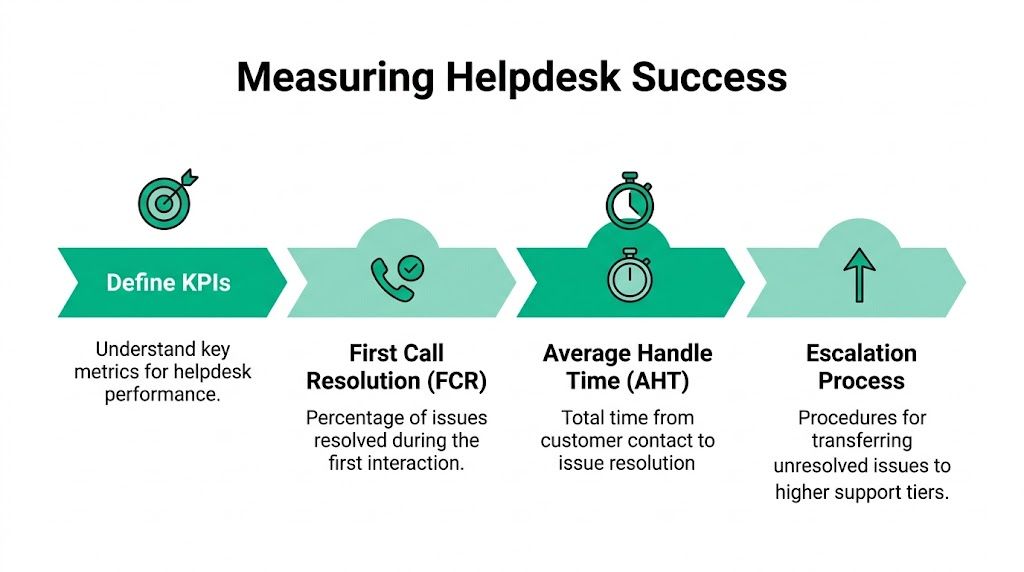
- First Call Resolution tells you how often issues are solved during the first interaction
- Average Handle Time shows how long the support process takes from contact to resolution
- Ticket Volume reveals whether your environment is stable or constantly noisy
- SLA performance tells you whether the support team is meeting the response and resolution commitments you were promised
SLAs matter because they turn “we'll get to it” into an actual operating standard. They're part service guarantee, part accountability system.
That same idea applies to managers inside your company too. Clean expectations and follow-through matter in IT just like they do in operations, sales, and HR. If you're working on internal process discipline more broadly, this article on holding employees accountable is a useful non-technical read.
A quick visual helps when you're reviewing support quality with your team:
How escalation should work
Tier 1 shouldn't sit on a problem too long. According to Extnoc's explanation of IT support tiers, issues that remain unresolved after 15-30 minutes of troubleshooting are automatically escalated to Tier 2, with documentation included so tickets don't get “lost, ignored, or forgotten.”
That's the model to look for.
A clean escalation path
| Support Level | Typical Focus | What gets handed off |
|---|---|---|
| Tier 1 | User-facing triage and common fixes | Ticket notes, user impact, troubleshooting steps already attempted |
| Tier 2 | Deeper system, application, or network troubleshooting | Logs, patterns, device context, admin findings |
| Tier 3 | Specialized engineering or vendor-level coordination | Root-cause detail, failed remediation history, environment-specific data |
The handoff is the product. If the notes are weak, escalation isn't progress. It's delay with a different owner.
What good escalation feels like
For the user, good escalation feels almost invisible. They don't repeat the story three times. They don't get bounced from person to person. They don't hear “try rebooting again” after someone already documented that step.
For the business, good escalation protects labor hours and keeps your high-skill people on work that fits their role. That's especially important when the deeper issue touches things like firewall policy, Zero Trust access rules, line-of-business databases, or a failing storage array that may need forensic handling.
Tools and Staffing for an In-House Tier 1 Team
A lot of Johnson County owners like the idea of keeping Tier 1 support in-house. I understand the appeal. It feels closer, faster, and easier to control. It can work. But only if you build it like an operating function, not a side duty for the employee who is “good with computers.”
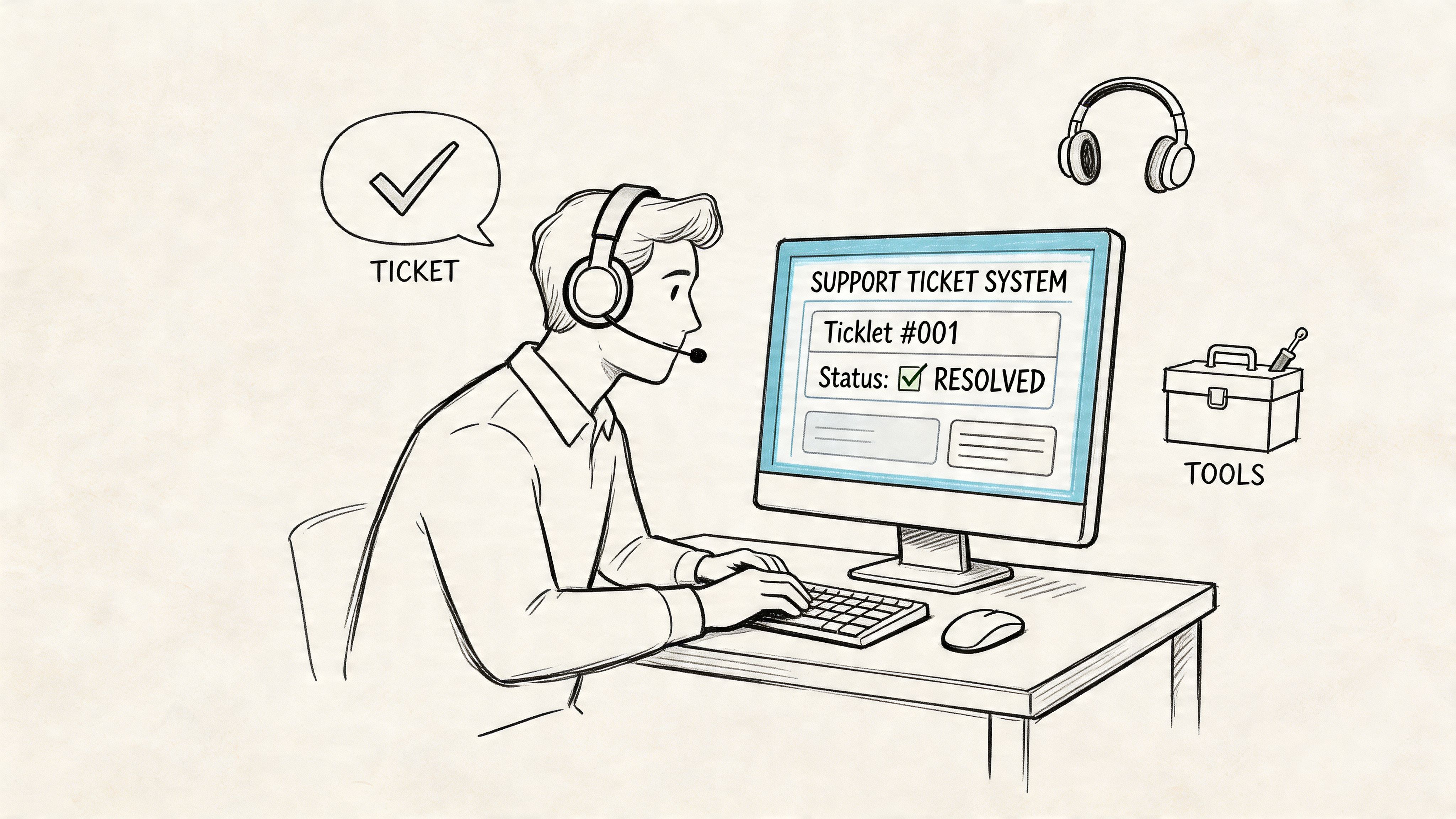
In Greenwood, Whiteland, and around downtown Indy, I see the same mistake over and over. A company hires one support person, gives them a ticket inbox, and expects that to cover password resets, printer issues, new-user setup, MFA enrollment, laptop prep, and basic security alerts. That setup works until someone goes on vacation, a switch fails, or a compliance task eats half the day.
The software stack you need
An internal Tier 1 team needs a connected set of tools, not a pile of apps that do not share context.
- Ticketing platform such as Zendesk or Jira Service Management for intake, queue management, response targets, and reporting
- Remote support tool such as TeamViewer or ConnectWise Control so technicians can get eyes on the device and fix common issues quickly
- Knowledge base with approved internal procedures for recurring fixes, onboarding, offboarding, and access requests
- Endpoint management and security for patching, policy enforcement, antivirus status, and device visibility
- Network monitoring so recurring “my internet is slow” tickets can be tied to Wi-Fi coverage, switch issues, ISP trouble, or overloaded hardware
If you are still comparing visibility options, our guide to free network monitoring tools for 2026 is a practical place to start.
For Indiana SMBs with HIPAA or CMMC pressure, the tooling question gets more specific. You need audit trails, device control, user access records, and documented procedures your team can follow under pressure. A Tier 1 desk that cannot document who accessed what, when a device was secured, or whether a user was verified creates compliance risk along with support delays.
Staffing gets harder faster than owners expect
Headcount planning is not just a math exercise. It depends on how many locations you support, how standardized your devices are, how often you onboard staff, and how many issues require hands-on work.
A single technician may be enough for a small office with one site, modern hardware, and very little turnover. That same one-person model breaks down fast if you have a clinic in Franklin, a warehouse in Greenwood, remote sales staff, aging Wi-Fi in an older building, or frequent user changes. Every one of those adds interruption, travel time, and queue buildup.
What drives staffing pressure
- Multiple sites across Johnson County or the Indianapolis area
- Older buildings with spotty Wi-Fi, old cabling, or electrical quirks
- Compliance requirements tied to HIPAA, CMMC, or documented security controls
- Remote and hybrid staff who need support for VPN, cloud apps, and mobile devices
- Frequent onboarding and offboarding that pulls Tier 1 into account setup and access coordination
One absence can create a backlog.
That is the trade-off many owners miss. In-house Tier 1 gives you direct oversight, but it also gives you single points of failure unless you staff for coverage, cross-train the team, and document routine work well enough that someone else can step in without guesswork.
Hiring is part of the operating cost
The labor market makes this harder than it looks. Support candidates are not just comparing your opening to another company in Greenwood. They can search nationwide on boards focused on remote-first jobs, which raises the bar on pay, flexibility, and career path.
That does not make an internal helpdesk a bad decision. It means the actual budget includes software, training time, documentation, backup coverage, and retention. If your business depends on fast user support to keep production moving, protect patient data, or stay audit-ready, Tier 1 staffing has to be treated as business continuity infrastructure, not overhead.
The Case for a Managed Helpdesk in Central Indiana
Many Indiana SMBs don't fail at support because they don't care. They fail because they underestimate the operational drag of building a frontline desk and keeping it stable.
The biggest hidden problem is churn. According to InvGate's discussion of Tier 1 help desk challenges, turnover for in-house Tier 1 roles can reach 30-50% annually due to burnout and limited career paths. For a local business owner, that means constant recruiting, constant retraining, and constant service inconsistency.
Why the managed model fits SMB reality
A managed helpdesk shifts the burden away from your office manager or your one in-house technician. Instead of hoping one person can cover intake, user support, documentation, and escalation, you get a support function with process already built in.
That solves several local headaches at once:
- Coverage gaps when someone is on vacation, sick, or leaves
- Training overhead for common but repetitive issues
- Escalation continuity when a problem moves from endpoint to network to security
- Budget predictability because support becomes an operating service, not a string of surprise events
Managed IT often surpasses the “we'll just hire one more person” model. A single person can be excellent and still become a bottleneck.
The Southside view of the decision
In older brick buildings around the Southside, the issue may start as “bad Wi-Fi,” but the fix often touches more than one layer. Signal placement, interference, switch capacity, roaming behavior, endpoint settings, and security policy can all contribute. The same is true for user complaints around cloud login friction, VPN instability, or recurring device alerts.
A managed team can triage at the front line, then move the right issue to the right specialist without rebuilding context each time. That's a cleaner fit for businesses growing along the I-65 corridor or opening additional sites in places like Greenwood and Franklin.
For owners weighing outsourced support more broadly, this article on how to grow with managed IT services for small business is a useful next read.
In our 17 years of local service, the pattern has stayed the same. Businesses scale better when support is boring, consistent, and documented.
Where compliance and security enter the picture
A managed frontline desk also helps keep security discipline from slipping during busy weeks. Account provisioning, access changes, endpoint alerts, and suspicious user reports don't sit in somebody's inbox waiting for spare time. They enter a queue, follow an approval path, and get documented.
For healthcare, that supports cleaner HIPAA access handling. For defense-related firms, it helps reinforce CMMC expectations around controlled access and process maturity. For everyone else, it supports a stronger NIST CSF posture because identity, endpoint behavior, and incident reporting stop being improvised.
Secure Your Network and Stop Wasting Tech Time
A good helpdesk tier 1 setup does something simple but valuable. It turns random interruptions into managed work.
That protects uptime. It protects payroll. It protects the hours your staff should be spending on customers, production, and revenue instead of chasing login failures, Wi-Fi complaints, or broken Outlook profiles. It also keeps higher-level technical people focused on the work that hardens the business, whether that's Zero Trust architecture, immutable off-site backups, UniFi networking redesign, SOC-as-a-Service monitoring, or data recovery planning.
For most Johnson County business owners, the decision isn't really about whether Tier 1 matters. It does. The key question is whether you want to build, staff, train, and supervise that function yourself, or hand it to a team that already runs it professionally.
If your office still treats IT issues like one-off emergencies, you're paying for that disorder every week. Small disruptions don't stay small for long.
If you're a business owner in Greenwood or the greater Indianapolis area, Finchum Fixes IT can help you turn support chaos into a stable, documented process. Schedule a Free Network Assessment or a Security Risk Audit and find out where downtime, compliance gaps, and wasted tech time are hurting your business most.