A Pro's Guide to Splicing Network Cable Without Downtime
TL;DR: Key Takeaways for Splicing Network Cable
- A severed network cable in a Greenwood office isn't just an IT issue; it's a business continuity crisis that can cost up to $9,000 per minute in downtime.
- A proper splice maintains network performance. A bad one introduces connection drops and cripples speed, turning billable hours into wasted tech time. We see this often in older brick buildings in downtown Indy where running new cable is difficult.
- For a reliable fix, use professional tools like ratcheting crimpers and a digital certifier, not just a basic continuity tester. For businesses handling HIPAA or CMMC data, replacing the cable is the only compliant option.
- The best method for a permanent repair is using a keystone jack. Avoid more than one splice per cable run to prevent performance degradation and troubleshooting headaches.
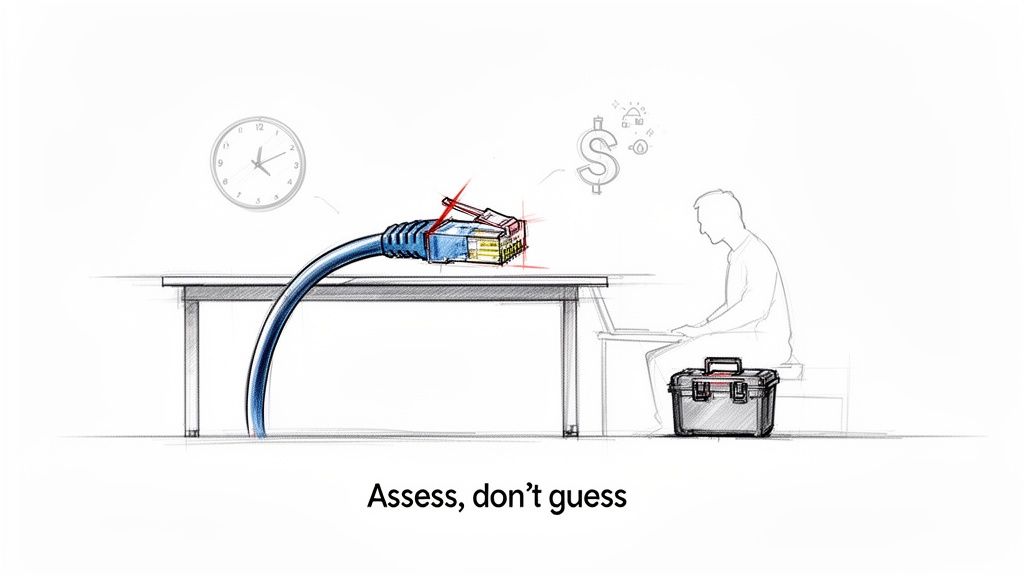
When you hear "splicing a network cable," it's exactly what it sounds like. You’re taking two separate Ethernet cables and joining them together to form a single, uninterrupted connection. This is a critical skill for fixing minor damage or extending a cable run in a tricky spot, saving you the cost and downtime of replacing the entire line.
Why a Clean Splice Matters for Business Continuity & ROI
Let's be direct—a severed Ethernet cable in your Greenwood office isn't just an IT hiccup. It's a full-blown business crisis that can bring your entire operation to a halt, costing up to $9,000 per minute in lost revenue and productivity. That "wasted tech time" kills your billable hours and turns your budget unpredictable. We've seen it happen to businesses all along the I-65 corridor.
That's why knowing how to splice correctly is more than just a tech skill; it’s a critical part of your business continuity plan. After 17 years of keeping Johnson County businesses online, we've learned there’s a massive difference between a professional splice and a quick, shoddy fix.
A botched job creates a new set of problems—intermittent connection drops, slow speeds, and a productivity black hole. For Indiana businesses, an improper splice can degrade your signal, causing a performance drop of 20-30% on high-speed lines. But done right? The signal loss (attenuation) stays below 0.1 dB, and your gigabit speeds keep humming, converting what could have been downtime into continued operational profit.
In our 17 years of local service, the most expensive network issues often stem from the cheapest fixes. A poorly spliced cable is a ticking time bomb for your network's reliability and security, especially if you're managing data under HIPAA or CMMC regulations.
This guide shows you how to execute a solid repair that protects your network’s performance. A firm grasp of your network’s physical layer is the first step in effective IT infrastructure management.
Gearing Up: The Right Tools for a Flawless Splice
Alright, let's talk gear. Before you cut into a cable, understand this: your tools will make or break this repair. This isn’t a random shopping list; it’s why each tool is critical for a network splice that actually lasts and supports your ROI.
After years of fixing network issues in offices and tech hubs across Indianapolis, I can tell you the number one cause of failed DIY repairs is cheap tools. It's the classic "right idea, wrong equipment" scenario we see all the time, from a small law firm in a historic downtown Indy building to a logistics company in a Greenwood business park.
A quality wire stripper, for example, scores the outer jacket without nicking the delicate conductors inside. A cheap one will damage that copper, degrading your signal. The same goes for the crimper—a good one applies perfect, even pressure for a solid connection. A bargain-bin special gives you a connection that fails when you need it most, triggering costly downtime.
This is what separates a quick fix from a professional repair. It’s not about being a "geek with a screwdriver," but about knowing that the right equipment, like the UniFi networking hardware we deploy, delivers a reliable result every single time. If you want to see how this philosophy applies to a whole network, check out our guide on building professional networking and Wi-Fi solutions.
Essential vs. Professional Splicing Tool Comparison
To give you a clearer picture, I've put together a table comparing the bare-minimum tools you might find in a DIY kit versus the professional-grade gear we use at Finchum Fixes IT. While you can get the job done with the basics, the professional tools are what guarantee performance and longevity.
| Tool Category | DIY/Basic Kit | Professional (Finchum Fixes IT Standard) |
|---|---|---|
| Wire Strippers | All-in-one cutter/stripper tool | Dedicated, self-adjusting wire stripper (e.g., Klein Tools) |
| Crimping Tool | Basic RJ45 crimper | Ratcheting pass-through RJ45 crimper for perfect pressure |
| Termination | Standard RJ45 plugs | Shielded, snagless pass-through RJ45 plugs |
| Testing | Basic LED continuity tester | Digital network cable certifier (e.g., Fluke Networks) |
As you can see, the professional toolkit is all about precision and verification. It's not just about making the connection; it's about proving the connection is perfect to prevent future downtime.
The market for these tools has exploded for a reason—as our reliance on stable internet grows, so does the need for proper maintenance. The growth of the cable splicing kits market is a testament to just how important getting this right has become.
How to Splice an Ethernet Cable The Right Way
Alright, let's get into the "how." In a perfect world, you'd just pull a brand-new line. But we don't operate in a perfect world. After 17 years of working in older Indianapolis buildings—we're talking thick brick walls and historical preservation headaches—we’ve had to get creative more times than I can count. Sometimes, a splice isn't just an option; it's the only option.
Here are the methods, from a quick patch to a professional-grade repair.
The Quick Fix: Inline Couplers
First up is the inline RJ45 coupler. Think of this as the duct tape of network repairs. It's a simple little box with a port on each end. You just plug your two cable ends into it, and you’re back online. It’s a lifesaver for a temporary fix but not a permanent solution for a business network.
The Better Fix: Butt Connectors
For something more permanent, we use gel-filled butt connectors. This method gets you much closer to a real repair. You'll carefully strip the outer jacket, separate the eight individual wires on both cable ends, and then crimp each corresponding wire pair together with these tiny connectors. They're good, but they can still be a point of failure.
The Pro-Level Repair: Keystone Jacks
Now, if you want a connection as solid as the original run, the punch-down keystone jack is the way to go. This is the method we stake our reputation on for business clients. It creates a robust, reliable connection point that we can certify with our test gear. It demonstrates true technical competence and ensures the fix is permanent.
No matter which path you choose, having the right tools is non-negotiable.

See that last step? Testing. Never skip testing. A splice isn't done until you've verified its signal integrity.
One last thing: pay attention to your wiring standard! Whether it's T568A or T568B, you have to stick with the same one on both ends of your splice. Mixing them up is a classic rookie mistake that guarantees a dead connection and hours of frustrating troubleshooting. Trust me, we’ve seen it happen.
Don't Just Hope for the Best—Test That Splice!
Alright, you’ve done the hard part. The wires are connected, and everything looks neat. Not so fast. Your job isn't done just because a little green light starts blinking. This is the moment that separates a temporary patch from a permanent solution.
A cheap continuity tester might tell you the wires are connected, but it tells you nothing about the quality of that connection. For that, you need a proper network cable certifier. This is part of the high-level expertise that proves we aren't just a "geek with a screwdriver."
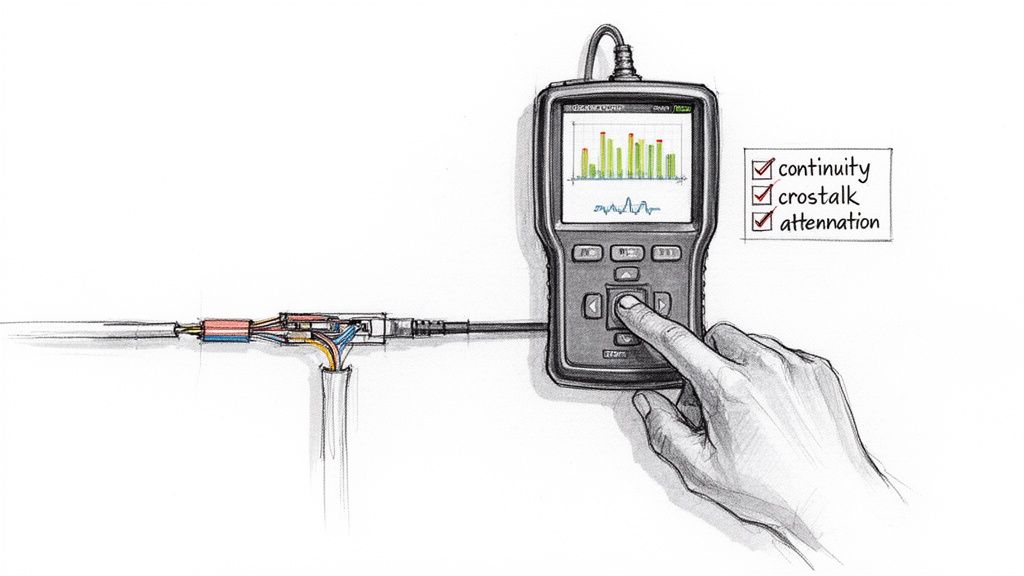
These testers are the real deal. They measure critical performance metrics like crosstalk (signal bleed between pairs) and attenuation (signal loss over distance). A bad splice, even one that technically "works," can cripple a high-performance UniFi network, slowing an entire office to a crawl. We've seen it cost Hamilton County businesses thousands in lost productivity, all because of one shoddy splice. After 17 years in this business, you see a thing or two.
Our Splicing "Hall of Shame"
Speaking of things we've seen, let me share a few of the most common blunders we get called out to fix all along the I-65 corridor. Avoid these, and you're already ahead of the game.
- Untwisting Wires Way Too Far: Those twists aren't just for looks! They're engineered to cancel out interference. The more you untwist them, the more "noise" you introduce. Keep those pairs twisted as tightly as possible right up to the point of connection.
- Crossing the T568A/B Streams: This is a classic rookie mistake. If you terminate one end with the T568A standard and the other with T568B, you’ve just created a crossover cable by accident. It won't work. Double-check that both sides match!
- Forgetting the Strain Relief: The crimp isn't just for the copper pins. It needs to bite down hard on the outer plastic jacket. Without that anchor, any tug on the cable can pull the delicate wires loose and ruin your hard work, causing another outage.
Learning from these common slip-ups is half the battle. When things still go wrong, knowing the network monitoring best practices can help you diagnose the performance headaches these tiny errors create.
Splice It or Replace It? The ROI Question
So, you've got a damaged network cable. The big question is, do you patch it up or rip it out and run a fresh line? This decision directly impacts your business's long-term operational costs and uptime.
It all boils down to a trade-off: quick convenience now versus long-term network health and ROI.
A quick splice can be a lifesaver. Let's say a cable got snagged by an office chair. If it's a single, easy-to-reach break, splicing is a perfectly good way to get things running again fast and minimize downtime. It's an effective field repair that stops the immediate financial bleeding.
But then there are the times when replacing the cable is the only smart move. If a line has been damaged in several places, is inside a wall of an old brick building, or is part of a critical system—especially one that handles sensitive data for HIPAA or CMMC compliance—don't splice it. A splice, no matter how well done, is never as flawless as a brand-new run. You can't risk flaky connections when your business operations or data security are at stake.
A splice saves you an hour; a new run saves you a year of headaches and prevents thousands in potential downtime costs.
Our goal is to build reliable systems, not just apply temporary fixes. We focus on preventing problems and ensuring predictable monthly IT budgets. To build a rock-solid network from the ground up, take a look at our guide on what structured cabling is and why your business needs it.
Your Top Network Splicing Questions, Answered
After countless jobs all over Johnson County, we've heard just about every question there is about splicing network cables. Let's dive into the questions our techs get asked the most by local decision-makers.
So, How Many Splices Are Too Many for One Cable?
Technically, you can keep splicing a cable as many times as it gets damaged. But should you? Absolutely not. Every time you cut into that cable, you're creating another weak spot and a point where signal can degrade.
Think of it this way: for any connection that's important to your business, our hard-and-fast rule is one splice maximum. If that same cable gets damaged again, it's time to replace the entire run. Chasing down the gremlins caused by multiple splices will cost you far more in lost productivity and "wasted tech time" than a new cable ever will.
Does Splicing a Cable Make It a Security Risk for HIPAA Data?
This is a great question we hear from healthcare clients in Hamilton County. When a splice is done perfectly with high-quality, shielded parts, the connection itself isn't a new security hole.
The risk, however, comes from a bad splice. A sloppy job can cause the signal to "bleed" or be vulnerable to outside interference, creating a potential eavesdropping risk. That's why for any network carrying sensitive CMMC or HIPAA-protected information, we skip the debate and run a fresh, certified cable. It's the only way to be 100% compliant and maintain a Zero Trust architecture. When we dissembled a similar client's failing setup, we found this was the root cause of their compliance failure.
When compliance is on the line, "good enough" is never good enough. A new, certified cable run is the only way to guarantee your security model isn't compromised by a weak link, fully aligning with NIST CSF principles.
What's the Real-World Speed Hit from a Splice?
A flawless splice, done by a pro with the right tools, is almost invisible to your network. We're talking a signal loss (attenuation) of less than 0.1 dB, which is practically nothing. You'll never notice it.
A DIY splice gone wrong is a completely different story. It can introduce massive signal loss and "crosstalk." We've seen this easily knock a solid 1Gbps connection down to a sluggish 100Mbps. More often, it creates those maddening intermittent drops that kill productivity.
Can I Splice Shielded (STP) and Unshielded (UTP) Cables the Same Way?
Nope! This is a common mistake. While the basic process of matching the eight colored wires is the same, shielded twisted-pair (STP) cable has a critical extra step.
You must correctly handle the drain wire and ensure the foil or braid shielding continues across the splice. If you just snip the shield back and connect the wires, you’ve completely defeated the purpose of paying for shielded cable. Your connection is now wide open to the very electromagnetic interference (EMI) it was designed to block—a major problem in industrial settings around the Indy metro area.
Ensure Your Network Is Built to Last
Let’s be honest. One wrong move with a forklift in a warehouse or an office chair rolling over a cable can bring your entire operation to a halt. That flickering connection isn't just an annoyance; it’s a symptom of a much bigger problem brewing.
Those little hiccups are red flags. They point to a network that’s fragile, and in business, fragile means expensive. When your network goes down, the clock starts ticking on losses that can reach $9,000 per minute. A robust infrastructure isn't a "nice-to-have"—it's your first line of defense against catastrophic downtime. And when disaster does strike, you absolutely need immutable off-site backups. Our guide on enterprise data backup solutions is the perfect place to start building that safety net.
Tired of chasing down network ghosts and worrying about the next outage? It might be time for a professional to take a look under the hood.
Here at Finchum Fixes IT, we help businesses in the Greenwood and greater Indianapolis area stop reacting to problems and start preventing them. We offer a comprehensive Free Network Assessment to pinpoint those hidden failure points before they can cause a crisis. Let us give you a clear, no-nonsense roadmap to a faster, more reliable network so you can get back to focusing on what really matters: growing your business.