Acceptable Use Policy Guide for Indiana Small Businesses
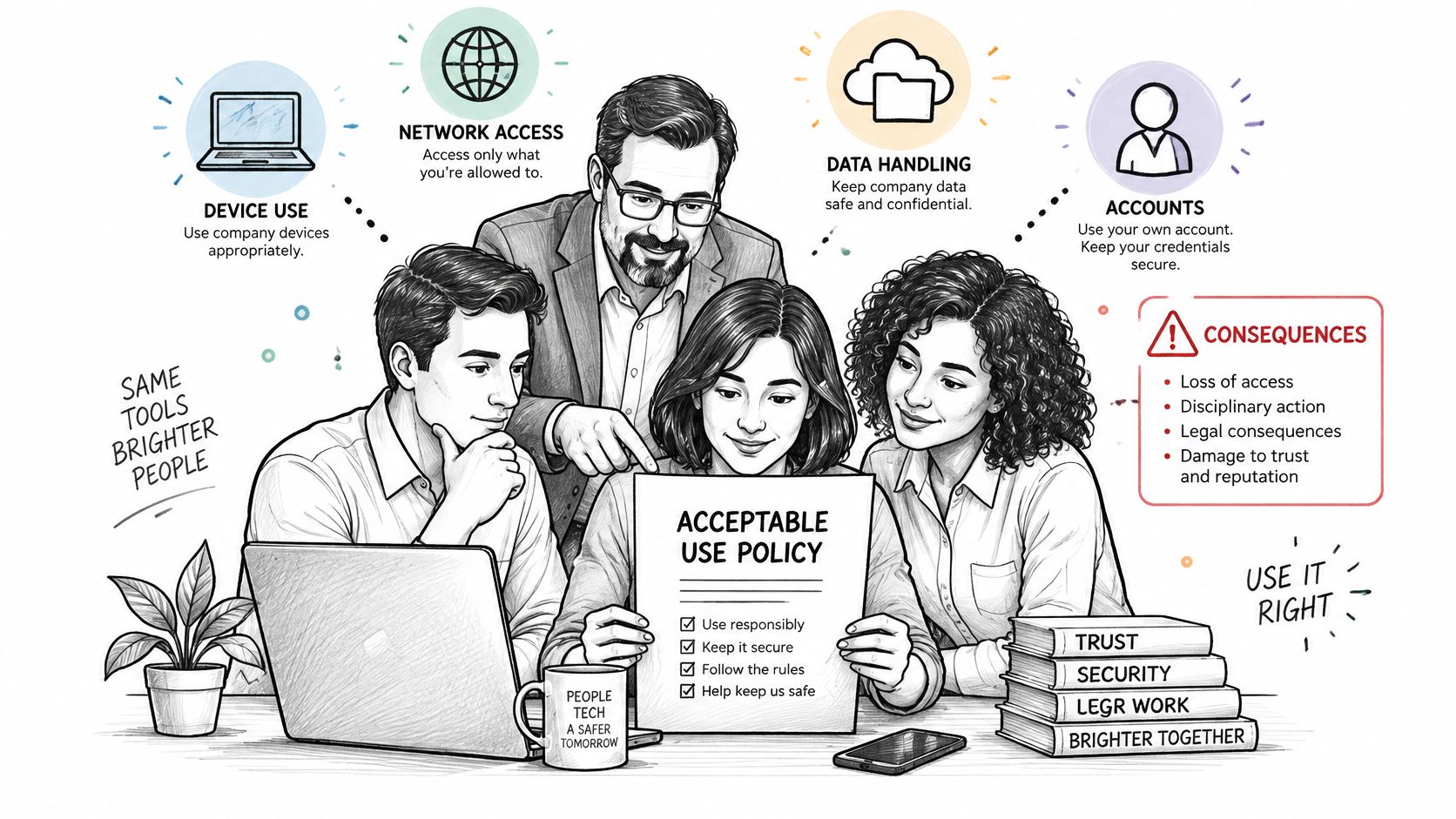
An acceptable use policy is a short written set of rules that defines what staff may do with company devices, networks, accounts, and data, names what they must never do, and states what happens when they break those rules.
What an Acceptable Use Policy Does for Your Business
A Greenwood office runs Friday like most Fridays. The reception PC has one shared login taped under the keyboard, the bookkeeper emails QuickBooks files to her personal Gmail so she can work at home, and somebody opens a fake invoice at 4.40 p.m. By Monday the file server is encrypted, nobody knows who clicked what, and the owner is arguing with staff about rules that were never written down.
An acceptable use policy closes that gap. It sets expectations before an incident, gives IT clear authority to disable an account or pull a machine off the network, and gives the owner a defensible answer when somebody says nobody told them. Every clause should end at a setting somebody configures: an account that locks, a Wi-Fi network that refuses the device, a backup set that excludes personal files. A policy with no switch behind it is a poster.
Misuse was never rare. The 2002 review published by the Association for Computing Machinery reported that 57% of 300 respondents acknowledged visiting non-work-related websites for approximately one hour per week, and that 45% of organizations combating inappropriate use relied on an acceptable Internet use policy. People browse, stream, and improvise. A good policy assumes that and channels it.
The three jobs your policy has to do
- Define permitted use. Name the approved systems for email, files, and messaging so staff know where work belongs. When work touches an outside platform, that vendor's own rules apply too, the same way 1chat usage policies govern activity on their service.
- Name prohibited acts. "Inappropriate use" cannot be enforced. "Personal cloud storage for client files" can, because it maps to a blocked app, a denied login, or a device pulled off the network.
- Tie violations to action. Connect each breach to a consequence and a control, so a violation ends in a disabled account or a revoked VPN token instead of a hallway negotiation.
Firms along the I-65 corridor in Johnson County and Hamilton County carry the same exposure as downtown Indy offices, often with fewer staff to cover. Pair the policy with the governance basics in our guide to IT compliance and governance for Indiana SMBs and it stops being HR paperwork. It becomes the reason your controls exist.
Clauses Every Acceptable Use Policy Needs
Start with the table. If your current document can't fill these rows, it isn't finished yet.
Core clauses and the decision each one forces
| Clause | Decision it forces | Common gap |
|---|---|---|
| Scope | Who and what the policy covers | Contractors and temp staff left out |
| Permitted use | Business use versus limited personal use | 'Reasonable personal use' never defined |
| Prohibited activity | Named banned acts such as piracy, crypto mining and unlicensed software | Vague 'illegal activity' wording |
| Data handling | Where client and employee records may live | Personal cloud storage allowed by default |
| Devices | Rules for company-owned versus personal hardware | No device enrollment requirement |
| Accounts and passwords | MFA, password manager use and no shared logins | Shared login on the front desk PC |
| Email and messaging | Approved channels for sending client files | Staff texting client records from personal phones |
| Monitoring | What is logged and how long it is kept | No disclosure to staff at all |
| Incident reporting | Who to call and how fast | No named contact or after-hours route |
| Consequences | Escalation path from warning to termination | Discipline applied inconsistently |
Where small business policies usually fall apart
Permitted use fails first. "Reasonable personal use" means five minutes of news to you and a March Madness stream on the shop PC to someone else. Define it by time and place, breaks only, no company credentials on personal sites, nothing that slows the network for everyone else.
Prohibited activity fails when it's lazy. "Illegal activity is prohibited" tells nobody whether a cracked copy of Photoshop, a torrent client, or a crypto miner heating up a back-office workstation counts. Name them. Staff can't follow a rule they have to guess at, and you can't enforce one you never stated.
Data handling carries the money risk. A HIPAA covered medical office has to complete a risk analysis and plan for outages, so "save files where it's convenient" won't survive an auditor's first question. A defense contractor working toward CMMC has the same problem. If contract drawings can sit in a personal Dropbox, data location is undefined and so is your compliance story.
A quick sanity check with NIST CSF
Run your draft against the NIST Cybersecurity Framework 2.0 functions. Govern sets the policy and accountability, Protect applies the access controls, Detect watches for misuse, and Respond and Recover handle the incident and the restore. If a clause doesn't support one of those jobs, ask why it's there.
Scoring your current document is simple. Count the rows in the table it doesn't answer. Zero to two missing, you're refining. Three to five, you're exposed in places staff hit daily. Six or more, you don't have a policy yet, you have a paragraph. Fix scope first, since contractors and temps left outside the rules are the same people who often get the broadest temporary access.
Sample Wording for the Clauses People Argue About
Steal these four clauses, adjust the names, and have your lawyer or HR advisor review the final version before rollout. Each one follows the same pattern, one idea, the named system, and the consequence.
Acknowledgement: "You must read, acknowledge, and sign this policy before you receive a user account, device, VPN profile, or privileged access. Your acknowledgement is stored with your name, the policy version, and the date. You'll re-sign after material changes, and access may stay disabled until you do."
That works because access is the gate. The Center for Internet Security acceptable use policy template recommends requiring users to read, acknowledge, and sign the policy before receiving access to enterprise assets, data, or other resources. Tie the signature to onboarding, and a new hire's Microsoft 365 account does not go live until the record exists.
Personal devices: "Personal phones and laptops may access company email and files only after enrolling in device management with a PIN, encryption, and remote wipe enabled. Company data may not be stored on personal storage, personal cloud accounts, or unmanaged devices."
That works because it gives staff a legal path. They can use their phone, but the company can wipe its data if the phone ends up in a Greenwood parking lot.
Data location: "Client and employee records stay in the systems listed in the approved systems appendix. Personal Dropbox, Google Drive, personal email, and USB drives are prohibited for company records unless IT grants a written exception with an expiration date."
That works because the approved systems appendix can change without rewriting the whole policy. Add a tool, update the appendix, bump the version.
Limited personal use: "Brief personal browsing is allowed during breaks provided it doesn't slow the network, break the law, or involve entering your company password on a personal site. Personal use is a privilege that can be removed for your device if it's abused."
That works because it admits reality while keeping teeth.
The signature page
Keep it boring and complete.
- Employee name and signature: Printed and signed, no initials-only shortcuts.
- Date and policy version: So you can prove which rules they agreed to.
- IT contact for questions: A named person, not "the IT department" if that's one part-timer.
- Renewal date: Annual re-signing, plus immediate re-signing after a major incident or a new AI tool rollout.
Don't write clauses nobody can configure. If you can't point to the setting, the log, or the person who enforces a sentence, rewrite the sentence.
Policy Variations for BYOD, Remote Work and Guest Wi-Fi
One policy, four very different situations. The table gives the rule and the control that makes it real.
Policy rules and controls by scenario
| Scenario | Core rule | Technical control | Fix when it fails |
|---|---|---|---|
| BYOD phones and laptops | Enroll in device management before email or file access | Mandatory PIN, disk encryption, remote wipe | Revoke access within the hour when a device is lost |
| Remote work | Company VPN or Zero Trust access to internal apps only | MFA on every login, Windows 11 24H2 updates enforced | Lock the account after repeated MFA failures |
| Guest Wi-Fi | Visitors never reach internal systems | Isolated SSID, client isolation, bandwidth caps, WPA3 | Move guest traffic onto its own VLAN |
| Old brick building | Staff keep client file transfers on approved networks | Site survey and latency-optimized mesh nodes | Re-survey after every renovation or wall change |
BYOD leaks data through good intentions. Enrollment before email access is the line: mandatory PIN, disk encryption, and remote wipe on phones, plus endpoint protection with real-time scanning and behavioral analysis on managed laptops. No enrollment, no mailbox. That single rule kills most "I just forwarded it to myself" behavior, because the easy path now works properly.
Remote work needs the same firmness. Staff reach internal apps only through the company VPN or a Zero Trust setup that checks identity and device health at every login, with MFA required and Windows 11 24H2 updates enforced before access is granted. Our walkthrough of remote work security best practices for Indiana businesses covers the home network side, because a staffer's kid's gaming PC on the same flat home network is part of your attack surface whether you like it or not.
Guest Wi-Fi is simpler than people make it. On a centrally managed wireless console, build a dedicated guest network on its own SSID, switch on client isolation, cap bandwidth, add time-based access, and use WPA3 where client devices support it. With no route to the internal VLAN, a visitor's infected laptop can browse all day without ever seeing your file server or printers.
Then the building itself fights you. Around Greenwood, plenty of older brick and block offices have dead zones that push staff onto personal hotspots, where client files move outside every control you own. Fix coverage first with a site survey and mesh nodes tuned for the back rooms, then write the hotspot rule. Banning hotspots while your own Wi-Fi drops in the parts department just teaches people to hide it.
A rule that fights your building loses. Fix the signal, then enforce the policy.
Remote rules should also cover printing and downloads at home, and that clause earns its place for one reason: files saved to a home laptop never reach the server, so they never reach the backup either. Nobody notices until a drive dies and the only copy of a quarter's worth of work sits on it. The policy fix is dull but effective. Require work files to live in a synced company location, then have your backup job confirm the data arrives.
Writing an AI Clause Your Staff Will Follow
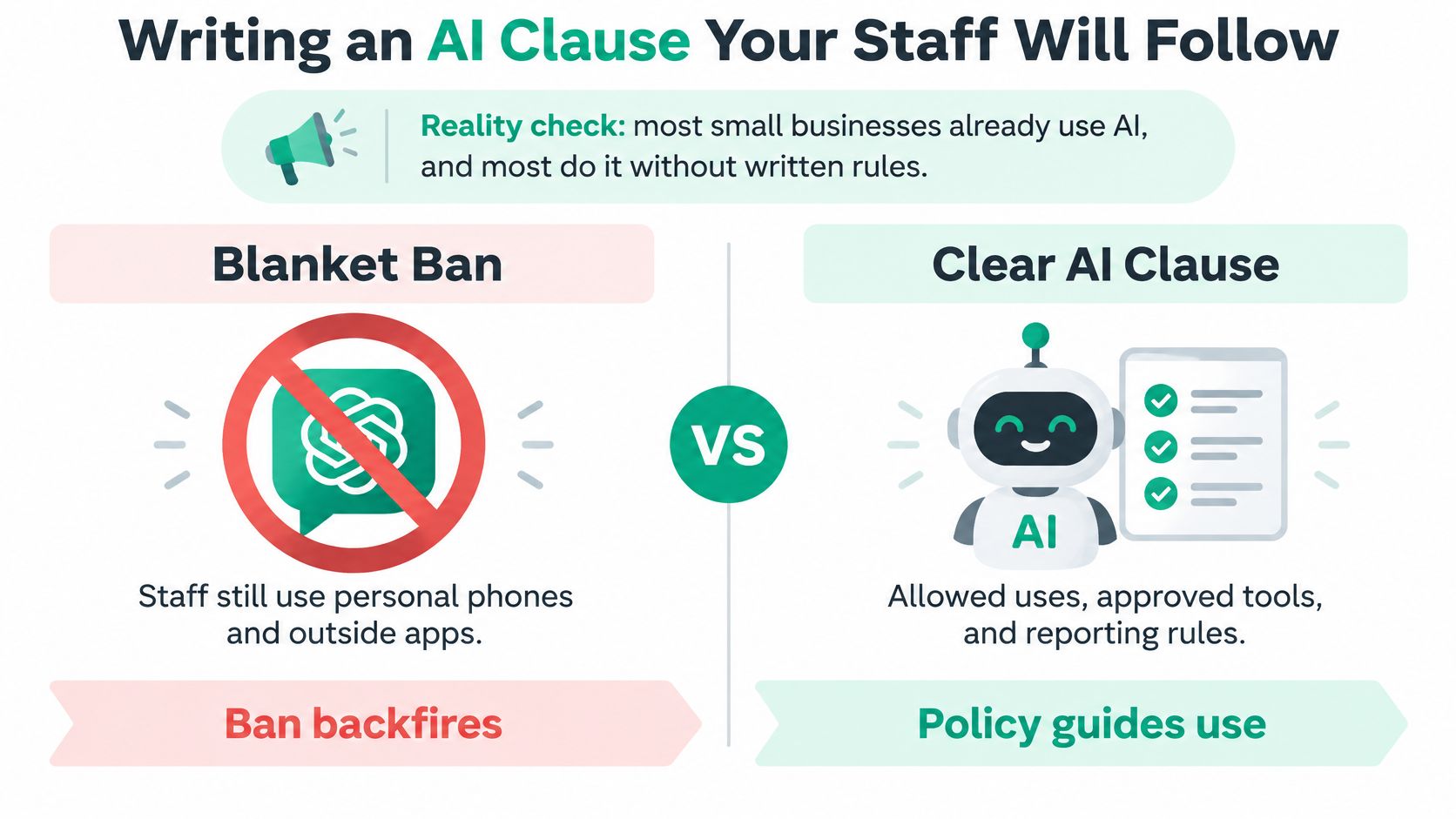
A staffer pastes a customer email into a chatbot to make it sound nicer, and the clause has already either worked or failed. The National Cybersecurity Alliance small business AI guidance cites data indicating nearly 88% of small businesses already use AI, while 54% do so without formal guidelines or policies. A flat ban pushes the same habit to a personal phone, where the data still leaves and you lose the logs.
Write the clause as a three-tier matrix and pin it next to the request form people use.
- Low risk: Brainstorming, first drafts, and rewording with no client names, no internal figures, and no personal data. Any approved tool, no sign-off needed.
- Medium risk: Internal summaries and working documents with no personal data. Approved tool only, and a human reviews anything before it leaves the office.
- High risk: Customer records, employee files, source code, regulated data, and employment decisions. Approved business-tier tool with training on company data switched off, plus a named human reviewer who owns the output.
This short walkthrough shows how a small team sorts real tasks into those tiers before anyone pastes anything.
Each tier needs a control somebody configures. Approved tools get named accounts, tenant settings that switch off training on company data, and retention limits so prompts do not sit around forever. High-risk work stays in business-tier storage that backup jobs capture, with a named reviewer before anything reaches a client. Guest and personal devices stay on Wi-Fi separated from the shares where AI output and client files live; even operators that turn venue WiFi into partner revenue need visitor traffic kept away from production systems.
Keep an approved tool list beside the matrix with four columns: tool name, account type, data allowed, and owner. Exceptions get a written request, owner sign-off, and a 90-day expiration, since tools change their terms faster than your policy cycle. Review the clause quarterly. For the channel side, our guide to data loss prevention best practices for Indiana businesses pairs cleanly with the matrix. I recommend making the request path faster than the workaround: two questions, data type and audience, then a clear yes or no.
A Johnson County accounting office and a Hamilton County dental practice face different data, yet the same matrix flexes to both. One page, wired into accounts, Wi-Fi and backups, beats a binder that never leaves the drawer.
Making the Policy Enforceable Without Spying on Staff
Enforcement has three moving parts, and none of them require watching anyone's screen.
Acknowledgement gating comes first. The account stays disabled until the signed policy is on file with its version and date. No signature, no mailbox, no VPN profile. That's not punishment, that's sequencing, and it ends the "I never saw that document" conversation permanently.
Least-privilege access comes second. Most staff don't need local admin rights, yet small business PCs hand them out like mints. Audit quarterly from an administrative PowerShell window.
- List local admins: Run
Get-LocalGroupMember -Group Administratorson each workstation and remove anyone who can't explain why they're there. - Check logon patterns: Review Windows Security Event ID 4624 for successful logons and 4625 for failed ones. A shared front-desk login lighting up at three locations is your policy violation, timestamped.
- Gate remote sign-ins: In Microsoft 365, build a Conditional Access policy that requires MFA for every sign-in outside your office locations.
Retained logs come third, kept long enough to investigate. Proportionality is important in this stage. Recent University of Miami workplace privacy guidance stresses that consent is meaningful only when employees understand what is monitored, how monitoring operates, and how collected data will be used. So separate the categories in writing.
Proportionality test: Use the least intrusive monitoring that meets the security goal, state the retention limit, name who can read the logs, and give staff a correction route when a log is wrong.
Security telemetry means endpoint alerts, blocked uploads, and failed logins. Productivity surveillance means keystroke logging and screenshots, and I'd keep it out of a small business policy entirely, since it buys resentment and legal questions while adding almost no security. If you're weighing that line, explore workplace communication monitoring compliance before you buy any monitoring tool.
Set 90 days of retention for security logs as your stated policy example, limit log access to the IT lead and the owner, and disclose all of it in plain language at signing. Firms without an internal team can hand the watching to SOC-as-a-Service monitoring, which reviews alerts around the clock while your policy still defines what's collected.
Report three numbers monthly, percentage of active users with current acknowledgement, blocked high-risk uploads, and mean time to revoke access after termination. If those three move the right way, your policy is working. If they stall, no amount of extra surveillance fixes it.
What to Do When a Policy Breach Becomes an Incident
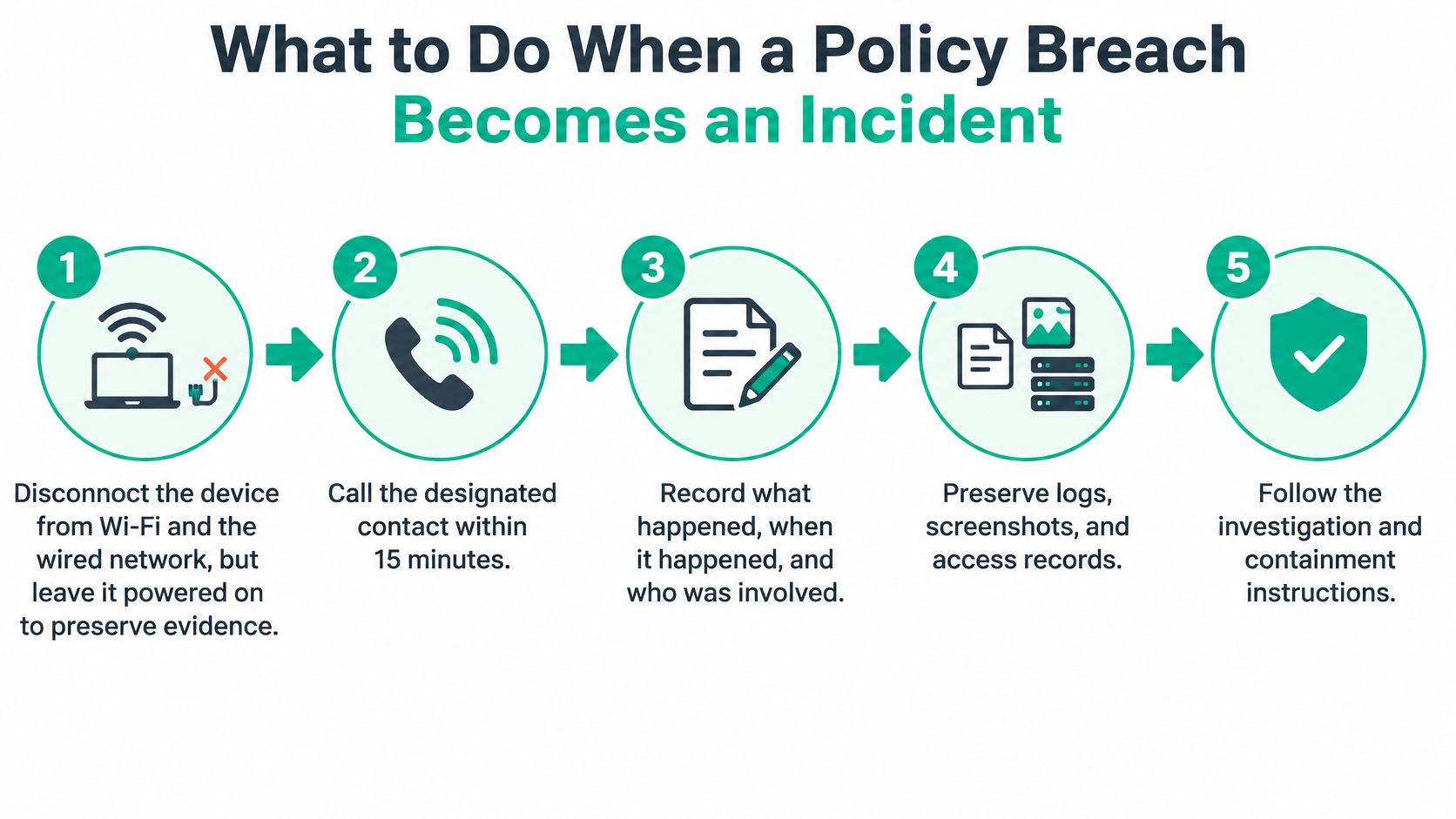
Print this procedure and tape it inside a cabinet door. Nobody reads a shared drive folder during a ransomware morning.
- Disconnect the device from Wi-Fi and the wired network, but leave it powered on so memory evidence survives.
- Call the designated contact within 15 minutes. Email gets read after lunch, and ransomware doesn't wait for lunch.
- IT isolates affected systems and disables the compromised account before the damage spreads sideways.
- Detect and analyze using Bitdefender GravityZone alerts and event logs to pin down the variant and the scope.
- Contain, then eradicate the malware and close the gap that let it in, whether that's a missing patch or a shared password.
- Recover from immutable off-site backups, testing each restore in an isolated environment before it touches production.
- Document everything, notify clients or regulators where required, including HIPAA breach notification, and update the policy so the same door closes for good.
Steps one through three are where the policy stops being a document. The account gets disabled, the device loses network access, and the backups become the only path back. That's the clause-to-control mapping made real: every line your staff signed describes a setting someone configured, and this is the morning it either holds or turns out to be decorative.
That sequence matches the workflow in the HHS ransomware fact sheet, which covers detecting and analyzing ransomware, containing its spread, eradicating it, and recovering data, and it recommends testing restorations periodically to verify backup integrity. It also maps cleanly to the Detect, Respond, and Recover functions in NIST CSF, so your policy and your framework tell the same story. Our cybersecurity incident response plan template turns these steps into fill-in fields for your contacts and systems.
One rule sits above the list. Nobody pays or negotiates with attackers alone. Panicked solo decisions made at midnight are how a bad week becomes a bad quarter.
The math is why this lives in the policy instead of someone's memory. Downtime bills by the hour, and a Greenwood manufacturer can lose a full day of orders before noon. A rehearsed response with tested restores turns a week of lost work into a single hard day, and turns wasted tech time into billable hours under a predictable monthly budget instead of emergency invoices. Bit-level data recovery off a corrupted RAID array is the last resort when backups were skipped. It's slow, it's expensive, and it's exactly what step six exists to prevent.
Put Your Policy in Force and Book a Free Network Assessment
Work this checklist in order. Each item removes one argument later.
- ✓ Name a policy owner: One person keeps the document current and owns the version number.
- ✓ Inventory users, devices, and cloud apps: Every account and endpoint, including the spare laptop in the closet.
- ✓ Draft clauses from the checklist: Plain language, named systems, named consequences.
- ✓ Get counsel or HR review: Confirm the wording fits your legal and workplace obligations.
- ✓ Collect signatures with version and date: Store them against each user identity, not in a desk drawer.
- ✓ Configure the controls: MFA, guest network isolation, and device enrollment switched on before rollout day.
- ✓ Schedule quarterly review: Include the AI clause refresh, since tools change faster than any other section.
- ✓ Run a restore test: Prove the backups work before an incident grades them for you.
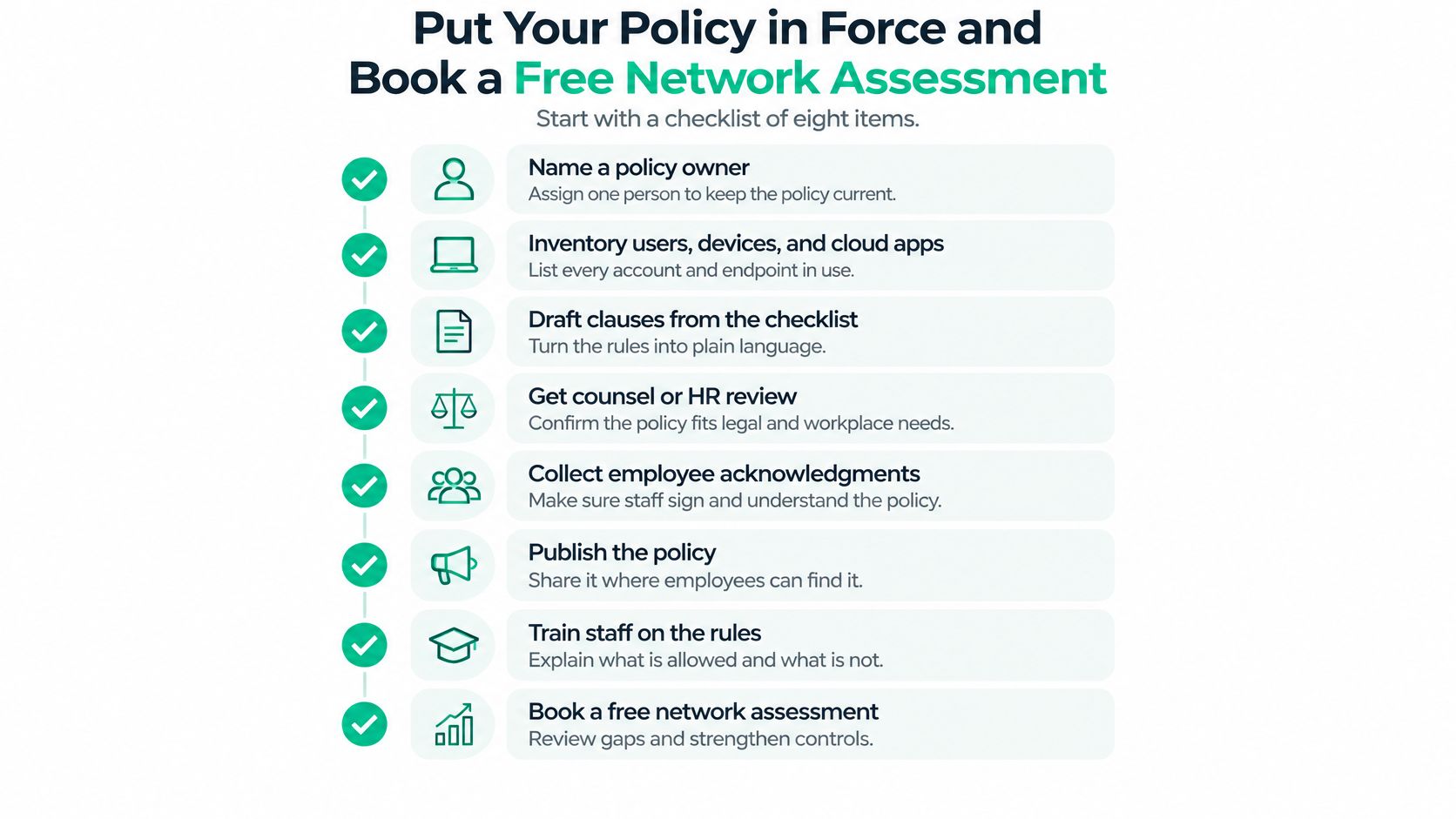
The checklist is only half the job, because paper rules drift away from real settings over time. Someone adds a guest network exception for a vendor visit, an owner exempts himself from MFA, and six months later the written policy describes a network you no longer have. Comparing the two against each other is the work that keeps a policy enforceable.
We offer a free IT consultation that includes a thorough IT assessment, and our managed services include 24/7 monitoring and support, security audits and assessments, firewall configuration, employee security training, and compliance consulting. If you're preparing for that review, our guide to cybersecurity assessment services for Indiana businesses explains what gets examined.
Greenwood shops, Johnson County offices, and Indianapolis area teams all run into the same drift. Book your free IT consultation and bring your current policy, even if it's one page. We'll show you where the paper and the network disagree.
Your acceptable use policy only protects you when the accounts, Wi-Fi, and backups behind it are configured to match, and that's the gap Finchum Fixes IT closes for Greenwood and Indianapolis area businesses. Book your free IT consultation and we'll line your written rules up against your real settings, flag the mismatches, and leave you with a policy staff can follow. Start at Finchum Fixes IT and pick a time that works this week.