Data Classification Framework: A Practical Setup Guide
A data classification framework is a structured set of persistent labels that sorts an organization's data by sensitivity and business value, with each label tied to handling rules for access, storage, encryption, and deletion. Those labels stay with the file, the mailbox, and the backup, so a lean team isn't guessing when something breaks.
It's 7:40 a.m. on a Monday along the I-65 corridor. The Greenwood office manager can't open payroll. Shared drives crawl. Then a ransom note fills the screen, and nobody can say which folder holds last week's invoices and which one holds a 2019 brochure.
Why Labeling Your Data Pays Off Before an Outage
That Monday scene is familiar to Johnson County business owners. The server in a Greenwood business park is eight years old, the fans sound like a leaf blower, and the only inventory on record is a sticky note on the rack. Downtown, an old brick building drops Wi-Fi every time the elevator runs. Neither problem starts as a data problem. Both become one the moment nobody can tell payroll from marketing drafts.
Unlabeled shares turn a contained incident into a multi-day outage. Staff copy folders to laptops just in case, and cloud sync pushes the damaged copies over the good ones. Recovery crews restore everything in alphabetical order because nothing marks revenue systems ahead of old photos. Every unlabeled hour carries a real cost: idle staff, missed invoices, and emergency support billed at crisis rates instead of planned ones.
A labeled inventory turns those emergencies into scheduled maintenance with a predictable price. The monthly budget stops swinging with every scare because you already know which systems come back first, which mailboxes stay locked, and which PDFs need a human pass before they leave the building. If a contract has to go out while you're still restoring, protect sensitive documents with PDFKing's redaction guidance so names and account numbers don't ride along in the clear.
Practical rule: If a shared folder has no owner and no label, treat it as Restricted until someone proves otherwise.
Backups only help when the restore order is written down. The 3-2-1 backup rule for Indiana SMBs covers the storage half of that promise. Labels are the priority list that says which copy to bring back first while the brick-building Wi-Fi is still flaky.
Each tag does three jobs at once. It sets a recovery priority, a compliance duty, and a line in the monthly budget, which makes labeling an operating control rather than paperwork. A five-person office can start with one file server and a shared spreadsheet.
What a Data Classification Framework Actually Does
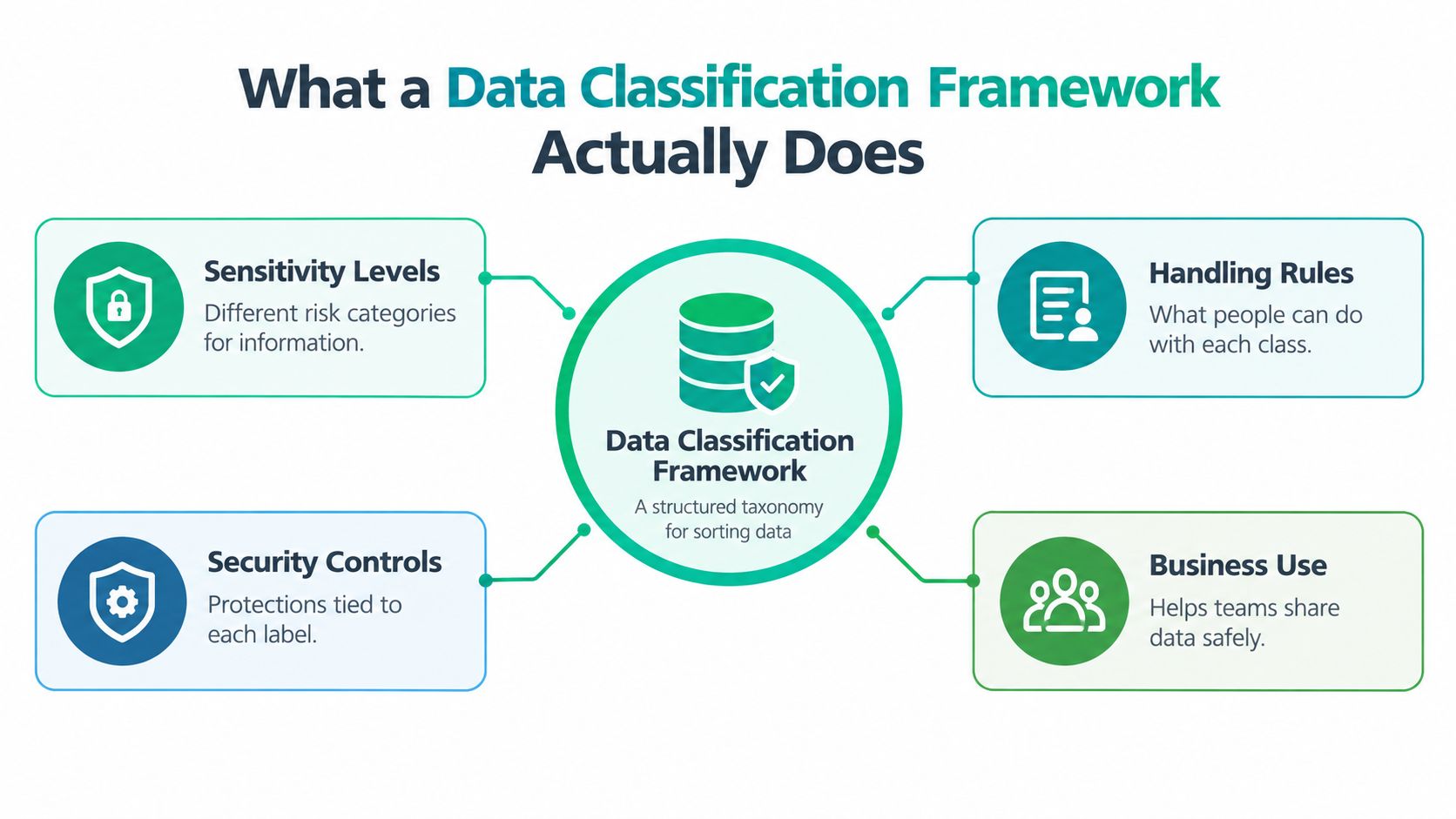
A data classification framework is a structured taxonomy that assigns persistent labels to data assets so each one is handled by its sensitivity, business value, and protection needs. NIST describes classification as characterizing assets with labels that stick, and it treats the scheme as a shared vocabulary for governance, access, retention, monitoring, and incident response.
Think of a hospital triage tag. The color doesn't diagnose the patient. It tells the next person in the hallway what to do without a meeting. A records room with color-coded folders works the same way. Red doesn't get emailed to a vendor. Green can.
More than the database
NIST's 2023 guidance splits data into three forms, and that split is the part most offices skip.
- Structured: rows in the line-of-business app, payroll tables, the billing database.
- Semi-structured: logs, exports, JSON from a web form, CSV drops from a vendor.
- Unstructured: spreadsheets, emails, scanned PDFs, images, and application files on the file server.
A NIST demonstration used three categories, personal, medical, and financial, to discover and label unstructured data. That's the pile on a Greenwood file share, not the tidy SQL box in the closet.
What a label is supposed to trigger
A label without a handling rule is a sticker. Each class should answer four questions: who may open it, whether it must be encrypted, where it may sit, and when it gets deleted. Public marketing can live in a synced library. Financial exports should not land in a personal OneDrive, and they shouldn't sit in a laptop backup that a terminated employee still owns.
How Matil approaches document classification is a useful contrast if your "database" is really a decade of PDFs. The framework still has to cover those files, or the triage tag never reaches the records that matter.
The Six Building Blocks Every Framework Needs
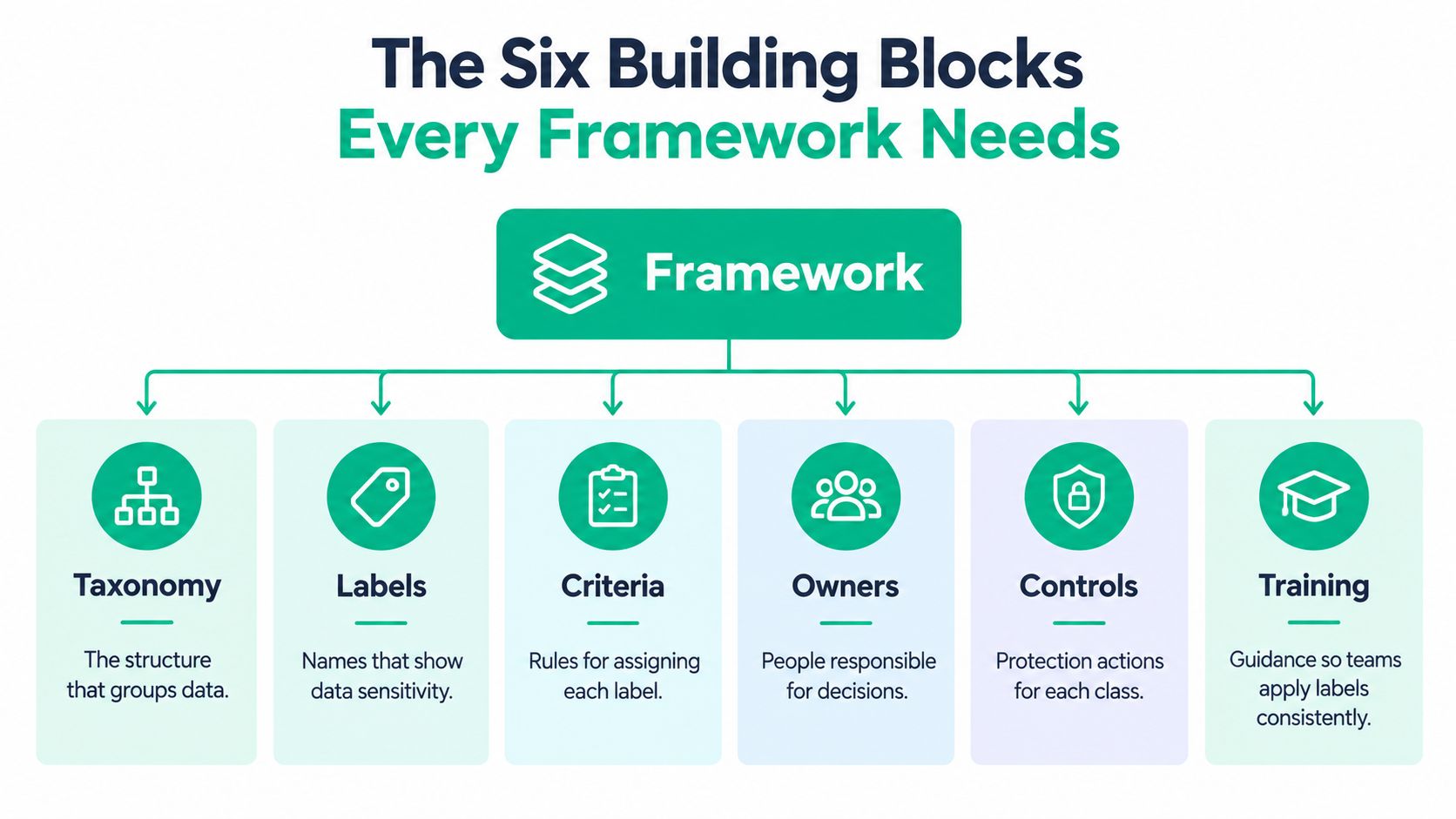
Six parts have to work as one system. A short taxonomy, visible labels, written rules, named owners, technical enforcement, and the tools that make the other five stick. Drop any one and the rest becomes a PDF nobody opens.
Taxonomy is the short list of data types you own. For a Hamilton County manufacturer that might be quotes, drawings, payroll, and customer lists. Not forty categories. Labels are what people see in Microsoft 365, on the file share, and in Outlook. Four levels fit most Indiana SMBs: Public, Internal, Confidential, and Restricted.
A one-page handling map
| Label | Who opens it | Leaving the company | Encryption | Keep |
|---|---|---|---|---|
| Public | Anyone | Allowed | Optional | Until replaced |
| Internal | Staff | No | In transit | 3 years |
| Confidential | Named roles | Manager approval | At rest and in transit | Per owner |
| Restricted | Need-to-know | Blocked | At rest, in transit, and in backup | Shortest legal window |
Policies are that table, written so a new hire can follow it. Roles name a data owner for each type. The owner approves exceptions. IT doesn't invent them at 9 p.m. Enforcement is the part that bites: sharing blocks, retention, and alerts. Tools carry the load. Bitdefender GravityZone watches the endpoint. Immutable off-site backups keep a copy ransomware can't rewrite. UniFi gear with latency-optimized mesh nodes fixes the brick-building Wi-Fi so staff stop hauling Restricted files home on a USB stick.
ISO/IEC 27001, first published in October 2005 and revised in 2013 and 2022, does not force one universal set of levels. Control 5.12 covers classification and Control 5.13 covers labeling. You pick labels that match the work. NIST's federal model is different: Low, Moderate, and High, based on a limited, serious, or severe effect on confidentiality, integrity, and availability. Those are impact levels, not office stickers. Don't mix the two vocabularies in one share.
Simple labels with a consequence beat a twelve-tier scheme nobody can apply on a Friday.
Finance teams adding chatty software agents should read managing unknown agents in finance before a bot gets a mailbox. The same sharing controls show up in data loss prevention for Indiana SMBs.
Compliance Rules That Shape Your Data Labels
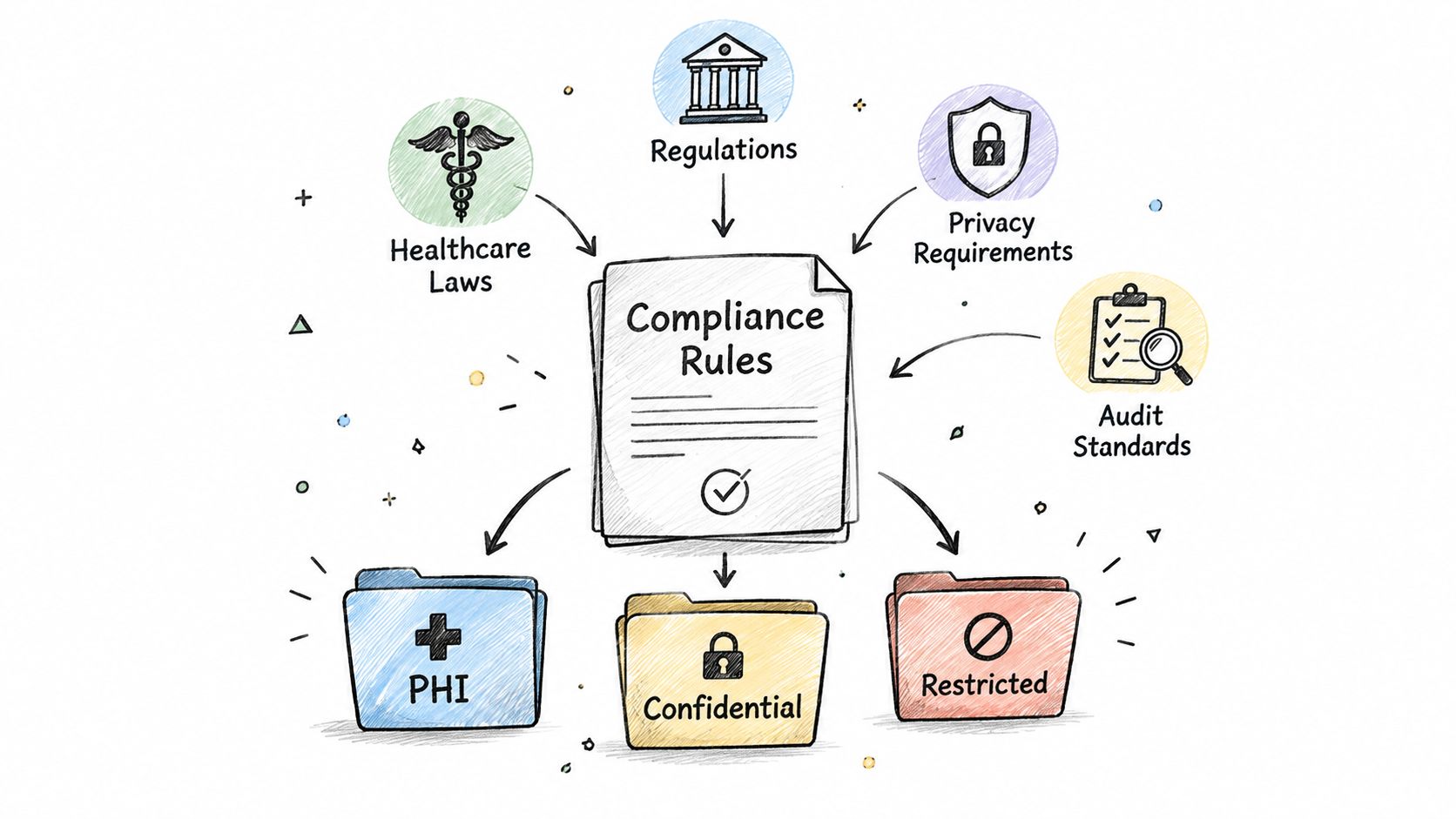
Labels exist because someone outside the company will ask for proof. A mapping exercise keeps that honest. Each duty points at a label, and each label points at a control you can show.
HIPAA for clinics
The HIPAA Security Rule sits at 45 CFR Part 160 and Subparts A and C of Part 164. Covered entities and business associates must protect electronic protected health information with administrative, physical, and technical safeguards, and they must preserve confidentiality, integrity, and availability. An ePHI label should force authorized access, encryption, a locked room or cabinet for any local gear, and a restore procedure that brings the clinical system back before the break-room photo share.
Labeling the scan folder "medical" doesn't satisfy the rule. You need the safeguard and the operating step written next to the label. During an outage, that label is also how you know which records cannot sit on an open recovery bench.
CMMC and NIST CSF beside it
Defense shops along the I-65 corridor map controlled unclassified information to CMMC practices. The label isn't "secret." It's the marker that stops a drawing from landing in a personal mailbox. NIST CSF is the baseline most other Indiana SMBs can start from: identify, protect, detect, respond, recover. Classification feeds the identify step. Without it, the other four are guesses.
Other privacy duties, including rules that follow customer data even when the company is in Greenwood, belong in the same matrix. A practical pass at GDPR duties for US companies shows where a deletion clock has to hang off a label.
Regulators want evidence that labels are applied the same way, enforced across the life of the file, and ready for an auditor. A policy binder in a drawer is not that evidence.
A Five-Phase Rollout Plan for Lean Teams
Run this against the aging Greenwood server, not a blank whiteboard. Five phases, one action each.
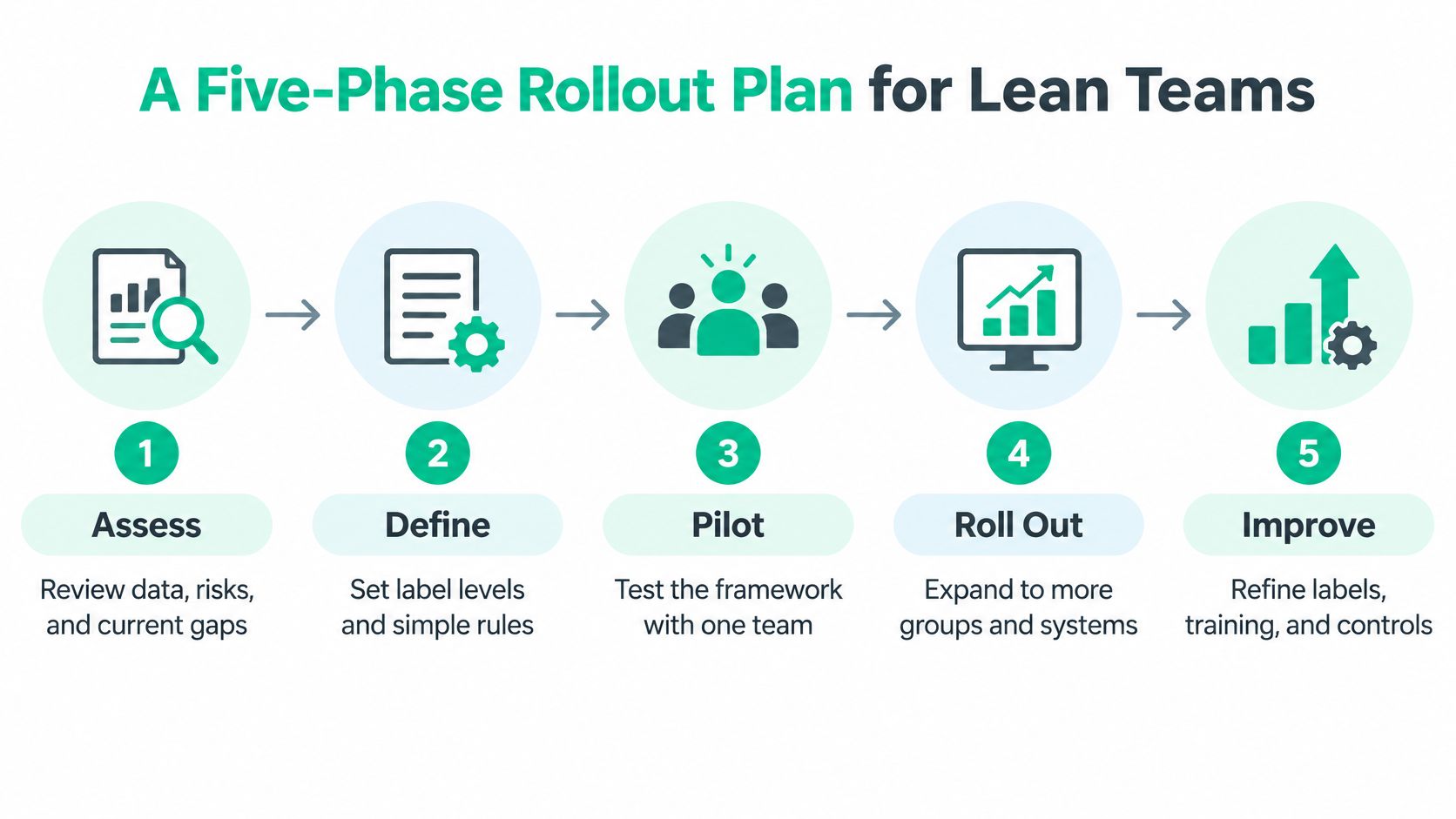
- Inventory. List endpoints, Microsoft 365, the file share, the line-of-business app, and every backup target. Note what the old server still holds that the cloud doesn't.
- Draft four levels. Public, Internal, Confidential, Restricted. Write one sentence on what each forbids.
- Name owners and a one-page policy. The payroll owner signs the Restricted row. Exceptions get a date, not a shrug.
- Enforce with what you already pay for. Sensitivity labels in Microsoft 365, sharing blocks, GravityZone on the laptops, immutable off-site backups for the tiers that cannot be lost.
- Review when something changes. New app, new vendor, new storage location, new data flow. That's the trigger, not a calendar nobody reads.
A short diagnostic pass on the tenant, after an admin signs in, looks like this:
Connect-IPPSSession
Get-Label | Format-Table Name, Priority, Tooltip
Get-LabelPolicy | Format-Table Name, Labels
If Get-Label returns nothing, you don't have a framework. You have a wish. If Restricted isn't in a policy that's published, staff can't apply it.
CISA's ransomware guidance says to keep offline, encrypted backups and to test them. Ransomware looks for online copies, and cloud sync can overwrite the last good version. Immutable storage, delete protection, object lock, and versioning are the mechanics. Classification sets the restore order: revenue and safety first, regulated records next, everything else after. Restore on a clean VLAN. Don't plug the old server back in until you've validated it. If the array itself is the casualty, bit-level data recovery comes before any label work, because you can't classify sectors you haven't read.
This walkthrough on labeling in Microsoft 365 matches phase 4 more closely than a generic security talk:
Do it yourself or hand it off
A handy office manager can finish phases 1 and 2 in a week of evenings. Enforcement is where DIY stalls. Publishing labels, blocking external shares, testing an immutable restore, and wiring SOC-as-a-Service monitoring so a Restricted download at 2 a.m. pages someone are a managed job. Zero Trust here means the label, not the office wall, decides access.
Finchum Fixes IT, a Greenwood team with 17 years on local servers like that aging rack, runs this as Managed IT plus cybersecurity and cloud migration support so the monthly bill replaces surprise repair invoices. Pair the rollout with a risk assessment built for Indiana SMBs so the first inventory isn't a guess.
Common Pitfalls and Real Client Lessons
More tiers usually make things worse. Staff freeze, pick the middle label, and move on. Four names with a real block outperform eight names with a tooltip nobody reads.
Global research cited by PwC, summarized by ByDesign Law, found that only 50% of organizations had extensively implemented data-classification policies, while just 6% had implemented all surveyed data-security controls across the enterprise. The gap is enforcement, not vocabulary.
Three failures and the fix
Too many labels. Symptom: two people tag the same payroll file differently. Cause: the taxonomy describes the org chart, not the data. Fix: collapse to four levels and delete the rest.
No teeth on Restricted. Symptom: a "do not share" file leaves through Outlook. Cause: the label is cosmetic. Fix: run one test every month. Can a Restricted file be shared outside the tenant? If yes, the framework isn't on.
AI copies you didn't classify. Symptom: a prompt, a chunk of extracted text, a vector index, or a model answer carries patient or payroll detail into a browser tool. Cause: the label never became an eligibility rule. Fix: Restricted data doesn't enter an external model. Scan for shadow AI folders the same week you scan file shares.
A label that doesn't change a sharing button is a poster.
In our 17 years of local service, a Hamilton County shop called because "the server was slow." The RAID volume was degraded, and staff had been emailing the accounting folder to a Gmail address so they could keep working. We rebuilt the volume, put Confidential and Restricted on those shares, and blocked external send for that label. The slowness was the symptom. Unclassified mail was the leak.
The same habit shows up in file-share links. Secure file sharing for Indiana businesses is the control to pair with the monthly share test, or the Gmail workaround comes back.
Your Next Step for a Safer Data Setup
Three decisions matter more than a thicker policy.
- Pick a simple set. Public, Internal, Confidential, Restricted. Stop there until staff apply them the same way twice.
- Map each label to a control. Access, encryption, storage, deletion, and a restore tier. If a row is blank, the label isn't done.
- Test on a schedule. External share of a Restricted file, plus a restore of one regulated system from the offline copy. Write down the result.
That's the operational system: every label owns a recovery priority, a compliance duty, and a line in the monthly budget. It replaces the Greenwood scramble, the brick-building workaround, and the surprise invoice after a bad Monday.
A Free Network Assessment or a Security Risk Audit for Greenwood and Indianapolis businesses, including shops on the I-65 corridor, Johnson County owners, and Hamilton County growth teams, shows where sensitive data sits, how it's backed up, and which endpoints still touch Restricted files. You'll leave with a short list, not a slide deck.
This week, export the file-share list and mark one folder you would restore before anything else. That single mark is the start of the framework.
Finchum Fixes IT helps Greenwood and Indianapolis businesses turn a data classification framework into working labels, tested restores, and a predictable monthly IT plan. The team covers Managed IT, cybersecurity, backups, and the network issues that keep small offices offline. Book a Free Network Assessment or a Security Risk Audit with Finchum Fixes IT and see which systems should come back first.