Best Backup Software for Windows Server (2026 Indiana Guide)
If you're running a Windows Server in Greenwood, Franklin, or anywhere along the I-65 corridor, there's a decent chance your backup setup grew by accident. One USB drive years ago. A NAS someone plugged in after a scare. A cloud add-on nobody has tested since the last office move.
That works right up until Monday morning, when accounting can't open QuickBooks, the line-of-business app won't start, and the server console is throwing storage errors.
The best backup software for windows server isn't the one with the longest feature list. It's the one that gets your business back online fast, restores cleanly, fits your compliance needs, and doesn't turn into another tool your staff ignores. For Indiana SMBs, that usually means balancing recovery speed, security, and budget without pretending your environment is a Fortune 500 data center.
The Short Answer Your Windows Server Backup Plan
TL;DR
- Pick based on recovery needs first: If your server dies, how fast do you need it back, and how much data can you afford to lose?
- Veeam fits virtualized environments well. Acronis Cyber Protect stands out when backup and security need to live together. NinjaOne makes sense for centralized, MSP-style management.
- Software alone isn't the plan: scheduling, off-site copies, alerting, and restore testing matter just as much.
- Compliance changes the choice: HIPAA, CMMC, and NIST CSF push you toward encryption, retention controls, audit logs, and immutable off-site backups.
- Budget options exist: you don't need enterprise pricing to protect a small server environment.
- If your website is part of operations too, this guide on How to Backup WordPress Site covers that side of continuity.
- If you want the backup process managed instead of babysat internally, a managed services approach usually gives more predictable recovery results.
The Greenwood Server Crash You Cannot Afford
A lot of server emergencies around Johnson County don't start with a cyberattack. They start with old hardware in a business park office that stayed in service a little too long.
The server still boots. Then it starts taking longer. RAID alerts get ignored because the team is busy. A Windows update hangs. The accounting database acts strange. On Monday, it finally tips over.
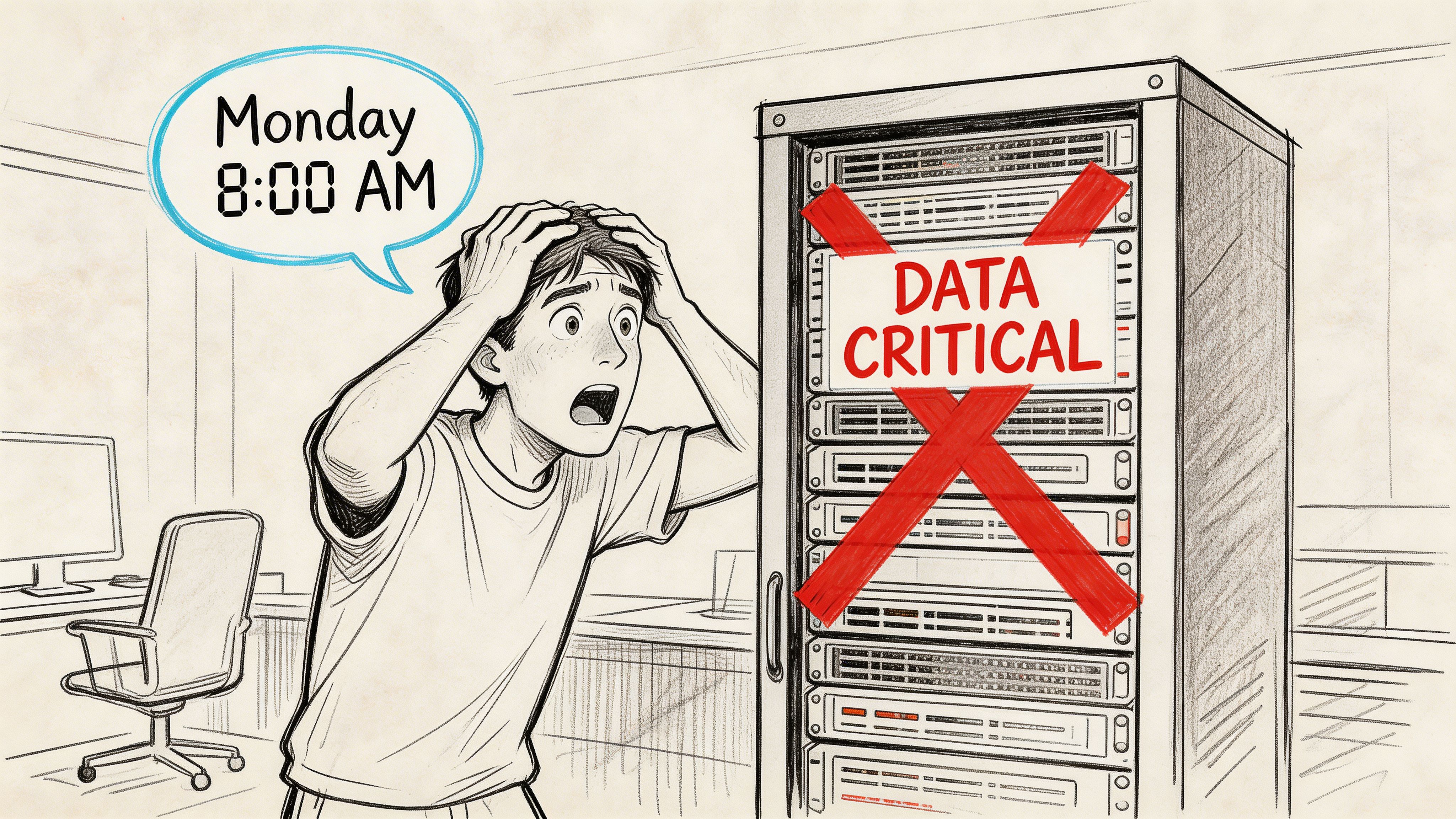
For a business owner, that moment isn't about storage arrays or VSS writers. It's about payroll, invoices, patient records, job scheduling, shipping, and whether your staff is about to spend the day standing around.
The financial side gets ugly fast. Downtime can cost up to $9,000 per minute. Even if your business lands far below that ceiling, the point is the same. Lost access turns payroll hours into dead hours, missed calls into missed deals, and simple IT cleanup into a fire drill that wrecks the week.
In our 17 years of local service, we've seen the same pattern from Greenwood to the south side of Indy. The business thought it had backups. What it had was one of these:
- A backup job that was failing undetected: Nobody looked at the alerts.
- A file copy mistaken for disaster recovery: Data existed somewhere, but the server couldn't be rebuilt cleanly.
- A local-only copy: Fine for a deleted folder. Useless if ransomware or building damage hits the primary site.
- A backup that had never been tested: The restore process became the first test. That's a bad time to learn what's broken.
What the owner usually learns too late
A backup isn't the same thing as a recovery plan.
You can have backup software installed and still be in trouble if it can't restore Active Directory cleanly, bring back a SQL-dependent app in a consistent state, or rebuild a Hyper-V host without manual guesswork. That's why the conversation isn't "Do we back up the server?" It's "How long until the business runs again?"
A recoverable backup is a business continuity tool. An untested backup is a hope file.
The Southside fix
For older environments in Greenwood business parks and the wider Indy metro, the permanent fix is usually boring in the best way possible. Standardize the backup stack. Keep copies off-site. Encrypt them. Monitor every job. Test restores on a schedule. Document the order of recovery for the systems that matter.
If you're already staring at drive errors or a dead array, this guide to failed hard drive data recovery for Indiana businesses is worth reading before someone makes the damage worse by guessing.
What Actually Matters in Backup Software
Most backup marketing is fluff. The buying criteria are simpler.
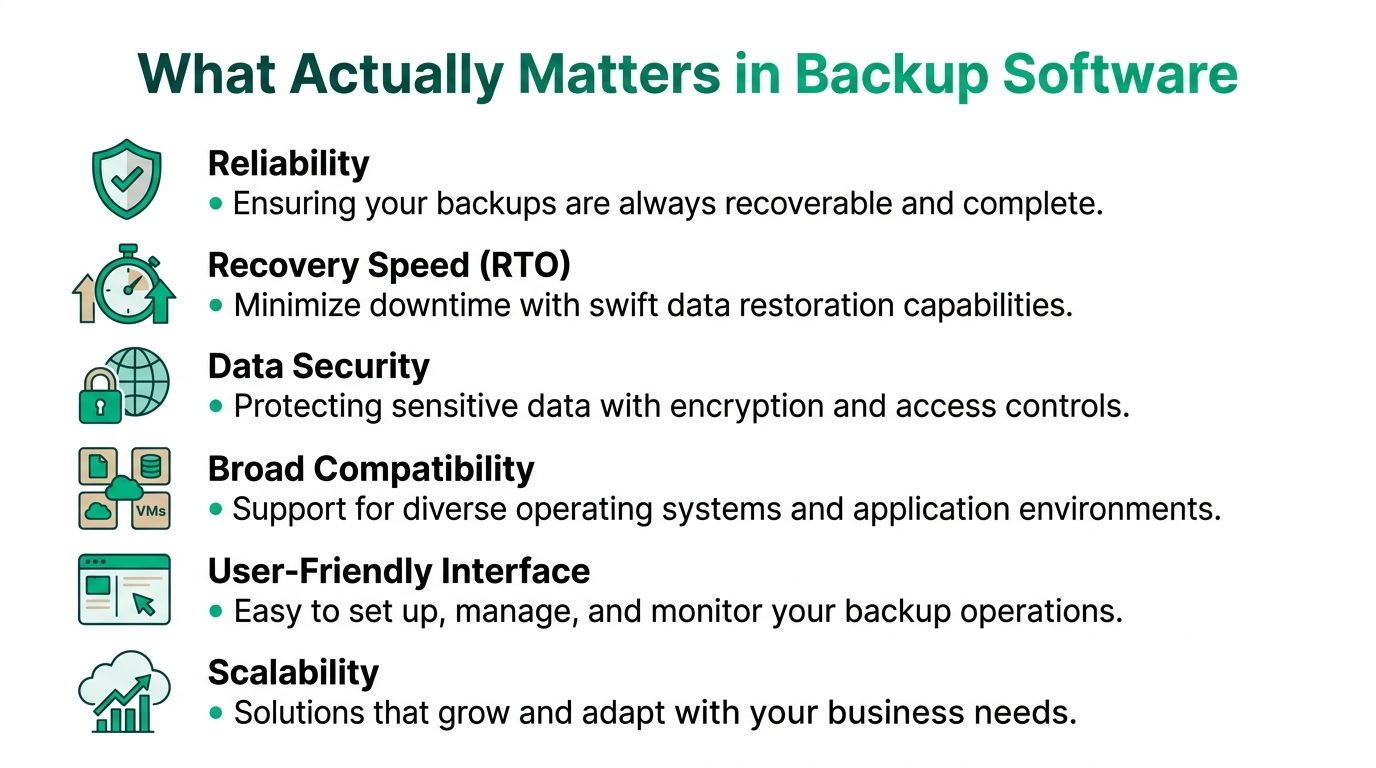
If you strip away the glossy dashboards, the best backup software for windows server comes down to whether it restores your business in a sane amount of time, protects the apps you use, and gives you enough security and reporting to survive an audit.
Start with the checklist that matters.
Recovery speed matters more than backup speed
Business owners often ask how fast the software can run backups. Fair question. But recovery speed is what saves the day.
Two terms matter:
- RTO: How quickly you need systems back online.
- RPO: How much recent data loss you can tolerate.
A law office may be able to survive a longer rebuild if documents are intact. A medical office or logistics operation usually can't tolerate much downtime on scheduling, charting, or dispatch systems. If your environment depends on a line-of-business app tied to SQL Server, Exchange, or Active Directory, the restore has to be clean and in order.
That means image-level backups for fast full-server recovery, plus file-level recovery for the everyday stuff like deleted spreadsheets, overwritten PDFs, or one damaged folder.
Application-aware backups are not optional
Many cheap setups fail here.
You can copy files all day and still not have a trustworthy restore for a live database or directory service. The Windows Server backup environment has largely settled around application-aware backup as a baseline requirement. A cited example is that industry leaders like Veeam, Acronis, and Zmanda Pro have established application-aware backup capabilities as foundational requirements, and Zmanda Pro supports application-aware backups for SQL Server, Exchange Server, SharePoint, and Active Directory with consistent point-in-time recovery, according to Zmanda's review of Windows Server backup software.
If your backup product isn't handling those workloads properly, you're not protecting the part of the server that hurts most when it breaks.
Virtual support and cloud options need to be real
A surprising number of SMBs around central Indiana now run mixed environments. One physical host in the office. A couple of Hyper-V virtual machines. Maybe a cloud workload layered in later. Some still have aging on-prem gear because moving everything at once wasn't practical.
That's why broad compatibility matters.
If your software can't protect both physical and virtual workloads cleanly, you end up with weird gaps. One server has image recovery. Another only has file copy. A third depends on a manual export nobody remembers to run.
For businesses sorting that out, this overview of server virtualization for Indiana businesses helps frame why backup design changes once workloads move into VMs.
Security and compliance belong inside the backup plan
Backup used to be mostly an ops problem. Now it's tied directly to cybersecurity.
A proper platform should support AES-256 encryption when you're handling regulated or sensitive data. That's table stakes for healthcare groups dealing with HIPAA, defense-adjacent firms looking at CMMC expectations, and any company trying to align with NIST CSF controls around recoverability and access management.
You also want:
- Immutable or isolated off-site copies
- Role-based access controls
- Audit-ready reporting
- Alerting that people see
- Retention settings that match legal and business needs
Practical rule: If the same ransomware event can touch production data and your only backup copy, your design isn't finished.
A short explainer is helpful here before the vendor talk:
Good scheduling beats heroic IT work
The backup tool should fit the business, not the other way around.
Some organizations need nightly image backups and more frequent protection for changed files or app data. Others need event-triggered jobs around startup, shutdown, or user activity. The mature products have gotten better here. Flexible scheduling isn't a fancy add-on anymore. It's part of a usable system.
The result is simple. A good backup platform reduces wasted tech time because your team isn't improvising restores, chasing failed jobs by hand, or guessing which copy is trustworthy.
Top Windows Server Backup Software Compared
Most Indiana SMBs looking for the best backup software for windows server end up circling the same three names for good reason: Veeam Backup & Replication, Acronis Cyber Protect, and NinjaOne Backup.
They overlap in important ways. All are serious products. None should be judged by brochure language. The differences show up in management style, recovery workflow, security depth, and how much operational overhead your team can tolerate.
Here’s the quick matrix first.
Windows Server Backup Software Feature Matrix
| Feature | Veeam Backup & Replication | Acronis Cyber Protect | NinjaOne Backup |
|---|---|---|---|
| Best fit | Virtual-heavy environments | Businesses that want backup and cyber protection together | SMBs that want centralized, managed-style backup operations |
| Core backup style | Image-based backup with strong VM focus | Broad system and workload protection | Centralized automated backup for distributed environments |
| Recovery strengths | Instant VM recovery is a standout capability | Strong for full-system recovery with security-aware workflows | Rapid recovery with granular file-level access |
| Security angle | Strong data protection focus | Integrated anti-malware inside the platform | AES-256 encryption and immutable storage options noted in benchmark coverage |
| Management model | Powerful, but can be more hands-on | Unified console approach | Built for centralized policy management across many endpoints and servers |
| Ideal buyer | IT teams comfortable with infrastructure depth | Compliance-minded teams reducing tool sprawl | MSP-supported SMBs and lean internal IT teams |
Veeam Backup & Replication
Veeam is the one I point to when a company has outgrown simple backup jobs and now lives in a mixed infrastructure world. Physical server, virtual workloads, branch office systems, maybe a cloud copy layered on. That's where it tends to make sense.
The product's known feature set includes image-based backups, instant VM recovery, and WAN acceleration, as summarized in the earlier cited Zmanda overview. In plain English, that means Veeam is built for environments where virtualization isn't a side project. It's part of operations.
Where Veeam works well
Veeam shines when:
- Your server estate is virtual-heavy: Especially if Hyper-V or similar VM-based recovery speed matters.
- You want flexibility: It usually fits organizations that need different restore paths for different workloads.
- Your IT team can handle depth: Veeam rewards admins who want control and understand backup infrastructure.
What doesn't work as well is dropping Veeam into a shop that wants "set it and forget it" without anyone owning policy, storage, verification, and testing. It's a strong engine. It still needs a driver.
If your environment has grown beyond one box in a closet, Veeam usually feels more natural than entry-level backup tools.
Trade-offs
Veeam isn't my first pick for every office with one aging server and no dedicated IT owner. It can be more software than a tiny environment needs. That's not a flaw. It's just reality.
Its universal licensing model is also designed to provide flexibility for organizations of varying sizes, as noted in the BackupAssist market overview cited later in this article. That's useful if you expect the environment to change, but the bigger issue is still operational maturity. If no one is reviewing backup health, even good software becomes shelfware.
Acronis Cyber Protect
Acronis takes a different angle. It treats backup and security as connected jobs, which is exactly how most businesses should think about them now.
That matters for owners who are tired of stacking separate tools for endpoint protection, backup oversight, and ransomware response. If your business is handling regulated data or you're trying to build a cleaner Zero Trust architecture, having cyber protection inside the same platform can be a practical advantage.
Where Acronis earns its place
Acronis is a strong fit when the conversation includes:
- HIPAA requirements: Encryption, retention, controlled access, and clearer audit posture matter.
- Ransomware concerns: Backups can't sit off by themselves as an afterthought.
- Tool sprawl fatigue: One console is easier to run than several disconnected products.
The Windows Server backup market has moved toward security-aware platforms, and Acronis stands out because its offering includes data protection from files to entire systems with integrated anti-malware capabilities, based on the same Zmanda summary referenced earlier.
That integrated model can simplify response. If you suspect compromise, you're not bouncing between three admin portals trying to decide whether the recovery point is clean.
Trade-offs
The main trade-off is philosophical as much as technical. Some IT teams prefer best-of-breed products for every layer. They want one backup vendor, another security stack, separate monitoring, and custom glue in between. That's workable, but it creates more moving parts.
For Indiana SMBs without a large internal IT bench, Acronis often feels more practical than pure best-of-breed purity. The cleaner the stack, the fewer chances there are for something to get missed during a real incident.
NinjaOne Backup
NinjaOne makes the strongest case when you want centralized control, automation, and fast operational clarity across many systems without building a big internal backup practice.
A future-dated benchmark published by NinjaOne states that NinjaOne earns the highest final score of 4.538 in 2026 cloud backup solution benchmarks for Windows Server, ahead of Acronis at 1.911 and Veeam at 1.336, with a focus on centralized automated backups using AES-256 encryption and rapid recovery for MSP-managed SMB environments, according to NinjaOne's Windows Server cloud backup benchmark article.
That same benchmark says its direct-to-cloud backups can achieve 2-3x faster initial seeding, storage optimization can reduce footprint by 60-70%, average full server recovery times are under 2 hours, backup success reaches 99.9% across 10,000+ endpoints, the agent is under 50MB, CPU impact stays under 2% during peaks, it supports Windows Server 2019-2025, includes a 14-day free trial, and can scale to 100+ servers without added licensing tiers.
That's a lot of data in one source, so here's the practical version.
Why NinjaOne gets attention
NinjaOne is compelling when:
- You want centralized policy control: Especially across multiple sites or clients.
- Your internal staff is lean: The platform aligns well with managed IT operations.
- You care about visibility: Monitoring and backup status live close together.
For Johnson County businesses with one or two IT people wearing six hats, that simplicity is worth a lot. The backup job isn't living in a forgotten corner. It's part of an operational dashboard someone sees daily.
Trade-offs
NinjaOne is less about deep infrastructure tinkering and more about clean centralized execution. If your team loves building highly customized backup architectures, Veeam may feel more flexible. If your biggest concern is combining cyber controls and data protection under one roof, Acronis may feel more complete.
But if what you really need is "make backup work, keep it visible, and recover quickly without a lot of drama," NinjaOne is a very practical answer.
For a broader uptime planning view beyond product comparison, this piece on enterprise data backup solutions that guarantee business uptime adds useful context.
What works and what doesn't
Let me put it plainly.
What works:
- Choosing based on restore workflow
- Matching the tool to your staffing reality
- Keeping security tied to backup decisions
- Testing restores before an emergency
What doesn't:
- Buying on price alone
- Confusing file sync with disaster recovery
- Assuming all cloud backups restore fast
- Letting one person "just keep an eye on it" with no process
If you're the owner, your decision probably isn't about which brand wins on the internet. It's about which one your team can run consistently when pressure hits.
The Right Backup Tool for Your Indiana Business
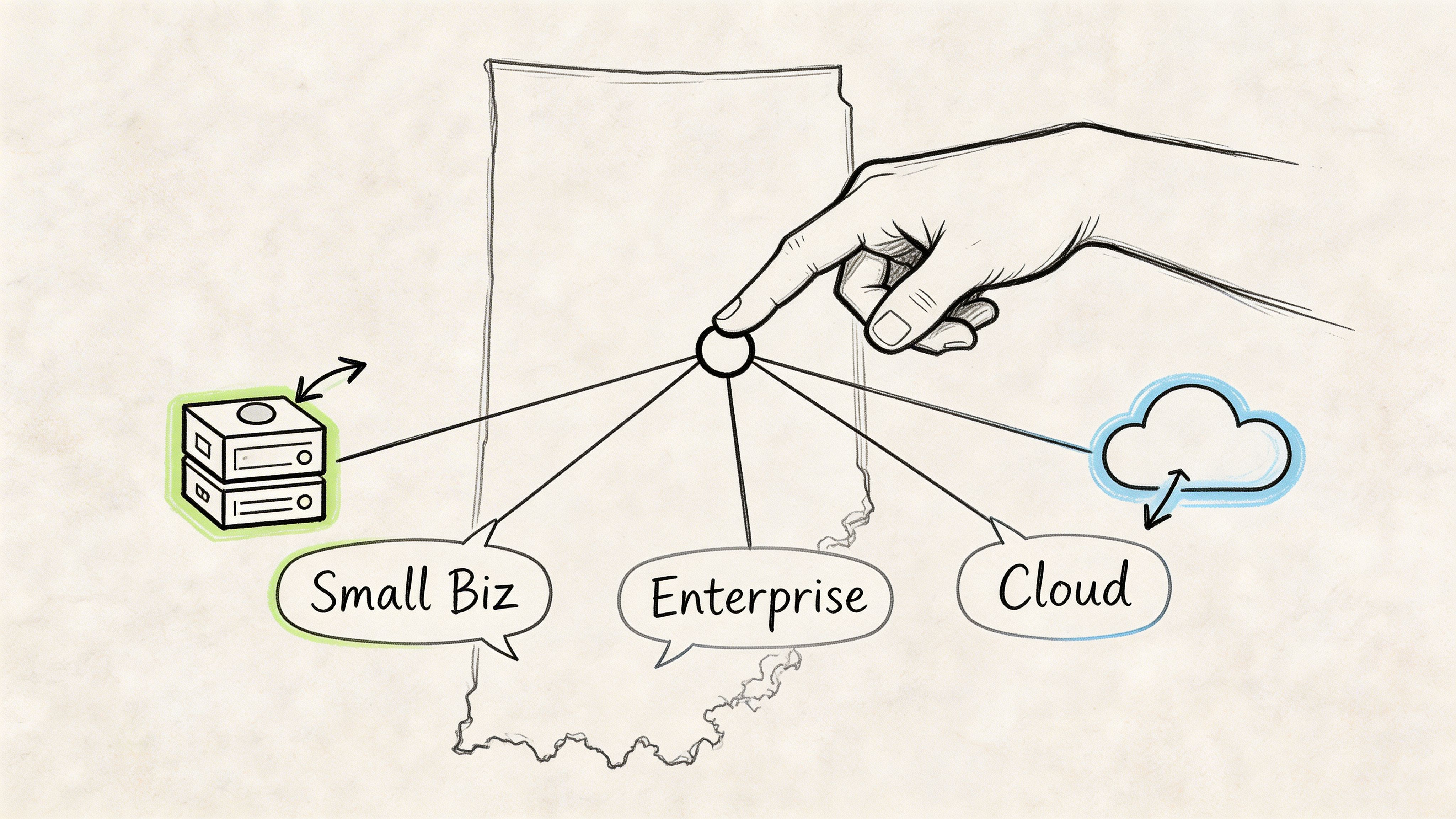
The right answer changes by industry, risk tolerance, and how messy the environment already is. That's why generic top-ten lists are usually useless.
A machine shop near the I-65 corridor doesn't have the same recovery profile as a Hamilton County medical practice. A defense subcontractor dealing with CMMC pressure thinks differently than a local accounting office trying to keep costs under control.
For the healthcare office
If you're running a clinic, dental office, therapy practice, or any environment with patient data, the backup tool needs to support secure recovery, controlled access, and reporting that stands up under scrutiny.
Acronis Cyber Protect is a strong fit here because the platform combines backup and security in one place. For HIPAA-minded teams, that's useful. You're not trying to patch together encryption, anti-malware, and recovery workflow from separate vendors while hoping the handoffs work during an incident.
Add immutable off-site backups and documented restore steps, and the result is much closer to a real continuity plan.
For the manufacturer or logistics company
Veeam often wins here.
If your operation has a mix of physical servers, virtual workloads, file shares, and production systems that can't stay offline long, Veeam's flexibility is hard to ignore. It suits businesses with more infrastructure complexity and a stronger need for varied recovery options.
A growing company near Greenwood or down toward Franklin may not be enterprise-sized, but it still has enterprise-style headaches. Multiple applications. Warehouse workflows. Scanners. Shared drives. ERP headaches. One restore path rarely fits all of that well.
For the lean SMB with limited internal IT
NinjaOne is usually the easiest recommendation when the business wants strong backup discipline without building a whole in-house practice around it.
That's especially true if your office already depends on outside support or a small IT team that handles networking, endpoint issues, vendor calls, and user support all at once. Centralized backup automation and clear visibility matter more than deep customization in that kind of environment.
The best product for a lean SMB is often the one that gets checked every day, not the one with the most knobs.
For the budget-conscious office
Not every small business needs a heavyweight platform on day one.
The Windows Server backup market now covers a wide range of price points. In the BackupAssist market overview, BackupAssist v7 is listed from $305.00 USD as an affordable option for SMBs, and the same source notes that Bacula Systems reports endpoint backup solutions starting from as low as $15 per year per endpoint. It also highlights that Hasleo's free version includes full system backup and restore, disk and partition cloning, incremental and differential backups, and AES 256-bit encrypted backups, all discussed in BackupAssist's server backup market article.
That tells you something important. Good backup habits are no longer reserved for big-budget environments.
Still, lower software cost doesn't remove the need for proper design. A cheap tool with no testing, no off-site strategy, and no recovery documentation is still expensive when the server goes down.
For defense-adjacent firms and regulated contractors
If your business touches defense work, CMMC concerns change the discussion fast. Audit trails, encryption, access control, retention, and proof of recoverability stop being "nice to have."
In those cases, I usually steer people toward the solution that best supports disciplined operations in their environment, not the cheapest subscription. That may be Acronis for integrated security posture. It may be Veeam in a mature virtual environment. It may be NinjaOne if the business depends on managed oversight and consistent policy enforcement.
The product matters. The operating model matters more.
Beyond Software Your Disaster Recovery Plan
Buying software feels productive. It also gives a false sense of completion.
A real disaster recovery plan is built from the ugly details people skip. Which backup runs first. Where the off-site copy lives. Who gets alerts. Which password vault stores the recovery credentials. How you bring Active Directory back before the business app. Which systems you can postpone for a day, and which ones must return first.
The deployment checklist that saves real time
Start with the basics and do them completely.
-
Take an initial full backup
Don't treat the first successful job as proof of readiness. Verify what was captured. -
Set the schedule around operations
Protect critical data as often as the business needs, not just when it's convenient for IT. -
Configure alerts and review them
Failed jobs should be seen quickly by someone accountable. -
Keep an off-site copy isolated from the primary environment
Immutable off-site backups earn their keep here. -
Document the restore order
Domain services, application servers, databases, file shares, and user access all have dependencies. -
Run test restores
File-level, image-level, and application-level tests tell you very different things.
Testing separates real backups from fake comfort
This is the part businesses avoid because it interrupts the week. It's also the part that exposes bad assumptions before an emergency does.
A proper test isn't just "the console says success." It includes restoring a file, mounting or rebuilding an image, validating application consistency, and confirming users can access what they need afterward. In higher-risk environments, that can extend into bit-level data recovery verification and checks that backup chains haven't been corrupted.
Field note: The first restore test usually teaches you more about your environment than a year of green checkmarks.
Build a runbook, not a mystery
Your disaster recovery runbook doesn't need to be fancy. It needs to be useful under stress.
Include:
- Business priorities: what comes back first
- System dependencies: which services must exist before the next restore
- Contacts: internal owners, software vendors, internet provider, hardware support
- Credential access plan: secure, documented, and not dependent on one employee
- Compliance notes: HIPAA, CMMC, or NIST CSF-related retention and reporting expectations
If you need help framing the impact side before writing the runbook, this business impact analysis template is a smart place to start.
Know when software is no longer enough
There are times when backup restore isn't the right first move. If a drive is physically failing, a RAID set is degraded, or someone already made the damage worse by repeated rebooting, recovery may require specialist work before normal restore procedures begin. In those cases, reviewing options like professional data recovery services can help you understand when lab-level recovery is the safer path.
That doesn't replace backup strategy. It covers the moments when backup strategy wasn't enough, or the hardware failed in a way that needs precision handling.
The managed alternative
A lot of SMBs don't need another tool. They need ownership.
That's where managed oversight changes the outcome. Someone monitors jobs, validates alerts, tests restores, reviews retention, and ties backup health into broader security operations such as SOC-as-a-Service monitoring, Zero Trust architecture, and endpoint protection. The goal isn't to add complexity. It's to remove guesswork and keep downtime from turning into a business crisis.
If your company in Greenwood, Indianapolis, or the wider central Indiana market isn't sure whether its server backups would restore under pressure, Finchum Fixes IT can help you find out. Schedule a **Free Network Assess...com) can help you find out. Schedule a Free Network Assessment or Security Risk Audit and get a straight answer on your backup posture, recovery gaps, and what needs to change before the next outage does it for you.