Best Cloud Backup Solutions for Small Business
A July storm hits Greenwood right before close. The power blips at an office off I-65, the server comes back angry, and suddenly QuickBooks will not open, the shared drive looks half-empty, and nobody can answer the only question that matters. Can we get the data back today?
That scenario is why backup deserves a hard look before something breaks.
Around Johnson County and the south side of Indy, I still walk into businesses that trust an external drive sitting in the same office, a Windows backup job nobody has checked in months, or a cloud sync tool that was never built for real disaster recovery. Those setups feel cheap until a restore fails. Then they get expensive fast, in labor, lost sales, and a day of staff standing around waiting.
Cloud backup can fix a lot of that, but the product list gets messy. Some tools are excellent for protecting laptops. Some handle servers, virtual machines, and retention policies better. Some give you ransomware protection and bare-metal recovery. Others leave you doing the planning, testing, and alert chasing yourself.
TL;DR Key Takeaways
- Backup is about recovery: A backup only counts if you can restore the right file, system, or mailbox on a bad day.
- Small business tools are not interchangeable: Coverage for desktops, servers, SaaS apps, and compliance needs varies more than the marketing suggests.
- DIY works for some shops: If your setup is simple and someone owns testing and monitoring, a software-only option can do the job.
- Managed backup often pays for itself: A local IT partner can handle policy design, alerts, restore testing, and incident response when your team is busy running the business.
- Context matters: A Greenwood medical office, a contractor in Franklin, and a small law firm near downtown Indy should not buy backup the same way.
This guide takes a practical angle. It compares the well-known DIY cloud backup tools with the return you get from a managed strategy through a local provider like Finchum Fixes IT. That trade-off matters. Buying software is easy. Setting recovery goals, protecting Microsoft 365 or Google Workspace, checking backup logs, and proving you can restore cleanly is where small businesses usually get tripped up.
The goal is simple. Pick the backup approach that fits your environment, your risk, and the amount of IT ownership you have on staff.
1. Finchum Fixes IT
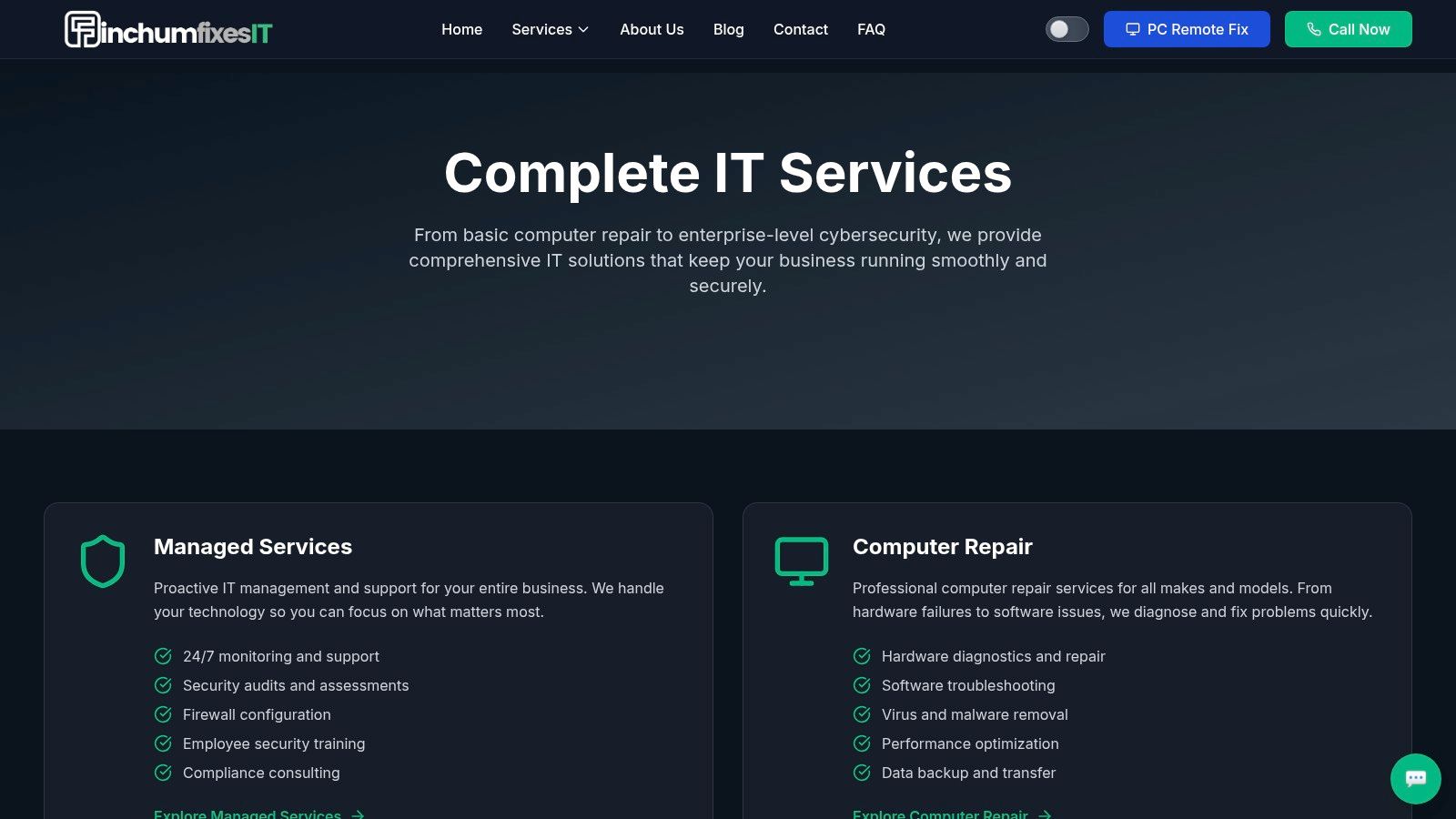
A server drops on Monday morning. Microsoft 365 data is missing. Staff are waiting. In that moment, Indiana business owners do not need another backup app. They need a recovery plan, a restore order, and somebody accountable for getting systems back online.
That is where Finchum Fixes IT stands apart from the DIY tools in this list. The value is not just cloud storage. It is backup planning tied to the way a real small business in Greenwood, Franklin, or the south side of Indy operates. Endpoints, servers, SaaS data, line-of-business apps, retention rules, security controls, and restore testing all have to fit together.
Small businesses rarely have a neat environment. A medical office off State Road 135 may have aging workstations, Microsoft 365, a scanner that only talks to one PC, and a NAS nobody has checked in months. A contractor near US 31 may have laptops in trucks, shared folders in the office, and poor internet at a job site. Buying software does not solve those gaps by itself. A managed backup strategy can.
Why it stands out in practice
Finchum Fixes IT handles backup as part of the larger IT picture. That matters because backup failures often start somewhere else. A bad firewall rule can block replication. Weak endpoint security can let ransomware encrypt synced files. Old storage can fail before anyone notices the alerts. If one provider is handling backup, security, networking, recovery, and support, you avoid the usual mess of vendors blaming each other while your team sits idle.
The local piece matters too. For a company in Johnson County or downtown Indy, response is not just a portal login and a knowledge base article. It is help deciding what gets restored first, checking whether the backup set is clean, and getting users back to work without asking the office manager to play sysadmin.
I judge backup vendors by one question. Who owns the restore when things go sideways?
Best fit and trade-offs
Finchum Fixes IT makes the most sense for businesses that care about uptime and want a partner to manage the moving parts. That includes healthcare practices with HIPAA concerns, manufacturers and defense-adjacent firms dealing with tighter requirements, and small offices that have outgrown the "set it and forget it" stage. Their approach also fits companies that want backup policy, endpoint protection, network stability, and recovery planning handled together. For a closer look at that model, see their guide to enterprise data backup solutions that guarantee business uptime.
There are trade-offs.
- Strongest for local businesses: Companies in Greenwood and the greater Indianapolis area get the most from the hands-on support model.
- Usually costs more than software alone: If all you need is basic laptop backup, a DIY product may be cheaper.
- Planning takes time: Complex environments, compliance needs, or older systems need a specific backup design and restore process, not a quick install.
That last point is a feature, not a drawback, if your business would feel the pain of downtime. Plenty of owners around Indy can save money with a tool-only option. Plenty of others are better off paying for someone to own the backups, monitor them, test restores, and be on the hook when recovery matters. Finchum Fixes IT belongs in this guide for that reason. It is the managed option in a field full of software subscriptions.
2. Backblaze Business Computer Backup
Backblaze Business Computer Backup is the cleanest answer for companies that mostly need laptop and desktop protection. If your team lives in Microsoft 365, uses local files sparingly, and doesn't rely on on-prem servers or complex apps, Backblaze is refreshingly simple.
It's especially appealing for small offices that don't have a full-time IT person. Install the agent, set policy, and let it run. That simplicity is the whole point.
Where Backblaze works
One pricing comparison highlights Backblaze at $6 per month per computer for unlimited storage. For a small business owner, that's easy to understand. No spreadsheet gymnastics. No guessing how many terabytes you'll hit after a new hire wave in Hamilton County or a design team starts storing bigger files.
Backblaze also offers centralized administration, SSO support, policy controls, legal hold, and several restore methods. That gives it more business value than a bare-bones consumer backup app.
Still, the catches are real:
- Great for endpoints: It shines on Windows and Mac computers.
- Not your whole continuity stack: It isn't a full server, VM, or advanced application backup platform.
- Retention needs attention: Version history defaults matter, and you should confirm those settings before assuming you're protected from older file corruption or delayed ransomware discovery.
If you're comparing simple tools against a broader strategy, this breakdown of enterprise data backup solutions that guarantee business uptime helps show where endpoint backup ends and resilience begins.
Backblaze is the tool I'd call “good enough” for a clean endpoint-only environment. The second you add servers, compliance headaches, or serious recovery targets, it starts showing its limits.
3. CrashPlan for Small Business
CrashPlan has always had a loyal following among people who care about retention and straightforward endpoint coverage. CrashPlan for Small Business fits companies that want quiet, continuous backup running in the background without asking employees to think about it.
I like CrashPlan most in shops with mixed operating systems. If you've got Windows, macOS, and Linux spread across engineering, operations, or a downtown Indy dev team, the cross-platform support is useful.
Why some teams pick it
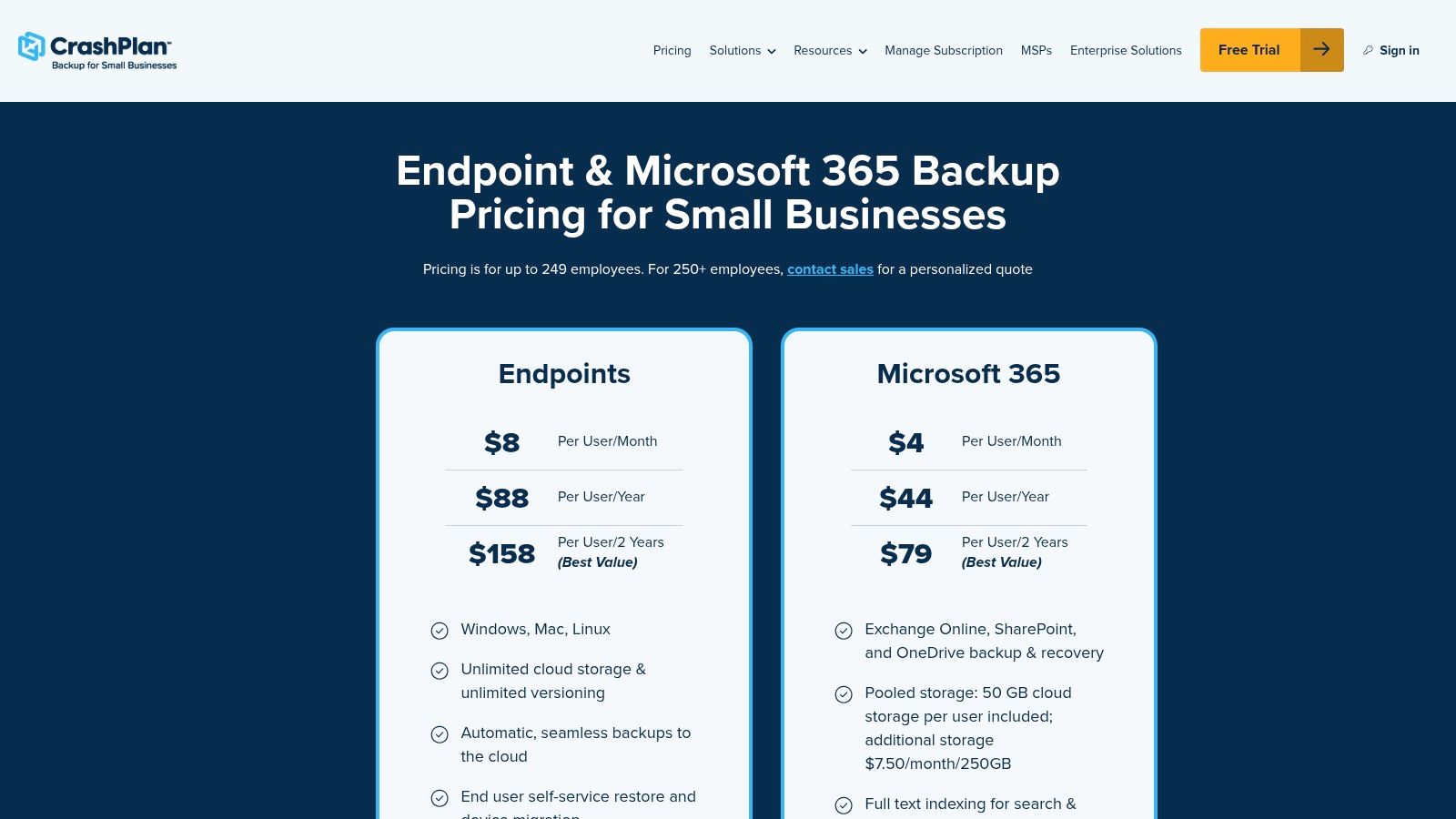
The big attraction is reduced retention planning friction. Unlimited endpoint storage and unlimited version lifetime can simplify conversations that often get messy fast. You're not constantly trimming policies to stay inside narrow limits. That's helpful when a business wants longer rollback windows after accidental deletions, sync mistakes, or ransomware cleanup.
CrashPlan also supports server backup under the same broader product family, and it has a separate Microsoft 365 backup plan. That makes it more versatile than a pure laptop-only tool, even if it's still not my first pick for complex hybrid environments.
Here's the trade-off list in plain English:
- Retention is easy to like: Long version history can reduce stress during recovery.
- Licensing needs cleanup: If you forget to deactivate retired devices, you can keep paying for ghosts.
- M365 is separate thinking: SaaS backup planning doesn't disappear just because endpoint backup is covered.
That last point matters. Backup and disaster recovery aren't the same thing. If you want a simple business-level explanation before you buy anything, Finchum's write-up on business continuity vs. disaster recovery is worth your time.
4. IDrive Business and Team
A lot of Indiana shops sit in the middle. They have a couple of office PCs, maybe a server in a back room, a NAS nobody wants to touch, and one line-of-business app that still matters. For that kind of setup, IDrive Business is usually one of the more practical DIY options.
It covers a wide spread of systems from one vendor: computers, servers, NAS devices, hypervisors, and app-aware backups for workloads like SQL and Exchange. That matters for businesses along the I-65 corridor that have grown in layers and do not want three or four separate backup products just to protect what they already own.
Where IDrive makes sense
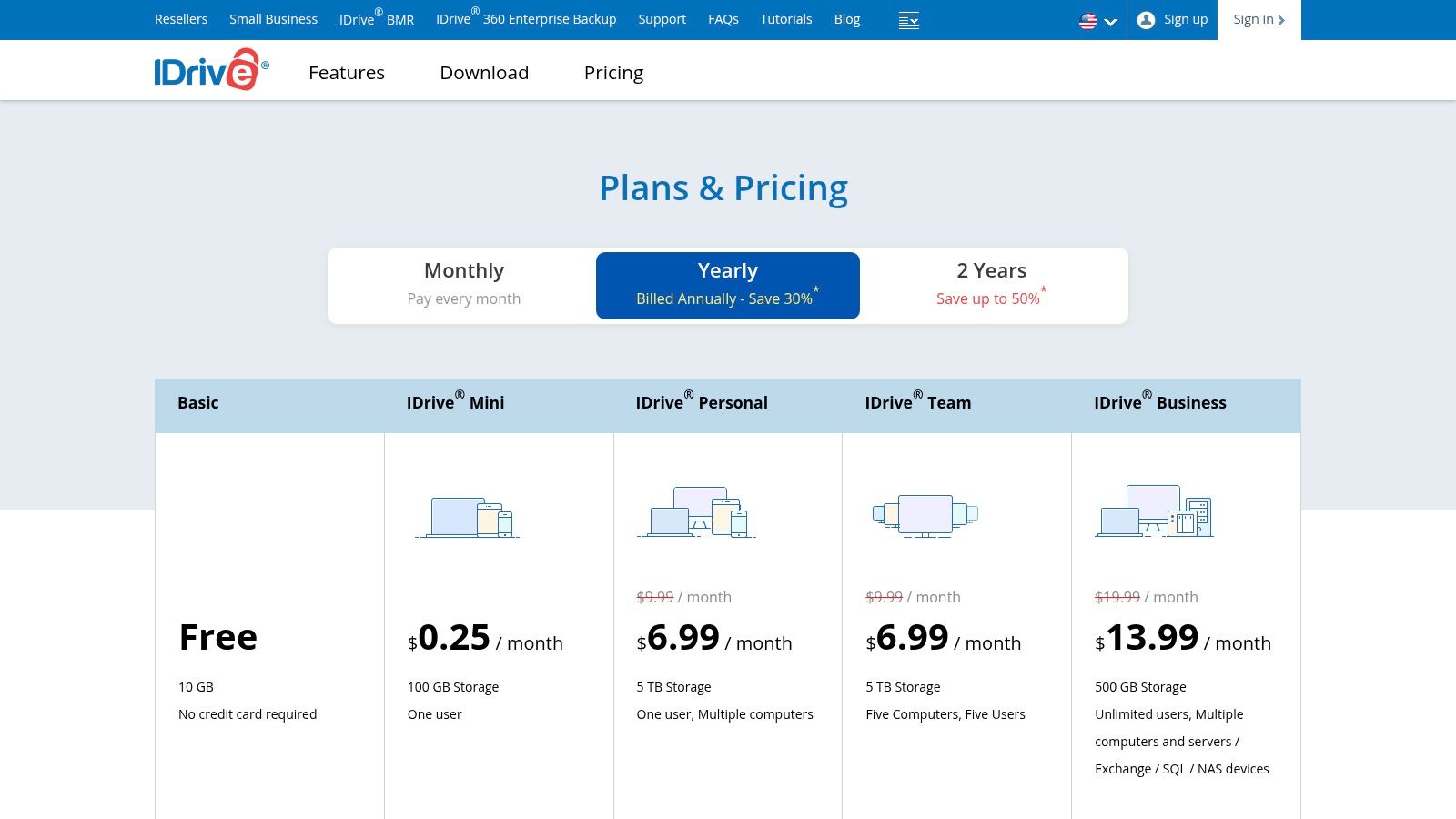
One useful point in IDrive's favor is backup flexibility. It supports continuous data protection for some workloads and scheduled backups for others, which Zmanda's comparison of remote backup options for small businesses also highlights. In plain English, that gives you more control over how much recent data you could lose after a failure.
That trade-off matters more than the feature grid suggests. If someone in Greenwood updates accounting records in the afternoon and a machine quits before the nightly job runs, backup timing becomes a business problem, not an IT problem.
IDrive also appeals to cost-conscious teams because it can cover a mixed environment without forcing a tool change the minute the business adds another server or device. The platform has a lot going for it. The catch is setup. Compared with simpler products on this list, IDrive asks for more decisions up front, and the interface is not the friendliest for a busy owner or office manager handling backup on the side.
Here's the short version:
- Good fit for mixed environments: PCs, servers, NAS, and some virtual workloads can live under one roof.
- Stronger value when your stack is uneven: It works well for businesses that grew piece by piece instead of from a clean plan.
- More hands-on to configure: Policy setup, monitoring, and restore testing take real attention.
That last part is where DIY starts to blur into managed service territory. Buying software is easy. Confirming backups are recoverable, checking alerts, and having a response plan after an attack is the harder part. If ransomware is part of your risk picture, this guide on how SMBs can recover from a ransomware attack is worth reading before you trust any backup platform on price alone.
If your concern is less "backup software" and more "what happens when the drive dies," this local guide to failed hard drive data recovery for Indiana businesses pairs well with IDrive planning.
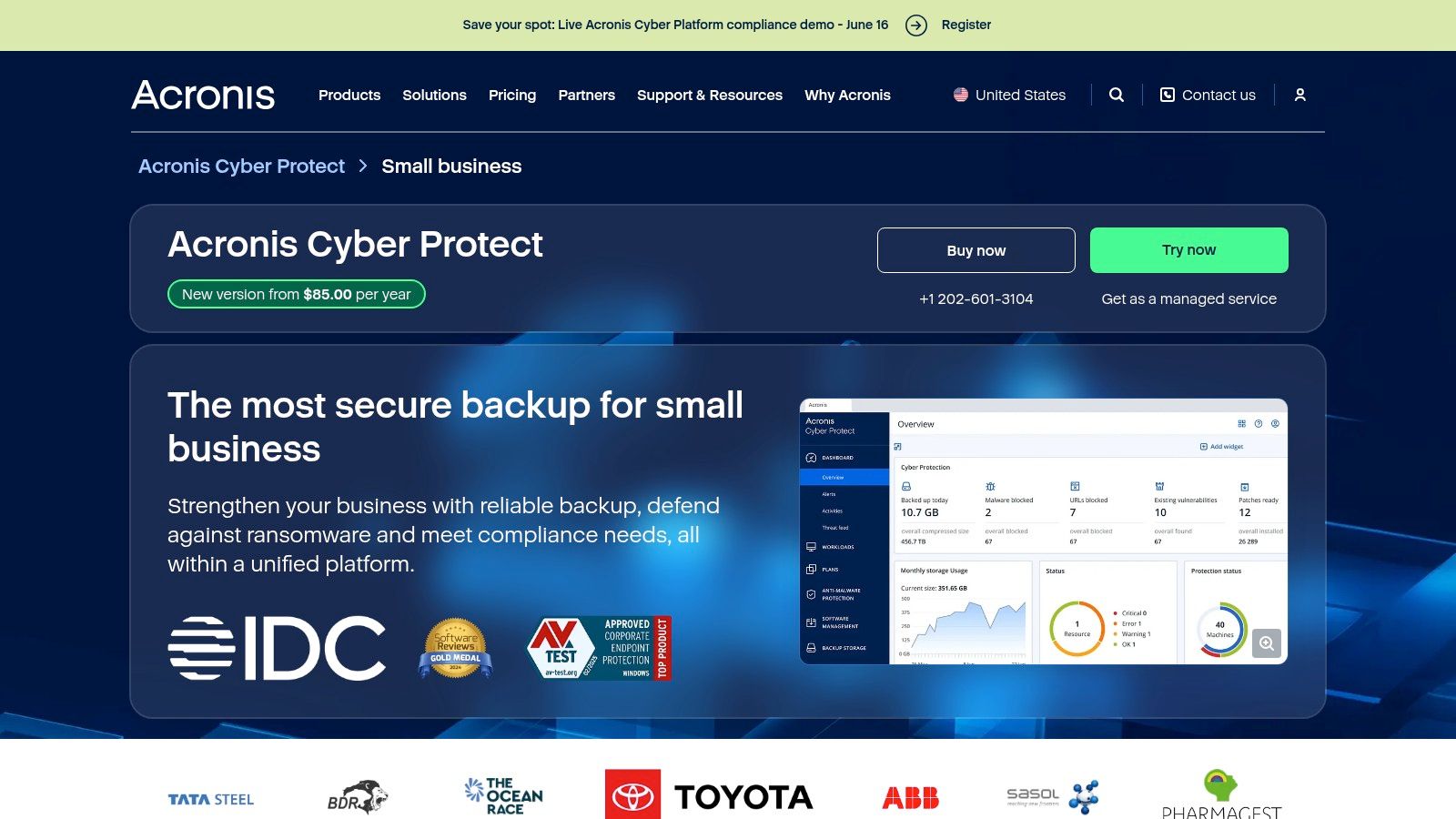
5. Acronis Cyber Protect for Small Business
Some businesses don't want a backup tool and a security tool. They want one platform that covers both. That's where Acronis Cyber Protect for Small Business makes its case.
Acronis combines backup and recovery with built-in cyber protection features, including ransomware protection, exploit prevention, URL filtering, vulnerability assessment, patching, and backup immutability. For the right company, that cuts vendor sprawl fast.
Who should look at Acronis
This works well for SMBs that need one policy-driven console covering endpoints, servers, VMs, and SaaS apps like Microsoft 365 and Google Workspace. If you're trying to tighten operations and stop stitching together five different products, Acronis can bring order to the mess.
It's also a better conversation for regulated businesses than many low-cost endpoint tools. If you're running a medical office, legal practice, or manufacturer with security pressure from clients and insurers, unified backup and cyber controls are easier to defend than a stack of disconnected apps.
The downside is exactly what you'd expect:
- More features means more to manage: You need someone who understands what's turned on and why.
- Best value comes from full use: If you only want plain backup, it may feel heavy.
- Pricing is less transparent: That can frustrate smaller teams shopping on a tight monthly budget.
If ransomware recovery is part of your buying decision, judge the product by restore workflow, not just malware marketing.
That's where many companies get burned. They bought “protection,” but nobody validated restore order, isolation steps, or rollback options after an attack. This guide on how to recover from a ransomware attack for SMBs is a good reality check before you commit.
6. Carbonite Safe Backup Pro
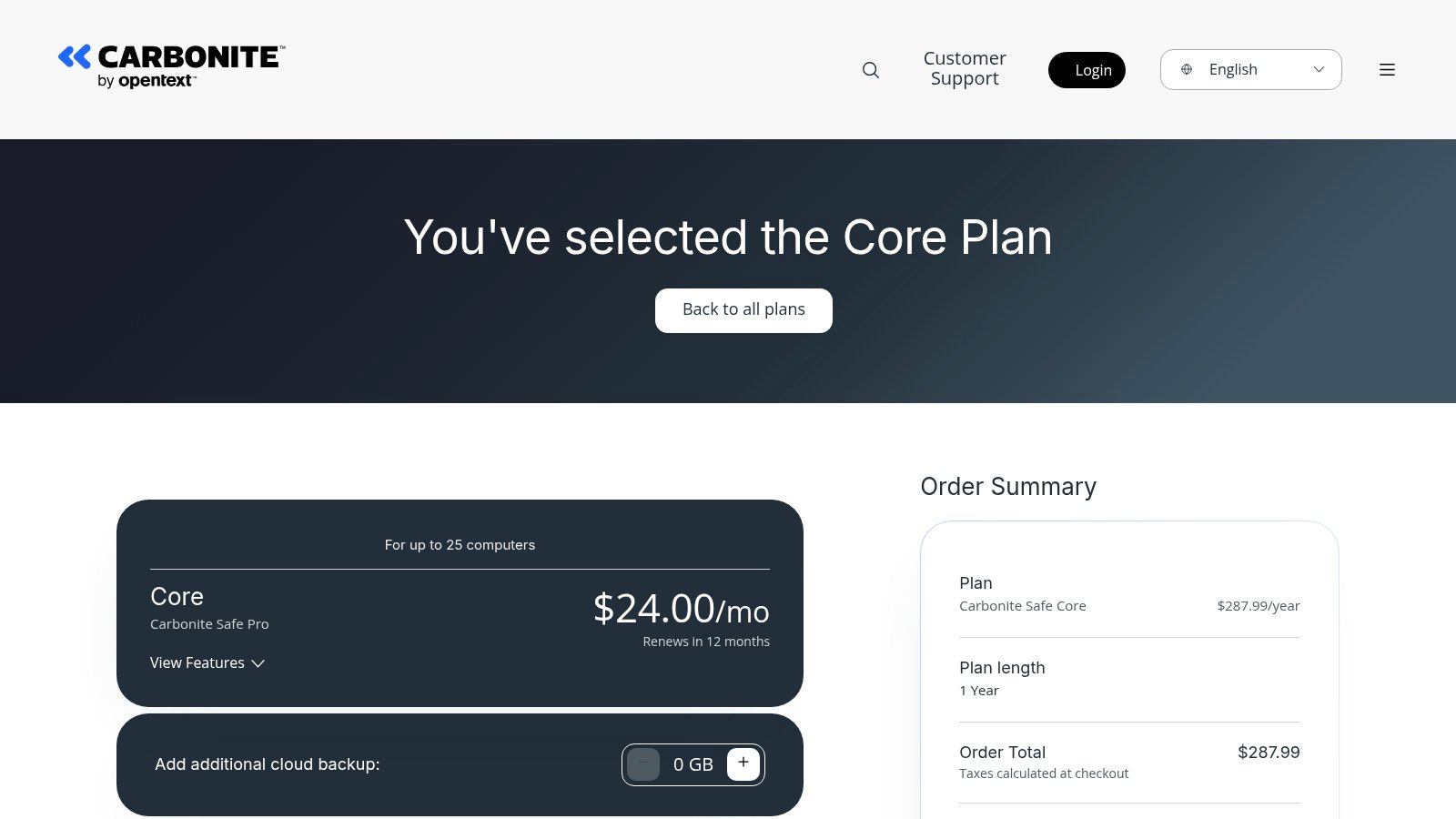
Carbonite Safe Backup Pro feels familiar to a lot of small business owners for a reason. It's been around a long time, and it still appeals to offices that want an all-in-one subscription for employee machines with the option to add server protection.
For a small office in Greenwood with a few workstations, maybe one server, and no appetite for a highly customizable platform, Carbonite can be a comfortable fit.
The good and the annoying
The good part is that Carbonite gives admins centralized policy controls, retention settings, and a straightforward path to expand from workstation backup into server coverage. That makes it easier for a smaller team to standardize backup without diving into a deep engineering project.
The annoying part is quota management. Business plans are capacity-based, so you need to watch growth. That's not unusual, but it does mean the low-friction buying experience up front can turn into planning work later if your file sets grow or you start protecting more systems.
There's also a bigger issue with Carbonite and many similar products. Small business backup content often talks plenty about storage and ease of use but says far less about practical recovery. That gap shows up clearly in Lenovo's small-business cloud backup guide, which explains that cloud backup protects documents, emails, databases, system files, and applications, but doesn't really help buyers compare real recovery workflow or downtime impact.
That's why I'd treat Carbonite as a decent subscription backup service, not an automatic business continuity answer.
- Comfortable for small offices: Familiar model, manageable controls.
- Good stepping stone: Easier than some advanced platforms.
- Needs restore realism: Don't buy it without testing recovery against your actual downtime tolerance.
7. MSP360 Managed Backup
MSP360 Managed Backup is for businesses that want control. Real control. Not “pick one of three plans” control. I mean choosing your own cloud storage, tuning retention, deciding how workloads map to cost, and building backup around how your environment works.
That flexibility is why MSPs like it, and why some advanced SMBs like it too.
Best for hands-on teams
MSP360 lets you bring your own cloud storage or use integrated storage. It supports endpoints, servers, VMs, and cloud-to-cloud backup, with Object Lock support for immutability and centralized reporting. In the right hands, that's powerful.
It also lines up with a broader market shift. Small business backup has matured into a multi-vendor ecosystem spanning cloud and on-prem options like HYCU, Backblaze, IDrive, Carbonite, CrashPlan, Acronis, Azure Backup, and Amazon S3, as noted in HYCU's SMB backup roundup. That's why the best cloud backup solutions for small business are now judged on encryption, ransomware resilience, restore speed, and compliance support, not just “does it copy files somewhere.”
MSP360 gives you room to optimize around those factors, but it's not turnkey.
- Very flexible: Strong fit for hybrid environments and multiple sites.
- Cost control can be excellent: If someone knows how to architect it.
- Complexity is the tax: Storage choice, licensing, retention, and monitoring all take real planning.
For a busy owner in Johnson County, that's the fork in the road. If you want deep control, MSP360 is attractive. If you want someone else to own the outcome, managed services make more sense. Finchum's page on growing with managed IT services for small business connects the dots well.
MSP360 is a builder's platform. That's praise, not a warning. But if nobody on your side wants to build and maintain it, pick something else.
Top 7 Small Business Cloud Backup Comparison
| Solution | Implementation Complexity 🔄 | Resource Requirements ⚡ | Expected Outcomes 📊 | Ideal Use Cases 💡 | Key Advantages ⭐ |
|---|---|---|---|---|---|
| Finchum Fixes IT – Premier IT Services & Computer Repair (Greenwood, IN) | 🔄🔄 Medium–high: on‑site integration, custom development and policies | ⚡ Moderate–high: local certified staff, 24/7 support, predictable SLAs; higher cost for custom projects | 📊 Enterprise‑grade backups, faster recovery, reduced downtime, tailored automation/apps | Local SMBs needing enterprise capabilities with hands‑on local support | ⭐ Single vendor for repair, security, resilient cloud backups and custom AI/web apps |
| Backblaze Business Computer Backup | 🔄 Low: simple per‑computer deployment; centralized console | ⚡ Low: minimal IT overhead, predictable per‑computer pricing | 📊 Continuous, unlimited endpoint backups with flexible restore options | SMBs needing straightforward, rapidly deployable endpoint protection | ⭐ Simple pricing, unlimited data per device and strong admin tooling |
| CrashPlan for Small Business | 🔄 Low–medium: device‑based licensing and silent continuous backup | ⚡ Low–medium: manage device counts; supports endpoints and servers | 📊 Unlimited storage and versioning for endpoints; long‑term retention for ransomware recovery | SMBs wanting unlimited versions and cross‑platform endpoint protection | ⭐ Unlimited endpoint retention and broad OS support |
| IDrive Business (and Team) | 🔄🔄 Medium–high: multiple agents and workload types to configure | ⚡ Medium: agents for servers/NAS/VMs, optional physical seed service; scalable storage | 📊 Centralized multi‑workload backups (computers, servers, NAS, hypervisors) with scalable capacity | Mixed‑workload SMBs needing unified backup for endpoints, servers and NAS | ⭐ Broad workload coverage and IDrive Express seed for large transfers |
| Acronis Cyber Protect for Small Business | 🔄🔄🔄 High: combined backup + security stack requires policy and AV tuning | ⚡ High: more features to manage and higher quote‑based pricing | 📊 Unified backup and advanced cyber protection with compliance and recovery features | SMBs that require integrated cybersecurity and backup in a single platform | ⭐ Integrated EDR/ransomware protection plus image‑based recovery |
| Carbonite Safe Backup Pro (by OpenText) | 🔄 Low–medium: turnkey endpoint backup, optional server add‑ons | ⚡ Low–medium: quota‑based plans; can add storage blocks as needed | 📊 Centralized endpoint backups with optional server support and policy controls | Small offices seeking an all‑in‑one subscription for workstations (and servers) | ⭐ Clear admin policies and straightforward server add‑on path |
| MSP360 Managed Backup | 🔄🔄 Medium–high: BYO storage configuration and multi‑tenant setup | ⚡ Variable: choice of cloud storage affects cost and planning (AWS/Azure/GCP/Wasabi/B2) | 📊 Cost‑controllable, scalable backups with Object Lock immutability and reporting | MSPs and SMBs needing flexible storage choices and multi‑site management | ⭐ BYO storage flexibility, Object Lock support and centralized multi‑tenant controls |
Choosing Your Path. DIY Tool or a Local IT Partner?
Monday morning in Greenwood. A staff member opens QuickBooks, the shared drive is missing, and the last backup job threw an error over the weekend that nobody noticed. That is the moment this decision stops being about software features and starts being about recovery.
Each tool on this list can fit the right shop. Backblaze is easy to roll out on endpoints. CrashPlan fits businesses that need longer retention. IDrive works well if you have a mix of PCs, servers, and NAS. Acronis adds security controls along with backup. MSP360 gives technical teams more storage and policy control. Carbonite keeps things simple for smaller offices.
The gap is day-two work. Someone still has to watch failed jobs, test restores, confirm off-site copies, document recovery order, and check whether Microsoft 365, Google Workspace, or other SaaS data is covered. If that task lands on the office manager, the controller, or the nephew who is "good with computers," the plan usually looks better on paper than it performs in a real outage.
DIY can be the right call. I recommend it for very small environments with a clear owner, limited compliance pressure, and enough discipline to run restore tests on a schedule. A five-person office in Southport with a few laptops has different needs than a manufacturer off Emerson Avenue with servers, CAD files, remote users, and cyber insurance requirements.
That is the trade-off Indiana owners should weigh. Software cost is only part of backup cost. Time spent fixing alerts, replacing failed jobs, chasing storage issues, and figuring out restore order has a price too. So does downtime.
A local managed partner earns its keep by handling the work that usually gets skipped. That includes policy setup, backup monitoring, restore testing, retention planning, and recovery playbooks that match how the business actually runs. It also gives you one accountable team when a bad patch, ransomware event, or hardware failure hits on a Tuesday afternoon.
I see the same mistake over and over around Indy. Companies buy backup and assume they bought recovery. They bought a tool. Recovery still depends on testing, documentation, priorities, and people who know which systems come back first so payroll, scheduling, billing, and line-of-business apps are not fighting for attention in the middle of a crisis.
If you want an outside perspective on evaluating service partners, VIP TECH CONSULTING's guide is a useful reminder that choosing any strategic vendor comes down to process, clarity, and accountability.
If your business is in Greenwood, Indianapolis, or anywhere along the I-65 corridor, Finchum Fixes IT can review your current backup setup and tell you plainly whether it will hold up in a real outage. Schedule a Free Network Assessment or Security Risk Audit and get a recovery plan that protects revenue, reduces downtime, and gives you a cleaner monthly IT budget.