Best IT Consulting Services for Small Business
A Greenwood owner knows the scene. Staff are waiting. The line-of-business app won’t load. Wi-Fi drops in the back office. Someone says, “We just need a quick fix,” and suddenly half the morning is gone.
That’s how small businesses waste money on tech. Not in one dramatic invoice. In drips. Lost appointments. Delayed quotes. Staff doing reboot rituals instead of paid work. A server that should’ve been replaced two budget cycles ago. A bargain firewall that never got tuned. A copier scan workflow held together with hope.
If you’re shopping for it consulting services for small business, the core question isn’t “Who can fix my computers?” It’s “Who can stop this from happening again and turn technology into something that helps me grow?”
TL;DR
- Broken tech burns billable time: Downtime kills momentum, payroll keeps running, and customers notice.
- Reactive IT is expensive: Proactive managed services help prevent outages instead of billing you after the damage.
- The core stack matters: Managed support, cybersecurity, networking, cloud, backups, and recovery all affect continuity.
- Local context matters: Johnson County buildings, old wiring, compliance needs, and multi-site growth change the right answer.
- Compliance isn’t a side note: HIPAA, CMMC, and NIST CSF need real technical controls, not checkbox talk.
- Predictable pricing wins: Flat monthly support is usually easier to budget than surprise repair bills.
- Vet hard: Ask about SLAs, tools, onboarding, backup testing, and how they handle real emergencies.
The market itself tells you this isn’t fringe spending. The global IT consulting market was projected at $72.36 billion in 2024, with more growth projected ahead, and the U.S. industry was projected to reach $821.2 billion by 2026, while the number of firms was projected to grow to 502,024. Those projections come from this IT consulting market overview. Businesses don’t spend at that scale because tech is trendy. They spend because operations now depend on it.
Stop Wasting Money on Broken Tech
Along the I-65 corridor, the same patterns show up over and over. Aging server hardware in a business park. Dead zones in an older brick office. A front desk PC that “acts weird sometimes” but runs payroll, scheduling, and invoicing. None of that sounds dramatic until it stalls the day.
A lot of owners still see IT as overhead. That’s the mistake. Good consulting is a business continuity decision. It protects revenue, keeps staff working, and cuts the random chaos that wrecks a week.
What waste actually looks like
Tech waste usually isn’t the purchase itself. It’s the side effects.
- Staff time disappears: Employees stop doing the jobs you hired them for and start troubleshooting printers, VPNs, and login problems.
- Projects slow down: Sales quotes, production updates, and accounting tasks pile up behind one broken system.
- Emergency costs stack up: Rush repairs, rushed replacements, and after-hours panic always cost more than planned maintenance.
- Bad systems linger: Businesses keep limping along with old gear because they don’t have a roadmap.
A Greenwood office manager doesn’t need a lecture on digital transformation. They need stable Wi-Fi, fast support, backups that restore, and a budget they can trust.
What working IT consulting looks like
The right consultant starts with bottlenecks, not buzzwords. They ask where staff lose time. They look for single points of failure. They check whether your backups are restorable, whether your firewall rules make sense, whether your switches are choking traffic, and whether your security stack fits the way your people work.
Broken tech is rarely one problem. It’s usually a pile of neglected decisions.
That’s why solid it consulting services for small business feel practical. The work is basic in the best sense of the word. Clean up the network. Standardize endpoints. Fix permissions. Patch systems. Document vendors. Replace fragile gear before it dies. Add monitoring so problems get caught early. Build a backup and recovery plan that survives ransomware, accidental deletion, and hardware failure.
Johnson County business owners don’t need magic. They need fewer interruptions, better response, and a clear plan for the next year instead of another cycle of crossed fingers.
From Break-Fix Headaches to Predictable Growth
Most small businesses start with break-fix because it feels cheaper. Something breaks, you call someone, they patch it, and you move on. That model works right up until it doesn’t. It’s like skipping oil changes and hoping your truck behaves on I-465 at rush hour.

Proactive support flips the incentive. Instead of getting paid when your systems fail, the provider gets paid to keep them stable. That changes everything about how the work is done.
Break-fix is reactive by design
In a break-fix setup, nobody is watching your environment daily unless there’s already a problem. Patches get delayed. Storage alerts get missed. Failing drives sit there making awful noises until the box finally falls over. Documentation is thin. Budgeting is worse.
That can be fine for a single noncritical computer in a tiny office. It’s a bad fit for a business that depends on cloud apps, shared files, remote access, VoIP, security controls, and payment systems.
A business owner usually notices break-fix pain in three ways:
- Unplanned invoices: The monthly spend looks low until a major issue lands.
- Unplanned downtime: Work stops first. Diagnosis starts second.
- Unplanned growth problems: New hires, new locations, and new software expose weak foundations fast.
If your current support relationship mostly begins with “Call us when something breaks,” you’re not getting strategy. You’re buying cleanup.
Managed services change the budget and the outcome
With proactive managed IT, the consultant monitors systems, pushes updates, watches backup jobs, reviews security alerts, and fixes small issues before users ever file a ticket. According to this managed IT benchmark summary, proactive managed services can reach 99.9% uptime, produce 30% to 50% cost savings compared with emergency repairs, and deliver 5x to 10x ROI.
That’s the difference between chaos and an operating model.
For a lot of Indiana businesses, that includes things like:
- Remote monitoring and management: Proactively identifying disk warnings, failed services, and patch issues.
- Helpdesk with defined response expectations: So staff aren’t stuck wondering if anyone saw the ticket.
- Routine maintenance windows: Server updates, firmware work, and security changes happen on purpose.
- Vendor coordination: Someone owns the call with your internet provider, software vendor, or copier company.
- Strategic planning: Replacing hardware on a schedule instead of after a funeral.
When a company still needs one-off repairs, there’s a place for that too. A provider that offers business computer repair support can handle hardware failures and ugly endpoint issues. But repair should support the strategy, not be the whole strategy.
Here’s a quick explainer that gets the point across well:
Practical rule: If your IT bill is low only because no one is maintaining anything, it isn’t low. It’s delayed.
The Building Blocks of a Resilient Business
A Greenwood office loses internet for half a day. The phones start dropping. Staff switch to hotspots. Someone cannot reach the shared drive. Another person is trying to send estimates from a parking lot because the Wi-Fi inside the building has always been unreliable near the front offices. By the end of the day, the owner is not asking about technology. They are asking how many billable hours disappeared.
That is the right question.
A resilient business is built to keep working when one device fails, one vendor drops the ball, or one employee clicks the wrong link. For small businesses in Johnson County, that usually comes down to a few basics done well: support that catches issues early, security controls that fit the business, networking designed for the building you are in, cloud systems set up with clear permissions, backups that restore cleanly, and a little automation where people are wasting time.
Managed IT and support that prevent repeat problems
A support agreement should cover more than tickets. It should include device inventory, patching, monitoring, user support, escalation paths, and documented ownership of the environment. If a company has a firewall, switches, access points, laptops, Microsoft 365, and a line-of-business app, someone needs to know what is there, what is failing, and what has been ignored for six months.
The order matters. Shops that skip straight to buying tools usually stay messy.
In the field, the pattern that works is simple:
- Get a baseline: Inventory devices, warranties, software versions, local admin rights, and backup status.
- Stabilize the weak points: Patch systems, replace aging hardware, remove unnecessary admin access, and document key dependencies.
- Standardize what can be standard: Use one endpoint policy, one backup approach, one onboarding checklist, and one Wi-Fi design standard.
- Improve from there: Add MFA, tighten access by role, automate setup tasks, and plan replacements before hardware failure forces the decision.
That approach gives owners something they usually do not have. Predictable costs. It also cuts the hidden labor drain that comes from recurring tech issues. For a practical breakdown, this guide on managed IT services for small business growth explains how that operating model supports expansion instead of constant cleanup.
Cybersecurity that matches SMB reality
Small businesses do not need security theater. They need controls that reduce the odds of expensive mistakes.
For a dental office in Franklin, that may mean MFA, endpoint protection, email filtering, DNS filtering, backup isolation, and tighter Microsoft 365 access rules. For a contractor with field staff across Johnson and Marion County, it may also mean device compliance policies, remote wipe capability, and role-based access so foremen, office staff, and accounting are not all seeing the same data.
Identity is part of the perimeter now. If staff can log in from home, on the road, or from a personal phone, account security matters as much as the office firewall.
The expensive failures are usually familiar:
- Broad admin access because removing it feels inconvenient
- Shared folders with years of inherited permissions
- Unmanaged personal devices touching company data
- Security awareness training treated like a once-a-year formality
- Backups connected so closely to production that ransomware can reach both
Layered controls solve more of this than any single product does. Endpoint protection helps catch malicious behavior. MFA blocks a large share of account compromise attempts. Conditional access limits who gets in and from where. Isolated backups reduce the blast radius if something bad gets through.
Networking that fits old buildings, busy offices, and real traffic
A lot of Southside and Greenwood-area buildings were never designed for modern wireless use. Thick brick, patched-on additions, metal shelving, long hallways, and poor cable runs create dead spots that no cheap access point will fix.
I see this often in mixed office and warehouse spaces. The owner thinks they have an internet problem because calls cut out and tablets keep dropping. The issue is usually poor access point placement, a flat network, neglected switching, or a mesh setup doing too much work.
For many SMBs, UniFi networking is a practical fit because centralized management makes it easier to maintain multiple access points, segment traffic, and troubleshoot performance without guessing. The value is not the brand name. The value is being able to give front desk staff stable voice calls, keep guest traffic off internal systems, and let warehouse devices stay connected while moving through the building.
A sound wireless design usually includes:
- Placement based on coverage and density: Access points go where users and interference patterns justify them.
- Segmentation: Guest devices, cameras, VoIP phones, and business systems should not share one flat network.
- Capacity planning: Bottlenecks often sit in old switches or uplinks, not the ISP handoff.
- Tuning for the workload: Voice, cloud apps, scanners, and roaming tablets create different demands.
Spotty Wi-Fi usually points to bad design, not just bad internet.
Cloud systems that reduce friction instead of shifting the mess
Cloud migration pays off when the business knows what is moving, who needs access, how files are backed up, and what has to be restored first after an outage. Without that planning, the cloud just moves confusion to a monthly subscription.
The hard part is rarely the file copy. The hard part is permissions, line-of-business app dependencies, shared mailbox behavior, retention rules, and knowing whether remote staff are using the approved system or creating their own workarounds.
For Indiana SMBs, the return is usually practical. Fewer server headaches. Better access for remote and multi-site teams. Faster deployment for new users. Cleaner recovery options if a building loses power or hardware fails. That translates into fewer interrupted workdays and less owner time spent chasing avoidable issues.
Cloud mistakes are just as practical. Users lose track of files. Permissions drift. Sensitive data gets overshared. Weekly support calls pile up because no one designed the environment around how the company works.
Data recovery and backup that hold up under pressure
A backup report saying "successful" does not mean the business is safe.
Every company should know what data matters most, how long operations can tolerate being without it, and whether anyone has tested a full restore. Those answers shape the backup plan. A CPA firm in tax season has very different recovery needs from a local retailer with a basic POS setup.
There is also a difference between backup and recovery. Backup is the copy. Recovery is the timing, the process, and proof that the restored data is usable. If a file server fails on a Monday morning, can the business restore the right data fast enough to keep payroll, quoting, scheduling, or patient flow moving?
The worst losses usually come from false confidence. A job ran overnight. Nobody checked the restore. Then a failed RAID set, accidental deletion, or ransomware event exposes the gap all at once.
Immutable off-site backups help. So do regular restore tests and a written recovery plan that names who does what when systems are down.
Software development and automation that save labor
Custom software is not the answer for every business. Sometimes a better process and a few configuration changes solve the issue. Sometimes they do not.
If a Johnson County service company has office staff retyping work orders into two systems every day, that is not a software preference issue. That is a labor cost issue. If a distributor has employees building the same customer status emails by hand all afternoon, that is time that could be billed, scheduled, or used to close more work.
The right automation can be small. A routing form. A simple integration. A mobile workflow tied to dispatch and invoicing. The point is to remove repetitive admin work and reduce mistakes without creating a side project no one can maintain.
That is one of the biggest differences between useful IT consulting and generic advice. The goal is not more technology. The goal is fewer wasted hours, fewer surprise expenses, and systems that support growth in the way Indiana businesses operate day to day.
Navigating HIPAA CMMC and NIST with a Local Partner
Compliance gets treated like paperwork until a business has to prove controls, explain an incident, or pass an audit. Then everyone finds out whether the IT side was real or just optimistic.
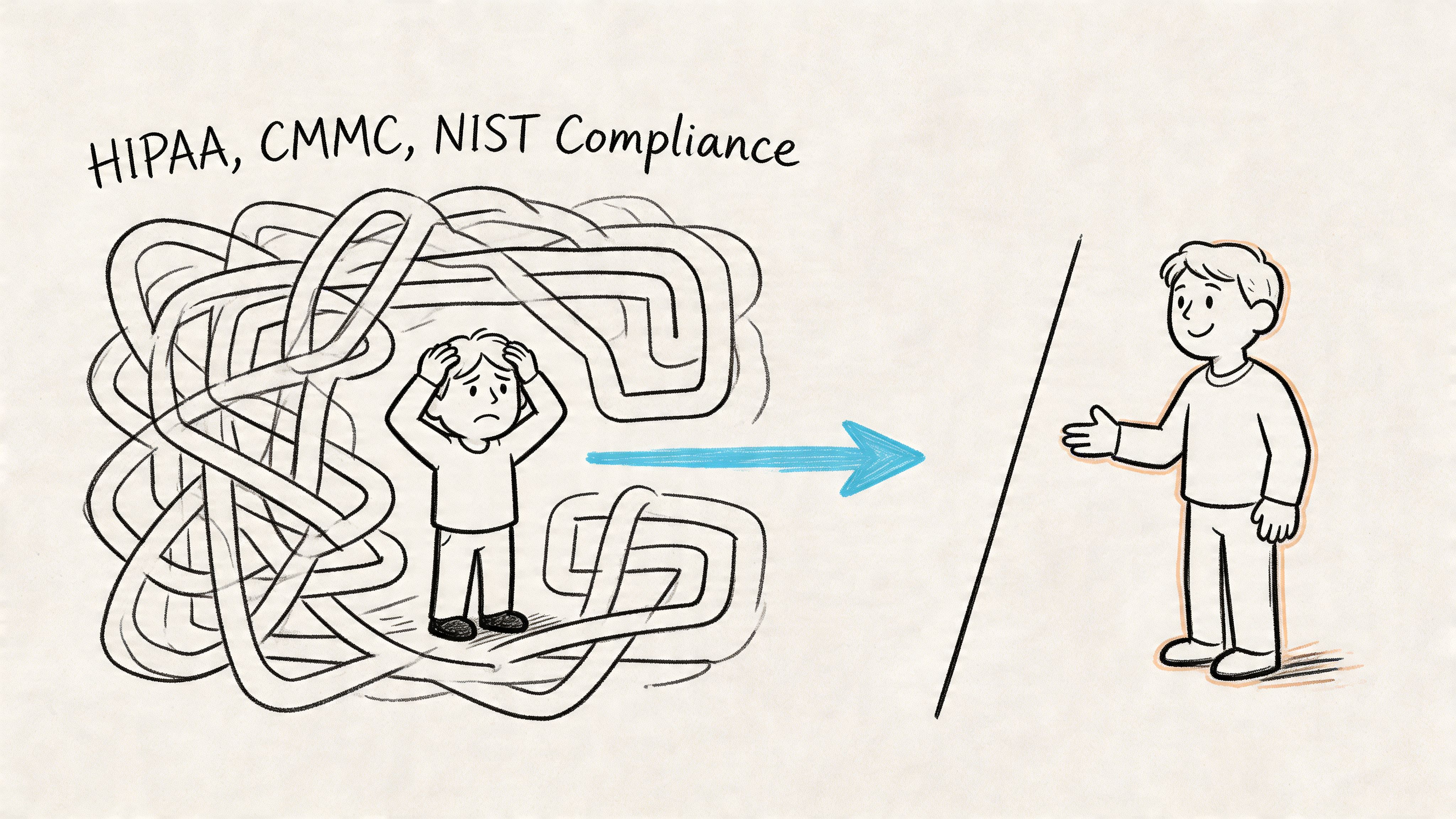
That’s why generic support shops struggle in regulated environments. They may know how to install a router and clean malware. That doesn’t mean they know how to map technical controls to HIPAA, CMMC, or NIST CSF requirements.
Different industries need different roadmaps
A dental practice in the Indy suburbs deals with protected health information, patient communications, access control, device security, and retention concerns. A defense contractor needs to think hard about controlled information, endpoint control, user access, documentation, and readiness expectations tied to CMMC. A manufacturer on the southside may not have a formal audit tomorrow, but using NIST CSF as a security framework can make the business far less fragile.
The problem is that most generic content stops at “we help with compliance.” That’s not enough. According to this compliance-focused IT consulting analysis, 27% of small businesses cite skills gaps as a barrier to digitalization, and industry-specific compliance guidance remains underserved.
A real roadmap usually includes:
- Data mapping: What information you store, where it lives, who touches it, and how it moves
- Access control: MFA, least privilege, role-based permissions, and account review
- Endpoint and server standards: Encryption, patching, logging, EDR, and device inventory
- Audit support: Retention settings, change records, user activity visibility, and policy alignment
- Vendor review: Whether third-party tools and hosting choices fit the regulatory environment
Why local matters
Indiana businesses don’t operate in a vacuum. They have local vendors, old buildings, hybrid work, line-of-business apps with odd requirements, and owners who need plain answers fast. A local partner can walk the site, inspect where systems live, see whether shared workstations are still in use, and explain what must change first.
That’s the practical difference between theory and risk reduction. The provider should be able to say, “This front desk workflow is fine, this shared credential is not, these backups need immutability, and this access model won’t hold up.”
If you want a starting point before talking to any provider, this Indiana business IT security audit checklist helps frame the right questions.
Compliance without technical follow-through is just expensive optimism.
Decoding Pricing Models and Measuring Your Return
Owners usually ask the wrong first question. They ask, “What do you charge?” A better question is, “How does this pricing model behave when something goes wrong?”
That’s because pricing tells you a lot about incentives. If a provider makes more money when your environment is unstable, you should expect more instability than strategy.
IT Consulting Pricing Models Compared
| Model | Best For | Cost Structure | Pros | Cons |
|---|---|---|---|---|
| Hourly break-fix | Very small firms with low complexity and noncritical systems | Pay only when work is performed | Simple to start, no long agreement | Unpredictable bills, reactive service, weak incentive alignment |
| Per-user managed services | Offices with standard user needs, cloud apps, and ongoing support requirements | Monthly fee tied to user count | Predictable budget, easier scaling with headcount, broad support coverage | Scope must be clearly defined |
| Per-device managed services | Environments with many shared machines, kiosks, or device-heavy operations | Monthly fee based on endpoints and infrastructure | Good fit when device count matters more than user count | Can miss user-experience issues if scoped too narrowly |
| Flat-rate managed agreement | Businesses that want a steady operating expense and strategic support | Fixed monthly fee for defined stack and services | Strong budget clarity, consistent maintenance, better planning | Requires careful onboarding and service boundaries |
What return looks like in the real world
The value of consulting usually shows up in avoided waste. Fewer interruptions. Faster onboarding. Cleaner security. Better vendor coordination. Less time spent by managers chasing technology problems they shouldn’t own.
That’s one reason many SMBs move away from trying to staff everything in-house. According to this small business IT consulting overview, consulting provides on-demand expertise that cuts costs compared with in-house staffing, and 43% of cyberattacks target small businesses. Predictable monthly service fees for helpdesk support and proactive monitoring aren’t just convenience. They’re part of continuity planning.
There’s also a planning benefit people underestimate. Once your support cost is mostly monthly and your hardware lifecycle is documented, budgeting gets easier. You stop treating technology like a slot machine.
A smarter way to compare proposals
When comparing providers, don’t only compare totals. Compare assumptions.
Ask:
- What’s included: Helpdesk, patching, backups, vendor support, security stack, after-hours work
- What’s excluded: Projects, cabling, major upgrades, compliance consulting, onsite emergency calls
- What triggers extra charges: New users, new locations, server work, cloud migrations, after-hours maintenance
- What success looks like: Response expectations, reporting, backup testing, security reviews
If your business also has software build plans or app integrations on the roadmap, it helps to understand adjacent pricing logic too. This guide on understanding technology service costs is useful because it shows how scope, complexity, and support assumptions change total spend.
For Indiana-specific budgeting questions, this breakdown of managed IT services cost in Indiana is worth reviewing before you sign anything.
Your Vetting Checklist for Finding an Expert Not a Hobbyist
A lot of business owners have hired “the computer guy” at least once. Maybe it was a referral from a friend. Maybe it was a one-person shop that did decent work on home PCs. Maybe it solved a few problems until the business outgrew that model.
Then a switch fails, backups need restoring, Microsoft 365 gets messy, or a compliance question lands. That’s when the difference between a professional IT operation and a hobbyist gets expensive.
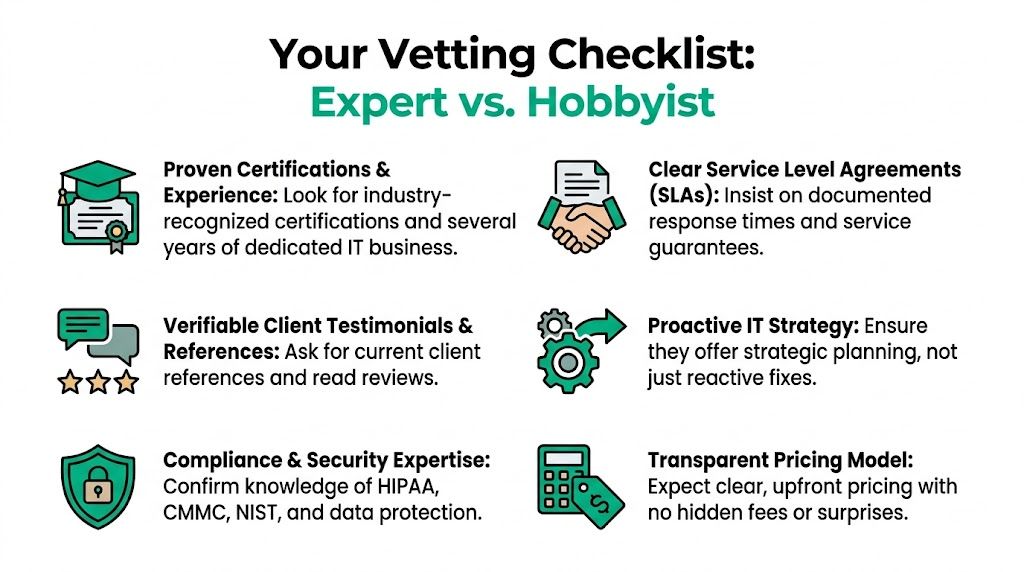
The checklist that filters out the wrong fit
Use this before you sign anything.
- Documented response commitments: Ask for written SLAs. If they can’t define response times, escalation paths, and how urgent tickets are handled, keep looking.
- Recognized certifications: Microsoft, CompTIA, and Cisco certifications don’t guarantee wisdom, but they do show a base level of discipline and technical investment.
- Proactive operating model: Ask what they monitor, how patching is handled, how backup failures are reviewed, and who checks security alerts.
- Compliance fluency: If your industry touches HIPAA, CMMC, or NIST CSF, they should speak clearly about controls, not just policies.
- Transparent pricing: You should know what is included, what is project work, and what creates extra billing.
- Client references you can call: Talk to current clients with a similar size or operating model.
- Local presence and onsite capability: For Johnson County businesses, nearby support still matters when hardware fails or a facility issue affects infrastructure.
Questions that expose weak providers fast
You don’t need to ask trick questions. Ask operational ones.
-
How do you onboard a new client?
Good answers mention discovery, documentation, admin access review, backup validation, endpoint baselining, and risk prioritization. -
How do you verify backups are restorable?
If the answer is vague, that’s a problem. -
What’s your process for securing Microsoft 365?
You want to hear about MFA, conditional access, role separation, logging, and review cadence. -
How do you handle network issues in older buildings?
A real provider will talk about placement, interference, switching, segmentation, and testing. Not “we’ll throw in another router.” -
What happens if a server, NAS, or RAID array starts failing?
Strong answers include triage, imaging strategy, restore decision-making, and whether specialist recovery is needed. -
How do you support growth?
Ask how they handle new hires, second locations, cloud transitions, and standardization.
Ask for process, not promises. Anybody can say “we’re responsive.” Fewer can explain how they prove it.
Red flags people ignore too long
Some warning signs show up before the contract. Others show up in the first month.
Watch for these:
- Everything is tribal knowledge: One person knows all the passwords and setup details.
- No documentation handoff: They resist documenting your environment or sharing it.
- Security is an add-on afterthought: MFA, EDR, and backup hardening are treated like optional accessories.
- No strategic cadence: There’s no review rhythm, no roadmap, no lifecycle planning.
- Every answer is gear-first: They want to sell boxes before they understand workflow.
A proper agreement should also protect you if the relationship changes. This guide to a managed services agreement template is a good gut-check for what your contract should spell out before onboarding starts.
In our 17 years of local service, one thing has stayed consistent. Small businesses rarely fail because they bought the wrong gadget. They get hurt because nobody owned the system as a whole.
Take Control of Your Technology Today
The right IT partner doesn’t just repair what broke this week. They reduce the number of bad weeks. That’s the whole point.
For Indiana SMBs, good consulting means fewer interruptions, cleaner security, steadier operations, and a budget that stops jumping all over the place. It means your office in Greenwood, your warehouse near the interstate, or your second location north of Indy can run on systems that make sense for your current business.
It also means being honest about trade-offs. Not every company needs custom software. Not every workload belongs in the cloud tomorrow morning. Not every aging computer is an emergency. But every business does need a plan for uptime, security, recovery, and growth.
If you like staying sharp on automation, AI workflows, and practical tech strategy, the Thareja.ai blog is another solid resource to keep on your reading list.
The businesses that get the best return from it consulting services for small business usually do one thing differently. They stop buying isolated fixes and start managing technology as an operating system for the company. That’s when wasted tech time turns back into working hours.
If your business is in Greenwood, Indianapolis, or the surrounding southside, Finchum Fixes IT offers a Free Network Assessment and Security Risk Audit to help you identify weak points, reduce downtime risk, and build a more predictable IT plan before the next outage forces the conversation.