What Is the Real Managed IT Services Cost in Indiana?
So, what's the real cost of managed IT services for a business here in Indiana? You can generally expect to budget somewhere between $75 and $250 per person, per month.
The final number really depends on how deep you want the support to go. We're talking about a spectrum from basic system monitoring all the way up to comprehensive cybersecurity and compliance management. The whole point is to turn unpredictable (and often painful) IT expenses into a fixed, strategic investment that boosts your business continuity.
TL;DR Key Takeaways
- Predictable Monthly Budget: Managed IT converts chaotic, reactive tech spending into a fixed monthly cost. This eliminates surprise bills from server failures or cyber incidents, preventing downtime which can cost up to $9,000 per minute.
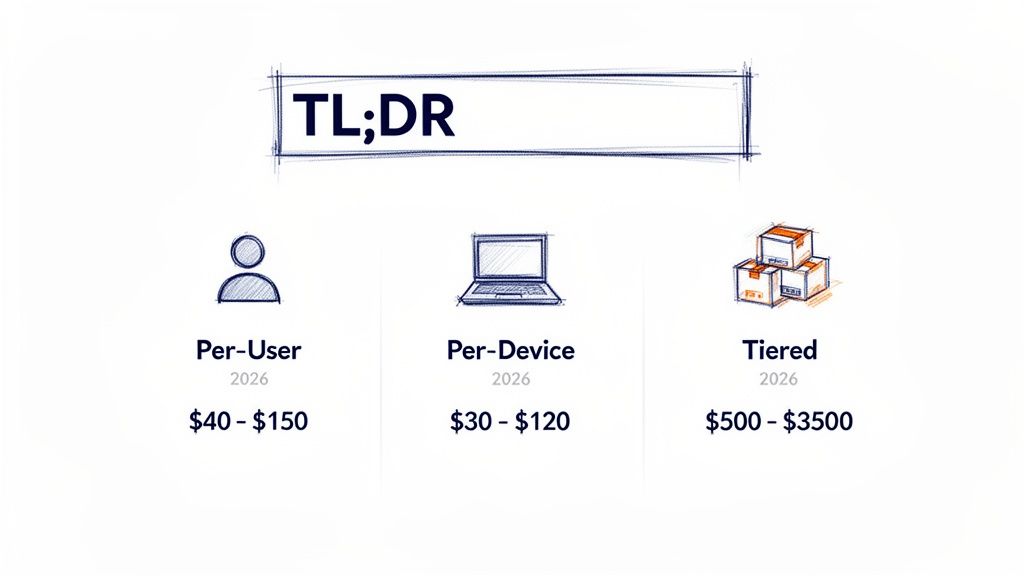
- Common Pricing Models: Most Indiana IT providers use Per-User, Per-Device, or Tiered pricing. Your final cost depends on your team's size, network complexity, and required service level, such as 24/7 support or HIPAA compliance.
- Focus on ROI, Not Just Cost: A great managed service provider (MSP) does more than fix broken tech. They proactively stop downtime, convert "wasted tech time" into billable hours, and provide strategic guidance, turning your IT from a cost center into a growth asset.
- Local Expertise Matters: Working with a local Indianapolis-area team means you get on-site support from people who understand the specific challenges facing businesses from the I-65 corridor to downtown Indy tech hubs.
Breaking Down Your IT Investment
For my fellow business owners here in Johnson County, getting a handle on managed IT costs is the first step in turning your technology from a constant headache into a genuine competitive edge.
It’s all about ditching that old "break-fix" mentality—where you only call for help when something is already on fire (and the bill is always a shocker). Instead, you move to a proactive partnership that keeps your business humming along without a hitch, ensuring business continuity.
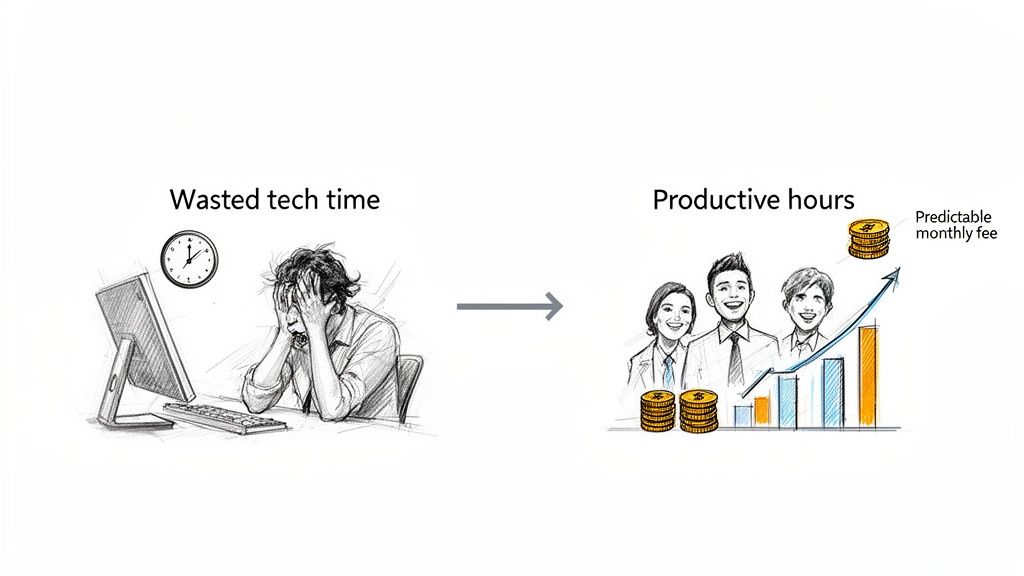
This infographic really nails the core benefits of getting your IT spending in order.
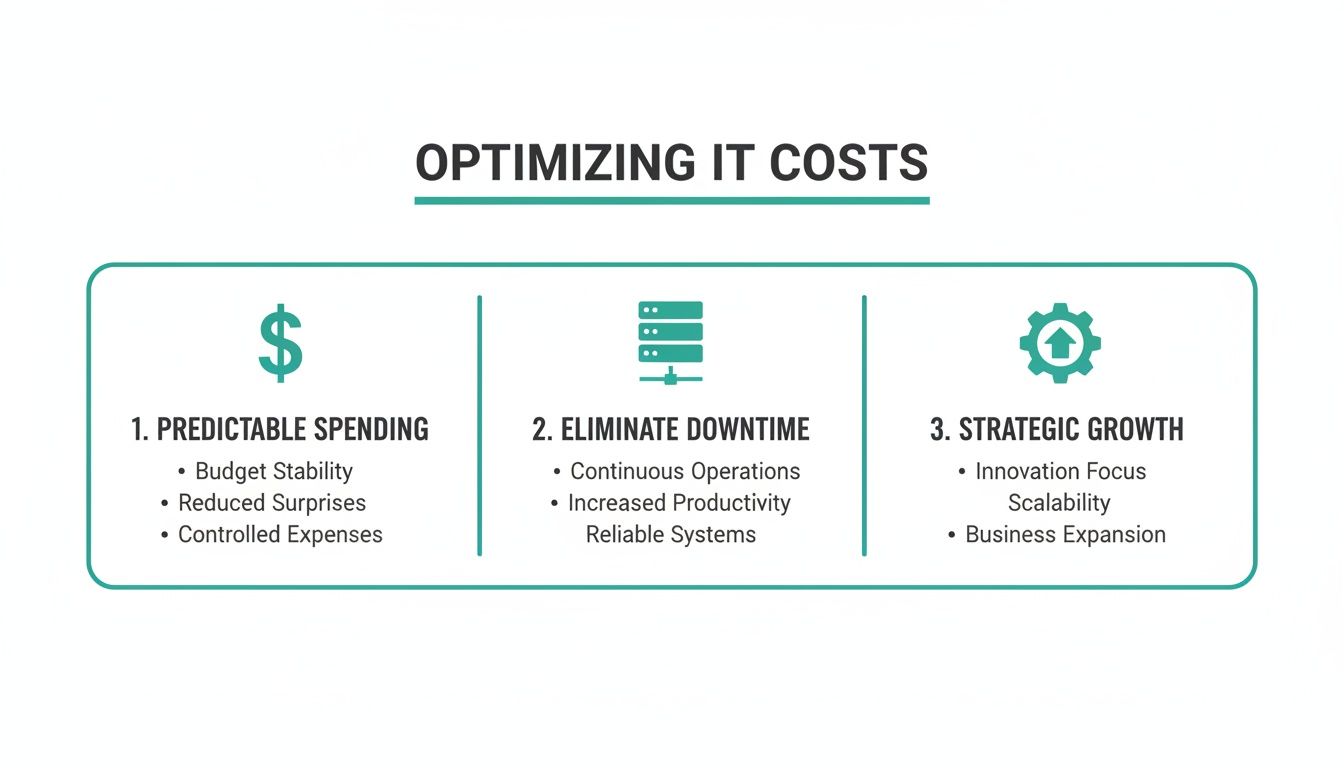
As you can see, a managed approach gives you predictable costs, stomps out disruptive downtime, and actually helps your company grow.
Comparing Common Pricing Models
To figure out a realistic budget, you first need to know the main ways providers package their services. Each pricing model has its own pros and cons, depending on your company's size, your industry, and what you actually need. Some folks love the straightforward simplicity of per-user billing, while a business with tons of shared equipment might find another structure makes more sense.
The goal is to land on a model that feels fair and delivers rock-solid, reliable service. A transparent partner will walk you through the options to make sure you’re only paying for what you truly need.
For example, think about a growing logistics company where every employee has a laptop, a tablet, and a smartphone. A per-user model would probably be a lot more economical for them than a per-device plan. A huge part of figuring this out is taking a good, hard look at your current setup. A great starting point is our ultimate 10-point IT infrastructure audit checklist for 2026.
To give you a clearer picture, I've put together a table comparing the pricing structures you're most likely to see from IT partners in the Indianapolis metro area.
Common Managed IT Pricing Models for Indiana SMBs
| Pricing Model | Average Monthly Cost Per Unit | Best For | What's Typically Included |
|---|---|---|---|
| Per-User | $75 - $250 / user | Businesses where employees use multiple devices (desktop, laptop, mobile). | All support and security for one employee across all their work devices. Simple and scalable. |
| Per-Device | $50 - $150 / device | Companies with shared workstations or more devices than people (e.g., manufacturing, retail). | Support for a specific piece of hardware (server, computer, firewall), no matter who is using it. |
| Tiered | Varies (e.g., $1,500 - $5,000+ / month) | Organizations that need distinct service levels, like basic monitoring vs. full-blown security and compliance. | Pre-packaged "Bronze, Silver, Gold" bundles with increasingly comprehensive services and support. |
The right model is the one that aligns with how your business actually operates. A good partner won't just sell you a package; they'll help you find the perfect fit.
The True Price of an Outdated IT Setup
We’ve seen this story play out dozens of times over our 17 years here in Indiana. A growing manufacturing firm over in a Greenwood business park is constantly at war with its own technology. The server in the back closet whirs like a jet engine, the warehouse Wi-Fi is a joke, and there's that constant, nagging fear in the back of everyone's mind: what happens if this whole system just... dies?
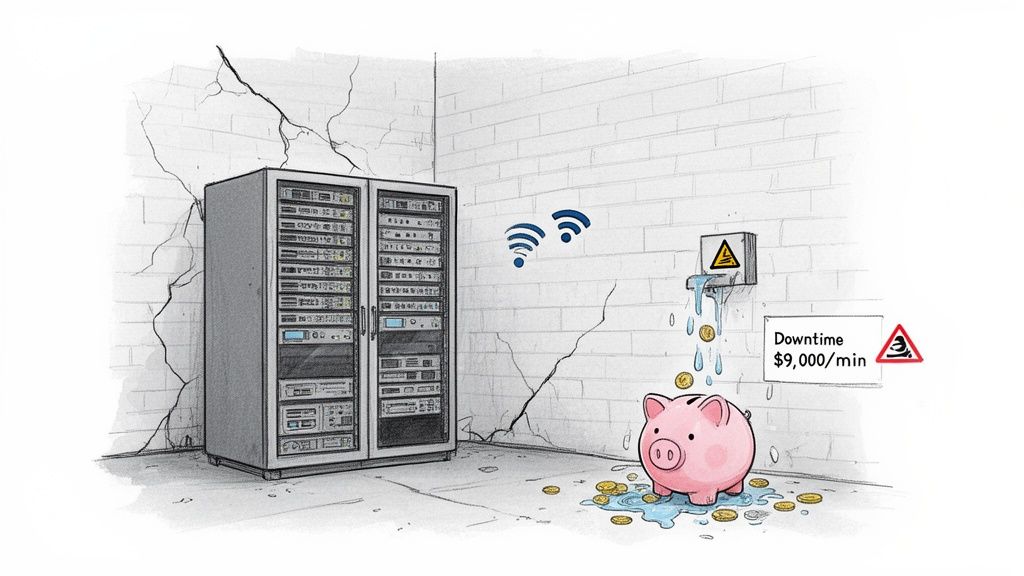
This is a classic scenario we’ve come to call the "Southside Problem"—that slow, silent bleed of money caused by an IT setup that's long past its prime. It's not just a minor hassle; it's a direct shot to your bottom line. Every minute an employee wastes wrestling with a slow network or rebooting a frozen computer is a minute they aren't helping a customer or shipping a product. That "wasted tech time" kills your ROI.
That "do-nothing" approach isn't saving you a dime. It's an unpredictable, ever-growing expense that rears its ugly head in your payroll, in missed opportunities, and in the sheer frustration of your team.
Calculating the Hidden Costs of Inaction
Let’s put some real-world numbers on this. Think about all the "wasted tech time" in your office. If you have 20 employees and each person loses a mere 15 minutes a day to tech headaches—sluggish software, dropped connections, you name it—that’s five hours of lost productivity every single day.
Over a month, that explodes to 100 hours of paid time that produced zero value. If your average loaded employee cost is $50/hour, you are literally throwing away $5,000 every month on bad tech. That's a brand-new truck payment vanishing into thin air, all because of problems that are completely fixable. A managed plan converts those lost hours back into billable work.
And believe me, that daily friction is just the tip of the iceberg. The real financial bombshell is the catastrophic failure that outdated systems are practically begging for.
The staggering financial risk of total downtime can reach $9,000 per minute for a mid-sized business. This isn't just some abstract number; it's the cold, hard cost of lost sales, halted production, and irreversible damage to your company's reputation.
When we talk about the managed it services cost, what we're really talking about is trading these chaotic, potentially business-ending expenses for a predictable, strategic line item in your budget.
The Anatomy of a Tech Catastrophe
So, what does a full-blown tech disaster look like for a local Johnson County business? It often kicks off with an old RAID array in a server that’s way past its warranty. One day, it just gives up the ghost.
Here’s a quick rundown of how the financial damage piles up:
- Immediate Revenue Loss: Your sales team can't take orders. Your production floor goes quiet. Every single minute you're offline is money you'll never get back.
- Data Recovery Chaos: Now the real panic sets in. We've been called in to perform bit-level data recovery on fried arrays, and it's an intense, costly process. For a closer look at what that involves, you can learn more about enterprise data backup solutions that guarantee business uptime in our detailed guide.
- Reputation Damage: Your customers don't care why your server failed. They just know they can't get what they need from you. Winning back that trust is tough, and sometimes, it's impossible.
- Compliance Nightmares: If you're a healthcare provider in Hamilton County dealing with HIPAA or a defense contractor navigating CMMC, data loss isn't just an oops—it's a massive compliance breach that comes with terrifyingly steep penalties.
The real price of an outdated IT setup isn’t what you pay for a new server. It's the compounding cost of inefficiency, risk, and that constant, low-grade anxiety that comes from knowing your business is running on a shaky foundation. This is precisely the chaos a proactive managed services plan is built to eliminate.
What Goes Into Your Monthly IT Bill, Anyway?
Ever get two IT service quotes that seem worlds apart? One provider tells you it’ll be $1,500 a month, but the next one comes in at a cool $5,000. It's a head-scratcher for a lot of Johnson County business owners, but trust me, that price gap isn't just a roll of the dice. Your managed IT services cost is tied directly to a handful of key factors that define what your business actually needs to run smoothly and safely.
Think of it like you're building a house. A simple, two-bedroom ranch isn't going to have the same price tag as a custom multi-story home with a finished basement and a three-car garage. The same logic applies to your IT. The more complex the blueprint, the more it costs to build and maintain.
So, let's pull back the curtain and see exactly what shapes that monthly number.
The final price tag on your managed services plan comes down to a few core variables. We've laid them out here so you can see how each piece of the puzzle affects your budget.
Key Factors That Influence Your Monthly IT Spend
| Cost Driver | Description and Impact on Price | Example Scenario |
|---|---|---|
| People & Devices | This is the foundation. More users and more endpoints (laptops, phones, tablets) mean a larger area to support, secure, and manage. It directly scales the workload. | A 10-person accounting firm has a much smaller support footprint than a 50-employee logistics company with staff in the office and on the road. |
| Network Complexity | A simple, single-office network is straightforward. Add multiple locations, specialized equipment, or a mix of on-site and cloud servers, and the complexity (and cost) rises quickly. | Connecting three warehouses along I-65 requires more advanced (and expensive) networking gear and security than a single office in Greenwood. |
| Service & Support Needs | Do you need help from 9-to-5, or does your business grind to a halt if a server goes down at 2 AM on a Sunday? 24/7/365 support costs more because it requires a team on standby at all hours. | A standard office can get by with business-hour support, while a 24/7 manufacturing plant needs an IT partner who will answer the phone at 3 AM. |
| Security & Compliance | Basic security is one thing. Meeting strict industry rules like HIPAA or CMMC is a whole different ballgame, requiring advanced tools, constant monitoring, and specialized expertise. | A healthcare clinic in Hamilton County needs robust HIPAA controls, while a defense contractor must invest in advanced cyber defense to meet federal CMMC standards. |
As you can see, it's not just about "keeping the computers running." It’s about building a solution that fits your unique operational reality.
H3: People and Devices: The Foundation of Your Cost
The most straightforward factor is simply the size of your team. It’s basic math: more people and more devices create a larger digital footprint that we need to manage, secure, and support.
A small accounting firm with 10 employees in a single Greenwood office has a much lower management burden than a logistics company with 50 employees spread across warehouses along the I-65 corridor. The logistics company has more computers, more mobile devices, and way more potential points of failure that need an expert eye on them.
This count of users and devices usually forms the baseline for your monthly cost.
Network Complexity: Your Digital Blueprint
Beyond just the numbers, the complexity of your network plays a massive role. Are we talking about a simple, one-room office network, or are you running a multi-site operation with specialized hardware that has to stay online?
Here are a few things that can dial up the complexity knob:
- How many locations? Connecting and securing multiple offices means we need to set up more advanced solutions, like VPNs and dedicated firewalls for each spot.
- Servers in the closet or in the cloud? Managing and maintaining physical servers you own is a lot more hands-on (and thus, more expensive) than overseeing infrastructure hosted in the cloud.
- Any special equipment? Maybe you have unique manufacturing machinery, medical imaging devices, or other specific tech that has to talk to your main network. Supporting those adds another layer of expertise and cost.
For instance, getting solid Wi-Fi in an old brick building in downtown Indy is a totally different challenge than in a modern office park. It might require a professionally designed UniFi networking setup with mesh nodes to kill dead zones—a far cry from a standard setup.
A smart IT plan considers this complexity right from the start. It's not just about keeping the lights on; it's about building a rock-solid network that actually helps your business run, instead of creating bottlenecks that cost you money.
Service Levels and Security Demands
This is where you'll see the biggest swings in price. The level of support you need and the security you can't live without are huge factors. A business that clocks out at 5 PM has very different needs than a 24/7 manufacturing plant where even a minute of downtime, day or night, is a financial disaster.
Your service level agreement (SLA) will lock in things like response times and availability, with 24/7/365 support obviously coming at a premium. If you want to get into the nitty-gritty of what a good partnership looks like, take a look at our guide on crucial IT vendor management best practices for Indiana businesses.
On top of that, your industry's security and compliance rules add another critical—and non-negotiable—layer.
- HIPAA Compliance: For our healthcare clients in Hamilton County, we're implementing tough-as-nails security controls, encrypted backups, and detailed access logs to protect patient data. It's not optional.
- CMMC Standards: If you're a defense contractor, you face strict cybersecurity requirements that demand advanced solutions like a Zero Trust architecture, where every single access request is challenged and verified.
- Rock-Solid General Security: Even if you don't have specific mandates, smart businesses invest in robust security like SOC-as-a-Service monitoring and immutable off-site backups to make themselves bulletproof against ransomware.
These advanced security measures aren't just "nice-to-haves"; they are the defenses that protect your revenue and your reputation. They require specialized tools like Bitdefender GravityZone and an unwavering, around-the-clock watch, which is naturally reflected in the cost. Once you understand these drivers, you start to see your monthly bill less as an expense and more as a strategic investment in keeping your business alive and kicking.
Calculating the Real ROI of Proactive IT Management
Thinking about managed IT services cost as just another monthly bill is like looking at an iceberg and only seeing the tip. The real conversation isn't about expense—it's about the return on your investment (ROI). A good IT partner doesn't just put out fires; they stop them from ever starting, protecting your revenue and converting "wasted tech time" into billable hours.
The quickest win? Getting back all that "wasted tech time." Every minute an employee spends wrestling with a sluggish laptop, a spotty Wi-Fi connection, or a buggy app is a minute you're paying for with zero output. Proactive management smooths out those daily tech headaches, letting your team focus on their actual jobs.
This simple shift turns your technology from a frustrating cost center into a powerful business asset that delivers a strong ROI.
From Surprise Bills to Predictable Budgets
One of the biggest financial gut-punches for any Johnson County business is the surprise capital expense. An unexpected server meltdown or the sudden realization you need a new firewall can wreck your budget for the quarter. A managed services plan flips that script completely.
Instead of getting hit with massive, unplanned bills, you get a predictable, fixed monthly fee. That operational expense covers everything from monitoring and maintenance to security updates. This smooths out your cash flow and makes financial planning a whole lot more accurate. To get the most out of this, weaving in solid IT Asset Management best practices is key for true cost control.
Suddenly, you're budgeting for growth, not for disasters.
Protecting Your Revenue Stream with Proactive Security
These days, cybersecurity isn't just about preventing someone from stealing your data; it's about keeping the lights on. A single ransomware attack can bring your entire operation to a screeching halt for days, leading to devastating revenue loss and a black eye for your reputation. The cost of prevention is a drop in the bucket compared to the cost of recovery.
In our 17 years of serving local businesses, we've seen it time and again: proactive security is the ultimate form of business continuity. Preventing a single breach can literally save a company hundreds of thousands of dollars in downtime, fines, and cleanup costs.
Top-tier tools like Bitdefender GravityZone combined with 24/7 SOC-as-a-Service monitoring don't just react to threats—they actively protect your ability to make money. This constant vigilance is a huge part of what a managed services provider brings to the table. You can learn more about how a healthy tech foundation supports this in our guide to IT infrastructure management.
This proactive approach is exactly why the managed services market is exploding. Analysts expect the sector to hit an eye-watering $847.41 billion by 2033, fueled by small and mid-sized businesses looking for an edge. For businesses right here in Indiana, outsourcing IT can trim costs by up to 40% compared to hiring in-house, while serious security monitoring prevents downtime that can cost a mid-sized company up to $9,000 per minute.
Ultimately, calculating the ROI of managed IT means looking way beyond the invoice. It's about measuring the value of uninterrupted work, the productivity boost of an efficient team, and the simple peace of mind that comes from knowing your business is built on a rock-solid, secure foundation. That's not a cost—it's a strategic investment in your future.
Choosing the Right Indianapolis IT Partner
Look, not every IT provider in Indianapolis is playing the same game. When you're looking at managed IT services costs, you're not just buying tech support; you're picking a partner. And that partner will either become a massive strategic advantage or just another bill that makes you grit your teeth.
The difference really boils down to one thing: are you hiring a true technology partner, or just a "geek with a screwdriver"?
Anyone can reboot a server. Seriously. But a real partner has the deep-seated experience to know what to do when things really hit the fan. They’ve been in the trenches, and they have the scars to prove it.
Beyond the Break-Fix Mentality
A low-cost provider seems like a steal... until a real crisis strikes. Their entire model is reactive—they wait for your call when something is already smoking. A strategic partner operates from a completely different playbook. Their goal is to prevent problems before they ever get a chance to disrupt your business. That's where the real value is.
Think of it as the difference between a technician who just slaps a bandage on a symptom and an engineer who diagnoses and cures the underlying disease. In our 17 years of local service, we've learned that proactive care is the only way to deliver genuine business continuity.
When we disassembled a similar client’s failing RAID array, it wasn't a simple "replace the hardware" job. This was a painstaking process of bit-level data recovery to rescue their critical files and get their Johnson County business back online. That’s a level of expertise you don't get from a bargain-bin provider.
That kind of hands-on, high-stakes experience is what separates a genuine IT partner from the rest of the pack. It’s a commitment to safeguarding your entire operation, not just fixing what’s broken today.
The Importance of Technical Competence
When you're vetting potential IT partners, you have to look for proof of their technical chops. Can they explain the "how" behind their solutions, or do they just toss around buzzwords? A competent provider can tell you exactly why they recommend a specific piece of tech for your unique situation.
For example, a lot of the older brick buildings in downtown Indy are notorious for terrible Wi-Fi. A basic provider might suggest scattering a few off-the-shelf extenders around, which just creates a messy, unreliable network.
An expert, on the other hand, understands the root of the problem is signal degradation through dense materials. They’d design a real solution, like using latency-optimized UniFi mesh nodes to create a blanket of seamless, high-speed coverage that just works. It’s about applying the right tool for the job, backed by deep engineering knowledge.
This same principle applies to security. A real partner won’t just install antivirus and call it a day. They’ll talk to you about implementing a Zero Trust architecture and explain how it hardens your defenses against modern threats, especially if you have to meet compliance standards like HIPAA or NIST CSF. They prove their value by demonstrating a mastery of the underlying technology. For business leaders weighing their options, understanding the differences between service models is critical. When making crucial decisions about IT support models, exploring a comprehensive guide on managed services vs. staff augmentation can help determine the best fit for your organization and its budget.
Local Presence and Fortune 500 Strategy
Choosing a local Indianapolis partner gives you the absolute best of both worlds. You get the high-level, strategic thinking you’d expect from a major enterprise consultant, but with the responsive, on-the-ground support that only a local team can provide.
When your network goes down, you don't want to be stuck in a support queue with a faceless company halfway across the country.
You want a partner who knows the I-65 corridor, gets the growth happening up in Hamilton County, and can be on-site at your Greenwood office in a flash if needed. They get the specific challenges and opportunities facing businesses right here in Central Indiana.
This combination of world-class strategy and hometown service ensures your technology doesn't just work—it actively drives your business forward. Don’t settle for a provider who just keeps the lights on. Find a partner who will help you build a brighter future.
The first step is understanding exactly where your technology stands today. We invite businesses in the Greenwood and Indianapolis area to discover the difference for themselves.
Your technology should be your secret weapon, not a constant headache. At Finchum Fixes IT, we bring Fortune 500-level expertise and combine it with the responsive, hands-on support that Greenwood and Indianapolis businesses need to thrive.
Stop letting tech issues run your day. Take the first step toward a more productive, secure, and frustration-free business.
Schedule your free, no-obligation Security Risk Audit today and let us show you what a real IT partnership feels like.