Business Continuity and Disaster Recovery Plan Guide
A business continuity and disaster recovery plan is a tested operating capability, not a binder on a shelf. It identifies critical processes, assigns recovery owners, defines RTO and RPO targets, protects usable backups, and gives staff a failover and failback sequence they can follow during a flood, ransomware attack, cloud outage, or hardware failure.
A common Southside failure starts with aging server hardware in a Greenwood business park or unreliable Wi-Fi in an old brick building near the I-65 corridor. The managed approach is straightforward: inventory dependencies, replace single points of failure, segment the network, protect identities and backups, and rehearse recovery until the response becomes routine instead of improvised.
When the Server Room Floods at 2 AM
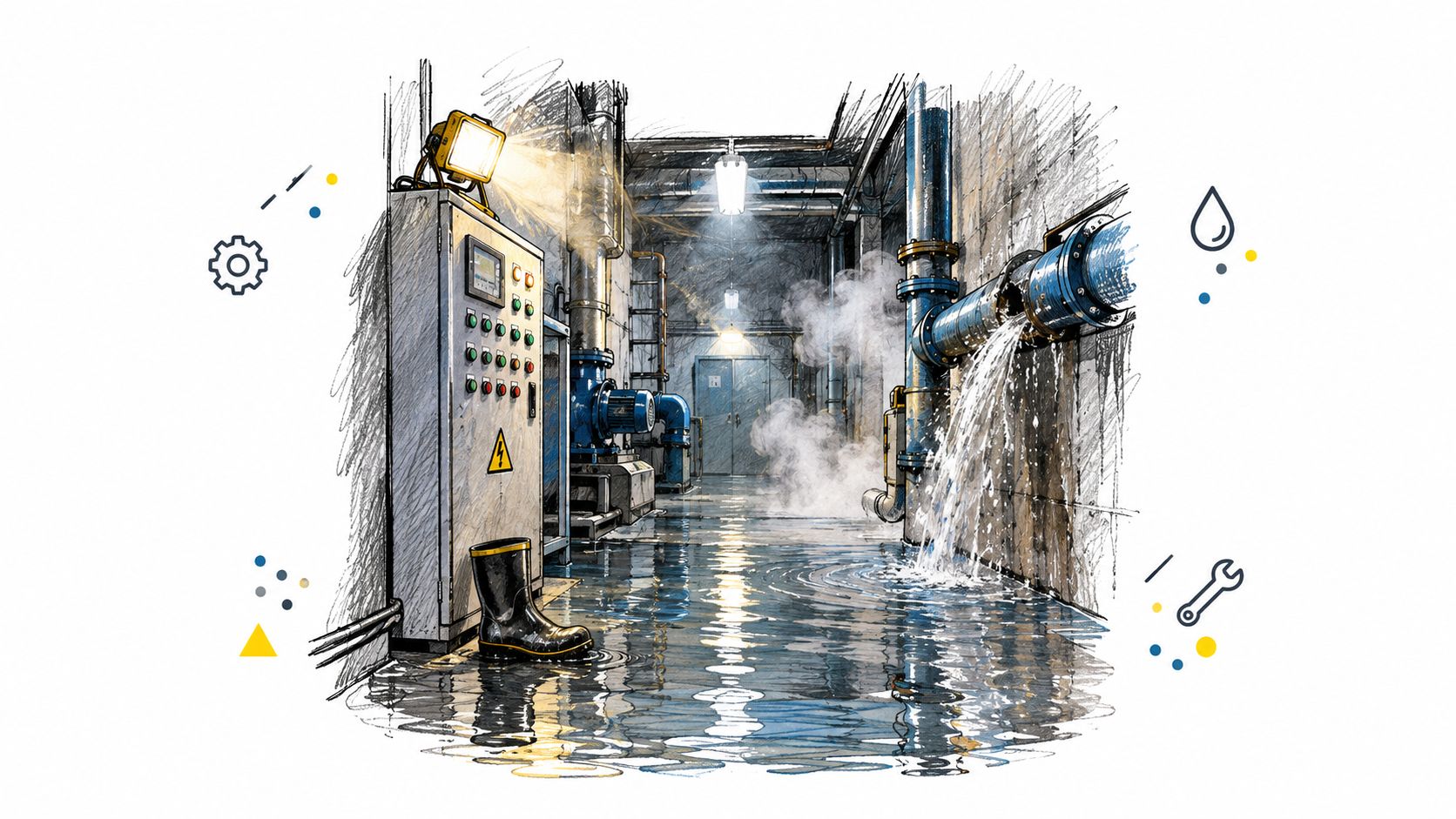
At 2 AM, a water line broke above a Greenwood manufacturer's machine room. The on-call manager didn't see the problem immediately. By the time someone noticed, water had reached ankle height around the electrical equipment, the server rack was unsafe to approach, and the business had no clean place to start.
The company had backups. It also had a support contract. What it didn't have was a printed call tree, a labeled failover procedure, or pre-approved authority to spend money on temporary cloud capacity. The manager spent the first hours finding contact details, confirming which systems mattered, and trying to work out whether the latest backup could restore the company's ERP.
The manufacturer invoiced customers again after three days. Those were not three days of ordinary IT inconvenience. Sales couldn't confirm orders, production staff lacked dependable access to scheduling data, and finance had to reconstruct information from email and paper records. The organization eventually recovered, but the gap between having a backup and being able to operate from a backup was expensive.
A practical runbook would have changed the sequence. It would have told the manager to evacuate the room, contact facilities and insurance, activate the incident lead, confirm the alternate environment, and authorize a controlled recovery. It would have listed the recovery order, tested credentials, vendor numbers, and staff notification process. The target would have been a controlled return to essential operations in hours rather than a long period of technical guesswork.
A practical emergency IT support guide for Indiana businesses can help owners think through escalation, but protection comes from documenting procedures specific to the business. A podcast producer facing a similar dependency problem may also find this runbook for podcast producers useful because the underlying principle is the same, identify the systems, people, and vendors required to keep working.
The following video provides another way to think about continuity as an operational process rather than a document.
The pressure is financial as soon as systems stop. Every business should calculate its own lost sales, idle payroll, missed production, customer penalties, and compliance exposure per hour. A recovery plan earns its keep by reducing uncertainty, shortening downtime, and turning emergency labor into scheduled maintenance and predictable monthly IT spending.
Why “We Have Backups” Is Not a Recovery Plan
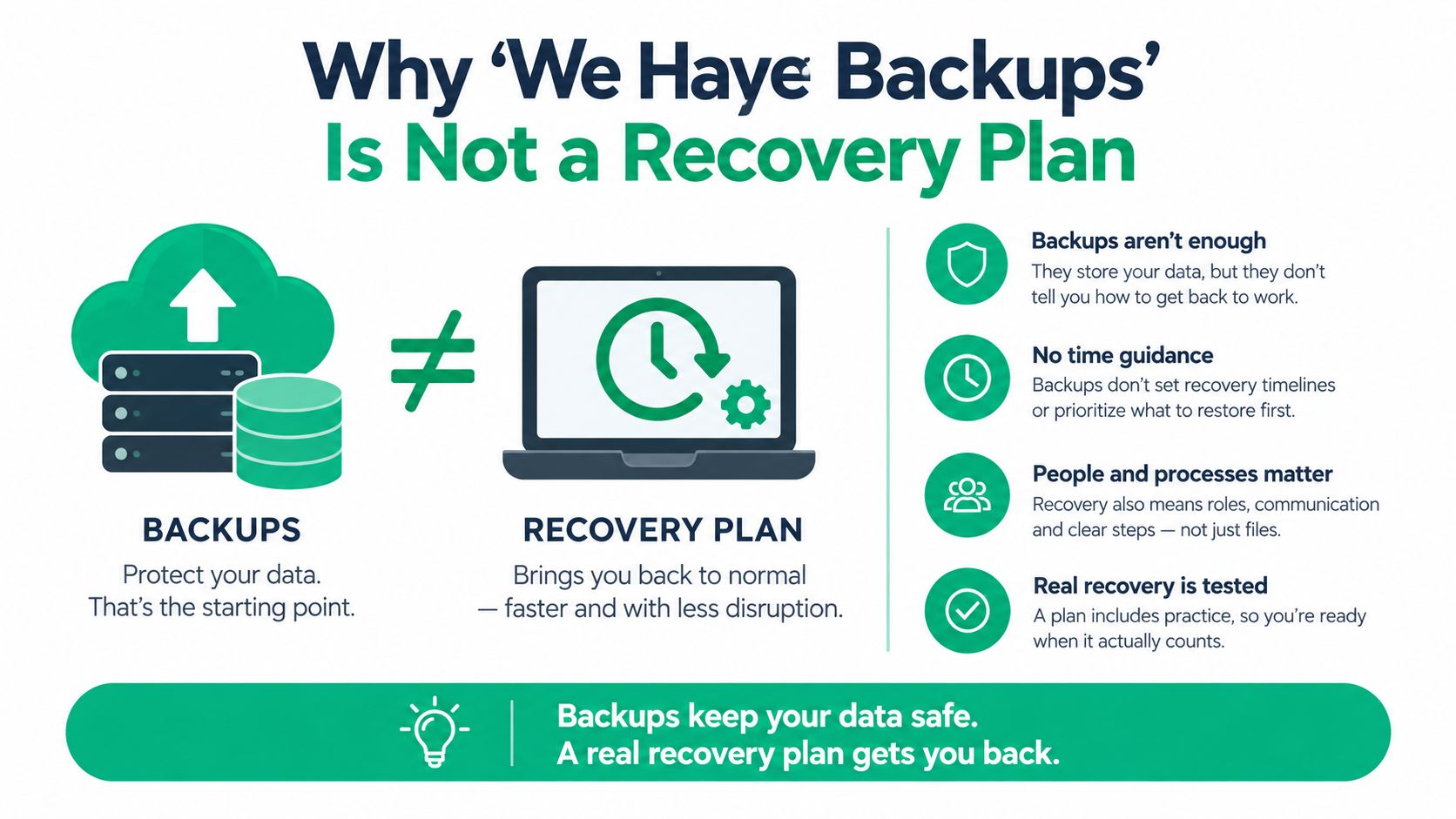
A backup is a stored copy. Recovery is a verified business outcome.
That distinction matters for Indiana SMBs because a file sitting on a NAS doesn't prove that the accounting application can open it, that permissions survived, or that the staff member who owns the process knows what to do next. A successful backup job can still leave an organization without usable identity services, application dependencies, encryption keys, licenses, or a clean restoration environment.
FEMA's continuity guidance reports that more than 60% of U.S. small businesses lacked a formal emergency-response plan and did not back up data off-site. The same FEMA continuity-planning document cites historical estimates that approximately 25% of businesses don't reopen after a natural disaster, 43% don't reopen after catastrophic data loss, and 70% of small firms experiencing a major data loss go out of business within one year. It also reports that 80% of organizations unable to recover within one month are likely to fail.
Those figures don't mean every outage produces the same result. They do show why a business continuity and disaster recovery plan has to cover more than backup software. It must address critical processes, recovery responsibilities, alternate work arrangements, communications, restoration priorities, and measurable recovery objectives.
The lifecycle behind a usable plan
NIST describes a seven-step contingency-planning lifecycle:
- Establish policy and governance. Name the owner, approve priorities, and define decision authority.
- Conduct a business impact analysis. Identify critical processes and quantify acceptable downtime and data loss.
- Identify preventive controls. Address weak authentication, unsupported systems, inadequate power protection, and exposed backups.
- Select recovery strategies. Choose alternate platforms, backup media, cloud services, replacement hardware, and work locations.
- Document the contingency plan. Write imperative, executable instructions.
- Test, train, and exercise. Prove that people and systems can perform under realistic conditions.
- Maintain the plan. Update it after changes, incidents, acquisitions, migrations, and staff turnover.
The NIST contingency planning guide defines maximum tolerable downtime, recovery time objective, and recovery point objective as business decisions that must drive architecture and budget. That is the difference between a checkbox on an MSP report and a recovery capability that can protect a machine shop, medical office, distributor, or professional services firm.
Running a Business Impact Analysis That Stands Up
Start with business work, not hardware. Ask department leads what they must access to accept an order, serve a patient, ship a product, collect payment, meet a contractual obligation, or communicate with customers.
Create one inventory that includes point-of-sale systems, accounting, line-of-business applications, email, voice, file shares, identity, internet access, payment systems, cloud services, and vendor portals. For each process, record the owner, dependencies, data location, manual workaround, compliance impact, and the person who can approve recovery decisions.
Rank the work before ranking the technology
The maximum tolerable downtime, or MTD, is the longest period the business can tolerate before the process creates unacceptable financial, legal, safety, or customer damage. The recovery time objective, or RTO, is the maximum acceptable time to restore the service. The recovery point objective, or RPO, defines how old the recovered data may be.
A restaurant's POS system may need an RTO of under one hour and an RPO of under fifteen minutes because orders and payments arrive continuously. An HR archive may tolerate a longer restoration window and a larger data interval, provided payroll, legal records, and employee access remain protected. Those targets aren't technical preferences. They determine whether the company needs replication, frequent backups, pre-staged systems, alternate connectivity, or a simpler restore process.
| System | MTD | RTO Target | RPO Target | Recovery Priority |
|---|---|---|---|---|
| POS and payment processing | Very short | Under one hour | Under fifteen minutes | Critical |
| Accounting and invoicing | Same business day | Same business day | Within the working day | High |
| Line-of-business ERP | Short operational window | Within several hours | Within the approved business interval | Critical |
| Email and collaboration | Short operational window | Within several hours | Recent recoverable copy | High |
| HR archive | Extended window | Within 24 hours | Within 24 hours | Standard |
The numbers in this table are planning examples, not universal settings. A distributor along the I-65 corridor may prioritize warehouse scanning over email. A healthcare practice must consider HIPAA obligations. A defense supplier may need to align controls and evidence with CMMC requirements. A general business can use NIST CSF as its security organizing model, but the owner still has to decide what an outage means in operating terms.
Build the one-page BIA
Use a working session with the owner, finance lead, operations lead, and technical contact. For each process, write:
- Process owner: Name the person accountable for business validation.
- Required systems: List applications, identity, network, vendors, and devices.
- MTD: State when the process becomes unacceptable to leave offline.
- RTO and RPO: Set recovery limits that match actual operating needs.
- Workaround: Describe how staff can operate temporarily.
- Recovery evidence: Define what proves the process works again.
Data disposal belongs in the same conversation. When a failed server, drive, or laptop leaves the building, document secure handling and destruction requirements. These best practices for data security in IT asset disposition are useful when old storage could contain customer, employee, medical, or contract data.
A business impact analysis template for Indiana businesses can provide the starting structure, but the finished page must reflect how the company makes money. The completed BIA becomes the source for recovery runbooks, backup priorities, vendor contracts, and budget decisions.
Writing the Runbook Your Staff Will Actually Use
Policy explains intent. A runbook tells a tired night-shift lead exactly what to do.
The runbook should translate the NIST lifecycle into actions that work during a flood, ransomware event, failed server, or extended utility problem. Assign one primary and one backup for every recovery role. Print a communication tree with current mobile numbers and carrier-grade SMS procedures for failover. Document the alternate work site, cloud access path, vendor escalation process, and authority for emergency spending.
Write instructions as commands
Use verbs first:
- Declare the incident and record the start time.
- Isolate affected equipment and disable suspected compromised accounts.
- Confirm staff safety, facility access, insurance notification, and incident ownership.
- Restore identity services from the approved clean source.
- Validate authentication, permissions, time synchronization, and administrative access.
- Bring up VPN and secure remote access.
- Recover the ERP and its database dependencies.
- Restore email, file access, voice, and lower-priority applications.
- Test one complete business workflow with the process owner.
- Record results, unresolved issues, and the next review time.
For the Greenwood manufacturer with the flooded machine room, the sequence might be domain controller, VPN, ERP, email, and line-of-business systems. That order matters. Restoring the ERP before identity, database services, or network access creates the appearance of progress without usable operations.
Reference golden images by hostname and operating system version, such as Windows Server 2022 for a domain controller or a documented Linux image for a recovery appliance. Include commands and diagnostic checks where staff can run them safely. For example, a Windows administrator might use Get-WinEvent -LogName System -MaxEvents 50 to review recent system failures, Get-Service to check required services, and Test-NetConnection with an approved hostname to verify reachability. Commands should sit beside expected results and escalation criteria, not appear as unexplained technical decoration.
Practical rule: If a person needs to interpret a paragraph during an outage, rewrite it as a short command, a validation check, or a decision point.
Store the runbook in three forms. Keep printed copies in a waterproof binder away from the server room. Keep a read-only PDF in an out-of-band cloud account that doesn't depend on the production domain. Keep a controlled working copy with revision history, an owner, and a change log.
A business continuity and disaster recovery plan template for Indiana businesses can help organize owners, vendors, decision points, recovery order, and identity recovery. The document still needs a local test. A runbook that has never been followed is an assumption, not an asset.
Backups, Immutability, and the Ransomware Test
Backup design should start with the attacker's path, not the storage brochure. A local NAS may restore a deleted file quickly, but it can also be encrypted if it uses the same administrative credentials or remains mounted during a ransomware event. Off-site storage improves survivability, but it still needs access control, retention protection, and restore validation.
For many Indianapolis SMB environments, a practical design has three layers:
- On-site snapshots: Use them for fast recovery from accidental deletion, failed updates, or a damaged file.
- Immutable off-site backups: Use Object Lock, WORM protection, or an equivalent control so an attacker can't alter or delete the protected copy through ordinary administrative access.
- Offline or air-gapped copies: Maintain a periodically disconnected copy for a worst-case recovery path.
CISA recommends offline, encrypted backups and regular testing of their availability and integrity. Its ransomware guidance also discusses immutable storage and deployable golden images, while warning that immutability requires careful configuration and can introduce storage costs or regulatory considerations.
Compare the recovery choices
| Strategy | Ransomware Resistance | Typical RTO | What to Verify |
|---|---|---|---|
| Local NAS or snapshot | Limited if connected or domain-managed | Fast for individual files | Snapshot status, access isolation, file integrity |
| Off-site encrypted copy | Better separation from the primary site | Depends on bandwidth and platform | Encryption, retention lock, recovery-point timestamp |
| Immutable cloud repository | Strong when credentials and policies are separated | Depends on restore path and workload size | Object Lock or WORM policy, permissions, restore test |
| Offline or air-gapped copy | Strong against network-based encryption | Slower and more manual | Media readability, chain of custody, documented restore |
Every backup job should produce evidence beyond “success.” Check the job result, actual file or object count, recovery-point timestamp, retention status, and test-restore result. Restore a file into an isolated network. For applications, restore the database and confirm that permissions, integrations, licenses, and a real user workflow function.
The failures that matter most are ordinary configuration mistakes. Backup software runs with domain-admin privileges. A backup repository uses the same password as production. A NAS is mapped as a network drive on every workstation. The backup account has no multifactor authentication. Attackers don't need to defeat an elaborate recovery architecture when administrators have connected the recovery path to the compromised environment.
Run a monthly operator check:
- Review credentials: Confirm backup accounts are separate from production identities.
- Inspect retention: Verify protected copies can't be deleted by routine admin access.
- Check timestamps: Confirm the latest usable recovery point meets the BIA target.
- Perform a restore: Recover a file or application object into an isolated location.
- Record evidence: Save the result, duration, responsible person, and corrective action.
A practical backup and recovery playbook for SMBs can help teams turn backup spending into a defined recovery capability.
Testing the Plan Before the Plan Tests You
An annual tabletop exercise creates a false sense of readiness. Staff may discover that a phone number is stale, a password is missing, or a vendor no longer supports the documented platform only after the business is already offline.
A stronger program rotates tests and files evidence. The purpose isn't to create theater for an auditor. It's to prove that systems, people, and decisions work together.
Four tests that expose different failures
Restore test. Select a file from a random recovery date and restore it into an isolated environment. The process owner opens it and confirms that the content is usable. File the backup timestamp, restore duration, screenshot, validation note, and ticket reference.
Credential-resilience exercise. Simulate phishing or credential stuffing against the backup administration account in a controlled way. Verify multifactor authentication, alerting, account lockout, escalation, and separation from production credentials. The security lead observes, and the resulting event record becomes the artifact.
Printed-runbook tabletop. Give the on-call lead only the printed runbook and a scenario such as a flooded server room or suspected ransomware. The observer records every missing decision, ambiguous step, stale contact, and dependency discovered. The meeting minutes must include named action items and owners.
Partial failover drill. Bring a non-critical workload up at the alternate site. Test authentication, connectivity, application access, data integrity, and return to normal operations. Record the start and completion times, validation screenshots, and unresolved defects.
A test without a success criterion produces an anecdote. A test with a criterion produces evidence.
For example, “the restore worked” is weak. “The operations manager opened the restored job record, confirmed the expected data, and signed the restore log” is useful. Local audits often expose missing restore timestamps, unsigned test reports, and tabletop minutes with no action items. Those omissions make it difficult to show an insurer, customer, or auditor that the plan operates in practice.
A practical twelve-month cycle
Map the year to ISO 22301 continuity principles and NIST SP 800-34 contingency-planning expectations without treating either standard as a substitute for testing.
- Month 1: Review contacts, owners, vendors, systems, and BIA targets.
- Month 2: Run a file and application restore test.
- Month 3: Conduct the printed-runbook tabletop.
- Month 4: Review backup credentials, retention, and immutable storage.
- Month 5: Test a partial failover for a non-critical workload.
- Month 6: Perform another restore test with a different recovery point.
- Month 7: Exercise cyber incident isolation and communications.
- Month 8: Walk through alternate work arrangements and remote access.
- Month 9: Run a second partial failover or recovery sequence.
- Month 10: Validate golden images, replacement hardware, and licenses.
- Month 11: Conduct a tabletop with a different business owner.
- Month 12: Review evidence, close corrective actions, and approve revisions.
Use a cybersecurity incident response plan template to connect disaster recovery with containment, evidence preservation, credential resets, and safe restoration. Government survey data reinforces the need for that connection. The UK Cyber Security Breaches Survey reports that 43% of businesses experienced a cyber breach or attack during the measured year, while only 25% had a formal incident-response plan. Rapid restoration isn't automatically secure restoration. A compromised account or infected backup can bring the incident back.
Keeping the Plan Alive and Owning the Outcome
A plan becomes stale when the business changes faster than its documentation. A new office manager in Whiteland may become the person who approves vendor access. An ERP migration can add a database, identity dependency, or integration that nobody recorded. A move to Microsoft 365 can change identity recovery, email continuity, licensing, and administrator responsibilities.
Assign ownership through the Govern function of NIST Cybersecurity Framework 2.0. NIST says the framework can be used by organizations of any size, sector, or maturity, and its six functions are Govern, Identify, Protect, Detect, Respond, and Recover. The NIST CSF 2.0 announcement explains that the framework doesn't prescribe a particular product. That leaves room to map existing tools, such as UniFi networking, Bitdefender GravityZone, Microsoft 365, endpoint controls, and immutable off-site backups, to the outcomes the business needs.
Set a maintenance rhythm
- Monthly: Review backup health, recovery points, failed jobs, storage capacity, and security alerts.
- Quarterly: Walk through the runbook with staff, test contacts, and close action items.
- Semi-annually: Perform a documented restore test and review RTO and RPO performance.
- After an incident: Update procedures while the details are still fresh.
- After a major change: Revisit the plan after a hire, acquisition, office move, ERP change, Microsoft 365 migration, network redesign, or vendor replacement.
Cybersecurity belongs inside the continuity plan. A Zero Trust architecture limits implicit trust between users, devices, applications, and network segments. UniFi networking can provide a manageable foundation for segmentation and resilient wireless design, while latency-optimized mesh nodes can improve coverage where old brick construction makes ordinary access-point placement unreliable. Bitdefender GravityZone can fit into an endpoint protection program, but the control only matters if someone reviews alerts and knows when to isolate a device.
For larger operational needs, SOC-as-a-Service monitoring can provide continuous security observation without requiring a local security team to watch alerts around the clock. The same logic applies to data recovery. Physical drive damage from water, fire, or mechanical failure may require diagnosis, controlled imaging, and bit-level data recovery before anyone attempts to open files. Recovery verification belongs in the continuity evidence, not just on an invoice.
Technical work protects revenue when it keeps staff productive, customers served, and billable work moving. It also converts wasted tech time into planned maintenance, documented controls, and a predictable monthly budget. That is the useful ROI of a tested business continuity and disaster recovery plan. It gives Johnson County business owners, Hamilton County growth companies, and downtown Indy tech hubs a repeatable response when normal operations stop.
Finchum Fixes IT provides managed IT, cybersecurity, networking, data recovery, and continuity planning for businesses in the Greenwood and Indianapolis area. Schedule a Free Network Assessment to identify recovery gaps, exposed dependencies, and the practical steps needed to keep your team working.