What Is RPO and RTO in Disaster Recovery Explained
A server fails in a Greenwood business park, the office loses access to QuickBooks, and everyone asks the same question: how much work disappeared, and when will staff be productive again? RPO measures tolerable data loss. RTO measures tolerable downtime. Together, they turn disaster recovery from a vague promise into tested business targets.
For a business along the I-65 corridor, that distinction affects backup frequency, replication, cloud architecture, cybersecurity, compliance, and the monthly technology budget. The same planning applies whether the failure comes from ransomware, a dead RAID array, a power event, or a damaged network core.
Defining RPO and RTO in Plain English
RPO, or Recovery Point Objective, is the maximum amount of data your business can afford to lose, measured backward from the incident. RTO, or Recovery Time Objective, is the maximum time your business can remain unavailable before service must be restored. RPO answers how far back recovery may need to go. RTO answers how quickly usable operations must return. AWS explains the distinction in the same practical terms.
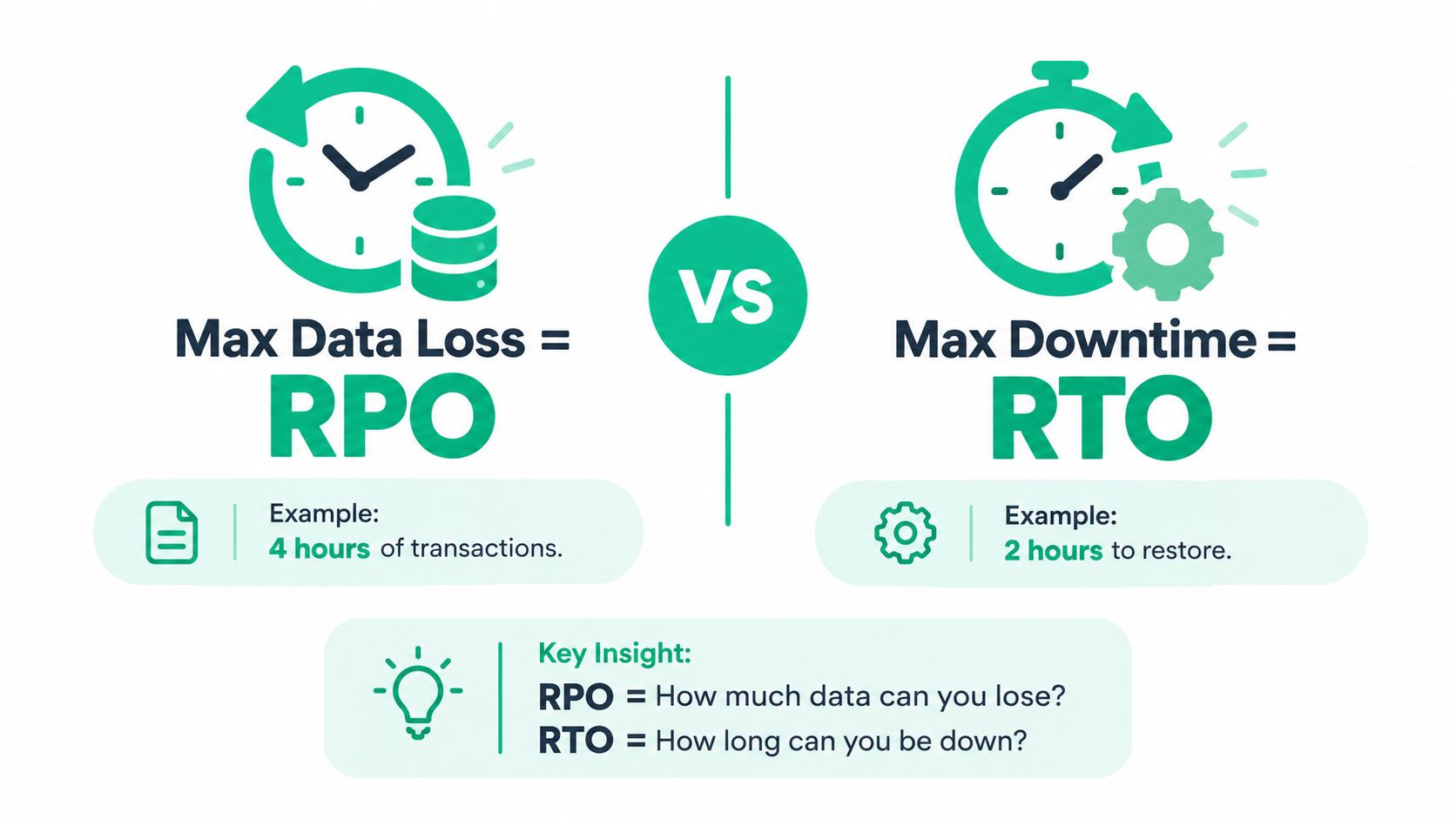
Think of RPO as a backup and replication question. If the last valid copy of a file server is 15 minutes old, the organization may lose up to 15 minutes of changes when it restores from that copy. An RPO of 15 minutes therefore calls for very frequent backup or near-continuous replication. An RPO of 24 hours may be compatible with a daily backup schedule, provided the business accepts that exposure.
RTO is a service restoration question. It includes more than copying files. The team must bring up servers, databases, applications, authentication, network access, printers, licensing, and user workflows. A backup can be healthy while the actual business remains unable to work because a dependency or configuration was omitted.
Practical rule: RPO protects the amount of work you keep. RTO protects the amount of time your people wait.
These metrics sit inside broader continuity planning. ISO 22301 became a widely adopted international framework for business continuity, although the standard doesn't explicitly require an RPO. For a small business owner, the useful distinction remains simple: RPO is data loss tolerance, while RTO is downtime tolerance. A practical disaster recovery guide for small businesses can help connect those objectives to a broader continuity plan.
An accounting office in Greenwood might accept a longer recovery window for an old archive but need faster restoration for its active accounting system. A manufacturer near the I-65 corridor may prioritize production scheduling over a general file share. The decisions belong to the business, not to a backup vendor's default settings. A business continuity and disaster recovery comparison can help separate the continuity plan from the technical recovery plan.
RPO vs RTO Side by Side
RPO and RTO describe different failure impacts, so putting them in one undifferentiated “recovery target” causes trouble. The table below keeps the direction and ownership clear.
| Attribute | RPO (Recovery Point Objective) | RTO (Recovery Time Objective) |
|---|---|---|
| Measures | Acceptable data loss | Acceptable service interruption |
| Direction | Backward from the disruption to the last acceptable recovery point | Forward from the disruption to restored service |
| Question answered | “How much recent work can we lose?” | “How long can staff remain unable to work?” |
| Unit of measure | Time represented by potentially lost data | Time until systems are usable |
| Primary design driver | Backup frequency, snapshots, and replication | Failover architecture, runbooks, and operational readiness |
| Typical owner | Infrastructure, storage, or security team | IT operations and business leadership |
| Validation method | Check the age and integrity of recovered data | Measure the time until the complete service works |
An RPO of one hour means the business can tolerate losing up to one hour of transactions. A 24-hour RPO can often be met with daily backups, while a shorter target requires more frequent copying and more storage or network capacity. These are planning choices, not automatic capabilities of a particular cloud platform.
RTO works on a separate axis. A warm standby server, automated recovery runbook, or pre-provisioned cloud environment can shorten restoration, but none of those changes automatically reduce the amount of data lost. Likewise, moving from daily backup to hourly snapshots can improve RPO without making a slow application stack recover any faster.
That independence matters during budget discussions. A company may need to spend on replication for a lower RPO, automation for a lower RTO, or both. Microsoft's business continuity guidance also defines RPO as acceptable data loss measured in time and RTO as acceptable downtime measured in time.
Remember two definitions: RPO says how far back the recovered data may go. RTO says how far forward the outage may continue.
How to Calculate RPO and RTO for Your Business
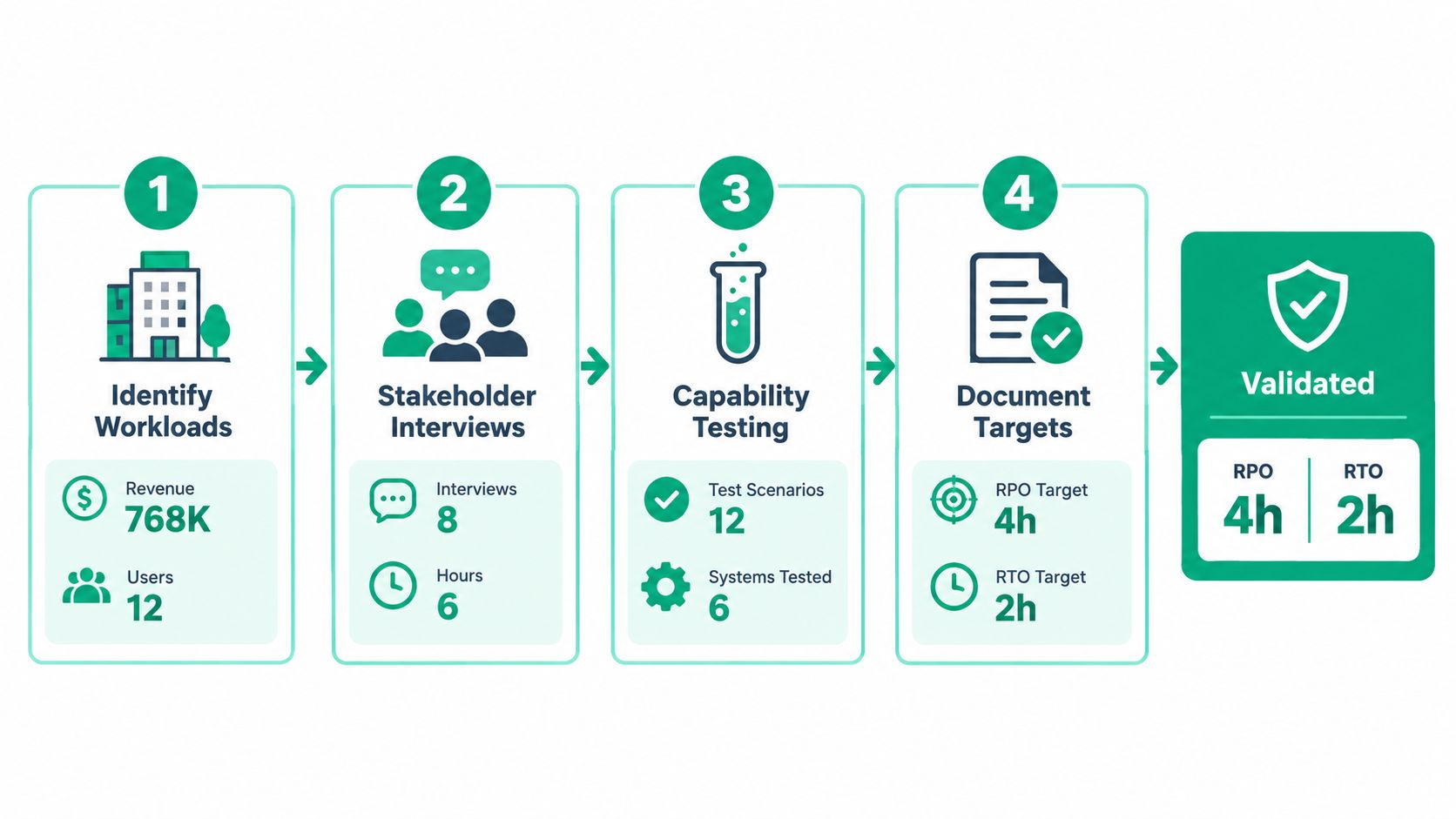
Start with a real workload, not a product brochure. Consider a Greenwood accounting firm with a 12-user QuickBooks environment on one aging server and a 2 TB file share containing client documents. The exact figures will differ from office to office, but the method is consistent.
Start with business impact
First, estimate the hourly cost of an outage. Include billable work that cannot happen, payroll for idle staff, missed filing or delivery commitments, customer churn risk, and the cost of emergency technical work. Don't pretend every effect can be calculated perfectly. A defensible estimate is more useful than a precise-looking number built on guesswork.
Then choose the RTO ceiling. If leadership decides that four hours of unavailable accounting operations creates unacceptable harm, the target becomes an RTO of four hours. AWS gives four hours as a typical planning target for some important but non-mission-critical tier-two applications, while lower-priority applications may have typical RTOs of 8 to 24 hours. Those examples are starting points, not promises. AWS's recovery objective guidance emphasizes that organizations define their own objectives.
Set the data-loss boundary
Next, ask how much rekeying the staff can handle, whether records must be preserved for HIPAA or another obligation, and what missing transactions would do to client trust. An hourly RPO may fit active accounting work. A 24-hour RPO may be acceptable for an archive that changes rarely.
Finally, map each objective to a tested capability. An hourly RPO may require hourly snapshots or replication. A daily RPO may be satisfied by a nightly backup with an off-site copy. The restore design must also account for credentials, databases, file permissions, line-of-business applications, and network access.
This business impact analysis template is useful for documenting owners, dependencies, and business consequences. For cloud-hosted workloads, an overview of Azure disaster recovery for DXP provides additional context on recovery architecture.
Calculation box
Maximum tolerable data loss = RPO
Maximum tolerable downtime = RTO
A target isn't funded because it appears in a policy. It requires the backup capacity, replication path, recovery infrastructure, staffing, and test time needed to meet it.
A Real SMB Recovery Story from Johnson County
A useful recovery story has to distinguish between documented targets and what the team could deliver in practice. Suppose a Johnson County accounting firm records an RPO of 19 hours and an RTO of six hours for its office server. Those values may look reasonable on paper, but they say little about recovery until the backup copy, network path, dependencies, and restoration procedure are tested together.
The first failure point is often physical separation. If the backup drive sits in the same brick building as the production server, a power event, theft, fire, or severe water damage can affect both copies. A flaky internet connection creates another problem. Even a valid remote backup may take too long to retrieve if the available path cannot move the required data at a practical rate.
A stronger design uses immutable off-site backups, a replicated virtual machine for the most important workload, and a documented runbook. Immutability helps prevent an attacker or compromised administrator from rewriting recovery copies. Replication can reduce the time needed to start a critical workload, but only if the replica is monitored and the business tests whether the application works after failover.
What the owner should ask
The owner shouldn't ask only, “Did the backup complete?” The better questions are:
- Data age: What is the age of the newest verified recovery point?
- Service readiness: When can staff open the application and complete a real task?
- Dependency coverage: Are authentication, databases, printers, VPN access, and file permissions included?
- Location risk: Can the business recover if the Greenwood office is unavailable?
- Verification: Who reviews failed jobs and silent backup errors?
For damaged disks or failing arrays, logical recovery may require bit-level data recovery before normal restoration is possible. A specialist resource on data recovery in NYC illustrates the broader point: physical media recovery is different from restoring a healthy backup.
The lesson isn't that every SMB needs the same architecture. It is that one nightly job can't solve every failure mode. Each workload needs a tier, an owner, a recovery point, and a tested recovery path.
Setting RPO and RTO Targets That Match Your Tiers
A tiered model keeps a Johnson County business from spending mission-critical money on an archive while leaving its active systems exposed. The figures below use practical guidance from AWS and other recovery frameworks. They aren't universal service guarantees.
| Tier | Workload Example | RPO | RTO | Common Design |
|---|---|---|---|---|
| Tier 1 | Critical transaction or line-of-business application | Very short, potentially near-continuous | Fastest available for the business | Continuous or near-real-time replication, automated failover, tested runbook |
| Tier 2 | Important operational application | 1 hour can be an appropriate target | 4 hours is a typical planning target for some important, non-mission-critical applications | Hourly protection, warm standby, documented dependencies |
| Tier 3 | Standard productivity or lower-priority application | Daily protection may be acceptable | 8 to 24 hours may fit lower-priority systems | Nightly backup, off-site copy, restore on request |
| Tier 4 | Archive or infrequently accessed data | Set by change rate and business need | Longer recovery window agreed with the owner | Scheduled backup, immutable retention, planned restoration |
The business question changes by row. For Tier 1, ask, “What stops revenue or a critical obligation immediately?” For Tier 2, ask, “How long can the team use a manual workaround?” For Tier 3, ask, “Can staff wait until the next business cycle?” For Tier 4, ask, “Does this data need immediate access, or only preservation?”
A realistic Indianapolis budget depends on data volume, retention, network capacity, licensing, cloud region, staffing, and the required failover architecture. Don't attach a made-up cost range to a target. Compare the cost of protection with the hourly business impact calculated in the previous section.
Your SLA should use the same language as your internal plan. If leadership promises restoration within four hours, the runbook, provider agreement, escalation path, and test report should all use that same RTO. If the business accepts one hour of data loss, the backup dashboard should show whether the actual recovery points meet that RPO.
A cloud backup solution guide for small businesses can help with product comparison, but the selection should follow the tier and objective. Don't let a product's default schedule decide your business risk.
Why Paper Targets Often Fail in Real Outages
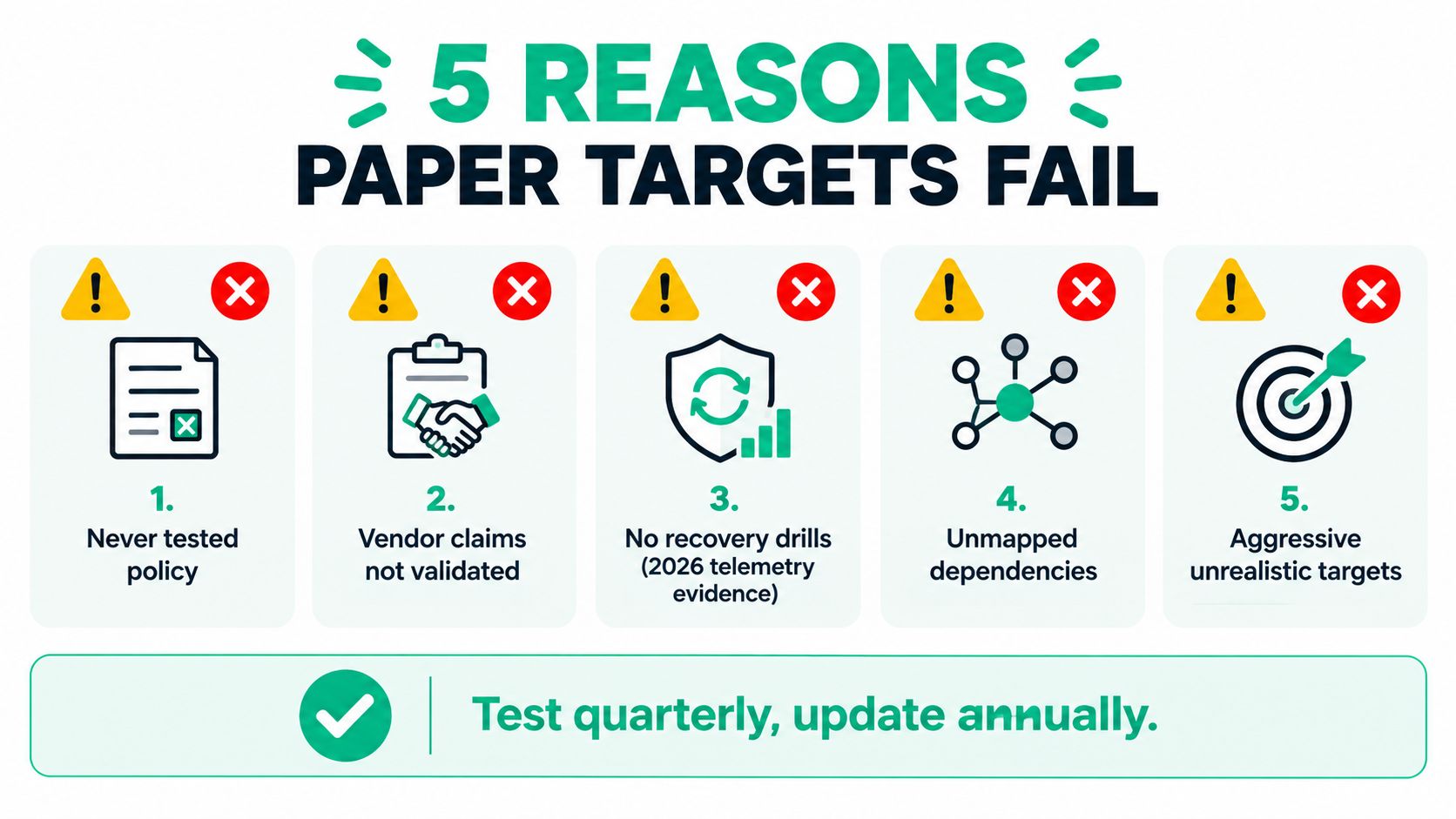
A policy can claim an aggressive RTO while the environment still depends on manual server builds, forgotten credentials, slow downloads, and undocumented application settings. The gap appears during restoration, when the team discovers that “backup complete” doesn't mean “business ready.”
Recent reporting describes this problem clearly. One 2026 cloud infrastructure report said 60% of cloud IT leaders needed six or more hours for a full restore, while 5% could finish in under an hour, according to the report summarized by Eon's RPO and RTO analysis. Those figures describe reported recovery performance, not a universal benchmark, but they show why written targets need evidence.
Common failure points
A Greenwood dental clinic might document a 30-minute RTO but discover during an incident that the practice-management database, file share, and printer mappings were protected separately. Restoring each component in sequence can turn a short target into a long outage. The problem isn't necessarily the backup software. It is the missing service map.
Check these failure points before accepting a target:
- Bandwidth: Cross-region recovery may be constrained by the available internet path.
- Encryption: Recovery can stall when keys or decryption credentials aren't available.
- Dependencies: License servers, identity systems, databases, and small virtual machines may be required.
- Configuration: Printer mappings, scheduled tasks, scripts, permissions, and application settings are easy to omit.
- Access: A recovered server is useless if the VPN, DNS, authentication, or remote access path isn't ready.
An honest, tested four-hour target is more valuable than an untested 30-minute promise.
The NIST-linked recovery guidance places RTO and RPO within cybersecurity and continuity planning, with RTO focused on the point where continued recovery delay creates unacceptable mission impact. That framing matters for businesses handling protected health information under HIPAA, defense work under CMMC, or general security planning under the NIST CSF.
Use a written SLA response-time framework to separate response, restoration, and service-ready commitments. Those aren't the same clock.
Testing and Monitoring Your Recovery Plan
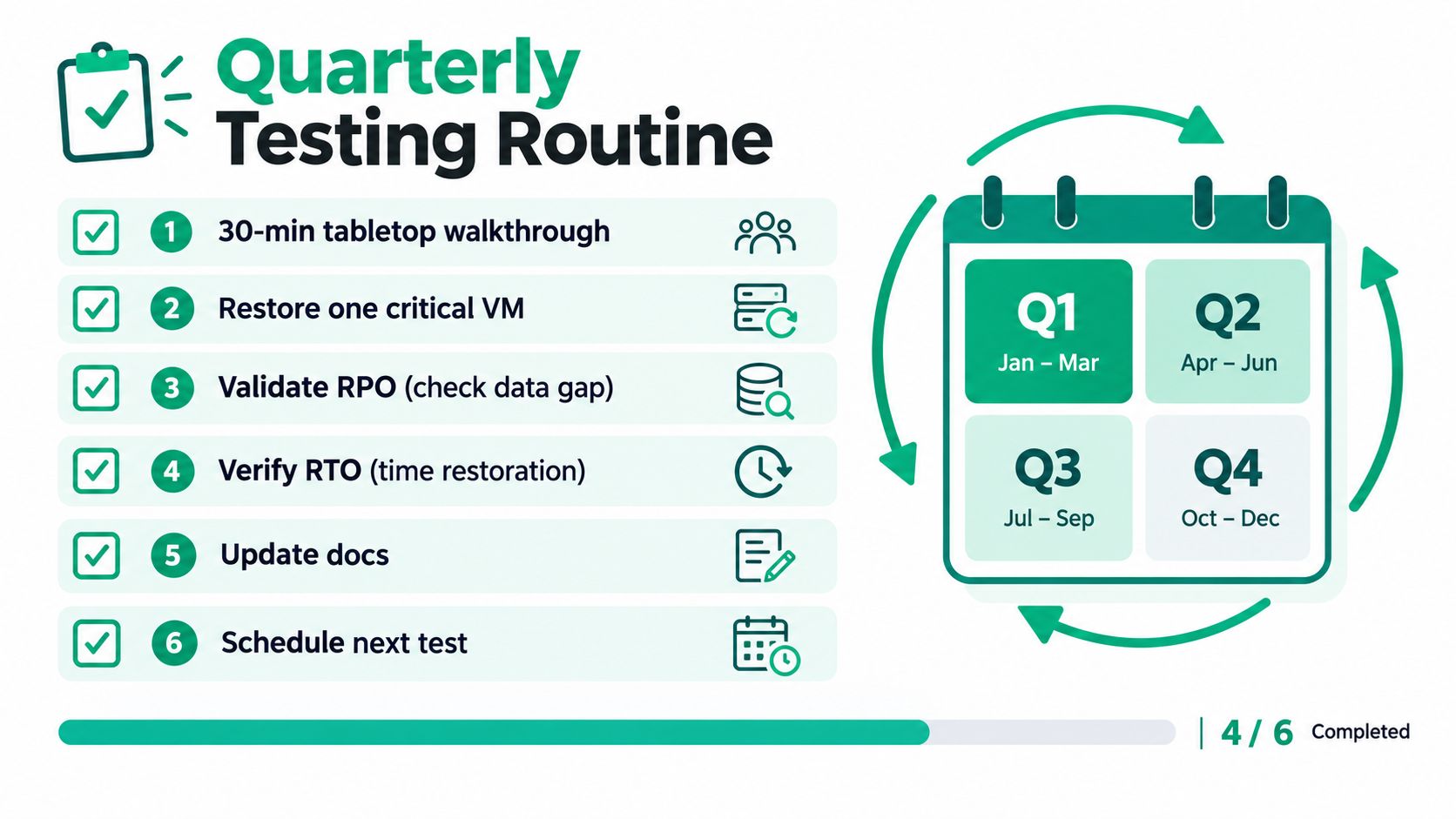
Testing turns RPO and RTO from policy language into operational evidence. A small IT team doesn't need a theatrical exercise every quarter, but it does need a repeatable routine that records what happened.
A practical quarterly cycle
-
Run a tabletop walkthrough. Spend 30 minutes with the current topology diagram, contact list, application owners, and recovery targets. Pick a realistic failure, such as ransomware on the file server or loss of the Greenwood office.
-
Restore one critical workload. Recover a server, virtual machine, or SaaS tenant into a clean VLAN. Keep production isolated so the test doesn't create a second incident.
-
Measure the recovery point. Record the timestamp of the newest usable data. Compare its age with the documented RPO, not merely with the last successful backup job.
-
Measure service readiness. Start the clock when the failure is declared and stop it when a user completes a real transaction. Test authentication, the application, data access, printing, and required network paths.
-
Update the documentation. Record missing credentials, slow steps, dependency errors, and ownership gaps. A runbook that still names a retired server isn't a runbook.
-
Schedule the next test. Assign an owner and date before closing the exercise. An unassigned improvement is only a note.
Run a fuller failover exercise annually where a non-production workload is promoted to the recovery site. Validate DNS, VPN access, identity, line-of-business applications, and user workflows together. Zero Trust architecture matters here, because restored systems still need verified identity, least-privilege access, and controlled communication.
Between drills, place these signals on a shared dashboard:
- Backup job status: Failed and incomplete jobs need an owner.
- Replication lag: A healthy replica can still be too far behind.
- Last successful restore: Don't confuse a completed backup with a proven restore.
- Storage health: Watch capacity, array alerts, disk errors, and immutable retention status.
Test record: owner, scenario, start time, data age, service-ready time, pass or fail, and remediation ticket.
Finchum Fixes IT is one local option that documents restore paths, secure backups, and recovery workflows for Indiana businesses. Other managed providers can use different tools, including UniFi networking, Bitdefender GravityZone, immutable off-site backups, and SOC-as-a-Service monitoring. The tool matters less than whether the team can show evidence against the target.
A remote monitoring guide for SMB uptime and compliance can help connect daily alerting with the quarterly recovery process. If a test misses its target, open a remediation ticket before the next quarter.
Turning Recovery Metrics Into Predictable Uptime
RPO and RTO become useful to leadership when they connect to the cost of an unavailable business. A downtown Indy tech hub, a Hamilton County professional office, and a Greenwood manufacturer may all use different applications, but each can answer three questions: what recovery point can the backups guarantee, what recovery time can the runbook deliver, and what does each hour of interruption cost?
Lowering RPO from 24 hours to one hour generally requires more frequent protection, more storage, and more network activity. It may be justified for active transactions and client work, but not for every archive. The decision should compare the protection expense with the business effect of recreating work, missing deadlines, losing customer confidence, or violating a contractual or compliance obligation.
Shortening RTO usually requires a faster recovery architecture. That may include pre-provisioned infrastructure, warm standby systems, automation, tested credentials, documented dependencies, and staff who know who makes the failover decision. A low RTO without those components is an aspiration, not an operational capability.
The best plan creates a predictable agreement between business and IT. Leadership approves a budget for a defined recovery outcome. The IT lead commits to a measured restoration process. Finance can plan around the remaining exposure instead of treating every outage as an emergency. Security teams can connect the plan to ransomware controls, endpoint protection, immutable backups, and NIST CSF functions.
For an Indiana SMB, the right architecture might combine local recovery for speed, off-site immutable storage for site loss, cloud replication for a critical workload, and a practical monitoring dashboard. It might also include latency-optimized mesh nodes for a difficult brick-building Wi-Fi environment, because users can't work from a recovered application if the office network remains unreliable.
The target should be written beside each workload, tested against a real recovery, and reviewed whenever the business changes. That is how a technical metric becomes a predictable operating cost rather than a number discovered during a crisis.
Finchum Fixes IT offers Free Network Assessments for businesses in the Greenwood and Indianapolis area, including a review of backups, dependencies, network resilience, and achievable RPO and RTO targets. Visit Finchum Fixes IT to schedule an assessment and replace paper recovery promises with a tested plan.