Business WiFi Solutions: Fast, Secure Networks for SMBs
TL;DR
- Business-grade Wi-Fi protects continuity. Bad wireless causes dropped calls, stalled scanners, slow cloud apps, and expensive downtime.
- Wi-Fi 6 matters in busy offices. It can deliver a 4x throughput increase and 75% lower latency in high-density environments, while handling up to 4x more devices per access point than Wi-Fi 5, according to Enterprise Networking Planet.
- Design beats gear. Old brick walls, steel racks, and poor access point placement wreck coverage in Indiana buildings.
- Security isn’t optional. WPA3, segmentation, and Zero Trust help support HIPAA, CMMC, and NIST CSF goals.
- Managed Wi-Fi usually wins on ROI. It shifts costs into a predictable monthly budget and keeps staff focused on billable work instead of rebooting routers.
A lot of Johnson County business owners are dealing with the same problem and calling it “bad internet” when it’s really bad Wi-Fi.
A warehouse off the I-65 corridor starts strong in the morning. Then the afternoon hits. Shipping tablets lag. Barcode scanners drop off. Office staff can’t stay connected to Teams or cloud apps. Someone walks over to the ISP router, unplugs it, waits, plugs it back in, and hopes for the best. That routine feels normal until it starts delaying orders, frustrating customers, and burning payroll on people who are standing around waiting for the network to come back.
That’s the Southside version of a silent profit leak.
The hard part is that “good enough” Wi-Fi usually works just well enough to hide the underlying issue. You can browse websites, send email, maybe even stream a training video. But once your business depends on live inventory, VoIP, cloud backups, mobile devices, guest access, cameras, and compliance rules, the weak spots show up fast. Downtime can cost up to $9,000 per minute. That turns a flaky wireless network into a business continuity problem, not an IT annoyance.
Introduction Is Your Wi-Fi Costing You Money
Business wifi solutions aren’t about chasing the latest gadget. They’re about making sure your people can work without fighting the network every day.
In Greenwood business parks, old medical offices, mixed-use buildings near downtown Indy, and light industrial spaces across Central Indiana, wireless problems usually start the same way. The company grew. The device count climbed. Cloud apps became mandatory. The original router stayed in place. Nobody redesigned the network.
Then the symptoms pile up:
- Operations slow down: Staff lose time reconnecting scanners, printers, and laptops.
- Calls and meetings break up: Voice and video traffic compete with everything else on the same wireless network.
- Dead zones spread: One back office, one corner conference room, or one warehouse aisle becomes the place where work goes to die.
- Security gets sloppy: Guest devices and internal systems end up sharing the same space because the network was never segmented.
Practical rule: If your team’s standard Wi-Fi fix is “reboot the router,” you don’t have a people problem. You have a design problem.
A proper wireless setup turns that around. It gives you coverage that matches the building, hardware that can handle the client load, management tools that show what’s happening, and security controls that separate public traffic from business systems. That’s what converts wasted tech time back into productive hours.
Why Your ISP Router Is Failing Your Business
The free router from your ISP is built to get a connection online. It is not built to run a busy office, clinic, shop floor, or warehouse.
That distinction matters. A business owner usually sees “Wi-Fi works” or “Wi-Fi doesn’t work.” An IT pro sees client density, radio interference, airtime contention, VLAN design, firmware management, and authentication controls. Those details decide whether your wireless stays stable or turns into a daily interruption.
Device density is where consumer gear falls apart
A small office in Greenwood can hit a serious device count faster than most owners expect. Laptops, phones, printers, tablets, TVs, cameras, smart thermostats, badge readers, and point-of-sale gear all want airtime. Add guests and vendors, and the network starts choking.
That’s one reason the broader market keeps moving toward stronger wireless infrastructure. The global WiFi market is projected to reach USD 43.2 billion by the end of 2025 and USD 135.6 billion by 2035, according to Future Market Insights. Businesses aren’t spending on wireless because it’s trendy. They’re spending because wireless now carries core operations.
A consumer router can look fast on the box and still struggle once too many devices start talking at once. The issue isn’t just internet speed. It’s scheduling, contention, and how the hardware manages simultaneous demand.
Security on consumer routers is usually too shallow
A business network needs more than a password on the Wi-Fi name.
You need guest isolation. You need separate network segments for staff devices, phones, cameras, and IoT gear. You need firewall policy that reflects how the business operates. You need visibility into what connected, when, and from where. That’s normal in a business setup. It’s often missing or awkward on consumer hardware.
A lot of owners tell me they already have a “guest network,” but when we inspect it, it’s often just a second SSID with weak isolation. That’s not the same thing as proper segmentation.
No visibility means you’re always guessing
The biggest weakness in ISP hardware is management. When the network slows down, you get almost no useful insight. You don’t know whether the problem is channel overlap, one bad access point, interference from a neighboring suite, a firmware issue, or one noisy device flooding the network.
With a business platform such as UniFi, Meraki, Aruba, or similar systems, you can see what’s going on. You can identify overloaded access points, poor signal areas, roaming issues, and traffic spikes before users start complaining.
If you’re trying to squeeze a little more life out of a weak setup before replacing it, this guide on how to improve WiFi signal strength for your business is a useful starting point. Just know that signal tweaks won’t fix a design that was wrong from day one.
Most business Wi-Fi failures don’t come from dramatic outages. They come from slow, daily friction that staff quietly work around until productivity slips.
In our 17 years of local service, inadequate routers have caused more avoidable disruption than almost any other single network issue. Not because they never work. Because they stop working well long before the business realizes it.
The Building Blocks of a Professional WiFi Solution
A professional Wi-Fi system is built in layers. If one layer is weak, users feel it fast. Calls drop, scanners lag, cloud apps hang, and staff start burning time on workarounds.
For Indiana SMBs, that matters more than many owners expect. A medical office in Greenwood, a warehouse off the I-65 corridor, and a growing professional firm in Johnson County all depend on the same outcome. Stable wireless that keeps people working.
The core pieces are straightforward. Access points create coverage. Switching and cabling carry traffic back to the network. Cloud management gives IT visibility and control. Security policies separate users, devices, and sensitive business systems.
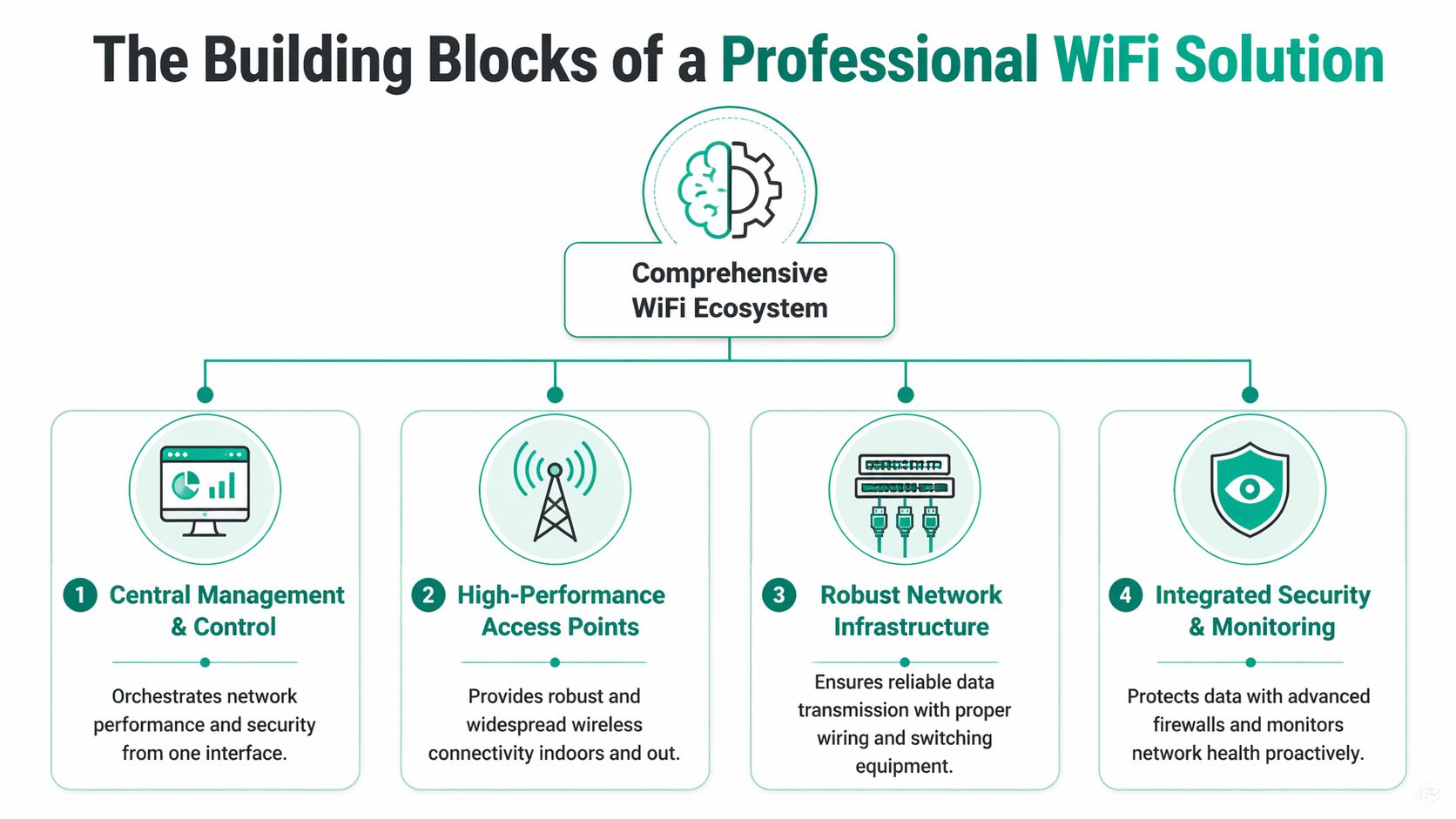
High-performance access points carry the load
Access points get the most attention because they are the visible part of the system. The bigger question is whether they can handle the number of devices, the type of traffic, and the layout of the building without slowing down under pressure.
Wi-Fi 6 improved performance in busy business environments in ways owners notice. Better device scheduling, more efficient channel sharing, and stronger handling of dense client loads all help keep laptops, phones, tablets, cameras, and specialty devices from fighting each other for airtime.
In practical terms, that means:
- OFDMA lets multiple devices share the channel more efficiently.
- MU-MIMO allows the AP to communicate with several devices at once.
- Beamforming improves signal delivery to active client devices.
- Smarter scheduling reduces the wait time that shows up as lag during busy periods.
A busy office with 35 employees, guest devices, printers, cameras, and conference room traffic needs a different class of AP than a small storefront with light browsing. That is why model selection should follow usage, not marketing.
Cabling and switching decide whether wireless stays reliable
Every access point still relies on the wired network behind it. I have seen expensive APs perform like bargain hardware because they were fed by old switches, bad patching, or cabling that was never planned for business use.
PoE switching matters because it powers APs cleanly and keeps installation flexible. VLAN-ready switch configuration matters because it separates staff, guest, voice, camera, and IoT traffic correctly. Cabling matters because bad terminations and mystery runs turn troubleshooting into guesswork. A clear overview of structured cabling for business networks explains why that wired foundation affects every wireless result you get.
A clear picture of ROI emerges. Businesses usually blame internet service when the actual problem is inside the building.
Mesh has a place, but wired APs usually win
Mesh can solve specific problems. It can also create new ones if it becomes the default design.
A mesh node uses wireless backhaul when it cannot get a cable. That convenience comes with trade-offs. More latency, less consistent throughput, and more variables when performance slips. In a home, that may be acceptable. In a business that runs VoIP phones, cloud apps, inventory systems, and video meetings, those trade-offs cost time.
Wired APs are usually the better choice for primary coverage because they are easier to predict and easier to support over time. Mesh works best in edge cases such as temporary expansions, hard-to-cable areas, or older buildings where opening walls is not practical.
What works best in practice
- Use wired APs for the main coverage footprint: They deliver more consistent performance and make troubleshooting much easier.
- Use mesh only where cabling is difficult: It is a fallback tool, not the first design choice.
- Use cloud management: It gives IT a live view of client health, AP load, channel issues, and hardware alerts.
- Match the system to the business workflow: Front desk check-ins, handheld scanners, POS terminals, and conference rooms do not stress Wi-Fi in the same way.
One practical approach for Central Indiana businesses is a managed wireless platform from Cisco Meraki, Aruba, UniFi, or a local managed service with cloud monitoring and policy control. Finchum Fixes IT is one example for companies that want deployment and ongoing support handled by the same team.
Designing a Flawless Network for Indiana Buildings
Buying good hardware is easy. Making it behave inside an Indiana building is the hard part.
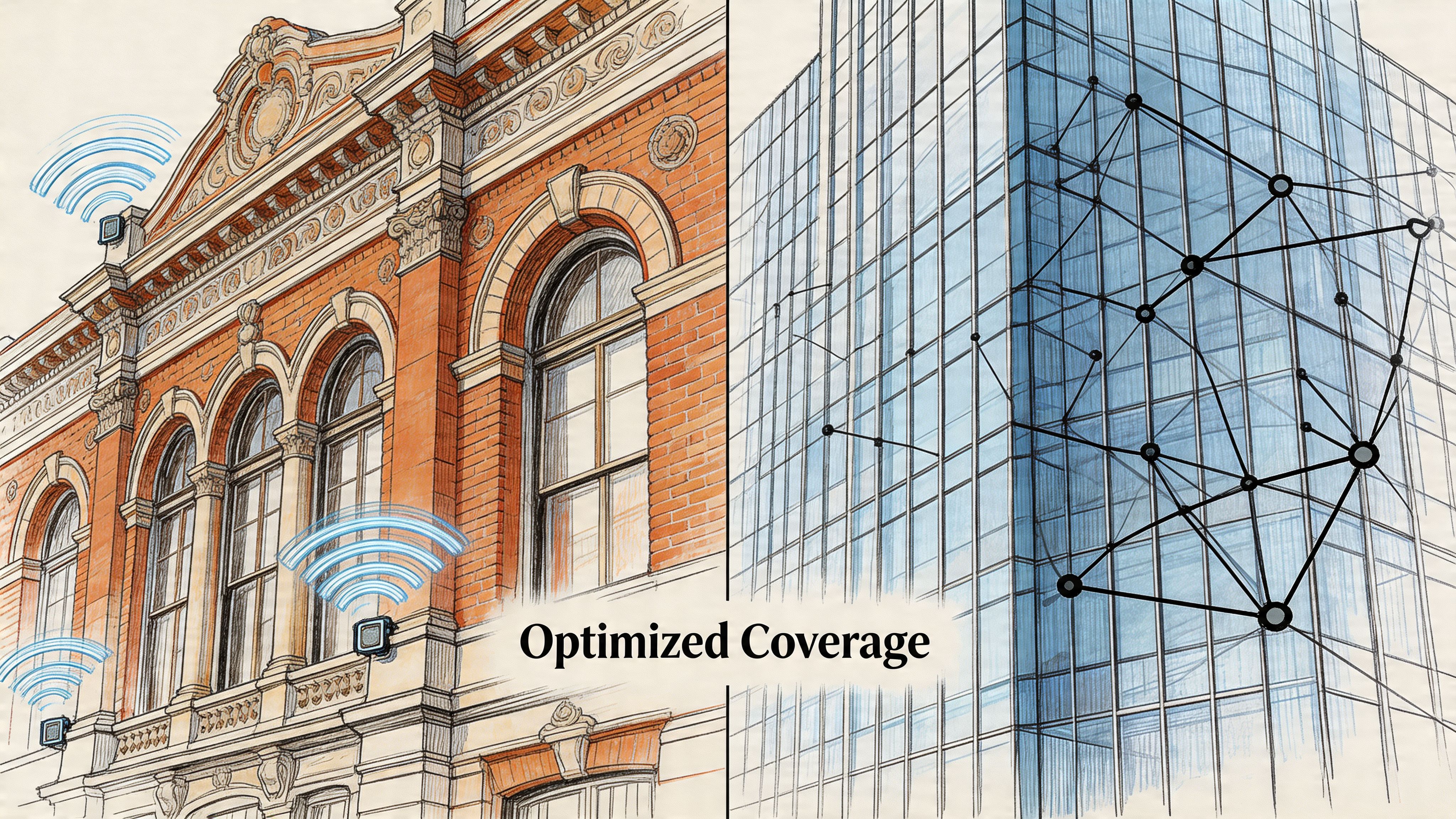
A two-story office near Greenwood Park Mall, a law office in an older downtown building, and a warehouse near the I-65 corridor all punish Wi-Fi in different ways. Brick absorbs signal differently than drywall. Plaster and lath create surprises. Metal shelving reflects radio waves. Open warehouse space can look simple until forklifts, pallets, and tall racks start changing the environment every day.
Site surveys separate guesses from engineering
A site survey is not somebody walking around with a phone and saying, “Yeah, signal seems okay.”
A real survey maps coverage, identifies interference, checks likely client density, and plans access point placement around how the business functions. Front desk traffic, warehouse scanners, exam room tablets, conference room video calls, and guest Wi-Fi all create different demand patterns. The network has to be shaped around those patterns.
When we surveyed an older professional office in a historic building, the issue wasn’t internet speed. The walls were eating signal. The old floor plan created pockets where 5 GHz coverage dropped off faster than the owner expected, so the layout needed a denser AP design than a newer drywall office would.
That’s common around Central Indiana. The building tells you what the wireless plan has to be.
Placement matters more than maximum power
A lot of DIY setups fail because someone assumes stronger output means better coverage. In reality, blasting power can create overlap, sticky clients, and noisy roaming behavior.
Good design usually means:
- Placing APs where users work: Not wherever there’s a convenient outlet.
- Managing overlap carefully: Enough for roaming, not so much that neighboring APs interfere with each other.
- Planning channels on purpose: Especially in business parks where nearby suites have their own wireless networks.
- Accounting for materials: Brick, concrete, steel, and old construction all change the map.
For businesses dealing with persistent dead zones or inconsistent roaming, a proper wireless network site survey is usually the fastest way to stop guessing.
A good Wi-Fi design doesn’t chase the strongest signal. It creates the most usable signal where work happens.
Fast deployment can matter more than theoretical speed
New locations don’t always have the luxury of waiting on trenching, permits, or carrier timelines. That’s where Fixed Wireless Access, or FWA, deserves more attention than it gets in most business networking conversations.
According to PC Tech Magazine, fiber installation can take weeks or months because of permits and trenching, while FWA can often be deployed the same day. For an Indiana business opening a branch office, adding temporary operations space, or moving into a new industrial unit, that time-to-productivity difference can be huge.
That doesn’t mean FWA replaces fiber in every situation. It means smart businesses consider deployment speed as part of ROI.
Where FWA makes sense
- New sites that need connectivity immediately
- Temporary facilities or construction offices
- Locations waiting on fiber buildout
- Backup connectivity for continuity planning
In practical terms, the right answer isn’t always “fastest circuit on paper.” Sometimes it’s “what gets this location fully operational without losing another week.”
Securing Your WiFi to Protect Your Business
Most wireless security conversations stop at the password. That’s nowhere near enough for a business.
If your Wi-Fi reaches company devices, cloud applications, VoIP systems, printers, medical equipment, or anything tied to client data, then wireless is part of your security perimeter. Treating it like a convenience feature is how businesses drift into preventable risk.
WPA3 is the baseline, not a bonus
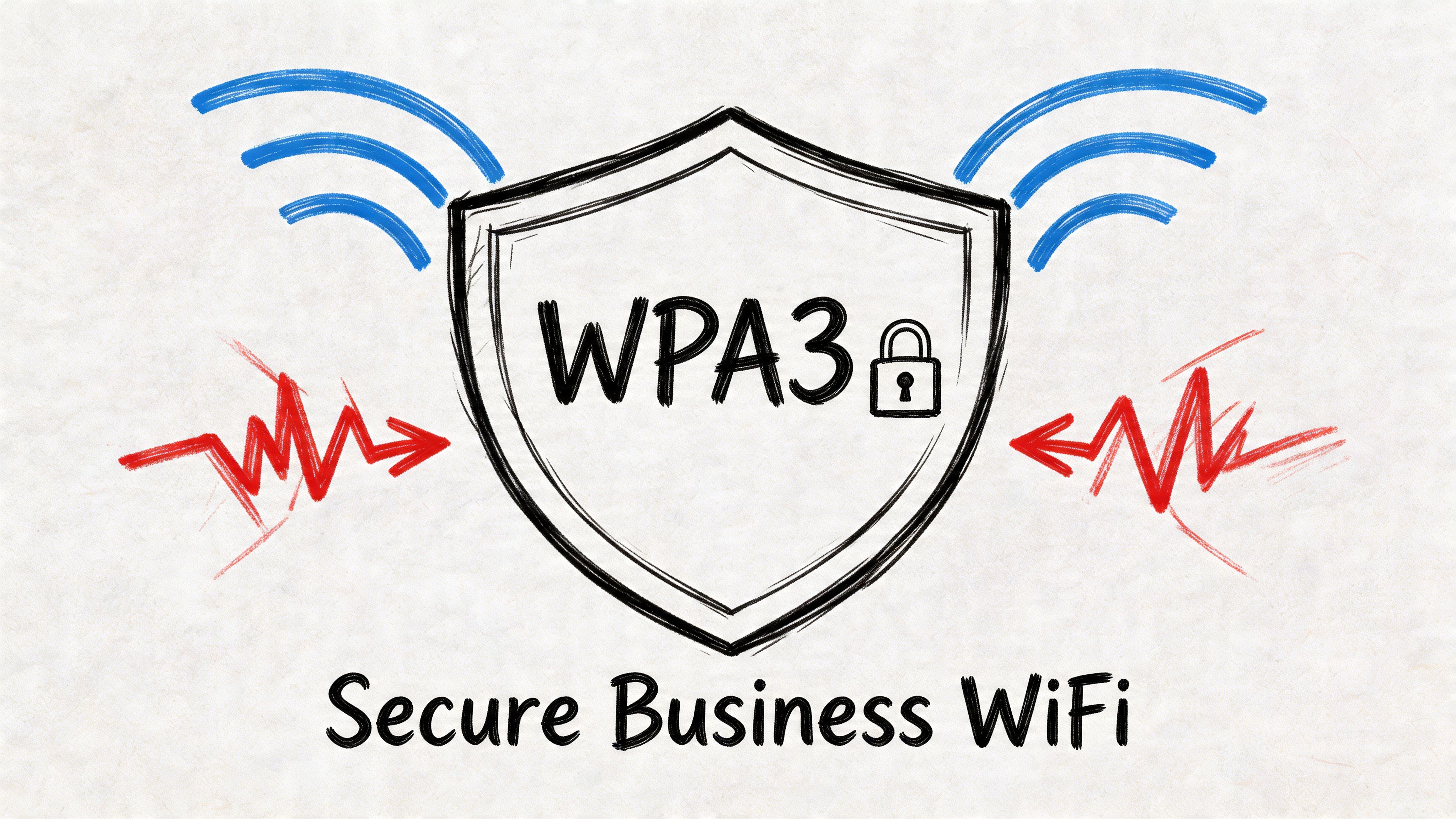
Modern business wifi solutions should start with WPA3. According to MTA Solutions, WPA3 uses 192-bit cryptographic suites, and when it’s paired with network segmentation and Zero Trust principles, it can reduce unauthorized access risk by over 99%. That matters for any business, but especially for organizations with compliance pressure around HIPAA or CMMC.
If a healthcare office in Carmel has waiting-room guest Wi-Fi on the same flat network as internal workstations or connected devices, that’s a problem. If a defense contractor in the Indy metro has unmanaged wireless access without clear segmentation and authentication controls, that’s also a problem.
WPA3 raises the floor. It does not finish the job.
Segmentation keeps one problem from becoming everyone’s problem
A well-built wireless network separates traffic into distinct lanes.
Guest traffic stays away from internal systems. Cameras and IoT devices live in their own segment. Staff laptops connect under different policy than visitors. Phones and real-time communications can get their own treatment if needed. That’s where VLANs and policy-based access become practical, not theoretical.
For small businesses trying to sort through the perimeter side of that design, this guide on choosing the best firewall for small business is a useful companion read because Wi-Fi security and firewall policy have to work together.
If every device on your Wi-Fi can see every other device, the network is too flat.
Zero Trust applies to wireless too
Zero Trust architecture sounds like enterprise jargon until you strip it down. It means no device gets trusted just because it connected successfully. The network still checks identity, device posture, access rights, and context before allowing access to sensitive systems.
That matters because not every endpoint is equal. A company-owned laptop with endpoint protection, current patches, and MFA should be treated differently than a personal phone or a guest device. The wireless network can enforce that difference if it’s designed correctly.
A practical security stack often includes:
- WPA3 for wireless encryption
- VLAN segmentation for staff, guests, IoT, and voice
- Zero Trust access rules tied to identity
- Cloud-managed updates and alerts
- SOC-as-a-Service monitoring for threat visibility
- Alignment with HIPAA, CMMC, or NIST CSF requirements where relevant
This short video does a good job showing the stakes around wireless security and modern protection:
Security hygiene also has to continue beyond deployment. Firmware needs patching. Guest access needs review. Device onboarding needs policy. This roundup of network security best practices for Indianapolis businesses is a solid reference for owners who want to tighten the whole environment, not just the Wi-Fi password.
Managed WiFi Services vs DIY The True Cost
A DIY wireless build can work. The question isn’t whether it can work. The question is what it really costs once the install is done and the business starts depending on it.
A lot of owners along the Southside buy good hardware, often UniFi, because the upfront price looks reasonable. Then the hidden work starts. Firmware updates, controller changes, misconfigured VLANs, bad roaming behavior, AP placement mistakes, guest access issues, and support calls all land on whoever drew the short straw. Usually that means the owner, an office manager, or the most technical employee in the building.
That’s not free. It just doesn’t show up on the invoice the same way.
DIY looks cheap until staff time gets involved
If your estimator, operations lead, or admin manager is troubleshooting wireless during business hours, you’re paying for Wi-Fi with productive labor. That’s the actual cost most spreadsheets miss.
Managed service changes the model. Instead of buying gear outright and carrying the risk, the business pays a predictable operating expense for hardware, monitoring, updates, and support. That shift is a big reason the Wi-Fi as a Service market is projected to grow from USD 9.27 billion in 2025 to USD 21.96 billion by 2030, according to MarketsandMarkets.
That growth tracks with what business owners want. Predictable budgets. Less infrastructure burden. Faster troubleshooting. Fewer surprises.
A side-by-side comparison tells the story
| Factor | DIY (e.g., Self-Managed UniFi) | Managed WiFi Service |
|---|---|---|
| Initial spend | Hardware purchased upfront | Typically rolled into a predictable monthly service |
| Setup responsibility | Owner or internal staff handles design and configuration | Provider handles design, deployment, and policy setup |
| Troubleshooting | Reactive, often after users complain | Ongoing monitoring and faster issue response |
| Security updates | Must be tracked and applied manually | Usually included as part of ongoing management |
| Scalability | Expansion depends on internal skill and time | Easier to add sites, APs, policies, and guest access |
| Downtime impact | Business absorbs the disruption directly | Managed oversight reduces risk of small issues becoming outages |
| Reporting and visibility | Varies by platform and skill level | Usually delivered through centralized management tools |
| Budget model | Capital expense with uneven follow-up costs | Operating expense with more predictable monthly planning |
Owner mindset check: The cheaper option on install day often becomes the expensive option six months later.
What managed service buys you besides hardware
The core value isn’t just the access points. It’s the operating model.
A managed approach usually includes remote monitoring, alerting, firmware control, policy changes, security review, documentation, and support from people who already know the environment. It also fits better with the way many SMBs now buy technology. They want stability without becoming a part-time network administrator.
If you’re weighing that budget question against the rest of your IT environment, this article on the real managed IT services cost in Indiana gives helpful context.
For a Johnson County business owner, the ROI is simple. Keep your team on billable, operational, or customer-facing work. Push wireless design and care into a predictable service model. That’s usually the better financial decision.
Choosing a WiFi Partner in Central Indiana
A Johnson County business usually notices a bad Wi-Fi partner only after the install is finished. Calls start dropping in the front office. Staff lose connections in the warehouse. Guest access bleeds into internal operations, or nobody can explain who to call when performance slips on a Monday morning.
A good provider prevents those problems before they turn into downtime, lost labor, and frustrated customers. The question is not who can mount access points fastest. It is who can design, document, and support a wireless system that fits the way your business runs along the Greenwood and I-65 corridor.
What to look for before you sign anything
Use this checklist when you meet with a local provider:
- Local response matters: If your office is in Greenwood, Franklin, Whiteland, or nearby, ask who can get on-site for a serious issue and what that response looks like.
- Current certifications matter, but only to a point: Cisco, Microsoft, and CompTIA credentials show training. They do not replace good design, clean documentation, and follow-through.
- Design should come before hardware quotes: If the conversation jumps straight to products without discussing layout, materials, density, and problem areas, expect gaps later.
- Security should be explained clearly: A qualified provider should be able to discuss WPA3, VLAN segmentation, Zero Trust, and compliance requirements such as HIPAA, CMMC, and NIST CSF in plain business terms.
- They should understand operations: Ask how their design supports uptime, employee productivity, customer traffic, and future expansion.
- They should plan for change: New staff, more devices, remodeled space, and added locations should fit into the design without starting over.
The best answers are specific. Vague answers usually mean vague results.
Questions worth asking in the first meeting
Some firms sound polished until the conversation gets practical. Ask these early:
- How do you confirm coverage before final deployment?
- How do you separate guest traffic from company systems?
- What is your process if an access point fails during business hours?
- Who handles firmware updates, documentation, and monitoring after install?
- How will this design hold up if we add staff, devices, or a second site?
Listen for operational detail. A reliable partner should talk about process, ownership, and support expectations, not just product names.
Good business wifi solutions should stay out of the way. If your team talks about the network every day, the network is hurting productivity.
That local piece still matters in Central Indiana. Buildings in Greenwood business parks, older offices near Indianapolis, and light industrial spaces off I-65 all behave differently. Drywall, block walls, metal shelving, and tenant buildouts change coverage patterns. A provider who knows the area and has worked in those conditions is more likely to get the design right the first time.
In our 17 years of local service, that pattern shows up again and again. The equipment matters, but the bigger return comes from planning, support discipline, and a design that keeps people working.
If your company in Greenwood, Indianapolis, or the surrounding Central Indiana area is tired of dead zones, dropped devices, and Wi-Fi that can’t keep up with the workday, Finchum Fixes IT can help. Schedule a Free Network Assessment or Security Risk Audit and get a practical review of your wireless coverage, security posture, and continuity risks before the next outage costs you time you can’t get back.