Cloud Security Automation: A Practical Guide for SMBs
Cloud security automation continuously checks identity permissions, storage exposure, encryption, logging, and backups against an approved baseline, then fixes pre-approved problems through a four-step loop: define, compare, record, and remediate. Unlike periodic audits, it catches configuration changes as they happen, reducing the time an avoidable exposure stays open.
Your Greenwood office might have a more immediate concern: the Wi-Fi disappears behind the brick wall, the file server sounds tired, and nobody's certain whether a former employee can still sign in. Buying another dashboard won't settle those questions. A managed approach needs named owners, dependable infrastructure, and clear rules about what software may change without asking.
The useful question isn't whether you can automate a fix. It's whether you can automate it without turning a security problem into an outage.
What Cloud Security Automation Is and How It Works
Think of cloud security automation as a smart thermostat rather than a homeowner checking the furnace once a quarter. Someone still chooses the temperature and maintains the equipment. The thermostat handles the repetitive adjustments between visits.
In practice, policy-as-code turns security expectations into machine-readable rules. A rule might prohibit public access to private storage, require multifactor authentication for administrators, or insist that audit logging stays enabled.
The Control Loop Behind the Dashboard
The machinery follows a straightforward sequence:
- Write the rule. Specify the approved setting, its owner, and any legitimate exceptions.
- Compare live settings. Inspect configuration changes and relevant activity against that rule.
- Record evidence. Save the resource, timestamp, previous state, finding, and decision.
- Apply the approved response. Correct a safe violation or send a ticket to someone qualified to decide.
A vendor-sharing bucket left public, an administrator without MFA, and an audit log disabled during troubleshooting all fit this model. They don't necessarily deserve the same response.
An event bus such as Amazon EventBridge can receive cloud activity events and trigger a playbook. That playbook calls provider APIs to inspect the resource, restore an approved configuration, or notify the owner. It should verify the result, not congratulate itself because an API request returned successfully.
The useful outcome is a controlled change, not just a straighter-looking dashboard.
What It Doesn't Replace
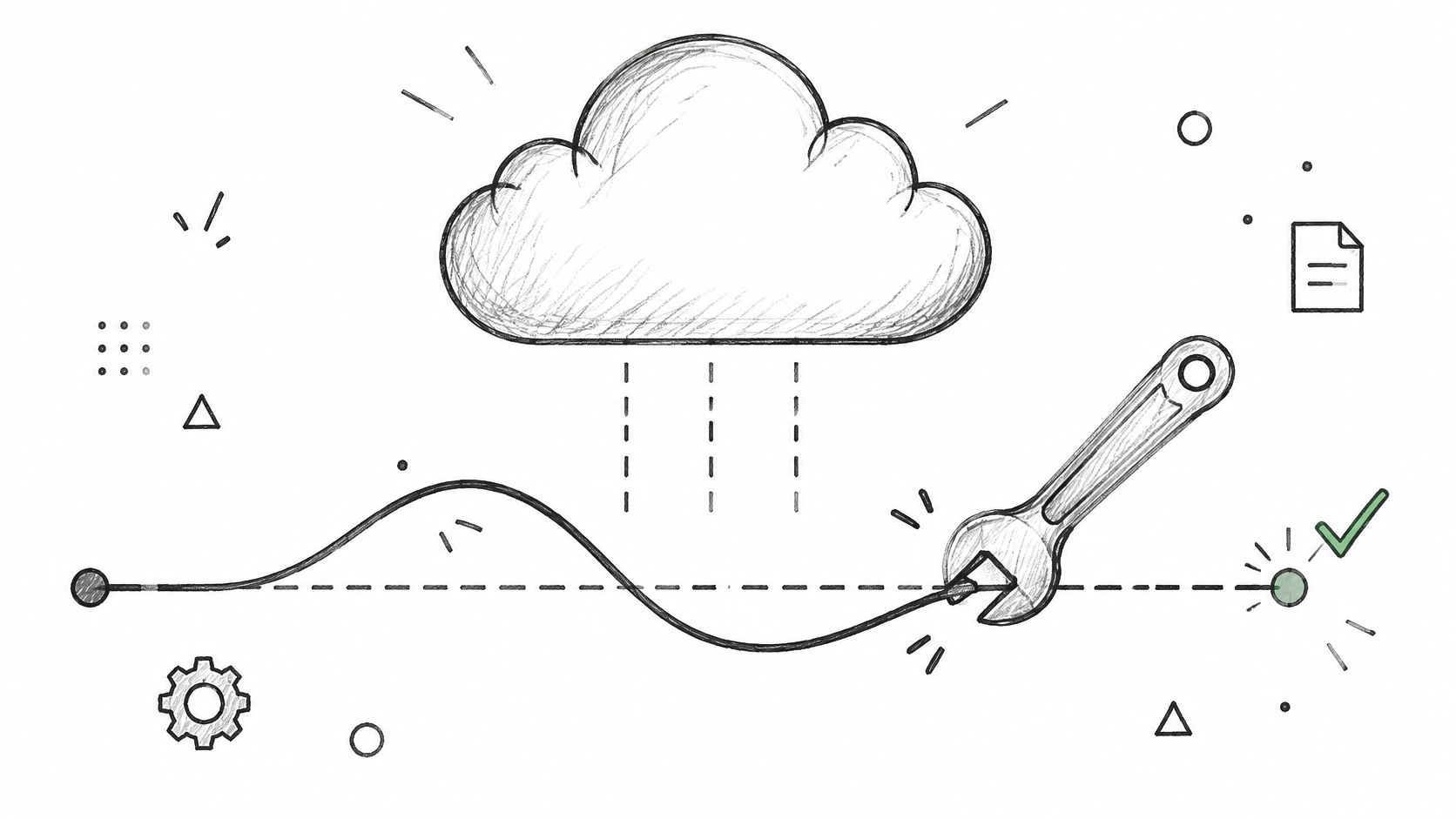
Automation isn't one product, a replacement for people, or an audit checkbox. Your cloud provider, identity platform, monitoring system, and ticketing queue all contribute. Someone must still decide whether an exception supports the business or merely survives because nobody wants to touch it.
Verify these settings today, using an authorized account and the AWS CLI where applicable:
- AWS root MFA: Run
aws iam get-account-summaryand confirm thatSummaryMapshowsAccountMFAEnabledas1. - S3 public access: Run
aws s3api get-public-access-block --bucket your-bucket-nameand confirm that all four block settings returntrue. An error requires investigation, not an assumption that the bucket is safe. - Administrator MFA: In the Microsoft Entra admin center, inspect Conditional Access coverage for every administrator role. Check enforcement status, exclusions, and sign-in results, not just the policy's name.
These are useful checks, not a complete security assessment. Their real value comes when someone owns the result and knows what happens next.
Where Indiana SMBs Get the Most from Automation
Say a Greenwood office occupies an old brick building. Wi-Fi dies in the back rooms, a file server lives in a closet, and a departed employee's cloud login still works. Staff restart equipment until something improves, then return to work without knowing what changed.
The durable fix starts with separating the problems. Install UniFi networking access points on a wired backbone after checking coverage and interference. Record approved devices, segment guest traffic, and make employee offboarding an identity workflow rather than a reminder somebody might miss.
That approach doesn't promise infrastructure will never fail. It removes recurring causes and makes new failures visible before the receptionist becomes the monitoring system.
Use Cases, Bottlenecks and Automated Controls for SMBs
| Use case | Typical bottleneck | Automated control |
|---|---|---|
| Public storage exposure | Bucket opened for a vendor and never closed | Auto-block public access and alert on policy change |
| Dormant admin accounts | Former employee's admin login still active | Disable on HR termination and enforce MFA |
| Rogue Wi-Fi clients in old buildings | Dead zones and unknown devices on the network | Record client baseline and alert on unknown MAC addresses |
| Ransomware on file shares | Encrypted shares discovered Monday morning | Isolate the endpoint and restore from an immutable backup |
| Unpatched cloud virtual machines | Critical CVEs missed for weeks | Scheduled patch windows ranked by exposure |
| Manual audit preparation | Two weeks of screenshots before each review | Scheduled evidence export to a single report |
Each row needs an operational condition. Public-access blocking needs an approved exception process for intentionally public content. Offboarding needs a reliable HR signal and a separate treatment for service identities.
Unknown MAC addresses are investigation prompts, not proof of intrusion. Devices can randomize their addresses, and a contractor's authorized laptop may be new to the network. Use authentication, device ownership, and traffic context before taking action.
Connect Detection to Recovery
NIST CSF 2.0 connects continuous Govern, Identify, Protect, and Detect activities with ready-to-use Respond and Recover capabilities, including coordination with business-continuity and disaster-recovery plans. For a Johnson County business owner, that means a confirmed event should reach an accountable person with a usable recovery procedure.
Immutable off-site backups belong in that same operating plan. Isolation can stop an infected endpoint from doing more damage, but staff still need clean data, working applications, and a defined order for bringing services back.
A security alert isn't a continuity plan. Someone must know which service comes back first and how to prove it works.
Along the I-65 corridor, the payoff is practical: fewer interruptions that pull employees away from customers and fewer emergency technician visits. Technicians can move repetitive troubleshooting into scheduled maintenance, while staff regain time for billable work. Clearly scoped monitoring, maintenance, and escalation also make monthly support spending easier to predict.
The Tooling Categories a Small Team Actually Needs
The tools should form a chain: detect, enrich, decide, act, and recover. Buying several products that all detect the same issue won't help if none can identify the owner or deliver a usable response.
Start with capabilities already available in your environment. A Microsoft-centered business may need a different combination from an AWS-heavy software company in a downtown Indy tech hub.
Compare Capabilities Before Buying Licenses
| Category | Examples | Main job | Watch-out |
|---|---|---|---|
| Cloud security posture management | Microsoft Defender for Cloud, AWS Security Hub | Find configuration drift and exposed resources | An oversized baseline creates an unmanageable findings queue |
| Security information and event management | Microsoft Sentinel, Splunk Enterprise Security | Correlate activity across systems | Verbose logs can increase ingestion and retention costs |
| Security orchestration and response | Tines, Microsoft Sentinel playbooks | Coordinate approved actions | Every change needs tested failure handling and rollback |
| Endpoint detection and response | Bitdefender GravityZone | Detect malicious behavior and isolate affected endpoints | Isolation can interrupt legitimate application dependencies |
| Identity controls | Microsoft Entra ID Conditional Access | Apply access decisions using identity and device context | Poor targeting can lock out staff or leave access gaps |
| Backup and recovery | Veeam with a hardened, immutable repository | Restore clean systems and data | Successful backup jobs don't prove successful recovery |
| Network monitoring | UniFi Network controller | Track clients, switches, and access points | Alerts need segmentation and ownership context |
Seeing requires more than collecting logs. CSPM tools inspect configuration, SIEM platforms correlate events, and network monitoring supplies the local context cloud tools can't see. NIST's incident-response guidance supports monitoring across networks, software, runtime environments, personnel activity, and external providers, including SIEM and SOAR capabilities.
Deciding and acting require tighter permissions. Test Bitdefender GravityZone isolation on a noncritical machine before authorizing broader use. For identity, overly broad Conditional Access coverage can create lockouts, while overly broad exclusions create bypasses. The identity and access management guide provides useful context for separating human accounts, privileged access, and service identities.
Make Recovery Earn Its Place
I'd restore a backup to a test host each quarter as an operating practice. Check application startup, permissions, dependencies, and representative file checksums. Bit-level integrity verification can confirm that restored files match known-good originals, but it doesn't prove a database or line-of-business application is usable.
Bit-level data recovery is a specialist fallback for damaged storage, not a substitute for a functioning backup strategy.
For Wi-Fi and switching, use VLAN segmentation to separate staff, guests, infrastructure, and sensitive workloads. Otherwise, a UniFi alert tells you a device appeared without telling you what that device can reach. Small teams need fewer disconnected consoles and better-connected decisions.
Risk Tiers and the Pitfalls That Break Production
Maximum automation isn't maximum security. In Fortinet's 2026 global survey of 1,163 cybersecurity professionals, 37% of organizations reported mainly alert-focused automation, while only 11% reported autonomous remediation.
That contrast exposes a real design problem. Teams need something between an inbox full of warnings and a script with permission to rearrange production.
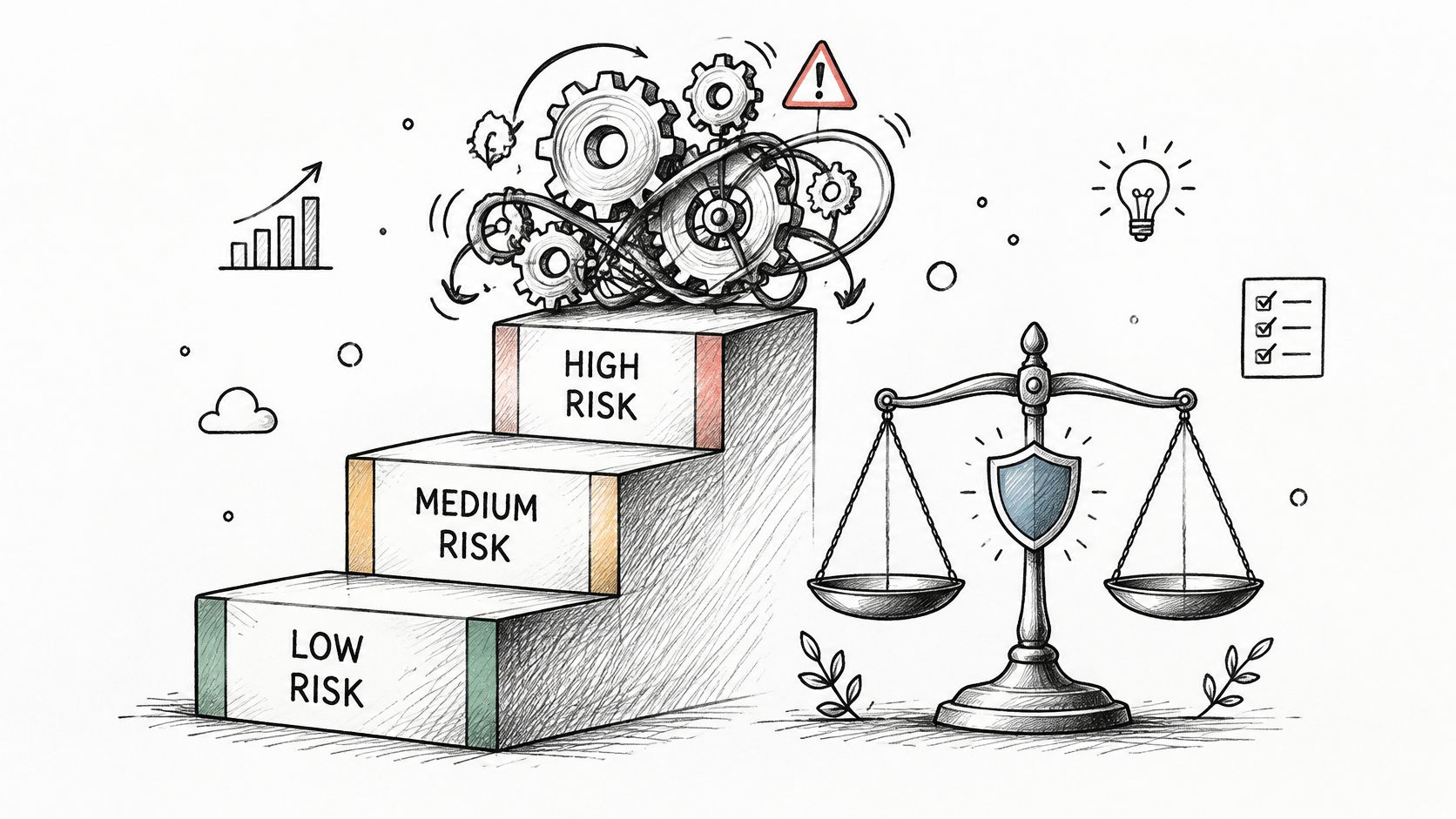
A workable model assigns authority according to reversibility, business impact, and confidence. The staircase matters more than the size of the automation button.
Risk Tiers for Automated Cloud Remediation
These are recommended operating rules, not regulatory deadlines.
| Tier | Example fix | Automation rule | Approval needed |
|---|---|---|---|
| Tier 1: Reversible exposure | Remove public read on an unused storage bucket | Fix automatically and log the before state | None, notify the owner only |
| Tier 2: Account hygiene | Retire a dormant human administrator account after ownership checks | Disable, hold seven days, then remove | Owner notified and can veto |
| Tier 3: Availability risk | Change a firewall rule or security group | Open a ticket with a change plan | Yes, inside a maintenance window |
| Tier 4: Privileged or data change | Edit an IAM role or rotate an encryption key | Never automatic under this operating model | Yes, two-person approval |
| Tier 5: Ambiguous finding | Admin login from an unfamiliar country | Quarantine the session using a pre-approved, reversible control and route to an analyst | Analyst decision the same business day |
The account-hygiene rule applies to verified human identities, not anything with an old last-login timestamp. A service account might run payroll without producing an interactive sign-in.
Likewise, session quarantine needs a narrow definition. Restricting a suspicious session is different from disabling an entire executive account because someone traveled. If your platform can't isolate that session safely, route the finding for review instead.
Run a Read-Only Diagnostic First
Run aws s3api get-public-access-block --bucket example-client-bucket against an authorized bucket. Inspect BlockPublicAcls, IgnorePublicAcls, BlockPublicPolicy, and RestrictPublicBuckets.
If the result doesn't show all four settings as true, treat it as a Tier 1 candidate finding, not unconditional permission to modify production. Confirm the bucket's intended purpose and approved exceptions first. AccessDenied means you haven't established the configuration.
Use a documented risk assessment methodology for Indiana SMBs to connect each proposed change to asset criticality and operational impact.
Practical rule: If you can't describe the rollback before enabling the fix, the fix isn't ready to run unattended.
Watch for these production-breakers:
- No rollback: A successful API call changes the setting but breaks the application.
- Ownerless alerts: Everyone receives the warning, so nobody accepts responsibility.
- Permanent exceptions: A temporary vendor accommodation outlives the vendor.
- Production-only testing: The first execution becomes an unscheduled experiment.
- Forgotten service accounts: Account cleanup interrupts integrations and scheduled jobs.
- Unread dashboards: Findings accumulate without deadlines, escalation, or decisions.
Five Phases to Roll Out Cloud Security Automation
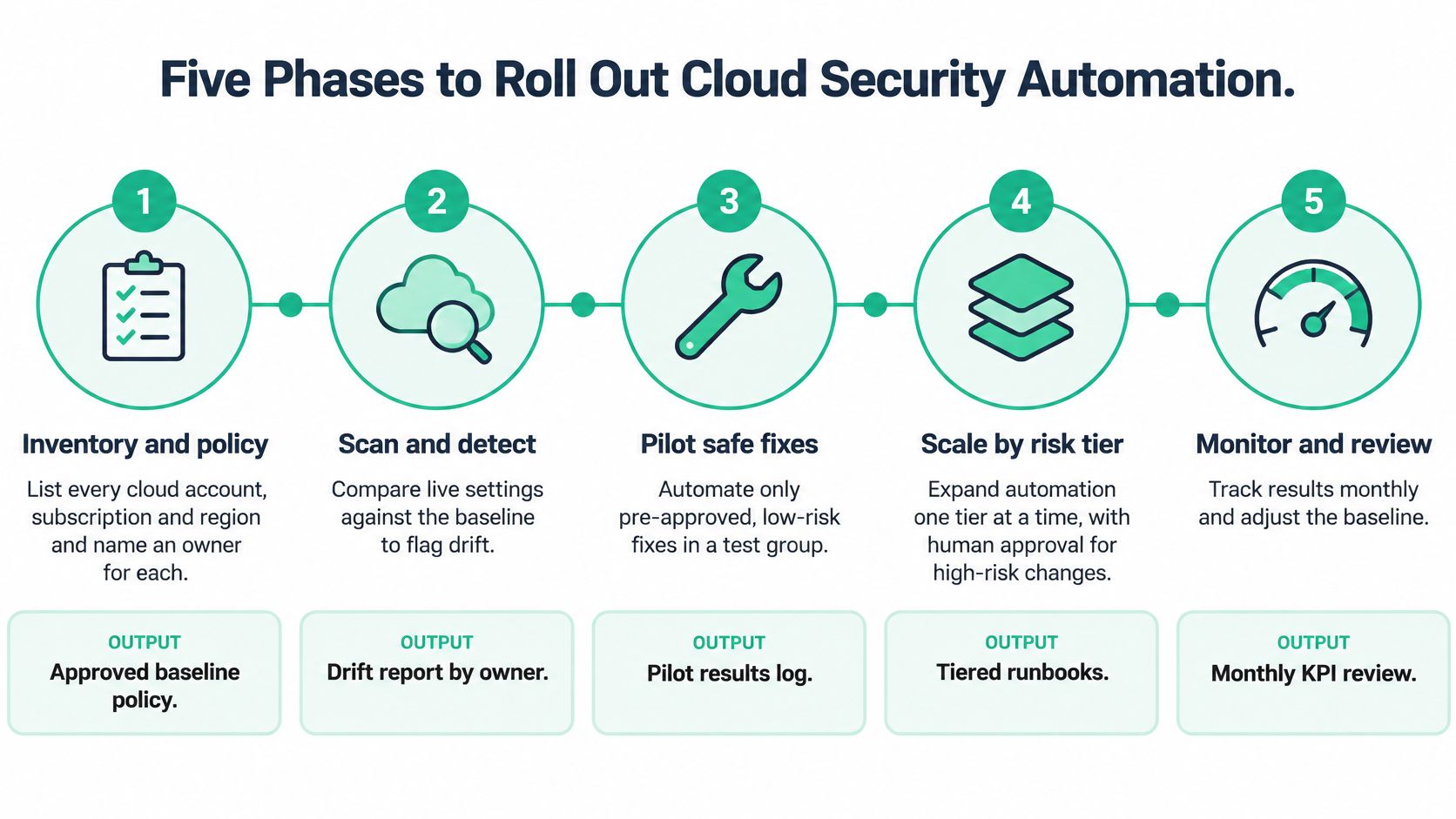
Use a controlled rollout rather than giving every playbook production access on installation day. NIST's Cloud Security Automation Framework demonstrates automated configuration and continuous validation against NIST SP 800-53 controls, supporting a closed loop of baseline, comparison, evidence, and approved remediation.
This process view shows how an initial baseline becomes an ongoing operating practice.
Establish Coverage Before Authority
-
Inventory and policy. List every cloud account, subscription, and region, then name an owner for each. Include identity permissions, encryption, public exposure, logging, and backup settings in a version-controlled baseline.
Output: an approved baseline policy. The common slip is scanning the account everyone remembers while overlooking a development subscription billed to somebody's credit card. Record business purpose and data sensitivity so later findings arrive with context.
-
Baseline and detection. Enable the posture tooling and centralize identity, endpoint, firewall, DNS, and cloud-provider logs in Microsoft Sentinel or Splunk Enterprise Security. Confirm that events arrive with usable timestamps, resource identifiers, and ownership information.
Output: a drift report by owner. Missing telemetry must create a finding of its own. A silent log connector shouldn't make the environment appear healthier.
-
Playbooks and safe pilots. I'd start with five to seven tightly scoped playbooks as a manageable pilot, not a universal requirement. Give each a trigger, action, owner, rollback step, exception expiry, and verification check.
Output: a pilot results log. Build idempotent actions so repeated events don't cause repeated damage, and stop retry loops when a dependency fails. Keep vulnerability prioritization tied to exposure and business importance through a defined vulnerability management process.
Integrate, Test, and Review
-
Integration with IT and managed services. Route findings into the ticket queue technicians already use. Define after-hours escalation to a 24/7 SOC-as-a-Service monitoring team where that coverage is contracted, including who may authorize containment.
Output: tiered runbooks and an escalation roster. A monitoring provider needs asset context and decision rights, not just access to another console. If the work also replaces aging infrastructure, Grail Computer Labs' guidance on planning a controlled migration cutover is useful for organizing dependencies, validation, and fallback before the move.
-
Test and expand. Use a proposed two-week audit-only pilot to examine findings before enabling changes. Extend the pilot if it hasn't captured important business cycles, maintenance activity, or backup operations.
Output: a monthly KPI review and an approved expansion decision. Enable unattended remediation only for validated Tier 1 cases at first. Review false positives, exception handling, failed API calls, and rollback results before expanding authority.
The supporting video provides another way to discuss the implementation workflow with your technical team.
For organizations managing Hamilton County growth, repeatability matters more than rushing the initial deployment. New locations, subscriptions, and applications should inherit the approved baseline through infrastructure templates and deployment checks. Otherwise, each expansion recreates the cleanup project you just finished.
Compliance Standards Mapped to Automated Controls
Compliance is evidence, not a feeling. A green dashboard can demonstrate selected checks, but it can't decide your legal scope, approve business risk, or sign an agreement.
For healthcare, HHS guidance on risk analysis calls for covered entities and business associates to assess threats and vulnerabilities affecting electronic protected health information; its cloud-security context also requires appropriate risk management and business associate arrangements. A cloud provider's security features don't transfer your organization's responsibilities to the provider.
Turn Risk Analysis into Reviewable Work
The practical sequence is to define scope, gather data, identify threats and vulnerabilities, assess existing safeguards, determine likelihood, and determine impact. Automation contributes resource inventories, encryption and access checks, configuration history, and exception reports.
It's especially useful for gathering data and checking safeguards. For impact assessment, it supplies context, such as which systems store patient records or support scheduling. A responsible person still determines what losing those systems would mean for clinical and administrative operations.
Compliance Frameworks Mapped to Automated Controls
| Framework | Who it applies to | Automated control | Evidence to keep |
|---|---|---|---|
| HIPAA Security Rule | Healthcare practices and their business associates | Encryption checks, access reviews, and log retention | Documented risk analysis and signed business associate agreement |
| CMMC Level 2 and NIST SP 800-171 | Defense contractors handling covered information where contract requirements apply | Access monitoring, configuration checks, and vulnerability workflows mapped to contract scope | Control assessments, system documentation, and remediation records |
| NIST CSF 2.0 | General businesses and firms answering insurer or client security questionnaires | Detect and respond automation mapped to CSF functions | Monitoring reports and incident timelines |
| NIST SP 800-53 controls | Federal contractors where applicable and organizations using the controls as a benchmark | Policy-as-code checks for selected controls | Automated control test results with dates |
A Johnson County clinic and a Greenwood manufacturer shouldn't receive identical compliance templates. Establish applicable obligations and system boundaries before mapping technical checks. CMMC preparation, in particular, needs contract-aware scoping rather than a generic claim that a security product makes you compliant.
Records also need traceability. Preserve who approved a change, what changed, when it changed, and whether validation passed. Teams coordinating operational approvals can strengthen compliance records with Safety Space, while keeping technical test results and required agreements alongside those records.
Use a broader IT compliance and governance process for Indiana SMBs to assign review responsibilities. Scheduled evidence collection reduces last-minute screenshot hunting and turns compliance support into planned monthly work. It doesn't eliminate professional judgment or guarantee an assessment outcome.
ROI and KPIs That Prove the Investment
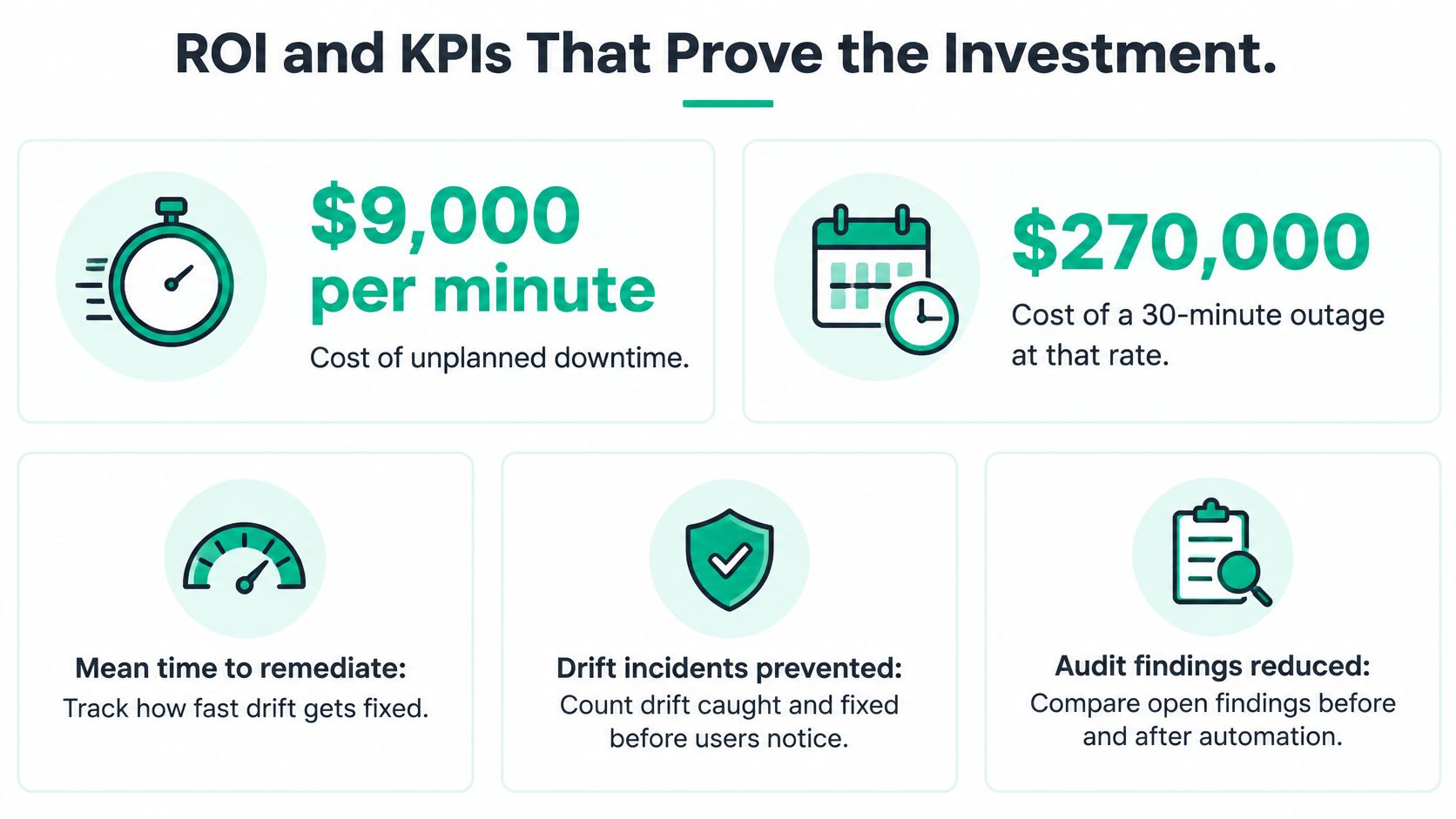
Start with the cost of an interruption to your business. If your own model values downtime at $9,000 per minute, a 30-minute outage comes to $270,000. That is scenario math, not a typical SMB benchmark. Use your actual lost contribution, idle labor, recovery expense, and contractual exposure.
A useful monthly calculation is:
Net monthly value = recovered productive hours × billable contribution per hour + avoided downtime minutes × validated cost per minute − service and tooling costs.
Recovered time is not automatically revenue. Employees need customer demand and available work to turn saved hours into billings. Avoided downtime is an estimate, not cash already earned.
Separate Study Results from Your Business Case
IBM's 2025 Cost of a Data Breach report found that organizations using security AI and automation extensively reduced the breach lifecycle by an average of 80 days and had average breach costs $1.9 million lower than organizations that did not. Those study averages are context, not a forecast for an Indianapolis firm.
IBM's 2024 breach study associated extensive automation in prevention workflows with average breach costs $2.2 million lower than organizations reporting no use in those workflows. Use the finding to assess whether automation is worth evaluating, not as savings to enter directly into your budget.
The cost illustration below is a planning scenario. Operational metrics are what you can verify locally.
KPIs for Cloud Security Automation
These are proposed service targets, not published industry averages. Set them against business hours, staffing, system criticality, and contracted coverage. Put low-risk, reversible fixes on an unattended track; route changes that could interrupt a critical service to human approval. A fast fix that triggers an outage can erase the savings it was meant to create.
| KPI | What it measures | Target to aim for | Why it matters |
|---|---|---|---|
| Mean time to detect | Time from suspicious event to alert | Under 60 minutes for critical events | Shorter detection time limits attackers' opportunity |
| Mean time to contain | Time from alert to isolation or revert | Under four hours for critical events | Containment affects disruption and response cost |
| Critical misconfigurations fixed on time | Share remediated within the service-level target | Every critical finding resolved or formally excepted by its deadline | Shows whether the baseline is enforced |
| False-positive rate | Share of alerts closed as benign | Below 30% and falling each month | Alert noise consumes technician hours |
| Rollback success rate | Share of automated fixes reverted cleanly when tested | Every approved rollback passes before production release | Confirms changes can be undone safely |
| Unplanned technician hours | Firefighting hours moved to scheduled work | Trending down every quarter | Shows whether reactive work is giving way to planned work |
| Monthly service cost variance | Actual versus budgeted managed-service spend | Within plus or minus 5% | Keeps monthly spending predictable |
Treat missed targets as engineering problems, not dashboard-coloring exercises. Break results down by critical service, and count incidents caused by automation itself. Track how often a fix is rolled back, then adjust its approval tier if the risk is higher than expected.
Count useful outcomes, not activity. More alerts and automated actions can simply mean a faster way to waste time.
Keep tooling expenses visible alongside your cloud cost optimization process for Indiana SMBs. Log ingestion, duplicate licenses, and poorly bounded playbook retries can eat into savings. The executive scorecard should make three things obvious: minutes to detect, minutes to contain, and predictable monthly cost.
Book Your Network Assessment in Greenwood
A network assessment scoped with the Finchum Fixes IT team is a sensible starting point for Greenwood and Indianapolis businesses dealing with unreliable infrastructure. If cloud permissions and exposed resources are the bigger concern, ask about a security risk audit instead. Both begin as consultations, so scope and cost are agreed before anyone touches a configuration.
Prepare for a focused conversation, not an unrestricted handover of administrator credentials.
- Share the inventory. Identify cloud tenants, Microsoft 365 or AWS accounts, and the UniFi controller or firewall. Use an approved, secure process for any access required.
- Review the baseline. Scope a configuration scan, dormant-administrator review, backup-restore status check, and Wi-Fi assessment covering dead zones and unauthorized-device exposure.
- Agree on the work. Ask for a ranked fix list organized into risk tiers, a rollout order, and a monthly budget that separates recurring coverage from project work.
That risk-tiered fix list is the part worth pressing on. Ask which fixes will run unattended, which ones get a human sign-off, and what the rollback path looks like for each. Automation works like a power tool: fast and accurate in trained hands, expensive when aimed at the wrong setting. An unattended rule can turn one configuration error into an outage at machine speed, which is worse than the slow manual fix it replaced.
For a bespoke application that needs secure event handling or workflow integration, you can contact a custom software development team at Faberwork LLC. Keep custom development tied to a documented requirement rather than rebuilding controls your existing platforms already provide.
Businesses along the I-65 corridor, Johnson County business owners, expanding Hamilton County offices, and downtown Indy tech hubs face different operational constraints. The assessment should reflect your opening hours, customer commitments, data sensitivity, and recovery priorities, not just your equipment list.
Choose a local partner who can explain the change, the business impact, and the way back if something fails. The cheapest outage is the one you planned for.
Finchum Fixes IT offers Greenwood-based networking, cybersecurity, recovery, and IT support, with Microsoft, CompTIA, and Cisco credentials supporting its technical team. Visit Finchum Fixes IT to schedule a network assessment or discuss a security risk audit for your Greenwood or Indianapolis business, then build a risk-tiered cloud security automation plan around safe fixes, continuity, and a predictable budget.