Cost of Data Breach: What Indiana Businesses Actually Pay
According to the IBM 2025 Cost of a Data Breach study, a data breach averaged $4.44 million globally in 2025, while the U.S. average reached a record $10.22 million. Indiana owners feel the bill in cash-flow jolts: downtime, recovery work, interrupted sales, and customers who do not return.
For a Greenwood business park tenant, the trouble might start with an aging server running accounting, shared files, and nearly everything except the coffee maker. If nobody monitors it, one failure can interrupt several parts of the business at once. Supported hardware, monitored endpoints, separated network access, and tested recovery procedures reduce that dependence on a single machine.
No setup makes breaches impossible. It can make the business less dependent on luck, which is a terrible IT support contract.
Direct and Indirect Costs in One Table
A breach creates overlapping bills, not a tidy repair invoice. You can pay an investigator while employees sit idle, then pay overtime when systems return. Meanwhile, the customer who couldn't place an order has already called someone else along the I-65 corridor.
Use the following as a planning timeline, not a guaranteed schedule. Your response team and counsel should set the actual sequence.
Breach cost categories and when each one hits
| Cost category | When it hits | What it covers |
|---|---|---|
| Incident response and forensics | First 72 hours of the response plan | Outside investigators, containment, log review |
| Downtime and lost production | First day onward | Idle staff, missed transactions, interrupted production |
| Ransom payment | First week, if considered | Payment assessment, negotiation, sanctions review, and any authorized payment |
| Restoration and replacement hardware | Days to weeks | Rebuilt servers, restored backups, new drives |
| Notification and customer care | Weeks | Letters, call handling, credit monitoring offers |
| Legal and regulatory | Weeks to months | Counsel, potential fines, obligations such as HIPAA |
| Lost sales and customer churn | Months | Cancelled contracts, delayed renewals, weaker pricing |
| Staff time and productivity | Ongoing | Overtime, rework, extra vendor hours |
Don't confuse a ransom demand with a ransom payment, either. Neither tells you what the entire incident costs, and paying doesn't replace restoration or establish that stolen information disappeared.
The costs nobody puts on the first purchase order
- Idle paid hours: Your accounting team still earns wages when it can't open the ledger. Record blocked work separately from permanently lost revenue so you don't double-count.
- Emergency vendor work: An urgent server rebuild leaves less room to compare quotes, schedule maintenance, or reuse existing equipment.
- Customer reassurance: Someone must explain what happened, answer security questionnaires, and convince a nervous customer to renew.
An employee exit can create another bill before anyone notices a technical problem. Beyond Surplus's discussion of data breach risks from unreturned laptops is a useful prompt to connect equipment returns with account revocation and encryption checks.
Start your estimate with our business impact analysis template. List the business process, the system it needs, the people blocked, and the cash consequence of interruption. Payroll, scheduling, order entry, and customer communications deserve separate lines.
A breach is a timeline of bills, not one invoice.
Benchmarks Indiana Owners Should Plan Around
The 2025 global average cost of a data breach was $4.44 million, down from $4.88 million in 2024, a 9% decrease and the first global decline in five years, according to the IBM 2025 Cost of a Data Breach study. The study covered 600 organizations breached between March 2024 and February 2025, with independent research by the Ponemon Institute.
IBM reported a record U.S. average of $10.22 million, up 9% year over year. Regulatory fines and detection-and-escalation expenses contributed to the increase. Breach costs can also include notification, lost business, and post-breach response, not just technical repairs.
Those figures are useful for context, not as a local business's expected invoice.
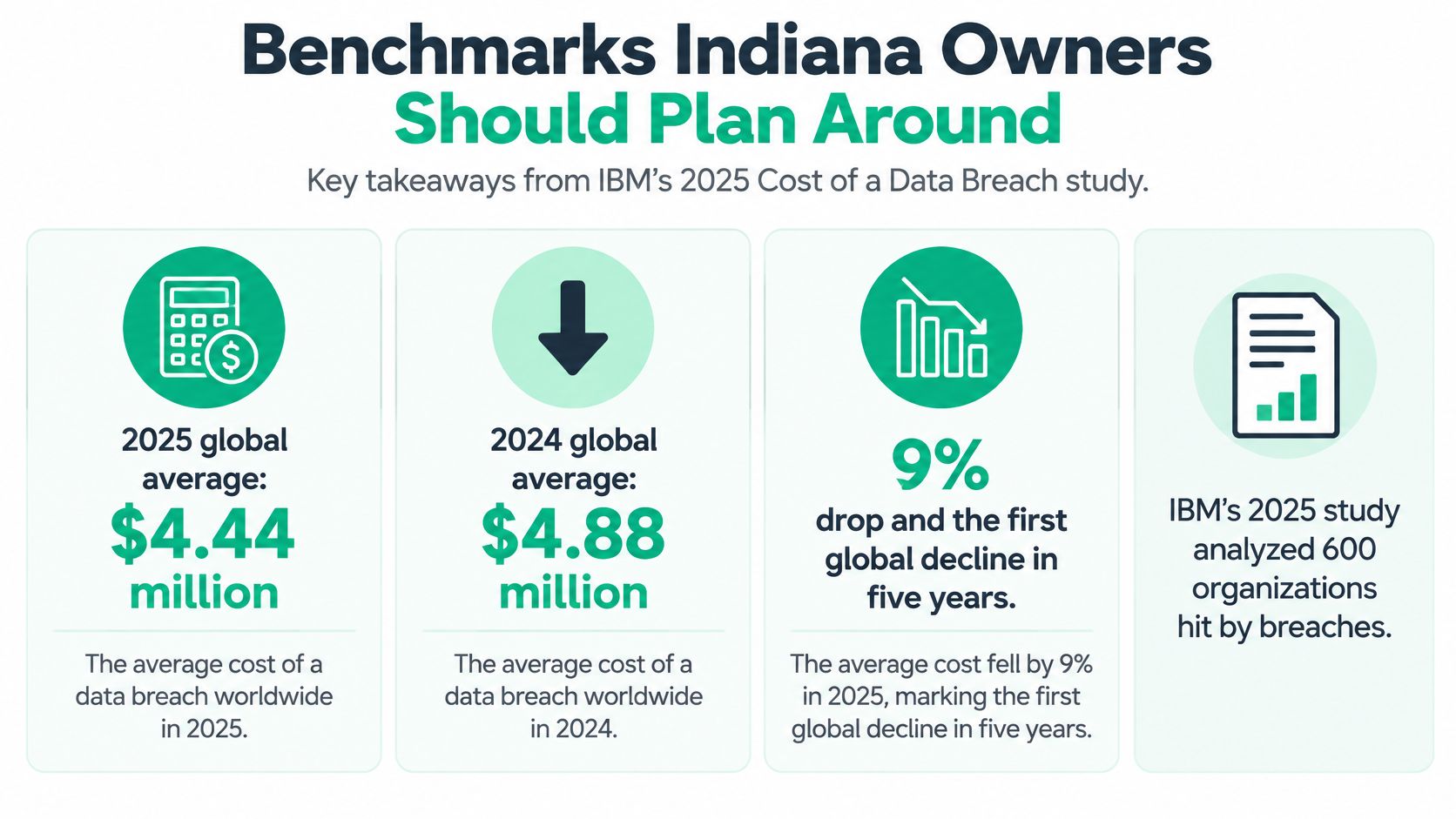
Breach benchmarks for 2024 and 2025
| Benchmark | Figure | What it tells you |
|---|---|---|
| Global average breach cost, 2024 | $4.88 million | Baseline before the decline |
| Global average breach cost, 2025 | $4.44 million | Down 9%, first global decline in five years |
| U.S. average breach cost, 2025 | $10.22 million | Record high, up 9% year over year |
| Average breach lifecycle, 2025 | 241 days | 17 days shorter than the prior year |
| Organizations hit by breaches involving AI models or apps, 2025 | 13% | 97% of that group lacked proper AI access controls |
In IBM's reporting on AI-related breaches, the average breach lifecycle was 241 days, down 17 days. The report also found that 13% of organizations reported breaches involving AI models or applications, and 97% of that group lacked proper AI access controls. AI can speed up response work, but poorly controlled AI systems also add breach exposure and response costs.
Use the benchmark, not the sticker shock
An enterprise average is not a Greenwood firm's expected bill or its maximum possible loss. It describes the organizations in the study. Your cash-flow timeline depends on which systems stop working, how quickly they are restored, and when bills come due.
Johnson County business owners should estimate downtime from actual dependencies. Can employees work without the file server? Can the shop ship orders without its cloud application? What cash is available before insurance reimbursement arrives?
Planning rule: Check the population, year, and cost categories included before using any benchmark in a budget.
The global decline is encouraging. The higher U.S. average is a reminder that a worldwide improvement does not automatically reduce a local business's exposure.
Why Small Firms Feel a Breach Harder
A small office can resemble a house with a fire extinguisher. An enterprise can afford a fire department. Both can have a fire, but the smaller operation exhausts its people and cash much sooner.
This sketch captures the operational problem: a breach interrupts a team, not just a machine.
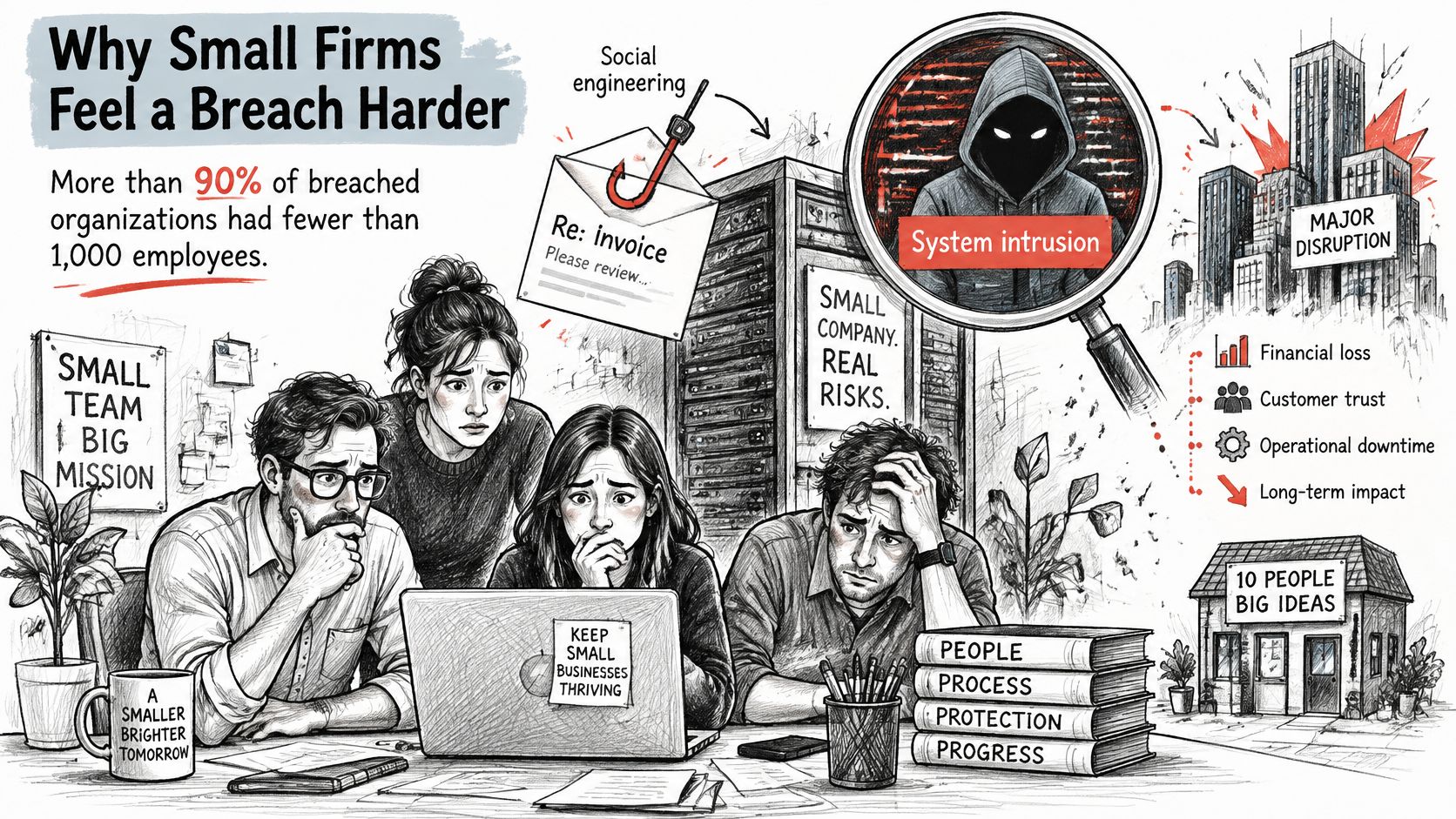
The Verizon 2025 Data Breach Investigations Report executive summary reports that more than 90% of breached organizations were SMBs with fewer than 1,000 employees, and that system intrusion, social engineering, and basic web-application attacks represented 96% of SMB breaches. Verizon also reports a median ransom payment of $115,000 in the preceding year, which is a payment measure, not an SMB-specific demand or complete recovery bill.
The owner becomes the response department
Say a Greenwood accounting office loses access after a phished login. The owner now has to coordinate account recovery, answer worried clients, and decide which deadlines need immediate attention. The software subscription isn't necessarily the painful expense. The interrupted client work is.
That's a scenario, not a claimed customer case. It's also why buying security software without assigning response responsibilities leaves a large hole.
Smaller firms may lack a dedicated security person, spare cash for an extended shutdown, or a practiced communications plan. MY CYBER GUARD's account of when compromised email brings business to standstill offers a useful operational lens: mailbox access is business infrastructure, not merely an employee convenience.
Use the video as a starting point for a staff discussion, then put responsibilities in writing.
Ask your leadership team:
- File access: How many hours can we operate without the file server?
- Payroll: Who can authorize and execute a fallback payroll process?
- Customer contact: Who calls clients if email goes dark on Monday morning?
If every answer is the same overwhelmed owner, you've found a continuity problem worth fixing.
Scenario Ranges for Ransomware, Stolen Logins and More
In the U.S. small-business survey covered by Cybersecurity Dive, 81% experienced a cybersecurity breach, a data breach, or both in the prior year; more than half of affected firms reported losses between $250,000 and $1 million, and nearly 40% raised prices to address the impact.
That survey range isn't a price list for individual attack types. A stolen login might involve a contained account reset or a lengthy investigation into downloaded customer records. Quote the work after establishing scope, not after naming the attack.
Breach scenarios, early costs and longer-tail costs
| Scenario | First-week costs | Longer-tail costs | Insurance angle |
|---|---|---|---|
| Ransomware on a file server | Forensics, downtime, restoration, ransom decision | Lost sales, customer churn, rebuild, possible fines | Confirm business interruption and restoration coverage |
| Stolen employee login | Account containment, email review, forensics | Notifications, mailbox cleanup, lost trust | Verify forensics and notification limits |
| Lost or stolen laptop | Device replacement, data-access review | Notification assessment if personal data was accessible | Review hardware coverage separately from cyber response |
| Third-party vendor compromise | Vendor coordination, data review | Contract disputes, customer audits, potential penalties | Review policy wording and vendor indemnities |
| Misconfigured AI tool exposing data | Access revocation, log review | Prompt and code exposure, remediation, notifications | Obtain a written coverage interpretation |
Insurance isn't permission to spend without coordination. Check notice requirements, approved response vendors, deductibles, waiting periods, exclusions, and sublimits before an incident. Don't assume your vendor's insurance reimburses your losses.
An encrypted laptop with properly protected keys presents a different investigation from a device containing exported customer records. Likewise, a supplier outage isn't automatically your own covered business interruption. Written policy review changes the planning answer.
Follow the cash out of the business
Use these windows as a budgeting exercise, not a prediction:
- Days 1–7: Reserve funds for containment, investigation, emergency purchasing, and restoration.
- Weeks 2–8: Allow for legal review, customer notices, and support work after the initial technical response.
- Months 2–12: Model delayed renewals, customer departures, and any pricing changes needed to restore margins.
Reimbursement may follow expenditure rather than arrive in time to pay the first invoice. Keep a response reserve and establish who can authorize emergency spending.
Defense subcontractors along the I-65 corridor should also review applicable contract requirements and CMMC expectations. Incident documentation and reporting obligations need an owner before a production interruption turns everyone into an amateur contract lawyer.
Cost Drivers That Shrink or Swell the Bill
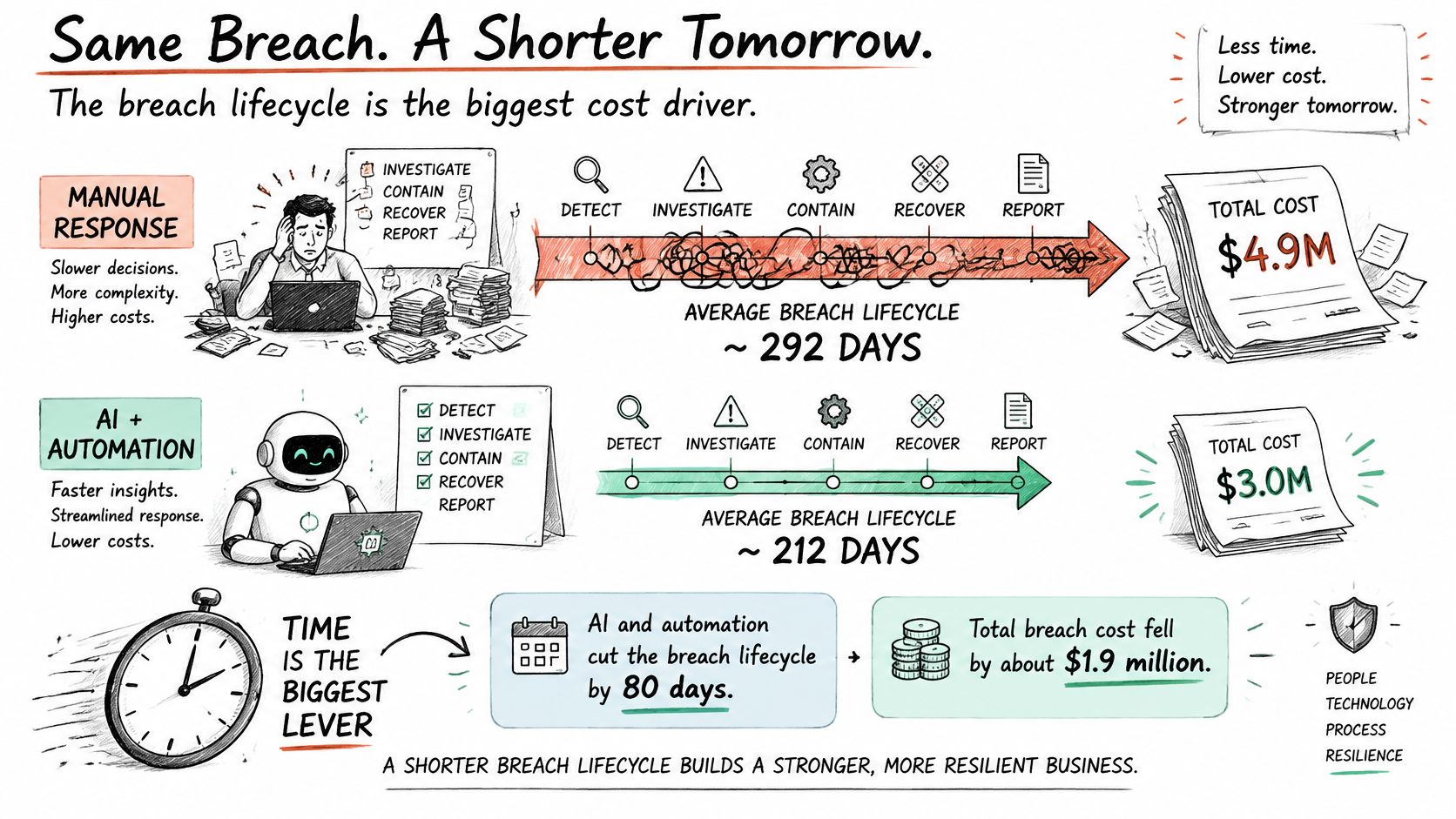
A breach bill grows while an intruder goes undetected. In IBM's analysis of security AI and automation, organizations using these capabilities extensively had breach lifecycles averaging 80 days shorter and costs approximately $1.9 million lower than organizations using them minimally or not at all.
That's an observed comparison, not a guaranteed return on a product labeled “AI.” The practical value is faster detection and a clear response path.
Give the technician something useful to act on
Endpoint detection and response can flag suspicious process behavior and support containment. Centralized log correlation can connect events that seem harmless alone, such as an unusual login followed by a large download.
Round-the-clock security monitoring detects and responds to threats in real time. People still need to investigate alerts and follow an agreed response process. An alert nobody acts on is just an expensive notification.
Prioritize the factors that affect how quickly a breach is contained and how much data is exposed:
- Detection delay: Collect identity, endpoint, firewall, and cloud logs. Assign someone to review alerts and escalate them.
- Data sensitivity: Restrict access to patient information, financial records, and source code. A breach involving sensitive records can demand a different response from one involving low-risk files.
- Compliance exposure: Map HIPAA requirements for healthcare and applicable defense requirements separately. NIST CSF can organize general-business security, but it does not replace legal compliance.
- Unapproved AI use: Set rules for approved tools, prohibited data, access, retention, and rapid account revocation. AI can speed up work, while an employee pasting sensitive information into an unapproved tool creates another exposure to manage.
Fix the Southside bottleneck at its roots
For an aging Greenwood server with no logging, start by addressing unsupported infrastructure, endpoint monitoring, and recovery testing. VLAN-based network segmentation with firewall rules can separate front-office devices from server and backup administration. A switch alone does not create isolation.
Zero Trust evaluates identity, device, and access context instead of trusting users because they are inside the building. Apply least privilege and require stronger verification where the risk justifies it.
AI-assisted defense and AI application security solve different problems. A detection tool does not secure an employee's public AI workspace or a custom application's exposed credentials. Match the controls you operate to the Indiana cybersecurity insurance requirements guide. Monitoring only reduces the bill when an authorized responder can act on what it finds.
What Prevention Pays Back in Billable Hours
Price prevention against your own lost work, not someone else's spectacular outage. A hypothetical systems-dependent operation losing up to $9,000 per minute would face $540,000 per hour in exposure. That's an illustrative stress test, not an established downtime rate for Indiana SMBs.
For another explicit budgeting example, suppose a 40-person Greenwood firm allocates $6,000 monthly, or $72,000 annually, to managed IT, endpoint protection, and monitoring. A hypothetical four-hour outage at that extreme rate represents $2.16 million in exposure. Avoiding it isn't guaranteed, and exposure isn't the same as realized savings.
Use a calculation your bookkeeper can defend
A better everyday model starts with blocked employees, loaded labor cost, contribution margin on missed sales, and recovery expenses. Don't add the full value of lost sales to labor costs if that counts the same loss twice.
- Recover usable time: Track hours employees spend waiting for applications, repeating failed tasks, or chasing technical support.
- Reduce recovery uncertainty: Test immutable off-site backups against your actual workload and connectivity.
- Control response spending: Name decision-makers and authorized vendors in the incident-response playbook.
Our ransomware prevention checklist helps turn those priorities into scheduled work rather than a shopping spree after a scare.
Predictable monthly spending is useful. Predictable restoration is what keeps the business moving.
Insurance complements those controls; it doesn't maintain them. ABS Insurance Brokers Pty Ltd's explanation of cyber insurance for Australian businesses is a useful comparison of coverage categories, but Australian policy descriptions don't establish coverage for an Indiana company.
For downtown Indy tech hubs and professional offices alike, the practical return is straightforward: less avoidable waiting, more usable working time, and fewer emergency invoices. Only call that time billable when someone can bill it.
How to Test Backups Before You Need Them
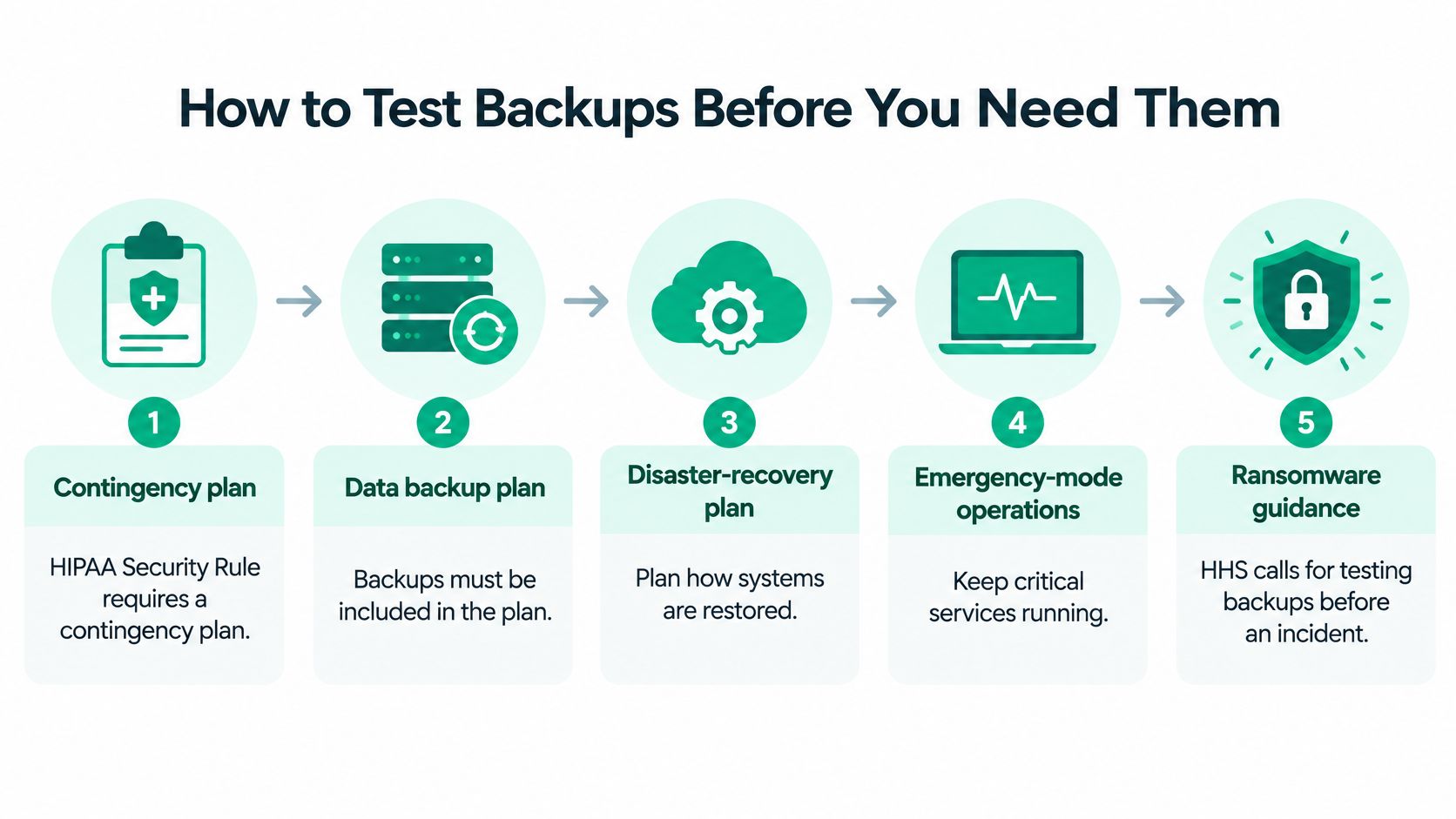
The HHS HIPAA Security Rule guidance requires covered entities and business associates to maintain a contingency plan including data backup, disaster recovery, and emergency-mode operations. HHS ransomware guidance also recommends periodic test restorations and considering offline backups because connected copies can be disrupted.
A backup job reporting success doesn't establish that the business can resume work. Test the restore and the application that uses the restored data.
The contingency plan needs both recovery and a way to keep critical work moving.
Run a controlled restore
-
Rank business services. Identify what must return first, considering payroll and accounting alongside any patient-care or production dependency. Record acceptable downtime and acceptable data loss separately.
-
Check backup separation. Confirm an immutable off-site or offline copy exists and that production administrators can't casually delete it. Our 3-2-1 backup guide for Indiana SMBs provides a practical starting structure.
-
List available versions. On a Windows Server system using Windows Server Backup, open a terminal with administrator privileges and run
wbadmin get versions. Confirm the intended backup location and record the exact version identifier returned. -
Restore into isolation. Use
wbadmin start recoverywith the selected version, item type, source item, and a separate recovery destination. Runwbadmin start recovery /?for the installed command syntax, and never overwrite production files during a test. -
Verify contents. Run
certutil -hashfile "C:\RestoreTest\sample.xlsx" SHA256and compare it with a trusted pre-backup hash. A matching hash verifies file contents, not whether a database or application is operational. -
Measure usable recovery. Time retrieval, restoration, permissions repair, and an actual application opening. Record the result and compare it with the business target.
-
Schedule repeat tests. A quarterly exercise is a reasonable starting recommendation, with additional tests after major changes. Record failures, assign corrective work, and retest.
Protect the source before attempting repairs
A physically failing drive needs assessment before a rebuild or repeated power cycles. A specialist may need bit-level data recovery, working from an image rather than writing to the original device. Don't start a RAID rebuild merely because the controller offers a reassuring button.
Our data protection includes encryption, secure backups, and access controls. We also back up and protect customers' files during computer repair.
Restore-test standard: A failed exercise is a finding to fix, not a reason to stop testing.
Book a Free Security Risk Audit Before the Next Breach
A useful audit checks what works, not just what you've purchased. We review endpoint protection, firewall rules, Wi-Fi settings and WPA3 encryption, restore logs, administrator access, approved AI tools, and who answers the phone when an incident starts.
The Free Security Assessment provides a detailed evaluation of your business's security posture at no cost. Our Indiana business cybersecurity assessment guide explains how to prepare for that conversation.
Give the audit real evidence
- Pull the restore log: Find the last quarter's results and flag failed or incomplete tests. A missing log belongs on the findings list too.
- Count privileged accounts: Remove unnecessary administrator access after checking service dependencies. Separate everyday user accounts from administrative work.
- Compare recovery with the target: Put your timed restore result beside the requirement for payroll and accounting. Assign an owner to close any gap.
Our average data recovery time is 24 hours. That's a service average, not a promise that an entire breached organization will be operational within that window.
Hamilton County growth and the working pace along the I-65 corridor keep local businesses occupied. Security maintenance still needs a place on the calendar. Adding employees, cloud tools, or another office without reviewing access creates avoidable cleanup work later.
Book a Free Security Risk Audit with Finchum Fixes IT for your Greenwood, Indianapolis, Johnson County, or Hamilton County business. Bring your backup report, an administrator-account list, and your biggest downtime concern. The assessment costs nothing; a Monday morning ransomware note brings a much less pleasant conversation.
Finchum Fixes IT offers managed IT, cybersecurity, networking, and data recovery to help Greenwood and Indianapolis businesses reduce disruption and plan recovery spending. Visit Finchum Fixes IT to book a Free Security Assessment and find out which gaps could turn your next technical problem into a breach bill.