10 Data Migration Best Practices That Secure Indiana Businesses in 2026
TL;DR: Key Takeaways
- A successful data migration is a business-critical operation, not just an IT project. A misstep can cause downtime costing up to $9,000 per minute.
- Start with a deep pre-migration assessment to map all data, dependencies, and compliance needs (HIPAA, CMMC). This prevents unexpected failures.
- Validate data integrity before, during, and after the move. Don’t just move data; ensure it’s correct and usable.
- Use a phased, incremental approach instead of a risky "big bang" cutover. This minimizes the blast radius of any issues.
- Plan for security from day one. Encrypt all data in transit and at rest, and use a Zero Trust architecture.
- A solid backup and tested rollback plan is non-negotiable. It’s your safety net against catastrophic failure.
- The project isn't over at launch. Post-migration monitoring and optimization are key to realizing the full ROI.
Moving your company’s data from an old, creaky server in a Greenwood business park to a modern, secure cloud platform isn't just an IT project; it's a heart transplant for your entire operation. A single misstep can flatline your business, costing up to $9,000 per minute in downtime. For Johnson County business owners, a botched data migration means stalled production, missed deadlines, and lost revenue. This isn't just about moving files from point A to point B; it's about safeguarding the operational lifeblood of your company and converting "wasted tech time" into billable hours.
The process is loaded with risks, from outright data loss and crippling security breaches to failing to meet critical HIPAA or CMMC compliance standards. But here's the good news: with a solid plan grounded in proven data migration best practices, you can turn this high-stakes procedure into a seamless transition that boosts security, improves efficiency, and positions your business for growth along the I-65 corridor. It’s also crucial to know what you have before you move it. To truly master data management, considering principles from 10 essential IT asset management best practices can significantly enhance security and efficiency, ensuring your migration is far from 'winging it'.
In our 17 years of local service, we’ve guided dozens of Central Indiana businesses through this exact process, transforming operational bottlenecks into predictable monthly IT budgets. This guide isn't theoretical. It’s a battle-tested roundup of actionable strategies that work, from comprehensive planning and validation to bulletproof rollback plans and post-migration optimization. Let’s get started.
1. Comprehensive Pre-Migration Assessment and Planning
Jumping into a data migration without a plan is like trying to drive from Greenwood to Carmel during rush hour with your eyes closed. You might move, but you definitely won't end up where you intended, and there's going to be a lot of expensive damage. A comprehensive pre-migration assessment is the foundational first step in any successful data migration project, making it an essential best practice.
This phase is all about deep-dive discovery. It means creating a meticulous inventory of every byte you plan to move. What data do you have? Where does it live? Who owns it? And most importantly, what other systems will break if it suddenly disappears? We see this all the time with aging server hardware in local business parks—forgetting a single API connection or a legacy database dependency can bring your entire operation to a screeching halt.
Why This is Non-Negotiable
For a manufacturing firm on the I-65 corridor, this means mapping every connection between their ancient ERP and the shop floor control systems before even thinking about a cloud migration. A mistake here could halt production for days, costing a fortune. Similarly, a healthcare practice in Johnson County must classify all patient data to ensure the new platform is fully HIPAA-compliant before a single record is moved. This proactive approach prevents downtime and converts tech headaches into reliable operations.
Key Insight: We tell clients to allocate a solid 20-30% of the entire project timeline just for this assessment phase. Rushing the blueprint guarantees a flawed construction. This isn't wasted time; it’s the ultimate insurance policy against downtime, which can cost businesses up to $9,000 per minute.
Your Action Plan:
- Automate Your Audit: Use automated discovery tools to map your entire network and catalog all data sources. This avoids the "oops, we forgot about that server" problem.
- Create a Dependency Map: Visually document every single system integration. This includes everything from accounting software plugins to custom-built reporting tools.
- Classify Everything: Build a data classification matrix that tags data by sensitivity (e.g., Public, Internal, Confidential, HIPAA-Protected). This dictates security protocols for the migration.
- Interview Stakeholders: Get the department heads in a room. The finance team knows which reports are mission-critical at month-end. Don't guess, ask.
- Define "Done": Establish clear, measurable success metrics before you start. What does a successful migration look like? Is it measured by performance, cost reduction, or zero data loss? Write it down.
2. Data Validation and Quality Assurance Testing
Skipping data validation is like launching a brand-new website for your Fishers-based company without checking if the "buy now" button actually works. You've moved everything over, but if the data is corrupt, incomplete, or just plain wrong, you've essentially shipped a broken product to your customers and your own team. Rigorous data validation and quality assurance testing are the essential best practices that ensure your data arrives at its new home intact and trustworthy.
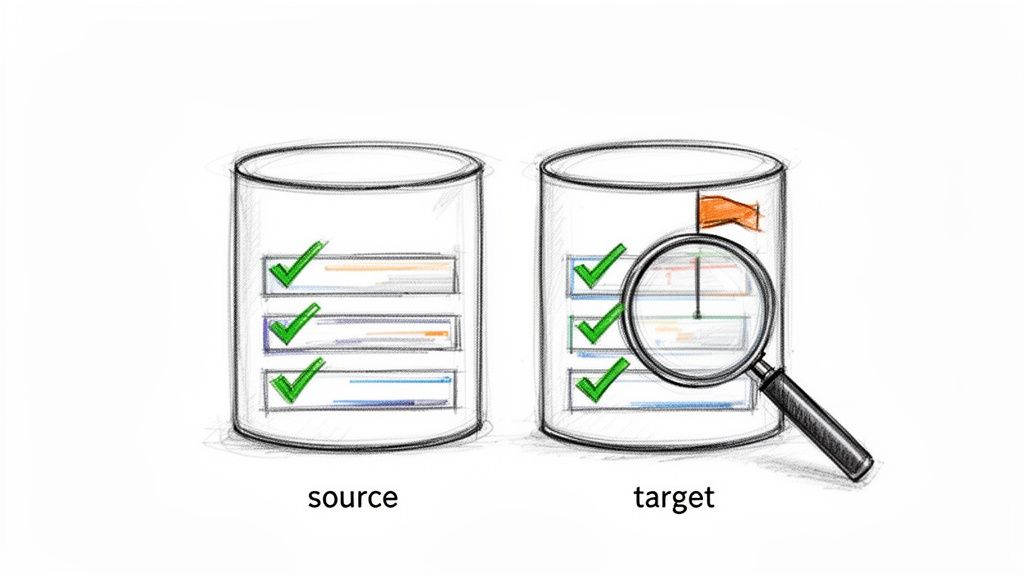
This isn't just about counting records; it's about verifying the integrity of the information itself. The process involves a multi-stage checkpoint system: before, during, and after the migration. You compare source and target datasets, check data types, validate critical calculations, and confirm that all relationships between data points have been perfectly preserved. Without this, you’re flying blind, hoping for the best.
Why This is Non-Negotiable
For a bank on Monument Circle migrating its core system, this means validating every single transaction history down to the penny. A single misplaced decimal could trigger a compliance nightmare. Likewise, an insurance company in Carmel must verify that policyholder data, including dependents and coverage limits, is identical in the new system. Getting this wrong doesn't just cause operational headaches; it creates massive legal and financial liability. A proper migration ensures business continuity and a clear ROI.
Key Insight: When we dissembled a similar client’s failing RAID array, we saw firsthand that a "successful" data transfer doesn't mean the data was usable. True success is when the post-migration data is 100% accurate. We build automated validation scripts that run at every stage, creating a detailed audit trail that proves data integrity.
Your Action Plan:
- Automate Validation Scripts: Don't rely on manual spot-checking. Develop scripts early on to compare record counts, checksums, and critical fields between the source and target systems.
- Test with a Representative Sample: Before moving terabytes of data, migrate a small but representative subset. This helps identify data type mismatches or transformation errors early.
- Create Reconciliation Reports: Generate detailed reports that show side-by-side comparisons of key data points. These reports are your proof of a successful migration for stakeholders and auditors.
- Establish Acceptance Criteria: Work with business leaders to define what "correct" data looks like. Get their sign-off on the validation results before proceeding to the final cutover.
- Document All Anomalies: Create a log for every discrepancy found during testing. Document how it was identified, what the root cause was, and the exact steps taken to resolve it. This is your project's history book.
3. Parallel Run Testing and Cutover Planning
Imagine learning to fly a brand-new jet while the old propeller plane is still attached to the wing. It sounds chaotic, but it’s a brilliant way to ensure the new engines work before you cut the old one loose mid-air. That's the core idea behind parallel run testing, a critical practice for a smooth data migration that keeps your business airborne without a single moment of terror.
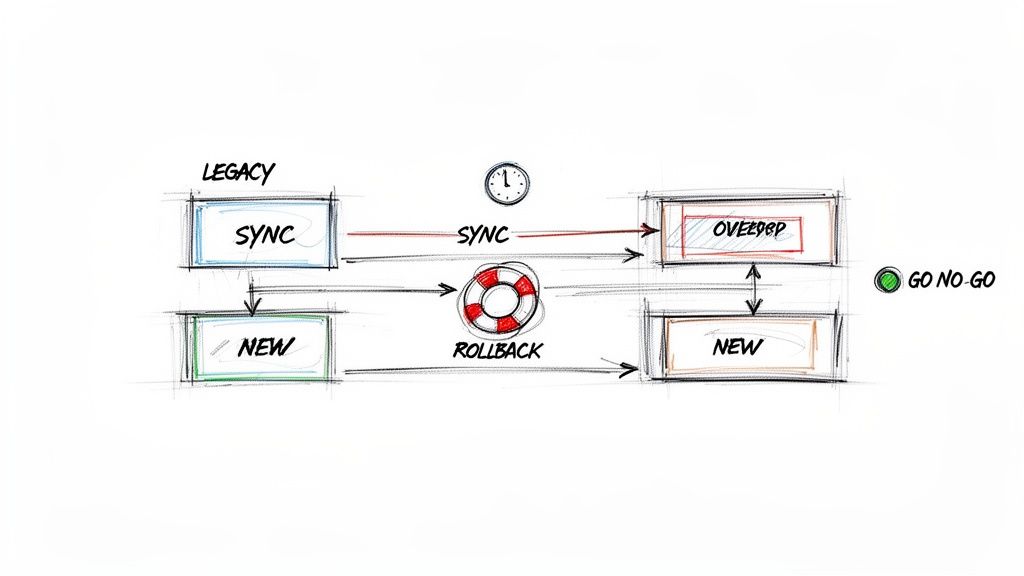
This method involves running your new system and your old legacy system simultaneously for a set period. Data is fed into both, and the outputs are compared daily. This isn't just a test; it's a live-fire dress rehearsal. It allows your team to validate every function of the new system, build confidence, and squash bugs before the old system is retired for good, ensuring operational continuity and maximizing the return on your IT investment.
Why This is Non-Negotiable
For a logistics company in Plainfield, this means processing shipments in both their old dispatch software and the new cloud-based platform for two weeks straight. Catching a single discrepancy in invoicing or routing here prevents a massive financial and reputational hit. A retail chain in Carmel can run its new POS system alongside the old one to guarantee sales data, inventory counts, and credit card transactions are flawless before a full holiday season rollout. This is how you prevent downtime and protect revenue.
Key Insight: In our 17 years of local service, we’ve seen that a well-executed parallel run turns the final cutover from a high-stress gamble into a non-event. It’s the ultimate safety net. If the new system stumbles, the old one is still chugging along, meaning zero downtime and zero lost revenue.
Your Action Plan:
- Set a Go/No-Go Date: Schedule the final cutover during a slow business period, like a weekend. Establish clear decision points leading up to it based on parallel run performance.
- Reconcile Daily: Create a daily checklist to compare critical outputs from both systems. This could be sales totals, inventory levels, or patient records. Document every single mismatch.
- Test Your Rollback Plan: A rollback plan you haven't tested is just a hopeful document. Actually perform a small-scale, simulated rollback to ensure the procedures work and the team knows the drills.
- Plan Your Cutover Communications: Inform every stakeholder, from the C-suite to the front desk, about the cutover schedule, potential impacts, and who to contact if issues arise.
- Have Leadership on Standby: Ensure key IT staff and department heads are available and on-call during the cutover window. Quick decisions can make or break the transition.
4. Incremental and Phased Migration Approach
Trying to migrate your entire business’s data in one giant weekend push is the tech equivalent of trying to eat a whole St. Elmo shrimp cocktail in one bite. It’s a painful, tear-inducing experience that almost never ends well. The "big bang" approach is a high-stakes gamble, where a single failure can bring your entire operation down. An incremental and phased approach is the smarter, more strategic play.
This methodology involves breaking the migration into smaller, digestible chunks. Instead of moving everything at once, you migrate data in logical segments-by department, application, or data type. This reduces the blast radius of any potential issues, allowing you to test, validate, and learn from each stage. It turns a monumental task into a series of manageable, low-risk projects that ensure business continuity.
Why This is Non-Negotiable
For a financial services firm in Carmel, this means moving their wealth management platform first, ensuring its stability before touching the mission-critical retail banking systems. A mistake with a "big bang" could violate compliance standards like NIST CSF and halt transactions. Similarly, a multi-location healthcare network in Johnson County can migrate one clinic at a time to a new EHR system, using the first clinic as a live pilot to iron out kinks before a system-wide rollout. This approach fixes the problem permanently without risking the whole operation.
Key Insight: The big bang migration has a single point of failure. A phased approach has multiple checkpoints. We've seen projects saved because a problem discovered in phase one (migrating the marketing department's data) prevented a catastrophe when it was time to move the core accounting system. This is a core tenet of effective data migration best practices.
Your Action Plan:
- Define Logical Chunks: Identify self-contained data sets or business units that can be moved with minimal dependencies. A good start is often a non-critical department to build experience.
- Create a Phase-Gate Review: After each migration phase, conduct a formal review. Did you meet the success metrics? What went wrong? What can be improved for the next phase? Document everything.
- Communicate Continuously: Keep users informed about which systems are being migrated and when. A phased approach requires clear communication to avoid confusion about where the "source of truth" is at any given moment.
- Update Your Dependency Map: As you complete each phase, update the dependency map created during your initial assessment. This ensures your understanding of the IT environment remains current.
- Schedule Around Business Cycles: Plan migration phases during slower business periods if possible. Moving the sales team’s CRM data at the end of the quarter is a recipe for disaster.
5. Data Mapping and Transformation Documentation
Skipping data mapping is like trying to translate a legal document from Spanish to English by just replacing words one-for-one. You’ll get a sentence, but it will be nonsensical, legally void, and probably get you laughed out of the room. Data mapping is the meticulous process of creating a "translation key" that shows exactly how a piece of data from your old system will fit into your new one.
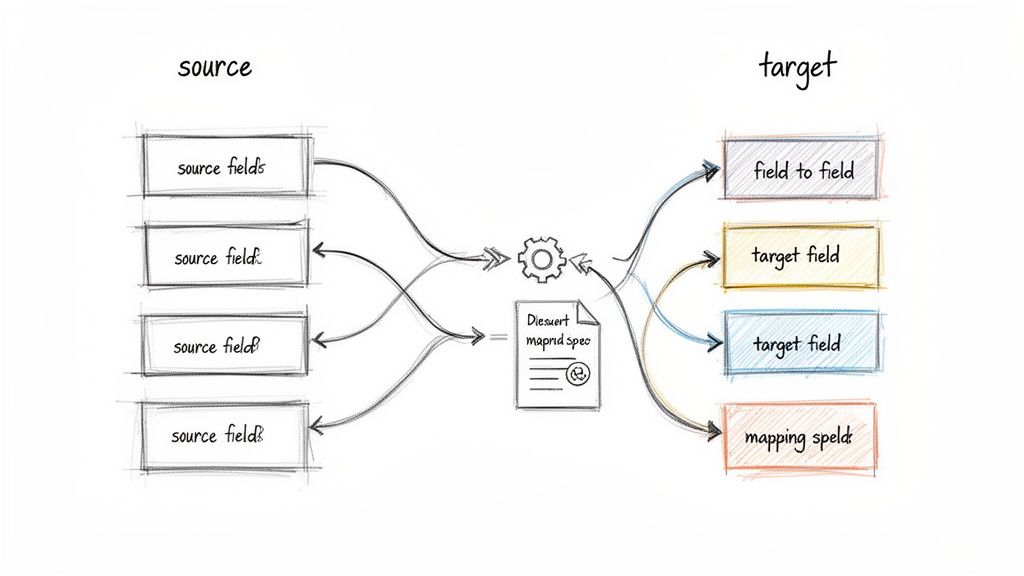
This isn't just about moving customer_first_name to FirstName. It’s about documenting every transformation, business rule, and format conversion. What happens when your old system used "IN" for Indiana and the new one requires the full state name? You document that rule. What about legacy product codes that have no place in the new structure? You create a documented plan for handling those exceptions. This documentation is one of the most critical data migration best practices because it ensures consistency and prevents catastrophic data corruption.
Why This is Non-Negotiable
For a manufacturing company in Greenwood moving to a new MRP system, this means precisely mapping complex bill-of-materials structures. One mistake could lead to ordering thousands of the wrong part, shutting down production and torpedoing ROI. A bank on the I-65 corridor migrating to a new core banking platform must document every single account code transformation to avoid misrouting funds and creating a compliance nightmare. This detailed map is your project's single source of truth.
Key Insight: In our 17 years of service, we’ve seen more migrations fail from poor mapping than from technical glitches. Spreadsheets get messy fast. We tell clients to invest in proper mapping tools and get business stakeholder sign-off on every single rule. This isn't just an IT task; it’s a core business function.
Your Action Plan:
- Document Business Rules First: Before writing a single line of code, get the business logic on paper. How should order statuses be converted? What defines an "active" customer? Get sign-off from department heads.
- Use Visual Mapping Tools: Don't rely on a 10,000-row spreadsheet. Use software that creates visual diagrams of source-to-target mappings. This makes complex relationships easier for everyone to understand.
- Create Exception Handlers: Plan for data that doesn't fit. Will you archive it, transform it, or discard it? Define and document a clear procedure for every type of exception.
- Version Control Everything: Your mapping document will change. Use a version control system (even a simple one) to track revisions and ensure everyone is working from the latest blueprint.
- Test with Sample Data: Before the full migration, run a small, controlled batch of data through your mapping rules. This validates your logic and catches errors when they're cheap and easy to fix.
6. Comprehensive Backup and Disaster Recovery Planning
Starting a data migration without a verified backup and a disaster recovery plan is the business equivalent of tightrope walking over I-465 without a safety net. It’s not a question of if something will go wrong, but when. A comprehensive backup and recovery strategy is your parachute, ensuring that a migration glitch doesn't turn into a business-ending catastrophe.
This isn't just about making a quick copy of your data. It's about creating a robust, multi-layered defense. This involves establishing complete backup strategies for both the source and target systems, with documented and tested recovery procedures. We recommend immutable off-site backups as a standard. Forgetting to verify your backups is like packing a parachute you've never opened; it provides a false sense of security that will vanish the moment you actually need it.
Why This is Non-Negotiable
For a financial services firm in Hamilton County with strict sub-hour recovery time objectives (RTO), a migration failure could trigger massive compliance fines and client losses. Similarly, a healthcare provider in Johnson County must ensure its patient record backups are fully HIPAA-compliant and restorable before moving a single file. An unrecoverable backup during a failed migration could mean permanent data loss, a devastating operational and legal blow. This is the definition of preventing downtime.
Key Insight: We’ve seen migrations fail for the simplest reasons, like a sudden power outage or a single misconfigured firewall rule. Your rollback plan isn't a "nice-to-have"; it's your get-out-of-jail-free card. It’s what separates a minor inconvenience from a full-blown disaster that halts your entire operation.
Your Action Plan:
- Test Your Restores: Before the migration, perform several trial restorations from your backups to a sandbox environment. This verifies data integrity and confirms your recovery procedure actually works.
- Implement the 3-2-1 Rule: Maintain at least three copies of your data on two different media types, with one copy stored off-site. For our clients, this always means local backups plus immutable off-site backups in a secure data center.
- Document the Rollback: Create a step-by-step checklist for reverting to the source system if the cutover fails. Every team member involved should know their exact role in this process.
- Verify Backup Integrity: Don't just trust the "backup complete" notification. Use checksums or sample restorations to confirm the backed-up data is not corrupted.
- Define RTO/RPO: Clearly define your Recovery Time Objective (how quickly you need to be back online) and Recovery Point Objective (how much data you can afford to lose). This is a foundational part of effective data loss prevention best practices.
7. User Training, Communication, and Change Management
A technically perfect data migration can still be a total failure if your team can't use the new system. It’s like installing a state-of-the-art UniFi networking system in an old brick building downtown but forgetting to give anyone the Wi-Fi password. Effective change management isn't a "nice-to-have"; it’s the bridge between a complex IT project and actual business value.
This phase is about preparing your people for what’s coming. It involves clear, consistent communication about why the change is happening, hands-on training tailored to different roles, and a support system to manage the inevitable bumps in the road. Ignoring the human element is the fastest way to get flooded with support tickets, encounter fierce resistance, and watch productivity plummet, destroying your ROI.
Why This is Non-Negotiable
For a healthcare practice in Johnson County migrating to a new HIPAA-compliant EHR system, this is paramount. Without proper training, clinical staff might input data incorrectly, compromising patient safety and creating massive compliance risks. Similarly, a manufacturing firm on the I-65 corridor must prepare its operations team for a new production system, or risk line stoppages that directly impact revenue.
Key Insight: We’ve seen a direct link between the quality of training and the number of post-launch help desk calls. A small investment in creating "super users" within each department can reduce support requests by over 40%, empowering teams to solve minor issues internally and converting wasted tech time into billable hours.
Your Action Plan:
- Communicate Early and Often: Start sharing the "why" behind the migration at least three months before cutover. Use multiple channels like email, team meetings, and printed flyers.
- Tailor the Training: Don't use a one-size-fits-all approach. The accounting team needs different training on the new ERP system than the warehouse staff. Create role-specific training modules.
- Appoint Department Champions: Identify tech-savvy "super users" in each department. Give them extra training so they can act as the first line of support for their peers.
- Use a Multi-Format Approach: Offer training through videos, live hands-on sessions, and detailed documentation. This accommodates different learning styles and schedules.
- Schedule Just-in-Time Sessions: Hold the primary training sessions as close to the cutover date as possible to maximize knowledge retention.
- Celebrate Success: After the migration, host a lunch or company-wide meeting to acknowledge the team's hard work and celebrate the successful transition. This builds morale and reinforces the positive change.
8. Monitoring, Logging, and Post-Migration Support
Flipping the switch on a new system without watching it closely is like sending a rookie driver down I-465 in a semi-truck during a snowstorm and just hoping for the best. The real work begins after the cutover, and this is where many data migration best practices fall short. Continuous monitoring, detailed logging, and a rock-solid support plan are your eyes and ears, ensuring the project actually sticks the landing instead of just making a loud noise.
This phase is about vigilance. It means actively watching system performance, transaction volumes, and error rates to catch problems before they snowball. Comprehensive logging provides an unassailable audit trail, making it possible to trace an issue back to its source, whether it’s a user error or a hidden system bug. This is where SOC-as-a-Service monitoring proves its worth, giving you expert oversight without the guesswork.
Why This is Non-Negotiable
For a financial services firm in a downtown Indy tech hub, a successful migration means transaction volumes on the new platform immediately match pre-migration baselines. Any dip could signal a critical failure costing thousands per hour. Likewise, a manufacturing plant in Greenwood needs to see that its new inventory system is processing orders with the same or better latency. A slowdown here could grind the entire production line to a halt, destroying business continuity.
Key Insight: We tell our clients to budget for a dedicated, "hypercare" support period of at least 30, and preferably 90, days post-migration. Problems that sneak past even the most rigorous testing always reveal themselves under the weight of real-world user activity. This isn’t a sign of failure; it’s a planned final step for success.
Your Action Plan:
- Establish Pre-Migration Baselines: Before you move anything, measure everything: CPU usage, network latency, application response times, and transaction counts. This is your "normal" to compare against post-cutover.
- Deploy Automated Monitoring: Set up dashboards and automated alerts for critical metrics. Your IT team should be alerted to a server overload or a spike in database errors before a user even picks up the phone.
- Maintain a Dedicated Support Team: For the first 30-90 days, have a designated team of experts on standby who understand both the old and new systems. They are your first responders.
- Create a Runbook: Document common post-migration issues and their step-by-step solutions. This helps resolve recurring problems quickly and consistently.
- Schedule Daily Stand-ups: For the first week, hold a daily 15-minute meeting with key stakeholders to review any logged issues, track resolution progress, and prioritize fixes based on business impact. Getting the right monitoring in place is crucial; explore some of the 10 best practices for network monitoring your Indiana business needs in 2026 to see how we implement this.
9. Security, Compliance, and Data Protection Throughout Migration
Treating security as an afterthought in a data migration is like building a bank vault and leaving the door unlocked during the grand opening. Data is most vulnerable when it’s on the move, and a single misstep can expose sensitive client information, trigger crippling regulatory fines, and destroy years of customer trust. Integrating security and compliance into every phase of the project isn't just a best practice; it's a non-negotiable requirement for survival.
This means you’re not just moving files; you're moving a liability. Every piece of data needs a security detail from the source system to its new home. This involves using tools like Bitdefender GravityZone for endpoint protection, along with encryption and access controls, to ensure the only people touching the data are the ones who are supposed to be. Forgetting this is how a simple system upgrade becomes a front-page data breach headline.
Why This is Non-Negotiable
For a healthcare provider in Johnson County migrating Electronic Health Records (EHR), this means every byte must be encrypted in transit and at rest to maintain HIPAA compliance. A failure here isn’t just a technical glitch; it's a federal offense with severe penalties. Similarly, a defense contractor in Central Indiana must ensure its migration path is 100% CMMC compliant, or it risks losing its government contracts entirely.
Key Insight: We’ve seen businesses assume their cloud provider handles all security. That’s a dangerous and expensive assumption. Security is a shared responsibility. Your team must implement robust data security best practices to protect sensitive information, from initial access controls based on Zero Trust architecture to final data validation, ensuring a secure chain of custody.
Your Action Plan:
- Classify and Tag Data First: Before you move anything, identify and tag all sensitive data (PII, PHI, financial records). This determines the level of security required for each data set.
- Encrypt Everything: Use strong, end-to-end encryption like AES-256 for data both in transit (while it's moving) and at rest (once it's in the new system). There are no excuses for unencrypted data.
- Enforce Strict Access Controls: Implement a Zero Trust model. Use multi-factor authentication (MFA) and least-privilege principles to ensure only authorized personnel can access migration tools and data.
- Conduct Pre-and-Post Audits: Run a full security and compliance audit before you start and immediately after you finish. This verifies that no new vulnerabilities were introduced during the process.
- Plan for Secure Decommissioning: Once the migration is confirmed successful, you must have a plan to securely wipe and destroy the data on the old hardware. Hitting "delete" isn't enough; you need a verifiable data destruction process. For a closer look at ensuring data is protected on the move, you can find a no-nonsense guide to secure data transfer on our blog.
10. Post-Migration Optimization and Performance Tuning
You’ve landed the plane. The data is in the new system, users are logged in, and the sky hasn’t fallen. But simply arriving at the destination isn't the end of the journey; it’s the beginning of a much faster, more efficient one. Treating the cutover as the finish line is like buying a high-performance race car and never taking it out of first gear. Post-migration optimization is where you tune the engine for peak performance and unlock the true ROI of your investment.
This phase is about shifting from "make it work" to "make it fly." It involves a deliberate process of analyzing real-world usage patterns, tuning database queries, right-sizing cloud resources, and eliminating bottlenecks you couldn't have predicted during testing. It’s the critical step that transforms a functional migration into a business-transforming one, ensuring your new system is not just working, but working smarter.
Why This is Non-Negotiable
For a logistics company in Plainfield, this means optimizing the new warehouse management system to shave seconds off every database query related to inventory lookups, translating to thousands of dollars saved daily. A growing tech firm in Hamilton County might realize their initial "lift-and-shift" to the cloud resulted in over-provisioned, costly server instances. Right-sizing those resources based on actual usage can slash their monthly cloud bill by 40-50%. This isn't just a technical clean-up; it's a direct impact on your bottom line.
Key Insight: We advise clients to budget for a dedicated optimization phase starting 30-60 days post-migration. This delay is strategic. You can’t tune an engine based on theoretical performance; you need real-world data from your team’s daily operations to identify the highest-impact areas for improvement.
Your Action Plan:
- Establish a New Baseline: Once the system is stable, capture performance metrics. This is your new "normal." All future tuning efforts will be measured against this baseline to prove their value.
- Analyze Real Usage Patterns: Use monitoring tools to see how your team actually uses the new system. Are certain database tables getting hammered? Are specific reports running slowly during peak hours? Let the data guide your focus.
- Target High-Impact Quick Wins: Don't try to optimize everything at once. Focus on the most frequent queries or processes that show the most significant performance drag. Fixing the top three bottlenecks often yields 80% of the potential gains.
- Right-Size Your Resources: In a cloud environment, analyze your CPU, RAM, and storage utilization. Use this data to downgrade over-provisioned virtual machines or adjust storage tiers, converting wasted spend into profit.
- Explore New System Features: The new platform likely has capabilities your old one lacked. Now is the time to train staff and implement new automation or reporting features that can further streamline business processes.
10-Point Data Migration Best Practices Comparison
| Item | Implementation Complexity (🔄) | Resource Requirements (⚡) | Expected Outcomes (📊 / ⭐) | Ideal Use Cases | Key Advantages & Tips (⭐💡) |
|---|---|---|---|---|---|
| Comprehensive Pre-Migration Assessment and Planning | High 🔄🔄🔄 — multi-team audit & discovery | Medium ⚡⚡ — tools + SMEs | Risk reduction, clear scope 📊 — ⭐⭐⭐⭐ | Legacy ERP, regulated sectors, large-scale migrations | Ensures accurate scope & timelines; 💡 allocate 20–30% of project time to assessment |
| Data Validation and Quality Assurance Testing | Medium 🔄🔄 — multi-checkpoint testing | High ⚡⚡⚡ — automated tools & test dev | Integrity & compliance assurance 📊 — ⭐⭐⭐⭐ | Banking histories, inventory reconciliation, policy data | Catches corruption early; 💡 build automated validation scripts early |
| Parallel Run Testing and Cutover Planning | High 🔄🔄🔄 — simultaneous operations | High ⚡⚡⚡ — dual operations cost | Operational continuity & confidence 📊 — ⭐⭐⭐⭐ | Mission-critical systems, retail POS rollouts, regional phased rollouts | Provides safety net; 💡 establish go/no‑go gates and daily reconciliation |
| Incremental and Phased Migration Approach | Medium 🔄🔄 — staged complexity | Medium ⚡⚡ — phased resource use | Lower risk per phase, iterative improvement 📊 — ⭐⭐⭐⭐ | Complex enterprises, multi-region or departmental migrations | Limits blast radius; 💡 prioritize non-critical phases to gain experience |
| Data Mapping and Transformation Documentation | High 🔄🔄🔄 — detailed field-level work | Medium ⚡⚡ — SMEs + mapping tools | Consistent, auditable transformations 📊 — ⭐⭐⭐⭐ | BOM/ERP mappings, account code migrations, product attribute mapping | Prevents logic drift; 💡 use mapping tools and maintain version control |
| Comprehensive Backup and Disaster Recovery Planning | Medium 🔄🔄 — planning & testing | High ⚡⚡⚡ — storage & ops overhead | Strong data protection & fast recovery 📊 — ⭐⭐⭐⭐ | Banks, healthcare, firms with strict RTO/RPO needs | Protects against loss; 💡 test restorations and keep multi-location copies |
| User Training, Communication, and Change Management | Medium 🔄🔄 — behavioral change effort | Medium ⚡⚡ — training resources | Faster adoption, fewer support tickets 📊 — ⭐⭐⭐⭐ | Retail POS, clinical EHR rollouts, large user bases | Improves adoption; 💡 start communications months ahead and create super-users |
| Monitoring, Logging, and Post-Migration Support | Medium 🔄🔄 — continuous ops | Medium ⚡⚡ — monitoring tools & staff | Early issue detection & ROI tracking 📊 — ⭐⭐⭐⭐ | Financial systems, cloud migrations, high-availability services | Enables fast remediation; 💡 maintain dedicated support 30–90 days post-cutover |
| Security, Compliance, and Data Protection Throughout Migration | High 🔄🔄🔄 — rigorous controls | High ⚡⚡⚡ — security tooling & audits | Regulatory compliance & risk mitigation 📊 — ⭐⭐⭐⭐⭐ | HIPAA, PCI‑DSS, CMMC-covered migrations | Prevents breaches/penalties; 💡 classify data, use AES-256, enable MFA and audit logs |
| Post-Migration Optimization and Performance Tuning | Medium 🔄🔄 — iterative tuning | Medium ⚡⚡ — DBA/dev effort | Improved performance & cost-efficiency 📊 — ⭐⭐⭐⭐ | DB-heavy systems, cloud hosting, latency-sensitive apps | Maximizes ROI; 💡 wait 30+ days to analyze usage and prioritize high-impact tuning |
Don't Gamble With Your Data - Get a Professional Assessment
So there you have it. We've journeyed through the entire data migration lifecycle, from the meticulous planning stages to the post-launch optimization party. We've unpacked everything: scoping, mapping, choosing the right tools, testing until your eyes cross, and ensuring your security posture is rock-solid. You now have a strategic playbook covering the essential data migration best practices that separate a smooth, value-adding transition from a business-halting catastrophe. It's a lot to take in, but ignoring any single step is like building a skyscraper on a foundation of sand.
The core lesson is this: a data migration isn't just an IT task to be checked off a list. It's a fundamental business operation that impacts everything from employee productivity to your bottom line. A well-executed migration can propel a Johnson County manufacturing firm into a new era of efficiency. A botched one can bring a thriving downtown Indy tech hub to its knees with data loss, compliance breaches, and crippling downtime that costs up to $9,000 per minute. It’s the digital equivalent of moving your entire office over the I-65 corridor during rush hour with no map, no movers, and no one in charge.
The Real-World Difference: From Theory to a Thriving Business
In our 17 years of local service, we’ve seen the aftermath of migrations handled without a professional game plan. We've recovered data from hastily decommissioned servers for a law firm in Greenwood and untangled network chaos for a healthcare provider who didn't account for HIPAA compliance during their cloud move. These aren't just technical hiccups; they are expensive, stressful events that could have been avoided.
On the flip side, we’ve guided countless Indiana businesses through this exact process. We helped a logistics company in Hamilton County move from an ancient, failing server to a resilient cloud infrastructure, slashing latency and boosting their dispatch efficiency. We architected a phased migration for a financial services firm, ensuring zero downtime and complete data integrity. This expertise isn't theoretical; it's forged from years of hands-on work, from performing bit-level data recovery on failing RAID arrays to implementing Zero Trust security frameworks that protect data in transit and at rest.
The data migration best practices we've outlined aren't just good ideas; they are the proven methodology for safeguarding your most critical asset. They ensure your new system delivers the promised ROI, enhances your security, and empowers your team instead of frustrating them. Following this blueprint transforms a high-risk gamble into a strategic investment in your company's future. It’s about more than just moving files; it's about setting the stage for growth, innovation, and long-term stability. Don't leave that to chance.
Ready to move your data without the drama? For businesses in the Greenwood and Indianapolis area, a smooth migration is the key to predictable budgets and enhanced productivity. Schedule your Free Network Assessment today and let our team build a migration plan that powers your business forward, permanently fixing your tech bottlenecks.