Data Migration to Cloud: An Indiana SMB's Playbook
If you're running a business in Greenwood, Franklin, or anywhere along the I-65 corridor, there's a good chance your data still lives on a server that's older than your newest hire. It hums in a back room, throws occasional drive alerts, and slows down when everybody logs in at once. Most owners tolerate it because it still works. Until it doesn't.
That old setup costs more than the hardware invoice suggests. Staff lose time waiting on file shares, accounting stalls when backups run long, and every outage turns payroll, quoting, scheduling, or patient access into a fire drill. Business interruption can cost up to $9,000 per minute according to DuploCloud cloud migration statistics. For Indiana SMBs, data migration to cloud isn't a vanity project. It's a continuity plan, a cost-control move, and often the fastest path to a more predictable monthly IT budget.
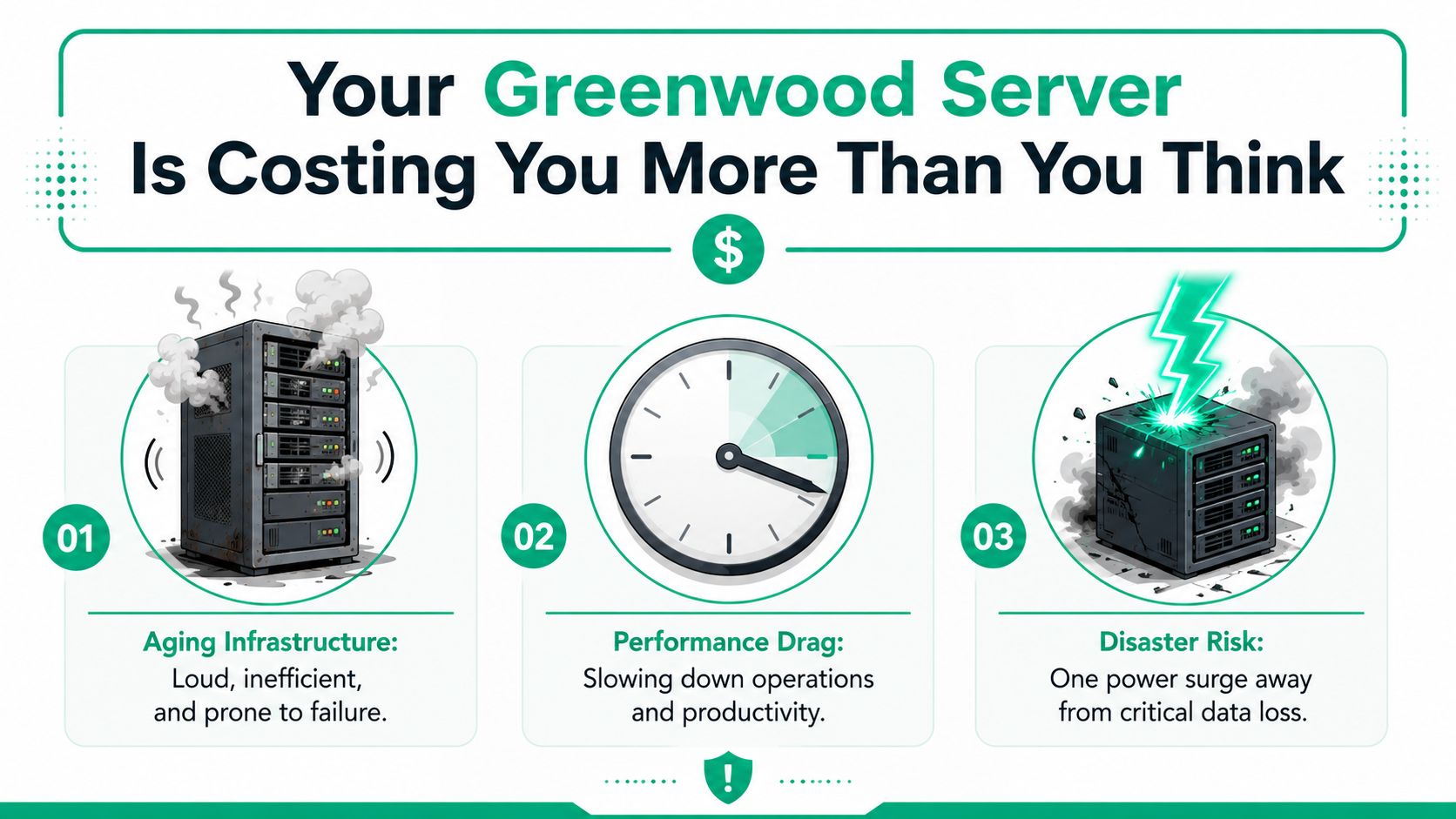
Your Greenwood Server Is Costing You More Than You Think
A Greenwood office loses access to shared files at 10:15 on a Tuesday. The accounting team stops posting payments. Customer service cannot pull records. The owner calls IT asking whether this is a quick reboot or an all-day problem. That is usually the moment an aging server stops looking like a paid-for asset and starts looking like a business risk.
TL;DR
- Data migration to cloud reduces failure risk: It gets critical data off aging local hardware that can quit without much warning.
- Downtime gets expensive fast: Even a short outage can stall payroll, quoting, scheduling, and customer response.
- Cloud changes the budget model: Surprise capital purchases often become steadier monthly operating costs.
- Security needs to be designed up front: MFA, Zero Trust access, endpoint protection, and immutable off-site backups all matter.
- Phased migrations lower disruption: Test in stages, confirm performance, and keep a rollback option.
- ROI continues after go-live: Cost tuning, monitoring, and SOC-as-a-Service deliver tangible savings.
Across Johnson County, the pattern is familiar. The server still turns on, but it runs hot, the battery backup is overdue, storage alerts get ignored, and one old application keeps everyone afraid to touch the box before month-end. Businesses put up with it because replacement feels expensive. Waiting usually costs more.
The expense shows up in places owners feel immediately. Staff wait on slow file shares. Remote users call in because VPN access drags. Backups run into business hours. Then one failed RAID card, dead UPS, or corrupted volume turns a manageable IT project into an emergency purchase with no room to compare options.
The hidden bill behind old infrastructure
Old infrastructure rarely fails in a clean, convenient way. It slows down first. Databases hesitate. Large PDFs take too long to open. Shared folders lag. Employees start saving files locally, texting screenshots, or building side processes to avoid the server. That hurts productivity, but it also creates version control problems and security gaps.
A cloud migration done properly fixes more than hardware age. It spreads risk across systems built for redundancy, backup, and remote access instead of betting the company on one server in one room. As noted earlier, organizations often report lower downtime after migration, and that matters when interruptions can cost thousands of dollars per minute. For a manufacturer in Greenwood, that can mean fewer stalled orders. For a clinic, it can mean fewer schedule disruptions. For a law office or logistics company, it can mean staff keep billing and responding instead of waiting around for systems to come back.
Why local owners usually wait too long
Greenwood business owners are not ignoring the problem. They are weighing disruption against uncertainty. If the current setup is shaky but still running, migration can sound like trading one risk for another.
That concern is fair. Bad migrations do create chaos. Good ones are scoped around business continuity first, with clear priorities for what must stay available, what can move later, and what should not be migrated at all.
The best projects start with the systems that cost you money when they slow down or fail. Then they measure backup health, application dependencies, internet capacity, licensing, and user access before anything moves. That approach keeps budgets more predictable and prevents paying to relocate old clutter. If you want the financial side spelled out in plain language, this guide on cloud migration benefits that deliver real ROI for Indiana businesses is a useful place to start.
Old servers create emergency spending. Good cloud planning turns that into scheduled spending.
Step Zero Assessing Your Current IT Reality
Before any data moves, you need a blunt inventory. Not a spreadsheet full of vague labels. A real operational map of what your business depends on every day.
A Johnson County owner usually knows the obvious systems. QuickBooks. The line-of-business app. Shared files. Email. Cameras. Maybe a local SQL database. What gets missed are the quiet dependencies, such as a UniFi networking controller running on the same host as file storage, a shop-floor workstation tied to a specialty printer, or a legacy app that exports reports to a single watched folder every night.
Start with business impact, not server specs
Ask these questions in plain language:
- What stops revenue first: If one system disappears for an hour, which one hurts you fastest?
- What data is regulated: Patient records, defense-related documentation, HR records, and financials all need tighter handling.
- Who needs access from where: Office only, hybrid staff, field staff, vendors, or after-hours admins.
- What must stay fast: Databases, quoting tools, phone systems, shared CAD files, or large media libraries.
- What can be retired: Old shares, duplicate archives, stale user accounts, and abandoned applications should not hitch a free ride into the new environment.
That last point matters more than people think. Every bad permission set and every orphaned archive you move becomes a future security and cost problem.
Build a dependency list you can trust
When we map an environment, we don't just list servers. We trace what talks to what. Accounting software may rely on a mapped drive. The mapped drive may sit on a file server. That server may also host print services, camera exports, and nightly backup jobs. Pull one thread carelessly and three departments call at once.
Use a checklist like this:
- Core applications: Accounting, ERP, CRM, scheduling, EMR, dispatch, and industry-specific tools.
- Data locations: File servers, NAS devices, local desktops, external drives, SaaS platforms, and archived backups.
- Authentication: Microsoft 365, local Active Directory, MFA status, shared accounts, and admin privileges.
- Network edge: Firewall, switching, UniFi access points, VLANs, VPN dependencies, and internet failover.
- Recovery readiness: Backup software, test restores, immutable off-site backups, and any bit-level data recovery concerns for failing media.
For a more complete owner-level review, this 10-point IT infrastructure audit checklist gives a practical framework.
If you can't name the app owner, the data owner, and the restore method, you're not ready to migrate it.
Choosing Your Migration Path Lift-and-Shift Replatform or Refactor
Not every migration should be a full rebuild. Some Indiana businesses need speed. Others need cleanup. Others need to stop pouring money into software that's clearly outgrown the old stack.
In 2025, lift-and-shift accounts for 38.3% of migration activity, while refactor and re-architect approaches are growing at 22.35% annually, according to Auvik's cloud migration statistics roundup. That lines up with what many of us see on the ground. Stable businesses often want a fast, low-drama move. Growth-stage companies are more willing to rebuild for long-term gains.
Three paths and their trade-offs
| Strategy | Speed | Cost | Risk | Cloud Optimization |
|---|---|---|---|---|
| Lift-and-Shift | Fastest | Lower upfront | Moderate | Low |
| Replatform | Moderate | Mid-range | Moderate | Better |
| Refactor | Slowest | Highest upfront | Higher project complexity | Highest |
Lift-and-shift is the "move the whole office into a new building" option. Same furniture, same filing cabinets, same habits. It works well when the current app is stable and the main problem is old hardware.
Replatform makes targeted improvements during the move. Maybe the database changes to a managed service, or storage gets reorganized so backups and restores stop being painful. This is a good middle ground for businesses that want measurable improvement without rewriting everything.
Refactor is the remodel. You change how the application behaves so it fits the cloud properly. That's the right move when performance, scalability, or integration problems are already limiting the business. It takes more planning, but it can remove years of technical debt.
How local firms should choose
A mature Johnson County distributor with predictable workloads may get excellent ROI from lift-and-shift. A Hamilton County company adding locations, remote teams, and heavier analytics may need refactoring because the old design won't scale cleanly.
Two practical filters help:
- Choose speed when hardware risk is immediate, downtime tolerance is low, and the software still fits the business.
- Choose optimization when the current app causes bottlenecks, duplicate work, or ugly workarounds.
If you're comparing modernization routes for older systems, this legacy system modernization guide lays out the business case clearly. For a broader technical perspective, the Modernization Intel cloud modernization guide is also useful.
Fast isn't always cheap long term. Cheap isn't always safe short term. The right choice depends on what your staff can tolerate during the move and what your business needs after it.
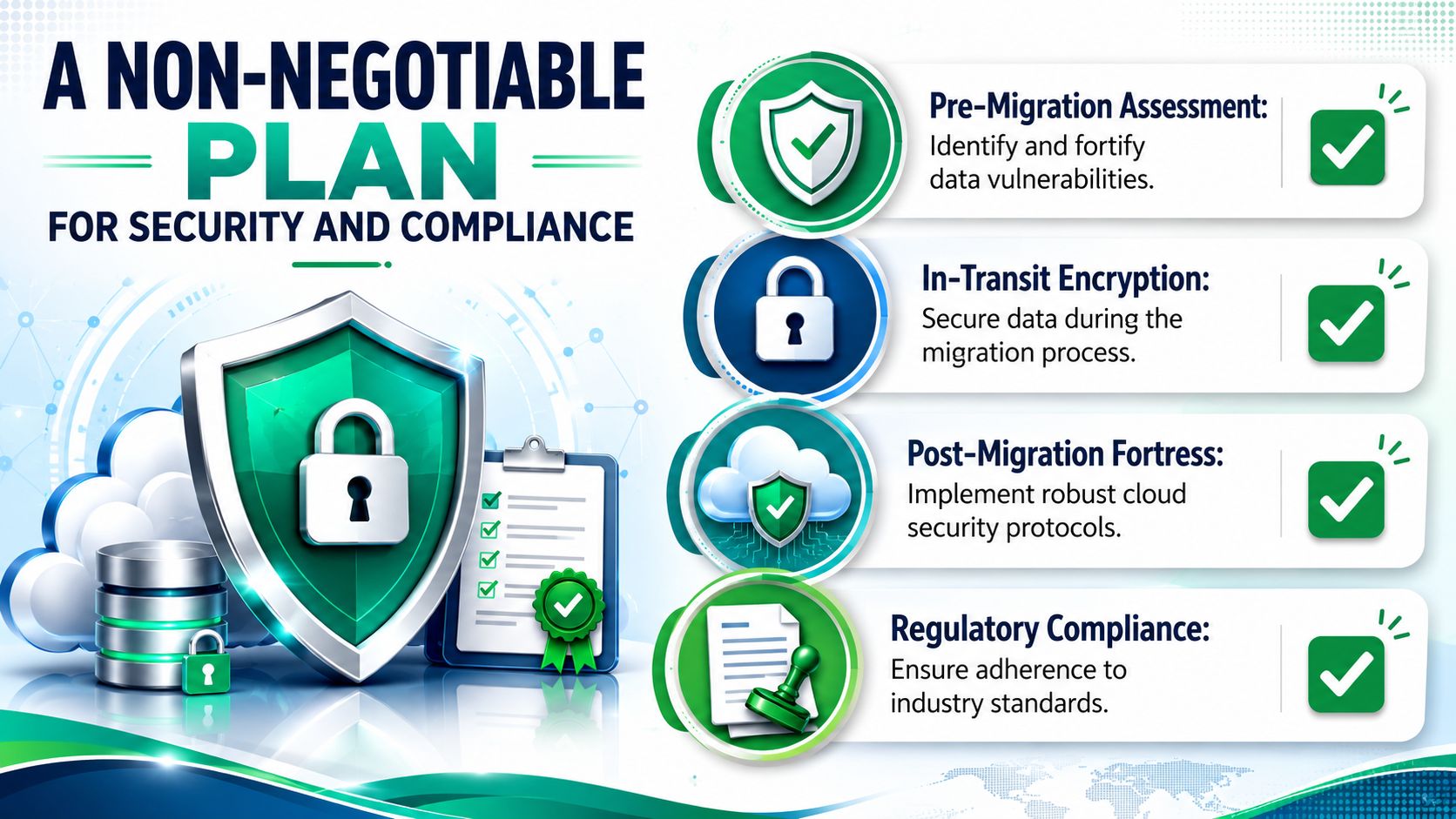
A Non-Negotiable Plan for Security and Compliance
A cloud migration without a security plan is just moving your problems to somebody else's hardware. In some cases, it makes them easier for attackers to find.
56% of CIOs report security and compliance risks during cloud migration, making that the most common technical pitfall according to Solvd's analysis of cloud migration challenges. That's why security work starts before the first file transfer.
Zero Trust means no free passes
Zero Trust architecture is simple in practice. Never assume a user, device, or application should be trusted just because it's inside the network. Verify identity. Verify device health. Limit access. Log activity.
That means:
- MFA everywhere it matters: Email, admin portals, remote access, and privileged cloud actions.
- Role-based access: Staff get access to what they need, not what the last admin forgot to remove.
- Endpoint controls: Tools like Bitdefender GravityZone help enforce endpoint protection before and after migration.
- Provider due diligence: Pick platforms with SOC 2 or ISO 27001 certifications when your risk profile requires it.
For healthcare practices in downtown Indy tech hubs, that conversation usually centers on HIPAA. For manufacturers and contractors touching defense work along the I-65 corridor, it often turns into CMMC readiness. For everyone else, NIST CSF gives a strong operating model for identifying, protecting, detecting, responding, and recovering.
Clean up before you carry anything over
Bad migrations copy junk. Good migrations classify data first, remove stale content, and fix bad permissions before extraction. That's the part many teams skip because it isn't glamorous.
When we dissembled a similar client's failing RAID array years ago, the actual problem wasn't just the hardware. It was the pile of inherited shares, broad permissions, and unknown archives sitting on top of it. The migration forced a cleanup, and that cleanup mattered more than the destination.
Use this rule set:
- Classify sensitive data: Financials, HR, patient records, contracts, and regulated documents.
- Review entitlements: Shared accounts, admin sprawl, old vendors, and former employee access.
- Encrypt in transit and at rest: Don't rely on assumptions. Confirm the method and ownership.
- Monitor continuously: SOC-as-a-Service monitoring catches suspicious changes that users won't spot.
A good owner-facing checklist for that prep work is this small business cybersecurity checklist.
Executing the Move A Phased Approach to Minimize Chaos
The businesses that suffer during migration usually try to do too much at once. The cleanest projects break the move into stages, test each stage hard, and keep users informed without drowning them in technical chatter.
Akamai notes that successful migrations include load testing and disaster recovery testing, and that this kind of rigor correlates to 90%+ success rates when properly executed in enterprise-grade deployments, according to Akamai's cloud migration strategy guide. That principle holds for SMBs too. You don't need enterprise theater. You need discipline.
A phased model that works in the real world
A practical migration often looks like this:
-
Pilot move
Start with a non-critical dataset or secondary workload. Validate permissions, transfer behavior, sync timing, and user access. -
Core service migration
Move the systems that support daily work, but not all at once. File shares may go in one phase. Database-backed applications may go in another. -
Validation and tuning
Check latency, throughput, login flows, report generation, printing, and remote access behavior. -
Final cutover
Switch production during a low-traffic window once the rollback path is documented and tested.
This is also where Infrastructure as Code earns its keep. The same Akamai source notes that organizations using automation and IaC can reduce cost overruns by up to 30% compared with manual processes. IaC also makes rebuilds cleaner and changes repeatable, which matters when you need to stand up identical environments quickly.
Test what your busiest day looks like
A migration isn't finished because the files arrived. It's finished when the business can work at speed.
Test these items on purpose:
- Load behavior: Can the environment handle payroll morning, month-end reporting, or a heavy quoting rush?
- Recovery behavior: Do immutable off-site backups restore cleanly, and do failover steps work under pressure?
- User experience: Are remote staff seeing lag, timeouts, or printer mapping issues?
- Security operations: Are logs flowing, alerts configured, and admin actions reviewed?
For teams that want an additional outside checklist, Streamkap's data migration guide is a useful companion to internal project planning.
Small pilot first. Big confidence later.
The Cutover Window Validating Success and Having a Rollback Plan
The cutover window is the moment owners worry about most. Usually it's a weekend, an evening, or another low-traffic block when the business can tolerate a controlled switch. The professionals in the room shouldn't be dramatic about it. By this point, the hard work should already be done.
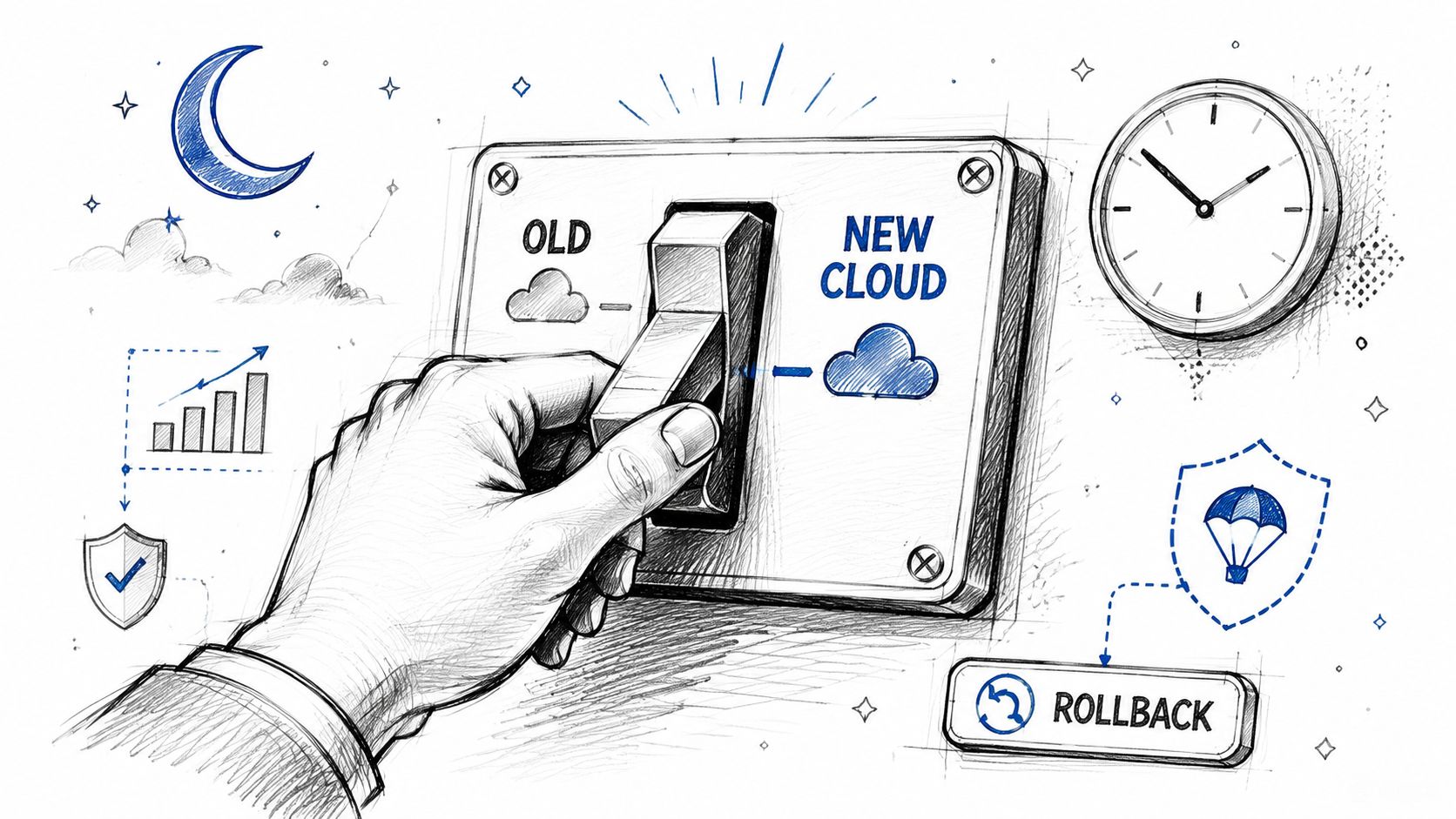
In our local work, the cleanest cutovers have three traits. The data sync has been verified. Business owners know exactly what is changing. Staff have a short test list waiting for them Monday morning. This ensures no mystery. No giant email threads.
What gets validated right away
As soon as cutover happens, somebody needs to test what matters to the business, not just whether a dashboard looks green.
Use a short acceptance checklist:
- User access: Can staff sign in with the expected permissions?
- Core workflows: Can they create an invoice, open a patient chart, run a dispatch ticket, or save a shared document?
- Reporting: Do the daily and weekly reports run correctly?
- Integrations: Printers, scanners, line-of-business exports, and email notifications all need confirmation.
- Performance: Does the system feel normal under live use?
The rollback plan sits beside that checklist. It isn't pessimism. It's professionalism. If a critical function breaks and the fix isn't immediate, a clean rollback protects operations while the team corrects the issue. Businesses along the Southside usually sleep better once they understand that "go-live" doesn't mean "burn the boats."
A practical disaster recovery planning reference for this stage is this Indiana business IT DR plan template.
A quick visual on migration flow and rollback thinking helps frame the cutover conversation:
Why rollback planning calms everyone down
Owners often hear "rollback" and think the team expects failure. The opposite is true. Teams that skip rollback planning are the ones hoping nothing goes wrong.
When a rollback path is documented, timed, and assigned to actual people, the business isn't gambling. It's managing risk. That's how you protect continuity during a major change.
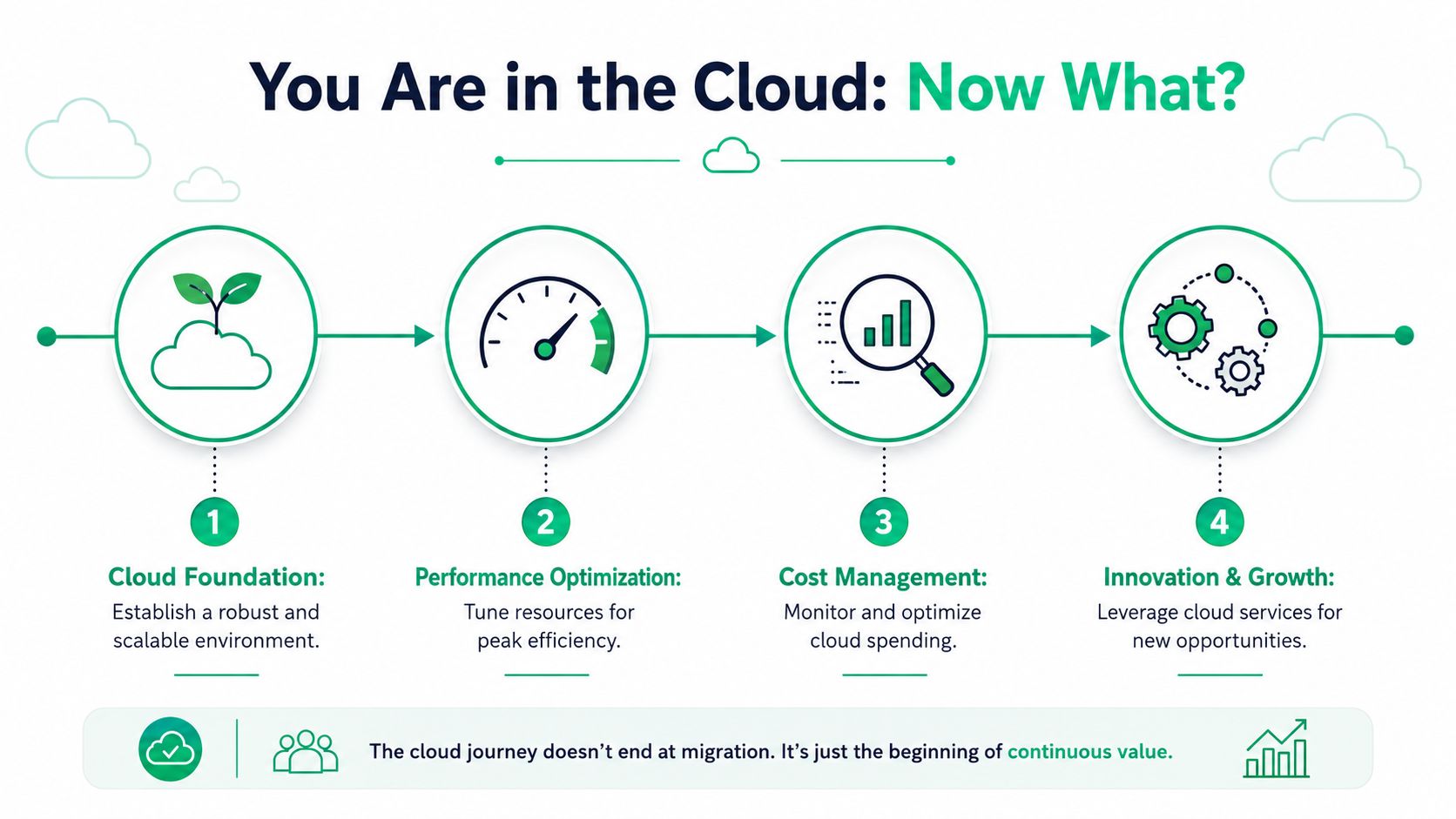
You Are in the Cloud Now What
Getting through migration is a milestone. It is not the finish line. The businesses that get the best return treat the new environment like an operating system for growth, not a storage locker with a monthly invoice.
For small businesses, cloud migration projects typically deliver 150 to 300% ROI within the first year, with most companies reducing IT costs by 20 to 30% annually, according to Alphacis' cloud migration ROI guide for small businesses. Those gains don't show up by accident. Somebody has to manage cost, performance, and security after go-live.
Where the real savings come from
The first savings usually come from the obvious stuff. No surprise server replacement. Less on-prem maintenance. Fewer hours spent nursing old hardware. After that, the important work is tuning.
A good post-migration routine includes:
- Cost management: Turn off unused resources, archive cold data intelligently, and review storage tiers before bills creep upward.
- Performance monitoring: Watch application response times, login issues, file latency, and remote access quality.
- Security posture management: Keep MFA enforced, review privilege changes, and use SOC-as-a-Service monitoring to catch threats early.
- Backup verification: Test restores regularly. "Configured" and "recoverable" are not the same thing.
What smart Indiana SMBs do next
Once the cloud foundation is stable, owners usually notice they can move faster. New users onboard quicker. Remote staff connect without VPN gymnastics. Second locations come online with less friction. Networking can be redesigned around cleaner access patterns, including UniFi networking, segmented VLANs, and latency-optimized mesh nodes in older brick buildings around downtown Indy or mixed-use corridors.
That momentum is where cloud migration starts touching the rest of the business. Cybersecurity gets tighter. Data recovery gets cleaner. Software development gets easier because apps and data aren't trapped on one server in one closet. IT support shifts from emergency repair to planned improvement.
Cloud doesn't remove responsibility. It gives you better tools to handle it.
If your business in Greenwood or the greater Indianapolis area is still relying on aging servers, inconsistent backups, or a migration plan that lives in somebody's head, it's time for a clearer roadmap. Finchum Fixes IT can help you sort out what should move, what should stay, and how to protect uptime while you do it. Schedule a Free Network Assessment or a Security Risk Audit to get a practical plan built for your business, your compliance needs, and your budget.