Database Design Best Practices: Boost Indiana Business ROI
A lot of Indiana businesses think they have a server problem, a software problem, or a Wi-Fi problem. Sometimes they do. But just as often, the underlying issue sits underneath all of it: a database that was thrown together, outgrown, patched, and never properly redesigned.
You see it in Greenwood office parks with aging server hardware. You see it in downtown Indy firms running line-of-business apps that freeze during billing. You see it in old brick buildings along the I-65 corridor where staff blame spotty Wi-Fi, but the bigger drag is a database forcing every screen to crawl because the structure is a mess.
That costs money fast. It also raises your risk when cybersecurity, cloud computing, software development, IT support, networking, and data recovery all depend on the same data being correct, available, and secure.
Your Database Is Costing You Money Here's Why
Monday starts with a familiar call. The billing screen freezes. Customer service cannot pull an account while a client is on the phone. Someone in the back office exports a spreadsheet because the report times out again. By noon, your staff has built workarounds, your vendor is blaming the server, and your team is burning paid hours on delays that should not exist.
I see this across central Indiana. The hardware may be old, and sometimes that is part of the problem. But many slow systems are dragging because the database underneath the application was built in pieces, patched over time, and never cleaned up for the way the business runs.
That design debt gets expensive fast.
A poorly structured database creates small failures all day long. Sales enters the same customer in two places. Accounting finds totals that do not match. Operations runs a report and spends twenty minutes checking which record is current. Once trust drops, employees start keeping side spreadsheets and email trails. Now you are paying for the system and paying again for the manual process built around it.
The business hit is bigger than slow screens. Weak database design stretches outages, complicates recovery, and makes every change riskier. That matters if your company has to protect patient data under HIPAA, document controls for CMMC, or keep clean records for audits and insurance claims. For Indiana SMBs, this is a continuity issue tied directly to revenue, payroll, and compliance exposure.
It also distorts IT spending. Companies buy more storage, add server resources, or switch software before fixing the data layer that is causing the friction. Sometimes those purchases help. Often they just make an inefficient system more expensive to operate. The better move is to tie database work to the same discipline used in IT budget planning for ROI and resilience, where each dollar has to reduce risk, improve uptime, or save labor.
The money leak owners miss
Bad database design rarely shows up as one dramatic failure. It shows up as repeated waste.
A quote takes longer to build because the product data is inconsistent. A month-end close drags because the same customer exists under multiple names. An application upgrade slips because nobody is sure which fields another tool depends on. Then a real incident hits, and the recovery takes longer because the data structure is hard to validate, restore, and secure under pressure.
I have seen businesses blame Wi-Fi, cloud apps, or aging servers for performance problems that were rooted in poor relationships between tables, duplicate records, or missing constraints. Those issues raise support costs because every symptom appears somewhere else first.
What this looks like on the ground
In central Indiana, the pattern is easy to recognize:
- A Greenwood office replaces hardware after slow logins, but staff still wait because the application is querying duplicated customer and order data.
- An Indianapolis firm upgrades internet service, yet reports continue to crawl because the database forces broad scans across oversized tables.
- A Johnson County manufacturer adds a new reporting tool, then learns the source data is inconsistent enough that the new dashboard spreads bad numbers faster.
Teams working with event logs, telemetry, or machine data run into a related version of the same problem. Faberwork's Snowflake time series case studies show how quickly reporting and analysis get harder when the underlying structure is not designed for the workload.
A poorly designed database does not stay contained in IT. It shows up in payroll, customer service, quoting, compliance reviews, and the hours it takes to recover after something breaks.
If your staff keeps saying, "the system is slow," treat that as a cost signal. The database may be the reason you are losing time, confidence, and margin every week.
The Blueprint for Clean Data Getting Modeling and Normalization Right
A Carmel medical office adds a new intake form, then learns the patient name in scheduling does not match the patient name in billing. A machine shop near Indianapolis exports inventory to a reporting tool and finds the same part number tied to three different descriptions. That is not a software problem first. It is a database design problem, and it creates real costs in rework, claim delays, compliance exposure, and bad decisions.
Clean data starts with structure. If the model is loose, every form, report, integration, and audit trail built on top of it inherits the same weakness.
Start with the business rules, then map the data
Good modeling forces a company to answer plain business questions before anyone starts adding fields to a screen. What counts as a customer. When does a quote become an order. Which system owns the address. Who is allowed to change a status that affects billing or patient records.
Those decisions belong in the model first, not in user habits or tribal knowledge.
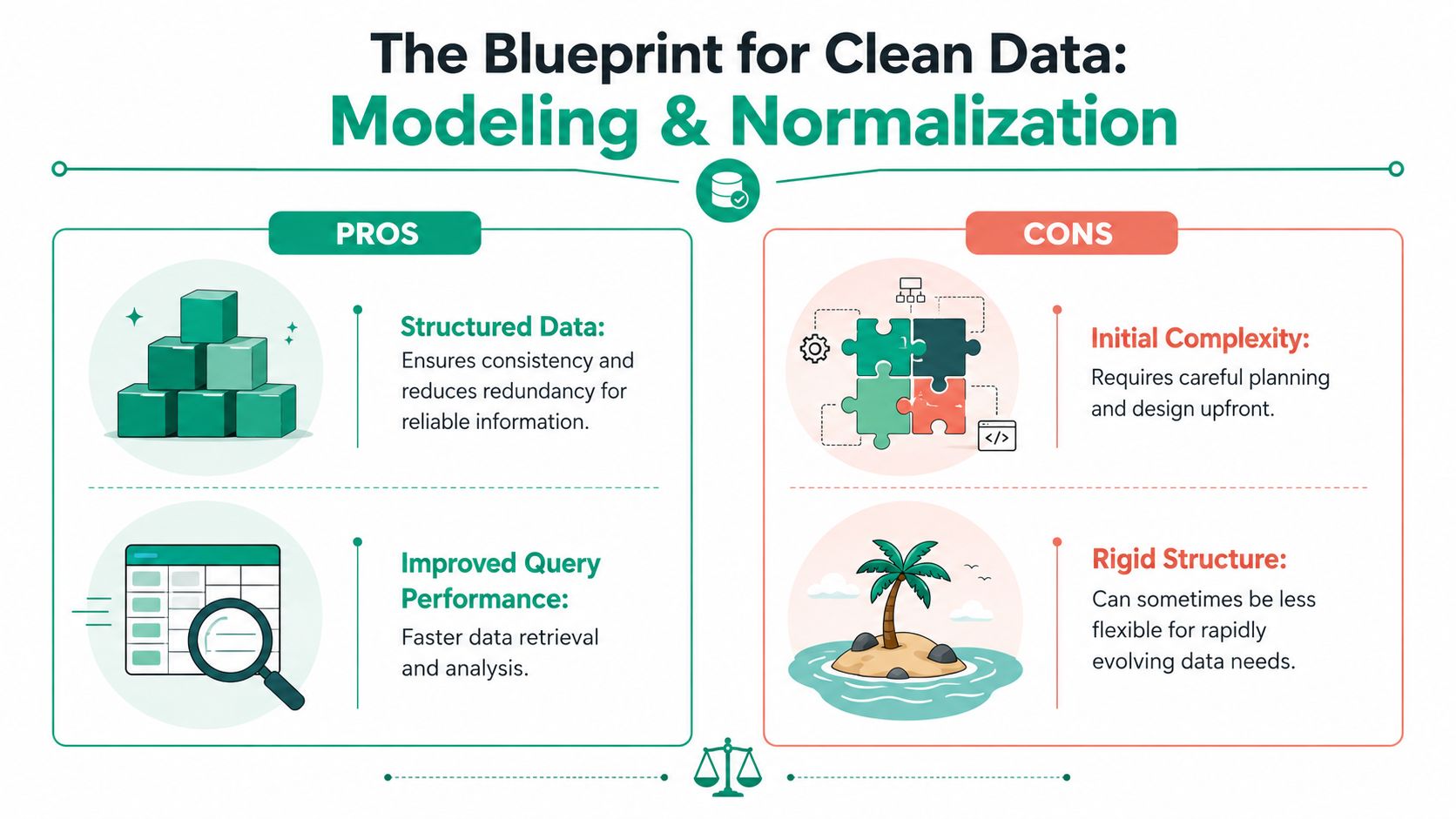
A useful design process usually moves through three layers. Conceptual, logical, and physical. That progression takes a business rule such as "one customer can have many orders" and turns it into tables, keys, data types, constraints, and storage choices that a database engine can enforce. Skip that work, and staff end up policing data quality by hand.
In practice, a sound model settles issues that often get ignored until go-live:
- Data types and field limits define what the system will accept and what it will reject.
- Primary and foreign key relationships decide how records connect and whether those connections can break.
- Required fields and constraints stop incomplete or contradictory data before it spreads.
- Test imports expose bad assumptions early, while corrections are still cheap.
If your team is replacing an older system or cleaning up years of duplicate records, apply the same discipline during an Indiana-focused data migration project.
Why normalization pays for itself
Normalization is the habit of storing each fact in one authoritative place. Customer data belongs in the customer record. Product details belong with the product. A supplier address should not be copied into every purchase order line and left for staff to keep synchronized.
Exasol explains the core principle well in its overview of database design principles. Organizing transactional systems around first, second, and third normal form reduces duplicate data and prevents the common update mistakes that show up later as billing disputes, reporting errors, and failed integrations.
For Indiana SMBs, this is a money issue before it is a technical one. A duplicate patient record can create HIPAA trouble. A mismatched part record can distort inventory purchasing. A bad relationship between contract, asset, and service tables can complicate CMMC documentation because your audit trail is no longer reliable.
Normalize first.
Then make an intentional exception only when a measured workload justifies it. Reporting tables, warehouse structures, and some analytics workloads may benefit from denormalization, but that choice should come after testing, not before. In transactional systems, loose structure usually costs more than it saves.
I have seen businesses spend for new software, new servers, and outside reporting help when a simpler solution existed. Define the entities clearly. Separate facts that do not belong together. Enforce the relationships in the database so staff are not stuck doing that work in spreadsheets.
For teams planning analytics, event tracking, or operational reporting at larger scale, Faberwork's Snowflake time series case studies show how modeling choices affect downstream reporting and long-term growth.
Making Your Database Fast with Smart Indexing and Performance Tuning
Monday starts with a familiar complaint. Orders are slow to load, invoices take too long to post, and your staff blames the internet, the cloud, or an aging server. In a lot of Indiana small and mid-sized businesses, the bigger problem is simpler. The database is doing far more work than it should.
Poor indexing costs money in plain, measurable ways. Office staff wait on screens. Production teams refresh the same job twice because they think it did not save. Customer service puts people on hold. If your business has HIPAA or CMMC obligations, slow systems create another problem. Teams start exporting data into spreadsheets and side systems to get work done, which creates more risk and a weaker audit trail.
Indexes are one of the main tools that keep that from happening. They help the database find rows quickly instead of scanning large tables over and over. A missing index on a join column can turn a routine lookup into a slow, expensive query. Too many indexes create their own cost because every insert, update, and delete has more overhead. Good tuning is not about indexing everything. It is about indexing the columns your application uses.
I see this often in businesses along the I-65 corridor. Leadership approves budget for new hardware because users report slowness across the board. Then the review shows a mixed picture: storage latency is part of it, memory pressure is part of it, and several high-traffic queries are missing the indexes they need. Replacing hardware helps for a while, but it does not fix waste in the workload.
Where performance work pays off
The best place to start is not with server specs. Start with the queries tied to daily operations.
- Customer and patient lookups need indexes on the columns used to search records
- Order, invoice, and ticket screens need indexes that support the joins behind those pages
- Dashboards and scheduled reports need query review so they stop scanning more data than the user asked for
- Remote and multi-site teams benefit when each request pulls less data and returns it in a cleaner path
That work gets practical results fast. Billing closes faster. Front-desk staff spend less time waiting. Managers trust the reports because they run on time. In regulated environments, better performance also reduces the temptation to create manual workarounds that complicate HIPAA and CMMC documentation.
For teams running Linux-based database servers, Linux MySQL database optimization is a useful operational reference because it connects query tuning with host-level settings instead of treating them as separate problems.
Tuning that actually helps
Here is the pattern that usually produces results.
| Problem | What usually works |
|---|---|
| Slow joins | Index the columns used in joins and verify the execution plan |
| Long report times | Rewrite expensive queries and reduce full-table scans |
| Laggy remote access | Return fewer rows and columns per request, then optimize the access path |
| Busy app servers | Push filtering, sorting, and aggregation to the database where it belongs |
| Heavy write activity | Remove duplicate or low-value indexes that slow inserts and updates |
Infrastructure still matters. Disk latency, memory pressure, bad VM sizing, and noisy neighboring workloads can all drag down a healthy database. That is why database tuning should sit beside broader IT infrastructure management practices that reduce downtime and improve ROI, not apart from them.
Fast databases do more than make users happy. They protect operating margin, cut preventable downtime, and keep your team working inside the systems that support compliance. That is the standard.
Locking It Down with Database Security and Compliance
A database isn't just a storage engine. It's where your most sensitive business information usually ends up. Client records. Financial details. Protected health information. Contract data. Employee files. If you design the database without security in mind, you don't just create technical debt. You create legal and operational risk.
That matters a lot in central Indiana. Healthcare groups need to think about HIPAA. Defense-related manufacturers need to think about CMMC. Everybody handling sensitive business data should care about NIST CSF.
A secure database also supports networking decisions, cloud computing choices, software development standards, and data recovery planning. Zero Trust architecture isn't marketing fluff when it's implemented correctly. It means every user, service account, and application connection gets only the access it needs.
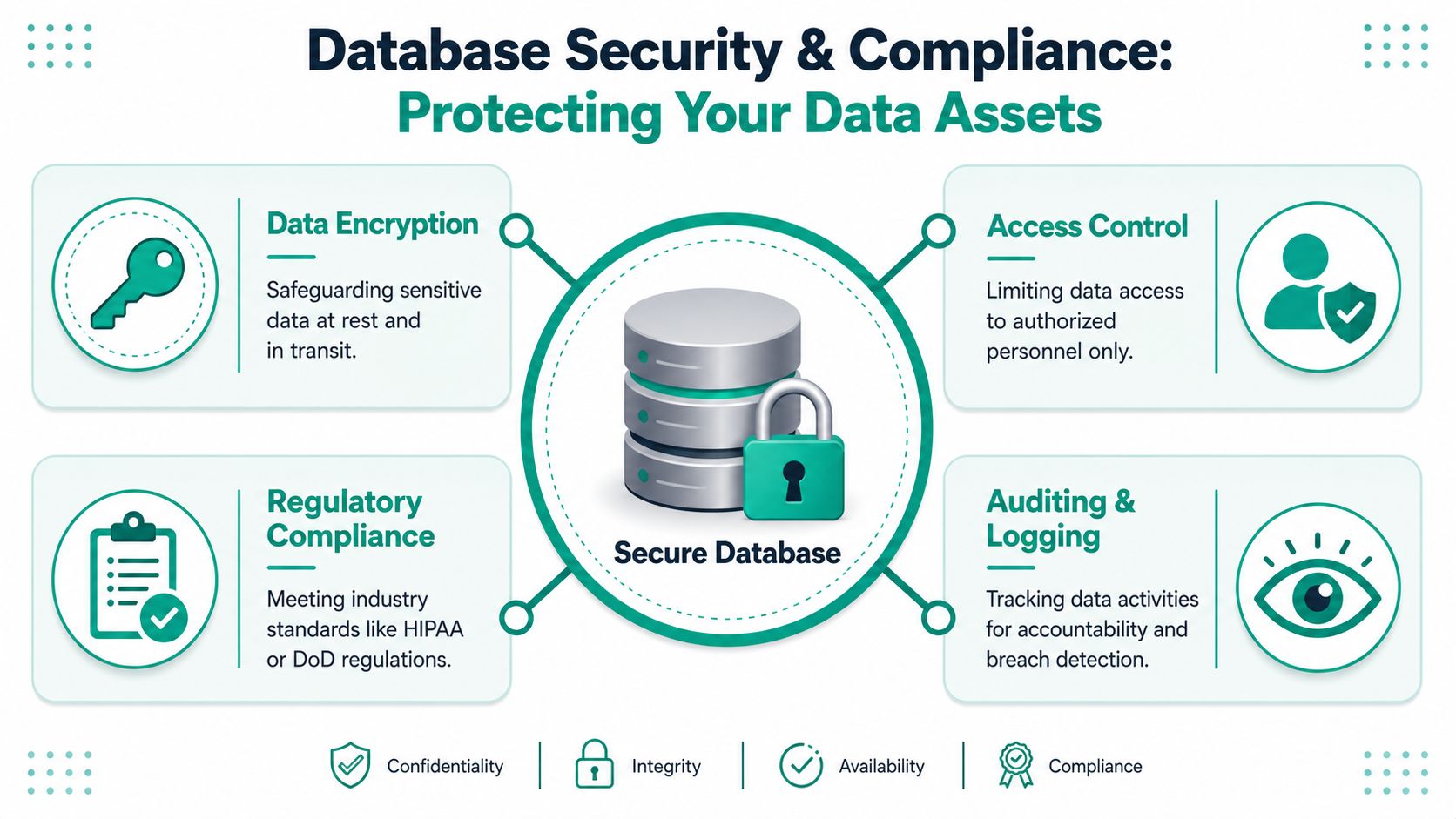
For regulated environments, the baseline is clear. Organizations implementing NIST CSF 2.0 must encrypt sensitive data using AES-256 or higher for data at rest and TLS for data in transit to meet compliance expectations and protect against unauthorized access, corruption, or physical damage, according to EverPureData's NIST CSF 2.0 overview.
A visual summary helps make those layers concrete.
Security controls that belong in the design
The controls that work are rarely flashy. They're disciplined.
- Encrypt the data store so stolen drives or exposed storage don't become instant breaches.
- Use role-based access and a Zero Trust mindset so staff only see what their job requires.
- Log privileged actions so you can investigate changes, exports, and suspicious behavior.
- Segment the environment so a compromised endpoint doesn't automatically lead to the crown jewels.
- Back up to immutable off-site backups so ransomware can't rewrite your recovery path.
Johnson County business owners usually think first about endpoint tools like Bitdefender GravityZone or perimeter gear like UniFi networking. Those matter. So does SOC-as-a-Service monitoring. But if the database itself has weak access control, broad permissions, or poor auditability, the rest of the stack can't fully compensate.
This short overview is worth a watch if your leadership team needs the plain-English version before making policy decisions.
Compliance is an operational issue, not a paperwork issue
Compliance failures often start with design shortcuts. Shared credentials. No audit trail. Sensitive fields stored without proper protection. Backups nobody tested. That's how a manageable incident becomes a business shutdown.
For financial entities under EU regulations, Threat-Led Penetration Testing must occur at least every three years to support digital operational resilience, a cadence discussed in BitSight's overview of cybersecurity frameworks. Even if your Indiana business isn't under that exact rule, the principle holds. Test the controls before an attacker tests them for you.
Internal misuse is also part of the threat model. This article on preventing internal threats is a useful reminder that access design, monitoring, and policy enforcement matter just as much as outside defense.
For payment environments, database security should line up with your broader PCI DSS compliance checklist for 2026. Secure design is what keeps a compliance program from turning into a scramble every audit season.
The cheapest time to secure a database is before bad permissions, bad habits, and bad integrations pile up.
Database Design in Action Real Scenarios from Central Indiana
The theory sounds nice until you put it next to an actual workday.
In our 17 years of local service, the patterns have been consistent. Businesses rarely suffer from one dramatic failure. They bleed time through small, repeated data problems until someone finally decides the system has to change.
Downtown Indy professional services firm
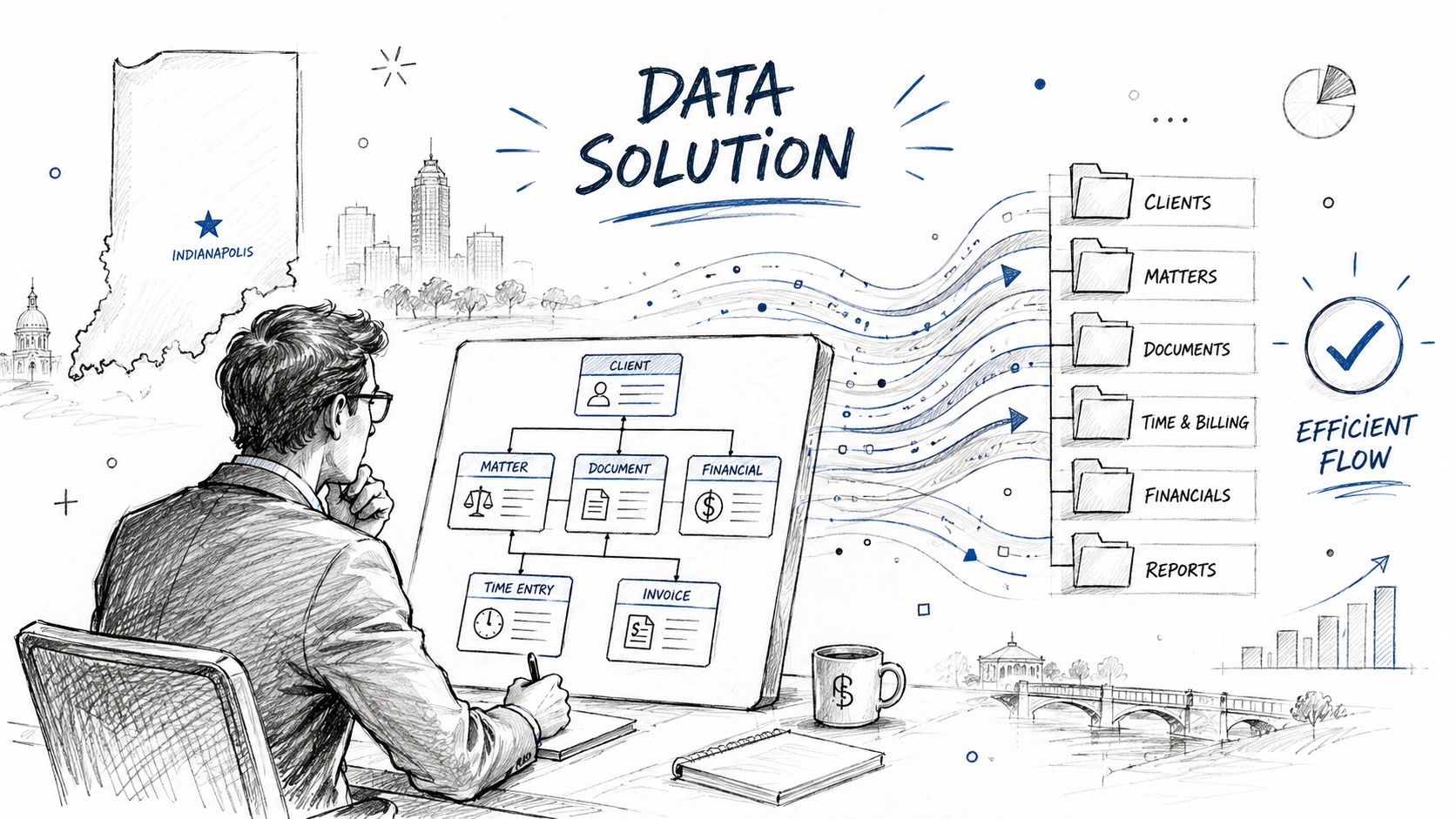
A professional services company in a downtown Indy tech hub had client data spread across spreadsheets, mailbox exports, and a basic legacy application. Nobody trusted the billing list. One team updated contact info in one place, another used an older sheet, and the finance side kept finding discrepancies right before invoices went out.
The fix wasn't glamorous. We mapped the business process, created a centralized normalized structure, and gave each record a single source of truth. Once the relationships were cleaned up, billing stopped depending on spreadsheet archaeology.
The biggest improvement wasn't technical. It was behavioral. Staff stopped creating side systems because the main system became dependable again. That kind of cleanup often pairs well with custom CRM software development for business growth when off-the-shelf tools no longer fit how the company operates.
Greenwood manufacturing operation
A growing manufacturer in a Greenwood business park had a different problem. Inventory moved faster than the old database could track cleanly. The application lagged, stock checks were inconsistent, and the team had too many manual workarounds floating around shipping and purchasing.
We redesigned the schema around the actual movement of parts, then tightened up indexing around the queries that operations used every day. Once the system matched the business process, supervisors could see what was happening without waiting on exports or asking three departments to reconcile numbers.
Good database design doesn't just clean up records. It cuts arguments between departments because everyone is looking at the same truth.
What these Indiana scenarios have in common
Both situations looked different on the surface, but the same root issues were underneath:
- Duplicate data made people distrust the system.
- Weak relationships created mismatched reporting.
- Slow lookups pushed teams back to manual processes.
- Poor structure made every future change harder, including cybersecurity, backups, and software updates.
That's why database design best practices matter beyond software development. They support IT support, business continuity, cloud migration, and recovery when something goes sideways.
Preparing for Tomorrow's Growth with Scalable Design
A Carmel company adds a second location, hooks its ERP into a customer portal, and suddenly routine changes start breaking reports, syncing the wrong records, or slowing down order entry at the worst time. That is what poor scalability looks like in real life. Growth should raise revenue, not raise the odds of downtime.
A scalable database is built for the next likely change. It is not stuffed with enterprise complexity an Indiana SMB will never use, and it is not so rigid that one acquisition, one new warehouse, or one compliance requirement forces a rewrite. Both extremes waste money.
Design for change without overbuilding
Good scaling starts with plain decisions that age well. Use standard data types. Keep naming consistent. Document relationships and business rules in a way another admin or developer can follow six months from now. Be careful about tying core tables and logic to one vendor's special features unless the business case is clear and the exit cost is acceptable.
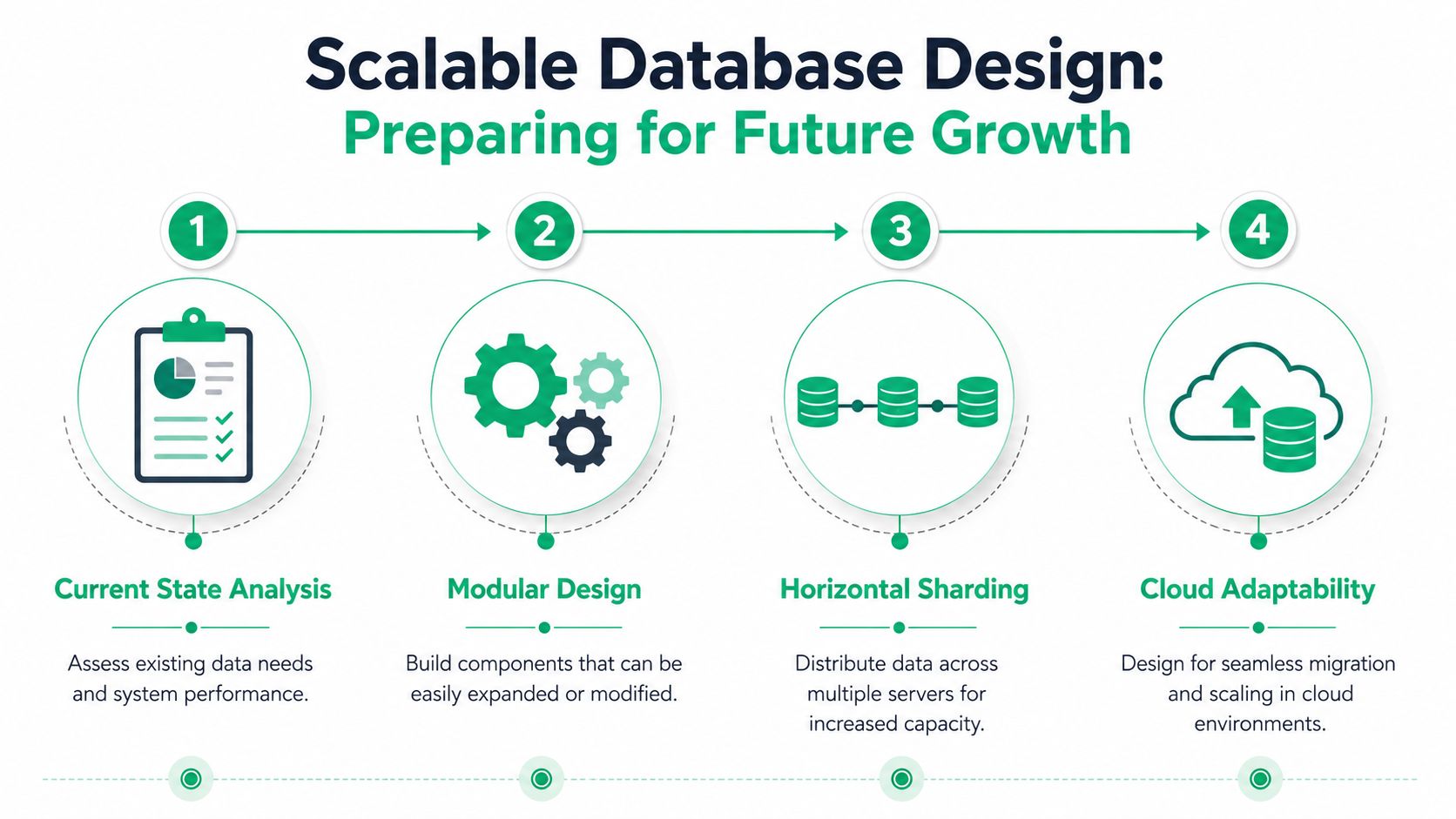
That does not mean every business needs sharding, event streaming, or a distributed architecture on day one. Most do not. It means the schema should absorb ordinary growth without forcing staff back into spreadsheets or making every software change feel risky.
Growth gets harder once systems spread out
Scaling problems usually show up after a business adds more systems, more locations, or more reporting obligations. A single database in one environment is easier to govern. Add cloud apps, separate analytics platforms, replicated data stores, or a second line-of-business system, and the design work gets tougher fast.
The practical problems are familiar:
- Data consistency gets harder when multiple systems create or update the same customer, order, or inventory record.
- Schema changes need tighter control when one application updates before another.
- Latency starts showing up in checkout flows, dashboards, sync jobs, and API calls.
- Audit trails get harder to trust when regulated data moves across platforms.
For Indiana companies dealing with HIPAA or CMMC requirements, that is not just an IT architecture issue. It affects whether you can recover cleanly after an outage, prove who changed what, and produce reliable records during an audit.
I have seen businesses spend heavily on new apps while keeping a database structure that was only designed for one office and one workflow. The software was modern. The data model was not. That gap is expensive because every new integration needs custom handling, every reporting request takes longer, and every incident response effort starts with figuring out which system holds the right record.
What smart scaling looks like
The healthiest path usually looks like this:
| Stage | Smart decision |
|---|---|
| Early growth | Keep the core schema clean, documented, and easy to extend |
| New integrations | Connect systems through controlled interfaces instead of copying core records into multiple places |
| Expansion | Split workloads where needed, but keep ownership, definitions, and change control clear |
| Cloud evolution | Choose designs you can move, back up, and recover without rebuilding the business around one platform |
Build for the next likely move. If a second site, a new service line, or stricter compliance reporting is on the horizon, the database should be ready for that step before the project starts. That approach keeps budgets under control and makes recovery, migration, and future upgrades far less painful.
Your Next Step to a Better Database
If your database is slow, inconsistent, hard to secure, or painful to report from, that isn't normal wear and tear. It's a design problem. Design problems can be fixed.
The payoff goes beyond better screens and faster searches. A well-designed database supports business continuity, steadier operations, cleaner audits, and saner IT budgets. It reduces support noise, makes software development easier, strengthens cybersecurity, and gives your staff a system they can trust.
For Indiana SMBs, that's the point. You don't need a computer science lecture. You need a system that keeps billing moving, inventory accurate, service teams productive, and compliance headaches under control. Whether you're in Greenwood, downtown Indy, Johnson County, or serving customers up and down the I-65 corridor, the basics still hold: clean structure, smart indexing, tight security, and scalable decisions.
If your environment still depends on patched legacy apps, mystery slowdowns, or side spreadsheets, the cost isn't theoretical. Your team is already paying for it in lost time and avoidable risk.
Start with an honest review of four things:
- Data structure and whether duplicate facts live in multiple places
- Performance bottlenecks including indexes, storage behavior, and query patterns
- Security controls around encryption, access, logging, and backup integrity
- Growth readiness for cloud changes, new workflows, and compliance pressure
A good assessment usually finds problems owners have been living around for years.
If you're in the Greenwood or Indianapolis area and want a clear picture of what your systems are doing right now, talk with Finchum Fixes IT about a Free Network Assessment or a Security Risk Audit. It's a practical first step for finding the database, infrastructure, and security issues that are costing your business time, margin, and sleep.