Enterprise Data Backup Solutions That Guarantee Business Uptime
TL;DR: Key Takeaways
- An enterprise data backup solution is not just about copying files; it's a core business continuity strategy that prevents costly downtime, which can exceed $9,000 per minute.
- Outdated methods, like a single external hard drive in a Greenwood office, are financial time bombs. A modern approach turns this unpredictable risk into a manageable operational cost.
- Essential technologies include immutable off-site backups to defeat ransomware and the 3-2-1 rule (3 copies, 2 media, 1 off-site) for resilience.
- Recovery Time Objective (RTO) and Recovery Point Objective (RPO) are the critical metrics that define how quickly you recover and how much data loss is acceptable.
- A proper backup strategy is non-negotiable for meeting compliance standards like HIPAA for healthcare and CMMC for defense contractors in the Indianapolis area.
Let's be direct: an enterprise data backup solution isn't just about copying files. It's a full-blown strategy designed to shield your company’s most vital information from getting lost, scrambled, or wiped out by a disaster. We're talking about a sophisticated mix of hardware, like UniFi networking gear, and software, supported by battle-tested procedures that get you back up and running fast. It's the best of both worlds: the speed of on-site recovery with the security of an off-site fortress.
Why Your Business Needs Bulletproof Data Protection
That single external hard drive tucked away in a supply closet at your Greenwood business park? That’s not a backup plan—it's a ticking time bomb. For any serious business here in Central Indiana, whether you're a law firm in a downtown Indy tech hub or a manufacturing plant over in Johnson County, your data is your business.
Losing it means more than a headache. It means lost revenue, shattered client trust, and downtime so devastating it can cost up to $9,000 per minute. A real enterprise backup solution flips the script, turning that terrifying risk into a planned, manageable part of your operations. It converts "wasted tech time" spent on IT fire drills into productive, billable hours and a predictable monthly budget.
This guide cuts through the jargon. We’ll break down how modern backups actually work, show you why they are non-negotiable for keeping the lights on, and explain how the right strategy lets your team focus on their jobs instead of panicking through a preventable IT meltdown.
The Foundation of Modern Data Safety
At its heart, a rock-solid backup strategy is all about one thing: resilience. It needs to be tough enough to handle anything life throws at it, from a server giving up the ghost in an old brick building to a ransomware attack locking down your entire network. This isn't just about making copies; it's about making the right kinds of copies and storing them where they can't be touched.
To get a feel for how these systems are put together, checking out a guide on data backup and recovery service is a great starting point. It lays the groundwork for understanding the mechanics behind it all.
A modern strategy is built on a few key pillars:
- Immutable Off-site Backups: Think of these as a digital time capsule. They are "write-once, read-many" copies stored somewhere safe and remote. Once the data is written, it can't be changed or deleted, which makes it your secret weapon against ransomware.
- The 3-2-1 Rule: This is the gold standard for a reason. It’s simple: keep three copies of your data on two different types of media, and make sure at least one of those copies is stored off-site.
- Automated Verification: An untested backup is just wishful thinking. Good systems don't just copy your data; they automatically check to make sure the backups are complete and, most importantly, actually work.
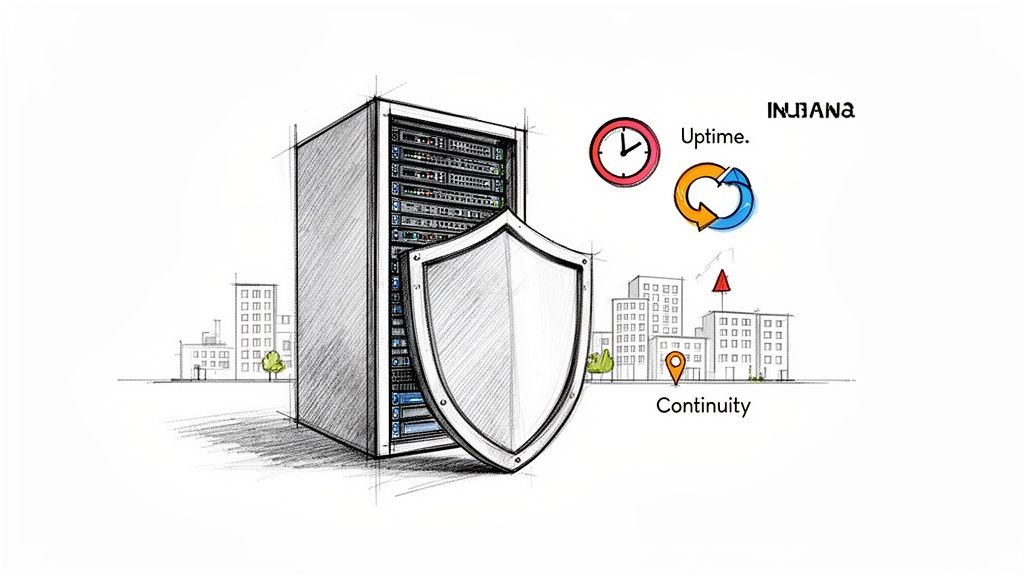
Putting these ideas into practice is how you go from hoping your data is safe to knowing it is. Of course, a great backup plan works even better when paired with smart security. You can find more tips in these data loss prevention best practices to round out your defenses. This isn't just an IT chore—it’s a fundamental business function that protects your reputation and your future.
The Hidden Costs Of Outdated Backup Systems
Travel down the I-65 corridor, and you'll see a familiar sight in the server closets of too many growing businesses: an old server humming away, backing up to a single, dusty external hard drive. For a lot of Johnson County business owners, this "set it and forget it" method feels like it's good enough.
Until, of course, it isn't.
That setup isn't a backup plan. It's a financial time bomb waiting to go off. When that lone drive finally gives up the ghost—and in our 17 years of local service, we've seen they all fail eventually—or a nasty ransomware attack sneaks in and locks everything down, your business grinds to a dead stop. In that moment, every single minute of downtime is cash bleeding directly from your bank account.
The true cost isn't just buying a new piece of gear. It's the catastrophic loss of productivity, the blown deadlines, the furious clients, and the lasting stain on your hard-earned reputation. A single hour of downtime can cost a small business thousands of dollars. A major data disaster can shut it down for good.
Calculating The Real Downtime Price Tag
Most business owners wildly underestimate what an outage actually costs. It’s not just the IT repair bill. It's a brutal domino effect of hidden expenses that paralyzes your entire operation. Your most skilled, highest-paid employees are suddenly sitting on their hands, unable to access the very tools they use to make you money.
Think about it like this:
- Lost Billable Hours: Every minute your team can't work is a direct hit to your revenue.
- Supply Chain Chaos: Can't place orders, track inventory, or coordinate shipments when your systems are dark? Neither can your partners.
- Client Confidence Shattered: Nothing torches trust faster than telling a customer you can't deliver because of a "technical issue."
We’ve seen this nightmare play out right here in Greenwood. A client came to us after they were slammed by ransomware. Their ancient backup system? It got encrypted right along with everything else, making it completely worthless. The recovery dragged on for weeks and cost them over $100,000 in lost business and recovery fees. A proper enterprise backup solution would have stopped that disaster in its tracks.
Shifting From A Cost To An Investment
This is why we need to change the conversation. A modern, professionally managed backup solution isn't just another line item expense. It’s an insurance policy on your ability to generate revenue. It takes the terrifying, unpredictable risk of a data catastrophe and transforms it into a predictable, manageable operational cost.
For businesses dealing with strict compliance rules like HIPAA or CMMC, this isn't even a choice. A data loss incident can unleash staggering fines and legal battles on top of all the operational damage. A rock-solid backup system is a fundamental piece of your compliance puzzle, shielding you from both cybercriminals and government auditors.
By putting immutable off-site backups and a tested recovery plan in place, you’re guaranteeing that your business can get back on its feet in minutes or hours, not days or weeks. This keeps your team working and your customers happy. To learn how backups are part of a bigger picture, our guide on how to prevent ransomware attacks provides some critical context.
Investing in a robust enterprise data backup solution is the single most important thing you can do to make sure your business survives—and thrives—no matter what comes its way.
The Core Technologies That Keep Your Business Running
So, how does a modern enterprise data backup solution actually work to keep your business safe from a total meltdown? It’s not digital magic; it’s a clever mix of battle-tested technologies built to be rock-solid. Forget the confusing tech-speak—just think of it as building a digital fortress to protect your most valuable assets.
The foundation of any serious strategy is the 3-2-1 backup rule. It’s a beautifully simple concept we’ve been using for years to protect businesses all over Central Indiana. The idea is to keep three copies of your data on two different types of media (like a local server and the cloud), with one of those copies tucked away safely off-site. This straightforward rule prevents a single disaster—like a fire at your Greenwood office or a flood in your server room—from wiping out everything you’ve built.
Immutable Backups: The Ransomware Killer
One of the most powerful weapons in our modern arsenal is the immutable off-site backup. This is your trump card when ransomware comes knocking.
Think of it like this: you write a critical document in permanent ink and then seal it inside a time capsule. Once it's in there, it’s done. It can’t be erased, scribbled over, or shredded by anyone—not even you. That’s exactly how immutable backups work. Your data gets stored in a "write-once, read-many" format. So even if a cybercriminal gets inside your network, they physically cannot encrypt or delete these backups. When we dissembled a similar client’s failing RAID array, their immutable backups were the only reason we got them back online in a few hours instead of a few weeks. It was a total game-changer.
Block-Level Backups for Speed and Efficiency
Another piece of the puzzle is block-level incremental backup. The old way of doing things was clunky—it meant copying every single file, every single time. This process took forever and ate up a ridiculous amount of storage space. Today’s systems are a whole lot smarter.
After the first full backup is complete, the system only copies the tiny "blocks" of data that have changed since the last run. It’s like editing a single sentence in a book instead of having to rewrite the entire volume from scratch. This makes daily backups lightning-fast and super efficient, which keeps your network running smoothly and your storage costs down—a huge win for any Hamilton County business keeping an eye on the bottom line.
This flowchart shows the all-too-common path from an old server to expensive downtime.
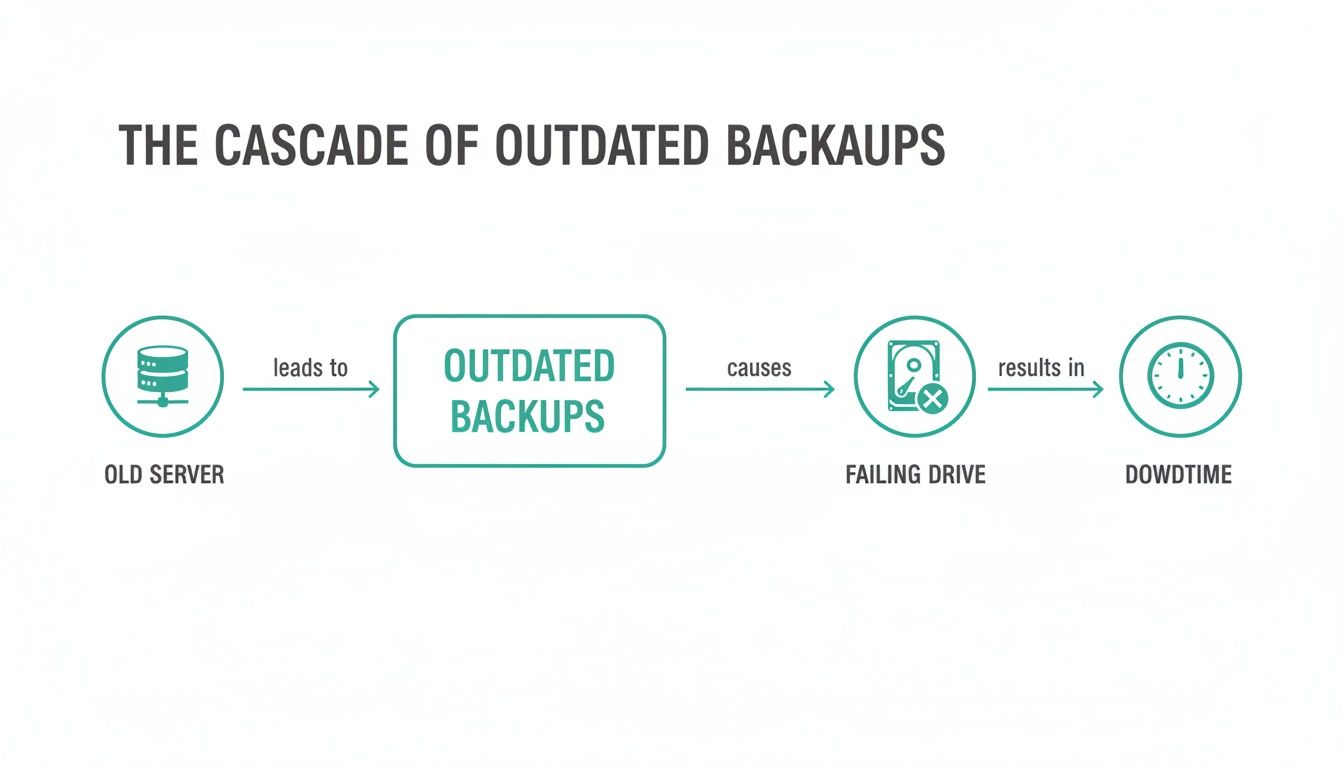
We see this chain reaction constantly, where aging hardware is the first domino to fall, leading straight to a crisis.
On-Premise vs. Cloud vs. Hybrid: The Best of All Worlds
Okay, so where do all these backups actually live? You’ve got three main choices, and each has its own set of pros and cons, especially for businesses here in the Indy metro area.
- On-Premise: You own and control all the gear yourself, right in your office. This gives you wicked-fast recovery for local files but comes with hefty upfront costs and doesn't protect you from a site-wide disaster unless you build a second location.
- Cloud: Your data is whisked away to highly secure, remote data centers. The scalability and disaster resilience you get from the cloud are almost impossible to replicate with physical hardware.
- Hybrid: This approach gives you the best of both worlds. It combines the speed of on-premise backups for quick, minor file restores with the ironclad security of cloud backups for true, worst-case-scenario disaster recovery.
For the vast majority of our clients, a hybrid model hits the sweet spot. It delivers the perfect balance of speed, security, and cost, ensuring you can grab a recently deleted file in minutes while also guaranteeing your entire business can be rebuilt from the cloud if your physical location is ever compromised.
The trend is crystal clear: everyone is moving toward the cloud. The market for cloud backup and recovery is expected to explode to $27,080 million by 2030, growing at a blistering 19.6% each year. This isn't just a fad; it’s businesses everywhere recognizing the unmatched flexibility and protection the cloud offers. A smart cloud strategy is the future of business continuity, and you can learn more about the real benefit of cloud migration for Indiana businesses right here on our blog.
Understanding RTO And RPO: The Only Metrics That Matter
When your business operations grind to a halt, every single minute has a price tag. In the world of enterprise data backup, we can talk all day about features and specs, but it all boils down to two metrics that dictate success or failure in a crisis: Recovery Time Objective (RTO) and Recovery Point Objective (RPO).
Think of them as the two critical dials on your disaster recovery control panel. They answer the two most important questions you’ll ever ask after a system failure: "How fast can we get back online?" and "How much work will we have to redo?"
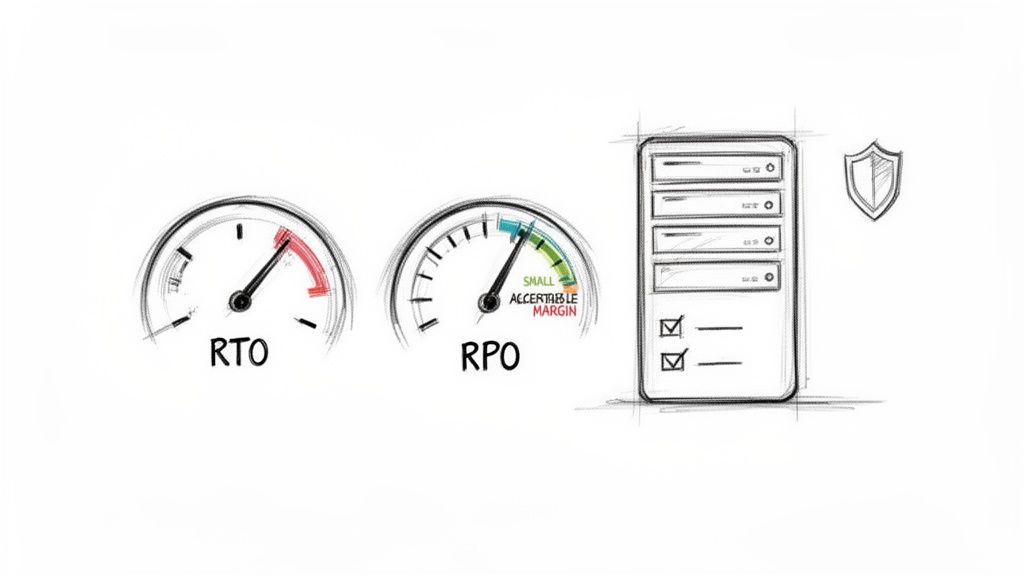
Getting a handle on these two concepts is the first step in turning wasted downtime into productive, billable hours. Let's break them down in plain English.
Recovery Time Objective (RTO): The Speed Of Recovery
Your RTO is all about time. Put simply, it’s the maximum amount of downtime your business can stomach before things get ugly. This isn't just some techy number; it’s a core business decision.
An e-commerce business in a downtown Indy tech hub, for example, might need an RTO of just a few minutes. If their website is down, they are actively losing sales with every tick of the clock. On the other hand, a small accounting firm in Johnson County might be able to tolerate an RTO of four hours without a catastrophic impact on their operations. It’s all relative.
- RTO asks: How quickly do you need your systems, applications, and data restored after a disaster?
- A low RTO (minutes to hours) requires more advanced technology, like high-availability systems and instant virtualization. This costs more, but for some, it's essential.
- A high RTO (days) might be perfectly fine for non-critical systems, allowing for more traditional, budget-friendly recovery methods.
Defining your RTO is the first step in designing a backup solution that actually aligns with your real-world needs and budget.
Recovery Point Objective (RPO): The Data You Can Afford To Lose
Your RPO is all about data. It’s the maximum amount of data—measured in time—that you can afford to lose. In other words, it dictates how frequently you need to back up your information.
Think of a busy medical practice in Greenwood. Patient records are updated constantly. For them, complying with HIPAA means an RPO of near-zero is non-negotiable. Losing even a few minutes of data could have serious medical and legal consequences. Contrast that with a marketing agency working on long-term projects. They might have an RPO of 24 hours, meaning they can afford to lose a day's worth of work in a worst-case scenario.
Your RPO determines the frequency of your backups. An RPO of 15 minutes means your systems must back up at least every quarter-hour. An RPO of 24 hours means daily backups are sufficient. The tighter the RPO, the more data you protect.
The Alarming Reality Of Data Recovery Gaps
Defining your RTO and RPO is critical because data loss is far more common than most people think, and the ability to recover is often dangerously overestimated. A recent report found that a staggering 87% of IT professionals experienced SaaS data loss in 2024, with malicious deletions being the top cause.
Here's the scary part: despite this, only a tiny 14% of IT leaders were confident they could recover critical data within minutes. You can read more about this concerning trend in the 2025 SaaS Backup and Recovery Report. This gap between expectation and reality is precisely where businesses get into trouble, and it highlights the urgent need for a tested, professional backup strategy.
At Finchum Fixes IT, we don't guess. We sit down with you to perform a Business Impact Analysis, helping you define the exact RTO and RPO for every critical system in your organization. This turns a vague idea of "backup" into a precise, actionable plan that guarantees your business continuity.
4. Meeting Compliance and Security Mandates in Indiana
For a growing number of businesses around Indianapolis, a solid backup isn't just a good idea—it's the law. Failing to meet data protection rules isn’t a simple slip-up. It’s a direct hit to your reputation that can bring on crippling fines, stopping your growth dead in its tracks.
This is where a professionally managed enterprise data backup solution stops being an IT expense and starts being a non-negotiable compliance tool.
Many business owners hear "compliance" and see a tangled mess of acronyms. We see it differently. It’s really about building a framework of trust with your clients by proving you take their data as seriously as they do. Whether you’re a healthcare provider on the southside or a defense contractor up in Hamilton County, your backup strategy is on the front lines of that effort.
Aligning Backups With Indiana's Key Regulations
Your industry dictates the rules of the game. For our clients, three main frameworks pop up constantly, and a rock-solid backup plan is the foundation for satisfying every single one. We design systems that don't just store your data; they give you the paper trail you need to pass an audit without breaking a sweat.
Here’s how we tackle the big three:
- HIPAA for Healthcare: For medical practices in Johnson County, protecting Patient Health Information (PHI) is everything. HIPAA demands strict controls, so our solutions provide end-to-end encryption for data whether it's flying across the network or sitting on a drive. We also generate detailed audit logs that track every access, change, and restore, giving you an unbreakable chain of custody.
- CMMC for Defense Contractors: If you're part of the defense supply chain along the I-65 corridor, getting your Cybersecurity Maturity Model Certification (CMMC) is a must. Our use of immutable off-site backups stored in secure, US-based data centers helps you nail the tough data residency and integrity requirements from the Department of Defense.
- NIST CSF for General Business: The NIST Cybersecurity Framework (NIST CSF) is the gold standard for any business that's serious about security. The "Recover" function is one of its five core pillars. Our managed backup and disaster recovery plans address this head-on by ensuring you can get back to business in a timely, predictable way after things go sideways.
Technology That Checks The Compliance Boxes
Meeting these standards takes more than just dragging files to another folder. It requires specific tech that can prove your data is secure, unaltered, and always recoverable. This is where our deep technical expertise really shines.
In our 17 years of local service, we've seen auditors dig deep into the nitty-gritty of data handling. It’s not enough to say your data is backed up; you have to demonstrate how it's protected. Features like AES-256 encryption and geographically redundant storage aren't just buzzwords—they're the details that make regulators happy and keep your business safe.
Our solutions are built with these features at their core, ensuring you have the technical horsepower to back up your compliance claims. The right backup strategy is a huge piece of your overall security puzzle. You can learn more about building a resilient defense by exploring our cybersecurity services.
Thinking this way turns compliance from a headache into a real competitive advantage. It shows your clients and partners that you’re a trustworthy steward of their most sensitive information.
Our Proven Process For Deploying Your Backup Solution
Having a theory is nice, but when disaster strikes, it's the execution that makes or breaks your recovery. This is where our 17 years of hands-on, local experience with businesses across the Indianapolis metro area truly shines. We’ve seen it all, and we’ve forged a battle-tested process that removes the guesswork from protecting your company's data.
This is about much more than just installing some software and calling it a day. We follow a methodical approach, ensuring your enterprise backup solution is perfectly matched to your business needs from the get-go and stays that way for the long haul. Our team handles the heavy lifting so you can stay focused on your business, knowing your critical information is safe.
For us, this isn't just a checklist; it's a commitment born from real-world crises. We've been in the trenches, like the time we got an emergency call from a Carmel office with a failing RAID array. We managed to perform a bit-level data recovery, pulling their entire accounting database off the disks just hours before they died completely. That kind of experience is baked into every step of our process.
Step 1: Initial Discovery And Assessment
It all starts with a conversation, not a sales pitch. We sit down with you to get a real feel for how your business works—your must-have applications, how your data moves, and exactly how much downtime you can stomach. This is where we hammer out your RTO and RPO, the two numbers that will dictate the entire design of your solution.
From there, we map out your current IT infrastructure. We're looking for the hidden weak spots, like that aging server in a Greenwood business park or the single points of failure in your network. This discovery phase is what allows us to build a backup strategy that actually fits your company, not just some generic template.
Step 2: Solution Design And Implementation
Armed with a deep understanding of your needs, we architect a solution that hits the sweet spot between performance, security, and cost. Most of the time, this means a hybrid approach, blending the speed of on-site recovery with the rock-solid resilience of immutable off-site backups in the cloud. We even protect the backup system itself with top-tier tools like Bitdefender GravityZone to keep threats out.
When it's time for implementation, we work around your schedule to keep disruptions to a minimum. Our certified technicians take care of everything—installing hardware, configuring cloud storage, and setting up the backup jobs. We test every single piece to make sure data is flowing securely and correctly from the moment we flip the switch.
Step 3: Validation And Disaster Recovery Playbook
An untested backup isn't a backup; it's a prayer. As soon as the system is live, we conduct an initial full recovery test to prove that it works as advertised. This isn't a fire drill. We restore a real sample of your data into a safe, isolated environment to check its integrity and confirm we can hit your RTO.
We then hand you a simple, step-by-step Disaster Recovery Playbook. This document lays out exactly what to do when things go wrong—who to call, what to expect, and how to get back to business. It turns a potential panic into a calm, controlled process.
Step 4: Ongoing Monitoring And Management
Your data never takes a day off, and neither does our monitoring. Our SOC-as-a-Service monitoring keeps a watchful eye on your backups 24/7/365. We get instant alerts for any failures, weird activity, or security threats, which means we can jump on problems long before they become disasters. This proactive management is how we turn your team's "wasted tech time" into predictable, productive operations. It's this growing need for solid protection that has the global market for these solutions projected to grow at roughly 12% annually, according to insights from Archive Market Research.
Protecting your data is the first step, but actually getting it back is what counts. Take a look at our guide to professional data recovery services to see how we handle the absolute worst-case scenarios.
Ready to stop losing sleep over your backups? Let's put our experience to work for you. Contact us today to schedule a Free Network Assessment for your Greenwood or Indianapolis area business, and let's build a data protection plan you can finally count on.
Your Burning Questions About Data Backup, Answered
Alright, we’ve thrown a lot of technical stuff at you. Let's get down to brass tacks and answer the questions we hear most often from business owners just like you, right here in Indiana.
What's The Real Difference Between A "Backup" And "Disaster Recovery"?
This one’s a classic. Think of it this way: a backup is like having a spare tire in your trunk. It's a copy of a critical component, ready to go. You have the file, but that's it.
A disaster recovery plan is like having AAA on speed dial, a GPS with a pre-programmed route to the nearest mechanic, and a credit card to pay for the tow. It’s the entire strategy for getting your car (your business) off the side of the highway and back on the road, fast. It’s not just about having the files; it’s the step-by-step playbook for using those files to make your business whole again.
So, How Much Is This Going To Cost My Business?
That’s like asking, "How much does a vehicle cost?" It really depends on whether you need a reliable sedan or an armored truck. The investment is tied directly to your RTO and RPO—how fast you need to get back up and running, and how much data you can stomach losing. A business that loses thousands of dollars every hour it’s down will invest more in near-instant recovery than a business that can handle a day of downtime.
There's no magic number. A medical practice in Greenwood with iron-clad HIPAA rules has a completely different risk profile than a machine shop in Johnson County. Our job is to figure out exactly what you need, creating a plan that fits your budget and turns that scary, unknown risk into a predictable monthly operational expense.
How Often Do We Really Need To Test Our Backups?
An untested backup is nothing more than a good-luck charm. We've walked into businesses that were crippled because they assumed their backups were working, only to discover a corrupted, useless mess when they needed it most.
We insist on quarterly full-scale recovery tests as a bare minimum. These are supplemented with frequent, automated checks to ensure everything is in good working order. With our managed services, this isn't something you even have to think about. We handle it all, performing regular test restores to prove, beyond a shadow of a doubt, that your recovery plan is ready for action.
Your data is the lifeblood of your business, and leaving it unprotected is a gamble you can't afford to lose. At Finchum Fixes IT, we’ve dedicated 17 years to crafting rock-solid data protection strategies for companies across Central Indiana. It’s time to stop losing sleep over "what if" and start focusing on what's next.
Let's build a backup and recovery plan you can actually trust. Schedule your Free Network Assessment today for your Greenwood/Indianapolis area business and get the peace of mind you deserve.