Failed Hard Drive Data Recovery: A Guide for Indiana Businesses
[!TIP] TL;DR: Your Quick Recovery Guide
- If a hard drive fails, unplug it immediately. Continued use on a physically failing drive can destroy your data permanently. A clicking or grinding sound means a physical failure; software can't fix it.
- Downtime costs businesses up to $9,000 per minute. Failed hard drive data recovery isn't just about files; it's about business continuity. A solid recovery plan protects your billable hours and prevents wasted tech time.
- For Indiana businesses, local context matters. We understand the challenges for businesses along the I-65 corridor, from aging server hardware in Greenwood to compliance needs like HIPAA or CMMC.
- DIY is risky. Only attempt recovery on a drive with logical failure (no noises, recognized by PC). Always clone the drive first and work on the copy. Stop if it gets slow or starts making noise.
- Prevention is the best cure. A 3-2-1 backup strategy with immutable off-site backups, paired with proactive monitoring, turns a potential crisis into a predictable, managed task.
That gut-wrenching click... click... click... or the even more terrifying sound of complete silence. When your hard drive goes down, it’s not just an IT headache; it’s a full-blown business emergency that threatens everything. For any company here in Johnson County, a failed drive means the clock is ticking, and every second of downtime costs real money. This is your first-response plan.
The Sound of Your Business Grinding to a Halt
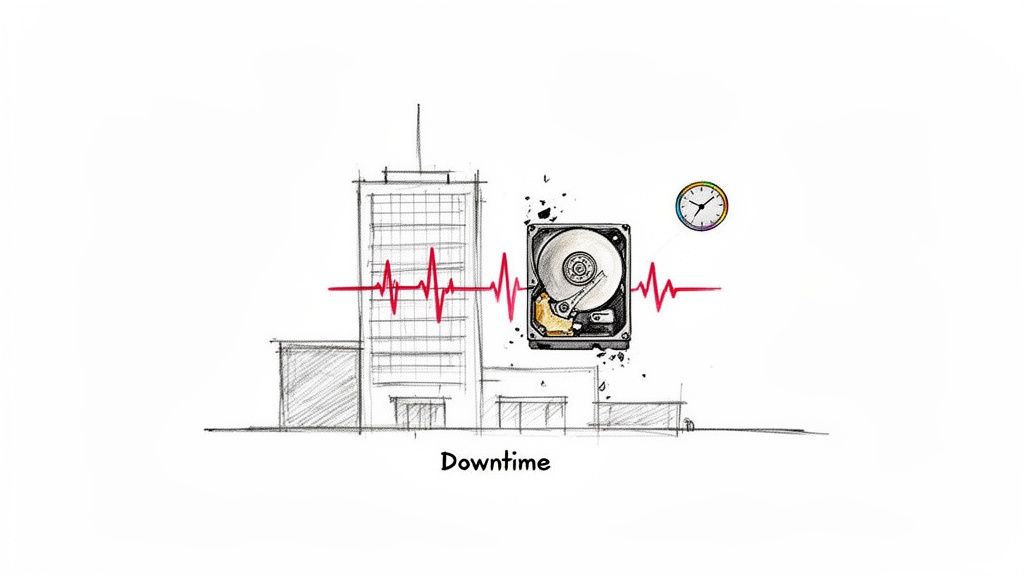
That awful noise isn't just a dying piece of hardware; it's the sound of productivity screeching to a halt. We've seen the panic on the faces of business owners all along the I-65 corridor, from Greenwood to downtown Indy. When a critical drive fails in a Greenwood business park, it can freeze operations, tank customer service, and put your sensitive data in jeopardy.
After 17 years of local service, the stories are all too familiar. We got the panicked call from an accounting firm in Greenwood, their server dead just days before a major tax deadline. When we disassembled a similar client's failing RAID array, we helped a Johnson County logistics company that couldn't ship a single package because their main array had collapsed.
This Is About Business Continuity & ROI
This isn't some abstract problem; it's a direct hit to your bank account. Every minute your team can't work is money down the drain. Downtime can cost up to $9,000 per minute, turning a faulty drive into a five-figure disaster. This is about converting "wasted tech time" into billable hours and predictable monthly budgets.
When that data vanishes, so does your ability to:
- Run payroll and send invoices.
- Pull up client history for a service call.
- Meet crucial compliance standards like HIPAA for healthcare or CMMC for defense contractors.
- Even open the specialized software that runs your entire operation.
The Southside Problem-Solution Framework
Look, when your business is on the Southside and you have a problem like aging server hardware, you need a straightforward solution. The problem is a failed hard drive; the solution is a calm, methodical recovery process that gets your doors back open. Simple as that.
This guide is that process—a battle-tested emergency plan, not a bunch of theory. It’s all about protecting your revenue and your reputation when the digital heart of your business gives out. Of course, the best way to win this fight is to prevent it from ever happening with solid IT infrastructure management.
But for now, let’s get you out of this crisis. Here are the immediate steps to take.
Your First 60 Minutes After a Hard Drive Failure
It’s happened. That gut-wrenching moment when you realize your hard drive has given up the ghost. This isn't just an inconvenience; for a business, it's a crisis unfolding in real time. What you do in the next 60 minutes will literally decide if your data can be saved or if it's gone for good.
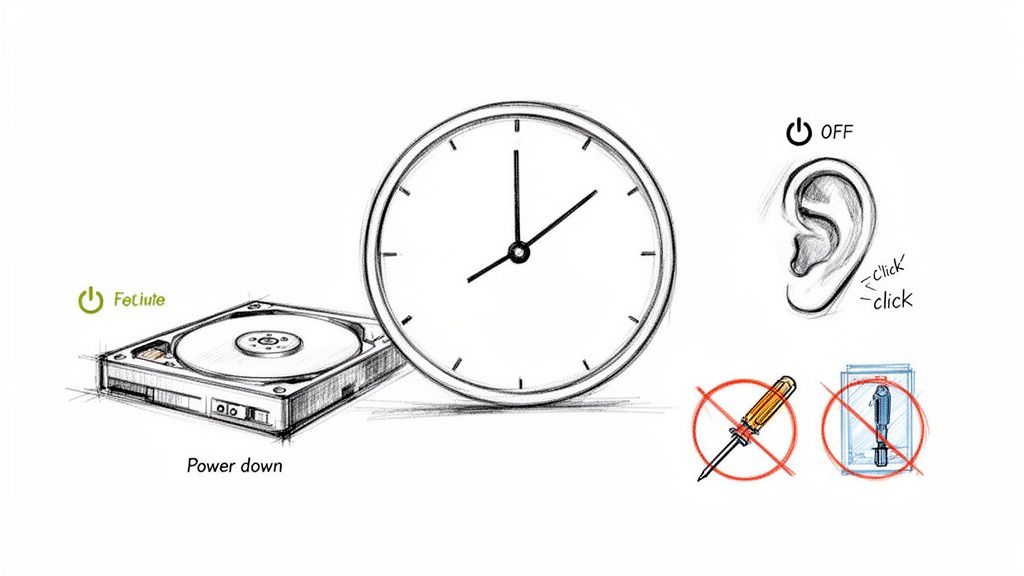
First things first, and I can't stress this enough: power it down immediately. Shut off the computer. Unplug the external drive. Do not pass Go. Do not collect $200.
Keeping a failing drive running is the digital equivalent of flooring it in a car with no engine oil. The delicate read/write heads are supposed to float on a cushion of air just nanometers above the spinning data platters. When things go wrong, they can crash down, physically scraping away the magnetic coating that holds your precious data. It’s a fast track to turning a recoverable drive into a very expensive paperweight.
Decode the Sounds of Failure
Okay, power is off. Now, take a second. What did you hear right before it died? The sounds a drive makes are like a diagnostic cheat sheet, telling you exactly what’s broken inside.
- A Rhythmic Clicking or Ticking: We call this the "click of death" for a reason. This is the sound of the read/write head assembly flailing about. It's trying to find its home position, failing, and resetting over and over.
- A Nasty Grinding or Scraping Noise: This is the absolute worst sound you can hear. It’s the heads physically making contact with the platters and shredding your data into oblivion. This is a code-red emergency.
- A High-Pitched Whine or Buzz: This often points to a failing spindle motor. If the platters can't spin up to the correct speed (thousands of RPMs), the drive is a brick.
If your drive was making any of those noises, your DIY journey ends here. Stop. Do not try any software. No program in the world can fix a broken mechanical part. It's time to call in the professionals.
The Critical Don'ts of Data Recovery
When you're in a panic, it’s tempting to try anything you read on a forum. Trust me, most of those "hacks" are myths that will only make things worse. Whatever you do, do not do any of the following.
The Freezer Trick: This is an ancient and stubborn myth. The logic (and I use that term loosely) is that cooling the drive will make the metal components contract and temporarily fix the problem. What it actually does is introduce condensation, which forms frost and then water droplets directly on the platters, guaranteeing permanent damage.
Open the Drive's Casing: Your drive was built in a certified cleanroom for a reason. A single speck of dust is a boulder compared to the microscopic gap between the heads and platters. Opening it in your office or home is a surefire way to contaminate the platters and destroy any chance of recovery.
Install Recovery Software Onto the Failing Drive: This is a classic, catastrophic mistake. Installing anything writes new data, which can easily overwrite the very files you're desperate to get back.
Physical vs. Logical Failure: The Million-Dollar Distinction
It is absolutely vital to know what kind of problem you're facing. A physical failure is what we've been talking about—broken hardware, clicks, and grinds. A logical failure, on the other hand, is a software issue. The drive is mechanically fine, but the data is inaccessible due to corruption, a virus, or accidental deletion.
Mixing these up is a recipe for disaster. If it's a logical issue, you might be able to recover deleted files from your computer with the right software and a careful approach. But if you run that same software on a physically failing drive, you could be forcing the heads to scrape across the platters, destroying everything.
The stakes are enormous. A severe head crash where the platters are scored has a 0% success rate for recovery. The data is physically gone. But if you stop in time, a head failure without platter damage has a 99%+ recovery rate in the hands of a professional with a cleanroom. That's the difference your actions in the first hour can make.
DIY Data Recovery You Can Safely Attempt
So, your computer still sees the hard drive, and it’s not making any of those stomach-dropping clicking or grinding noises. Take a breath. That’s a good sign. It probably means you’re dealing with a logical failure—an issue with the software or file system, not the physical hardware itself.
In a situation like this, you might be able to recover your data yourself. But let's get one thing straight: this is not the time to download the first free program you find and start clicking buttons. One wrong move can turn a recoverable drive into a permanent paperweight, costing your business a fortune in downtime and lost information.
The Golden Rule: Clone It Before You Do Anything Else
The absolute, non-negotiable first rule of data recovery is to work on a copy, not the original drive. I can't tell you how many Johnson County businesses we've seen make this critical mistake. They run recovery software directly on the failing drive, and the constant scanning pushes the already-stressed hardware over the edge into total failure.
You need to create a sector-by-sector clone (also called a disk image) of the failing drive onto a healthy one. This process makes an exact replica of your drive—bad sectors and all—while leaving the original untouched. If your recovery attempt goes sideways, your original data is still safe.
This first step is so vital that we've boiled it down to a simple decision tree.
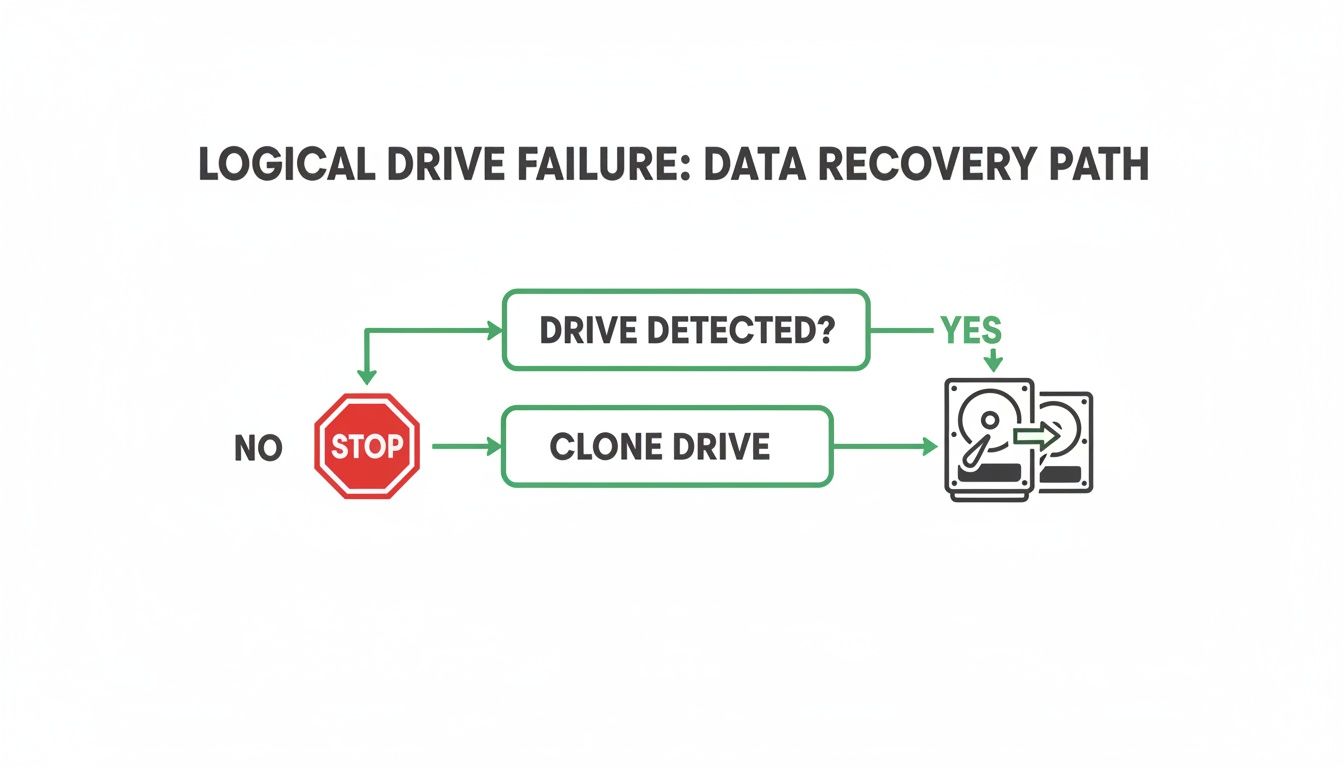
The flowchart lays it out perfectly. If the drive is detected and quiet, you can proceed to clone it. If it's making noise or the computer doesn't see it, stop immediately and call a professional.
Know What You're Up Against
Understanding the type of hard drive failure is the first step in assessing recovery chances and potential costs. This table outlines common failure scenarios, their symptoms, and the typical recovery success rates for businesses.
Failure Type vs. Recovery Potential
| Failure Type | Common Symptoms | DIY Recovery Chance | Professional Success Rate |
|---|---|---|---|
| Logical Failure | Files missing, accidental format, drive needs formatting, OS won't boot | Good, with a proper clone | ~99% |
| Firmware Corruption | Drive not detected, wrong size shown, hangs on boot | Very Low - STOP | ~90% |
| Bad Sectors | Very slow performance, files won't open/copy, scan freezes | Low - STOP if extensive | ~85% |
| Electronics Failure | Drive is completely dead, no sound or spin | None - STOP | ~95% |
| Mechanical Failure | Clicking, grinding, or buzzing noises | None - STOP IMMEDIATELY | ~75%, depends on severity |
As you can see, a logical failure is the only scenario where a DIY attempt is even on the table. For anything else, you're just risking more damage.
Reputable Tools for Logical Issues
Once you have a safe clone to work from, you can try using reputable software to pull your files. Be extremely cautious here—the internet is littered with sketchy tools that are either useless or, even worse, packed with malware. For basic file recovery from logical issues (like an accidental deletion or format), a tool like Recuva is a solid, well-regarded choice.
Here are a few situations where a tool like Recuva can be a lifesaver:
- The "Oops" Deletion: You accidentally emptied the Recycle Bin with an important file still inside.
- Accidental Format: You wiped a drive by mistake, but the hardware itself is perfectly fine.
- Minor File Corruption: A specific document or photo won't open, but the rest of the drive is accessible.
Just be sure to install and run the software from your main computer, and point it to scan your clone, never the original failing drive.
The Red Flags That Mean STOP Immediately
Your DIY recovery is an experiment, not a foregone conclusion. You have to watch for signs that the drive is in worse shape than you initially thought. If you see, hear, or feel any of the following, power everything down and disconnect the drive.
We once had a Hamilton County logistics company try to push through these exact warning signs. They ran recovery software directly on a drive that was getting slower and slower. The constant read attempts caused a catastrophic head crash, turning what should have been a simple logical recovery into a complex cleanroom job. Their recovery bill doubled, and their downtime stretched for three extra days. Don't be them.
These are your hard stops:
- Any New Noises: If the drive suddenly starts clicking, grinding, or buzzing, it's a physical failure. Stop.
- The Drive Disappears: If the drive disconnects from your system in the middle of a scan, the electronics are failing. Stop.
- Excruciatingly Slow Scans: If a scan that should take an hour is predicting it will take days, or it gets stuck on one percentage, the drive is riddled with bad sectors. Continuing will only destroy it further. Stop.
These symptoms are the drive's final cry for help. Ignoring them is the fastest way to turn a recoverable problem into a permanent one. Pushing a failing component this hard can even trigger larger system-wide issues, like the dreaded Blue Screen of Death. It's simply not worth the risk.
When to Call a Professional Recovery Service
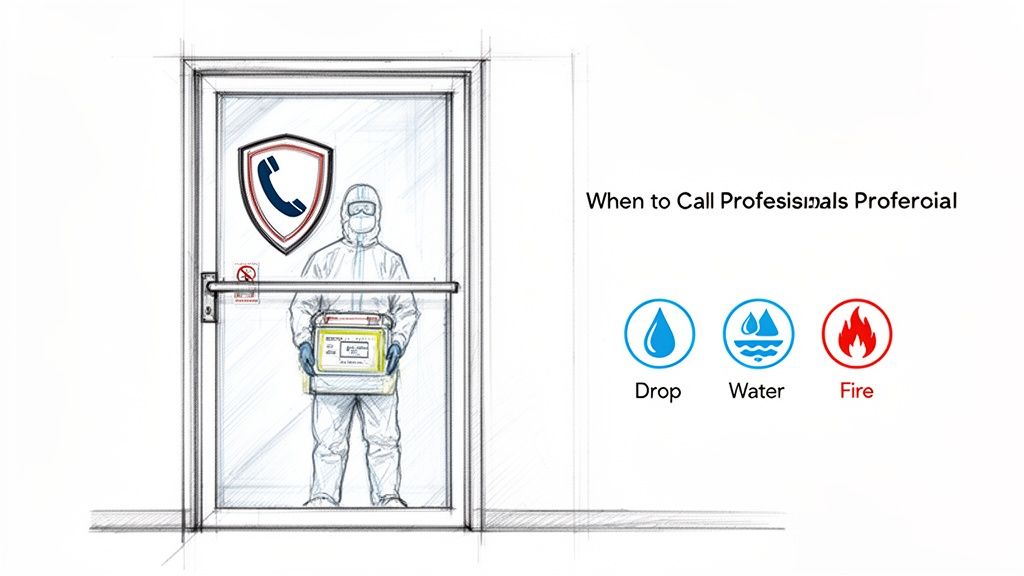
Look, there's a time for rolling up your sleeves and a time to step away from the patient. Knowing the difference is what separates a successful data recovery from a digital post-mortem. If you see any of the red flags we're about to cover, you need to stop, unplug the drive, and call a professional. Seriously. Your next move could decide whether you ever see that data again.
The most glaring warning signs are audible. If your hard drive has started making new, terrifying sounds—clicking, grinding, or a high-pitched buzz—it's screaming for help. Those aren't software quirks; that’s the sound of delicate internal parts breaking down. Continuing to run a drive in this state is the digital equivalent of flooring it with a thrown rod in your engine. You’re just grinding your data into dust.
When DIY Becomes Dangerous
Then there’s physical trauma. Did the drive take a tumble off a desk? Was it in a laptop that got dropped? Was there any encounter with water, fire, or even just a spilled coffee? If so, the party’s over.
Even if the drive seems to power on after one of these incidents, don’t be fooled. It’s a ticking time bomb. The internal components are almost certainly damaged, and every second it runs, it’s getting worse.
We see this all the time with businesses here in the Indianapolis area. We got a panic call from a defense contractor on the Southside whose server had flatlined. They were looking at a failed RAID 5 array, a high-stakes scenario where a DIY attempt would have been more than just risky—it would have been a CMMC compliance disaster.
They knew better than to gamble. They called us. We found two failed drives in their array, a complex situation that required a specialized recovery. We had to take the drives into our cleanroom for a bit-level recovery to reconstruct the array. The result? They got all their critical data back, sidestepped a catastrophic operational shutdown, and kept their compliance record clean.
That’s the difference. Professional recovery isn't just running some software you downloaded. It’s a physical, hands-on process involving platter swaps and head stack replacements in a Class 100 cleanroom—an environment so sterile that a single speck of dust could destroy your data for good.
Understanding the Stakes
Hesitation can be devastating. Physical damage to the spinning platters inside a traditional hard drive often means the data is gone forever. One analysis found that platter damage was the cause of 117 failed recovery attempts. While beefy enterprise RAID setups from Dell or HP often have a near-100% recovery rate thanks to built-in redundancy, it’s the standalone consumer drives from Seagate and WD that we see most often in the lab after a fatal drop.
For any business along the I-65 corridor, this is a clear warning: delaying professional help for a physically damaged drive is a bet you're likely to lose.
And when you're dealing with sensitive information, especially data governed by regulations like HIPAA, calling a pro is non-negotiable. It’s the only way to ensure the data security and privacy during the repair process.
So, how do you make the call? It boils down to a few simple questions:
- Is the data on this drive absolutely critical to your business?
- Is any of that data subject to compliance rules?
- Are you hearing strange noises or is there any sign of physical damage?
If you answered "yes" to any of those, your DIY journey ends here. The risk of permanent data loss is simply too high. Protecting your assets is the cornerstone of our managed IT services for small businesses, and that starts with knowing exactly when it's time to call for backup.
What Happens When You Bring a Dead Drive to Us?
When your business is staring down the barrel of a data disaster, the last thing you need is a vague plan and a surprise bill. Here in Greenwood, we've seen the panic that a clicking hard drive can cause. That's why, over our 17 years of pulling data from the digital graveyard, we’ve built a recovery process that’s all about clarity and control. You’ll know exactly what’s happening, when it’s happening, and what it’s going to cost.
Honestly, our goal is to build IT systems so robust you never have to see this side of our business. But when things go south, it’s good to know what real, professional recovery looks like. Here’s the play-by-play.
First, We See What We're Dealing With (For Free)
The minute you hand over that failed drive, your job is to stop panicking. Our job begins with a completely free, no-strings-attached evaluation. We need to figure out what went wrong. Is it a logical error, a physical crash, a fried circuit board, or a firmware meltdown?
This isn’t a matter of plugging it in and hoping for the best—that’s one of the worst things you can do. We connect the drive to specialized diagnostic hardware that talks to it on a level most computers can't, figuring out the problem without putting any extra strain on already failing parts.
Believe it or not, our tools can often diagnose the root cause without even spinning the drive's platters. This is huge, as it prevents a crashed read/write head from scraping across your data like a needle on a record.
This initial look gives us a solid idea of the recovery chances and what it will take to get the job done. You get the full picture before you spend a dime.
Then, We Give You a Rock-Solid Quote
Once we know the enemy, we give you a formal, all-inclusive quote. No hidden fees. No "Oh, by the ways." Our price is based on the type of failure, not how much data you have. A simple file corruption issue is a whole different ballgame—and price point—than a full-blown cleanroom surgery with donor parts.
You get a firm price and a realistic timeline. For businesses managing sensitive information under regulations like HIPAA or CMMC, we’ll also walk you through our secure chain-of-custody process. Nothing happens and no billable work begins until you give us the green light. You’re in complete control of the budget.
The Real Magic: Cleanroom Recovery
Once you approve the quote, our sleeves get rolled up. If the drive has a physical problem, it goes directly into our Class 100 cleanroom. This isn't just a tidy office; it's a controlled environment where the air is filtered so aggressively that a single speck of dust can't get in and wreck the delicate platters.
Inside, our technicians perform what can only be described as microsurgery on your hardware:
- Head Stack Replacement: If the read/write heads are shot, we find a perfectly matched donor drive and transplant its healthy head assembly into yours. It's incredibly delicate work.
- Platter Swaps: Sometimes the motor dies or the whole casing is a loss. In those cases, we carefully move your data platters, one by one, into a working donor chassis.
- Firmware Repair: Modern drives have their own mini-operating system. If that gets corrupted, the drive can seem dead or report a size of 0MB. We use specialized tools to repair this firmware and bring it back to life.
This is true bit-level data recovery. It’s a meticulous, hands-on process that no piece of software could ever hope to accomplish.
You Verify the Data, Then We Get Paid
We don't just dump a bunch of files on a new drive and send you an invoice. Before you pay for anything, we give you a file list so you can see exactly what we got back.
You review the list and confirm that your critical files—the ones that keep your business running—are all there and intact. You see the proof before you pay.
Only after you give the thumbs-up do we transfer your recovered data to a brand-new, perfectly healthy external hard drive. We'll then securely wipe or physically destroy your old, failed drive (your choice), making absolutely certain your sensitive information stays that way.
Building a Disaster-Proof Business Continuity Plan
Alright, you’ve just survived the heart-stopping stress of a hard drive failure. The last thing any Johnson County business owner wants is to go through that nightmare again. Honestly, the best data recovery is the one you never have to perform.
It's time to shift from frantic, reactive panic to a calm, proactive, and genuinely disaster-proof mindset. This is what separates businesses that shrug off tech failures from those that get crippled by them. We're talking about building a real Business Continuity Plan (BCP). A smart BCP converts those wasted hours (or days!) your team spends scrambling after a crash into predictable, billable work. Every dollar invested in prevention saves you hundreds in potential downtime—which can bleed you dry at a staggering $9,000 per minute. That's an ROI you can't argue with.
The Good Old 3-2-1 Rule, But With a Modern Twist
You've probably heard of the 3-2-1 backup rule: keep three copies of your data on two different types of media, with one of those copies stored off-site. It's a classic for a reason. But for the threats we face today, we add one more non-negotiable layer: your off-site backup must be immutable.
Think of an immutable backup as a digital time capsule. It's read-only. Once the data is written, it can't be altered or deleted for a set period. This makes it completely invulnerable to ransomware, which loves to encrypt your backups, too. For any business dealing with sensitive information, especially if you're navigating HIPAA or CMMC compliance, this isn't just a good idea—it's essential. You can dig deeper into this by checking out our guide on enterprise data backup solutions.
From Reactive Repairs to Proactive Prevention
Playing the waiting game with your hard drives is a losing bet. They are ticking time bombs. A drive’s failure rate can jump from 1.6% in its third year to 2.3% in its fourth. While the overall average failure rate sits around 1.36%, some models are just lemons. One particular Toshiba model hit a shocking 16.95% failure rate in a single quarter! It's a stark reminder of the risk you take by running your business on aging hardware.
So, instead of waiting for that dreaded click of death, we deploy a two-pronged defense.
- Rock-Solid Endpoint Security: Tools like Bitdefender GravityZone do more than just block viruses. They actively monitor your system's health, often flagging performance issues that are the early warning signs of a coming hardware failure.
- Active Monitoring: Our SOC-as-a-Service (Security Operations Center) team has eyes on your network 24/7. We aren't just hunting for hackers; we're listening for the faint digital whispers of hardware distress. This lets us schedule a replacement on your terms, before it turns into a full-blown emergency.
Beyond hardware, a truly secure business is built from the ground up. This includes strong software development security best practices, ensuring the very tools you depend on are secure by design.
It's time to stop letting your technology dictate your workday. A solid continuity plan puts you back in the driver's seat, transforming unpredictable IT costs and downtime into a stable, manageable part of your monthly budget.
Your business deserves a foundation of solid rock, not one built on aging, unpredictable hardware. Contact us for a Free Network Assessment, designed specifically for businesses right here in the Greenwood and Indianapolis area.
Your Burning Questions Answered
When a hard drive fails, your mind starts racing with questions. We get it. As the go-to data recovery experts for businesses across Indiana, we've heard them all. Here are the straight-up answers you need right now.
So, How Much Is This Going to Cost Me?
That's the million-dollar question, isn't it? The honest answer is: it completely depends on why the drive failed.
If it's a simple logical issue—think accidentally deleted files on a perfectly healthy drive—you might be looking at a few hundred dollars. But if we're talking about a complex physical failure that requires a cleanroom and donor parts, the cost can range from $700 to over $2,500. Be very skeptical of anyone who quotes you a flat rate without even looking at the drive.
What’s the Turnaround Time for Data Recovery?
Again, this comes down to the diagnosis. We can often resolve logical recovery cases in just 1-3 business days.
Physical recoveries are a different beast entirely. We have to source compatible donor parts, perform what is essentially microsurgery in a Class 100 cleanroom, and then carefully image the damaged platters. This delicate process can take 7-10 business days, sometimes longer for the really tough cases. After our free diagnostic, we'll give you a solid timeline.
A Hard-Earned Lesson: Don't prioritize speed over precision. A rushed job on a physically damaged drive is the number one way to turn a recoverable situation into permanent data loss. We’ve seen it happen to businesses up and down the I-65 corridor who chose a "cheaper, faster" option and ended up with nothing.
I Hear a Clicking Noise. Is It All Gone?
Not necessarily! That dreaded "click of death" is definitely a sign of a serious physical problem, but it doesn't automatically mean your data is gone forever. It's the drive's read/write heads trying, and failing, to find their proper track.
If you power it down immediately, you give us a fighting chance to perform a bit-level data recovery. Over our 17 years, we've brought countless clicking drives back from the brink. The absolute key is to stop trying to use it the second you hear that noise.
When every minute of downtime hits your bottom line, you need a partner with a proven track record. Finchum Fixes IT has the cleanroom facilities, specialized tools, and deep experience to tackle the most daunting data loss scenarios. For a no-cost, no-obligation evaluation for your Greenwood or Indianapolis area business, let's start with a Free Network Assessment.