Fix Your WiFi With a Wireless Network Site Survey: A 2026 Guide

TL;DR
- Unreliable Wi-Fi is a major cost, with downtime costing businesses up to $9,000 per minute. A wireless network site survey prevents this by converting "wasted tech time" into billable hours.
- Common issues in Central Indiana, like signal loss in old brick buildings or interference in Greenwood business parks, are solved with a data-driven approach, not by just adding more hardware.
- The process involves predictive, passive, and active surveys using tools like Ekahau to create a precise plan for UniFi access point placement, ensuring reliable coverage.
- A final report includes a Wi-Fi heat map, a channel plan to eliminate interference, and a detailed hardware list, providing a blueprint for a high-ROI network that supports compliance standards like HIPAA and CMMC.
Let's get real for a second. Bad WiFi isn't just a minor inconvenience; it’s a direct punch to your company's wallet. What's the fix? A wireless network site survey is the only way to move from guessing to knowing. It’s a professional deep-dive into your physical space to map out and build a wireless network that actually works, everywhere.
Why Your Business WiFi Is So Unreliable
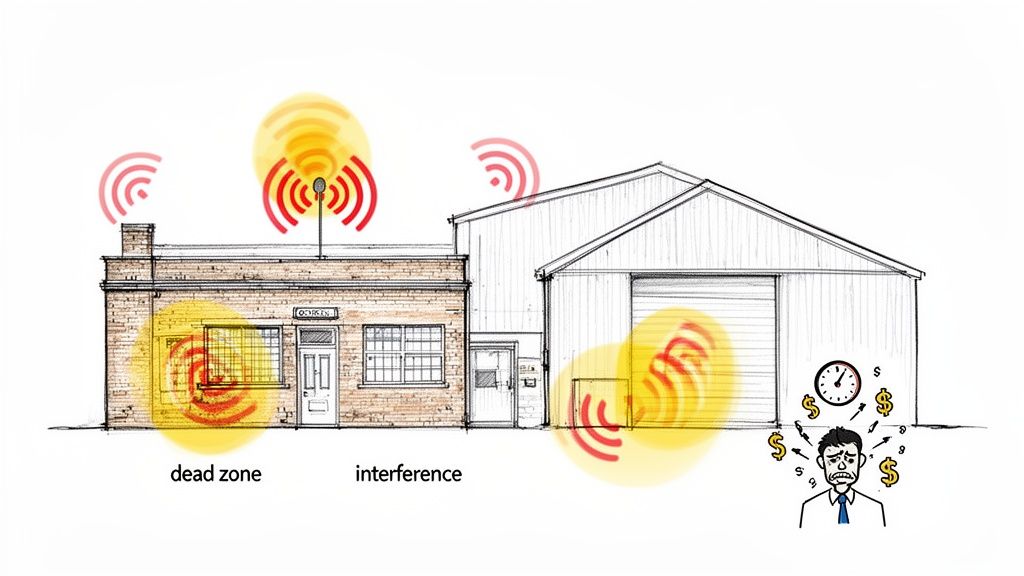
Whether you’re in a vintage brick building in downtown Indy or a massive warehouse out in a Greenwood business park, you know the feeling. Dropped VoIP calls during a crucial client meeting. Point-of-sale terminals freezing up with a line out the door. Those inventory scanners? Good luck. These aren't just headaches; they're productivity black holes.
When every minute of downtime can cost a business up to $9,000, you can't afford a "good enough" network. The knee-jerk reaction is to just throw more access points at the problem, but that often just pours fuel on the fire. Without a proper plan, you’re just creating a chaotic mess of radio frequency (RF) interference—basically, a digital traffic jam right in your own office.
The Real Cost of Bad Connections
The trouble runs deeper than simple frustration. An unreliable network is like a hidden tax on your business, silently draining money and stopping growth in its tracks. Think about it: every minute an employee wastes wrestling with a shoddy connection is what we call "wasted tech time." That's time that could have been a billable hour, and it torpedoes any attempt at a predictable monthly budget.
In our 17 years of local service, we’ve seen these problems snowball. A Hamilton County healthcare provider can't risk a dropped connection while pulling up patient files under strict HIPAA regulations. A defense contractor along the I-65 corridor needs absolutely bulletproof connectivity to meet their CMMC compliance standards. A professional wireless network site survey is the first, non-negotiable step to building a network that can handle these mission-critical demands. For a few more immediate ideas, you can also check out our guide on how to improve WiFi signal strength for your business.
A professional site survey isn't an expense; it's an investment in business continuity. It provides the data-driven blueprint needed to build a network that is both reliable and secure, turning a constant source of frustration into a competitive advantage.
Why Your Network Is Failing
The thirst for wireless is exploding. Projections show that the total number of wireless connections in the U.S. will surge to 579 million by 2026. This isn't just a fun fact; it’s a warning that proper RF planning is no longer optional. For any business in Johnson County, every dead zone is a potential point of failure, representing lost revenue and poor customer service. You can see the trends for yourself in the latest CTIA's annual survey findings.
A wireless network site survey is the only way to get ahead of the problem. It’s the strategic move that takes you from constantly putting out fires to having a permanent, optimized design built specifically for your space and your business goals.
The Three Types of Wireless Network Surveys
Picking the right wireless survey isn't about choosing "good, better, best." It's about matching the right tool to the right job. For a business owner, knowing the difference between the three main types is your first step toward getting Wi-Fi that just works, without overspending or facing nasty surprises later.
Think of it like designing the lighting for a new office. You wouldn't just scatter fixtures around and hope for the best, right? You'd plan. The same logic applies to Wi-Fi, and we have three ways to tackle it.
1. Predictive Surveys (The Digital Blueprint)
A predictive wireless survey is our digital crystal ball. It’s all done with powerful software, like the Ekahau suite our engineers live and breathe, long before anyone steps foot on your property. We take your building's floor plans and essentially build a virtual model of your space.
What goes into this digital twin? Everything.
- Building Materials: Are your walls drywall, concrete, or that classic Indy brick? Each one messes with radio frequency (RF) signals in its own special way, and we account for it.
- Obstructions: We map out the big stuff—metal shelving in your warehouse, dense rows of filing cabinets, even large fish tanks. If it can block a signal, it goes on the map.
- Coverage Goals: We define what "good Wi-Fi" means for you. Is it basic web browsing for a small guest network, or is it mission-critical performance for VoIP calls and inventory scanners?
The software then simulates how Wi-Fi signals will travel, bounce, and die off, giving us an incredibly accurate forecast. This lets us nail down the perfect number and placement for access points (like UniFi networking hardware) before you've spent a dime on equipment. It's the go-to starting point for new construction, a major office remodel, or just getting a rock-solid budget estimate.
2. Passive Surveys (The On-Site Walkthrough)
Now, let's get our boots on the ground. A passive survey is exactly what it sounds like: we physically walk your entire facility while a specialized device listens in on the airwaves. It’s a bit like being a ghost—our gear hears everything but doesn't interact with your network at all.
The whole point of a passive survey is to get a true, real-world picture of your RF environment. It measures signal strength (RSSI), background noise, and interference from every Wi-Fi source it can find.
This process generates those famous Wi-Fi "heat maps" overlaid on your floor plan. You'll see exactly where your coverage is stellar, where it's weak, and where you have dead zones. If your office is in a crowded downtown building, a passive survey is a lifesaver for sniffing out interference from neighboring businesses that might be wrecking your network's stability. It’s the best way to troubleshoot an existing network or confirm a new installation is performing as planned.
3. Active Surveys (The Simulated Business Day)
Finally, we have the active wireless survey. This is the ultimate stress test. If a passive survey is just listening, an active survey is all about participation. Our test device connects to your Wi-Fi and acts like a real user, but one with a serious mission.
Instead of just checking for signal, we're measuring the key performance indicators (KPIs) that make or break the user experience:
- Throughput: The real-world upload and download speeds your team can expect.
- Latency: That frustrating lag or delay in network response. We measure it.
- Packet Loss: The percentage of data that gets dropped and has to be re-sent, which kills performance.
But what if you need to know more than just signal strength? What if you need to prove the network can handle your point-of-sale system, your voice calls, and your fleet of barcode scanners all at once? That's where an active survey shines. As you can learn in this deep dive on survey types, this method validates that the network can actually deliver on its promises. It’s the gold standard for guaranteeing performance.
For a comprehensive picture, our expert approach to networking and WiFi solutions often blends these methods to leave no stone unturned.
Choosing the Right Survey for Your Business
Feeling a bit overwhelmed by the options? Don't be. Each survey has a clear purpose, and sometimes the best solution is a combination of two. This quick-glance table breaks it down.
Wireless Survey Methods At a Glance
| Survey Type | What It Does | Best For | Our Take |
|---|---|---|---|
| Predictive | Simulates Wi-Fi coverage using software and floor plans. | New construction, pre-deployment budgeting, major renovations. | The essential first step. It saves a ton of money by getting the plan right before you buy hardware. |
| Passive | Measures live RF signals on-site (signal strength, noise, interference). | Troubleshooting existing networks, validating a new install, identifying interference. | The "ground truth" assessment. Essential for finding dead zones and figuring out why your Wi-Fi is acting up. |
| Active | Connects to the network to test real-world performance (speed, latency, packet loss). | Validating performance for critical applications (VoIP, video), post-deployment health checks. | The ultimate proof of performance. This tells you not just if you have signal, but if it's actually good enough. |
Ultimately, the goal is to choose the survey—or combination of surveys—that gives you the data you need to build a reliable, high-performing wireless network without guesswork.
Our Step-by-Step Wireless Survey Process
So, what really happens during a professional wireless survey? This isn’t about just waving a phone around to check for bars. This is the part where we roll up our sleeves and show you exactly why, after 17+ years of serving local businesses, we’ve gotten this down to a science.
We believe in pulling back the curtain on our process. You deserve to know what you're paying for and why each step is essential to building a network that actually makes you money instead of costing you time. This is how we turn frustrating tech headaches into predictable performance.
Step 1: Understanding Your Business Needs
Before we touch a single piece of equipment, we start with a conversation. The Wi-Fi needs of a fast-paced accounting firm in Greenwood are a world away from a sprawling manufacturing plant along the I-65 corridor. We need to get a handle on the what and the why of your daily operations.
We’ll dig into things like:
- Application Requirements: Are you running crystal-clear VoIP calls that can't afford to drop? Do your warehouse guys rely on barcode scanners that need a rock-solid connection from one end of the building to the other?
- User Density: How many people and devices are trying to connect at your busiest moment? A handful of office staff is one thing; a hundred guests logging on for a conference is a whole different ballgame.
- Compliance & Security: Are you protecting sensitive client data that falls under HIPAA or CMMC regulations? We design your network with a Zero Trust security model baked in from the very beginning.
This initial chat is the foundation for everything that follows. It's how we make sure the network we design is a permanent solution to your unique business problems.
Step 2: The On-Site Data Collection
Now for the fun part. We conduct a detailed walkthrough of your entire space, armed with specialized, enterprise-grade tools like the Ekahau Sidekick. This isn’t some off-the-shelf gadget; it’s a high-precision instrument built specifically to capture a complete picture of your radio frequency (RF) environment.
We methodically walk your facility, mapping every corner, every hallway, and every potential dead zone. We’re not just looking for a signal—we’re actively hunting for problems before they have a chance to bite you.
A classic issue we see in the gorgeous old brick buildings in downtown Indy is massive signal loss. The Sidekick lets us measure exactly how much signal a brick wall is eating, so we can plan for it instead of being surprised by it later.
Step 3: Identifying RF Interference and Obstructions
With the raw data in hand, our engineers get to work. Having dealt with just about every bizarre Wi-Fi gremlin imaginable across Hamilton and Johnson County businesses, they know precisely what to look for.
Here’s what’s on our hit list:
- Physical Blockers: Concrete walls, metal warehouse shelves, heavy machinery, and even things as simple as a water cooler can absolutely murder a Wi-Fi signal. We map them all to understand their impact.
- Co-Channel Interference: Think of this as a digital traffic jam. When too many Wi-Fi access points (yours and your neighbors') are all shouting on the same channel, everything grinds to a halt.
- Signal Bleed: Is the office next door’s guest network bleeding into your space and causing chaos? We sniff out these external noise sources that are messing with your performance and figure out how to work around them.
This process of gathering the right data is multi-faceted, as shown below.
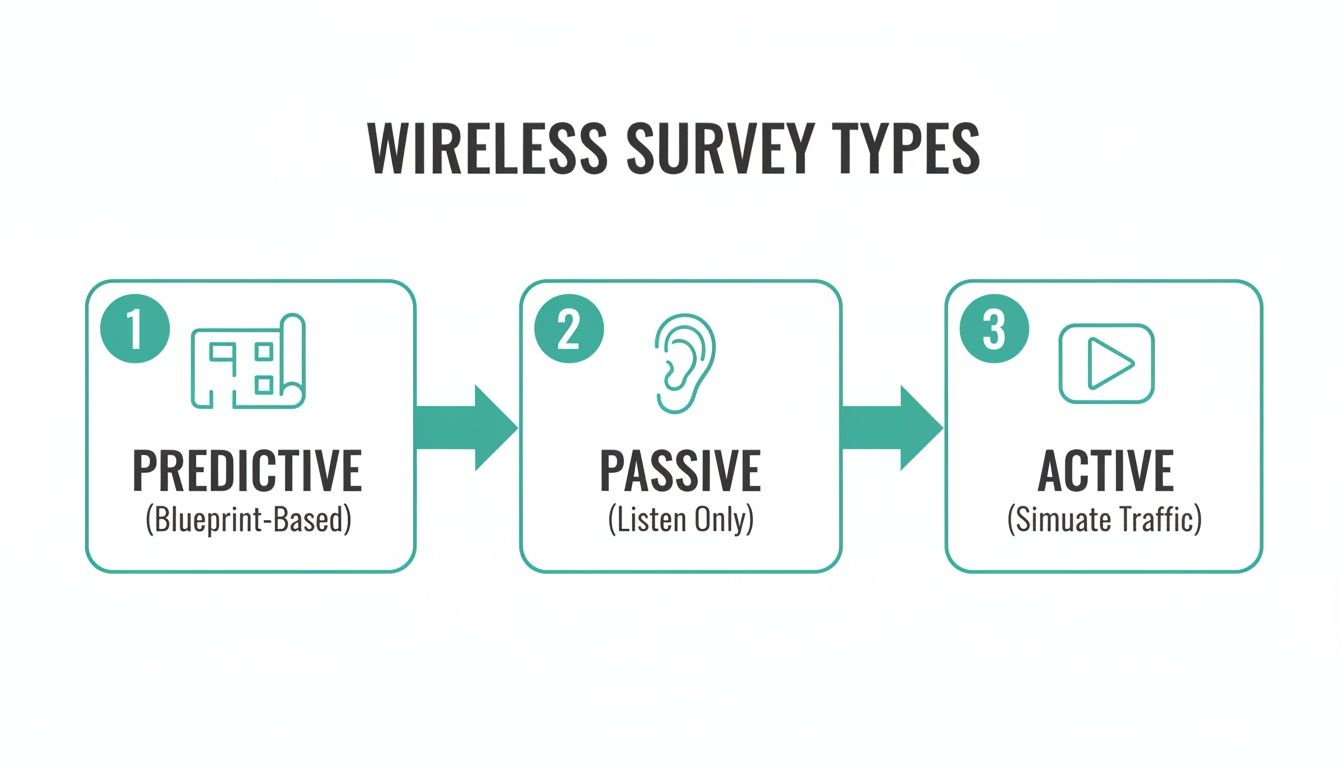
We often move from a predictive model based on your blueprints to a passive survey (just listening) and then an active one that simulates real network traffic. Combining these gives us the full, unvarnished truth about your wireless environment. If you're curious about some quick fixes in the meantime, check out our guide on how to improve WiFi coverage for Indiana businesses.
By sticking to this disciplined, step-by-step process, we eliminate the guesswork that causes so many network nightmares. It’s this methodical approach that lets us build optimized networks with the right gear, like latency-optimized mesh nodes using UniFi, that deliver a real return on your investment.
So, What Do You Get Out of All This? Understanding Your Site Survey Report
A site survey is only as good as the report that comes out of it. And let's be honest, most of them are filled with technical jargon that would put an engineer to sleep. That’s not how we operate.
Once we’ve collected all the on-site data, our job is to turn that mess of radio frequency (RF) information into a straightforward, actionable game plan for a bulletproof network. This isn't just a pile of charts; it’s your roadmap, written in plain English, showing exactly what’s wrong and how we’re going to fix it for good.
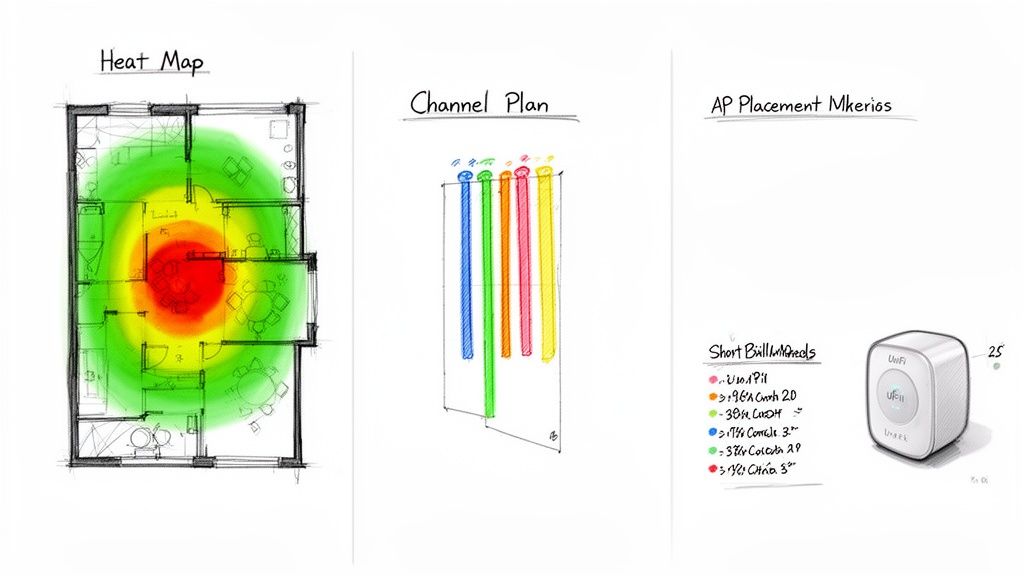
Think of the report as the bridge between a one-time survey and long-term peace of mind. It's the proof and the plan that will finally kill your network downtime and turn all that “wasted tech time” into productive, reliable work for your Indianapolis business.
The WiFi Heat Map: A Weather Report for Your Signal
The first thing you’ll probably flip to is the WiFi heat map. It’s the most eye-catching part of the report for a reason. Imagine a weather map, but for your wireless signal, laid right over your building’s floor plan. It instantly shows you where your signal is booming, where it’s sputtering, and where it’s just plain dead.
- Green & Blue: These are your prime real estate zones. The signal here is strong and dependable—perfect for the heavy hitters like VoIP calls, video conferences, or running credit card payments.
- Yellow & Orange: You’re on the fringe here. The signal is weakening, and while you might be able to check an email, performance will be iffy at best. This is a warning sign.
- Red & Blank Areas: Welcome to the Bermuda Triangle of your office. These are total dead zones where devices will drop connections, spin endlessly, and cause nothing but headaches for your team.
For a business owner in Johnson County, this map finally puts a picture to the nagging problems. It’s the aha! moment that explains why the conference room connection is a nightmare or why the POS terminal by the front door is so unreliable. It’s the visual evidence that gets us from complaining about bad Wi-Fi to fixing it with precision.
The Channel Plan: Your Wi-Fi Traffic Controller
Next, we’ll dive into the channel plan. If you’ve ever been stuck in rush hour traffic on the I-65/I-70 split, you already understand channel interference. When too many cars cram into the same lane, everything grinds to a halt. Your Wi-Fi works the same way.
Your network, your neighbors’ networks, even the microwave in the breakroom—they’re all competing for a very limited number of channels. When too many access points try to “talk” on the same channel, they just end up shouting over each other. This is called co-channel interference, and it absolutely tanks your performance.
Our channel plan is the dedicated traffic cop that clears up these digital jams. We scan every signal in and around your building to map out the congestion. Then, we create a new plan that assigns each of your access points to its own clean, open lane. This one change can often have a massive impact, dramatically boosting your network’s speed and stability. If you want to keep an eye on things yourself, take a look at our list of the best free network monitoring tools for 2026.
AP Placement Map and Bill of Materials: The Blueprint for a Perfect Network
Finally, the report gives you the master blueprint: the Access Point (AP) placement map and a complete bill of materials (BOM). This isn't a "maybe put one here" suggestion. It’s a precise, to-the-inch guide for building out a flawless network.
The placement map shows the exact spots where we'll install new access points or reposition existing ones. Every location is chosen specifically to wipe out the dead zones we found on the heat map. This is where our hands-on experience with equipment like UniFi networking gear really pays off. We know exactly which AP model is best for a crowded lobby versus a long, narrow hallway.
The BOM then itemizes every single piece of hardware needed to get the job done—the access points, the mounts, the cabling, everything. No guesswork, no surprise costs. This is how a professional site survey delivers a real return on your investment: by creating a perfect design that guarantees rock-solid performance and stops you from ever wasting another dime on the wrong equipment.
The Real-World Payoff of a Site Survey
This is where the rubber meets the road—where all the technical jargon directly impacts your bottom line. Thinking of a professional wireless site survey as just another IT expense is a huge mistake. It’s a strategic investment, and the return is shockingly fast.
Why? Because the one-time cost of a proper survey is a drop in the bucket compared to the slow, agonizing bleed of cash from a shoddy network.
Think about every minute an employee wastes staring at a loading screen, rebooting a frozen point-of-sale terminal, or walking to the other side of the warehouse just to get a signal. That’s not just an annoyance; it’s money vanishing into thin air. When major downtime can cost businesses up to $9,000 per minute, even those tiny, constant interruptions are a massive financial drain that makes budgeting a nightmare.
A Story from a Local Warehouse
Let me give you a classic example we’ve seen right here in Johnson County. Picture a busy manufacturing plant over in a Greenwood business park. Their entire inventory system runs on wireless barcode scanners, tracking parts from the loading dock to the production line. But the Wi-Fi was a ghost—there one minute, gone the next.
Workers were constantly getting booted off the network. Every time a scanner dropped its connection, they had to stop, wait for it to reconnect, and try again. Multiply those wasted minutes by dozens of employees scanning hundreds of items a day, and you're talking thousands of dollars in lost productivity. Every. Single. Month. Their first instinct was to throw more hardware at it, but adding more access points only seemed to make things worse.
Sound familiar?
Our team went in and performed a full wireless network site survey. The culprit wasn't a weak signal; the place was flooded with it! The real problem was massive radio frequency (RF) interference coming from all the heavy machinery on the factory floor. When we disassembled a similar client's failing RAID array, we saw firsthand how industrial noise can cripple tech. The moment we saw the heat maps and spectrum analysis, the problem was crystal clear.
The fix wasn't about adding more gear; it was about being smarter with the gear they already had. We re-engineered their channel plan to move the Wi-Fi onto frequencies that weren't getting blasted by the machines and repositioned a few of their existing UniFi access points to get around the "RF shadows."
The result? The scanner dropouts stopped. Completely. That one-time investment in the survey paid for itself in just a few weeks by turning all that wasted time back into productive, billable work. That’s the tangible ROI we're talking about.
It's Not Just About Productivity—It's About Compliance
Beyond the immediate financial wins, a documented site survey is your secret weapon for business continuity and compliance. For a healthcare clinic, for example, a professionally designed and documented network is a critical piece of evidence for HIPAA due diligence. For a company in the defense supply chain, it’s a non-negotiable step toward meeting CMMC standards.
A site survey report acts as objective proof that you've been deliberate about securing and stabilizing your network. It's exactly the kind of documentation that satisfies auditors and protects your business from liability. It also gives you a clear blueprint for your entire infrastructure, which is invaluable for disaster recovery planning and ensuring you have solid immutable off-site backups.
A solid wireless network also depends on the physical wiring behind it. As your business grows, you'll need to know your infrastructure can handle the load, which all starts with understanding what structured cabling is and why your business needs it.
Finally, don't think of this as a one-and-done task. We've learned that a Wi-Fi network's performance naturally degrades over 18-24 months as the environment changes. A small investment in an annual check-up can prevent tens of thousands in lost productivity and emergency calls down the line—a cost-benefit any smart business owner can appreciate. As regulations get tighter, having these records on hand is more important than ever. You can discover more insights about the value of ongoing surveys from Ekahau, a leader in Wi-Fi tools.
Your Next Step Toward Flawless WiFi
Let’s be honest. If you're trying to fix your business Wi-Fi by grabbing whatever gear you can find and just hoping for the best, you’re setting yourself up for a world of hurt. For any business here in Central Indiana that needs to stay connected to stay in business, a professional wireless network site survey isn't just a good idea—it's the only real place to start. Think of it less as an IT expense and more as an investment in getting things done.
Those endless connection drops, slow speeds, and mystery dead zones? They aren't just something you have to live with. After more than 17 years of wrangling these exact issues for businesses in Greenwood, Indianapolis, and all over Hamilton County, we’ve learned that temporary patches just don't cut it. We've seen firsthand how a properly planned network can stop the constant IT firefighting and turn that wasted time back into productive, billable hours.
Stop Guessing and Start Planning
Our entire process is built on cold, hard data—not guesswork. We bring in enterprise-grade tools like Ekahau to map out your exact space. It doesn't matter if you're in a century-old brick building downtown or a sprawling new warehouse out on the I-65 corridor; we find what's really causing your Wi-Fi headaches. It could be anything from physical walls and competing radio signals to simply having your access points on the wrong channels.
This kind of detailed analysis is a game-changer for any business, but it's absolutely critical if you have to meet compliance standards. Having a documented wireless network site survey gives you the proof you need to satisfy auditors for regulations like HIPAA or CMMC. Suddenly, that technical report becomes a powerful tool for your business.
Guessing with your network is like building a house without a blueprint. A professional site survey provides the data-driven design required to construct a stable, secure, and high-performance network that supports your business goals.
Make Your Network a True Asset
It's time to stop fighting with your network and make it the reliable tool it's supposed to be. When you invest in a professional survey, you're not just buying better signal strength; you're buying predictability. You're getting a solid foundation that lets your team work without interruption, keeps your operations secure, and ensures a dropped connection never costs you a customer again.
The cycle of unplugging, replugging, and rebooting can end right here. We invite business owners in the Greenwood and greater Indianapolis area to take the one step that guarantees flawless connectivity.
Ready to secure your operations and get back to work? Schedule a no-obligation Free Network Assessment with Finchum Fixes IT today and see what a truly dependable network can do for your business.
Frequently Asked Questions
Still have a few questions? You're not alone. Here are the answers to the questions we hear most often from business owners around Indianapolis and Greenwood.
How Long Does a Wireless Site Survey Take?
The honest answer? It depends entirely on your space. For a straightforward office under 10,000 sq. ft., we can usually wrap up the entire on-site process in a single business day.
But if you're running a massive warehouse or are located in a historic, multi-story brick building in downtown Indy, it's a different story. Thoroughly mapping and testing a complex environment like that could take two or even three days. We'll always give you a rock-solid timeline after our first conversation.
Can’t I Just Buy More Access Points?
This is, without a doubt, the most common mistake we see people make. And it almost always makes things worse. It seems logical, right? More signal equals better Wi-Fi. The reality is that just plugging in more access points creates a digital traffic jam. They all start shouting over each other, creating massive co-channel interference that brings your network to a grinding halt.
A professional wireless network site survey is like calling in a detective. We find the real culprit—whether it's signal-blocking materials, a messy channel plan, or RF noise from the business next door. This lets us design a streamlined UniFi network that just works, saving you a ton of money and frustration.
Is a Site Survey Necessary for a Small Office?
One hundred percent. Even in a smaller space, you'd be shocked at what can kill a Wi-Fi signal. We've seen concrete, old-school plaster walls, and even large panes of glass stop a signal in its tracks. In a dense office park in Carmel or Fishers, you're also fighting for airtime with dozens of other networks.
If your business relies on rock-solid internet for video calls, processing payments, or using cloud software, a site survey is non-negotiable. It’s a small investment to prevent the crippling cost of constant downtime.
What Makes Your Survey Different?
It boils down to two things: our tools and our boots-on-the-ground experience. We invest in enterprise-grade tools like Ekahau—the same gear used to design Wi-Fi for stadiums—to get incredibly precise data. We don't just email you a pretty heat map and call it a day.
More importantly, that data is interpreted by technicians with 17+ years of hands-on experience solving real-world network headaches for businesses right here in Indiana. We deliver a strategic plan that accounts for your specific apps, security needs, and compliance requirements like HIPAA or CMMC. We turn a technical report into a genuine business advantage.
Ready to stop guessing and build a network that you never have to think about again? The team at Finchum Fixes IT has been delivering permanent solutions to Central Indiana's toughest connectivity challenges for over 17 years.
Schedule your no-obligation Free Network Assessment today and let's get your business running at full speed.