How to Improve Wifi Coverage: A No-Nonsense Guide for Indiana Businesses
Slow Wi-Fi isn't just a minor headache; it's a silent profit killer. For a small business in Central Indiana, reliable Wi-Fi means fewer dropped video calls, faster point-of-sale transactions, and a team that isn't constantly fighting their own technology. The fix is rarely about buying the most expensive gear off the shelf—it’s a smart mix of strategic placement, the right hardware, and some savvy configuration.
Why Your Bad Wi-Fi Is Silently Costing You Money
Let’s be real for a second: that spinning wheel of death is more than just an annoyance. It's a direct hit to your bottom line. Every failed credit card transaction, every minute an employee spends wrestling with a sluggish connection, and every dropped client call is a tiny cut that bleeds your efficiency and profitability.
This isn't just about speed; it's about the stability of your day-to-day operations. When your Wi-Fi is flaky, you're not just losing time—you're losing opportunities.
Think about the real-world impact:
- Lost Productivity: Studies have shown employees can lose up to a full week of productivity per year thanks to IT issues, and slow network speeds are always at the top of the list. That's a week of payroll you're spending on pure frustration.
- Poor Customer Experience: A lagging point-of-sale system at your Greenwood shop or a choppy connection during a customer service call can torpedo a sale and leave a sour taste in your customer's mouth.
- Operational Gridlock: From inventory scanners in a warehouse to order tablets in a restaurant, almost everything runs on Wi-Fi. When it goes down, your whole workflow grinds to a halt.
Pro-Tip: Before you yell at your internet provider, take a deep breath. Most of the time, the bottleneck isn't the signal coming into your building; it's the chaotic, unplanned network you've got inside it.
Before you start unplugging routers, a quick check of the usual suspects can save you a ton of time and money. Use this little cheat sheet to see if your problem is something simple.
Quick Wi-Fi Diagnostic Checklist
Use this checklist to quickly pinpoint common sources of Wi-Fi problems in your business before you spend a dime on new hardware.
| Symptom | Likely Culprit | First Action Step |
|---|---|---|
| Dead zones in specific areas | Poor access point placement or physical obstructions (walls, metal shelves). | Walk the area with a Wi-Fi analyzer app to map out the weak spots. |
| Slow speeds everywhere, even near the router | Outdated router, too many devices on one channel, or interference. | Restart your router and modem. If that fails, check for channel congestion. |
| Constant disconnects and reconnects | Interference from other networks or appliances (microwaves, cordless phones). | Change your Wi-Fi channel on your router's admin page to a less crowded one (1, 6, or 11 are good starts for 2.4GHz). |
| Great signal, but terrible internet speed | The problem might be your Internet Service Provider (ISP), not your Wi-Fi. | Plug a computer directly into the router with an Ethernet cable and run a speed test. |
This isn't exhaustive, of course, but you'd be surprised how often the fix is found right here in one of these boxes.
The Hidden Security Risk of Bad Wi-Fi
Here's something most people don't think about: spotty coverage creates a sneaky security vulnerability. When your team can't get a signal in the back office, what's the first thing they do? They tether to their personal mobile hotspots.
And just like that, they've punched a hole right through your secure network perimeter. This creates an unmonitored, unprotected back door for all sorts of digital mischief—a direct path for malware or data thieves to bypass your expensive firewall.
You can't secure what you can't see. A properly designed Wi-Fi network ensures every business device stays on the official, protected network. This is exactly where having a local IT partner like Finchum Fixes IT becomes a game-changer. We make sure your network is not only fast but also locked down tight.
Mapping Your Office Wi-Fi Dead Zones
Before you can fix your Wi-Fi, you have to play detective. Tossing money at a new router without knowing where the signal is failing is like navigating I-465 blindfolded during rush hour. You need a map—a clear picture of where your Wi-Fi is rocking and where it completely vanishes.
This process is called a site survey, but don't let the fancy name intimidate you. You don't need a team of engineers in lab coats. All you really need is your smartphone, a floor plan of your office (a napkin sketch works in a pinch), and about 15 minutes. The goal is simple: walk your entire space, measure the actual signal strength, and create a basic heatmap of your Wi-Fi dead zones.
Becoming a Wi-Fi Signal Detective
First things first, grab a Wi-Fi analyzer app. There are tons of free and cheap options for both Android and iOS that get the job done. These apps ditch the vague signal bars on your phone and give you a hard number for your signal strength, which is exactly what we need.
This signal strength is measured in decibel-milliwatts (dBm). It's always a negative number, and the closer it is to zero, the better your signal. Just think of it like a golf score—lower is better.
Here’s a quick cheat sheet for what those numbers mean:
- -30 dBm to -60 dBm: This is the sweet spot. You're getting fantastic signal, perfect for video calls, big file transfers, and running your point-of-sale system without a single hiccup.
- -67 dBm to -70 dBm: Things are still usable here. Browsing and email will be fine, but you might start to see some annoying buffering on more demanding apps.
- -80 dBm and below: Welcome to the dead zone. At this level, your connection is flaky, slow, and will probably drop you entirely. This is the point where your employees give up and start tethering to their phones.
Now, walk your entire office with the app open. I mean everywhere—from the front desk to the back storage room and the corner office nobody uses. On your floor plan, jot down the dBm reading in each key area. A pattern will emerge pretty quickly, pinpointing the exact spots where your coverage goes off a cliff.
This flowchart breaks down the basic troubleshooting process, from spotting a problem to taking action.
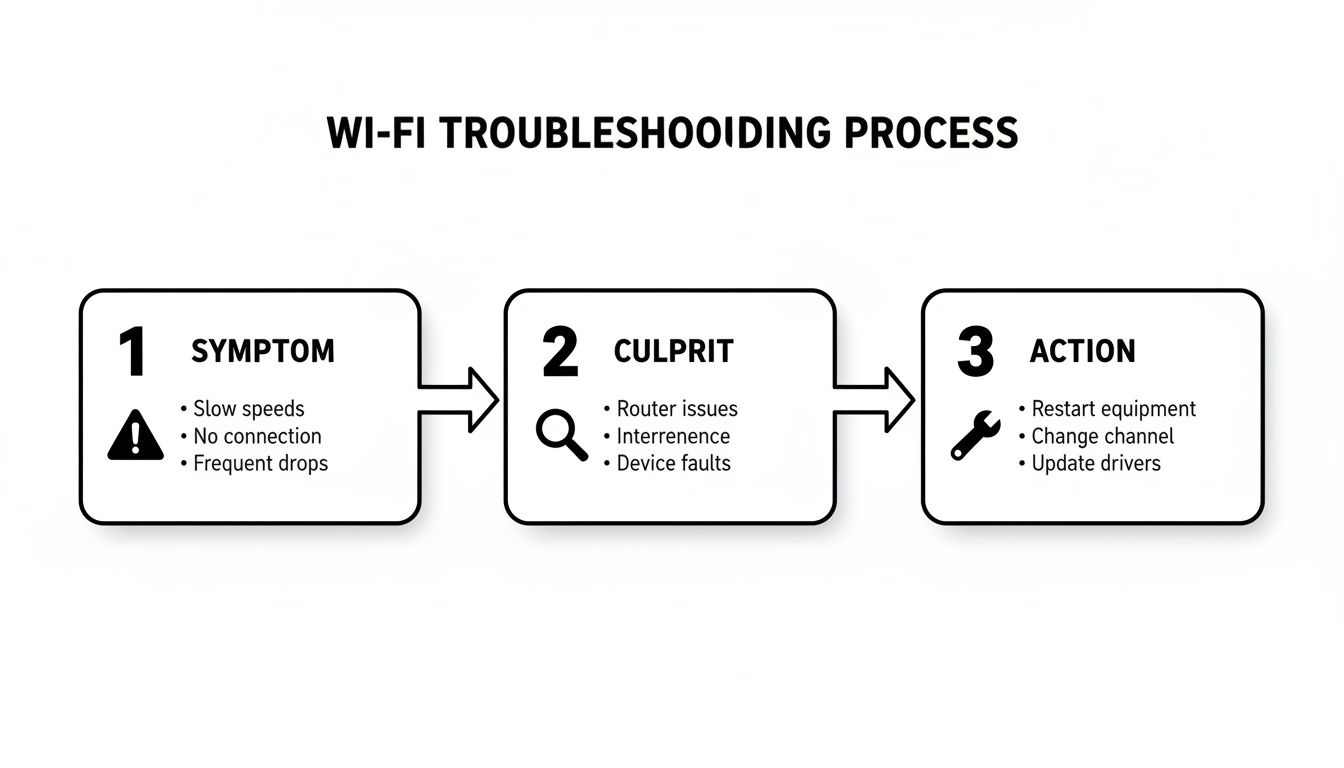
As you can see, a logical approach—figure out the "what," then the "why," then the "how"—is always the best way to get your Wi-Fi back in shape.
Spotting the Invisible Signal Killers
As you map your space, you’ll probably notice the dead zones aren't random. They’re almost always caused by physical things that block, absorb, or reflect Wi-Fi signals. These are the invisible villains that even the beefiest router can't muscle through on its own.
Quick Fix: Don't just look for walls. The breakroom microwave is a notorious Wi-Fi killer. When it’s nuking someone's lunch, it operates on the same 2.4 GHz frequency as many Wi-Fi networks, creating a storm of interference that can knock nearby devices offline. Move your router away from it or switch nearby devices to the 5 GHz band.
Some of the most common signal assassins we find in businesses include:
- Dense Materials: Concrete, brick, and old plaster walls are absolute Wi-Fi sponges.
- Metal Obstructions: Think metal shelving in a warehouse, heavy filing cabinets, or even some types of metal-tinted windows. They can create total signal blackouts.
- Water: Yep, water. Large aquariums or even a room packed with people (we're mostly water, after all!) can noticeably weaken a Wi-Fi signal.
Just identifying these obstacles is half the battle. If you find a dead zone right behind a row of metal filing cabinets, you instantly know that moving the router or adding another access point on the other side could be the fix. For a business in Central Indiana with a tricky layout, having a local IT partner who can come on-site is a game-changer. We can spot these issues in minutes and save you weeks of frustrating guesswork.
Choosing the Right Gear: Mesh, Extenders, or Access Points?
You’ve mapped out the dead zones and figured out what’s causing the trouble. Now for the fun part: picking your hardware. Walking into the networking aisle can feel overwhelming, with every box screaming promises of a miracle cure for your Wi-Fi woes. Let’s cut through that marketing jargon and talk about what actually works for a business.
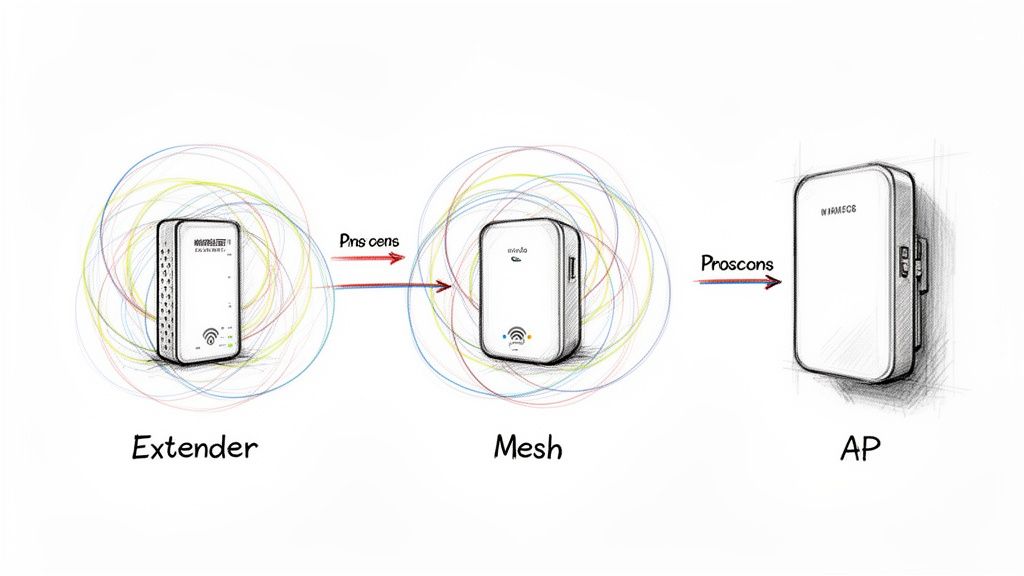
You've really got three contenders in this fight: extenders, mesh systems, and access points (APs). Each has its place, but for a growing Indiana business, picking the wrong one is a recipe for wasted cash and ongoing headaches.
The Problem with Wi-Fi Extenders
Let's get the cheapest and most common option out of the way first: the Wi-Fi extender. Think of it as a simple signal repeater. It grabs your existing Wi-Fi, makes a copy, and blasts it out a little further. Sounds great on paper, right?
The catch is, it’s like making a photocopy of a photocopy. Every time that signal gets repeated, you lose quality. More importantly, you slice your available speed right in half. It also creates a whole separate network, which means your devices get confused and often cling stubbornly to the original, weaker signal. It's frustrating.
For any real business environment where your credit card terminal, inventory scanners, and laptops all need a rock-solid connection, extenders are a band-aid that often causes more problems than it solves.
Mesh Systems: The Modern Fix for Open Spaces
Mesh Wi-Fi is the smarter, more sophisticated cousin of the extender. Instead of one router trying to do all the work, a mesh system uses several "nodes" that talk to each other, creating a single, seamless Wi-Fi blanket over your entire space. Your phone or laptop will automatically hop to the strongest node as you move around, and you'll never even notice the switch.
This makes mesh a fantastic choice for many small businesses, especially those with open-plan layouts. Think of a bustling coffee shop, a small law firm, or a retail boutique in Greenwood—mesh is often a perfect fit.
A well-planned mesh system can be a total game-changer. While global connectivity gaps persist—projections for 2025 show 5G covering 66% of urban areas but only 40% of rural ones—bad indoor Wi-Fi design can create the same frustrating dead zones right inside your building. For an Indiana business counting on reliable networking, a proper mesh setup can slash signal drop-offs by as much as 70% and easily support over a hundred devices. You can find more insights about global mobile network coverage from industry reports.
Access Points: The Professional Gold Standard
Alright, now we're talking. Let's bring in the heavyweight champion: the dedicated Access Point (AP). This is what the pros use to build bulletproof business networks, and for good reason. Unlike the gear you buy off the shelf at a big-box store, APs are built for one job: delivering powerful, stable Wi-Fi to a ton of devices at once.
APs are hardwired directly to your main network switch with an Ethernet cable. They’re often powered by that same cable (Power over Ethernet, or PoE), which makes installation clean and simple. That direct, wired connection means they get a full-strength, uncompromised signal to broadcast. No signal degradation, no speed cuts. Just pure performance.
Let's paint a picture. Imagine a growing manufacturing facility just outside of Indianapolis. You've got the front office, a huge shop floor filled with metal machinery, and a cavernous shipping warehouse.
- Extenders? A total disaster. The metal interference would create chaos, and the speed loss would cripple their inventory system.
- A Mesh System? It might work for the office, but that signal is going to struggle to punch through concrete walls and metal shelving on the shop floor.
- Professionally Installed APs? That's the ticket. We'd run Ethernet cables to strategic spots, mounting APs on the ceiling in the office, the shop floor, and the warehouse. The result is one seamless, powerful network that covers every corner. It just works.
Wi-Fi Hardware Showdown for Indiana Businesses
To make it even clearer, here’s a head-to-head comparison to help you choose the right tool for your specific needs, space, and budget.
| Solution Type | Best For | Typical Cost | Security Risk Level |
|---|---|---|---|
| Wi-Fi Extender | Tiny, non-critical areas in a home office. Very limited business use. | $30 - $100 | High |
| Mesh System | Open-plan offices, retail stores, cafes, and small professional practices. | $200 - $600+ | Medium |
| Access Points (APs) | Warehouses, multi-floor offices, manufacturing, and any business that needs top-tier reliability. | $150 - $500+ per AP | Low (when secured) |
Ultimately, the goal is to invest in a solution that won't just patch a hole but will support your business as it grows. For most companies, that means starting with a solid mesh system or going straight for the professional-grade APs.
A Critical Note on Security
This is the part you can't afford to skip. Every new device you plug into your network is another potential door for a cybercriminal. A poorly configured mesh node or an unsecured AP can create a gaping hole in your defenses.
Pro-Tip: Never, ever use the default admin username and password on a new piece of network hardware. Change it immediately during setup to something long, complex, and unique. Not doing this is the digital equivalent of leaving your front door wide open with the keys still in the lock.
This is where having a local IT partner like Finchum Fixes IT becomes invaluable. We don’t just plug in hardware; we secure it. We make sure every device is properly configured, locked down, and integrated into your security plan to protect your business's critical data from ever-evolving threats.
Time for a Gear Upgrade? Let's Talk Hardware.
Let's be blunt. If your business router has been quietly collecting dust for longer than a presidential term, no amount of fiddling with settings is going to save you. Outdated hardware is the single biggest bottleneck you can have. It’s like trying to run your entire business through a rusty old pipe—it just chokes everything.
Upgrading your gear isn’t about chasing the latest shiny object on the shelf. It’s a strategic move to boost your business’s productivity and sanity. Your Wi-Fi network is the central nervous system connecting everything from your point-of-sale system and employee laptops to inventory scanners and even the smart thermostat. When that system is old and creaky, everything feels sluggish.
The Wi-Fi 6 Difference You Can Actually Feel
You've probably seen Wi-Fi 6 (or its nerdy name, 802.11ax) plastered on new tech. It’s not just a marketing gimmick. This is a massive leap forward in how Wi-Fi works, and it was practically designed for crowded, chaotic environments—just like a busy Indiana business.
The real magic of Wi-Fi 6 isn't about one single "faster" speed. It's about how it handles a crowd. Two key technologies make all the difference:
- OFDMA (Orthogonal Frequency Division Multiple Access): Picture your old Wi-Fi router as a delivery truck that can only visit one house at a time. It's inefficient. OFDMA turns that truck into an Amazon delivery van, dropping off packages to multiple houses on the same route. For your network, this means dramatically less lag when dozens of devices are all clamoring for attention at once.
- MU-MIMO (Multi-User, Multiple Input, Multiple Output): This lets your access point talk to multiple devices at the exact same time instead of making them take a number and wait in line. In a busy office, this is a lifesaver. Your team’s video calls won’t start stuttering just because someone at the front desk is processing a credit card payment.
Making the jump to Wi-Fi 6 is one of the most powerful moves you can make. The proof is in the numbers: North America currently holds a staggering 41.2% share of the global Wi-Fi market, largely because businesses are finally refreshing their aging infrastructure. In real-world tests, Wi-Fi 6 networks pushed out 40% higher throughput in dense environments compared to the last generation. You can learn more about recent Wi-Fi statistics to see just how much this tech is changing the game.
Pro-Tip: Securely Dispose of Old Hardware When you upgrade, please don't just toss your old router in the dumpster. That little box holds a treasure trove of sensitive info about your network, passwords, and connected devices. A factory reset is a good first step, but for real peace of mind, that hardware needs to be physically destroyed. Your business data shouldn't walk out the door with the trash.
Why Pro-Grade Gear Is a Non-Negotiable
I know it's tempting. You see a sale at a big-box store and think about grabbing the latest consumer-grade router off the shelf. Don't do it. While those devices are perfectly fine for streaming movies at home, they simply aren't built to survive a commercial environment. The difference is night and day.
A single, professionally installed enterprise-grade access point can often cover nearly double the area of a top-of-the-line consumer router. More importantly, it's designed to handle the constant, simultaneous chatter from dozens—or even hundreds—of devices without breaking a sweat.
This is where having a local IT partner in the Indianapolis area gives you a huge advantage. We have access to professional-grade hardware from vendors like Ubiquiti, Cisco, and Aruba—the kind of stuff you can't buy at Best Buy. This gear delivers:
- Serious Power and Range: Cover larger spaces like warehouses or multi-floor offices with fewer, more powerful devices.
- Advanced Security Features: We're talking real security, like VLANs to wall off your guest Wi-Fi from your sensitive business data, plus robust, business-class firewalls.
- Centralized Management: This is a big one. It allows us to monitor, update, and troubleshoot your entire network remotely, often spotting and fixing a problem before you even notice it.
Investing in the right hardware isn't an expense; it's the foundation for a stable, secure, and productive workplace.
Get Under the Hood: Tweaking Your Network Settings to Crush Interference
Let's be honest, the best hardware in the world won't save you if the settings are a total mess. It’s like owning a Ferrari but filling it with regular unleaded—you’re just not going to get the performance you paid for. Fine-tuning the invisible settings of your Wi-Fi is where you squeeze every drop of speed and reliability out of the gear you already own.
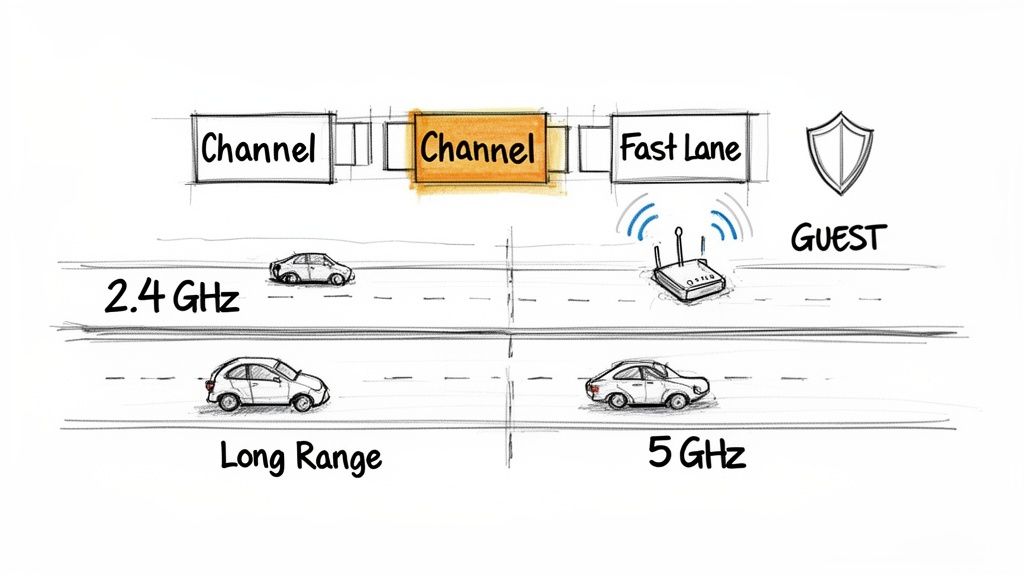
This is where so many businesses get tripped up. It’s often the real culprit behind those maddening, seemingly random disconnects and slowdowns. The great news? A few smart, strategic tweaks can make a world of difference.
Choosing the Right Highway Lane for Your Data
Think of your Wi-Fi signal as traffic on a highway. The frequency band it uses—either 2.4 GHz or 5 GHz—is the highway itself, and the smaller lanes are called channels. If you and every neighboring business are trying to cram into the same two lanes, you get a digital traffic jam of epic proportions.
Your signal slows to a crawl, and devices start getting bumped off the network. This bottleneck is called interference, and it’s a massive problem in crowded office parks, strip malls, or multi-tenant buildings.
Here’s the rundown on picking the best lane for your traffic:
- The 2.4 GHz Band: This is the old, country road. It goes a long way and can push through obstacles like walls pretty well, but it's narrow and crowded. It only has three channels that don't overlap (1, 6, and 11), so it gets congested fast. It’s best for simple devices that are far from an access point.
- The 5 GHz Band: This is the modern, multi-lane superhighway. It has a ton of channels, which means way less interference and much, much faster speeds. The trade-off? Its signal doesn't travel as far and gets easily tripped up by thick walls or floors. This is your go-to for high-performance needs.
For businesses here in Indiana, professional channel planning can be a game-changer. When we scan the airwaves for a client, we can often find a wide-open channel that instantly doubles their speeds. This is more critical than ever; with fixed wireless access growing by 39% in the US, interference from your neighbors can slash your coverage by 50% or more.
The Easiest—and Smartest—Security Move You Can Make
Beyond pure speed, your network settings are a huge part of your security shield. One of the most important things you can do for your business is to create a separate guest network.
A guest network is like a digital waiting room. It's a completely walled-off Wi-Fi network that runs on your existing hardware but has zero access to your internal business systems. It lets clients, vendors, and employees' personal phones get online without ever being able to see your company server, your point-of-sale terminals, or your sensitive files.
Seriously, this is non-negotiable for any business. It massively shrinks your attack surface. If a guest’s phone has malware, it’s sandboxed on the guest network, unable to sniff around your private network. This is a foundational piece of any real security strategy. You can learn more about building a strong defense with our cybersecurity services.
Quick Fix: Dive into your router's settings and look for the "Enable Guest Network" checkbox. Just turn it on, give it an obvious name (like "YourBusiness-Guest"), and create a completely separate, simple password for it. Never, ever give out the password to your main business network.
Putting Your Most Important Traffic in the Fast Lane
Finally, look for a setting called Quality of Service (QoS). This awesome feature lets you play traffic cop and tell your router which data is the most important.
For example, you can give VIP status to video conferencing traffic (like Zoom or Microsoft Teams) over someone streaming music in the breakroom. This ensures your critical client video calls stay sharp and smooth, even when the network is busy. It’s like creating a dedicated carpool lane on your Wi-Fi highway for your most essential business apps.
These are the settings that separate a frustrating, unreliable network from one that just works. It’s where having a local IT partner who knows the Indianapolis tech landscape can make all the difference, transforming your Wi-Fi from a headache into a powerful business tool.
When to Call a Professional for Your Wi-Fi Problems
So, you've mapped the dead zones, messed with the channels, and maybe even splurged on some new hardware. But there comes a point where even the most heroic DIY effort just isn't cutting it. Knowing when to hang up the tools and pick up the phone is a savvy business decision, not an admission of defeat.
Let's be real—some Wi-Fi issues go way beyond basic coverage. We're talking about complex layouts, a ton of users, and ironclad security needs. Trying to solve these with more consumer-grade gear is like trying to put out a fire with a squirt gun.
Signs It’s Time to Tag in an Expert
If any of these scenarios sound painfully familiar, you’ll save yourself a world of time, money, and headaches by calling in a pro.
-
Complex Building Layouts: Your office is a maze of concrete walls, you’ve got multiple floors, or your warehouse is full of metal shelving. These things are absolute kryptonite for Wi-Fi signals. Overcoming them requires a strategic plan with professional-grade access points placed just right.
-
High-Density Environments: You own a bustling Greenwood coffee shop, a packed restaurant, or an event space where dozens (or hundreds!) of people are trying to get online at once. Standard equipment will buckle under that kind of pressure.
-
Strict Compliance Needs: Your business handles sensitive data that falls under regulations like HIPAA (for healthcare) or PCI DSS (for credit cards). In this case, a secure, professionally designed network isn't just a nice-to-have—it's a legal requirement. Getting it wrong can lead to crippling fines and a breach of customer trust.
A DIY network might work, but a professionally designed one performs. It’s the difference between a connection that’s a constant headache and one you never have to think about again.
For businesses here in Central Indiana, having a local IT partner means we can get on-site, figure out what's really going on, and build a rock-solid Wi-Fi system that’s designed from the ground up for your space and your business.
If you’re tired of the troubleshooting cycle and just want a network that works, it might be time for a chat. See how we build reliable business networking and Wi-Fi solutions.
Got Wi-Fi Questions? We've Got Answers.
You've got questions, and we've got straight-up, no-nonsense answers. Here are a few of the most common head-scratchers we hear from business owners around Indianapolis and Greenwood.
Will a Pricier Router Automatically Fix My Bad Wi-Fi?
Nope, not a chance. While you absolutely need business-grade equipment, smart placement and a solid configuration will smoke raw power every single time.
A top-of-the-line router shoved in a back closet behind a concrete wall is going to be a dud. A well-placed, mid-range access point mounted centrally on the ceiling will run circles around it. The goal is to work smarter, not just throw more money at the problem.
Is My Neighbor's Wi-Fi Really Messing with Mine?
You bet it is. It's a classic case of co-channel interference. Imagine trying to have a conversation in a room where a dozen other groups are all yelling at the same time. That's what happens in a crowded office park—your network is fighting to be heard over everyone else's, and performance takes a nosedive. This is exactly why professional channel planning is a non-negotiable.
How Often Should We Upgrade Our Wi-Fi Gear?
For any serious business, you should plan on taking a hard look at your core network hardware—routers, switches, access points—every three to five years.
Wi-Fi technology moves fast. Newer standards like Wi-Fi 6 bring massive gains in speed, device capacity, and security that older equipment just can't deliver. Sticking with that ancient router is like putting a speed governor on your entire operation.
We've tackled a bunch more common IT mysteries, and you can find them all right here on the full Finchum Fixes IT FAQ page.
If you're done playing Wi-Fi detective and just want a network that works without the headache, we can help. The team at Finchum Fixes IT builds rock-solid, secure wireless networks for businesses all over the Indianapolis and Greenwood area. If you need hands-on help, let's talk.
Schedule a No-Obligation Wi-Fi Consultation
Article created using Outrank