Expert Wireless Network Design for Indiana SMBs

You walk into the office Monday morning in Greenwood, the Wi-Fi looks “fine,” and then performance declines. Phones jump off calls. The cloud ERP stalls. The front desk printer disappears. Somebody in the conference room says, “It only acts up when everyone's here.”
That's not bad luck. That's bad wireless network design.
Around the I-65 corridor, this shows up constantly in older brick buildings, metal-heavy warehouses, and office suites that added people, devices, and cloud apps without rethinking the network underneath. When your team burns half the morning reconnecting, retrying, and waiting, that's wasted tech time you never get back. Worse, downtime can cost up to $9,000 per minute. Good design isn't a gadget purchase. It's business continuity, cleaner workflows, and a more predictable monthly IT budget.
TL;DR Summary
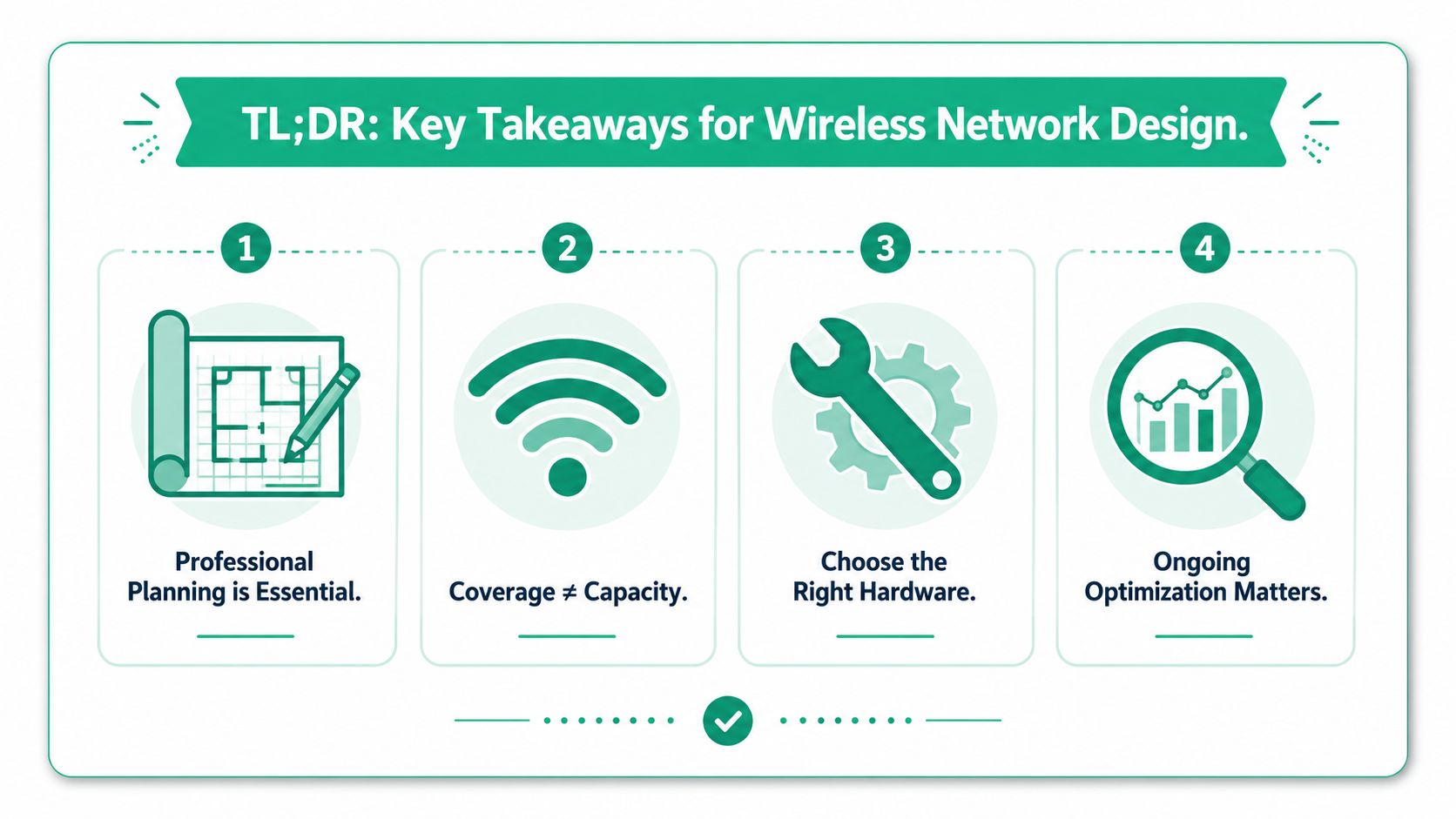
- Spotty Wi-Fi usually starts with bad design, not bad luck. Old brick walls, growing device counts, and weak planning cause most pain.
- Coverage isn't capacity. Full bars don't mean your staff can actually work fast.
- Professional planning matters. A proper RF survey, floor-plan modeling, and hardware selection prevent expensive rework.
- Hardware has to match the job. UniFi networking, proper switching, and PoE matter more than bargain APs.
- Security belongs in the design. Segment guest traffic, use modern encryption, and align to HIPAA, CMMC, or NIST CSF as needed.
- Validation and monitoring keep ROI intact. The network must be tested, measured, and maintained over time.
If your current setup feels patched together, start with a look at business networking and Wi-Fi support.
Your Wi-Fi Is Costing You More Than You Think
A lot of Johnson County business owners still treat Wi-Fi like office furniture. Mount a few access points, hope for decent bars, and move on. That worked years ago when wireless was convenience. It doesn't work now that your phones, laptops, cameras, tablets, scanners, SaaS apps, and guest traffic all pile onto the same airspace.
Wireless network design became a real engineering discipline in 1997, when the original IEEE 802.11 standard was approved with speeds up to 2 Mbit/s, and 802.11b pushed that to 11 Mbit/s in 1999, helping establish Wi-Fi as a serious business platform, as outlined in this history of Wi-Fi technology. That history matters because modern Wi-Fi still lives or dies by planning decisions about placement, interference, and capacity.
The expensive mistake
The most common SMB mistake is skipping discovery.
Owners call because Teams calls keep dropping or the POS system lags near lunch. Then you find out nobody ever mapped user density, building materials, roaming paths, or business-critical apps. The APs got placed where it was easy to run cable or where power was convenient. That's backwards.
A real design starts with questions like these:
- Who needs reliable access most. Front desk staff, warehouse pickers, VoIP handsets, exam rooms, or conference spaces.
- What must stay online. POS, VoIP, cloud file access, EHR, inventory, cameras, or guest Wi-Fi.
- Which compliance rules apply. HIPAA for a clinic, CMMC for a defense-adjacent manufacturer, or NIST CSF controls for general security maturity.
- What devices are in play. New laptops, older barcode scanners, tablets, IoT gear, and personal phones all behave differently on the network.
Practical rule: If the business depends on Wi-Fi to make money, Wi-Fi has to be designed like infrastructure, not installed like décor.
What local owners usually feel first
In Greenwood business parks and downtown Indy older buildings, the first symptom isn't “RF contention.” It's people losing patience. Sales calls freeze. Credit card terminals lag. Staff members stop trusting the system and start making workarounds.
That's where a better business Wi-Fi strategy for SMBs stops being an IT side project and starts becoming an operations issue. The return comes from fewer outages, fewer support interruptions, and more employee time spent on customer work instead of reconnecting to the network.
Lay the Foundation with a Digital Blueprint
The fastest way to overspend on Wi-Fi is to buy hardware first.
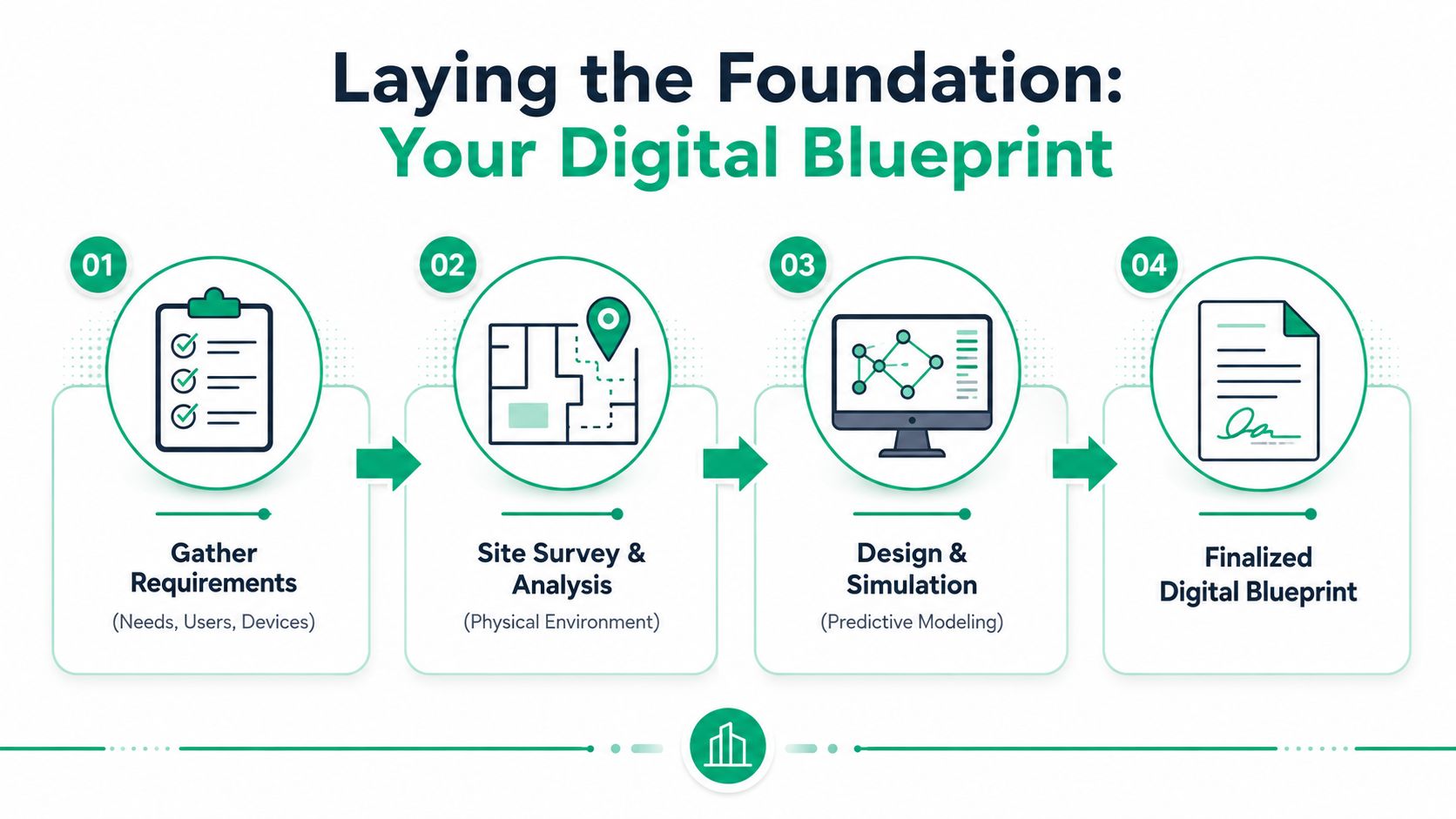
That sounds backwards to owners who just want the problem gone, but it's the truth. An access point is the end of the process, not the beginning. Good wireless network design starts with a digital blueprint that turns your building, users, applications, and compliance needs into an actual plan.
Start with business requirements
In practice, this means collecting the boring details that save money later. A healthcare office in Greenwood has different requirements than a warehouse near the I-65 corridor. A law office in Hamilton County needs dependable roaming for laptops and phones. A shop floor may need stable coverage for handheld scanners and tablets around metal shelving and machinery.
The planning checklist usually includes:
- Critical apps. VoIP, cloud accounting, video meetings, inventory systems, security cameras, and line-of-business software.
- User patterns. Where people gather, where they move, and when the busiest hours hit.
- Device mix. Newer laptops, old specialty devices, guest phones, printers, and IoT endpoints.
- Compliance pressure. HIPAA segmentation, CMMC expectations, and security controls that support a NIST CSF-aligned approach.
A helpful outside reference is this Splash Access wireless site survey guide, which gives a practical view of why survey work matters before install day.
Then map the building, not just the floor
Floor plans lie by omission. They don't show how old brick, concrete, metal racking, elevator shafts, glass, ductwork, and new partitions affect RF behavior. They also don't show where your structured cabling can realistically land, which matters a lot when AP placement shouldn't depend on the nearest convenient ceiling tile.
That's why predictive modeling matters. You simulate coverage using scaled drawings and material assumptions before buying the final hardware set. If the building changes later, the plan should change too.
A lot of Wi-Fi trouble really starts in the cable path. That's why structured cabling design belongs in the same conversation as the wireless plan.
The design target that actually matters
For a Wi-Fi 6 design, best practice is to maintain a minimum RSSI of -67 dBm in required coverage areas, and one analysis found that 60% of underperforming WLANs had fewer than 70% of the required APs for peak user density, according to this wireless network design workbook.
That's why “we've got signal everywhere” isn't enough. The signal has to be strong enough, in the right places, for the work being done there.
Don't pick APs by price tag alone. Pick them by design target, mounting environment, client density, and the least forgiving application in the building.
Hardware decisions should follow the blueprint
A lot of Indiana SMBs get trapped by false savings. They compare a few access points online, pick the cheaper model, and assume more units will solve it. Sometimes more APs create more interference and make performance worse.
A better decision framework looks like this:
| Business setting | Design priority | Better fit |
|---|---|---|
| Older brick office in Greenwood | Wall penetration and careful placement | Predictive survey plus targeted AP layout |
| Law office with many conference calls | Roaming quality and user density | Business-class APs with clean channel planning |
| Warehouse on the I-65 corridor | Coverage across open space and obstacle handling | Enterprise APs, proper antenna strategy, strong backhaul |
| Medical clinic | Reliability and segmentation | APs designed around security zones and app stability |
In our 17 years of local service, the jobs that hold up best aren't the ones with the fanciest spec sheet. They're the ones where somebody did the planning first.
Choose the Right Tools for the Job
Once the blueprint is solid, hardware choice gets easier. Not cheap. Easier.
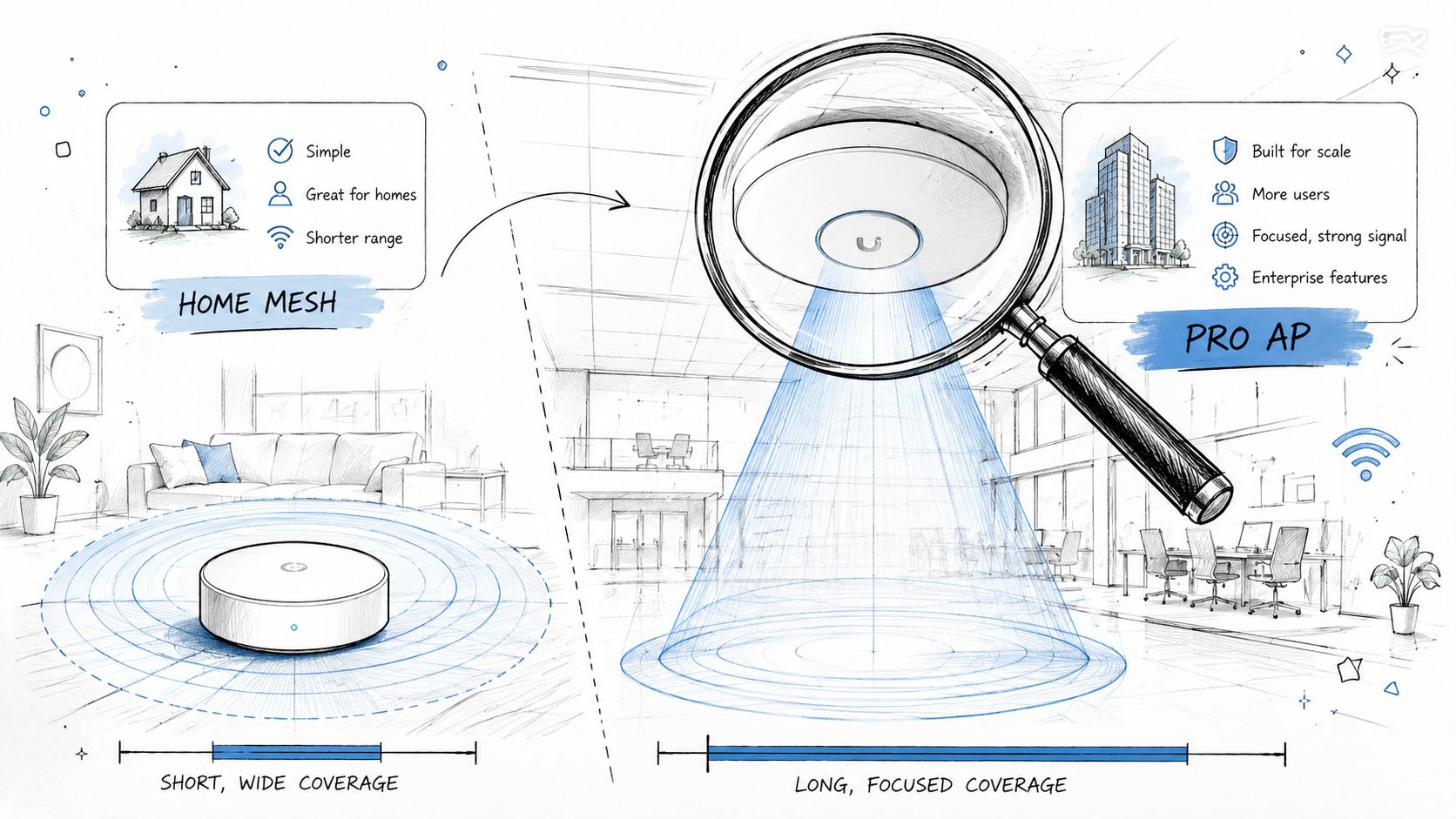
A consumer mesh kit from a big box store might be fine for a house. It usually falls apart in a business with roaming phones, cloud apps, guest traffic, printers, cameras, and compliance concerns. Business networks need controller visibility, VLAN support, better radio management, clean firmware handling, and switching that won't choke the APs upstream.
Coverage gear and capacity gear aren't the same thing
A warehouse south of Indy may need fewer, more deliberate placements with the right mounting and antenna strategy. A dense professional office may need more carefully spaced APs because lots of users share the same airspace in a smaller footprint. That's where UniFi networking often enters the conversation for SMBs. It gives a business-class management layer without throwing you into a full enterprise licensing headache.
The key is understanding what the radios are doing.
- MIMO lets an AP handle multiple spatial streams, which improves how data moves to capable clients.
- Beamforming helps direct radio energy toward active clients instead of spraying it aimlessly.
- PoE switching keeps deployments cleaner and more reliable because APs get both power and network from the same cable.
- Controller-based visibility makes troubleshooting real. You can see client behavior, retries, channel use, and roaming trouble.
Band planning changes the budget
Enterprise-level deployments often use a 30/70 split between 2.4 GHz and 5 GHz client load, and that ratio helps size AP counts, spatial streams, and hardware budget, as noted in this Wi-Fi network design guide.
That matters because 2.4 GHz hangs around for legacy gear and some IoT devices, while 5 GHz usually carries the performance load. If you ignore the split, you either overspend or underbuild.
An easy way to understand is:
- 2.4 GHz does better with older and longer-range devices, but it's crowded.
- 5 GHz gives you more room for serious business traffic.
- AP selection should reflect who's connecting, not just where the ceiling is open.
- Switching and uplinks have to support the traffic after it leaves the air.
A useful reference for distributed sites is this piece on secure access and data for remote facilities, especially if you're supporting branch offices, outbuildings, or detached work areas.
Placement by convenience creates recurring tickets
One of the worst habits in SMB installs is placing APs where it's easy instead of where the design calls for them. If the best location needs a different cable route, then run the route. That's cheaper than years of support calls and frustrated staff.
This short explainer does a good job showing the gap between simple coverage thinking and real deployment planning:
In our 17 years of local service, the “Wi-Fi problem” often turns out to be a hardware mismatch. Wrong AP type. Wrong switch. Wrong uplink. Wrong mounting location. The fix usually isn't magic. It's precision.
Plan for People Not Just for Coverage
A network can show full bars and still feel awful.
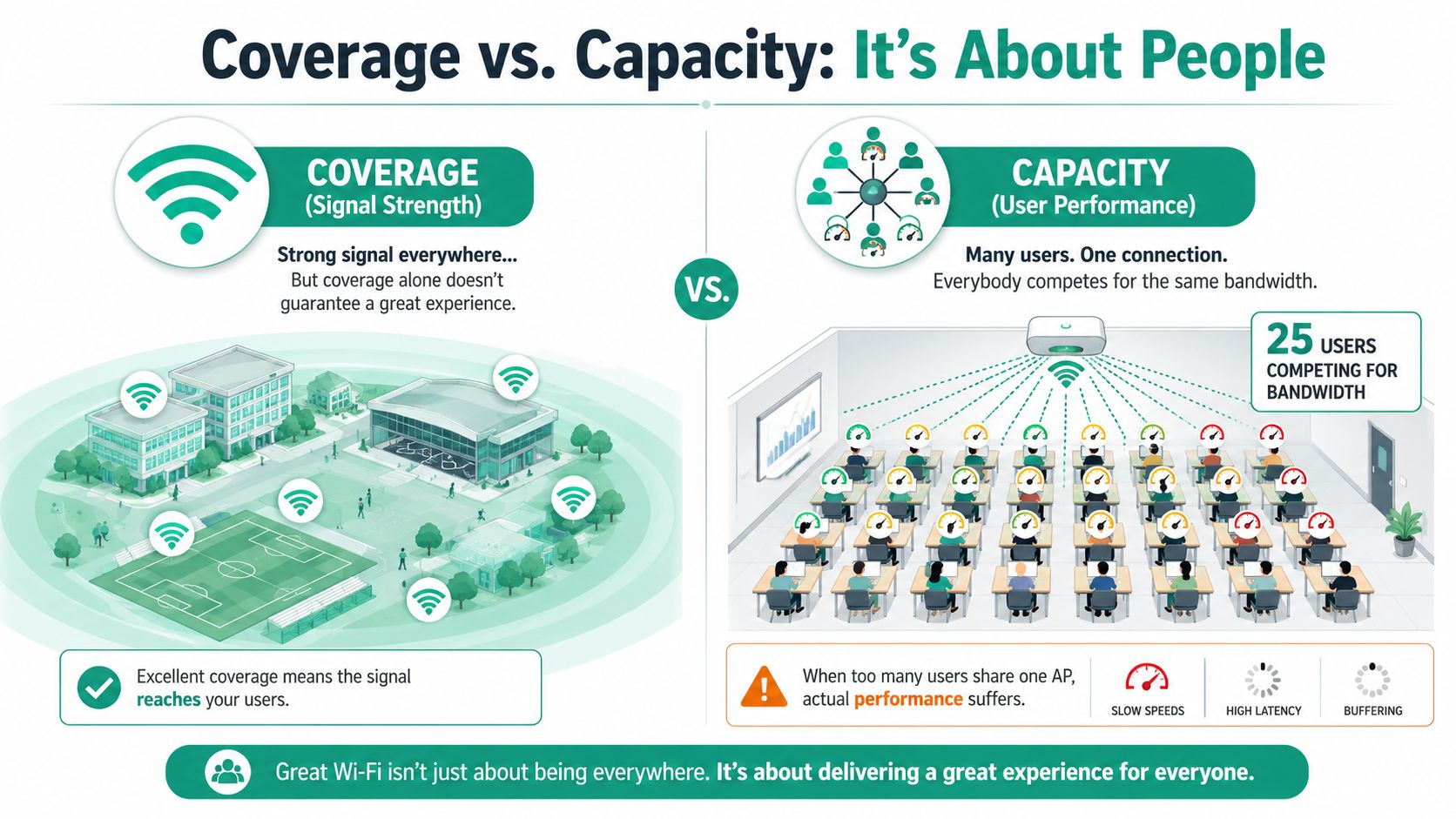
That's because coverage answers one question. Can a device hear the network? Capacity answers the one your employees care about. Can everybody work at the same time without the network bogging down?
The room that always breaks first
Training rooms, conference spaces, waiting areas, and classrooms are where bad assumptions get exposed. Twenty-five people can sit in a room with strong signal and still compete for airtime if the AP count, channel plan, and backhaul weren't designed for that load.
For high-density spaces, best practice recommends capping concurrent clients at 25 to 30 per AP for high-throughput use, and field data shows 40% to 50% of perceived wireless slowness is caused by insufficient wired bandwidth, according to these high-density Wi-Fi best practices.
That second point gets missed all the time. The wireless side gets blamed because it's visible. The wired bottleneck hides in the closet.
A simple planning method that works
The practical way to size capacity is straightforward.
- List the applications people use.
- Identify the busiest spaces and times.
- Estimate concurrency by area, not by whole building.
- Match AP count, switching, and uplinks to that real workload.
“Good bars” is not a KPI. Reliable application performance is.
A Johnson County office doing voice calls, browser work, cloud file sync, and occasional video has one profile. A downtown Indy training room where everyone streams live instruction has another. A defense contractor handling restricted workflows should also view capacity through a security lens, because segmented traffic, device policy, and authentication overhead all influence design decisions.
Security starts here too
Capacity planning and security planning belong together. If you're running Zero Trust architecture, you're segmenting users, devices, guests, and maybe IoT into separate lanes. That affects SSID design, VLAN planning, authentication methods, and traffic flow. It also makes life easier when you're trying to align with HIPAA, CMMC, or a broader NIST CSF program.
This is also why one-size-fits-all guest Wi-Fi setups create messes. A guest network shouldn't sit anywhere near internal systems, and business devices shouldn't compete with public traffic if you can avoid it.
If your team is wrestling with weak signal in specific corners of the building, this Indiana business guide to improving Wi-Fi coverage helps separate coverage issues from true capacity trouble.
What usually works in real SMB environments
A practical design for Indiana SMBs often includes:
- Dedicated business-class APs instead of consumer mesh units.
- PoE switches with enough headroom so AP performance isn't constrained at the edge.
- Separate SSIDs and VLANs for staff, guests, voice, and specialty devices.
- QoS tuning so voice and business-critical traffic don't get shoved aside by bulk sync or guest activity.
- Monitoring tools that show retries, roaming behavior, and client load before users start complaining.
When we dissembled a similar client's failing RAID array on a separate recovery job, the lesson was the same as it is with Wi-Fi. Hidden infrastructure problems don't stay hidden forever. In networking, they usually surface on your busiest day.
Lock It Down with Modern Security and Compliance
Fast Wi-Fi that isn't secure is just a faster way to spread risk.
A proper wireless network design bakes in security from the start. That means WPA3 where your device mix supports it, segmented guest access, role-based network separation, and a Zero Trust mindset that assumes no device should get broad access just because it connected successfully.
What security looks like in practice
For a medical office, that can mean isolating clinical devices from guest traffic and protecting systems that touch patient information under HIPAA expectations. For a manufacturer with defense work, it can mean building wireless access in ways that support CMMC controls. For general businesses across Greenwood, Franklin, and downtown Indy, it usually means using NIST CSF as the common-sense framework for identifying assets, protecting them, detecting issues, responding fast, and recovering cleanly.
A solid wireless security stack often includes:
- Segmented SSIDs and VLANs so guests never mingle with internal business systems.
- Modern endpoint protection such as Bitdefender GravityZone on managed devices.
- SOC-as-a-Service monitoring so alerts don't wait until Monday morning.
- Immutable off-site backups because every security conversation should include recovery, not just prevention.
Wi-Fi and resilience belong together
Security controls also support business continuity. If ransomware hits a laptop, network segmentation can slow lateral movement. If an account gets compromised, tighter access rules reduce blast radius. If a failure takes out on-prem systems, good backup architecture and cloud recovery planning limit the downtime that wrecks payroll, scheduling, and customer service.
For owners who want a plain-English refresher on the basics, this practical WiFi security guide is a useful companion to the more technical planning work.
A secure wireless network isn't a password on a sticker. It's design, policy, monitoring, and recovery working together.
Validate Performance and Know When to Call for Backup
A wireless design on paper is only a theory until somebody tests it in the actual building.
Validation means walking the site after install and confirming the network behaves the way the plan said it would. That includes signal quality, roaming behavior, client experience, and how the wired side performs under load. During this process, design discipline proves its worth, as it allows comparison of the finished environment to a defined target instead of guessing.
What should be measured
Most SMBs don't need an enterprise command center. They do need a simple, repeatable scorecard.
A 2022 survey found that over 60% of SMBs lack clear, standardized wireless health KPIs, yet nearly 80% use basic Wi-Fi tools for troubleshooting, which shows a big gap between fixing problems and managing performance over time, according to this wireless layout concepts article.
That gap matters because reactive troubleshooting is expensive. It interrupts users, burns internal time, and makes budgeting harder.
Useful ongoing checks often include:
- RSSI by area so dead zones and weak spots don't creep in unnoticed.
- Roaming behavior for phones, tablets, and mobile staff.
- Packet loss and retry patterns that point to interference or congestion.
- Switch and uplink health so “slow Wi-Fi” isn't really a closet problem.
- Security event visibility through centralized logs and SOC-as-a-Service review.
When outsourcing is the smart move
A lot of business owners feel they should keep all this in-house. Sometimes that works. Often it means the office manager, the controller, or the one technical employee gets stuck chasing AP firmware, channel overlap, user complaints, and vendor finger-pointing.
That's not a control strategy. It's a distraction.
A managed approach gives you:
| In-house scramble | Managed approach |
|---|---|
| Random troubleshooting when users complain | Proactive monitoring and regular review |
| Surprise hardware spend | More predictable monthly budgeting |
| Limited visibility into performance | KPI-based reporting and trend tracking |
| One person carrying tribal knowledge | Team coverage and documented standards |
If your current setup feels shaky, a proper wireless network site survey guide for Indiana businesses is the right next read.
In our 17 years of local service, the best outcomes come from owners who stop treating Wi-Fi as a nuisance and start treating it like revenue infrastructure. That shift cuts wasted tech time, protects uptime, and makes the monthly IT picture far less chaotic.
If your business in Greenwood, Indianapolis, or the surrounding Indy metro needs steadier Wi-Fi, tighter security, and fewer surprise outages, Finchum Fixes IT offers a Free Network Assessment and Security Risk Audit built for local companies. It's a direct way to find weak spots, improve business continuity, and turn recurring tech headaches into a predictable plan.