How Do You Know if You've Been Hacked: SMB Warning Signs
Your Greenwood office's aging server is slow again, but slowness alone doesn't prove a breach. You know you've been hacked when records show unauthorized access or changes, especially when independent logs agree. A managed approach replaces guesswork with monitored identities, maintained equipment, preserved evidence, and tested recovery, rather than another reboot.
The Monday Morning Scenario Every Indy Owner Recognizes
Consider a hypothetical Monday along the I-65 corridor. A Hamilton County office manager opens QuickBooks and finds payment activity involving a vendor she doesn't recognize. Employees report email bounce-backs for messages they never sent, and someone asks why their password changed overnight.
Any individual complaint might have an innocent explanation. Together, they deserve an investigation before anyone approves another payment.
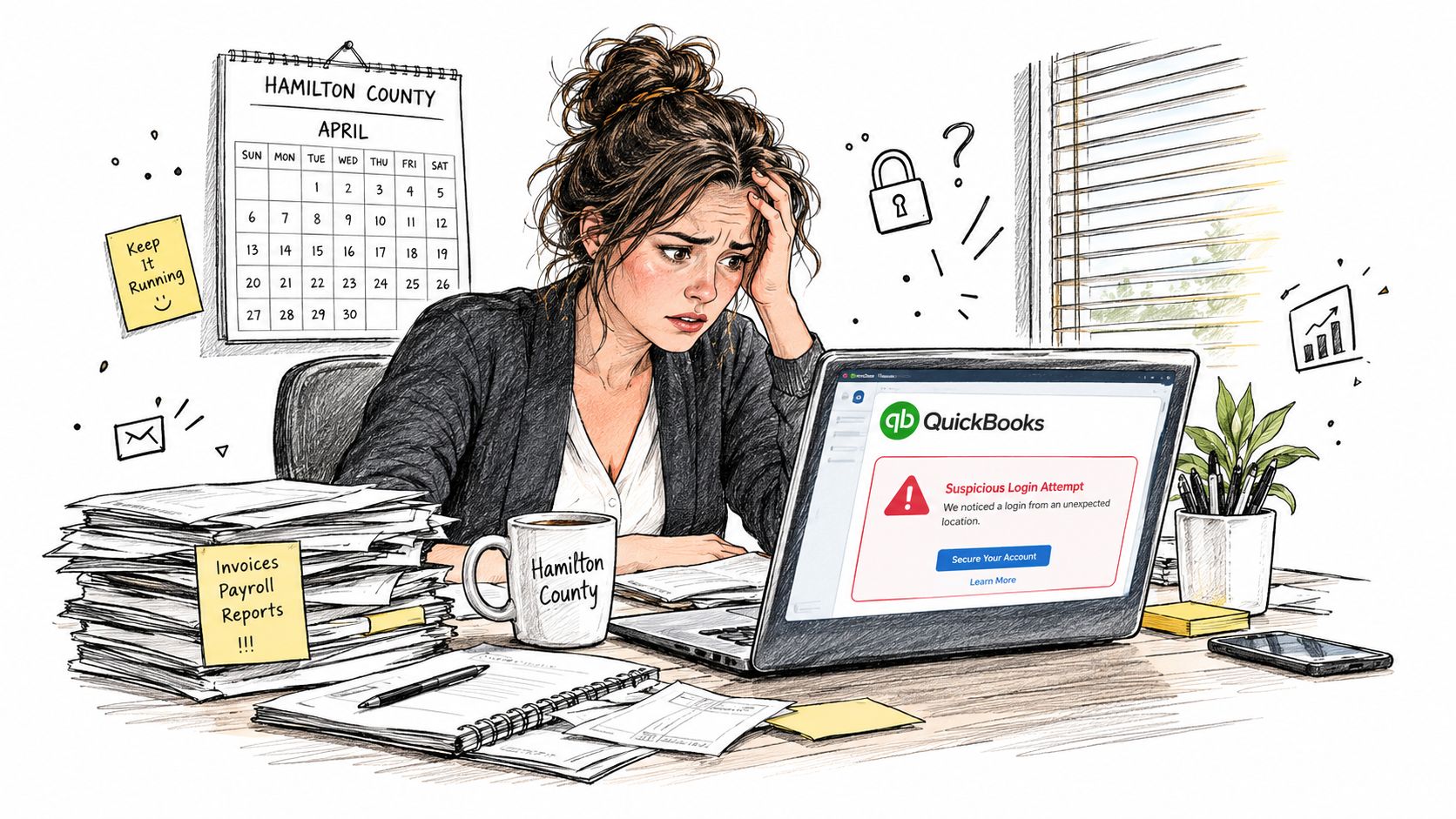
The wrong first move is telling everyone to restart their computers while the bookkeeper replies to the suspicious vendor email. That treats a possible identity compromise like a printer problem. The other wrong move is shutting down the entire office without checking whether the suspicious activity succeeded.
Look for a pattern, not a dramatic symptom
How do you know if you've been hacked? Compare what happened with what authorized people did. Who signed in, from which device, and what changed afterward?
Verizon's 2025 Data Breach Investigations Report executive summary analyzed 22,052 security incidents, including 12,195 confirmed breaches, and found that approximately 88% of breaches in its small and medium-sized business snapshot involved stolen credentials. That's why a perfectly ordinary-looking email session can matter more than a noisy laptop fan.
A credential-based intrusion doesn't need a theatrical ransom screen. Someone using a legitimate account may look like an employee until you compare their actions with the employee's actual work.
Practical rule: Investigate what the account did, not just whether the computer found a virus.
Fix the bottleneck behind the uncertainty
For a Greenwood business park office with aging servers, the lasting fix isn't newer hardware alone. It's a managed operating model:
- Assign ownership. Know who maintains each server, application, account, and backup.
- Centralize visibility. Make identity, email, endpoint, and network records available to the responder.
- Plan replacement and recovery. Stop making hardware decisions only after something fails.
Downtown Indy tech hubs, Johnson County professional services firms, and healthcare practices handling HIPAA data need the same discipline. A clinic's appointment schedule and a manufacturer's production schedule differ, but neither owner wants staff guessing whether they're troubleshooting equipment or interrupting an attacker.
Warning Signs an SMB Actually Notices First
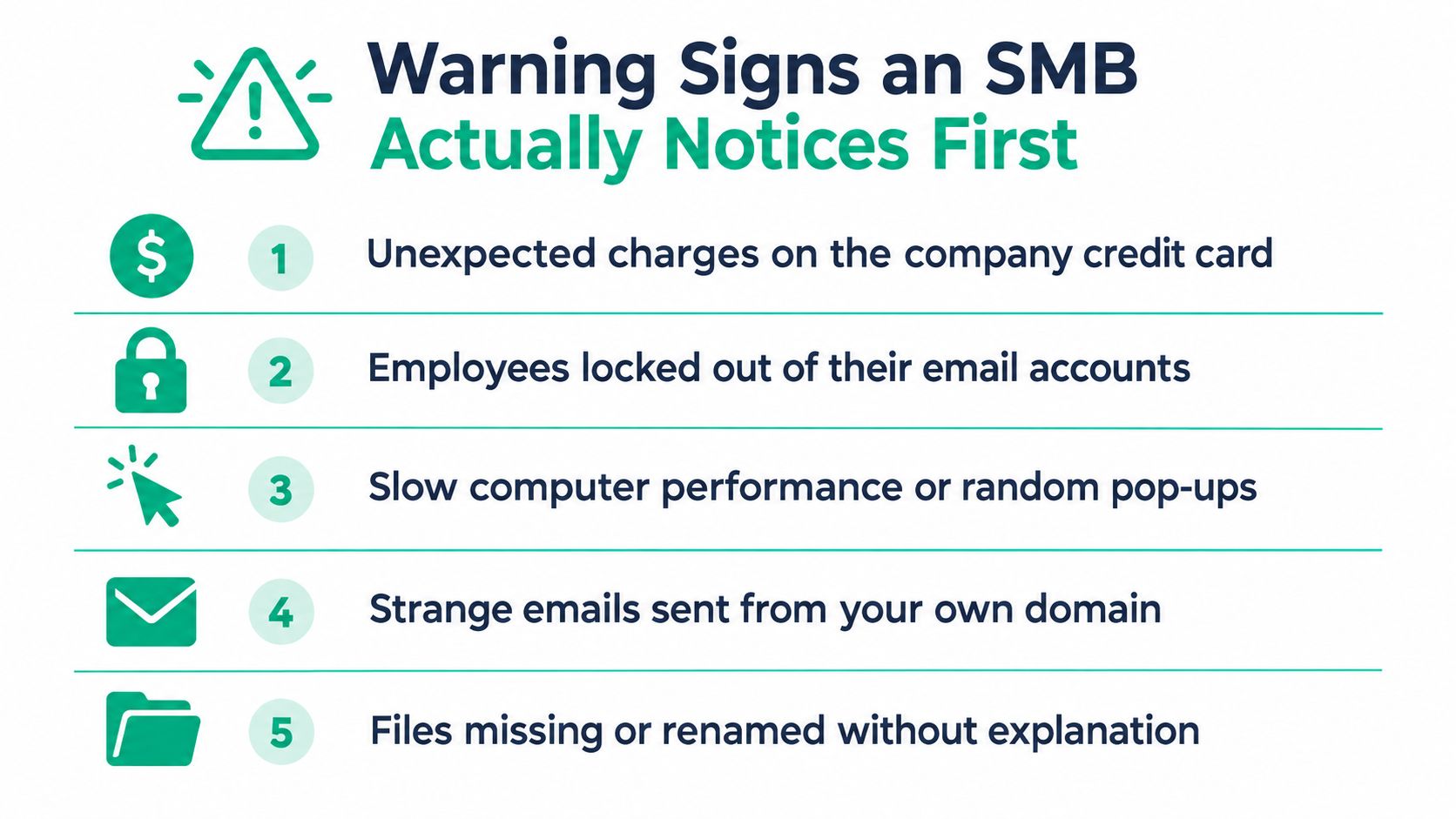
Payment changes and unauthorized account activity deserve more attention than vague performance complaints. A slow workstation needs investigation, but a supplier suddenly requesting payment to a different bank account needs independent verification before money moves.
The FBI's 2024 Internet Crime Report announcement records 193,407 phishing and spoofing complaints, alongside 21,442 business-email-compromise complaints associated with approximately $2.77 billion in losses. For a Johnson County owner, that makes the accounts-payable inbox part of the security perimeter.
The checklist below captures the employee-facing complaints that should reach IT rather than disappear into hallway conversation.
Check identities and email first
In Microsoft 365 or Google Workspace, compare account activity with the employee's recollection and approved administrative work.
- Unexpected recovery activity. Password-reset notices or account lockouts matter when the user didn't initiate them.
- Unrequested MFA prompts. Don't approve a prompt just to make the phone stop buzzing.
- New accounts or higher permissions. Ask which administrator authorized them and where the change was documented.
- Mailbox changes. Investigate unfamiliar forwarding rules and messages the employee says they never wrote.
For teams reviewing prevention options, mailX's Email Security Tools resource is a useful starting point for comparing the tools they need. Tool selection should follow the actual problem, such as suspicious messages, account takeover, or poor visibility, rather than a shopping list of features.
The most easily missed warning sign is a normal-looking business message that nobody in the business actually authorized.
Then inspect devices and network behavior
On a Windows workstation, Task Manager can help identify unfamiliar programs, but an unfamiliar name isn't a verdict. Compare it with approved software and installation records before removing anything.
Look for disabled security controls, unexpected remote-access software, unexplained file renaming, and unusual outbound connections. Sudden slowness belongs on that list, but it carries less weight without supporting evidence.
As the earlier Verizon findings illustrate, business credentials deserve scrutiny even when antivirus reports nothing. No visible symptoms doesn't mean no compromise.
A documented cybersecurity threat-detection process for SMBs helps staff turn these observations into actionable reports. An unexplained mismatch between activity and known users, devices, locations, or working hours should trigger identity review and professional investigation, not a casual Friday reboot.
Mapping Each Signal to NIST CSF 2.0
An alert tells you something happened. A framework tells you who owns the next decision. That distinction matters when a Greenwood owner, outside IT provider, insurer, and compliance contact all need a coherent account of the incident.
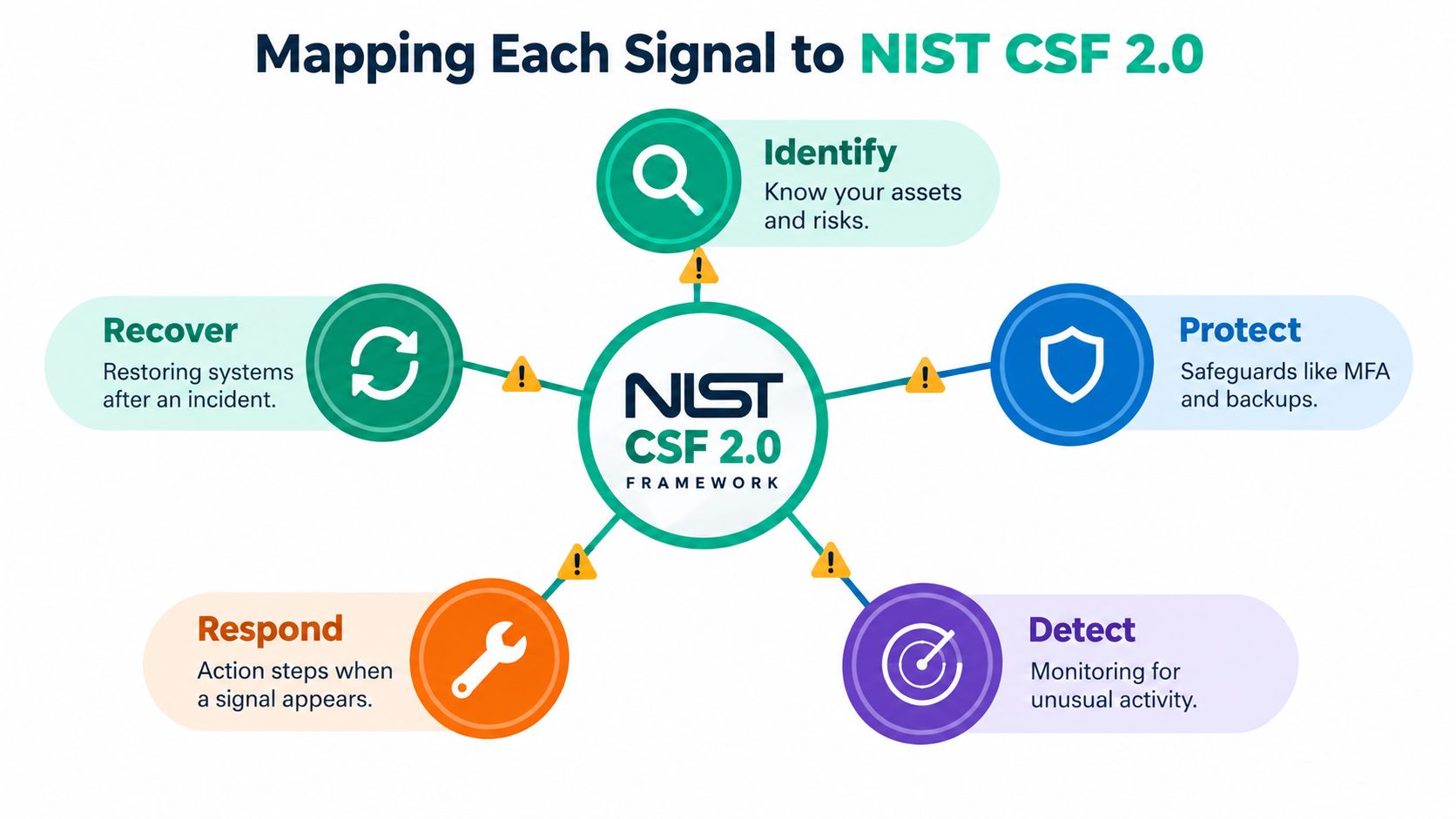
NIST's introduction to Cybersecurity Framework 2.0 describes a framework usable across organizational sizes, sectors, and maturity levels. Its Functions are Govern, Identify, Protect, Detect, Respond, and Recover.
Give each finding an owner and an artifact
The illustration highlights the operational Functions. Govern belongs around the whole process: management decides who has authority, what risk is acceptable, and which obligations apply.
| Function | Business question | Evidence to maintain |
|---|---|---|
| Govern | Who can authorize containment and business interruption? | Assigned authority and escalation contacts |
| Identify | What systems, accounts, and data are involved? | Asset inventory and owner list |
| Protect | Which safeguards should have prevented this? | MFA, patching, and endpoint-control records |
| Detect | What activity departed from normal behavior? | Alerts and supporting audit logs |
| Respond | Who contains the incident and communicates decisions? | Response plan and incident record |
| Recover | How will operations return safely? | Tested backups and recovery objectives |
An unknown administrator account is a detection finding. Discovering that nobody maintains the administrator list exposes an inventory and accountability problem too.
A disabled endpoint agent similarly raises more than a malware question. Someone must establish whether it was an approved maintenance action, an operational failure, or unauthorized tampering.
Use the framework without confusing it with certification
For a Hamilton County clinic discussing HIPAA, or a Johnson County manufacturer preparing for CMMC, NIST CSF provides a useful organizing language. It doesn't, by itself, prove compliance with either standard.
Keep that distinction clear in your Indiana SMB compliance and governance planning. A completed framework worksheet isn't a substitute for evidence that controls operate.
A monthly managed review should produce decisions, not just a dashboard. Close an inventory gap, assign an overdue patch, verify a restore, or update an escalation contact. That's how owners move troubleshooting away from billable employees and into a planned service budget.
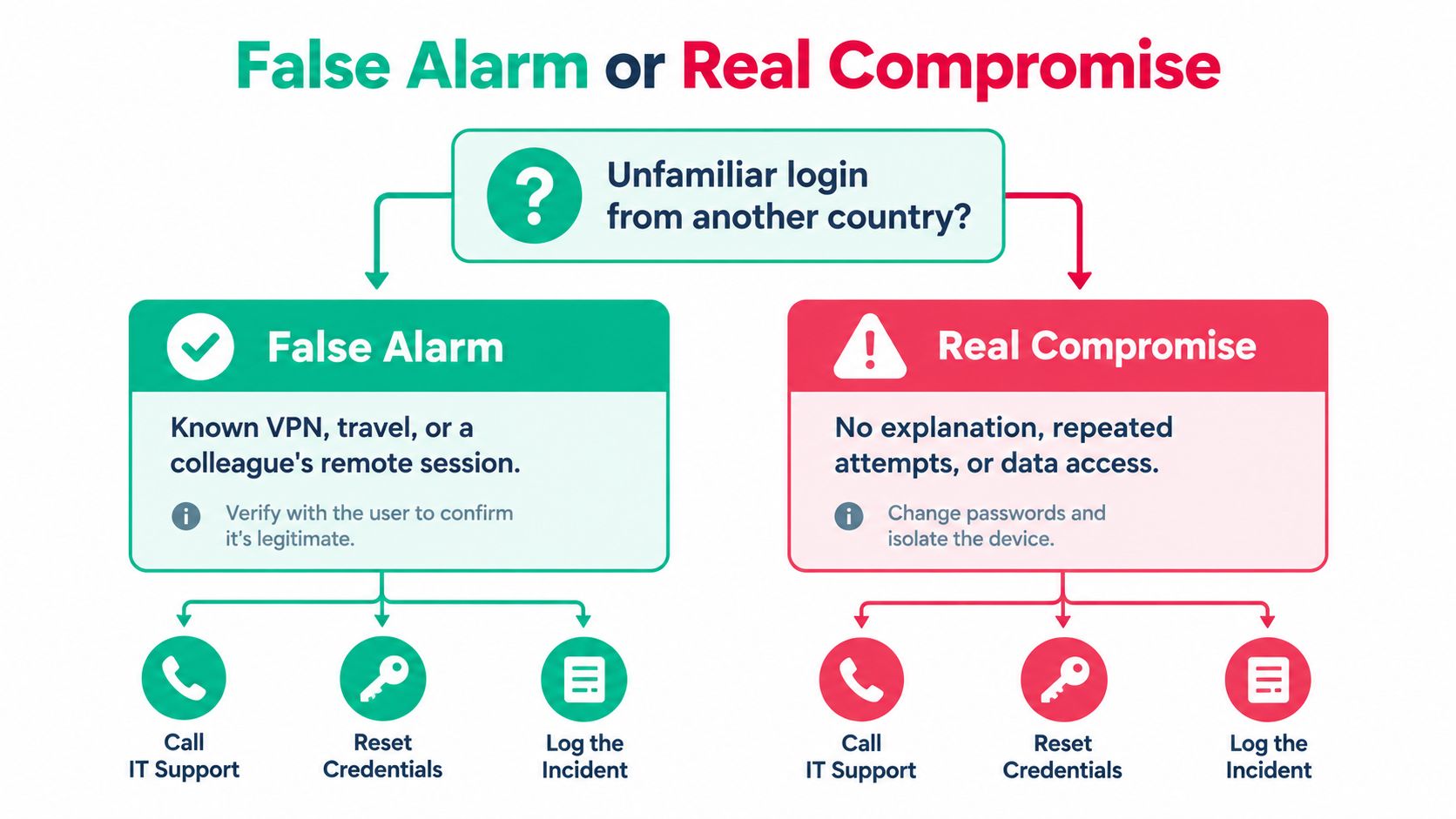
False Alarm or Real Compromise
An unfamiliar location in a login alert is a clue, not a conviction. A known VPN, travel, or mobile carrier routing may explain it, while a failed attempt may show that someone tried and didn't get in.
Use the decision tree as a prompt to verify the underlying records, not as permission to declare every foreign login malicious.
Grade confidence before choosing disruption
Precursors warn that compromise may occur. Indicators suggest it's happening or has happened.
False Alarm vs Real Compromise
| Signal Pattern | What It Likely Means | Confidence Level | First Response |
|---|---|---|---|
| Failed unfamiliar login, no successful access | Attempted access, a precursor | Low evidence of compromise | Verify status in the official portal |
| Successful login explained by an approved VPN | Potentially legitimate activity | Lower after corroboration | Confirm user, device, and follow-on actions |
| Repeated unsolicited MFA prompts | Possible credential abuse | Elevated concern | Deny prompts and investigate identity activity |
| Unknown sign-in plus unauthorized mailbox rule | Corroborated account misuse | High | Escalate and contain the account |
| Confirmed unauthorized encryption or administrator creation | Direct evidence of harmful activity | High | Begin incident response immediately |
Verizon's overview of its 2025 breach findings reports that third-party involvement doubled to 30%, while MFA prompt bombing appeared in 14% of SMB incidents. Neither pattern requires obvious malware on the employee's laptop.
The accompanying video provides another format for considering suspicious activity.
Act on corroboration without waiting for perfect certainty
Verify alerts by opening the provider's official portal directly, rather than following the alert email's link. Confirm payment changes using an established phone number, not contact details inside the questionable message.
Preserve the original email, headers, timestamps, and login records. An unfamiliar successful sign-in combined with an unauthorized mailbox rule and abnormal traffic is substantially stronger evidence than the sign-in alone.
Containment threshold: Corroborated unauthorized access warrants action. Clear active harm warrants action immediately, even before every log has arrived.
For suspected account takeover, revoke sessions and tokens, then reset credentials from a known-clean device and inspect related accounts. This guide to compromised passwords and next steps helps distinguish changing a password from completing an account investigation.
Don't wipe or reboot a potentially affected workstation just to see whether the problem disappears. You may lose the records needed to explain what happened.
Containment Commands Worth Running Today
Contain active harm first, and collect evidence without turning the workstation into an experiment. These commands are for an authorized administrator, not a request for employees to investigate an attacker themselves.
NIST's incident-handling guide supports a structured investigation using preserved evidence and correlated indicators. Compare perimeter, internal-network, and endpoint observations rather than trusting an isolated alert.
Capture a small, useful Windows snapshot
If it's safe to collect a brief snapshot without delaying isolation, use the workstation's existing command shell:
- Identify the machine. Run
hostnameand record the output. - Identify the security context. Run
whoamito document the account running the shell. Don't assume that's necessarily the person sitting at the keyboard. - Inspect current connections. Run
netstat -anoand record suspicious process IDs for correlation with endpoint telemetry. - Record collection time. In PowerShell, run
(Get-Date).ToUniversalTime().ToString("o")and note who collected the information.
A connection list isn't proof that an address is malicious. These commands provide context; they don't replace endpoint investigation, and they don't justify killing every process with an unfamiliar name.
For cloud accounts, export identity sign-ins and audit records through the provider's administrative portal. Preserve VPN, firewall, DNS, endpoint, email, and cloud-application logs, including their time zones and collection details.
Isolate before cleanup
Use the organization's endpoint platform to isolate the host if that capability is available and configured. Otherwise, remove its network connection, including wireless connectivity, and contact the responder through a separate, trusted channel.
CISA's StopRansomware Guide advises powering down devices when they cannot be disconnected from the network. That's a deliberate trade-off: shutdown loses volatile evidence, but leaving an actively harmful device connected can permit further spread.
Qualified responders may need memory capture and a disk image before remediation. Maintain an evidence log showing the artifact, collection time, collector, and storage location.
- Don't clean first. Avoid uninstalling suspicious software or deleting files before the responder reviews them.
- Don't investigate over suspect communications. Use a trusted phone or separate channel to coordinate.
- Don't assume cloud sync is recovery. CISA warns that encrypted local files can synchronize and overwrite healthy cloud copies.
Recovery work comes after scope and containment decisions. Bit-level data recovery may help with damaged media, but it doesn't establish whether an account remains compromised.
Put these responsibilities into an incident-response plan for Indy SMBs. Staff should know who can isolate equipment, who contacts the bank, and who decides when systems can return to service. That preparation protects productive work without asking the office manager to become a forensic analyst.
From Reactive To Genuine To Repeatable
A breach checklist only helps if someone maintains the systems behind it. For Johnson County business owners, the practical objective is a repeatable service: detect meaningful changes, make authorized decisions, and restore operations without improvising.
Consider a managed stack that combines Bitdefender GravityZone endpoint controls, SOC-as-a-Service monitoring, records from UniFi networking, and immutable off-site backups. Treat those as components to configure and test, not proof that the business is protected because licenses were purchased.
Buy an operating process, not a pile of products
- Specify monitoring responsibility. Decide who reviews endpoint and identity alerts, how they validate them, and who can authorize containment.
- Apply Zero Trust architecture. Make access decisions around verified users, devices, and business need, rather than assuming that everything inside the office network is trusted.
- Prove recovery. Use a documented SMB backup and recovery playbook to establish what must be restored and how staff will verify it works.
For aging servers in Greenwood business parks, schedule replacement before equipment failure dictates the calendar. In an old brick Meridian Street office with spotty Wi-Fi, assess coverage and backhaul rather than placing another access point wherever there's an outlet.
Hamilton County growth also needs a staffing decision: who owns new accounts, devices, and access reviews as the business expands? Without ownership, adding equipment just adds another place to investigate later.
The ROI is operational: fewer employees diverted into troubleshooting, more working time available for customers and billable work, and a clearer monthly budget for monitoring, maintenance, and recovery readiness. No provider can promise permanent immunity from compromise, but a maintained process can replace panic with accountable action.
Finchum Fixes IT offers cybersecurity assessments, monitoring, incident response, and recovery support for businesses in the Greenwood and Indianapolis area. Visit Finchum Fixes IT to request a Free Network Assessment or Security Risk Audit, and bring your recent alerts, account concerns, and backup questions so the review starts with your actual risks.