How Much Does Computer Repair Cost for Business in 2026?
Computer repair for a business typically starts around $119 to $169 per repair nationally in 2026, but that number only tells part of the story for a business. If your accounting workstation is down, your warehouse PC won’t boot, or a ransomware cleanup turns into a data recovery job, the true cost is the repair bill plus the work that stops while you wait.
That’s the part many Indiana business owners around Greenwood, Franklin, and the I-65 corridor feel immediately. A failed machine isn’t just a bad Tuesday. It can stall shipping, delay invoices, interrupt patient scheduling, or leave a field team without access to files. The sticker price matters, sure. But the smarter question is whether the repair gets you back to work fast, protects your data, and makes sense compared with replacing the device.
Your Guide to Business Computer Repair Costs in 2026
A Greenwood office manager calls at 8:10 a.m. The main workstation at the front desk is dead, invoices are waiting, and nobody can access the customer file tied to that machine. The first question is usually about the repair price. The better question is how much that outage will cost the business by noon if the wrong fix drags on.
For Indiana SMBs, repair cost has to be measured two ways. There is the invoice from the technician, and there is the business interruption behind it. A low quote looks good until the same PC fails again next month, the data was never protected, or the repair takes two business days because nobody planned for parts, backups, or a temporary replacement.
That is why a simple national price range only gets you so far. It gives you a rough starting point for break-fix work. It does not answer whether repairing a five-year-old accounting PC makes sense, whether a rushed same-day visit is worth the premium, or whether replacement is the better use of money once downtime and risk are added to the equation.
Practical rule: A business repair is worth the money when it restores work fast, protects data, and lowers the chance of another interruption. Cheap work that fails twice is rarely cheap.
- Start with business impact: Ask what the device supports, who is blocked, and how long you can afford to wait.
- The final bill changes fast: Urgency, parts availability, data risk, compliance needs, and on-site labor all affect cost.
- Hardware repairs usually run higher: Parts, installation time, and testing push those jobs above many software fixes.
- Data recovery is separate from basic repair: Getting a PC to boot is one job. Recovering lost business files is another.
- ROI matters more than the lowest quote: The right repair extends useful life and reduces repeat downtime.
- Local response has real value: If payroll, scheduling, shipping, or production is stalled, nearby support can save more than it costs.
Around Greenwood, Franklin, and the south side of Indianapolis, I have seen the same pattern for years. Owners focus on the repair ticket first because it is the visible number. The hidden number is staff standing around, delayed orders, missed appointments, and one patched-up machine creating another service call two weeks later.
A repair decision should match the role of the computer. If the machine runs reception, inventory, QuickBooks, CAD files, or a line-of-business app that keeps the day moving, speed and reliability matter more than squeezing the quote down by another few dollars. If the device is already near replacement age, the smart move may be to stop pouring labor into it and put that money toward a stable replacement plan instead.
If you want a local example of that business-first approach, Finchum Fixes IT in Greenwood handles repairs with the larger cost in mind, uptime, recovery time, and whether the fix makes financial sense for the company.
Hourly vs Flat-Fee What You Actually Pay For
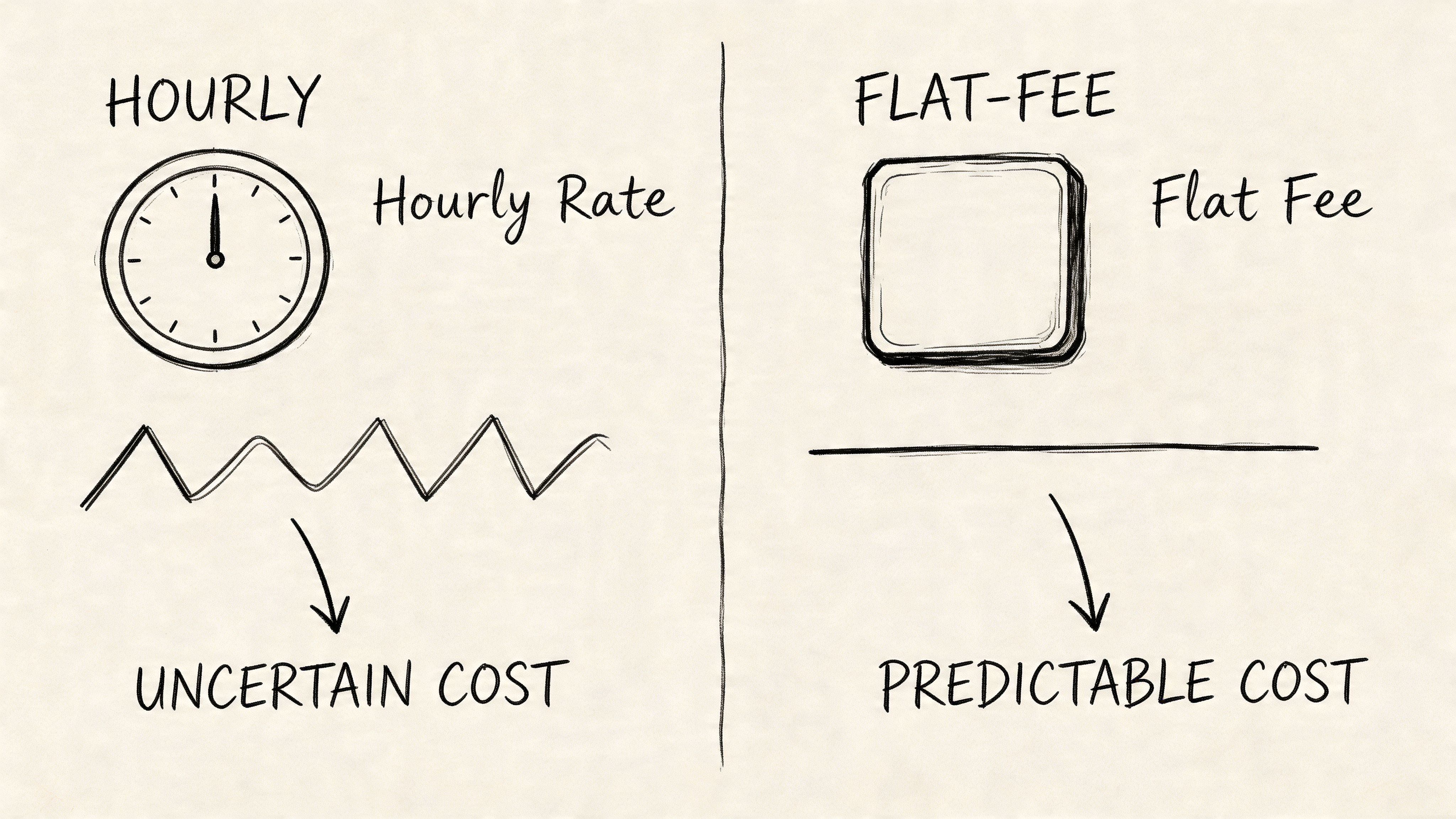
The first thing to understand is billing model. Most repair work lands in one of two buckets. Hourly or flat-fee. Both can be fair. Both can also be a problem if the scope is fuzzy.
When hourly makes sense
Hourly pricing works well when the job is open-ended and the issue isn’t obvious yet. Think intermittent blue screens, an odd conflict between a line-of-business app and Windows updates, or a workstation that only drops off the network during production hours. You’re paying for diagnosis, testing, and technician judgment.
That’s not a bad thing. It’s just less predictable.
A lot of labor sits inside repair bills. According to this repair cost guide, labor typically represents 30 to 50% of a total computer repair bill. The same source notes that for a complex motherboard repair costing over $900, labor can account for $300 to $450. That’s a good reminder that you’re not only paying for screwdriver time. You’re paying for the technician who can isolate the actual fault instead of swapping parts blindly.
Where flat-fee helps
Flat-fee pricing is better when the work is well-defined. Malware cleanup on a standard office PC. A battery replacement. An SSD swap with known imaging steps. A fresh OS installation with standard business apps. That gives you budget clarity.
For a small company trying to avoid budget surprises, flat-fee work is easier to approve. It also reduces the awkward “we’re already this far into it” phone call after the estimate starts drifting.
Here’s the contractor analogy I use with local owners. If you’re repainting one office, fixed pricing is clean. If you open the wall and find water damage, hourly work starts to make more sense. Computer repair works the same way. A dead PC might be a bad power supply. It might also be a motherboard issue, a failed SSD, corrupted user profile, and no good backup.
Diagnostic fees and why they exist
Diagnostics are where good providers earn their keep. A real diagnostic process checks logs, storage health, memory behavior, power delivery, firmware state, malware indicators, and whether the problem is local or network-related. In more advanced cases, techs may isolate failing components, test with known-good parts, or verify whether the issue is software corruption versus hardware instability.
That’s why a vague “we’ll take a look” can get expensive fast if the provider doesn’t have a disciplined workflow.
For businesses comparing support models, managed IT services cost in Indiana often factors into the discussion. Predictable support plans often reduce how often you get hit with surprise hourly troubleshooting in the first place.
A quick explainer helps if you're comparing quotes from different shops:
What works and what doesn't
-
Works well with hourly billing:
Unknown failures. If the root cause is unclear, hourly pricing can be fair because the provider isn’t pretending the scope is fixed when it isn’t. -
Works well with flat-fee billing:
Repeatable repairs. Standard malware removal, routine upgrades, and defined reinstall work are easier to quote cleanly. -
Usually goes sideways:
Low-ball estimates with no scope. That’s how a “cheap repair” turns into multiple visits, repeat instability, and more lost staff time than the original issue.
If a quote doesn’t explain whether it covers diagnosis, labor, parts sourcing, follow-up testing, and post-repair verification, you don’t have a real quote yet.
Typical Costs for Common Business Computer Repairs
A Greenwood office manager calls because QuickBooks will not open on the front-desk PC, the owner’s laptop battery is swelling, and one workstation is clicking on startup. Those are all "computer repairs," but they do not carry the same cost, risk, or business impact. The right budget question is not just what the repair costs. It is what a delay, a repeat failure, or lost data will cost the business.

Software problems and cleanup work
Software issues are usually the least expensive repairs on paper. They are often the easiest place to overspend if the provider only treats symptoms.
A basic cleanup might involve removing junk apps, correcting startup load, repairing system files, and confirming updates installed cleanly. In a business setting, the job often goes further. Good repair work checks user profile damage, browser hijacks, scheduled tasks, endpoint protection status, patch gaps, and whether the issue touched shared folders or line-of-business apps.
That extra work matters because a cheap "cleanup" that leaves persistence behind is not cheap. It turns into another support call, more employee downtime, and more frustration for the person who just wants to get invoices out before lunch.
Malware removal sits in the same category. The labor may look similar at first, but the risk profile is different. If the affected machine handles customer records, payment data, or medical information, the repair process has to include containment, review of admin access, and confirmation that the infection path is closed.
Hardware replacements and physical failures
Hardware repairs usually cost more because labor and parts both show up on the bill. They also create a bigger replace-versus-repair decision for business owners.
An SSD replacement is a good example. The part itself may be reasonable. The actual work is cloning or rebuilding the system, checking BitLocker, confirming software licensing, updating firmware, testing the boot process, and making sure the user can reconnect to the domain, Microsoft 365, printers, and shared drives. That is why two shops can quote very different numbers for what sounds like the same repair.
I tell clients to look at the age and role of the machine before approving the work. Putting several hundred dollars into a five-year-old laptop used for mission-critical work can be a poor investment if the battery, keyboard, and fan are all nearing end of life too. A newer workstation tied to accounting, inventory, or production often deserves the repair because replacement causes more disruption than the parts bill.
Mac hardware often runs higher than standard business PCs because parts sourcing is tighter and disassembly takes longer. Mixed Windows and Apple environments around Indianapolis are common, and they always add time to diagnosis, testing, and user handoff.
Laptop-specific repairs
Laptop jobs usually carry more labor than desktop work. Space is tight, parts are model-specific, and one damaged component can require tearing down half the machine to reach it.
Screen replacements, battery swaps, charging-port repairs, and keyboard assemblies are common examples. The sticker price is only part of the decision. If the laptop belongs to a salesperson, estimator, or owner who works on the road, every day without that system has a real revenue cost attached to it.
I have also seen businesses authorize laptop repairs when the laptop was never the problem. In older Indiana buildings, weak wireless design, roaming issues, and poor access point placement can look like device failure. Replacing a wireless card does nothing if the underlying issue is a bad Wi-Fi environment.
Data recovery and why it gets expensive fast
Data recovery is where business owners feel the stakes immediately.
If the drive still responds, recovery may be a software-level job. If the drive has physical damage, the process gets much more expensive and much slower. Once you add RAID, encrypted volumes, or failed attempts by someone repeatedly rebooting the machine, the odds of a clean recovery can drop while the labor goes up.
A business rarely pays for data recovery because the drive is valuable. It pays because the missing files stop payroll, invoicing, customer service, or job delivery.
If you are seeing clicking, disappearing folders, read errors, or a machine that freezes during startup, read this guide on failed hard drive data recovery for Indiana businesses before anyone keeps powering it on.
A practical budgeting view
For most Indiana SMBs, the smart decision is not "repair everything" or "replace everything." It is matching the repair spend to the business role of the device, the age of the hardware, and the cost of downtime.
-
Front desk or admin workstation:
A software repair or targeted hardware fix is often worth it if the machine is otherwise stable and the user can get back to work quickly. -
Accounting, inventory, or production system:
Repair decisions should include backup status, spare-device availability, and how much revenue or workflow gets blocked if that machine stays down another day. -
Executive or field laptop:
Time matters as much as parts. A fast replacement with proper setup may beat a lower-cost repair if the user is customer-facing or tied to sales activity. -
Older systems with repeated issues:
The repair bill can still be reasonable, but the ROI often is not. At some point, repeated service calls cost more than a planned replacement.
That is the key cost question. The invoice matters, but business continuity matters more.
Factors That Drive Your Final Computer Repair Bill
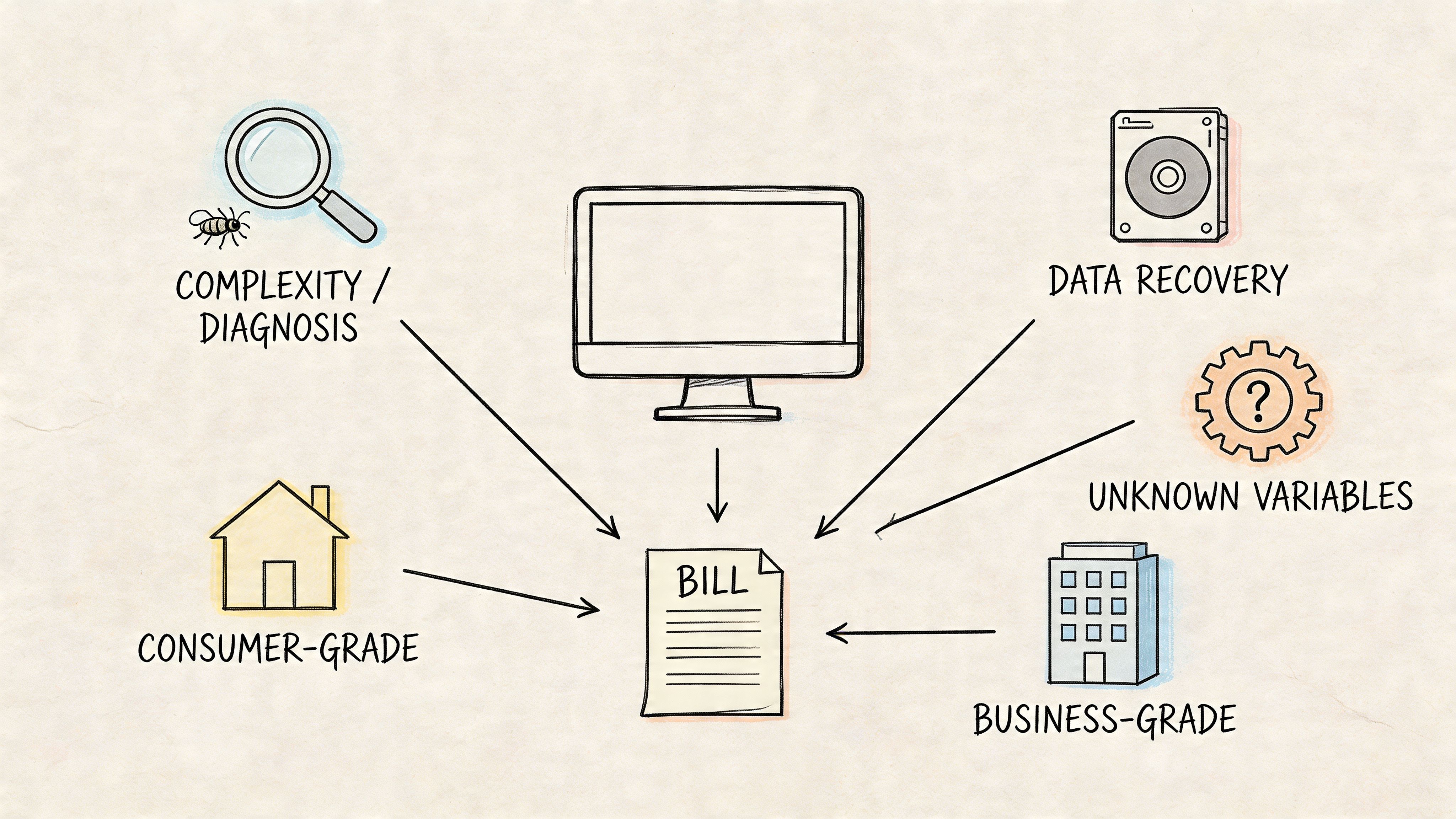
A controller PC can fail at 9:10 on a Monday, and the repair cost is not really about the part that died. It is about how many people are waiting on that machine, what data sits on it, and whether a fast fix buys you reliable uptime or just gets you to the next failure.
The type of failure
The first driver is simple. Some repairs are labor-heavy. Others are parts-heavy. A malware cleanup, profile repair, or startup issue can often be solved with time, testing, and follow-up validation. A broken screen, bad charging circuit, failed drive, or motherboard problem adds sourcing, teardown, install time, and post-repair checks.
The business impact is different too. If a software problem affects one user, the bill may stay contained. If a storage failure puts accounting data, job files, or customer records at risk, the repair scope changes fast because recovery and verification matter as much as getting Windows to load again.
That is why two machines with the same symptom can land at very different totals.
The machine and the business context
A basic office desktop is usually straightforward. A CAD workstation, a front-desk medical PC, or a laptop used for regulated client data is not. Once a repair touches sensitive information, the work often includes access review, credential resets, documentation, and proof that the system is safe to put back in service.
I see this a lot with Indiana small businesses that started with casual IT habits and then grew into tighter requirements. The owner just wants the machine working again. The company needs the machine repaired, secured, tested with line-of-business apps, and returned without creating a bigger risk next week.
That extra work is part of the bill, and in many cases it is money well spent.
Age, platform, and parts availability
Older hardware can fool people. The quote may look manageable on paper, but the return on that repair is often weak if the device is already near the end of its useful life. A six-year-old laptop with a failing drive and weak battery may be repairable. It may still be a poor business decision if the user loses another half day next month to the next part that starts failing.
Parts availability matters too. Common Dell and Lenovo office systems are usually easier to service than specialty laptops or tightly integrated models. Macs can cost more to repair because the parts path is narrower and the labor is often more involved. The same goes for systems with glued-in batteries, uncommon screens, or storage layouts that turn a simple swap into a longer bench job.
If the question is whether to keep nursing along a slow system or upgrade the storage platform, this guide to solid-state drive versus hard drive for Indy businesses helps frame the decision around speed, lifespan, and business use.
For owners comparing business computer repair to other device categories, Cost to fix an iPhone in Australia shows the same pricing logic at work. Labor, parts supply, and device design all affect the final number.
On-site urgency versus scheduled work
Urgent on-site service costs more because it consumes more than repair time. It pulls a technician into travel, live triage, pressure-filled troubleshooting, and often coordination with your staff while work is already backing up.
Sometimes that premium is the right call. If the down machine is tied to shipping, scheduling, check-in, or invoicing, same-day response can be cheaper than waiting, even if the invoice is higher. I tell business owners to compare the service premium against the cost of idle employees, delayed orders, and customer frustration. That is the important math.
On-site work also tends to widen the scope. What starts as "one PC won't connect" can turn out to be bad cabling, weak Wi-Fi coverage, a switch issue, or a permissions problem affecting multiple users. In those cases, the bill reflects environment troubleshooting, not just a repair on one device.
Real Repair Quotes for Indiana Businesses
These are the conversations business owners have. Not theory. Not a lab exercise. Just the kind of repair decisions that hit companies from Greenwood to Hamilton County when systems fail at the wrong time.
Three scenarios that show the real trade-off
| Business Scenario | Finchum Fixes IT Solution | Estimated Cost | ROI (Downtime Avoided) |
|---|---|---|---|
| Greenwood warehouse office PC won’t boot before shipping cutoff | Emergency diagnostics, storage health check, SSD replacement, profile recovery, printer and line-of-business app reconnection | Moderate relative to a standard workstation repair | Prevented missed shipping activity and kept office staff moving the same day |
| Hamilton County medical office hit by malware on a scheduling workstation | Isolated endpoint, malware remediation, credential reset, security review, endpoint hardening, safer access controls aligned with HIPAA expectations | Higher than basic consumer malware cleanup | Reduced the chance of repeat infection and avoided a longer scheduling outage |
| Johnson County accounting laptop with failing drive and no recent backup | Drive triage, logical recovery attempt first, data migration to replacement hardware, validation of finance application access | Cost depended on whether the failure stayed logical or turned physical | Preserved finance records and avoided manual rebuild of business-critical files |
Greenwood warehouse office
A workstation at a shipping desk goes down and suddenly the owner isn’t asking, “How much does computer repair cost?” They’re asking, “How fast can labels print again?” That’s the right question. If that PC drives UPS software, shared folders, barcode printing, and inventory lookups, the repair is tied directly to same-day operations.
In a case like that, the smartest move is usually fast triage. Confirm power. Check storage health. Rule out a dead SSD versus OS corruption. If the hardware is failing, swap the drive, restore the profile, and reconnect business apps and printers. Cheap shortcut repairs don’t help if the machine limps along and crashes again the next morning.
Good repair work restores the workflow, not just the hardware.
Hamilton County medical office
Medical offices are a different animal. If malware hits a scheduling or billing machine, the technical fix is only half the job. The rest is containment, documentation, credential hygiene, and proving the system is clean enough to return to patient-facing work. That’s where a proper business remediation process earns its keep.
This kind of repair usually includes network isolation, endpoint cleanup, review of remote access exposure, and stronger policy controls after the fact. In some practices, that means stepping up endpoint security, reducing standing admin access, and tightening remote workflows under a Zero Trust model.
Johnson County accounting laptop
Accounting machines are always “fine” until the drive starts clicking, the system freezes during month-end, and nobody knows where the latest export lives. Then the repair question shifts from device cost to data risk.
The first smart move is to stop using the device. Keep forcing a failing drive to spin up and you can turn a manageable logical recovery into a costlier physical one. From there, the job becomes triage, recovery path selection, and migration to something stable enough for day-to-day finance work.
I’ve seen businesses save money by avoiding panic and making one disciplined decision at the start. Shut it down. Diagnose properly. Recover what matters. Then build the replacement plan around the role of the device, not sentiment.
Smart Strategies to Lower Your IT Repair Expenses
A Greenwood company usually does not lose money on the repair invoice alone. It loses money when a sales laptop is down for half a day, QuickBooks is stuck on an aging workstation, or a front desk machine fails during the busiest hour of the week. The cheapest repair decision on paper often turns into the most expensive one in payroll, delays, and lost customer response time.
Prevention lowers total cost, not just repair cost
Businesses cut repair spending by reducing emergency work. That starts with routine patching, endpoint protection, account permissions, drive health checks, tested backups, and Wi-Fi that stays stable under real office use.
Backups deserve special attention because they change the decision tree during a failure. Immutable off-site backups give you options when ransomware hits, a file gets deleted, or a drive quits without warning. With recoverable data, the job becomes a repair or replacement decision based on downtime and hardware age. Without recoverable data, every option gets more expensive.
I see this in Indiana offices all the time. A business will delay a battery replacement, ignore SMART warnings on a drive, or keep a five-year-old desktop in service because it still turns on. Then the machine fails during payroll, month-end, or a client deadline, and now the true cost is staff standing around waiting.
Good support agreements protect operating time
Managed support does not stop every failure. It does reduce the expensive kind of failure.
Monitoring can catch storage errors, update problems, overheating, and security issues before users report them. That lets a business schedule the work after hours or during a slower window. For an owner, that matters more than shaving a few dollars off a one-time repair ticket because planned downtime is easier to absorb than a surprise outage on a Monday morning.
There is also a labor math issue many owners miss. If an office manager, bookkeeper, or operations lead spends hours fighting a slow computer, that cost never appears on the IT invoice. You still paid for it. A fixed monthly support model often makes more financial sense because it protects employee time, which is usually worth more than the hardware being repaired.
If you are reviewing broader budget ideas, this outside roundup of top IT cost reduction strategies is worth scanning alongside your own support model.
What usually reduces repair spend in the real world
-
Endpoint protection with policy control
Tools like Bitdefender GravityZone help stop repeat malware cleanup and limit the chance that one bad click turns into a larger recovery project. -
Network hardware matched to the building
In older Greenwood and Indianapolis offices, UniFi networking often fixes roaming and coverage problems, but only when access points are placed and configured for the space. -
Backups that resist tampering
Immutable copies give the business a recovery path even if the local machine is unusable. -
Monitoring and alerting
SOC-as-a-Service monitoring and device alerts help catch suspicious activity and failing hardware before employees discover the issue during production work.
There is also a provider coordination angle. Finchum Fixes IT offers business computer repair as part of a broader support process that can include diagnostics, security work, networking, and data recovery. That reduces the usual finger-pointing between vendors when a "computer problem" is partly a backup problem, a permissions problem, or a network problem.
Smart cost control comes down to one question. Is this repair keeping the business productive, or just keeping an old machine alive a little longer? Owners who make decisions based on continuity usually spend less over time than owners who only chase the lowest immediate quote.
Get an Accurate Computer Repair Estimate for Your Business
A Greenwood office manager calls at 8:10 a.m. One accounting PC will not boot, payroll has to go out, and the cheapest quote in her inbox says only “diagnostic plus parts.” That number does not answer the underlying question. How long will the employee be down, what data is at risk, and will this fix hold long enough to avoid another interruption next month?
A useful estimate starts with business impact, not just bench labor. A technician should ask what the computer does, which employee or department depends on it, whether a spare workstation is available, and whether the problem touches local files, line-of-business apps, or security controls. Without that context, the quote is just a low starting number that often grows once the underlying issue shows up.
I have seen plenty of Indiana small businesses approve a cheap repair, then lose more money to downtime than they saved on the invoice. A proper estimate accounts for the repair itself, the time to verify applications, the risk of failed storage, and the cost of putting someone back to work today instead of three days from now.
If you want a quote grounded in operations instead of guesswork, start with a provider that handles business computer repair services in the context of continuity, recovery, and user productivity. Finchum Fixes IT offers that kind of review for Greenwood and Indianapolis businesses, including a Free Network Assessment, so the estimate reflects the actual cost of the problem and the smartest path forward.
Frequently Asked Questions About Computer Repair Costs
When is it better to replace a computer instead of repairing it
A business owner usually asks this after a second or third failure, not the first. At that point, the key question is not whether a repair is possible. It is whether putting more money into that machine keeps your team productive or just delays a replacement by a few months.
A practical rule is to compare the repair cost to the cost of a replacement, then weigh downtime, age, and the role that device plays in the business. If the computer is already older, out of warranty, and tied to repeated issues, replacement often delivers a better return. I have seen companies spend less on the invoice by approving another repair, then lose far more when the same workstation goes down again during invoicing, scheduling, or payroll.
Do managed IT plans include all repair costs
Usually, no.
Most managed IT agreements cover monitoring, maintenance, patching, help desk work, and a large share of routine troubleshooting. Hardware parts, specialty data recovery, and after-hours emergency labor are often billed separately. That is normal.
The value of a managed plan is fewer surprises, faster response, and less employee downtime. For an Indiana SMB, that matters more than trying to force every possible repair into one monthly number.
Why are Mac repairs often more expensive than PC repairs
Mac repairs often cost more because parts are harder to source, disassembly takes longer on many models, and component-level options can be more limited. In plain terms, the repair path is usually tighter.
For a business, that higher cost does not automatically make the repair a bad decision. If the Mac is tied to design work, video production, or a specific app stack your staff relies on every day, paying more for the right fix can still make financial sense. The better question is whether the repair gets that employee back to work fast enough and with low enough risk to justify the spend.
Is data recovery the same thing as a normal repair
No. They solve different problems.
A computer can power on and still have inaccessible files. A machine can also be fully repairable while the drive itself is failing. If the data matters to operations, stop using the device and ask about recovery first. Every extra reboot, scan, or copy attempt can make the recovery harder and more expensive.
Can a cheap malware cleanup be enough for a business
Sometimes on a single home PC. Rarely in a business environment.
If that computer has access to email, shared folders, bookkeeping, customer records, remote access tools, or saved passwords, a basic cleanup is only part of the job. A proper business response should also check user accounts, reset credentials where needed, review what the attacker could access, and confirm the system is safe to reconnect to the network. The invoice for that work may be higher, but it is usually cheaper than dealing with fraud, re-infection, or a week of interrupted operations.
If your business is in Greenwood, Indianapolis, or anywhere along the Southside, Finchum Fixes IT can help you sort out whether a repair is the right move, what it should cost, and how to keep the next failure from interrupting your operation. Ask for a Free Network Assessment or a Security Risk Audit and get a plan built around continuity, not guesswork.