How to Automate Customer Service & Boost ROI

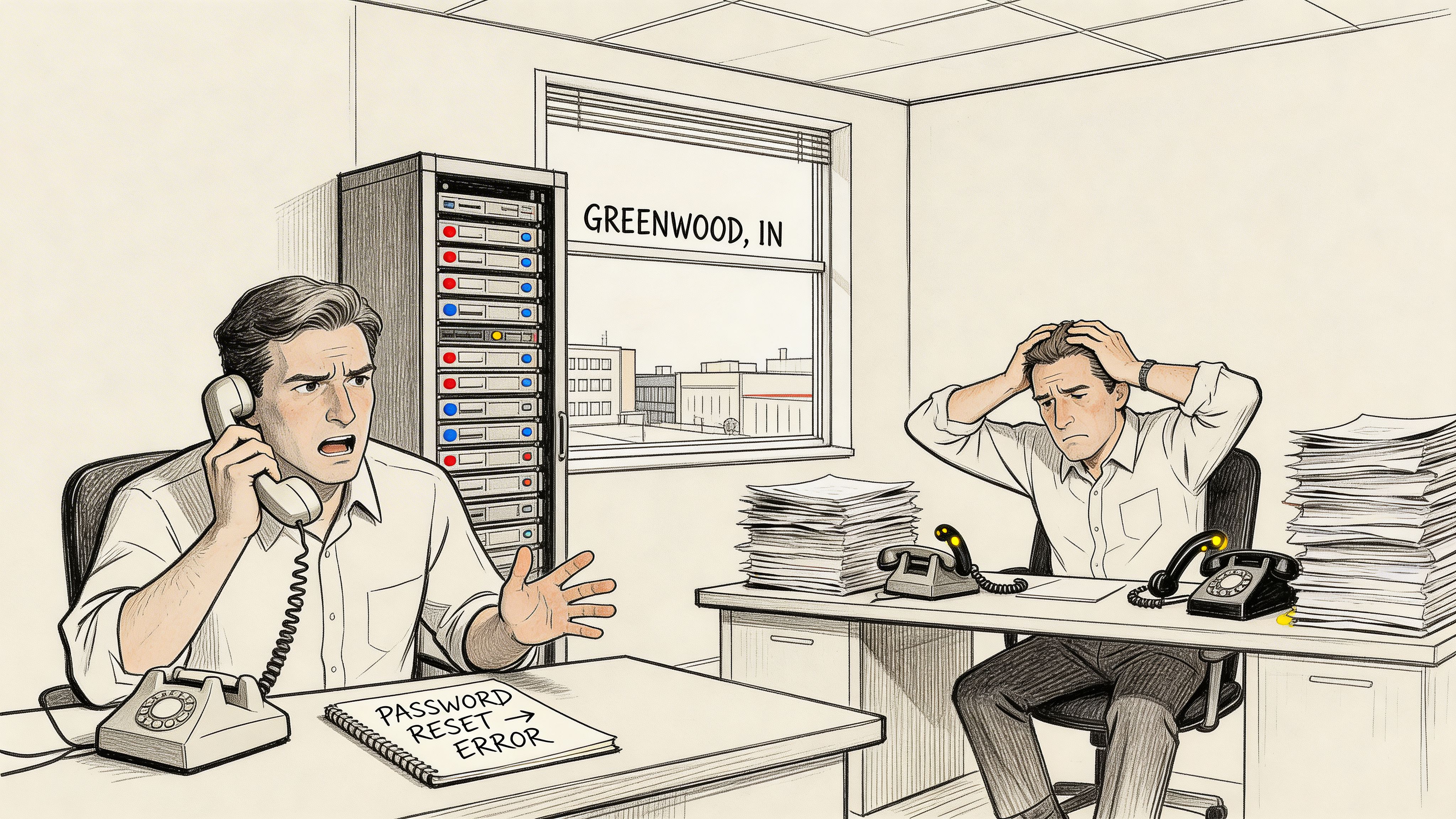
A lot of Indiana businesses hit the same wall. The phone rings with password resets, Wi-Fi complaints, VPN lockouts, appointment questions, and “can you check on that ticket?” messages. Meanwhile, important work sits still. Your best technician should be stabilizing a failing server, reviewing Bitdefender GravityZone alerts, or fixing a bad switch stack in a UniFi network. Instead, they’re burning half the morning on repeat questions.
That’s the Southside version of customer service chaos. You see it in Greenwood business parks, older brick offices with patchy Wi-Fi, and fast-growing shops along the I-65 corridor that outgrew their old help desk habits. If downtime hits, the stakes go up fast. A business continuity plan isn’t just about backups and generators. It’s also about making sure customers, staff, and vendors can still get answers when your team is stretched thin, remote, or dealing with an outage.
Your Guide to Customer Service Automation in Indiana
TL;DR
- Start with repetitive work: Password resets, basic troubleshooting, ticket triage, and status updates are usually the best first automation targets.
- Use a hybrid model: Let bots handle routine questions, but give people a fast path to a human.
- Measure the right things: Track response time, resolution quality, deflection, and whether techs are getting time back for higher-value work.
- Build around Indiana realities: Healthcare groups need HIPAA awareness. Defense firms need CMMC discipline. Manufacturers need uptime.
- Don’t trap customers: Poor handoffs kill trust.
- Tie automation to continuity: Good automation keeps support moving during outages, weather events, and staffing gaps.
- Keep it practical: Better routing, cleaner workflows, and stronger integrations beat flashy demos every time.
A Johnson County owner usually doesn’t ask, “How do I automate customer service?” They ask something more direct.
Why is my staff tied up all day answering the same things, and why does every urgent issue seem to arrive at the worst possible time?
That’s the right question. Automation isn’t a novelty. It’s how you stop wasting skilled labor on repetitive service work and protect uptime when the schedule gets ugly. For a healthcare office, that could mean routing common appointment and portal questions without exposing protected data and keeping support aligned with HIPAA. For a defense-adjacent machine shop, it might mean pushing anything related to controls, documentation, or secure access to the right person under a CMMC mindset. For everybody else, it usually starts with the basics: triage, self-service, escalation rules, and better context.
One gap in most customer service automation advice is that it talks like every company is an online retailer. Indiana SMBs often need something different. They need automation tied to technical support workflows like PC diagnostics, Wi-Fi issue routing, and managed service queues. That gap is real. A 2025 Gartner report cited by Kapiche’s guide on automating customer service says 68% of SMBs struggle with IT support scalability, yet only 22% use automation beyond basic ticketing.
The local version of the problem
An office in Greenwood with aging server hardware doesn’t need a cute chatbot first. It needs a system that can:
- Sort urgency correctly so a payroll outage beats a printer complaint.
- Collect basic diagnostics early before a human touches the ticket.
- Route by skill so network work lands with the network person.
- Keep communication moving when your team is on-site, after hours, or dealing with a security event.
A business owner doesn’t care whether the workflow is “AI-powered” or rule-based. They care whether the problem gets handled quickly and whether the team stops losing hours to noise.
If you want a broader business automation perspective outside IT, 7 Automations Every African Business Should Set Up is a useful read because it frames automation the right way. Not as hype, but as operational insurance.
There’s also a big difference between bolting on a bot and building a real operating model. If you want a local small-business angle on that shift, this resource on AI and workflow efficiency is worth a look: https://finchumfixesit.com/blog/ai-automation-for-small-business-boost-efficiency-and-growth-today
What good automation fixes
Good customer service automation does three things.
First, it cuts repeat work. Second, it speeds up the simple stuff without sacrificing service quality. Third, it frees your senior people to handle the jobs that require judgment, compliance awareness, and technical depth.
That’s the reason to do it. Not because software vendors keep saying you should.
First Define Your Goals and Success Metrics
A lot of automation projects fail before the software is even installed. The problem isn’t the tool. The problem is that nobody agreed on what success looks like.
If you’re serious about how to automate customer service, start with a target your team can see in plain English. “Be more efficient” is useless. “Get routine ticket response under a minute and stop having network engineers answer password reset calls” is usable.
Pick goals that match your business model
A Hamilton County software company and a Greenwood medical office shouldn’t build the same support workflow.
A software firm may care most about scaling support without adding headcount at the same pace. A clinic may care more about routing non-clinical questions quickly while keeping anything sensitive on a controlled path. A manufacturer might be chasing one thing above all else: less downtime and cleaner escalation when something on the floor loses connectivity.
Use goals like these:
- Protect uptime: Keep service requests from slowing down incident response.
- Reclaim skilled labor: Move repetitive tasks away from senior techs.
- Improve continuity: Maintain support during bad weather, outages, or staffing gaps.
- Strengthen compliance handling: Separate routine requests from sensitive workflows tied to HIPAA, CMMC, or a general NIST CSF approach.
The metrics that matter
You don’t need a giant dashboard on day one. You need a few metrics with clear definitions.
| Metric | What it tells you | Why it matters |
|---|---|---|
| First Contact Resolution | Whether the issue gets solved in the first interaction | Good for spotting weak routing or bad knowledge content |
| Average Handling Time | How long your team spends on an issue | Useful when agent-assist tools or prefilled diagnostics are added |
| Ticket Deflection Rate | How many routine issues never need a human | Shows whether self-service works |
| First Response Time | How fast the customer gets an initial reply | Critical for perceived service quality |
| Escalation Quality | Whether the handoff included context, logs, and notes | Prevents repeat conversations and customer frustration |
Baseline first, then automate
Before you touch workflow logic, grab a baseline from your current environment.
Look at recent tickets and ask:
- Which requests show up every week?
- Which ones require almost no judgment?
- Which ones always bounce between departments?
- Which ones interrupt higher-value work?
In our kind of market, the answers are usually predictable. Login issues. MFA confusion. New user setup questions. Printer and scanner noise. Wi-Fi dead zones in older buildings. Basic line-of-business software questions. “What’s the status of my ticket?” messages.
Practical rule: If a request follows the same decision path almost every time, it’s a strong automation candidate.
Don’t measure vanity
A flashy dashboard can hide a bad system. If a bot answers quickly but forces customers into circles, response time looks good while satisfaction drops. If your team closes tickets fast but keeps reopening them, your numbers lie.
Tie every metric back to operational value:
- Less interruption for senior staff
- Fewer avoidable delays
- Better after-hours coverage
- More predictable monthly support costs
- More time for strategic work like cloud cleanup, security hardening, and data recovery planning
That’s what turns “support automation” from a software purchase into an ROI project.
Choose the Right Automation Channels for Your Business
You don’t need every channel. You need the right mix for the way your customers ask for help.
Some Indiana companies still live on phone and email. Others get most requests through a website form, Teams chat, or a portal tied to their managed services stack. The mistake is copying a channel strategy from some national brand that doesn’t resemble your operation.
Channel comparison at a glance
| Channel | Best For | Example Use Case (Indiana SMB) | Complexity |
|---|---|---|---|
| Website chatbot | Fast answers to repeat questions | A healthcare office handles basic appointment, portal, or device setup questions on a controlled path | Medium |
| IVR phone routing | High call volume and urgent routing | An Indianapolis logistics firm routes callers by shipment issue, billing, or IT outage | Medium |
| Automated email rules | Inbox triage and categorization | A manufacturer sorts vendor support, staff issues, and production-impacting requests into the right queue | Low |
| Ticketing automations | Internal workflow discipline | An MSP-style support desk auto-tags, prioritizes, and routes Wi-Fi, endpoint, and security tickets | Medium to High |
Website chatbots work best for repeatable questions
A good chatbot is a front desk, not a magician.
Use it for common requests with a narrow answer set. Password help. Basic VPN instructions. Ticket status checks. Device intake forms. Office hours. Intake for repair drop-offs. If you’re in healthcare or another regulated environment, keep the content tightly governed and avoid letting the bot improvise around sensitive topics.
The broader market is moving hard in this direction. ChatMaxima’s AI customer support statistics says by 2025, 95% of customer interactions are predicted to be powered by AI, and notes rapid adoption across service teams. The same source also says leading SMB-style use cases can automate 65-70% of routine tasks today.
That doesn’t mean your business should throw every conversation at a bot. It means there is now enough maturity in the tooling to handle a large share of repetitive work well, if the scope is disciplined.
IVR still matters more than people think
A lot of owners assume phone trees are old tech. Bad phone trees are old tech. Smart routing is still useful.
If your business gets urgent calls, IVR can quickly separate a true outage from a billing question or a status request. That matters for continuity. If somebody reports a down clinic workstation, a failed warehouse scanner network, or a cybersecurity concern, the call shouldn’t sit behind routine traffic.
A simple routing structure often works better than a deep one:
- Press 1 for urgent operational issues
- Press 2 for existing ticket updates
- Press 3 for billing or account questions
- Press 4 for new service requests
Keep the menu shallow. Deep trees create abandonment and frustration.
Email rules are boring and powerful
Email automation doesn’t get the hype, but it often delivers the cleanest first win.
A shared inbox can become a mess fast. Rule-based triage can tag by customer, keyword, urgency, attachment type, or service line. It can auto-reply with intake steps, create a ticket, or push the request into the right queue. If someone emails about “laptop won’t boot,” “Wi-Fi down,” or “Bitdefender alert,” that request shouldn’t wait for a person to sort it manually.
For smaller teams, this is usually where order starts.
Ticketing workflows are where significant gains show up
If you already use Zendesk, ServiceNow, or another support platform, the best place to automate may be inside the ticket lifecycle itself.
That includes:
- Auto-tagging by issue type
- Priority scoring for likely outages or compliance-sensitive requests
- Skill-based routing for networking, cloud, repair, or security
- SLA timers that trigger reminders or escalation
- Customer updates when a ticket changes state
Salesmate’s customer service statistics reports that 95% of organizations report time and cost savings, that AI can cut operational costs by 30%, and reduce response times by 69% for simple requests. For routine support work, that’s the practical case for workflow automation, not just chatbot automation.
Choose channels based on failure cost
Pick channels by asking one blunt question. What happens if this interaction is handled poorly?
If the answer is mild annoyance, self-service is fine. If the answer is compliance exposure, patient disruption, manufacturing delay, or security risk, route faster to a trained human.
That’s also where local system design matters. A modern workflow can tie into switch alerts, endpoint tools, or asset records. If a user reports poor coverage in an old brick building, the ticket can point straight to the relevant site, hardware, and known dead zones in the wireless map. If a laptop triggers endpoint protection, the workflow can route security-first instead of general help desk.
For more examples of where automation belongs in day-to-day operations, this roundup is useful: https://finchumfixesit.com/blog/10-smart-business-process-automation-examples-for-indiana-companies-in-2026
Design and Build Your Automated Workflows
Here, most businesses either get traction or create a new mess. The difference is whether the workflow is built around actual ticket patterns or around whatever the software demo looked like.
Start with your own service history. Don’t start with features.
Audit the repetitive work first
Pull a sample of recent tickets and sort them by frequency, complexity, and risk.
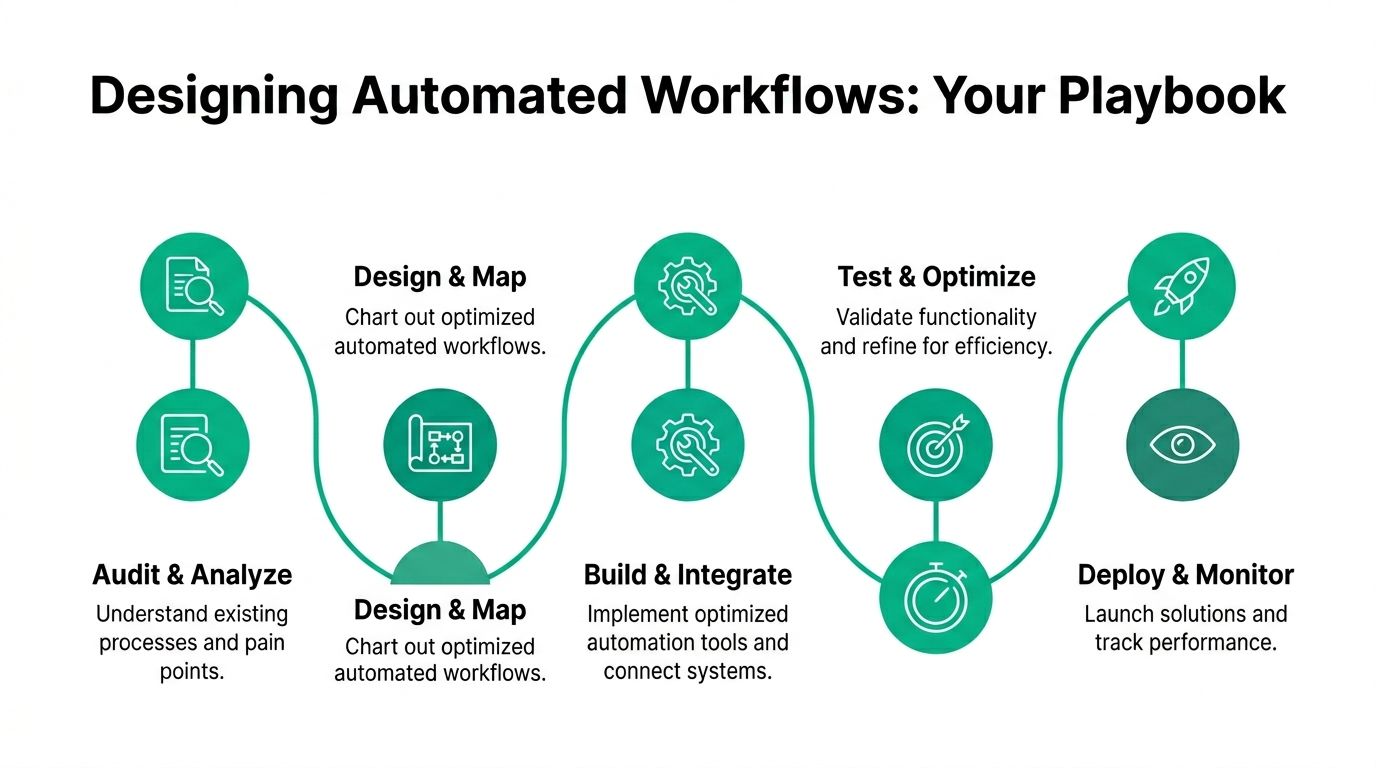
A proven framework from Kapture’s customer service automation guide recommends a 5-step methodology: audit repetitive tickets, optimize the knowledge base for AI, deploy agent-assist tools, set “escape hatch” triggers for handoff, and analyze CSAT across automated and human-handled tickets. The same source says repetitive tickets often have 70-80% automation potential, and agent-assist can reduce Average Handling Time by 30-50%.
Those numbers line up with what works in practice. The easiest wins are usually tickets that are frequent, low-complexity, and safe to standardize.
Look for items like:
- Access problems
- Basic Wi-Fi troubleshooting
- New equipment intake
- Software update questions
- Ticket status checks
Leave emotionally charged, ambiguous, or high-risk issues with humans until your system proves itself.
Build the knowledge layer before the bot
Most failed automation projects have a content problem, not an AI problem.
If your support docs are outdated, buried in PDFs, inconsistent, or full of technician shorthand, the bot will underperform. Your knowledge base has to be written so a machine can retrieve the right answer and a person can understand it fast.
A solid support article usually includes:
- What the issue looks like
- What the user should check first
- What information the system needs
- When the issue should escalate
- What happens next
That structure helps bots, help desk staff, and customers at the same time.
Map one workflow all the way through
Here’s a simple example for a “Wi-Fi keeps dropping” request in an Indiana office with older construction and multiple access points.
- Customer opens chat, portal, or email.
- System asks location, device type, and whether the issue affects one user or many.
- Workflow checks whether the site has known network events or maintenance.
- If the issue is isolated, it serves quick self-check steps.
- If the issue affects a wider area, it opens a higher-priority ticket.
- If the request contains outage language or repeated failed attempts, it hands off to a human.
- Human receives the transcript, site info, device details, and any known network alerts.
That’s automation doing useful work. Not pretending to solve everything, but removing the pointless back-and-forth.
If a customer has to repeat the issue after your workflow already collected the facts, the workflow is incomplete.
Integrate with the systems that hold truth
This is the technical part that separates toy automation from production automation.
Your workflow should connect to the systems that already know something useful. That may include your CRM, ticketing platform, asset records, endpoint security stack, phone system, or a cloud directory. In an IT environment, API integrations let the workflow check entitlement, device status, ticket history, or site context before a technician steps in.
A few examples:
- CRM integration: Confirms customer account tier, site, and service history.
- Ticketing integration: Prevents duplicate tickets and appends updates to the right case.
- Endpoint security integration: Flags whether a device has active alerts in Bitdefender GravityZone.
- Identity integration: Guides verified users through account-related workflows.
- Network integration: Pulls site context for UniFi or similar managed environments.
If your internal software isn’t flexible enough for this, custom development may be the smarter move. Some teams build the glue layer internally. Others bring in specialists. If you need development capacity, Hire LATAM developers can be a practical resource for extending internal engineering bandwidth without bloating local payroll.
For businesses considering custom integrations, this article on CRM-focused development gives a good picture of where bespoke workflow design pays off: https://finchumfixesit.com/blog/custom-crm-software-development-that-drives-business-growth
Test in a pilot before broad rollout
Don’t roll this across every channel at once.
Pick one workflow. Keep the scope tight. Watch where users get stuck, where the logic misroutes, and where the content fails. Then refine.
The cleanest deployments usually follow this order:
- One high-volume request type
- One channel
- One business unit or location
- One review loop for fixes
That approach is slower for a week and faster for the next three years.
Mastering the Human Handoff and Escalation
A shop in Greenwood reports that barcode scanners on the floor stopped syncing after lunch. A clinic off I-65 has front-desk staff who cannot pull the next patient file. In both cases, automation should stop collecting routine inputs and get the issue to the right person fast.
That is the standard for handoff. If the system delays a production issue, drops context, or sends a HIPAA or CMMC-related request into a general queue, the automation did not save time. It added risk.
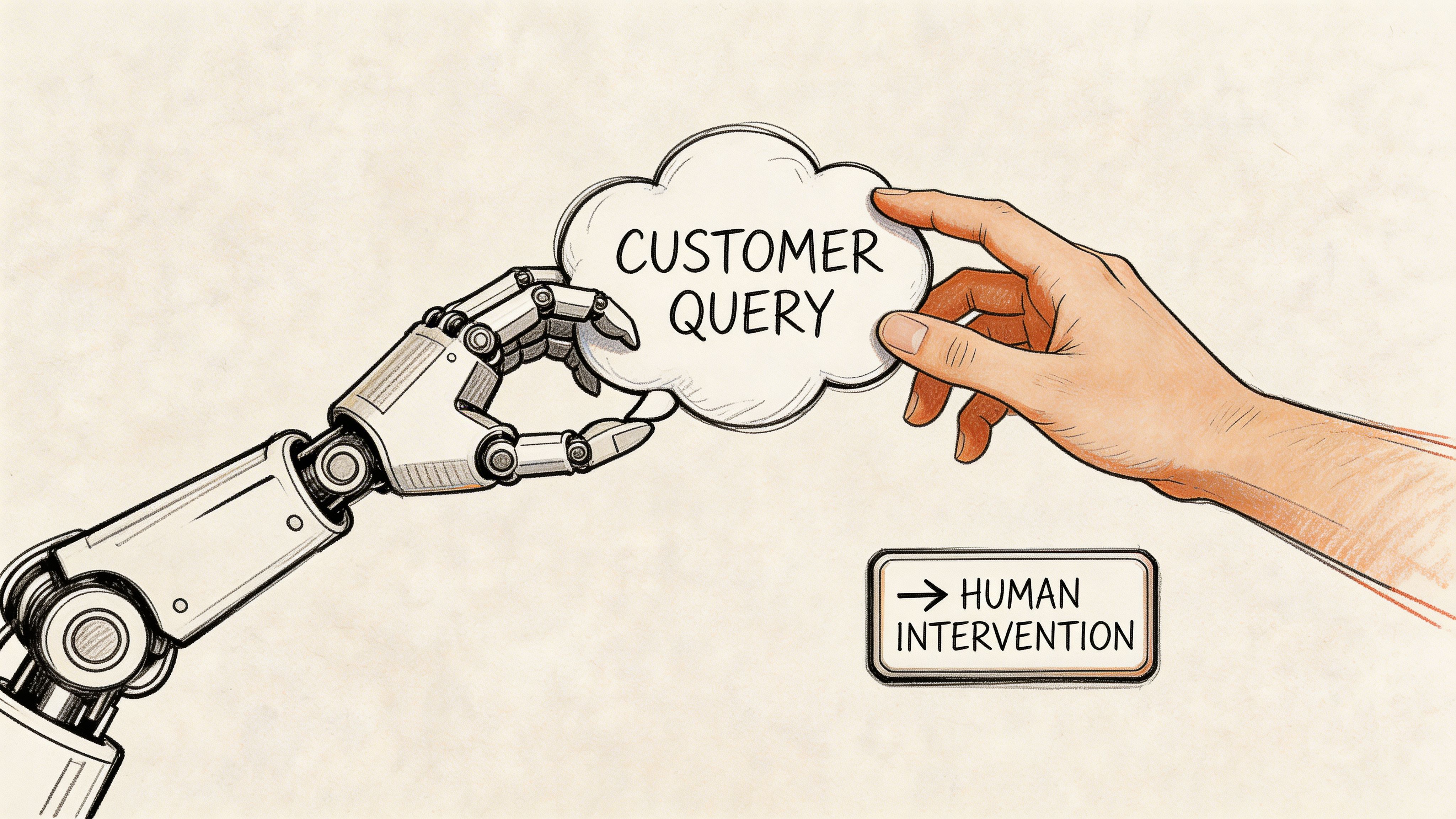
A useful reference here is Alhena AI’s article on automating customer service without losing CX, which notes that poorly designed human-to-AI transitions can drag down satisfaction, while passing full context and using sentiment analysis can improve resolution rates in hybrid support environments.
Avoid chatbot jail
Customers will tolerate a bot for basic tasks. They will not tolerate loops.
If someone explains the issue clearly, asks for a person, and gets forced back into the same menu, trust drops fast. In Indiana SMB environments, that problem gets expensive quickly because many requests are tied to real operations. A failed backup on a dental practice server is not the same as a password reset. A plant outage tied to a network switch is not a generic help desk ticket.
Set hard escalation rules for issues that can affect revenue, compliance, or uptime. Good triggers usually include:
- Sentiment shift: messages that show frustration, urgency, or confusion
- Keyword flags: terms tied to outages, ransomware, failed backups, PHI, or defense contract controls
- Retry count: repeated failed attempts in self-service
- Business impact: multiple users affected, production systems down, or a blocked time-sensitive workflow
Keep the rule simple. If the cost of delay is high, route early.
Pass the full case, not a summary
A handoff fails when the technician has to ask the customer to repeat everything.
Send the conversation transcript, verified identity, account details, device or site context, answers already collected, ticket priority, and any linked alerts or open cases. For healthcare clients, that may also mean showing whether the issue touches systems that require tighter audit handling. For manufacturers, it may mean attaching location, VLAN, workstation, or line-of-business system details so the next responder can act instead of re-triaging.
The goal is straightforward. The person picking up the case should be able to read, confirm, and start work.
“Your bot should act like a triage nurse, not a bouncer.”
Here’s a short explainer that shows why this matters operationally and how the support model changes when you balance automation with real expertise:
Route by skill first
A lot of teams still send escalations to whoever is available. That keeps queue times down on paper, but it often increases total resolution time.
Route CMMC questions to staff who know control families and evidence requirements. Route suspected network faults to the engineer who understands switching, wireless behavior, and site topology. Route data corruption issues to someone who knows recovery and backup validation, not a generalist reading from a script.
That matters in smaller Indiana firms because one wrong transfer can burn an hour you do not have. If your staff mix is thin, compare the cost of broader in-house coverage against outside support depth. This guide on managed service vs staff augmentation for Indy business owners is a useful way to think through that trade-off.
Set escalation rules your team can audit
Good handoff logic should be visible and easy to review.
Document who gets what, why they get it, and what happens if they do not respond in time. Define after-hours coverage. Define backup routing. Define when the system should bypass normal queues and page someone directly. I usually tell clients to review escalations that took too long, bounced between teams, or started as low priority and ended as an outage. Those are the cases that show whether the workflow works under pressure.
The test is simple. When a customer moves from automation to a person, the case should get faster, clearer, and more accurate. If it gets slower, your handoff design still needs work.
Measure Your ROI and Ensure Business Continuity
A shop in Greenwood can feel the cost of weak support operations in a single afternoon. A line goes down, orders start backing up, and the first few tickets are routine enough that automation should handle them. If it does not, your team burns time on password resets and status checks while the issue that threatens production waits in queue.
That is why ROI for customer service automation should be measured against two outcomes. It should reduce labor spent on repetitive work, and it should keep support functioning when staffing, weather, or a site outage disrupts the normal day.
Start with a before-and-after scorecard
Keep the scorecard simple enough that someone will review it every month.
Track the metrics that change cost, service quality, and uptime:
- First response time
- Resolution time for repeatable requests
- Containment rate for automated workflows
- Technician hours recovered
- After-hours ticket coverage
- Number of incidents delayed because staff were tied up on low-value requests
For Indiana SMBs, I also like one business metric that sits outside the help desk. Measure whether automation reduces interruptions to shipping, scheduling, patient intake, or plant-floor support. That is the point where a support project stops being an IT expense and starts protecting revenue.
Convert saved time into money you can defend
Recovered time is only useful if you assign it a real value.
If your service desk saves ten technician hours a week, ask where those hours now go. In a manufacturing environment, they might go to backup validation on production systems, switch replacement planning, or cleaning up patch failures before they become outages. In a healthcare practice, they might go to EHR workstation hardening, account reviews, or fixing the printer and scanning issues that slow patient flow. In a defense-adjacent shop, they may go to CMMC evidence prep and control enforcement that would otherwise keep slipping.
IBM notes in its overview of business continuity planning that continuity planning is about keeping operations running through disruption, not just recovering after failure. That is the right frame for automation too. If your workflow automation keeps intake, triage, and status updates active while your staff handles a network incident, you are protecting operations, not just trimming admin work.
Business continuity matters as much as labor savings
Owners usually notice the labor savings first. The continuity value tends to show up later, during a bad week.
A snow event, a telecom outage, or a ransomware scare does not stop customers from needing answers. Automated intake, routing, and status updates keep moving even if your team is short-handed or split across locations. That matters along the I-65 corridor, where a delay at one site can ripple into shipping windows, vendor commitments, and field service schedules by the end of the day.
The trade-off is straightforward. Automation improves continuity only if the workflows depend on systems that are themselves protected. If your chatbot, ticket rules, or knowledge base live on brittle infrastructure with no tested recovery plan, you have shifted the weak point, not removed it.
Tie automation into the systems that keep the business running
Support automation should be connected to the rest of your resilience stack, especially in regulated Indiana environments.
| Continuity layer | What it should do |
|---|---|
| Automated intake and triage | Keep requests moving when staff are unavailable or a site is disrupted |
| Documented runbooks | Give both staff and automated systems clear steps for common incidents |
| Protected backups | Preserve recovery options if core systems fail or data is encrypted |
| Security monitoring | Surface threats that should bypass normal queues |
| Compliance-aware routing | Send HIPAA or CMMC-related issues to the right people without delay |
For manufacturers and healthcare groups, integration matters here. If your automation cannot read asset data, ticket history, or system status from the tools you already use, your continuity story falls apart under pressure. Staff start re-entering information by hand, cases stall, and the wrong person gets pulled into issues they should never have seen.
If you are building that continuity layer now, this Indiana business continuity planning checklist is a good companion to your support automation plan.
The goal is not fancy automation. The goal is a support operation that saves real staff time, meets HIPAA or CMMC obligations, and keeps the business running when a normal Tuesday turns into an outage.
Your Deployment Checklist and Next Steps
Most businesses don’t need a giant rollout. They need a clean pilot, a measured review, and a hard line against over-automation.
A hybrid model tends to work best. Enjo AI’s customer service automation guide says a strong target is 70-80% ticket deflection for routine IT issues and first response time under 1 minute via bots. The same source warns that “chatbot jail” can drive customer drop-off rates up by 30-50%, which is why a one-click human handover matters.
Use this checklist before you buy more software or assign the project to the busiest person on your team.
Deployment checklist
- Baseline your current state: Pull recent support volume, top request categories, and current response patterns.
- Identify the first automations: Pick the top 3 to 5 repetitive tasks that don’t require much judgment.
- Choose one pilot channel: Start with chat, email triage, or ticket routing. Don’t launch everywhere at once.
- Clean your knowledge base: Remove old articles, fix gaps, and rewrite the top support docs in a clear format.
- Define escalation triggers: Set rules for urgency, sentiment, security terms, and compliance-sensitive requests.
- Require human access: Give users an obvious path to a person.
- Integrate the right systems: Connect your CRM, help desk, endpoint tools, and asset records where it makes sense.
- Review after launch: Look at real transcripts, misroutes, and stuck points. Tune quickly.
- Protect continuity: Make sure the workflow supports your backup, security, and outage response process.
- Assign ownership: One person should own workflow quality, not just the software license.
If you’re a Greenwood or Indianapolis business owner, the next move is simple. Start with one repetitive support problem that wastes time every week and fix that one properly.
If your business in Greenwood, Indianapolis, or along the I-65 corridor wants help building support automation that reduces downtime, strengthens compliance handling, and gives your team time back for higher-value work, reach out to Finchum Fixes IT for a Free Network Assessment or Security Risk Audit.