How to Fix: A Business Owner's Guide to a Slow Computer

TL;DR: Key Takeaways
- A slow computer is more than an annoyance; it's a direct hit to your business's ROI, with downtime costing up to $9,000 per minute. Sluggish PCs convert billable hours into wasted time.
- Common causes are software bloat, failing hardware (like old HDDs), and stealthy malware, which poses a significant security and compliance risk (HIPAA, CMMC).
- Immediate software fixes include disabling unnecessary startup programs, clearing temporary files, and uninstalling unused applications.
- Hardware upgrades like switching from an HDD to an SSD provide a massive performance boost. Proactively upgrading RAM is crucial due to rising market costs.
- Proactive IT management with tools like Bitdefender GravityZone and immutable off-site backups prevents problems, ensures business continuity, and converts IT spending into a predictable, value-driven budget.
Nothing grinds a workday to a halt faster than a slow computer. It’s not just a minor frustration; for a business in the Indy metro area, that spinning wheel is a productivity killer and a direct hit to your bottom line. Pinpointing the cause—be it bloated software, failing hardware, or a hidden security threat—is the first step in turning wasted tech time back into billable hours.
Why Your Business PC Is Lagging and What It Costs You
Every Johnson County business owner knows the feeling. That little spinning cursor might as well be a cash register counting backwards. While a full-blown network outage can cost a business an eye-watering $9,000 per minute, a consistently sluggish PC creates a "death by a thousand cuts" scenario. Those seconds and minutes of waiting add up, crippling your team's efficiency and directly impacting ROI.
We see this constantly. A Greenwood business park client has an aging server that chokes every time they run a report. A law firm in a downtown Indy high-rise has workstations with spotty Wi-Fi, dropping connections during critical client calls. These aren't just tech headaches; they are solvable problems that bleed money from your budget. Our managed approach fixes these issues permanently.
The Usual Suspects: Common Performance Killers
When a computer starts acting like it’s wading through molasses, it's almost always due to one of three things:
- Software Bloat: Over the years, computers get cluttered with startup programs, temporary files, and background apps fighting for resources. It suffocates your system.
- Hardware Nearing Its End: A traditional spinning hard drive, not enough RAM, or an overheating processor can make a once-mighty machine feel ancient. Aging hardware simply can't keep pace with modern business demands.
- Sneaky Security Threats: This is the one that worries us most. A slow computer is often the first sign of a malware infection. For businesses needing HIPAA or CMMC compliance, this is a massive red flag that can lead to catastrophic data breaches and prevent business continuity.
This handy flowchart breaks down the basic path you can take, from noticing a slowdown to deciding if it's a simple software fix or time to call in the cavalry.
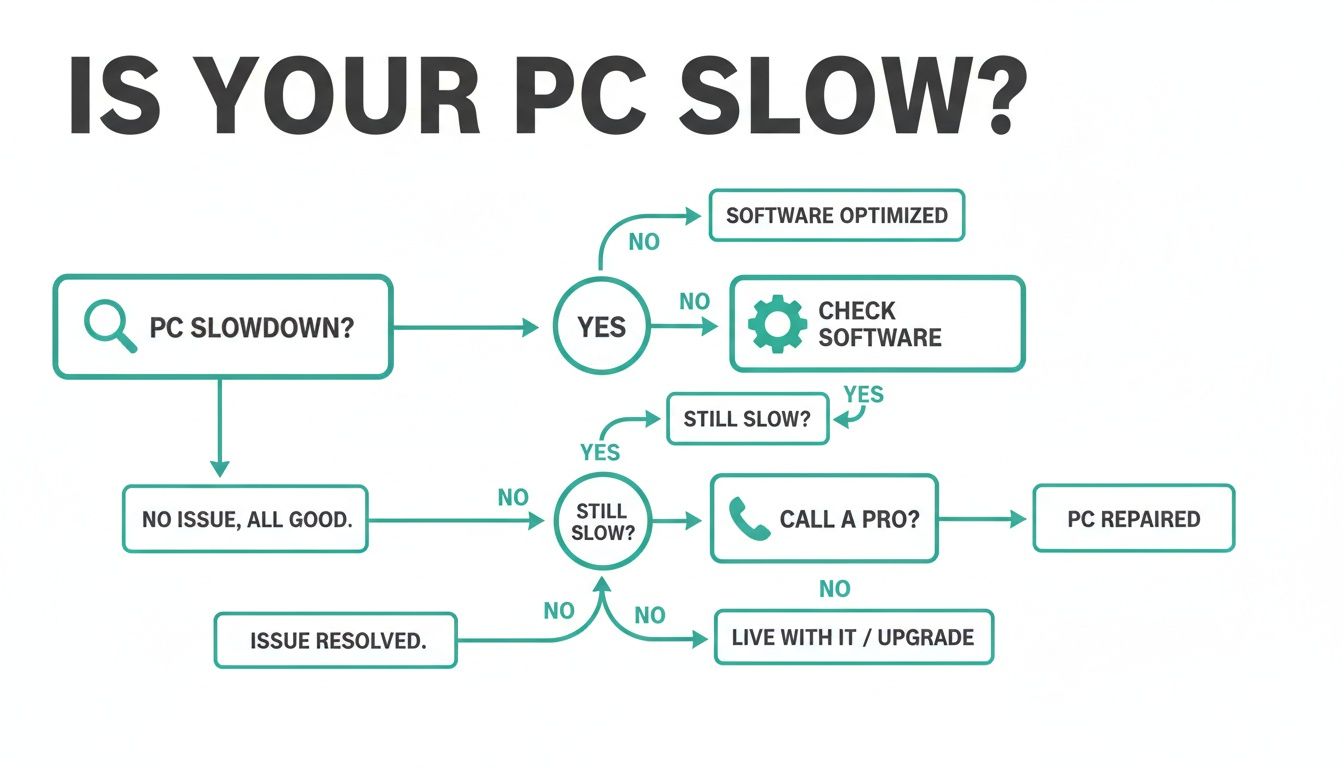
The big takeaway? While you can often clear up minor software clogs yourself, a slowdown that just won't quit usually points to a deeper hardware or security issue that needs a professional eye.
Sometimes it's hard to tell if you're dealing with a simple annoyance or the tip of a much larger iceberg. This table can help you quickly gauge the situation.
Quick Fixes vs. Deep-Seated Problems
| Symptom | Potential Quick Fix (DIY) | When to Call a Pro | Impact on Business Continuity |
|---|---|---|---|
| Startup is slow, apps take a while to open | Disable unnecessary startup programs, clean up temporary files. | The slowdown persists after cleanup; you hear clicking/grinding noises from the hard drive. | Low to Moderate: Frustrating, but work can still get done. |
| The computer randomly freezes or crashes | Update drivers and operating system; ensure adequate airflow/cooling. | You experience the "Blue Screen of Death" (BSOD) or frequent, unexplained reboots. | High: Unsaved work is lost, leading to rework and missed deadlines. Downtime costs skyrocket. |
| Internet is slow, but only on one machine | Clear browser cache and cookies; run a malware scan with a reputable tool. | Multiple security alerts pop up; redirects to strange websites; files are inaccessible. | Critical: Potential data breach or ransomware attack. Immediate action required to prevent total business stoppage. |
| Everything is just sluggish, all the time | Check Task Manager/Activity Monitor for resource-hogging applications. | Even simple tasks cause 100% CPU/disk usage; upgrades don't improve speed. | Moderate to High: Creates a constant drag on all employee tasks, killing productivity and ROI. |
Ultimately, knowing when to DIY and when to call for help is key. A persistent problem is rarely "just a slow computer."
In our 17 years of local service, I can tell you that what looks like a simple performance issue is often the first symptom of a failing hard drive or a hidden infection. Catching it early converts a potential disaster into a manageable task, ensuring business continuity.
Treating a slow computer isn't just about convenience; it's about protecting your bottom line. Every step you take to speed up your machines is a direct investment in your company's efficiency. If you're ready to get a professional handle on your equipment's health, learn more about our computer repair services and see how we can get you back up to speed.
Practical Software Fixes You Can Implement Today
When your computer starts moving at a snail's pace, it's often the digital equivalent of a messy, cluttered desk. Before thinking about pricey new hardware, let's clear out the software junk causing the bottleneck. These are the quick wins you can tackle right now to reclaim lost productivity.
This is a classic "Southside Problem" we solve week in and week out. We get a call from an accounting firm in Greenwood. Their high-end QuickBooks software is freezing mid-payroll. It’s a complete standstill. Employees are stuck, and the owner is losing money with every tick of that spinning cursor. This isn't a QuickBooks problem; it's a resource problem.
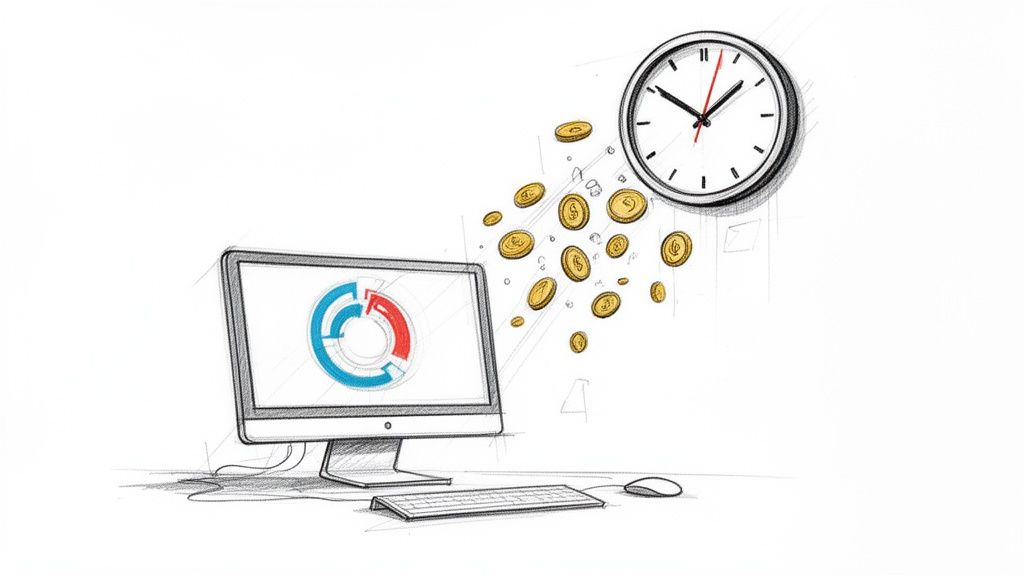
The computer is being choked by dozens of other programs demanding attention, starving the critical application of the memory and processing power it needs. Let's find those resource hogs.
Tame Your Startup Programs
A sneaky performance killer is the army of applications that launch when your computer boots. Most are unnecessary and sip away at your system's resources all day.
If you're on a Windows machine, use the Task Manager.
- Press Ctrl + Shift + Esc to open it.
- Go to the "Startup" tab (or "Startup Apps" in Windows 11).
- Right-click anything with a "High" impact rating that you don't need immediately—like Spotify or chat apps—and hit "Disable".
For Mac users, go to System Settings.
- Navigate to System Settings > General > Login Items.
- Under "Open at Login," select an unneeded app and click the minus (-) button.
- Also check the "Allow in the Background" section for other stealthy apps.
You're not deleting them, just telling them to wait until you call. This simple tweak can free up significant horsepower for the work you actually need to do, directly converting wait time into billable hours.
Purge Temporary Files and System Clutter
Your computer drops digital breadcrumbs with every task. Over time, these temporary files pile up, clogging your hard drive and slowing everything down. Cleaning this out provides an immediate performance boost and is vital for business continuity.
Windows has a built-in tool called Disk Cleanup.
- Type "Disk Cleanup" in the Start Menu.
- Pick your main drive (usually C:).
- Check the boxes for "Temporary Internet Files" and "Temporary files."
- Click "Clean up system files" to remove old Windows Update files, which are often the biggest offenders.
On a Mac, these tools are built into the OS.
- Click the Apple menu > About This Mac > Storage > Manage...
- Use "Optimize Storage" and "Reduce Clutter" to find and remove large, forgotten files.
A clean system is a fast system. Think of it like routine maintenance. It prevents small annoyances from becoming major, business-stopping disasters that destroy your ROI.
Uninstall Unnecessary Software
Every program installed is another mouth to feed. It’s easy to accumulate software you tried once and forgot about, or the "bloatware" that came pre-installed.
Scroll through your list of installed applications. If you haven't used a program in six months and it’s not essential for your job or a compliance standard like HIPAA, it needs to go.
- On Windows: Go to Settings > Apps > Apps & features. Click a program and hit "Uninstall".
- On macOS: Drag the app's icon from the Applications folder to the Trash.
By decluttering, you're attacking the most common causes of a slow computer. For that accounting firm in Greenwood, these steps mean the difference between frustrating delays and getting payroll out on time, turning a day of downtime into a predictable, productive workflow.
Checking Your Hardware Without Cracking Open the Case
So, you've tried the software tricks and your computer is still slow. You might assume it's a complex component failure. But hold on. You can uncover common hardware problems without opening the case. This is a crucial diagnostic step.
Is Your Computer Running a Fever?
We see this frequently in older brick office buildings around downtown Indy—they have terrible ventilation. We’ve seen entire departments grind to a halt because their computers were thermal throttling. This is when a processor gets too hot and deliberately slows down to avoid damage. Your PC isn’t lazy; it’s preventing a meltdown.
Checking your computer’s temperature is easy and is the first thing we do.
- On a Windows PC: Use a free tool like Core Temp or HWMonitor. At idle, it should be around 30-50°C (86-122°F). If it consistently spikes above 85°C (185°F) during work, that's a huge red flag indicating a potential for failure and costly downtime.
- On a Mac: An app like iStat Menus works perfectly. If your Mac’s fans sound like a jet engine during normal tasks, it’s struggling to stay cool.
High temps often point to simple physical fixes like clearing dust-clogged vents. The environment matters, a principle we also cover in our guide on how to improve Wi-Fi coverage using UniFi networking hardware.
Listening for the Clicks of Doom
Another major culprit is the hard drive. Unlike modern Solid-State Drives (SSDs), old-school spinning hard disk drives (HDDs) have moving parts that wear out. A dying drive often makes a distinct, repetitive clicking or grinding noise. That's the sound of data loss and imminent business interruption.
I’ll never forget a call from a logistics company on the I-65 corridor. Their shipping computer was slow. Over the phone, I could hear a faint, rhythmic click... click... click. I told them to shut it down immediately. When we disassembled a similar client’s failing RAID array, we knew that sound meant disaster. We performed a bit-level data recovery and installed a new drive, saving them from a catastrophic failure that would have crippled their operations and destroyed their ROI for the week.
You can also run a digital health check. Both Windows and macOS have utilities to check a drive's S.M.A.R.T. status. If it reports anything other than "OK," back up everything immediately and plan for a replacement. Ignoring that warning guarantees downtime.
When Does Upgrading Your Hardware Make the Most Sense?
Software tweaks are great, but sometimes they’re just a band-aid. If your hardware is gasping for air, a smart upgrade is needed. For any Hamilton County business owner watching the bottom line, knowing when to pull this trigger is key to maximizing ROI.
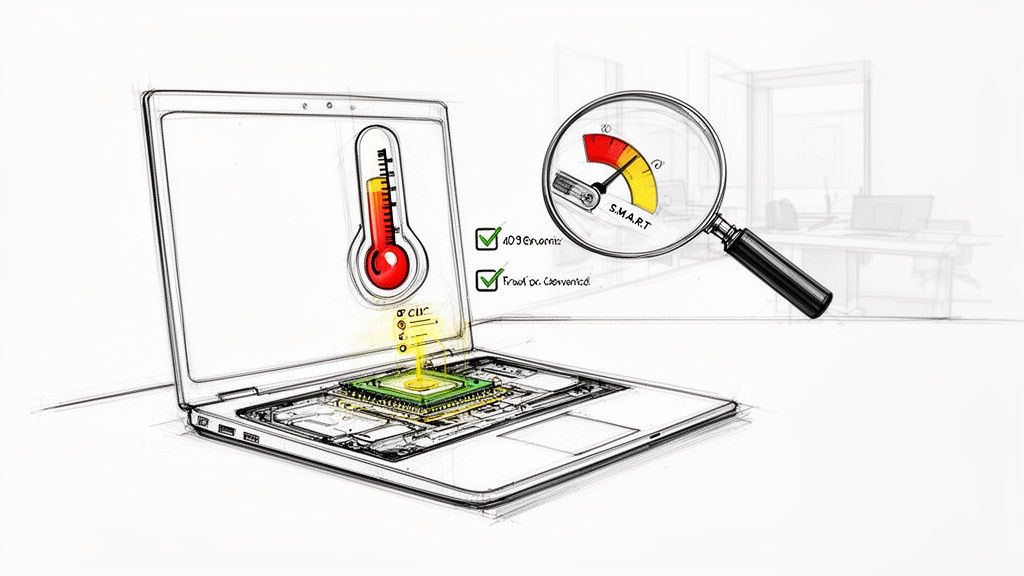
A targeted upgrade—like more RAM or a new hard drive—can revitalize existing machines for a fraction of the cost of buying new, protecting your budget.
The HDD vs. SSD Showdown
If your computer still has a spinning hard disk drive (HDD), upgrading to a Solid-State Drive (SSD) is the single biggest performance booster you can invest in. An HDD is a slow, mechanical relic. An SSD uses flash memory and is ridiculously fast.
The difference is transformative. We’ve seen machines go from a two-minute boot-up time to under 20 seconds. Heavy-duty programs like QuickBooks suddenly snap open. For laptops, a targeted upgrade like a MacBook Air battery replacement can also make a huge difference, extending its useful life.
Here's a real-world example of how this impacts ROI. We had a law firm in a downtown Indy high-rise ready to spend $10,000 on new workstations because of agonizingly slow file-opening times. Instead, we proposed a $2,500 project to swap their HDDs for SSDs and add more RAM. The result? Their existing computers became over 400% faster. They saved $7,500 and converted all that agonizing wait time directly into billable hours.
Why Upgrading Your RAM Right Now Is a No-Brainer
Random Access Memory (RAM) is your computer's short-term workspace. When you run out of RAM, your computer slows to a crawl. Adding more is a simple, effective fix for sluggish multitasking, which directly impacts your team's ability to generate revenue.
But there’s a more urgent reason to act now. The global memory market is in turmoil. A massive shortage is crippling PC performance. Memory costs shot up around 70% in 2025, with another 50% jump expected in Q1 2026. PC makers are already shipping machines with a measly 8GB of RAM instead of the recommended 16GB.
For a growing Indiana business, waiting to upgrade RAM means you're guaranteed to pay more later. Acting now locks in today's prices, gives you an immediate performance boost, and turns a volatile market into a predictable budget item. Digging into our full range of IT services can help you map out a proactive upgrade plan.
Why a Slow PC Can Signal a Security Breach
It’s easy to dismiss a sluggish computer as just an annoyance. But for a business in the Indianapolis metro area, that spinning wheel can be a silent alarm that an intruder is inside. The real-world infections we see are almost always stealthy at first.
Malware, spyware, and other parasites steal your computer’s power to do their work. They run in the background, siphoning off processor cycles and hogging memory. This creates a massive drag on your system's performance and is a huge cybersecurity red flag. Any sudden, unexplained slowdown requires immediate investigation to ensure business continuity.

This isn't just about lost productivity. It's a massive compliance risk.
The Compliance Domino Effect
If you’re a medical practice in Carmel or a defense contractor in Johnson County, a slow computer can put your HIPAA or CMMC compliance in jeopardy. These regulations mandate that specific security agents are running 24/7. When malware strangles a system, those critical security agents can fail, leaving you non-compliant and blind to an ongoing attack. This is a direct threat to your business continuity and can result in severe penalties.
In our 17 years of local service, we’ve seen this exact scenario play out. A seemingly minor performance issue spirals into a major security incident with crippling legal and financial fallout. An auditor will never accept "the computer was just running slow" as an excuse for a compliance failure under NIST CSF guidelines.
This is why a professional, layered security strategy is non-negotiable.
Proactive Defense Against Performance-Sapping Threats
You can't win a modern fight with outdated weapons. For our clients across Central Indiana, we implement a Zero Trust architecture and deploy Bitdefender GravityZone. It's a top-tier endpoint protection platform that is powerful yet lightweight, so it doesn't slow you down. A full scan with a professional tool like this is the first step in diagnosing a security-related slowdown. To dig deeper, check out our guide on endpoint security best practices for Indianapolis SMBs.
Beyond the individual machine, our SOC-as-a-Service (Security Operations Center) provides round-the-clock monitoring. These are real experts watching your network traffic for unusual activity. If a workstation suddenly starts trying to communicate with a sketchy server, we know about it instantly—long before it escalates into a data breach that could halt your business.
Your Ultimate Safety Net: Immutable Backups
What happens if the worst-case scenario unfolds and that slowdown was ransomware encrypting your files? This is where your business continuity plan is tested.
We swear by immutable off-site backups. "Immutable" means that once a backup is created, it cannot be altered or deleted. An attacker could have total control of your network and they still can't touch that backup data. It’s the ultimate insurance policy. When a Greenwood business gets hit, we don't pay ransoms. We wipe the infected machines and restore everything from a perfect, untouchable backup, turning a company-ending disaster into a manageable inconvenience and preventing catastrophic downtime.
Stop The Slowdown For Good With Proactive IT Management
So, you’ve cleaned up software, checked the hardware, and run security scans. Those are great reactive steps. But if you’re a Johnson County business owner, you know that constantly reacting to problems is a losing strategy. The real solution isn't fixing a slow computer today; it's making sure it never slows down in the first place. This approach converts "wasted tech time" into billable hours and a predictable monthly budget.
From Reactive Repairs To Proactive Prevention
The old "break-fix" IT model is broken. You wait for something to go wrong, call for help, and pay a premium to get back to where you were. It's a miserable cycle that kills productivity and ROI.
Our managed IT services approach flips that model on its head. Instead of waiting for your call, we're already watching.
- 24/7/365 Monitoring: We use sophisticated tools to monitor the health of every workstation and server. We get alerts for a failing hard drive or overheating processor long before you notice a slowdown.
- Automated Patch Management: We handle all critical software and security updates quietly outside of business hours. Your systems are always protected without interrupting your team's workflow.
- Scheduled Maintenance: We perform regular, proactive system tune-ups, clearing out digital clutter to ensure your machines are always running at peak performance.
After 17 years of providing IT support in the Indianapolis area, we've seen countless businesses crippled by preventable issues. A proactive approach transforms IT from a chaotic expense into a stable, fixed monthly cost that supports your growth and prevents downtime, which can cost up to $9,000 per minute.
This strategy of preventive and corrective maintenance is the only way to get ahead of the slowdown for good.
A Local Partner Who Understands Your Business
We're not a faceless national helpdesk. We are a Greenwood-based team, and we know the unique challenges businesses face in Central Indiana, from spotty Wi-Fi in old brick buildings to the intense CMMC compliance needs of local defense contractors. Our solutions, from UniFi networking to latency-optimized mesh nodes, are built for this environment.
Our process starts with a deep dive into your current setup. We put together our ultimate 10-point IT infrastructure audit checklist to help you spot the hidden bottlenecks costing you money.
When we partner with a business, we become an extension of your team. We handle the technology so you can focus on running your company. The goal is to make your technology so reliable and fast that you forget it's there. That's the mark of an effective IT strategy that delivers real ROI.
Stop letting slow computers dictate your company's productivity. It’s time to shift from a reactive scramble to a proactive strategy that keeps you running smoothly.
Your team's productivity is too valuable to be wasted on sluggish technology. Finchum Fixes IT provides the proactive management Indianapolis-area businesses need to stay fast, secure, and competitive.
Schedule your Free Network Assessment for your Greenwood or Indianapolis business today and discover how to permanently fix your tech bottlenecks at https://finchumfixesit.com.