How to Prevent Data Breaches: An Indiana Business Guide
A data breach isn't a distant problem; it’s happening to businesses right here along the I-65 corridor. The most critical number to remember isn't the millions in fines, but the $9,000 per minute in downtime a cyberattack can cost your business. This guide is about how to prevent that downtime, converting "wasted tech time" into billable hours and predictable monthly security budgets.
We often see this in Greenwood business parks: a company running its entire operation on aging server hardware tucked in a closet. It's slow, unpatched, and a huge liability. Instead of a temporary fix, our approach is to build a permanent solution from the ground up that guarantees business continuity and a solid return on investment.
- Adopt a Zero Trust Model: Stop trusting devices by default. Verify everything, every time, to prevent attackers from moving freely. This is a core tenant of modern compliance frameworks like NIST CSF.
- Enforce Multi-Factor Authentication (MFA): The single most effective way to stop stolen passwords from becoming a full-blown breach.
- Implement Immutable Backups: Use the 3-2-1 rule with an untouchable off-site copy to make ransomware recovery a predictable process, not a crisis. This ensures you never have to pay a ransom.
- Build a Human Firewall: Continuous security training and realistic phishing simulations turn your team from a liability into a defensive asset.
- Have a Practiced Incident Response (IR) Plan: Know exactly what to do when an attack happens to minimize downtime, which can cost up to $9,000 per minute.
The Reality of Data Breaches in Indiana
A data breach isn't some far-off problem you see on national news. It's happening right here, to businesses just like yours along the I-65 corridor. I've heard countless Johnson County business owners say, "We're too small to be a target." Honestly, that's music to a hacker's ears. They prey on that exact mindset.
After 17 years of being the go-to IT guys in this community, we've seen the chaos firsthand. A breach isn't a clean, simple event. It's frantic phone calls, operations grinding to a halt, and that gut-wrenching feeling of losing your clients' trust. With the average breach now costing over $4.4 million, it’s a hit that can easily wipe out a small or mid-sized business.
The good news? The vast majority of breaches we see stem from simple, preventable mistakes. Protecting your company's front door—your website—is a fantastic place to start. This WordPress security guide offers a solid foundation for locking things down.
This isn't just another generic checklist. We’re going to give you actionable strategies that actually work for Indiana businesses, whether you're dealing with HIPAA in healthcare or CMMC as a defense contractor. You'll get the essential cybersecurity tips for small business owners in Indiana that you can put into practice today, protecting your bottom line and ensuring you’re still in business tomorrow.
Time to Build Your Digital Fortress (The Right Way)
Your first real line of defense against a data breach isn't some complex new software—it's a complete shift in how you think about security. I can’t tell you how many times we’ve seen this across Central Indiana. We’ll walk into a new client’s office in a Greenwood business park and find an ancient server humming away in a closet. It’s slow, it hasn’t been patched in years, and it's basically a wide-open door for any half-decent attacker.
This is exactly where our Southside Problem-Solution Framework comes in. Instead of just slapping a new antivirus program on that old machine and calling it a day (which never works), the only real fix is to build a modern, layered defense from the ground up. It all starts with embracing a Zero Trust architecture. The philosophy is simple: trust nothing by default. Every single user, device, and app has to prove it’s legit before it gets access to anything, whether it’s sitting in your office or halfway around the world.
Think about it this way: for a growth-focused company in Hamilton County, Zero Trust means an employee trying to access a file from their home office is scrutinized with the same intensity as someone trying to access it from the corporate network. It finally gets rid of the dangerously outdated idea of a "trusted" internal network.
From Open Doors to Airtight Controls
Once you’ve got that "trust nobody" mindset, it's time to put the tech in place to enforce it. The biggest and most effective tool in the box is Multi-Factor Authentication (MFA). By requiring a second form of verification—like a quick code from a mobile app—you can stop a password thief cold. It's not a "nice-to-have" anymore. For any modern business, it's mandatory.
But what if a threat does slip past the gates? That's where network segmentation comes in. The best analogy is a submarine: if one compartment starts flooding, you seal the watertight doors to save the rest of the ship. We do the exact same thing with your data, building digital walls to seal off sensitive information (like financial records or HIPAA-protected health data) from the rest of the network.
This simple funnel shows how these core tactics stack up.
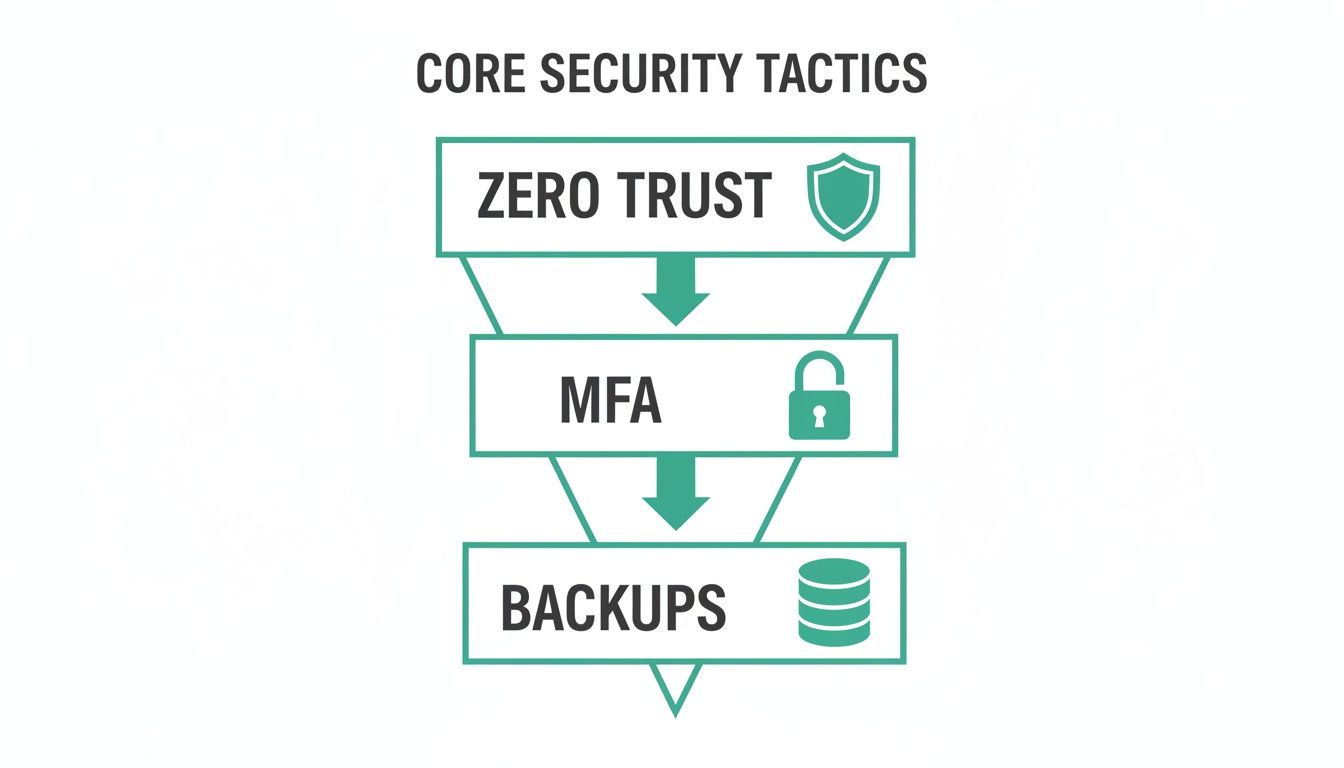
As you can see, it all flows from the top. A Zero Trust philosophy is your foundation, and it’s held up by non-negotiable tools like MFA and rock-solid backups.
Go on the Hunt With EDR
Old-school antivirus software is purely reactive. It’s designed to clean up a mess after a known virus has already been identified and let loose. In 2024, that’s not good enough. You have to be proactive.
This is the job of Endpoint Detection and Response (EDR).
We put enterprise-grade tools like Bitdefender GravityZone on every endpoint—laptops, servers, even mobile devices. These solutions don’t just sit around waiting for a known threat to pop up. They’re constantly on the lookout for anything suspicious.
- Behavioral Analysis: EDR watches for odd behavior, like an everyday program suddenly trying to make weird network connections, which can signal an active attack.
- Threat Hunting: It actively searches for the breadcrumbs that attackers leave behind, letting our team jump in and shut down a threat before it can do any real damage.
- Incident Response: When something is found, EDR gives us the tools to instantly isolate the infected machine and figure out exactly what happened, stopping the attack from spreading across your network.
Putting a solid EDR in place is the perfect example of turning "wasted tech time"—all those hours spent cleaning up infections—into a secure foundation that lets your team focus on billable work. For a deeper look at the specific setups that work best, check out our guide on the top 10 best network security practices for Indianapolis businesses. It's also vital to bake security into every IT project. For instance, a poorly planned project can easily introduce new risks, which is why understanding the details of a secure SharePoint migration security strategy is so important.
Ultimately, these foundational controls are what move your business from a reactive "geek with a screwdriver" approach to a strategic, managed defense that actually protects your bottom line.
Your Best Defense Against Ransomware
If you ask any business owner in Johnson County what keeps them up at night, there's a good chance they'll say ransomware. It's a particularly nasty brand of cyberattack. They don't just peek at your data; they snatch the keys to your entire operation, locking you out and grinding everything to a halt.
Ransomware gangs love one thing more than anything else: old, unpatched software. That’s why a disciplined approach to updates and a truly bulletproof backup plan aren’t just "best practices"—they're your front line of defense.
In our 17 years serving businesses along the I-65 corridor, we’ve seen the damage firsthand. An attack slips through one tiny, overlooked software vulnerability, and a thriving business is crippled. Attackers are lightning-fast. When a new flaw is found in something common like Microsoft SharePoint, hackers can be exploiting it within hours. Waiting even a day to patch is a massive gamble.
Shutting the Door With Patch Management
I know, I know—patch management sounds about as exciting as watching paint dry. But it’s one of the single most effective things you can do to prevent a breach. Think of it like locking every door and window in your office at night. When a company like Microsoft or Cisco releases a security update, it's a public announcement that they found a broken lock that criminals can easily pick.
This isn’t something you just "set and forget." We manage the whole process, but that doesn't mean it's on autopilot. We’re constantly watching for new patches, testing them in a safe environment to make sure they don’t break your critical software, and then deploying them when it won't interrupt your team. It’s a methodical system that turns a potential crisis into a quiet, proactive fix.
The Ultimate Undo Button: Immutable Backups
Even with perfect patching, you have to assume the worst can happen. You need a fail-safe. And that fail-safe is a modern backup strategy, where the star of the show is the immutable off-site backup.
"Immutable" is a fancy word for "can't be touched." The backup data cannot be changed or deleted—not even by an attacker who has stolen administrator credentials. It's your get-out-of-jail-free card, a pristine copy of your business completely isolated from whatever chaos is happening on your main network.
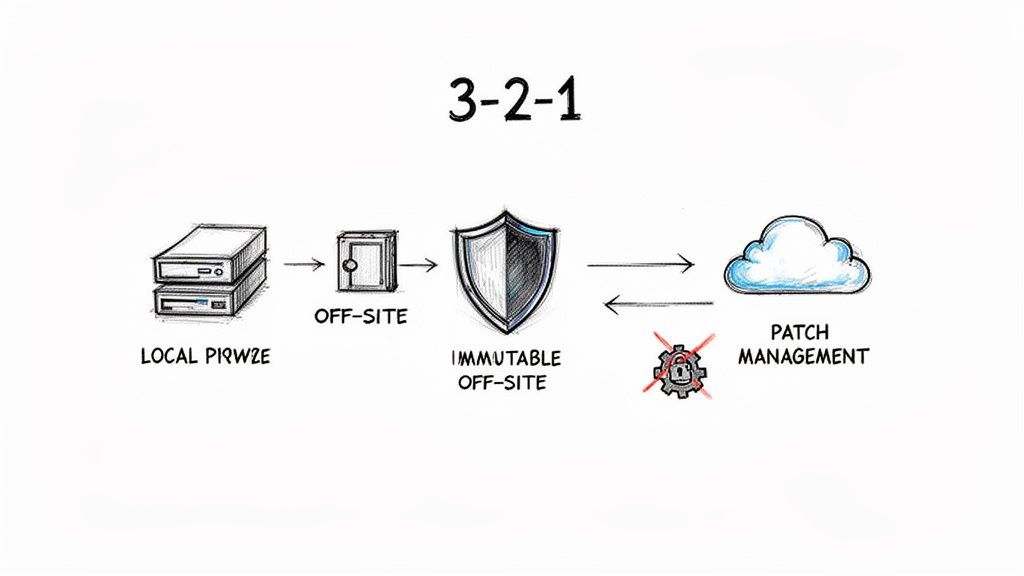
We build this protection using the gold-standard 3-2-1 backup rule:
- Have three copies of your data.
- Store them on two different types of media.
- Keep at least one copy stored off-site.
For one of our clients, a tech firm in downtown Indy, this means a local backup on a server in their office, a second copy sent to a secure data center, and the third, immutable copy living safely in the cloud. That's the kind of redundancy that lets you look a ransomware attacker in the eye and say, "No thanks." We can simply ignore the demand and restore everything from that untouched copy.
If you want to dive deeper into the nuts and bolts, we put together a full guide on enterprise data backup solutions that guarantee business uptime.
Proving Your Data Is Always Recoverable
Here’s a hard truth: a backup you haven’t tested is just a prayer. We don’t pray; we test. Our process includes regular, automated restores to confirm that the data isn't just there, but that it's usable and complete. We go beyond simple file checks, sometimes running bit-level data recovery tests to make sure every last piece of your information is accounted for.
That kind of diligence comes from experience. I’ve personally been on-site, painstakingly reassembling a client's failed RAID array from its individual disks to recover their data. You only have to do that once to learn how to design backup systems that are resilient, verifiable, and fast to restore.
When you combine consistent patch management with a robust, tested, and immutable backup strategy, you build a fortress around your business. You’re not just protecting data—you’re ensuring you can recover from an attack without paying a dime to the bad guys.
Creating a Human Firewall That Actually Works
Let's be real for a minute. You can have the best UniFi networking gear and the most powerful Bitdefender GravityZone endpoint protection, but all of it can be completely undone by one person clicking one bad link. Technology alone can't stop a data breach. Your team is your first and last line of defense, for better or worse.
The goal here isn't to point fingers. It's to acknowledge a simple, hard truth: human error is involved in over 70% of breaches. Attackers know this. It's why they spend their time crafting clever emails to fool your people instead of trying to brute-force their way past your servers. For our clients across Central Indiana—from law firms in Carmel to manufacturers in Plainfield—building this "human firewall" is a non-negotiable part of staying in business.
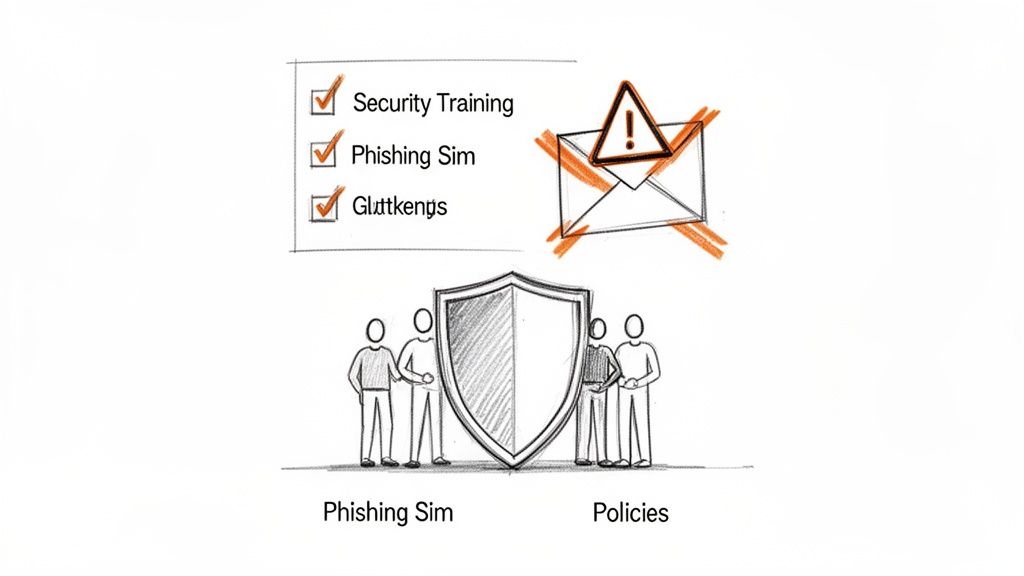
It all starts with creating simple ground rules that people can actually remember and follow. Forget that dusty 50-page binder of legalese no one has ever read.
Building Simple, Stick-to-It Policies
Great security policies are short, direct, and focused on what your team does every single day. They set clear expectations for how employees should handle company data and equipment. Your core policies really only need to cover three things:
- Acceptable Use: What's okay and what's not on company devices? This means setting clear rules for things like personal web browsing, installing unapproved software (no, your nephew’s favorite game doesn’t belong on the front desk computer), and using that free coffee shop Wi-Fi.
- Password Creation & Management: This is huge. Mandate a password manager. It solves 90% of the problem. Focus on password length and uniqueness, not those frustrating 90-day rotation rules that just lead people to write
Summer2024!on a sticky note. - Data Handling: You have to clearly define what counts as sensitive data—think customer lists, financial records, patient files—and spell out the exact rules for how it's stored, shared, and eventually destroyed.
For a healthcare provider we work with in Indianapolis, this policy specifically ties back to HIPAA. For a defense contractor near Crane, it's all about aligning with CMMC controls. Your policies have to reflect your reality.
From Boring Slideshows to Realistic Training
Nobody learns anything from a stale PowerPoint they're forced to watch once a year. It's a waste of time and money. If you want to build a security-first culture, the training has to be continuous, engaging, and a little bit sneaky. The absolute best way we've found to do this is through realistic phishing simulations.
We don't just send out a generic "Congratulations, you've won!" email. We build custom phishing tests modeled on the actual attacks we see hitting Indiana businesses. It might be a fake invoice that looks like it's from a familiar local vendor or a password reset link for an app your team uses daily. The point isn’t to shame people; it’s to teach them what to look for in a safe, controlled way.
This creates powerful, teachable moments. When someone clicks, they aren't reprimanded. Instead, they get a pop-up with immediate micro-training that explains the red flags they missed. A simple mistake instantly becomes a memorable lesson.
The data we get from these simulations is gold. It shows us exactly where your team’s blind spots are, so we can tailor future training to what they actually need. If you're curious about the numbers, we have a guide that explains how to protect against phishing attacks and the ROI of doing it right.
This constant cycle of testing, learning, and reinforcing is how you build a resilient human firewall. Cybersecurity stops being just an "IT problem" and becomes a shared responsibility that protects your entire business.
Your Playbook for When a Breach Happens
Let's be blunt: hoping for the best isn't a security strategy. You can have the best defenses money can buy, but you still have to be ready for the day something slips through the cracks. For a business here in Central Indiana, every second of panic and confusion after a breach hits translates directly into lost money—sometimes as much as $9,000 per minute.
That’s why a clear, practiced Incident Response (IR) plan is non-negotiable. The moment you suspect you've been hit is the worst possible time to start Googling "what to do in a data breach." Panic sets in, people make mistakes, and the costs just skyrocket.
Over our 17 years serving local businesses, we've seen just about everything. When we dissembled a similar client’s failing RAID array piece by piece, that kind of hands-on, in-the-trenches experience teaches you one thing: a methodical plan is all that stands between a minor hiccup and a full-blown, business-ending catastrophe.
Your playbook doesn't need to be a 100-page dissertation. It just needs to be a straightforward, actionable guide that your team can follow under pressure. A solid IR plan really boils down to four key phases.
Phase 1: Identification and Triage
The first question is always the same: "Is this a real problem, or just a false alarm?" This is where having proactive monitoring pays for itself. For our clients, our SOC-as-a-Service (Security Operations Center) provides the 24/7 eyes on the screen needed to get that answer, and get it fast.
Our security analysts use tools that are constantly on the lookout for weird behavior—think an admin account logging in at 3 AM from overseas or a workstation suddenly trying to encrypt hundreds of files. When an alert goes off, our team jumps on it immediately to figure out if it's a genuine threat. The faster you know you have a problem, the less damage the bad guys can do.
The U.S. Cybersecurity & Infrastructure Security Agency (CISA) even provides playbooks that show how this methodical approach works.
As the CISA guide shows, a good response is a cycle. It starts with preparation long before anything happens and moves through detection, analysis, and recovery. It’s a continuous loop, not a one-and-done event.
Phase 2: Containment
Okay, the threat is real. Now what? The immediate goal is to stop the bleeding. You have to isolate the infected computers or servers to keep the attacker from spreading across your entire network. Think of it like a fire department sealing off a burning room to save the rest of the house.
- Short-Term Fix: This could be as simple as yanking a compromised laptop off the Wi-Fi or temporarily powering down a server.
- Long-Term Strategy: This is more involved. It might mean setting up a temporary, clean network so critical parts of your business can keep running while the main network is being scrubbed.
This phase is a balancing act. You need to cut off the attacker's access without bringing your entire operation to a grinding halt. For a manufacturing client of ours over in Plainfield, this meant we could isolate their infected office network while the production floor—which we had put on a separate, segmented network—kept on humming.
Phase 3: Eradication and Recovery
With the threat contained, it’s time to show the attacker the door and clean up the mess. This is the moment your backups become the most important thing you own. Eradication means digging in to find the root cause—maybe an unpatched server or a phished password—and methodically removing every trace of the attacker, including any malware or backdoors they left for themselves.
Recovery is all about getting back to business as usual. This almost always involves restoring your systems from your clean, immutable off-site backups. We never, ever trust a compromised machine. The safest and quickest path forward is to wipe the affected devices completely and restore them from a known-good backup. It's the only way to be sure the threat is truly gone and won't reappear next Tuesday.
Following this process—from detection all the way to recovery—is what turns weeks of chaos and lost revenue into a managed, predictable event. It’s the difference between a controlled response and a desperate scramble.
Don’t wait for the fire alarm to start writing your playbook. The best way to keep a data breach from turning into a disaster is to know exactly what you're going to do before it happens.
The first step is figuring out where you stand today. We offer a Free Network Assessment for businesses in Greenwood and the greater Indianapolis area to help you spot these vulnerabilities before an attacker does. Let's build your defense together.
Get Your Free Security Risk Audit
Reading a guide is one thing. Actually applying it to your business—whether you're in an old brick building in Fountain Square with finicky Wi-Fi or running a fast-growing enterprise in Hamilton County—is a whole different ballgame. A generic checklist just gives you generic protection.
That’s exactly why we offer a no-strings-attached Security Risk Audit for our neighbors in Greenwood and the greater Indianapolis area. This isn’t a high-pressure sales call in disguise; it's a real, hands-on evaluation of where you stand today, performed by our certified team.
In our 17 years of local service, we’ve learned one thing: most owners are completely in the dark about their biggest risks. Our audit is designed to shine a bright light on those hidden dangers, like unpatched servers or data practices that don't meet compliance standards like NIST CSF.
We’ll roll up our sleeves and dig into your:
- Network Infrastructure: We’ll hunt for weak spots in your UniFi networking setup and check your firewall rules.
- Security Policies: Are your current policies just collecting dust? We’ll see if they actually hold up to standards like HIPAA or CMMC.
- Backup and Recovery: We’ll test if your backups are truly "immutable" and, more importantly, if you can actually restore them when you need them most.
This audit is the quickest way to translate the advice you just read into a concrete action plan. You’ll walk away with a clear roadmap for building a defense that actually protects your revenue and reputation.
For a deeper dive into our approach, you can read about our comprehensive cybersecurity services for Indiana businesses.
Don't wait for a crisis to find out where the cracks are. Avert downtime and get a real ROI on your tech spend. Schedule your free Security Risk Audit today.
Frequently Asked Questions About Data Breach Prevention
Look, we get it. We talk to business owners all over Central Indiana every day, and the same worries pop up time and time again. So let's skip the tech-speak and get right to the honest answers you're looking for.
What Is the Single Biggest Security Risk for a Small Business?
You see all the scary stuff about nation-state hackers on the news, but you want to know what really keeps us up at night for our clients? It's human error, plain and simple.
The most common way a bad guy gets in isn't through some super-complex hack. It’s by tricking a real person. We see it constantly: a convincing phishing email, a password that’s been used everywhere, or an employee accidentally downloading something they shouldn't. That’s the open door.
That’s exactly why we believe building a "human firewall" with ongoing security training is every bit as important as the best tech money can buy, like a top-tier EDR from Bitdefender GravityZone. One without the other is a job half-done.
How Much Should I Budget for Cybersecurity?
This is the big one, isn't it? While a common benchmark is to dedicate 3-6% of your IT budget to security, I find it's more helpful to think about it differently. What’s the alternative?
A predictable, monthly investment in managed security is almost always a fraction of the cost of a full-blown crisis. Downtime after a breach can literally cost you $9,000 per minute in lost revenue, not to mention the bill for emergency cleanup and recovery.
Proactive security isn't just an expense; it's a strategy. It turns a massive, unknown financial risk into a manageable, planned operational cost that protects your billable hours.
For many Johnson County business owners, moving from a reactive, break-fix model to a managed security plan is the single best step toward a predictable, secure IT budget.
Is Cloud Storage Safer Than an On-Site Server?
It can be, but it’s not a magic bullet. Think of it this way: Cloud platforms like Microsoft 365 have built a fortress, but they hand you the keys. Security is a shared responsibility.
Your data is only as safe as the rules you set. We’ve seen slick tech startups in downtown Indy tech hubs get hit because of a sloppy cloud setup just as easily as a business with an ancient server closet. The location doesn't matter as much as the controls—strong MFA, proper permissions, and regular check-ups are non-negotiable, wherever your data lives.
Can I Really Recover From a Ransomware Attack With Backups?
Yes, absolutely. But here’s the catch: they have to be the right kind of backups. If your last line of defense isn't rock-solid, it’s useless.
To actually save the day, your backups need three key ingredients:
- Tested regularly: You have to know for a fact that they work. An untested backup is just a prayer.
- Isolated: They must be kept separate from your main network, on their own island where attackers can't find or corrupt them.
- Immutable: This is the secret sauce. It means the backup files themselves can't be changed or deleted by a ransomware virus, no matter what.
Get this right, and you’ll never have to even consider paying a ransom. It becomes a problem you can solve, not a catastrophe that sinks you.
This guide gives you the playbook, but your business has its own unique playbook. The next move is to get a real-world look under the hood to find your specific vulnerabilities. Finchum Fixes IT offers a no-obligation Security Risk Audit for businesses in the Greenwood and Indianapolis area, helping you spot these threats before they become a crisis. Let's build a defense that protects your revenue and reputation. Schedule your free Security Risk Audit today.