How to Secure Remote Access for Indiana SMBs
A lot of Indiana owners are in the same spot right now. The office in Greenwood or Carmel has decent controls on-site, but remote access grew fast, piecemeal, and with too much trust baked in. One employee logs in from a home PC, another forwards work to a personal laptop, someone in the field uses Remote Desktop because it’s “quick,” and suddenly your remote setup becomes the easiest way into the business.
That’s the Southside version of a front door left cracked open. In older office parks along the I-65 corridor, I still see aging server hardware, flat networks, and remote access rules that were built during a rush and never cleaned up. The result isn’t just cyber risk. It’s business continuity risk, wasted staff time, surprise IT costs, and downtime that can cost up to $9,000 per minute.
Your Remote Workforce Is Your New Front Door
TL;DR
- Start with policy first: Decide who can access what, from which device, and under what conditions.
- Make MFA mandatory: Passwords alone aren't enough. Microsoft reports MFA can prevent over 99.9% of account compromise attacks.
- Limit network exposure: Don’t give remote users the keys to the whole building when they only need one room.
- Manage every endpoint: Remote access is only secure if the device is secure.
- Train users continuously: Good habits stop phishing, shadow IT, and risky workarounds.
- Monitor and prepare: Logging, alerting, and a clear incident response plan reduce downtime and confusion.
A remote connection isn’t just a convenience feature anymore. It’s part of your production environment. If your estimator, office manager, scheduler, controller, or field supervisor can get in from home, that path needs the same discipline as the rest of your infrastructure.
The fix starts with treating remote access as a business system, not a side setting in Microsoft 365, your firewall, or a random VPN appliance. That means policy, identity controls, device standards, segmented access, and monitoring. It also means fewer “just for now” exceptions. Those exceptions are how companies end up with broad access, unmanaged devices, and ugly Monday mornings.
If you want a broader local primer before rebuilding your stack, our guide on remote work security best practices for Indiana businesses is a good companion to this playbook.
The upside is real. Secure remote access cuts support friction, keeps people productive outside the office, and turns wasted tech time into billable hours. It also gives you a more predictable monthly IT budget because you stop reacting to access problems one panic call at a time.
Build Your Security Blueprint Before You Build the Walls
Most businesses buy tools first. They buy a VPN, add antivirus, maybe turn on MFA in one system, and hope the pieces somehow become a strategy. That’s backwards.
The right starting point is simple. Figure out what needs protection, who needs remote access, and what would break if those systems went offline today. That’s how to secure remote access without overspending or creating a mess your team hates using.
Start with the business, not the firewall
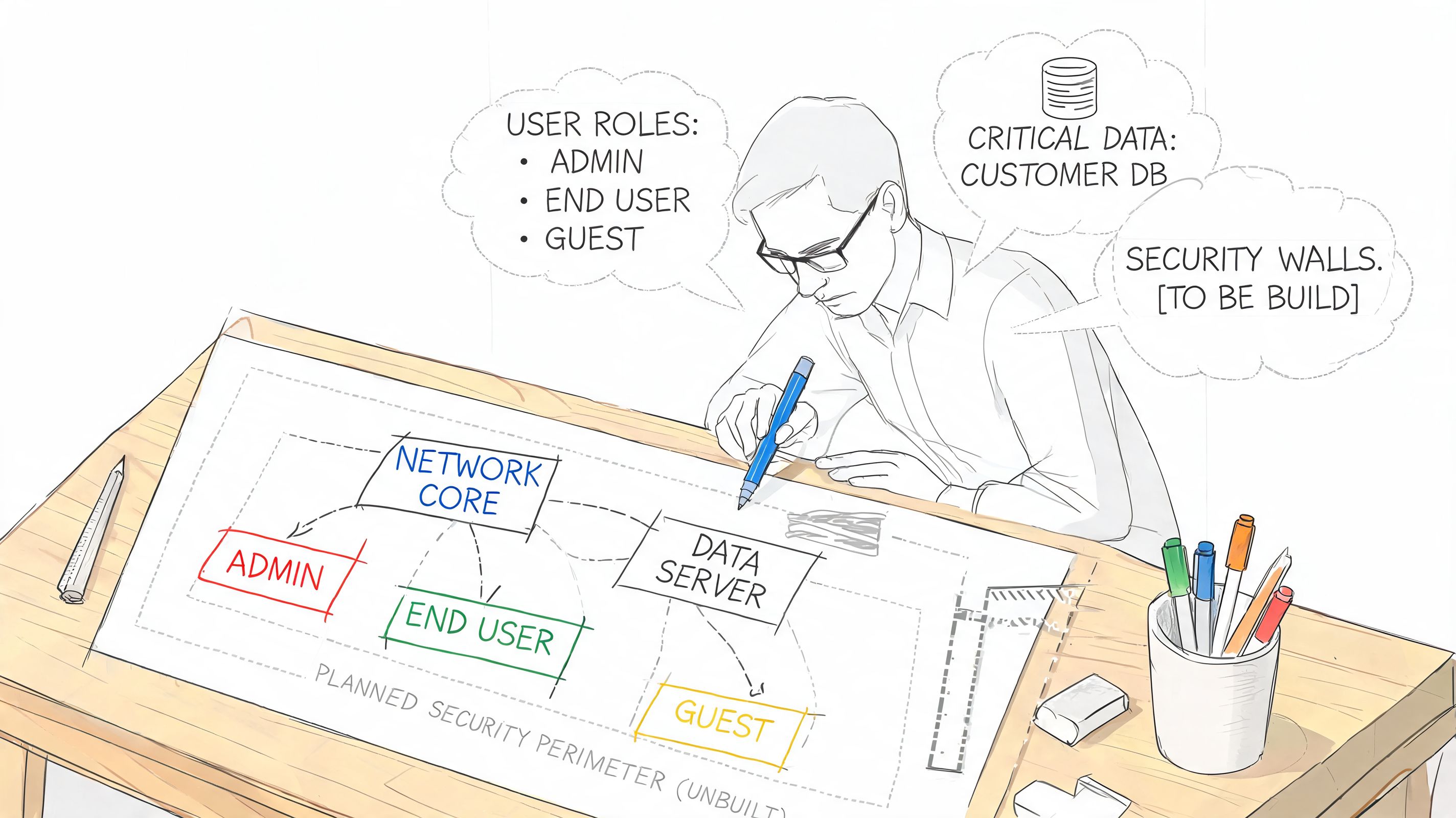
Think like you’re walking through your office after hours with a clipboard. Which rooms matter most. Payroll, accounting, patient records, CAD files, contracts, client portals, email, line-of-business apps, backup systems. You wouldn’t put the same lock on the lobby and the records room. Remote access should work the same way.
A practical blueprint for a Greenwood or Hamilton County business usually starts with these questions:
- Critical data: What information would stop operations if staff couldn’t reach it for a day?
- Critical roles: Which people need remote access, and which people only need email or one cloud app?
- Critical systems: Are you protecting a file server, a cloud ERP, a remote desktop host, Microsoft 365, QuickBooks, a medical app, or a mix of all of them?
- Compliance pressure: Does your business need HIPAA, CMMC, or alignment to NIST CSF?
- Device reality: Are users connecting from company-managed laptops, personal computers, tablets, or phones?
That list sounds basic because it should be. Security plans fail when they start as jargon and end as shelfware.
Your remote access policy should fit on one page if the business is small enough to explain over coffee.
Use a one-page remote access policy
I’m not talking about a legal document nobody reads. I mean a working rulebook. One page. Plain English. Reviewed with leadership and enforced by IT.
A usable remote access policy should answer:
| Policy area | What to define |
|---|---|
| Approved users | Which job roles get remote access |
| Approved devices | Company devices only, or what is allowed for BYOD |
| Authentication | MFA requirements and account standards |
| Approved methods | VPN, app portal, remote desktop gateway, cloud access |
| Data handling | Where files can be stored, synced, or downloaded |
| Session rules | Screen lock, idle timeout, local admin restrictions |
| Incident reporting | Who users contact if a device is lost or an account acts strange |
If you’re in healthcare, add language tied to protected health information and HIPAA safeguards. If you’re in manufacturing with federal work or subcontractor relationships, remote access needs to fit your CMMC obligations, especially for privileged access and device control. For everyone else, NIST CSF gives you a clean way to think about identification, protection, detection, response, and recovery without drowning in paperwork.
Run a fast risk assessment
This doesn’t need to take weeks. For many small and midsize companies, leadership and IT can get through a first-pass assessment in an afternoon.
Use this sequence:
- List remote access methods already in use. Include official and unofficial ones.
- Map users to systems. Many people have more access than their jobs require.
- Review device ownership. Separate company-managed devices from personal devices.
- Check admin paths. Privileged access deserves stricter controls than normal user access.
- Review backups and recovery. Security and business continuity go together. Immutable off-site backups matter when prevention fails.
- Document the top risks. Keep it short. Focus on what can stop operations.
If you need a practical worksheet, our Indiana business cyber security risk assessment template gives you a straightforward starting point.
Decide what good looks like
A security blueprint works when it sets boundaries your staff can follow without fighting the system. Good remote access usually means users can get to the apps they need fast, but they can’t wander across the whole network, install whatever they want, or log in from unknown devices without checks.
That balance matters for ROI. Too loose, and you invite downtime. Too strict, and people start using personal email, unsanctioned file sharing, and backdoor tools. Both are expensive. The right design cuts rework, reduces support noise, and gives Johnson County business owners a system they can live with.
Implement Unbreakable Digital Locks with MFA and SSO
If your business changes one thing this quarter, make it this. Stop trusting passwords as the main barrier.
That advice isn’t dramatic. It’s practical. Stolen credentials were involved in 22% of all confirmed breaches in the 2025 Verizon data referenced by SQ Magazine’s remote work cybersecurity statistics. Passwords get reused, guessed, phished, sprayed, and stolen. Once they’re out, attackers don’t need to “hack” in the movie sense. They just log in.
MFA is the control that changes the outcome
The strongest fact in this whole conversation is simple. Microsoft reports that MFA can prevent over 99.9% of account compromise attacks, and Google showed that adding a recovery phone number to accounts could block up to 100% of automated bots, as summarized in Cloudvara’s remote access security best practices.
That’s why MFA should sit in front of every remote login, especially email, VPN, admin consoles, cloud apps, finance systems, and remote support tools.
What works best:
- FIDO2 hardware keys: Strongest choice for admins, executives, finance, and compliance-heavy environments.
- Authenticator apps: Better than SMS for many general users.
- Certificate-based authentication: Strong option for managed devices and privileged workflows.
What I avoid where possible:
- SMS codes: Better than nothing, but weaker against phishing and account takeover tricks.
- Voice calls: Same problem. Too easy to abuse compared to stronger methods.
Practical rule: If an attacker can trick your user into typing a code into the wrong screen, that MFA method isn’t strong enough for high-risk access.
Centralize sign-in or you'll miss gaps
The NSA/CISA guidance cited in that same Cloudvara reference recommends enforcing MFA through a centralized authentication tier instead of relying on individual app settings. That’s the smart move because app-by-app security almost always leaves holes.
Single Sign-On, or SSO, earns its keep. Staff sign in through one controlled identity platform, and you apply the rules there. MFA, device checks, risky sign-in alerts, conditional access, session controls. One front gate is easier to secure than twelve side doors.
Here’s what SSO improves in practice:
- Fewer passwords to remember
- Fewer lockout tickets
- Faster onboarding and offboarding
- Cleaner enforcement of MFA
- Better audit visibility for HIPAA, CMMC, and internal reviews
A lot of owners think SSO is only for large enterprises. It isn’t. For SMBs in Carmel, Greenwood, Fishers, and downtown Indy, SSO often simplifies life more than it complicates it.
Roll out MFA without causing a staff revolt
Bad rollouts fail because they ignore workflow. Good rollouts pick the right groups first and handle exceptions carefully.
Use an order like this:
- Admins and executives first
- Finance, HR, and anyone touching sensitive records
- Email and cloud app users
- Remote desktop, VPN, and line-of-business systems
- Shared accounts eliminated or replaced
A short comparison helps.
| Method | Security strength | User friction | Best fit |
|---|---|---|---|
| SMS code | Lower | Low | Temporary stopgap |
| Authenticator app | Good | Moderate | General workforce |
| FIDO2 hardware key | Strongest | Low after setup | Admins, compliance, high-risk users |
| Certificate-based auth | Strong | Low after deployment | Managed devices and controlled environments |
For Indiana firms dealing with CMMC, hardware-backed and phishing-resistant methods deserve serious attention. For healthcare, centralized MFA plus strong identity logging makes HIPAA conversations much cleaner.
If you’re planning a rollout, our guide on business MFA best practices covers the operational side in more detail.
Secure the Connection From VPNs to Zero Trust
For years, the standard answer to remote access was “install a VPN.” That still has a place in some environments. But too many businesses use it as a universal fix when it really behaves more like a master key.
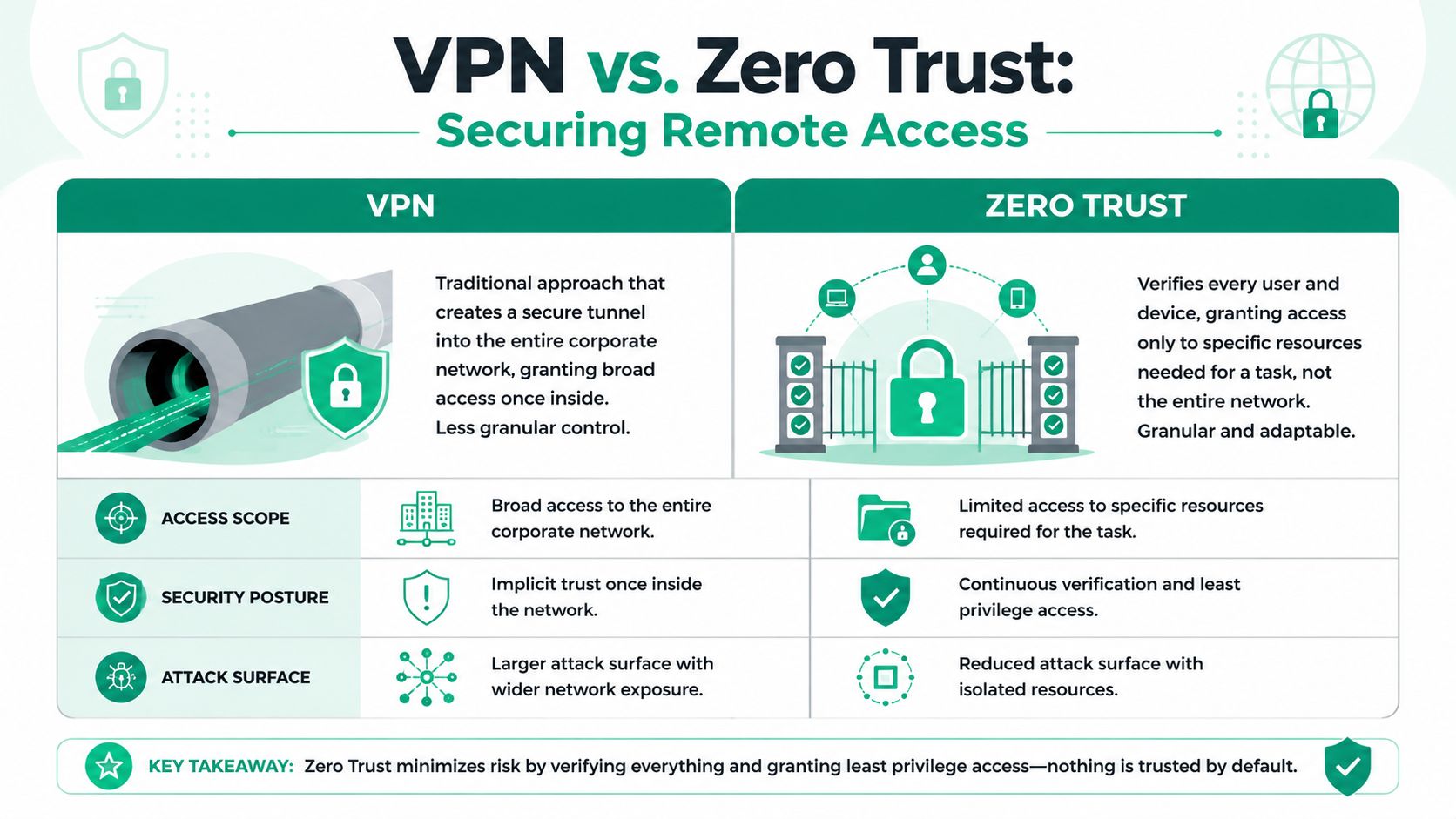
A traditional VPN creates an encrypted tunnel into the business network. Once the user is in, access is often broader than it should be. That was easier to tolerate when work happened on a small number of trusted company laptops. It’s a weaker fit for distributed teams, mixed devices, cloud apps, and contractors.
VPN versus Zero Trust in plain English
Here’s the simplest comparison I use with business owners.
| Model | What it does | Main strength | Main problem |
|---|---|---|---|
| VPN | Connects a user to the internal network | Familiar and widely supported | Often grants broad network access |
| Zero Trust access | Connects a user to a specific app or resource after verification | Tight control and smaller attack surface | Requires cleaner design and policy work |
That second model is the direction many businesses should move. Zero Trust architecture works on the assumption that no user, device, or session gets automatic trust just because it reached the network edge. Every request gets checked against identity, device state, and policy. Access is granted to the application or resource needed, not the whole environment.
If you want a useful outside read on design principles, Dupple’s write-up on Zero Trust architecture design gives a good high-level framework.
Why old remote access setups get companies in trouble
A lot of ugly incidents start with remote administration tools that were left exposed too long. Remote Desktop Protocol exploitation remains a major threat, with over 85% of organizations leaving RDP accessible to the internet for significant periods, and the SANS Institute found that 50% of security incidents originated from remote access pathways, according to SentinelOne’s remote access security best practices overview.
That tracks with what I see in the field. RDP, VPN appliances, old remote support tools, and hastily configured firewall rules become permanent because “they still work.” Attackers love systems that still work.
A better pattern looks like this:
- Publish applications, not the whole network
- Require identity checks before each access path
- Restrict privileged sessions more heavily than user sessions
- Log activity centrally
- Keep remote admin paths separate from everyday user access
This explainer is worth a quick watch if you want the visual version of the old model versus the newer one.
What to do if you still need a VPN
Some Indiana businesses still need VPN access. Manufacturing environments, older ERP systems, on-prem file workflows, and specialty software don’t always move cleanly to app-level access right away. That’s fine. You can still reduce risk.
Harden it this way:
- Tie VPN access to centralized identity and MFA
- Allow only managed devices
- Separate user VPN and admin VPN
- Use least-privilege network rules
- Review logs and failed sign-ins
- Retire unused accounts fast
And if you must keep Remote Desktop in play, don’t expose it casually. Put it behind stronger controls, restricted paths, and proper monitoring.
Segment the network like you mean it
This is where good networking matters. A flat network makes every remote mistake more expensive. Segmentation puts walls between systems so one bad login or compromised laptop doesn’t spill everywhere.
On many SMB projects, that means carving up access between office users, servers, guest wireless, production systems, and admin tools. UniFi networking can help with practical segmentation in the SMB space when it’s designed correctly, especially in older brick buildings around downtown Indy or mixed-use offices where Wi-Fi and wired traffic have grown organically. The hardware isn’t the point. The policy is.
For businesses that need outside help implementing VPN, access control, and segmented connectivity, Finchum Fixes IT’s VPN and secure access guidance is one local resource.
Protect Every Device and Train Every User
A Greenwood office manager signs in from a company laptop. It is patched, encrypted, monitored, and tied to your security stack. A second employee logs in from a personal laptop at the kitchen table with old browser extensions, family software, and no business-grade monitoring. Same Microsoft 365 account. Same apps. Very different risk.
That difference shows up fast when something goes wrong.
The managed device gives your IT team telemetry, policy control, and a way to contain damage. The personal device gives you guesswork. For Indiana businesses dealing with HIPAA, CMMC, or cyber insurance questionnaires, that gap turns into audit findings, claim issues, and downtime.
MFA helps. A compromised device still puts you at risk
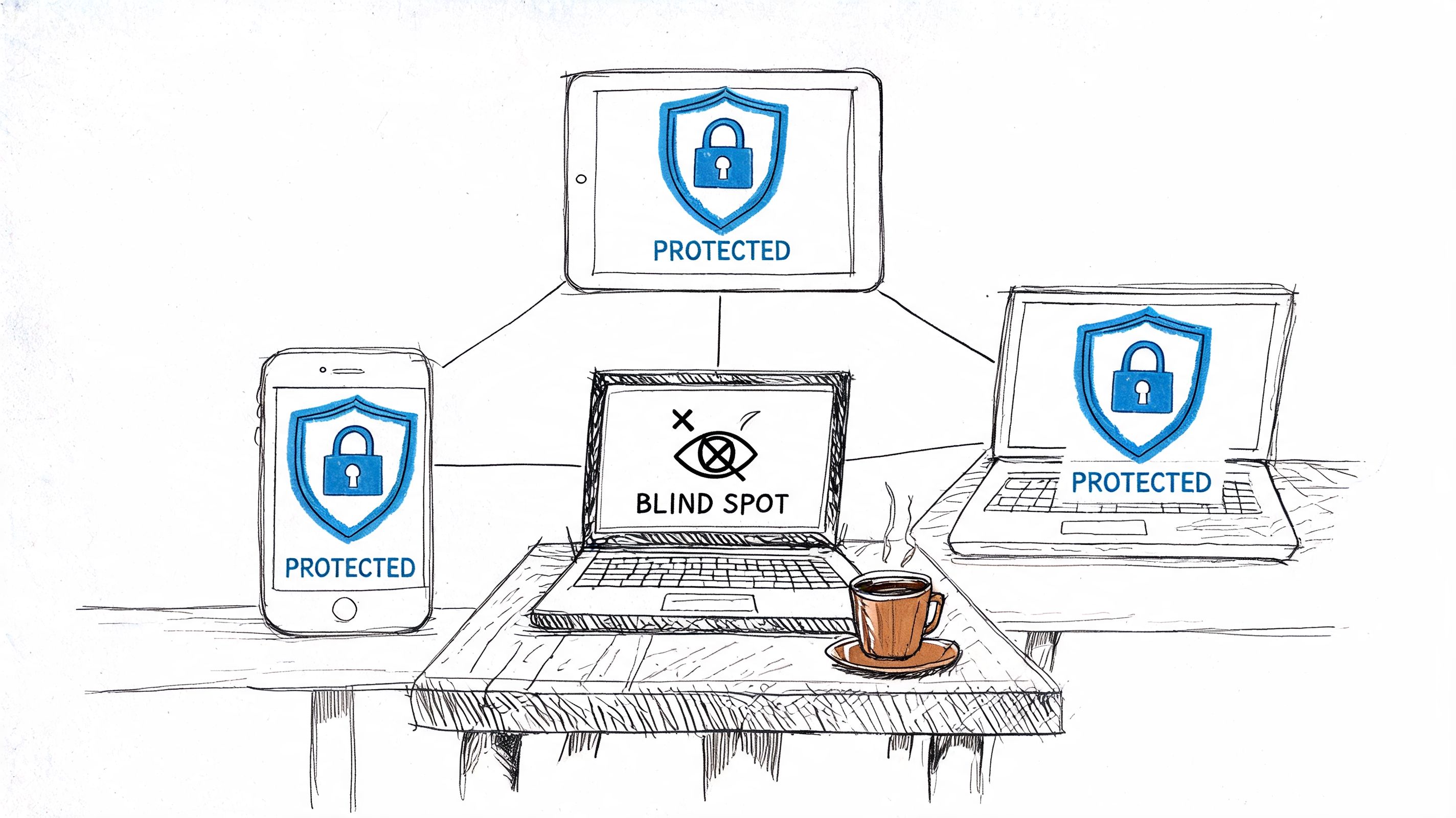
Microsoft reported in its Digital Defense Report that MFA is now common across business environments, but personal and unmanaged devices still create one of the biggest weak points in remote work. We see the same pattern in the field. Owners spend money on stronger logins, then leave endpoints inconsistent because BYOD feels cheaper.
It usually is cheaper only until the first incident.
A reused browser session, an infostealer, or a fake update prompt on a home PC can bypass a lot of the confidence business owners place in MFA. Access security has to include the device itself, not just the sign-in screen.
Set a device standard you can enforce
Remote access should start with a simple rule. If a user needs regular access to company systems, that user should be on a managed device.
For most SMBs in Carmel, Fishers, and the north side of Indy, a workable endpoint standard includes:
- Company-managed laptops for regular remote users
- EDR on every approved Windows and Mac endpoint
- MDM for business phones and tablets
- Patch management with reporting, not just auto-update turned on
- Full-disk encryption
- No standing local admin rights for daily work
- Clear separation between approved and unapproved devices
EDR matters because attackers do not rely only on obvious malware files anymore. You need behavior-based detection that can catch suspicious scripts, persistence attempts, credential theft activity, and remote control abuse. MDM handles the mobile side. It lets you enforce screen lock, encryption, app controls, and remote wipe without hoping users configure everything correctly.
I have had this conversation with healthcare groups in Hamilton County and defense-adjacent manufacturers along the I-69 corridor. The trade-off is simple. Buying and managing company devices costs more up front. Cleaning up a breach on an unmanaged device costs more later, and it hits operations at the worst possible time.
A secure remote user is a person, a trusted device, and a controlled session.
Train users like this is part of operations
Annual awareness training checks a box. It does not change behavior much.
Teams retain more when training is short, specific, and tied to the work they do every day. Front-desk staff in a medical practice need examples tied to PHI, shared workstations, and suspicious sign-in prompts. A controller at a growing Greenwood construction firm needs training on invoice fraud, document sharing, and approval requests. A machine shop supporting defense work needs tighter habits around remote admin access, file handling, and account protection that map to CMMC expectations.
Good user training should include:
- Short phishing and sign-in drills throughout the year
- A clear way to report suspicious emails or MFA prompts
- Role-based examples for finance, healthcare, field teams, and leadership
- Follow-up coaching after mistakes and near misses
- Simple written rules for file sharing, device use, and remote work
If you want a practical starting point, our guide to endpoint security best practices for Indianapolis SMBs covers the controls we usually put in place first.
The goal is not perfect behavior. The goal is fewer preventable mistakes, faster reporting, and devices you can trust when somebody clicks the wrong thing.
Your Indiana SMB Implementation Checklist
Prevention gets most of the attention because it’s easier to explain. Detection and response are what save you when prevention misses something. That’s why mature remote access security includes monitoring, logging, and a response plan people can follow under stress.
A SOC-as-a-Service setup gives SMBs access to ongoing alert review, triage, and investigation without staffing a full internal security team. That matters when suspicious logins happen after hours, when an endpoint starts behaving badly, or when a remote admin session doesn’t look right. If your team has to notice and interpret every alert on its own, things get missed.
Build the response playbook before you need it
The first hour of an incident is where confusion gets expensive. People aren’t sure who has authority, which accounts to disable, whether to disconnect a machine, or how to preserve evidence. That chaos creates more downtime than the attack sometimes.
Your incident plan for remote access should answer:
- Who gets called first
- Who can disable accounts
- Who can isolate devices
- What logs need to be checked
- How users report suspicious prompts or MFA fatigue
- How backups are verified before recovery starts
If you use immutable off-site backups, document the restoration path clearly. If you don’t, fix that. Backups are part of business continuity, not an unrelated project.
The practical checklist
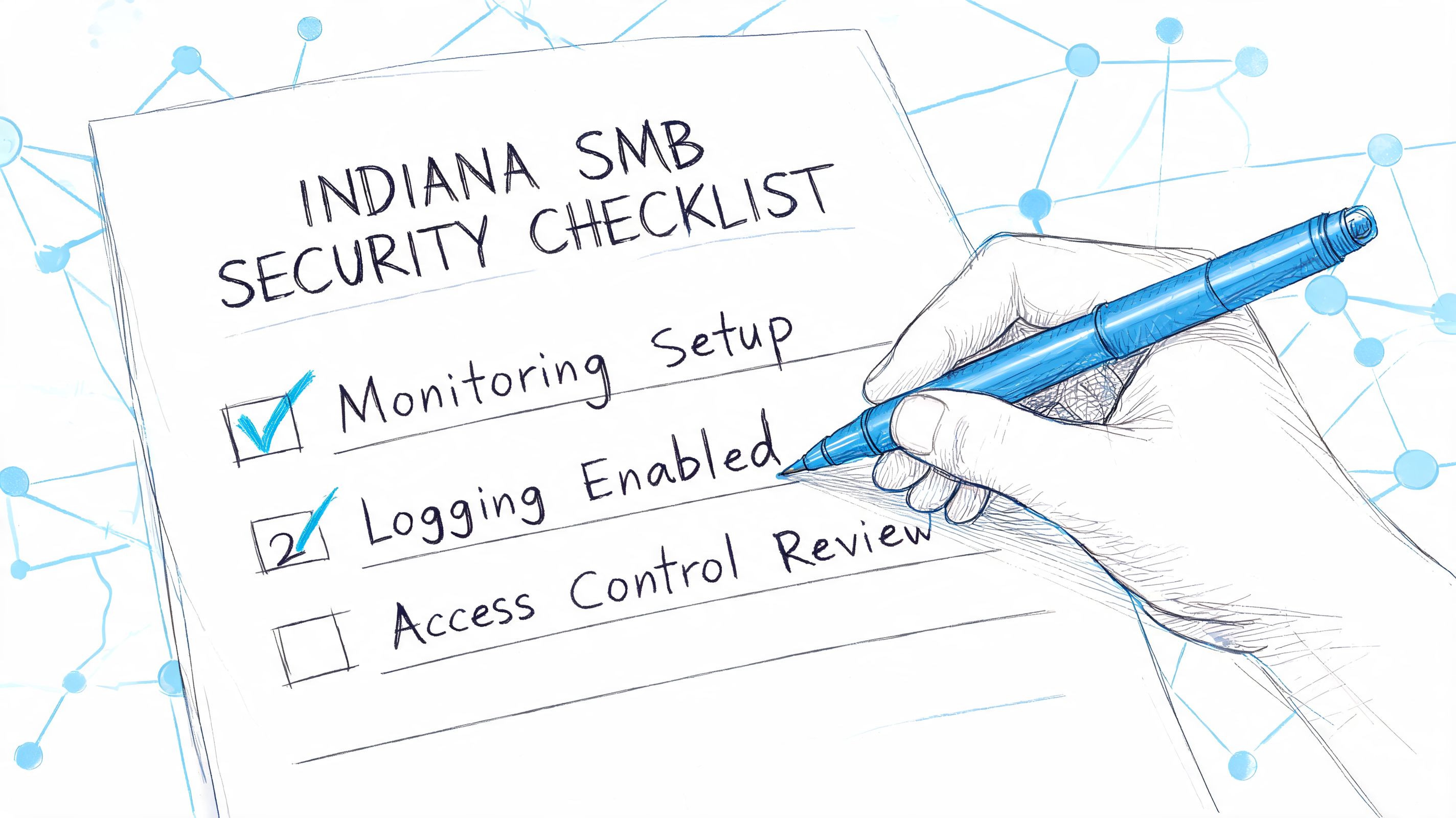
This is the order I’d use for a typical Greenwood or Indianapolis SMB.
-
Inventory every remote access path
Include VPNs, cloud portals, remote desktop tools, vendor access, remote support apps, and forgotten exceptions. -
Write the one-page remote access policy
Keep it practical. Include user roles, approved devices, MFA requirements, and data handling rules. -
Reduce unnecessary access
Remove old accounts, cut unused software access, and review who really needs admin rights. -
Turn on centralized MFA and SSO
Start with privileged users, then move through the rest of the business in a controlled rollout. -
Replace broad network access where possible
Shift users toward application-specific access and Zero Trust-style controls instead of full network exposure. -
Lock down legacy methods
If VPN or RDP must stay, tighten who can use them, from which devices, and under what conditions. -
Standardize endpoints
Company-managed laptops, EDR, encryption, patching, and MDM should become normal, not optional. -
Segment the network
Separate servers, users, guest traffic, and management planes. Don’t let one bad session touch everything. -
Stand up logging and monitoring
Make sure sign-ins, suspicious activity, and endpoint events are visible and reviewed. -
Train users in short cycles
Keep it frequent and relevant. Focus on phishing, risky prompts, lost devices, and reporting steps. -
Test recovery
Verify backups, restoration priorities, and communication plans. Recovery that hasn’t been tested is just optimism. -
Review quarterly
Remote access changes with staffing, software, and acquisitions. Your controls need regular tune-ups.
Security that protects continuity is worth more than security that only looks good in a policy binder.
What ROI actually looks like
Owners usually ask the right question. “What does this do for the business besides reduce risk?” The answer is straightforward.
A clean remote access model reduces failed logins, cuts account recovery noise, lowers the chance of a business-stopping incident, and makes user onboarding faster. It also helps you budget. Instead of random emergency spend, you move toward predictable monthly costs tied to managed identity, endpoint protection, monitoring, backups, and support.
For companies across Johnson County, Hamilton County, and the broader Indy metro, that’s the practical win. Better uptime. Less wasted tech time. More hours spent serving customers instead of untangling preventable access problems.
Take the First Step to Secure Your Business
Remote access isn’t a side project anymore. It’s part of how your business runs, how your staff stays productive, and how attackers look for a way in. If you want to know how to secure remote access properly, start with identity, device trust, limited access, monitoring, and a recovery plan that’s been thought through before something goes wrong.
That approach protects more than data. It protects scheduling, payroll, client communication, compliance, and the work your team needs to get done every day. It also gives you cleaner operations and fewer expensive surprises.
If you’re in Greenwood, Indianapolis, Carmel, Fishers, or anywhere along the central Indiana corridor, the next step is a real review of what’s exposed, what’s unmanaged, and what needs tightening first.
If your company needs a clearer remote access plan, schedule a Free Network Assessment with Finchum Fixes IT. We’ll review your current setup, identify weak points in remote access, endpoint control, and network segmentation, and give you a practical roadmap for stronger security and better business continuity in the Greenwood and Indianapolis area.