IT Support for Small Business: Your 2026 Indiana Guide

At 8:12 on a Monday in Greenwood, the front office can still answer calls, but the shared drive is down, the accounting system hangs, and nobody can pull a customer file. By 9:00, the owner is paying employees to wait, apologizing to customers, and calling whoever last touched the server. That is what break-fix IT looks like in real business terms. Lost hours, delayed cash flow, and a problem that gets more expensive the longer it sits.
For Indiana small businesses, IT support is a financial decision before it is a technical one. A medical practice has to protect patient data under HIPAA. A machine shop bidding on defense work may need to meet CMMC requirements. An office with weak email security can lose sales opportunities if messages stop landing in inboxes, which is why it helps to check if your domain is blacklisted before deliverability problems turn into revenue problems.
TL;DR
- IT support for small business should reduce downtime, security risk, and expensive last-minute repairs.
- Break-fix support costs more than it first appears because labor stoppages, missed invoices, and service delays hit operations immediately.
- Managed IT services give Indiana companies a predictable monthly cost, faster response, and ongoing maintenance that lowers the odds of a bad outage.
- The right service mix usually includes cybersecurity, network support, cloud systems, backups, disaster recovery, and day-to-day software help.
- Compliance matters for Indiana SMBs in healthcare, manufacturing, and government contracting. HIPAA, CMMC, and NIST-based controls affect how systems should be set up and monitored.
- Provider selection should be practical. Ask how they handle response times, backup testing, endpoint protection, user support, and after-hours incidents.
- Security planning should be current. A solid starting point is this 2026 small business cybersecurity checklist for Indiana companies.
Around Greenwood, downtown Indy, and the I-65 corridor, tech failures rarely stay contained. A bad backup can delay payroll. Unstable Wi-Fi can slow order entry for a full shift. One failed firewall update can cut off remote access for the entire office. Professional IT support prevents a lot of those hits before they reach the owner's desk, and that protection shows up in margins, customer retention, and fewer days spent reacting to preventable problems.
Your Technology Should Not Be a Liability
At 8:07 on a Tuesday morning, the front desk cannot open the shared drive, the phones are lagging, and payroll is due by noon. In a Greenwood office, that kind of failure is not just an IT problem. It turns into idle labor, delayed billing, frustrated customers, and a manager pulled away from revenue work to chase a preventable issue.

The Southside bottleneck
Around Johnson County, I still walk into businesses running on aging servers, consumer-grade networking, and backups nobody has tested since the last employee set them up. The systems limp along just enough to avoid attention. Then one bad patch, one failed drive, or one internet hardware issue stops work across the office.
That cost lands fast. Staff keep getting paid while they wait. Orders sit. Claims do not go out. A medical office risks HIPAA trouble if access controls and backups are sloppy. A small manufacturer serving defense work can create CMMC headaches if systems are poorly maintained or user access is not tracked correctly.
For Indiana small businesses, technology now sits directly on the path between effort and revenue.
What a stable environment looks like
Good IT support fixes the weak points that create repeated disruption and hidden cost. The goal is simple. Keep people working, protect the data, and reduce the odds that a small technical issue turns into a business interruption.
That usually includes:
- Replacing failure-prone infrastructure: retiring hardware that is past its useful life, checking storage health, and addressing the server or workstation issues employees have been working around for months.
- Correcting network design: fixing Wi-Fi coverage, switch problems, and firewall settings so offices, shops, and remote staff can stay connected without daily drops.
- Testing backups and recovery: confirming files, systems, and Microsoft 365 data can be restored, not just assuming backup jobs are running.
- Securing email and endpoints: reducing phishing risk, tightening device protection, and using practical checks to check if your domain is blacklisted when email delivery starts slipping.
- Reviewing compliance exposure: documenting access, patching, device standards, and security basics for companies that handle patient information, card data, or controlled defense-related information.
- Setting a current security baseline: a useful starting point is this 2026 small business cybersecurity checklist for Indiana companies.
I tell owners the same thing in plain terms. If your team has built weekly workarounds to get through the day, your technology is already costing you money. The invoice for that loss just has not shown up in one line item yet.
Moving Past the Break-Fix Trap
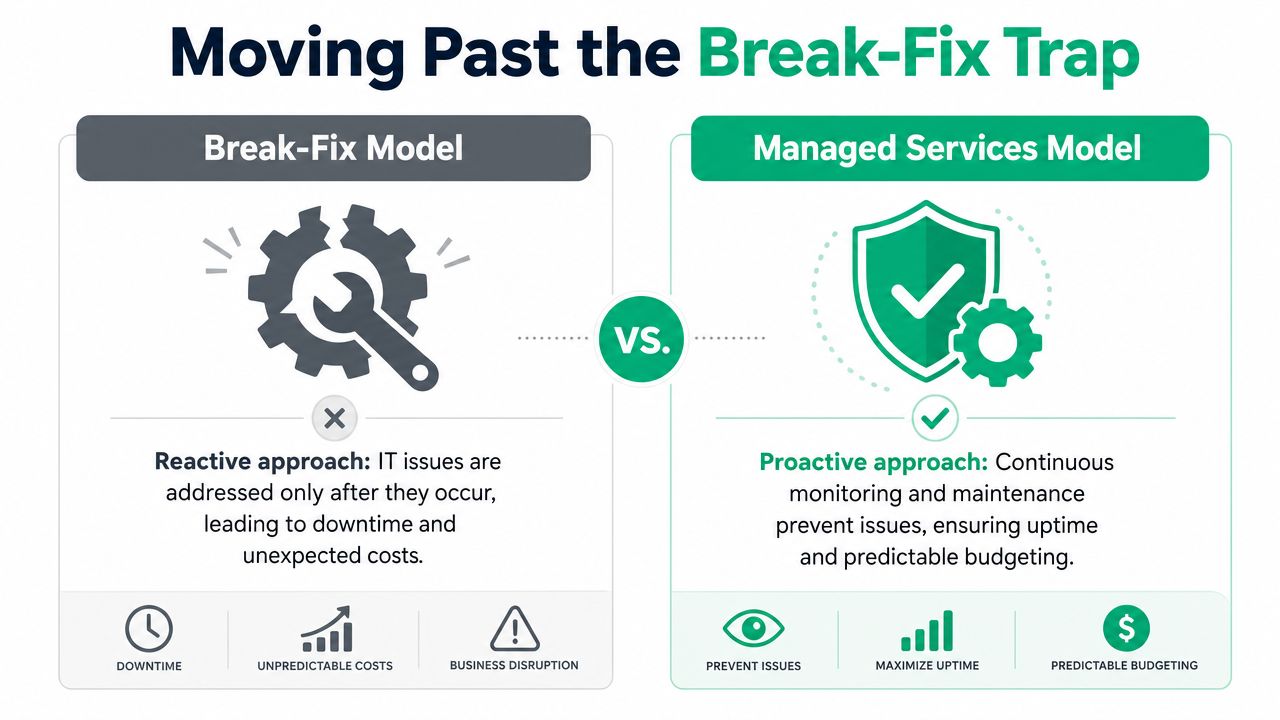
A Greenwood office loses access to shared files at 9:10 on a Tuesday. The owner calls for help, employees stall out, and every hour turns into payroll spent on waiting instead of billable work. That is the break-fix model in real business terms. You do not just pay the technician. You pay for idle staff, missed customer response times, and the scramble that follows.
Managed IT services change the economics. The goal is to keep workstations patched, backups verified, security alerts reviewed, and small issues handled before they stop the day. For Indiana small businesses, that usually means fewer surprise invoices and fewer revenue-killing outages.
Why break-fix keeps small businesses stuck
Break-fix looks cheaper because the bill only shows up after a failure. Owners see one invoice. They usually do not see the full cost sitting around it.
A server issue that takes four employees offline for half a day is not just a tech problem. It is lost output. A phishing incident that locks down email is not just an inconvenience. It can delay quotes, payments, scheduling, and customer communication. If the company handles protected health information or defense-related data, the exposure gets more serious. HIPAA and CMMC do not care whether the outage started with an ignored patch or an aging firewall.
That is the trap. Reactive support rewards delay. Problems stay invisible until they are expensive.
What the managed model gets right
A managed provider has a different incentive. Stable systems mean fewer emergencies, cleaner networks, and less wasted labor on both sides. That alignment matters more than most owners realize.
For a ten-person accounting office in Johnson County, one recurring printer or Wi-Fi issue can drain hours every month. For a medical practice, downtime can affect patient flow and documentation. For a small manufacturer bidding on defense work, weak access controls or poor asset tracking can become a contract problem, not just an IT problem.
Managed support works best when it includes routine maintenance, clear response times, documentation, vendor coordination, and a plan for compliance requirements that apply to the business. If you want a practical picture of how that model supports growth, this managed IT services guide for small business growth lays out the operating side well.
A simple comparison helps:
| Model | What it usually means for the business |
|---|---|
| Break-fix | Costs hit after failures. Budgeting is uneven, root causes linger, and outages tend to last longer because no one is watching proactively. |
| Managed services | Costs are planned monthly. Systems are maintained continuously, recurring issues get addressed earlier, and risk is easier to control. |
Communication tools are part of this too. If phones, chat, video meetings, and remote access are patched together without oversight, support gets harder and downtime spreads faster. Hosted Telecommunications' UC guide gives a useful overview of how unified communications fits into small business operations.
Practical rule: If your staff keeps working around the same technology problems, you are already spending money on IT. Break-fix just hides the total in downtime, rework, and preventable risk.
The Core IT Services Driving Indiana Businesses
A Greenwood office with 20 employees can lose a surprising amount of money to weak IT in a single week. One bad wireless setup drops VoIP calls. A backup job fails, undetected. An employee keeps local files on a laptop that never should have held the only copy. None of those problems look dramatic on day one. By the end of the month, they show up as missed appointments, stalled production, overtime, and owner distraction.
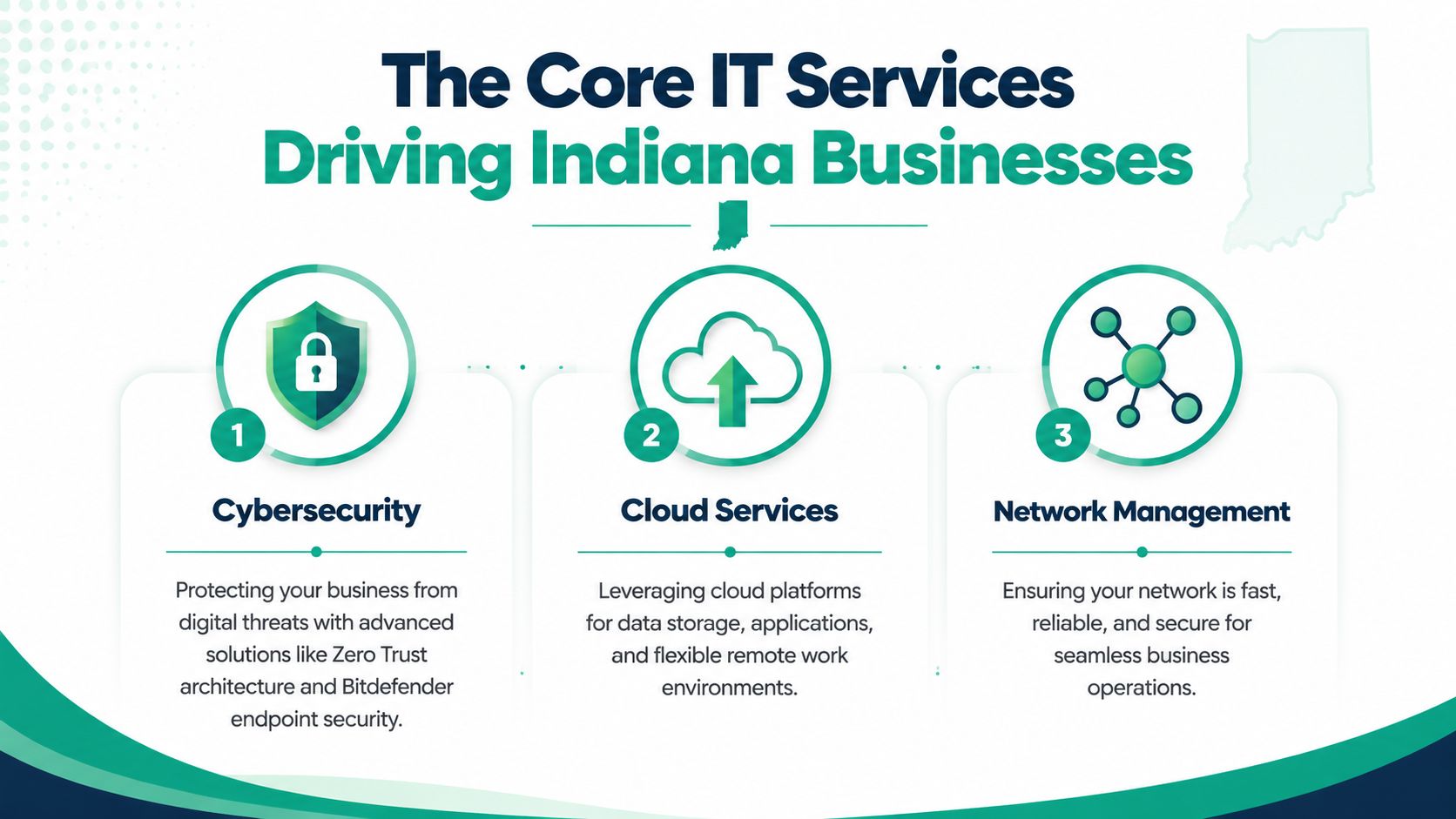
Cybersecurity that matches the business you actually run
Small business security needs to fit the work, the data, and the contract risk. A medical practice in Johnson County has different obligations than a machine shop bidding on defense work, but both need more than antivirus and good intentions.
A practical stack usually includes Zero Trust access controls, endpoint protection such as Bitdefender GravityZone, email filtering, multi-factor authentication, log review, and SOC-as-a-Service monitoring where the risk justifies it. For HIPAA environments, access control, audit trails, and recoverable backups matter because you may need to prove how systems were protected. For CMMC-focused manufacturers, the bar is higher around documentation, access restrictions, and repeatable security processes. For many Indiana companies outside those regulated categories, NIST CSF is still a solid baseline for setting priorities.
That work protects more than files. It protects scheduling, invoicing, customer trust, and the ability to keep operating after an incident.
Networking built for old buildings and busy floors
A lot of Indiana businesses operate in buildings that were never planned for dense wireless coverage. Brick walls, metal shelving, patched-together additions, and bargain hardware create the kind of network problems employees describe as “random.” They are usually not random.
Modern Wi-Fi design starts with access point placement, channel planning, and signal quality. Cisco's wireless guidance on signal-to-noise ratio and client performance explains why lower SNR reduces data rates and hurts user experience. In a business setting, that means slower cloud apps, choppy calls, dropped sessions, and staff waiting on systems that should respond instantly.
A solid setup usually includes:
- UniFi networking or equivalent managed hardware: Centralized visibility makes troubleshooting faster and exposes recurring faults.
- Properly designed mesh or hardwired access points: Mesh helps in older spaces, but only when it is planned carefully and not used as a shortcut for every coverage issue.
- VLAN segmentation and 802.1X controls: Guest devices, cameras, printers, and business systems should be separated to reduce risk and contain problems.
The trade-off is straightforward. A cheaper network costs less to install. It usually costs more to live with.
Cloud systems with standards, not subscription clutter
Cloud services help when they are tied to policy and workflow. They create sprawl when every department signs up for tools on its own.
Most Indiana SMBs do well with a defined Microsoft 365 setup, managed file storage, cloud backups, device policies, and clear retention rules. Trouble starts when nobody can answer basic questions about where data lives, who still has access, or whether deleted files can be restored. That is how simple support requests turn into security and compliance problems.
Communication tools fall into the same category. Phones, chat, video meetings, and remote work platforms need to fit the way the business operates. Hosted Telecommunications' UC guide is a useful reference for owners reviewing unified communications as part of a broader operations plan.
Backup, recovery, and software support that hold up under pressure
Backups only matter if the restore works. That sounds obvious, but plenty of businesses find out too late that backup alerts were ignored, retention settings were wrong, or a critical server was never included in the job.
When a drive, RAID array, or file system fails, recovery can involve bit-level work to pull usable data without making the damage worse. I have seen local companies spend far more on emergency recovery than they ever would have spent on proper backup testing. When we disassembled a similar client's failing RAID array, the lesson was simple. Recovery is expensive, stressful, and slow compared with a tested restore plan.
That is why managed support should include immutable off-site backups, routine restore testing, documented recovery priorities, and software support that keeps line-of-business applications stable as vendors push updates and licensing changes. Businesses that want a clearer view of how that model works locally can review this guide to managed IT services for Indiana businesses.
Custom software also belongs in this conversation. If your team is still forcing spreadsheets, shared inboxes, and manual re-entry to handle approvals, service tickets, inventory, or field updates, the IT issue is no longer just support. It is process drag. In many cases, a lightweight internal app or automation project costs less than another year of avoidable admin time.
Calculating the True Return on IT Investment
Monday at 8:12 a.m., your front desk cannot log in, a shared folder is missing, and two employees are waiting on the same printer error. Nobody calls that an IT budget issue in the moment. They call it a bad start to the day. By the end of the week, it shows up as delayed invoices, missed appointments, idle labor, and work that has to be done twice.
That is the true return calculation. Indiana small businesses do not get value from technology because the monthly bill is low. They get value when systems stay up, staff keep working, and owners avoid expensive surprises.
What reactive IT actually costs
Break-fix support looks cheaper until you count the hours around the incident instead of just the invoice. A one-hour outage rarely costs one hour. It pulls in the employee who found the problem, the manager answering questions, the vendor who cannot get a response, and the customers who now wait longer than they should.
The effect is different by business type, but the math is the same.
A Greenwood medical office that loses access to schedules and charting risks same-day revenue and HIPAA exposure if staff start using personal devices or improvised workflows. A small manufacturer in Johnson County can miss production targets when one workstation tied to shipping or inventory goes down. A defense subcontractor bidding on regulated work has a different problem. Weak patching, poor access control, and missing documentation can slow down CMMC readiness and keep the company out of contracts it is otherwise qualified to win.
Those are business losses, not just technical problems.
Where managed support produces measurable return
The strongest return usually comes from four areas: fewer outages, faster recovery, less employee downtime, and lower compliance risk.
Managed support reduces labor waste because problems get addressed before they stop work. It also makes costs more predictable. Instead of paying premium rates after a failure, businesses pay for monitoring, patching, review, and maintenance that lower the odds of the failure in the first place.
For owners, that changes planning. Cash flow is easier to manage when IT spend is scheduled and operating interruptions are less frequent. For regulated businesses, the return is even clearer. Documented updates, access controls, backup checks, and security review support requirements tied to HIPAA and CMMC. That work protects revenue that depends on passing audits, keeping cyber insurance, and staying eligible for contracts.
One missed day can cost more than a month of managed service.
That is why I tell Indiana clients to compare two numbers. First, what they pay for support. Second, what one serious interruption costs in payroll, lost sales, delayed work, recovery effort, and compliance cleanup. The second number is usually the one that changes the conversation.
If you want a practical framework for that comparison, this SMB IT budget planning guide for ROI and resilience breaks it down in plain terms.
Understanding IT Support Pricing and Costs
A Greenwood office with 12 employees can lose more money from one bad afternoon of downtime than from a month of managed support. That is why pricing needs to be tied to business risk, not just a low number on a proposal.
The problem with IT quotes is scope. One provider includes patching, security monitoring, backup checks, Microsoft 365 administration, vendor coordination, and after-hours response. Another quotes a lower monthly rate and bills extra the first time a server fails, a user gets locked out, or a phishing issue needs cleanup. On paper, both plans can look similar. In practice, they are not priced for the same job.
What the common models look like
Managed IT support for small business usually falls into a few common pricing models:
| Model | Typical Cost | Best For | Pros | Cons |
|---|---|---|---|---|
| Per-user | $75 to $150 per user monthly for basic support according to managed IT pricing benchmarks in Indiana-focused research | Offices where each employee relies on a laptop, email, cloud apps, and help desk support | Predictable budgeting, easy to scale as headcount changes | Scope can get fuzzy if security, backups, or compliance tasks are excluded |
| Per-device | Varies by workstation, server, firewall, and network gear | Warehouses, retail, and mixed environments with shared devices and fewer named users | Can fit operations where device count matters more than employee count | Pricing gets harder to track when mobile devices, remote users, and SaaS tools are added |
| Tiered managed plan | Basic support often aligns with $100 to $200 per user monthly, with extensive services reaching up to $300 for advanced cybersecurity and compliance-focused work based on Hilliard OS managed IT cost ranges | Companies that need stronger security controls, reporting, or compliance support | Easier to match service level to risk, especially in healthcare, manufacturing, and defense supply chains | Provider comparisons get difficult if each tier includes different tools and response terms |
| Break-fix hourly | Hourly billing varies by provider, issue severity, and after-hours availability | Very small firms with simple systems and high tolerance for interruption | No recurring contract | Costs spike fast during outages, and the provider is usually reacting after work has already stopped |
For Indiana businesses with HIPAA or CMMC exposure, the primary price question is not hourly versus monthly. It is whether the agreement covers the work that keeps you operating and documented. Access reviews, patch status, endpoint protection, backup verification, user offboarding, and incident response planning all take time. If they are missing from the contract, they usually come back as separate project fees or emergency labor.
The add-ons that change the real monthly cost
Backup, security, and cloud administration often decide whether a quote is realistic. Some firms need only basic endpoint support. Others need encrypted backups, longer data retention, MFA enforcement, email security, log review, and policy documentation because an insurer, auditor, or contract requires it.
Website support is another line item owners forget to price until something breaks. If your site drives leads, appointments, or customer service, your website maintenance strategy should line up with the rest of your support plan so updates, security, hosting issues, and vendor coordination do not fall between companies.
The best proposal is the one that clearly states what is included, what triggers extra charges, how after-hours work is billed, and who owns follow-through with your internet provider, software vendors, and line-of-business systems. Clear pricing prevents ugly surprises. It also makes it easier to compare providers on value instead of guessing at what a low quote leaves out.
How to Choose the Right Provider in Indiana
A Greenwood medical practice that loses access to charts for half a day does not just have an IT problem. It has canceled appointments, staff standing around, delayed billing, and a possible HIPAA exposure if the outage ties back to weak controls. A machine shop south of Indianapolis dealing with defense work faces a different risk. If the provider cannot speak clearly about access control, logging, and CMMC-aligned security practices, that contract can become harder to keep.
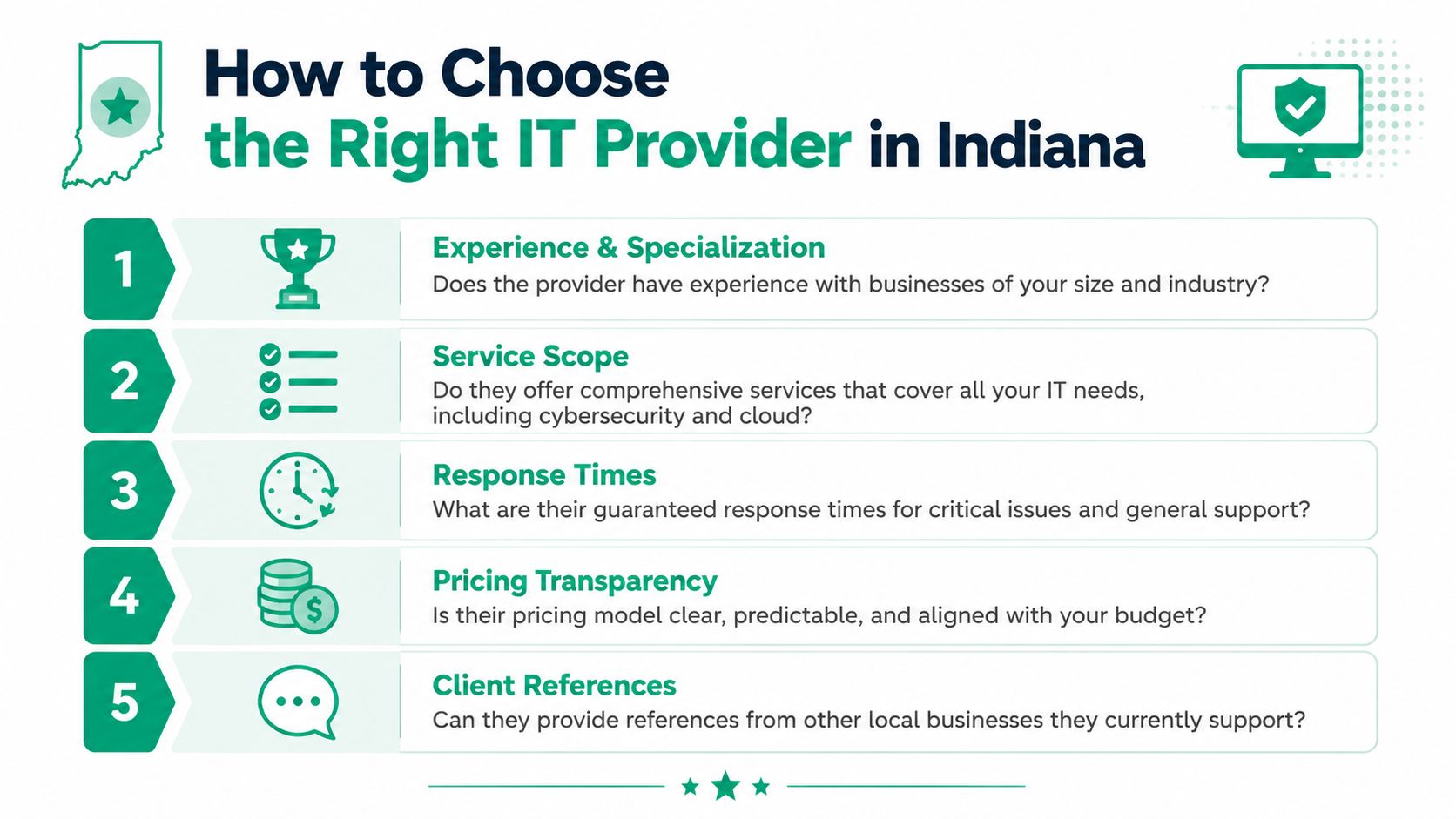
Price still matters. The better question is what the provider does to keep expensive interruptions short, contained, and documented.
IBM's Cost of a Data Breach research found that organizations using security AI and automation identified and contained breaches much faster than organizations without those capabilities, a practical reminder that monitoring and response are operational disciplines, not marketing terms. Review the source directly in IBM's report: Cost of a Data Breach Report.
Here's the shortlist I use with Indiana owners comparing firms:
- Ask how they detect and respond to trouble: Look for a clear explanation of monitoring, alerting, endpoint visibility, escalation, and who acts after hours. If the answer is vague, response will be vague.
- Ask what the SLA covers: Response targets, backup checks, patching schedules, vendor coordination, and recovery responsibilities should be written down.
- Ask about regulated environments: A healthcare office should hear a credible HIPAA discussion. A manufacturer in the defense supply chain should hear how the provider handles CMMC and the supporting controls behind it.
- Ask for one real recovery example: Failed storage, ransomware isolation, Microsoft 365 restoration, line-of-business application outage. Specifics matter because experienced teams remember the sequence, the downtime window, and what they changed afterward.
- Ask who handles the website when it affects operations: If online orders, forms, bookings, or customer logins matter to revenue, your website maintenance strategy should be part of the conversation, not an afterthought.
A provider that talks only about being friendly or available is giving you half the picture. The other half is process, documentation, and whether they can reduce the cost of disruption.
Local fit matters, too. Indiana businesses deal with old buildings that fight modern Wi-Fi, mixed office and warehouse networks, rural connectivity limits, and small internal teams that need someone to own follow-through with carriers and software vendors. A downtown Indianapolis firm with remote staff has one set of priorities. A Johnson County company with a front office, shop floor, and field laptops has another.
For businesses comparing options locally, a practical benchmark is finding a provider who can cover support, security, networking, backup, and compliance in one conversation without hand-waving. Finchum Fixes IT is one local option that offers those integrated services for Greenwood and Indianapolis businesses. Whichever provider you choose, the standard should be the same. They should be able to explain how they prevent downtime, how they respond when prevention fails, and how their work protects revenue instead of just fixing tickets.
Take Control of Your Business Technology Today
Reactive IT is a gamble. It works until it doesn't, and when it fails, it usually fails during payroll, billing, scheduling, shipping, or customer service.
That's why solid IT support for small business matters so much in Central Indiana. It protects continuity. It reduces the drag of recurring tech issues. It gives owners a stable budget instead of a pile of surprise invoices. It also gives regulated businesses a cleaner path for HIPAA, CMMC, and broader NIST CSF security practices.
Good support isn't magic. It's disciplined work. Better network design. Stronger endpoint security. Verified backups. Cloud systems with clear permissions. Measured response times. Recovery plans that have been tested.
If your current setup depends on crossed fingers, old hardware, and whoever answers the phone first, it's time to tighten it up.
If your business is in Greenwood, Indianapolis, or the surrounding Southside, Finchum Fixes IT can help you start with a Free Network Assessment or a Security Risk Audit. It's a straightforward way to find weak spots, cut wasted tech time, and get a clearer plan for uptime, security, and growth.