Managed Data Services: Secure Uptime for Indiana SMBs 2026
A Greenwood business park server dies at 3 p.m., phones light up, orders stop, and your team starts doing math nobody wants to do. Managed data services are outsourced backup, storage, migration, governance, and security for your business data, run under clear service levels so you get uptime, recovery, and less internal chaos.
Introduction to Managed Data Services
That Greenwood crash isn't rare, it's the kind of mess that exposes weak backups, old hardware, and no recovery plan. In a lot of Indy metro offices, the actual problem isn't one bad server. It's a pile of patchwork fixes, a dusty RAID box, and Wi-Fi that drops right when staff need the system most.
Managed data services take the data burden off your internal team and put it in the hands of specialists who handle storage, backup, recovery, migration, compliance, and security monitoring as an ongoing service. For a Johnson County business owner, that means fewer fire drills, fewer surprise outages, and a budget that's easier to predict.
The market tells you this isn't a fringe idea. The broader managed services market was valued at USD 209.76 billion in 2025 and is projected to reach USD 419.66 billion by 2035, with a 7.18% CAGR over the forecast period, which shows how widely businesses are moving operational work to outside specialists managed services market report. That scale matters because it reflects a real shift away from keeping everything in-house.
You'll also see the shift inside database operations. The managed database service market is projected to grow from USD 44.5 billion in 2025 to USD 50.2 billion by the end of 2026, rising at a 12.9% CAGR managed database services market forecast. That growth points straight at cloud migration, data sprawl, and the need for better control.
For Greenwood and the I-65 corridor, the questions are simple. What gets monitored? What gets backed up? How fast can you recover? And what happens if you need to leave the provider later? I'll answer those plainly, with local examples, compliance angles like HIPAA, CMMC, and NIST CSF, and the ROI math that turns wasted tech time into billable hours.
If you want a local reference point while you read, keep this handy from Finchum Fixes IT. It's the kind of shop many Indiana SMBs end up calling when the server room starts acting like a roulette wheel.
Understanding Managed Data Services
The cleanest way to think about managed data services is this, someone else owns the day-to-day work of keeping your data usable, safe, and recoverable. That includes backup, storage, migration, patching, access control, retention, and monitoring, not just a one-time copy job to a USB drive sitting in a desk drawer.
From backup chores to full lifecycle control
A lot of SMBs start with ad-hoc backups because it feels cheap and simple. Then the business grows, the data grows with it, and suddenly the old approach can't handle restore testing, scaling, or access rules across cloud and on-prem systems.
That's why the market keeps pulling in this direction. Managed database services are moving from basic outsourcing into full lifecycle work, including provisioning, patching, backup, scaling, and security, which makes them part of core IT rather than a side task managed database services market forecast.
This is also where SMBs get relief from grunt work. Automated provisioning means new capacity can be brought online without a long ticket chain. Patching, scaling, and monitoring can happen under service levels instead of waiting for someone on your payroll to notice a problem after lunch.
Practical rule: If your team still treats backups like a once-a-week chore, you're already behind. Data services should be designed so recovery is tested, not hoped for.
For a good adjacent read on network side support, managed network services are worth a look because the data layer and the network layer fail together more often than people admit.
What a managed data stack actually does
The service usually sits on top of cloud storage, local infrastructure, or both. It watches for failed jobs, storage growth, permission issues, and delayed replication. In plain English, it keeps the data engine from falling apart while everyone's focused on email and invoicing.
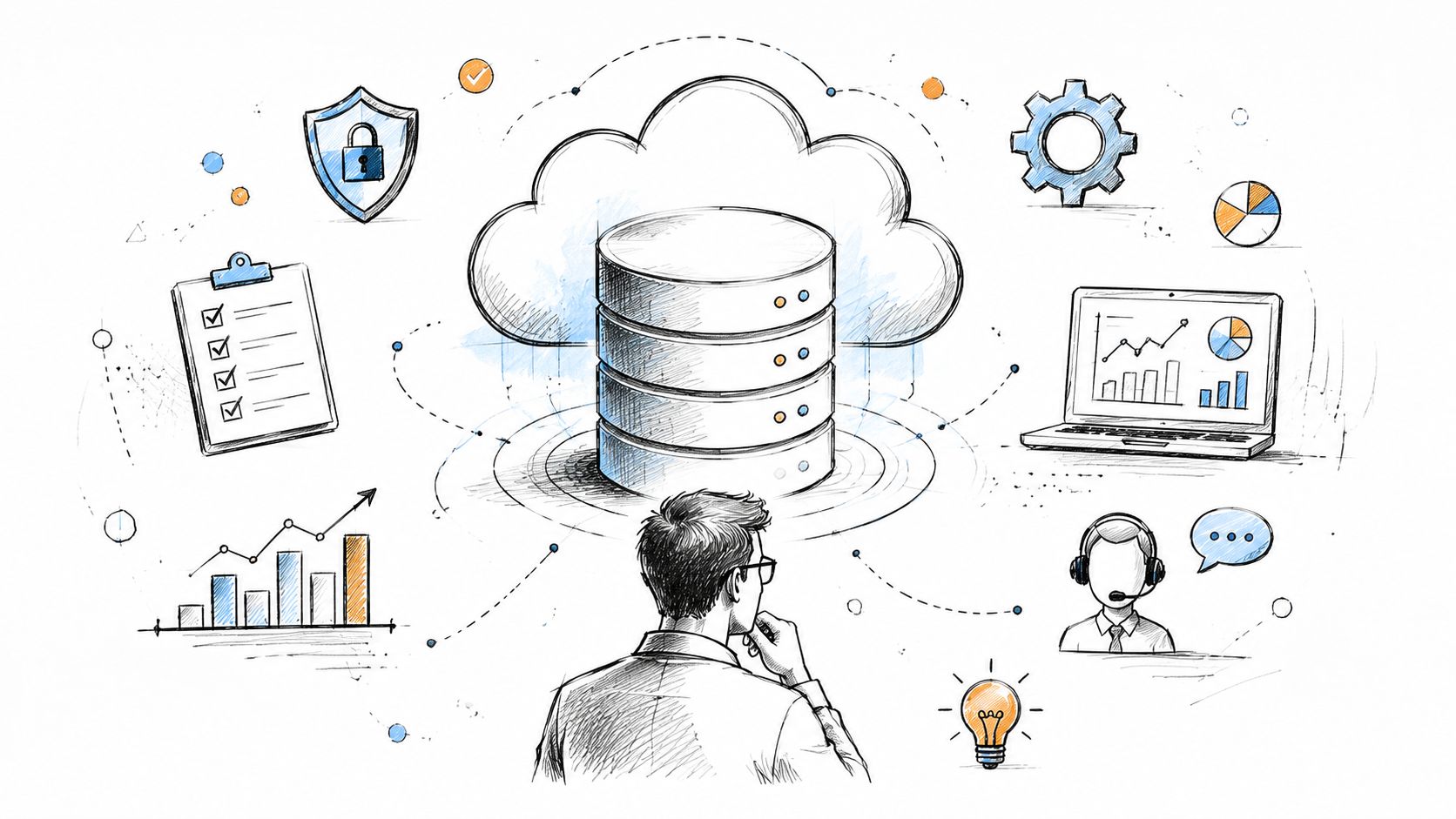
For Indianapolis-area SMBs, the appeal is simple. You stop paying staff to babysit storage jobs and start buying a managed process with a defined outcome. That's a better deal than hoping the intern remembers which backup folder matters.
Core Components of Managed Data Services
A useful managed data setup has five pillars, and if one of them is weak, the whole thing feels shaky. I've seen this in Greenwood offices, downtown Indy tech spaces, and older buildings along the corridor where the wiring and the rack space were never built for today's load.
Backup and disaster recovery
Backup is not the same thing as recovery. If you can't restore a clean copy fast, the backup didn't do its job. That's why teams should test restore paths and look for immutable off-site backups, not just a local copy on the same power circuit.
For database and file recovery, I'd rather see a documented workflow than a vague promise. A practical sequence looks like this, identify the failure, isolate the affected volume, mount the backup repository, verify checksums, restore to a clean environment, and confirm application access before cutting traffic back over. If a RAID array fails, proper bit-level data recovery starts with imaging the disks, not poking at the array in place.
You can get more specific with tools. In mixed environments, technicians often verify backup integrity with commands like AcronisCyberProtectCLI.exe for job checks, then validate the restored data against the application. If you're running Acronis Cyber Backup 15, the point isn't the command itself, it's disciplined verification after the job completes.
Storage, migration, and governance
Storage isn't just “where the files go.” It includes archiving old records, controlling retention, and moving data cleanly when systems change. That matters in healthcare, defense, and professional services where HIPAA, CMMC, and internal retention policies affect how long records stay available.
Migration is where many businesses get burned. Moving from an old file server to cloud storage or a managed database service needs planning, version checks, and a rollback path. With Azure SQL, for example, the migration path should include testing, permissions, and backup parity before the old server is retired.
Security monitoring and network control
A managed data service should sit inside a broader security model, not outside it. That usually means Zero Trust architecture, alerting, patch control, and endpoint visibility through tools such as Bitdefender GravityZone or SOC monitoring tied into your response process.
A sensible diagnostic workflow on the network side starts like this, confirm switch and AP health, check latency between storage and app servers, verify authentication logs, and look for failed backup traffic before blaming the database. In older buildings, UniFi networking with well-placed latency-optimized mesh nodes can stabilize the path between users and the storage layer.
If the data team can't explain how restore, retention, and monitoring fit together, the service is probably a product bundle, not a real operating model.
For a deeper service example, Finchum Fixes IT's enterprise data backup solutions show how the recovery piece should fit into the bigger uptime plan.
Benefits for Small and Medium Businesses
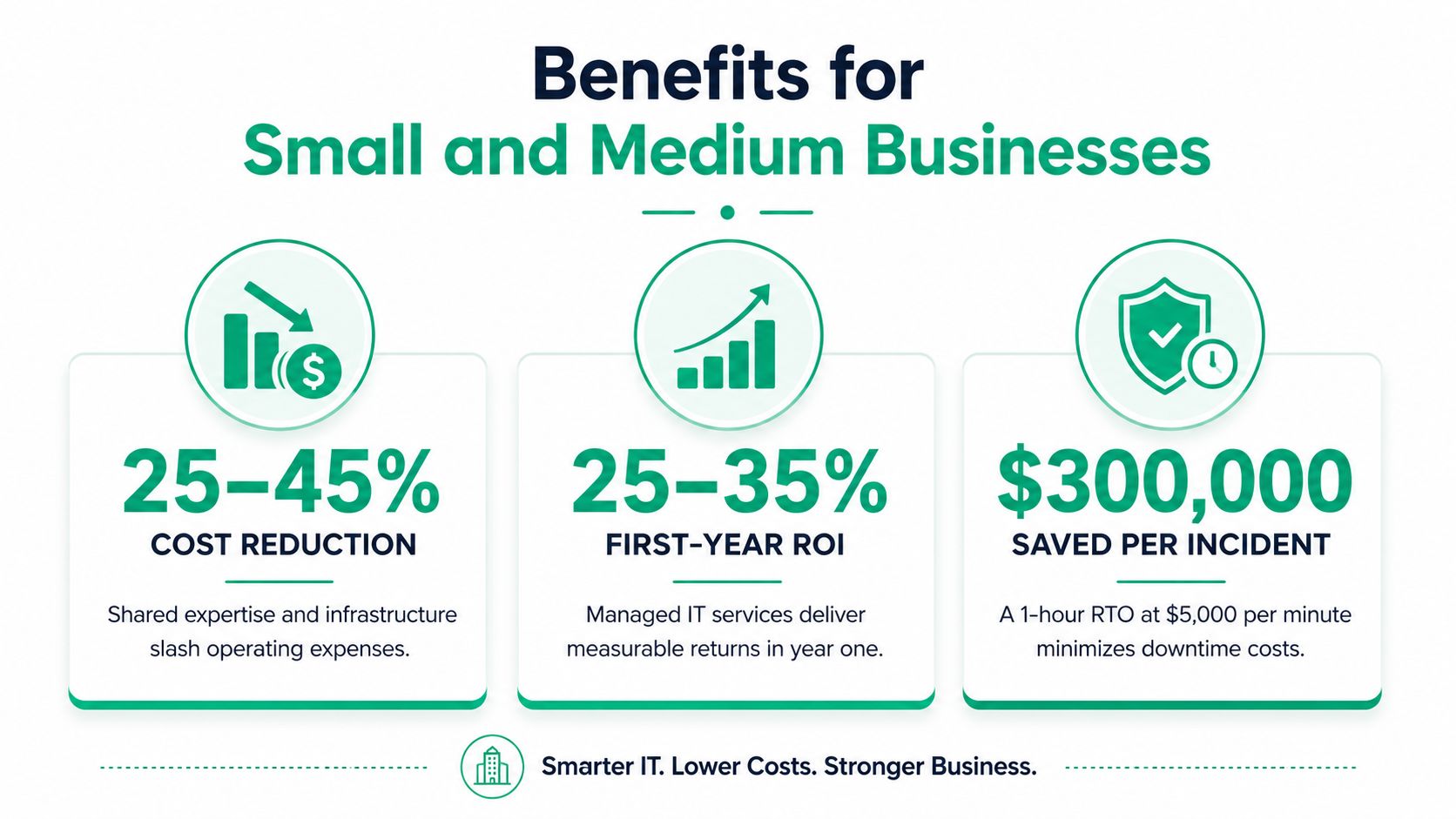
The money case is straightforward. Managed IT services can deliver 25–45% lower costs, 25–35% first-year returns, and as much as 350% ROI over three years in some adoption surveys managed IT services ROI. If you're a Greenwood owner deciding whether to keep patching an old setup, that's the number that should force the conversation.
Downtime is the real budget killer
Downtime isn't an abstract risk, it's a line item. One business-continuity source cites interruption costs from USD 137 to USD 16,000 per minute, while another says smaller businesses average $427 per minute and large firms can hit $15,000 per minute business continuity cost benchmarks. Use those numbers carefully, but use them.
A simple RTO example makes the point fast. If a system is down for an hour, and your operations are exposed to even a modest per-minute loss, the avoided damage adds up quickly. That's why managers should stop asking only about backup storage and start asking how fast the business can keep working.
Convert tech drag into billable work
A significant gain comes when your staff stop wasting time on broken patches, failed restores, and manual updates. That time can go back into client work, which is how managed services turn into predictable monthly budgets instead of random spikes.
For Johnson County business owners and teams near downtown Indy tech hubs, the pitch isn't fancy. Buy stability. Buy less interruption. Buy a setup where the network, storage, and support team are all working from the same playbook.
What good ROI looks like in practice
A sound setup should include SOC-as-a-Service monitoring, latency-optimized mesh nodes, and a recovery plan built around the business, not the server. In business continuity, the right question is whether your recovery target matches how much delay the company can survive.
For a small firm that wants to spend less time on tech drama, Finchum Fixes IT's managed services growth guidance is the right kind of local read, because the savings story only matters if the service fits the workload.
Compliance and Disaster Recovery ROI
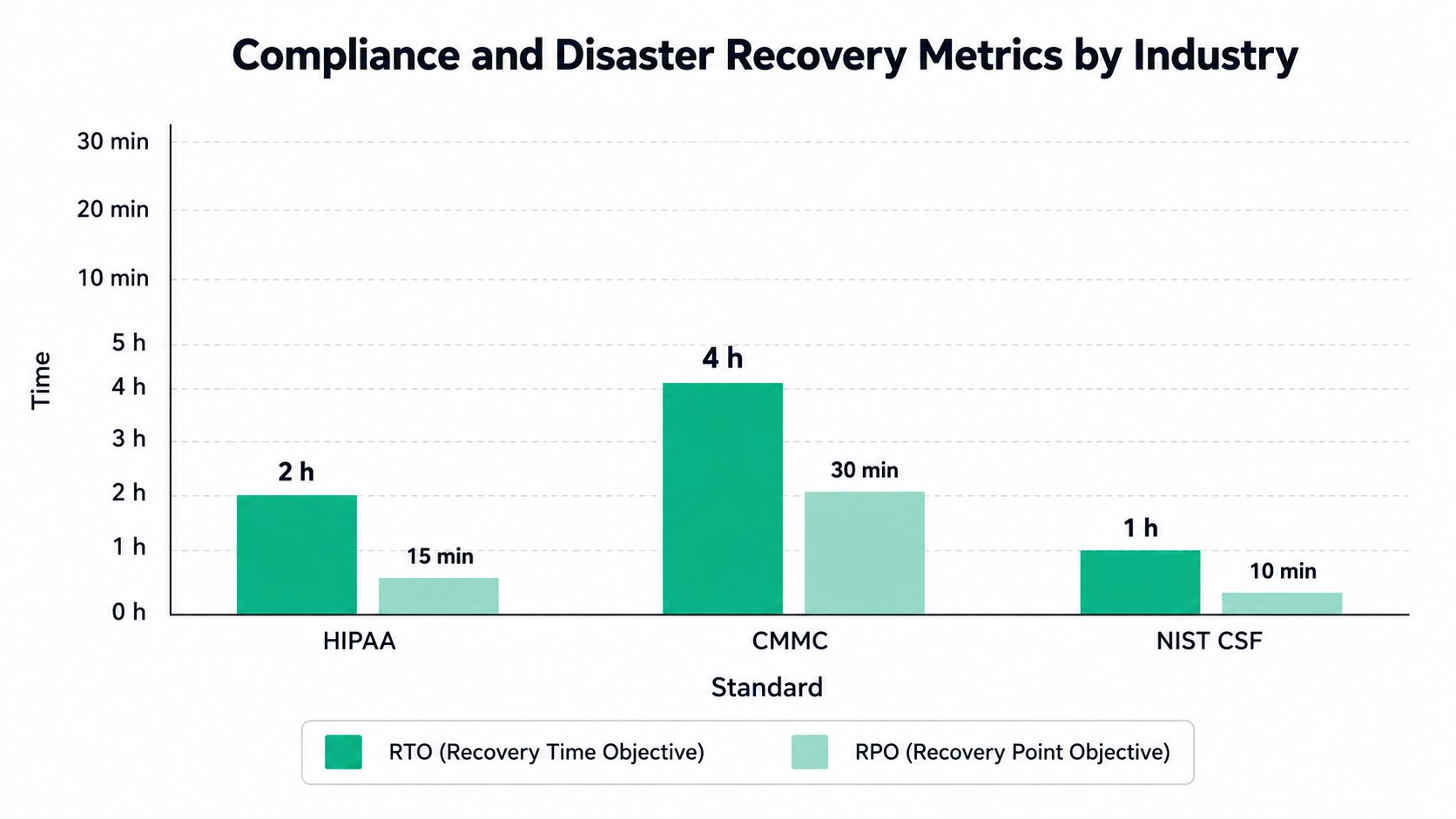
Compliance is where many businesses get sloppy, then expensive. HIPAA changes how healthcare data gets protected, CMMC changes what defense contractors need to prove, and NIST CSF gives general business security a sane structure. Managed disaster recovery helps because it puts recovery targets, monitoring, and backup discipline into a repeatable system instead of a panic plan.
Recovery metrics beat vague promises
The recovery conversation should always come back to RTO, RPO, and MTD. RTO says how fast you need systems back. RPO says how much data loss you can tolerate. MTD tells you when the outage becomes unrecoverable from a business perspective.
Managed DR services usually combine automated failover, backups, and 24×7 monitoring to keep those targets realistic. That matters because a provider can't fake a recovery objective in a spreadsheet and then improvise during an outage.
Plain advice: If your vendor can't define RTO and RPO in writing, you're buying hope, not resilience.
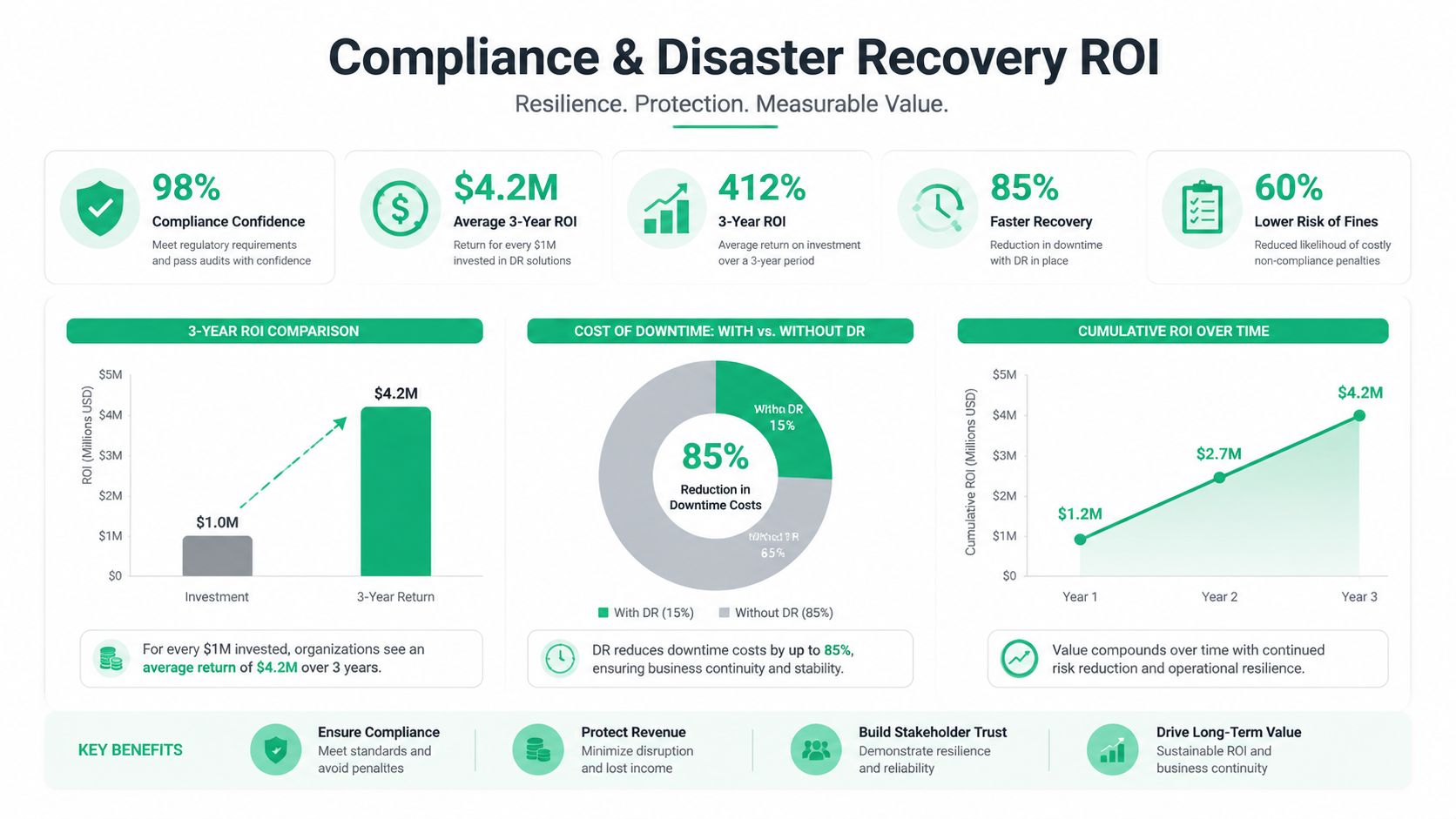
A managed DR source also reports 91% ROI, 47% lower total cost of ownership, and payback in 9 months for organizations using managed DR solutions managed disaster recovery ROI. Those numbers are the kind of thing a Hamilton County manager can take to a budget meeting without getting laughed out of the room.
A simple way to calculate value
The cleanest ROI formula for disaster recovery is this, ROI = (Avoided Loss – DR Solution Costs) / DR Solution Costs × 100% ROI formula for disaster recovery. Start with downtime you avoided, subtract the cost of the solution, and compare the result to the cost itself.
For a mid-size firm with $10 million/year revenue in Hamilton County, the issue isn't whether recovery is a nice-to-have. It's whether one outage turns into a cash-flow hit, customer churn, or a compliance problem that takes longer to fix than the original incident.
Managed DR earns its keep when it keeps the business inside the survivable window. That's the whole game, not the dashboard, not the vendor slides, just the ability to keep delivering while everyone else is stuck watching spinning circles.
For a practical planning sheet, Finchum Fixes IT's IT disaster recovery template is useful because it forces the uncomfortable questions early.
Finchum Fixes IT Implementation Approach
In our 17 years of local service, the pattern has stayed the same. A Greenwood company waits too long, the server gets flaky, the network gets noisy, and then someone wants the whole problem fixed before lunch. The right response is not a patch job. It's a controlled rebuild with monitoring, segmentation, and recovery testing built in.
What the hands-on work looks like
A solid rollout starts with visibility. SOC-as-a-Service monitoring catches endpoint and account issues before they become a full outage, and tools like Carbon Black help surface suspicious behavior on the devices that touch the data. That's how you stop a small alert from becoming a weekend cleanup.
When storage is failing, we don't guess. When we dissembled a similar client's failing RAID array, the first step was imaging the disks and confirming what was damaged before any rebuild attempt. That's the right order because bit-level data recovery depends on preserving evidence, not improvising.
Segmentation and backup discipline
Zero Trust architecture is the clean answer for mixed offices with cloud apps, local servers, and mobile users. A combination of Cisco ASA and UniFi networking can segment the environment so a bad endpoint doesn't roam freely across file shares and backups. It's not glamorous, but it keeps the mess contained.
For backup validation, I like a repeatable checklist more than a magic dashboard. Run the backup, verify the job, confirm the snapshot age, mount the restore point, and test the data against the application. In a Windows environment, that often means scripts and scheduled checks, not a person manually clicking through every night.
A practical example from Johnson County involved moving an on-prem SQL workload to Azure SQL and pairing it with immutable off-site backups. Once the old single point of failure was gone, the team stopped planning around the server's moods and started planning around business hours.
The best implementation isn't the one with the flashiest stack. It's the one that restores cleanly when a real problem hits.
If you want to see the service layer Finchum Fixes IT uses in practice, the managed services page is the place to start, because the important detail is what gets monitored, backed up, and recovered.
Questions Pricing and Local Case Examples
Before you sign anything, ask hard questions. Not soft ones. Data services can look cheap until you discover the exit path is ugly, the support tier is thin, or the contract makes your data hard to move.
Questions to ask before you buy
- Data portability: Can you export your data in a usable format without extra friction?
- Exit risk: What happens if you leave, and who handles migration back out?
- SLA guarantees: What response times are in writing, and what's excluded?
- Support tiers: Who answers after hours, and what counts as urgent?
- Compliance proof: Can the provider show how it supports HIPAA, CMMC, or NIST CSF controls where needed?
That last one matters because a vendor can talk a good game and still leave you doing the audit cleanup.
The most ignored issue is lock-in. Google's managed database guidance makes the point plainly, evaluate exit risk, data portability, and switching costs up front managed database service guidance. That's not paranoia, that's basic vendor discipline.
Managed Data Services Pricing Models
| Model | Description | Typical Use Case |
|---|---|---|
| Flat-fee per device | A fixed monthly amount per endpoint or server | Small offices that want predictable billing |
| Tiered per-GB | Pricing scales by data volume or storage tier | Firms with growing archives or large file sets |
| All-in-one managed bundles | Support, backup, security, and monitoring sold together | SMBs that want one vendor and one bill |
Local case example that actually matters
A Greenwood business in an older brick building had spotty Wi-Fi that kept dropping tablets near the back office. The fix was simple in concept and serious in execution, add latency-optimized mesh nodes, clean up placement, and stop treating wireless as an afterthought. The result was a 100% drop in dropouts on that site after the redesign.
That's the sort of fix that saves hours every week because the staff stop retrying failed logins and start serving customers. If you're running into that same mess in Greenwood or anywhere around Indianapolis, Contact us for a Free Network Assessment or Security Risk Audit for businesses in Greenwood and Indianapolis.
A CTA for Finchum Fixes IT if you want a straight answer on your backup gaps, recovery targets, or provider exit risk, schedule a Free Network Assessment or Security Risk Audit for your Greenwood or Indianapolis business today.