Managed Help Desk Explained for Growing Businesses
A managed help desk is outsourced, SLA-backed IT support that handles ticketing, triage, escalation, and 24/7 coverage, helping businesses cut downtime while keeping support costs predictable. It gives employees a clear path to technical help instead of leaving them to chase an overloaded internal technician or several disconnected vendors.
That matters when the server in a Greenwood business park starts humming like an old refrigerator, or Wi-Fi drops every time someone walks into a historic brick building near the I-65 corridor. One stalled application can pull employees away from customer work, delay a project, and turn a small fault into a full office disruption.
A managed help desk puts ownership somewhere specific. It combines people, ticketing software, monitoring, documented procedures, and escalation rules so support becomes an operating system for the business, not a frantic game of “Who knows the password?”
The market reflects that shift. One estimate valued global help desk outsourcing at USD 10.4 billion in 2025 and projected USD 18.8 billion by 2034, with a 6.65% CAGR from 2026 to 2034. Another estimate placed the market at USD 11.3 billion in 2025 and forecast USD 19.8 billion by 2034, implying 5.9% annual growth. A separate breakdown reported that managed services represented 62% of global helpdesk outsourcing revenue in 2025. These estimates point to a mature service category built around recurring support, centralized ticket handling, and defined service levels. IMARC Group's help desk outsourcing market overview provides the market context.
When Your Business Hits a Tech Bottleneck in Central Indiana
The Southside problem starts small
At 8:17 on a Monday morning, the accounting team can't open the line-of-business application. The office manager calls the person who “handles IT,” who is already helping a sales employee recover a locked laptop. Meanwhile, a conference call in a brick office near downtown Indy keeps freezing because the wireless network can't handle the room's layout.
That's the Southside problem in plain English. Growing businesses often add employees, cloud applications, cameras, printers, and remote workers faster than they update the systems underneath. Aging server hardware, poorly placed access points, undocumented administrator accounts, and consumer-grade network equipment can all become bottlenecks.
The cost isn't limited to a repair invoice. Employees wait, managers troubleshoot, and billable work sits untouched. For large organizations, downtime can cost up to $9,000 per minute, according to IBM's disaster recovery guidance. A smaller company still feels the same interruption through delayed jobs, missed calls, and staff hours spent staring at a loading screen.

The managed fix is operational, not just technical
A managed help desk first gives employees one dependable place to report issues. The provider then categorizes the request, checks the affected device or service, assigns the right technician, and tracks the work through closure.
For a Greenwood manufacturer, that might mean separating a production-system incident from a routine password reset. For a professional office growing along the I-65 corridor, it might mean combining remote support with scheduled on-site visits, better UniFi networking, and documented device standards.
The point isn't to promise that problems will never happen. Good IT doesn't work that way. The point is to detect patterns earlier, respond consistently, and keep a minor fault from becoming a morning-long outage.
This guide moves from the basic workflow to service models, SLAs, escalation, continuity, ROI, and vendor selection. The practical question for Johnson County business owners isn't whether technical issues will appear. It's whether the business has a repeatable way to handle them without sacrificing revenue-producing time.
What a Managed Help Desk Actually Does All Day
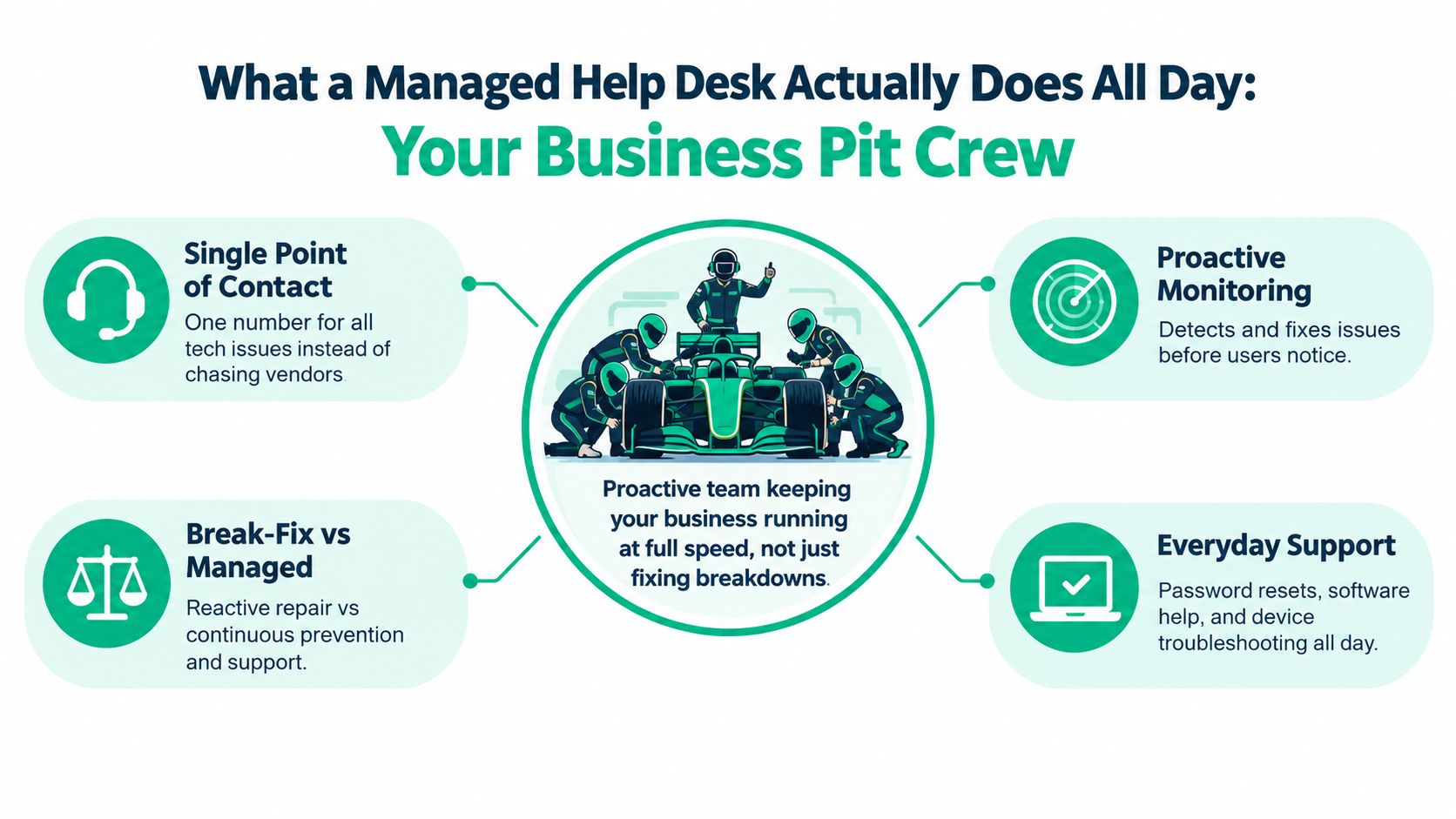
Think of a managed help desk as a pit crew for the business. A racing team doesn't wait for a tire to fall off before deciding who grabs the wrench. Each person has a role, the equipment is ready, and the team follows a known sequence under pressure.
A help desk works the same way.
The daily flow
-
Intake creates a record. An employee submits a request by phone, email, chat, or service portal. The system records the user, device, symptoms, business impact, and time received.
-
Triage separates urgency from noise. “My monitor is dim” and “the payroll application is unavailable” shouldn't enter the same queue. Triage identifies the affected service and priority.
-
Routing assigns ownership. A password issue may go to a front-line technician. A Microsoft 365 permissions problem may require a cloud specialist. A network outage may move directly to a senior engineer.
-
Resolution follows a playbook. The technician checks known causes, applies an approved fix, documents the change, and confirms that the employee can work again.
-
Escalation prevents stagnation. If the first technician can't resolve the issue, the ticket moves to the next support tier with its history attached. The user shouldn't have to repeat the whole story.
-
Closure improves the next response. The final notes become searchable knowledge. Recurring tickets can point to a hardware replacement, a configuration change, or a self-service article.
A platform that centralizes requests, automates routing, and gives managers visibility helps replace inbox confusion with accountable workflows. The goal isn't merely to close tickets. It's to create a reliable service process that can scale as the business grows. For a plain-language look at entry-level support, see this guide to help desk tier 1 support for Indy businesses.
Managed support versus break-fix
Break-fix support waits for failure. The business calls, explains the issue, receives a repair, and hopes the same fault doesn't return. That model can work for an isolated home computer, but it leaves a growing company reacting to symptoms.
A managed help desk watches for warning signs, maintains documentation, standardizes common fixes, and reviews ticket patterns. If several employees report slow file access, the provider investigates the shared cause instead of repairing each workstation separately.
That shift explains why outsourced help desk services have become mainstream. One industry report cited help desk outsourcing use by 50% of organizations, either entirely or in part. Auxis' discussion of help desk outsourcing trends also connects managed models with provider-owned infrastructure, analytics, and more predictable costs.
Practical rule: If the same problem keeps generating separate tickets, the help desk should treat it as a systems issue, not a series of unrelated repairs.
Service Models and SLAs That Set Expectations
A managed help desk isn't one fixed package. The right model depends on internal expertise, operating hours, compliance obligations, locations, and the cost of interruption.
Three common delivery models
Fully outsourced support gives the provider primary responsibility for user support, ticketing, monitoring, and escalation. It suits companies without a dedicated IT team or companies that need coverage beyond the internal staff's working hours.
Co-managed support adds outside capacity to an existing IT department. Internal staff may handle business applications and strategic projects while the provider manages routine requests, endpoint support, documentation, or after-hours incidents.
Hybrid support combines remote service with planned or urgent on-site assistance. That can make sense for offices spread across Johnson County, warehouses near the I-65 corridor, or organizations with physical network and server equipment that can't be managed entirely from a screen.
| Service Model | Best For | Coverage Hours | SLA Emphasis |
|---|---|---|---|
| Fully outsourced | Businesses needing an external IT operations team | Business hours, extended, or 24/7 by agreement | Response, ownership, resolution, escalation |
| Co-managed | Internal IT teams needing extra capacity or after-hours support | Shared schedule or provider extension | Queue ownership, specialist escalation, project protection |
| Hybrid remote and on-site | Multi-location offices, facilities, and hardware-heavy environments | Remote coverage plus scheduled or urgent site visits | Remote response, dispatch, restoration, communication |
Read the SLA like an operator
An SLA should define more than a friendly promise to “respond quickly.” Look for separate commitments for response time, communication updates, restoration or resolution targets, and escalation. It should also explain what counts as a business-impacting incident and which requests fall outside standard coverage.
Priority matters. A single employee who forgot a password shouldn't consume the same resources as a network outage affecting an entire office. Critical services need a clear route to senior support, along with defined updates for leaders who are managing the disruption.
Coverage language matters just as much. “24/7 monitoring” isn't automatically the same as “24/7 live support.” Ask who receives an alert overnight, who can authorize emergency action, and when an on-site technician is dispatched.
Compliance changes the conversation. Healthcare organizations may need processes aligned with HIPAA. Defense contractors may require controls relevant to CMMC. General businesses often map safeguards to the NIST CSF. A useful reference on operational design is this overview of managed services SLAs and tooling.
For practical guidance on setting realistic targets, review how to set SLA response times that actually work. A predictable monthly budget only helps if the service definition is equally predictable.
Inside the Engine Ticketing Escalation and 24/7 Support
The user experience should feel simple: report the issue, receive updates, and get back to work. Behind that simplicity, a capable operation uses ticket fields, routing rules, monitoring, access controls, and escalation paths.
What happens after submission
A ticket might arrive through a portal, email, or phone call. The service management platform records the request and applies rules based on the affected user, device, application, location, and priority.
Automated routing can send a Microsoft 365 access request to the correct queue while sending a suspected endpoint threat to security personnel. Bitdefender GravityZone can provide endpoint context, while SOC-as-a-Service monitoring can watch for suspicious activity outside normal office hours.
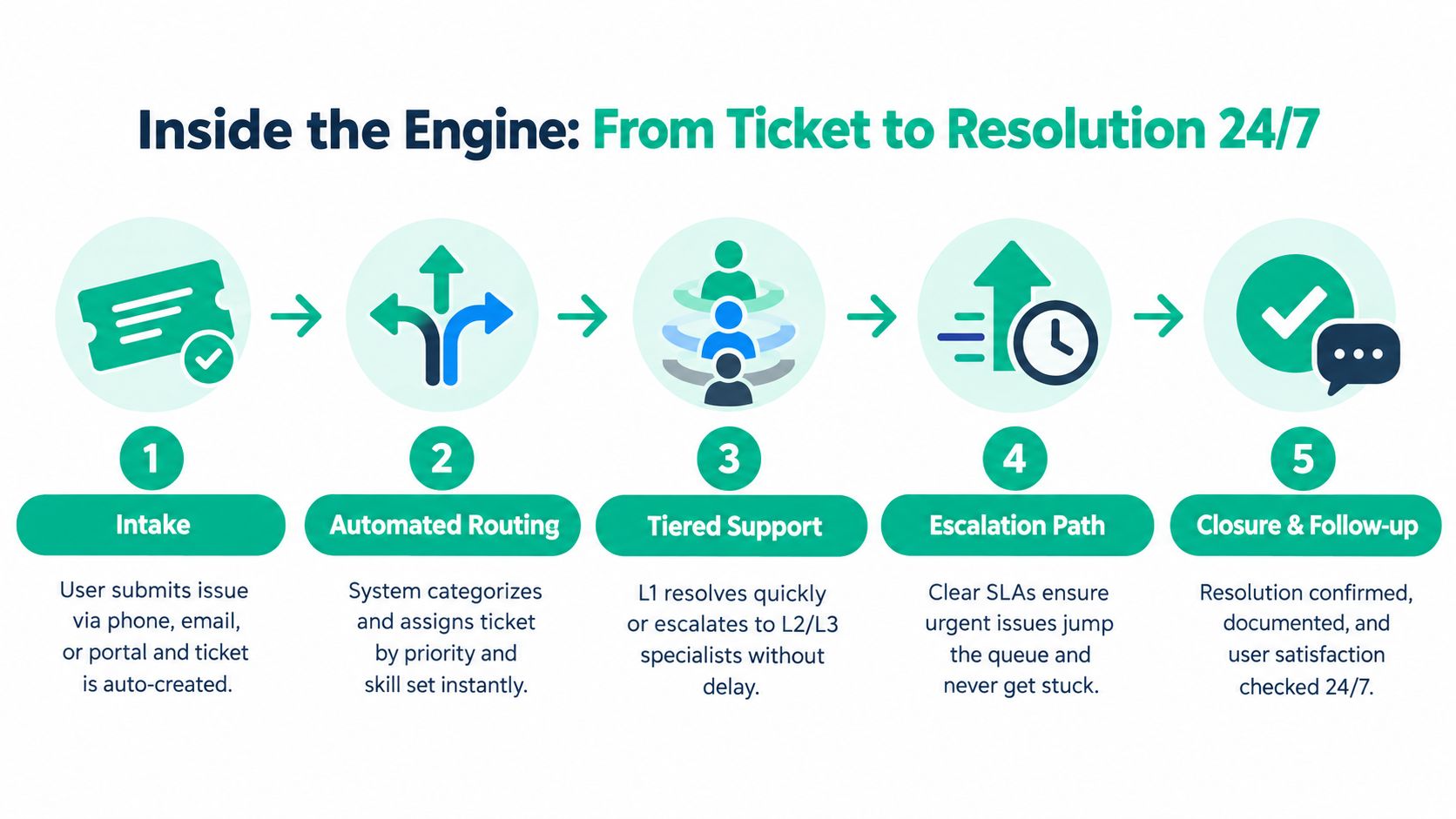
A strong workflow usually includes:
- Intake: Capture symptoms and business impact without forcing the employee to diagnose the cause.
- Routing: Match the request to priority and technician skill.
- Tier 1 support: Resolve common issues using documented procedures and knowledge articles.
- Tier 2 and Tier 3 escalation: Bring in specialists for complex infrastructure, cloud, security, or application problems.
- Closure: Confirm the fix, document the cause, and identify follow-up work.
The tier 2 support guide for growing Indiana businesses explains why escalation should transfer context rather than just move a ticket number.
Measure speed without hiding risk
MTTR, or mean time to resolve, measures the period from incident opening to closure. HDI notes that teams typically track it in business hours, and its benchmark cites an average incident MTTR of 8.40 business hours, with a range from 0.67 to 33.67 hours. The spread shows why routing, first-contact resolution, and technician dispatch matter. HDI's MTTR metric guidance provides the benchmark context.
One blended average can hide a dangerous queue. An enterprise guide summarizes best-in-class P1 MTTR at under 4 hours and standard-incident MTTR at under 8 hours, so critical and routine incidents need separate targets and escalation rules. The enterprise service desk KPI guide outlines that priority-based approach.
Automation should assist people, not erase judgment. AI-assisted routing and self-service can handle repeatable requests, while technicians focus on unusual failures and sensitive access decisions. A Zero Trust architecture still requires identity verification and least-privilege access, even when a ticket looks routine.
For a Greenwood office with weak wireless coverage, technicians might review UniFi access-point placement, interference, roaming behavior, and switch configuration. Latency-optimized mesh nodes can help in difficult layouts, but a proper site assessment should come before adding hardware.
How the Right Help Desk Protects Business Continuity and ROI
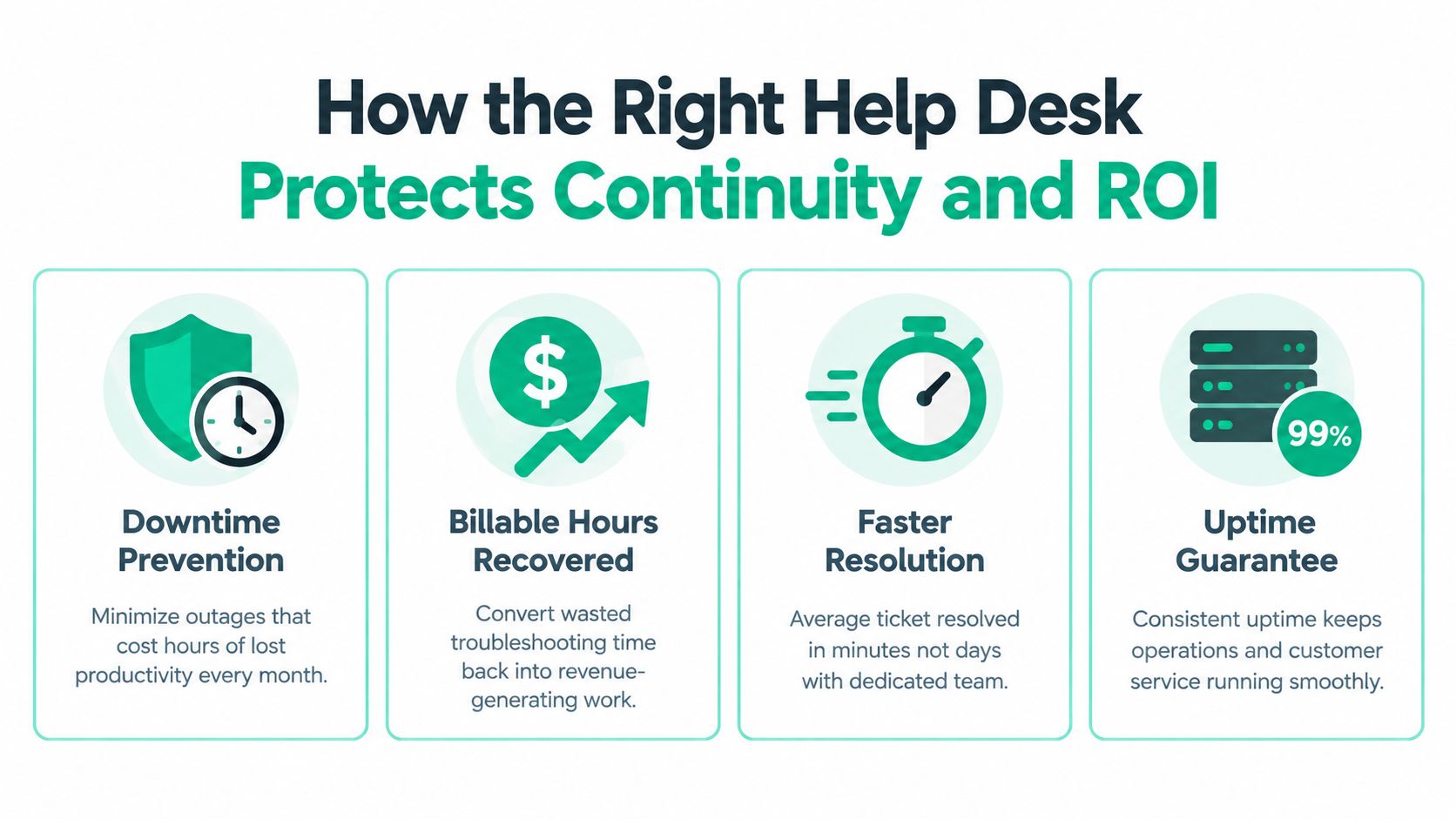
A help desk creates ROI in two directions. It reduces the time employees lose to technical friction, and it gives the business a clearer way to prevent or recover from service interruptions.
Start with the internal cost. An employee who spends the morning troubleshooting a printer, waiting for a password reset, or testing unstable Wi-Fi isn't producing the work the company hired them to do. A provider absorbs that troubleshooting workload through a defined service process, allowing internal employees to return to customers, projects, production, or billable assignments.
The second benefit is budget control. Break-fix work often arrives as an unwelcome surprise. A managed contract replaces some of that uncertainty with a recurring support cost, documented scope, and performance reporting. It doesn't make every IT expense disappear, but it makes planning easier.
Continuity requires more than a ticket queue
A managed help desk should connect daily support with continuity planning. CISA defines service continuity management as keeping essential services and associated assets operating during incidents, disasters, or other disruptions. Its guidance includes creating continuity plans for high-value services and exercising those plans, not leaving them in a folder that nobody opens. CISA's service continuity and NIST framework crosswalk explains that connection.
Backups need the same discipline. NIST SP 800-53 control CP-9 requires organizations to test backup information at an organization-defined frequency to verify media reliability and information integrity. The CP-9 control reference makes validation an operational requirement rather than a vague recommendation.
For a business in a downtown Indy tech hub or a medical office near Greenwood, that means asking practical questions:
- Can the team restore a critical application? A successful backup job doesn't prove that the data can be used.
- Are copies protected from tampering? Immutable off-site backups help limit the damage from ransomware or accidental deletion.
- Does the plan name owners? Someone must know who declares an incident, who contacts the provider, and who approves recovery steps.
- Does compliance shape the design? Backup and recovery controls appear across regimes including HIPAA, CMMC, and NIST CSF 2.0, as summarized by independent backup and recovery control mapping.
The finance conversation becomes clearer when leaders compare the monthly service cost with recovered employee time, avoided emergency work, and reduced interruption risk. Don't promise a fictional savings percentage. Track actual ticket volume, recurring causes, downtime events, recovery-test results, and the hours employees regain.
For Indiana SMBs building a practical continuity plan, this guide to business continuity planning services offers a useful next reference.
Choosing a Vendor and Why Finchum Fixes IT Fits Local Businesses
Vendor selection should start with operations, not a glossy feature list. Ask how the provider handles a user at 2 a.m., a wireless dead zone in an old brick building, a compromised laptop, and a server that has begun reporting disk errors.
The selection checklist
Routing and self-service: Look for a platform that can classify requests, suggest knowledge articles, and route tickets based on priority and skill. Automation should reduce queue friction while preserving human escalation for complex or sensitive work.
Experience reporting: Ask for more than ticket counts. Useful reporting can show recurring incidents, aging tickets, unresolved root causes, user satisfaction, and whether critical requests receive the attention promised in the SLA.
Hybrid delivery: Remote support is efficient for software and account issues. On-site work still matters for cabling, switches, wireless surveys, servers, and facilities with physical constraints. Hybrid delivery gives the business both options.
Coverage and communication: Multilingual and 24/7 support may matter for distributed teams, manufacturing schedules, or customer-facing operations. Confirm whether after-hours coverage means live technicians, monitoring, or an on-call escalation path.
Proximity: A nearby provider can reach a Greenwood, Indianapolis, Johnson County, or Hamilton County site when remote tools aren't enough. Local knowledge also helps when a business operates across older buildings, mixed cabling, and rapidly changing office space.
Local experience changes the response
In our 17 years of local service, we've seen that an urgent ticket rarely stays inside one technology category. A failing RAID array may become a data recovery problem, a continuity problem, and a customer communication problem at the same time.
When we dissembled a similar client's failing RAID array, the work required careful handling and bit-level data recovery, not a casual drive swap. That kind of incident shows why a help desk partner needs access to specialists, documented recovery procedures, and the discipline to protect evidence and data integrity.
Finchum Fixes IT provides managed IT, security, networking, data recovery, software development, and 24/7 technical support for Indiana businesses. Its team holds Microsoft, CompTIA, and Cisco credentials and reports an average urgent response of under two hours. Those details should be evaluated alongside the provider's actual SLA, escalation process, security controls, and continuity testing.
Use this managed service provider selection guide to compare vendors with the same questions. The right fit for a Johnson County office may differ from the right fit for a Hamilton County company adding locations, but both need clear ownership and measurable service.
Your Next Step Toward Predictable IT Support
The managed help desk makes the most sense when viewed as a business operating function. It gives employees one path for technical problems, gives managers visibility into recurring friction, and gives owners a clearer way to plan support spending.
For a company along the I-65 corridor, that could mean replacing scattered troubleshooting with a ticket queue that routes work correctly. For a Greenwood office in an older building, it could mean pairing help desk coverage with UniFi networking, better wireless placement, endpoint security, and documented recovery procedures.
The value isn't the ticket number. The value is the time returned to employees, the earlier warning before a failure becomes an outage, and the confidence that a serious incident has an escalation path. A provider should also connect support operations to immutable off-site backups, continuity exercises, Zero Trust access practices, and compliance needs such as HIPAA, CMMC, or NIST CSF.
Start by reviewing the last several months of technical interruptions. Note which issues repeated, how long employees waited, which systems created the most disruption, and where nobody knew who owned the next step. That list gives a prospective provider something concrete to assess.
For businesses in the Greenwood and Indianapolis area, book a Free Network Assessment or Security Risk Audit before the next aging server, weak access point, or overlooked security control becomes an expensive interruption.
Finchum Fixes IT provides managed help desk support, cybersecurity, networking, data recovery, cloud assistance, and continuity-focused IT services for Indiana businesses. Visit Finchum Fixes IT to schedule a Free Network Assessment or Security Risk Audit for your Greenwood or Indianapolis workplace.