Mobile App Development Timeline Your Business Needs in 2026
A lot of Indiana business owners ask the same question after they’ve outgrown spreadsheets, whiteboards, and text-message approvals. They’ve got a real process problem. Drivers miss updates. Field staff duplicate work. A manager in Greenwood or along the I-65 corridor spends half the day chasing status instead of running the business.
That’s usually when the mobile app conversation starts. Not because apps are trendy, but because downtime and friction cost money fast. If your team can’t move work forward because the process lives in five different places, you’re burning productive hours and risking the kind of disruption that can stall billing, customer service, and operations.
Your App Idea Is Great But What Is The Real Timeline
TL;DR
- Most custom apps take 3 to 9 months end to end, depending on scope and complexity.
- Simple apps can land in 2 to 4 months, while enterprise-grade builds often run 6 to 12 months or longer when security, integrations, and compliance get involved.
- The timeline usually breaks into planning, design, development, testing, and deployment.
- Good discovery shortens the total project, because it cuts rework and prevents feature chaos.
- For Indiana SMBs, the fastest path is usually an MVP with clear business goals, then phased expansion.
- Security, networking, and compliance should be designed in early, especially for HIPAA, CMMC, and NIST CSF-aligned environments.
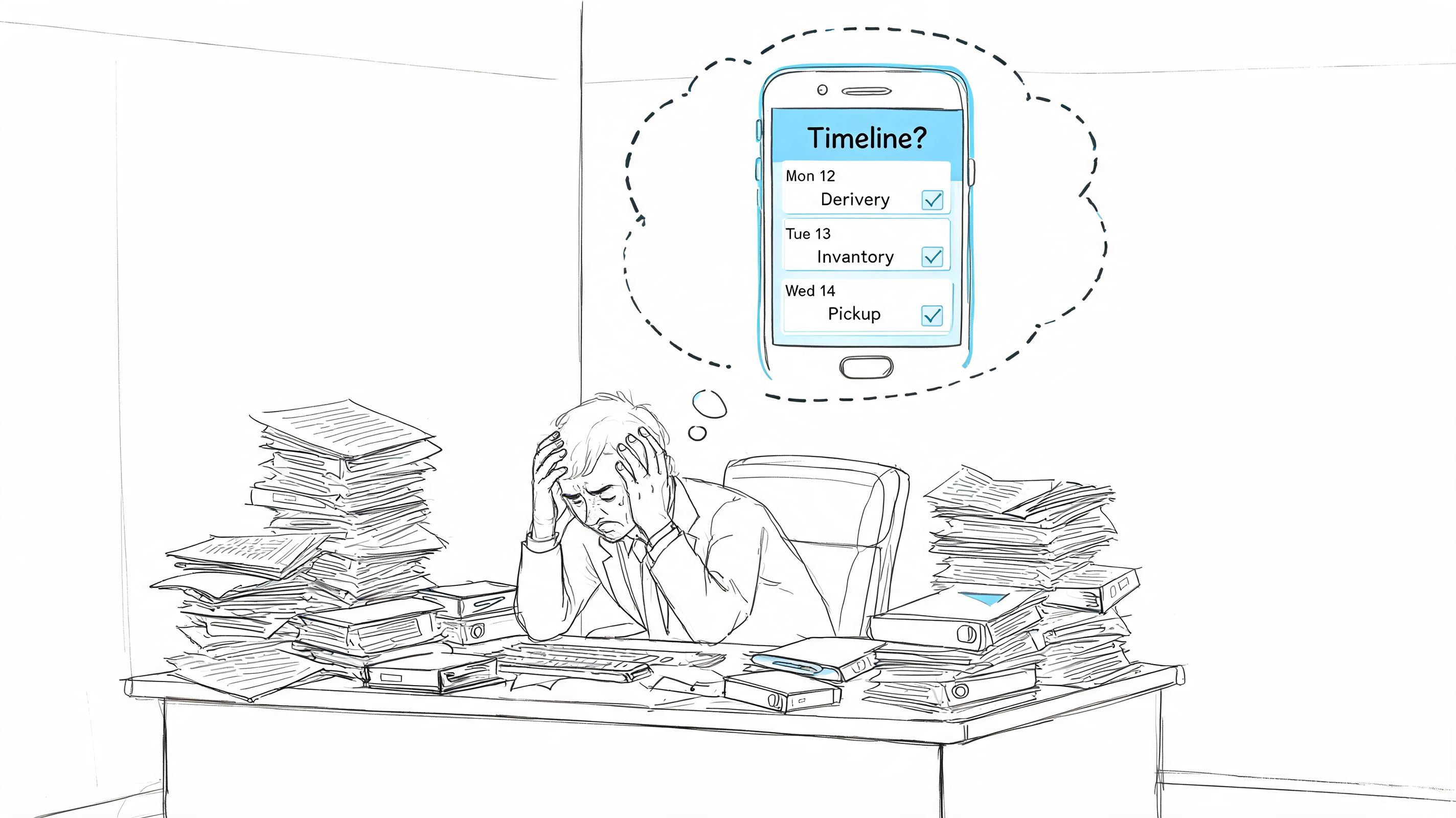
A common Southside scenario looks like this. A logistics company in a Greenwood business park has dispatch notes in email, delivery status in Excel, signatures on paper, and inventory updates done after the truck gets back. The owner doesn’t need “digital transformation.” They need one clean system that keeps trucks moving and invoices going out.
That’s where a custom mobile app earns its keep. It can turn manual handoffs into one workflow with role-based access, synced records, and fewer missed steps. It also helps protect business continuity, because every manual workaround becomes a point of failure when someone’s out sick, a laptop dies, or the office Wi-Fi drops in an old brick building.
The honest answer most shops dodge
The answer to “how long will this take?” is, it depends on what the app must do in the field.
If you need a simple internal app for checklists, photos, and approvals, the mobile app development timeline is shorter. If you need offline sync, live dispatch updates, payment processing, HIPAA controls, CMMC documentation, or Zero Trust access policies tied into your existing systems, the timeline stretches because the risk goes up and the engineering gets deeper.
A fast app that breaks your workflow isn’t fast. It’s a delayed rewrite.
There’s also market pressure. The app economy has grown from the launch of Apple’s App Store on July 10, 2008, and it’s projected to generate over $613 billion in revenue by 2026. In the US, mobile apps drive 70% of all digital interactions, according to Mindster’s mobile app development overview. That’s why local businesses can’t treat mobile as optional anymore.
What local owners should ask first
Before anybody talks about Flutter, React Native, Swift, or API architecture, these are the questions that matter:
- What process is broken: Inventory, dispatch, quoting, patient intake, field reporting, customer ordering, or something else.
- Who uses the app: Employees only, customers only, or both.
- What must stay online: If the app goes down, does work stop, billing stop, or compliance break.
- What has to connect: QuickBooks, CRMs, ERPs, scanners, payment gateways, UniFi guest portals, or internal databases.
- What rules apply: HIPAA, CMMC, or a broader NIST CSF security baseline.
If you want a practical starting point, this Indiana business owner’s guide to mobile app development is a good next read.
The Standard Mobile App Development Timeline Demystified
A Greenwood owner usually asks the timeline question in plain English. If we start this month, when will the app help my staff, and what tends to slow it down?
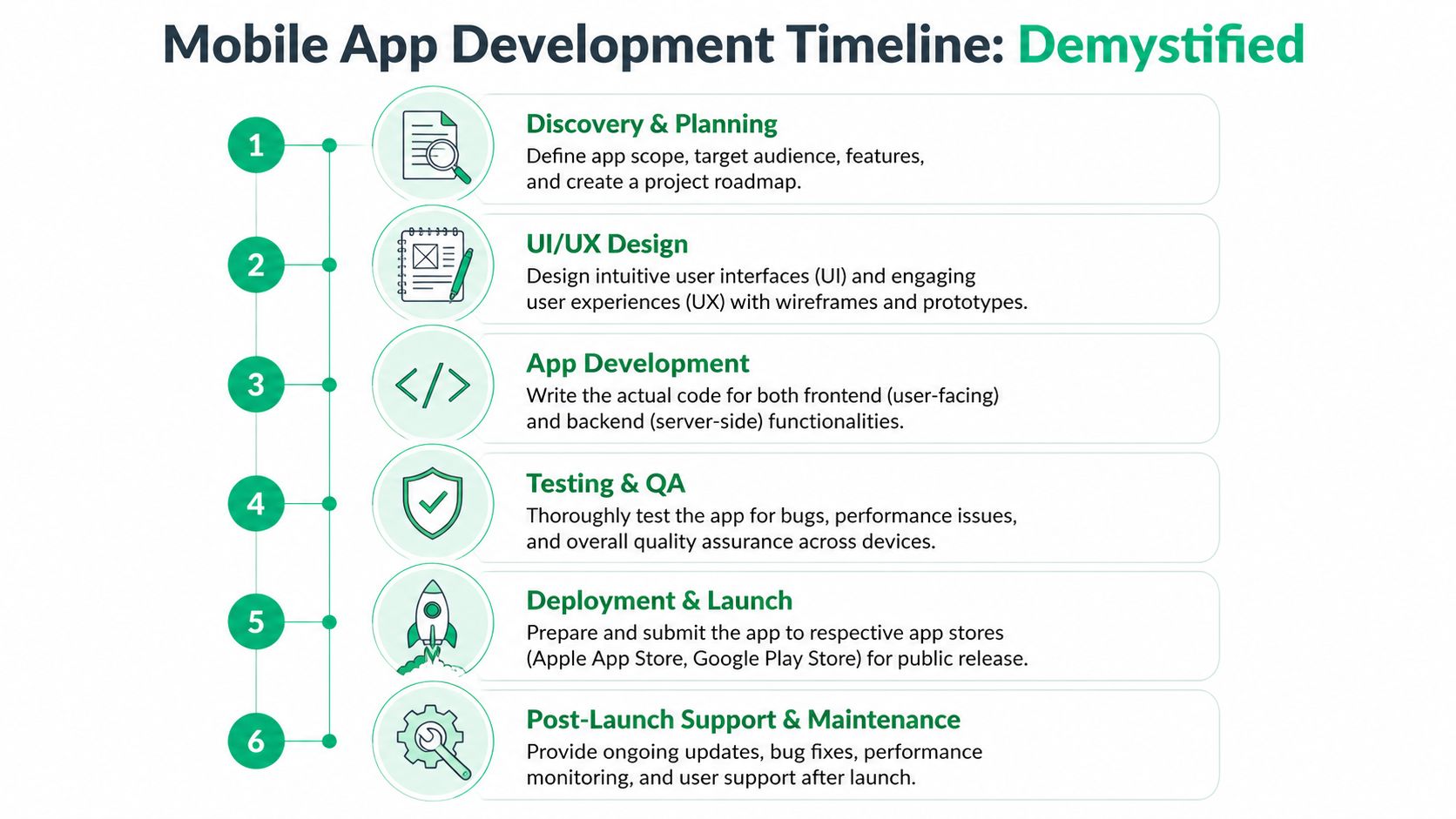
The answer is more predictable than it looks. Industry guidance from Cleveroad’s app development timeline overview puts many projects in roughly the 3 to 9 month range, with shorter schedules for tighter MVPs and longer ones for apps with integrations, compliance, and custom backend work. For Indiana companies, that range often holds up, but the actual schedule depends on how much operational cleanup sits behind the app request.
1. Discovery and planning
Good projects get shaped before they get built. The team defines the workflow, the users, the must-have features, the systems that need to connect, and the risks that can derail delivery.
For local companies, this phase often exposes the bottleneck. A manufacturer near the I-65 corridor may ask for a production or warehouse app, then learn the bigger issue is weak Wi-Fi coverage at the far end of the building. A medical office may want patient intake on mobile, then realize HIPAA controls and device policies need attention first. A defense supplier may need CMMC-aligned access controls before any field app should touch internal data.
Typical outputs are practical:
-
MVP scope
Version one gets defined clearly, including what waits until later. -
User flows and wireframes
Staff, managers, drivers, or customers can see how work moves screen to screen. -
Technical decisions
The team chooses platform approach, backend structure, authentication, encryption, and integration methods.
2. UI and UX design
Design decides whether the app gets adopted or worked around.
A polished screen is not enough. The app has to make sense for the person using it in the actual setting. That may mean larger tap areas for warehouse staff, faster barcode actions for inventory counts, cleaner forms for field technicians parked between jobs, or tablet layouts that supervisors can read at a glance.
Design work usually includes wireframes, clickable prototypes, and review rounds with actual users. That feedback matters. I have seen small changes in button placement, offline indicators, and camera flow save weeks of frustration after launch.
A quick visual summary helps here:
3. Development and coding
This phase takes the most time because the visible app is only part of the job. The rest is API work, database structure, authentication, business logic, sync behavior, logging, and error handling.
An Indiana logistics company may need dispatch updates to stay accurate as trucks move up and down I-65. A healthcare group may need role-based access, session controls, and audit trails. A growing contractor may need the app tied into QuickBooks, a CRM, and internal file storage. In each case, coding speed matters less than whether the systems behind the app are stable and documented.
Practical rule: If an app has to connect to several existing systems, integration quality will shape the timeline as much as the app code itself.
Security also gets built here, not added at the end. That includes identity setup, encrypted data handling, permission models, device behavior, and logging aligned to the company’s actual risk profile.
4. Testing and QA
Testing answers one question. Does the app still work when normal business conditions get messy?
That means more than tapping through happy-path screens. Teams should test weak signal, interrupted sync, failed logins, incorrect permissions, older devices, and the handoff between mobile, backend, and third-party systems. For local businesses with multiple sites, network conditions often matter as much as app code. Finchum sees this firsthand because mobile reliability is tied to the full environment, including Wi-Fi design, firewall rules, VPN access, and endpoint controls.
5. Deployment and launch
Launch week has its own schedule pressure. App store submissions, privacy details, production configuration, account deletion requirements, and review feedback can all add time.
Internal business apps can move faster if they are distributed privately, but customer-facing apps still need proper release planning. That includes rollout timing, user training, support readiness, and a rollback plan if something slips in production.
6. Post-launch maintenance
After launch, the app is live, but the project is not over.
Operating systems update. Devices age out. Staff find edge cases nobody caught in staging. Good teams monitor crash reports, tune performance, patch security issues, and release improvements without disrupting daily work. The development process you choose affects how well that maintenance goes, which is why this guide to software development life cycle models for Indiana businesses is worth reviewing before the build starts.
What Really Determines Your Apps Timeline And Cost
A Greenwood company might ask for “an app” and mean two very different projects.
One could be a simple internal tool for inspections, photos, and approvals. Another could be a customer app tied to payments, live status updates, role-based permissions, reporting, and outside systems. Both live on a phone. They do not take the same time to build, test, secure, and support.
Complexity sets the schedule more than screen count. Octal Software’s analysis of app timelines by complexity puts simple apps in the 2 to 3 month range, while complex apps can stretch to 6 to 12 months or longer when they include scalable backend systems, real-time sync, or AI-driven features. Octal also notes that backend architecture can add more than 24 weeks in projects that need stronger controls, including standards such as OAuth 2.0.
Complexity is not about screen count alone
Business owners often judge complexity by what they can see. That misses the hard part.
A plain interface can still hide heavy engineering work if the app needs:
- Real-time updates: Dispatch boards, delivery status, technician location, or job progress across the I-65 corridor
- Offline operation: Local storage and conflict handling when drivers, field staff, or warehouse teams lose signal
- Third-party integrations: ERP systems, payment processors, accounting tools, EHRs, shipping software, or label printers
- Advanced security: Multi-factor login, audit logs, device trust rules, and strict role separation
- Compliance controls: HIPAA for healthcare groups or CMMC-related access and documentation requirements for Indiana manufacturers and defense suppliers
I see this a lot with Indiana SMBs. A med-tech firm in Hamilton County may want a clean mobile workflow for clinicians or field reps, but the underlying work sits behind the screen: encrypted data storage, access logging, identity controls, and documented handling of protected information. The app looks simple. The delivery plan is not.
The tech stack changes the calendar
There is no default winner between native and cross-platform. The right choice depends on the business process, the device requirements, and how long the app needs to stay adaptable.
| Approach | Best fit | Timeline effect | Main trade-off |
|---|---|---|---|
| Native Swift and Kotlin | Apps that need deep device features or platform-specific behavior | Usually longer because iPhone and Android work may split into two tracks | More control, more development and testing overhead |
| Cross-platform with React Native or Flutter | SMB apps that need both platforms quickly | Often faster for an MVP | Edge-case device features can take more effort |
| Backend as a service tools | Projects using standard auth, storage, and notifications | Can shorten early build time | Custom scaling, networking, or business rules may need later rework |
If a downtown Indy restaurant needs ordering and loyalty on both platforms, cross-platform is often the smart business choice. If a warehouse app in Plainfield depends on barcode hardware behavior, offline storage rules, and tight scanner workflows, native may save time later even if the first release takes longer.
Scope changes drive both timeline and budget
Schedule overruns usually start with changing requirements, not slow developers.
An internal employee app picks up customer login. Then push notifications. Then document signing. Then route optimization. Then a dashboard for managers. Then two integrations with old systems that have no clean API. Each request sounds reasonable on its own. Together, they change the project shape.
If a feature changes the data model, the permissions model, and the user flow, it is not a small add-on.
For this reason, experienced teams insist on hard prioritization. The first release should solve one costly operational problem well. Teams that work in short planning cycles usually handle that better, which is why this guide to adaptive software development for Indiana businesses is useful before build work starts.
Local infrastructure affects the timeline too
The app is only part of the system. In Indiana, the surrounding environment often changes the schedule just as much as the feature list.
Common delays include:
- Weak building coverage: Older facilities, dead zones, and thick walls push teams toward offline-first design
- Legacy business systems: Old databases and undocumented workflows slow down integration and testing
- Shared or aging devices: Older Android tablets and mixed hardware fleets create support and QA issues
- Security gaps: No device policy, weak network segmentation, or missing monitoring turns a mobile rollout into a broader IT project
That last point matters more than many business owners expect. A healthcare office in Greenwood does not just need app code. It may need Wi-Fi changes, mobile device controls, VPN rules, audit logging, and better user provisioning. A defense-adjacent manufacturer may need similar coordination for access control and CMMC-related practices. That is why a full-service IT partner can shorten the project timeline. App development, security, networking, and endpoint management get planned together instead of colliding late.
Cost follows the same pattern
Longer timelines usually mean higher cost, but complexity remains the primary driver.
As noted earlier in the article, advanced apps with heavy integrations, custom backend work, and compliance requirements cost far more than focused internal tools. The better investment for most Indiana SMBs is a phased release. Start with the one workflow that wastes time, causes billing delays, slows dispatch, or creates errors in the field. Then expand after the first version proves its value.
Sample Timelines For Indiana Businesses
The easiest way to understand a mobile app development timeline is to compare actual business scenarios. Not hypothetical Silicon Valley moonshots. Normal Indiana operations with real constraints, old systems, and staff who need the app to work on Monday morning.
A side-by-side view
| App Complexity | Example Business Use Case | Key Features | Estimated Timeline |
|---|---|---|---|
| Simple | Plainfield warehouse internal inventory app | Barcode scan support, item lookup, photo capture, approval checklist | 2 to 4 months |
| Medium | Downtown Indy restaurant ordering and loyalty app | Customer accounts, ordering, loyalty tracking, push notifications, admin dashboard | 4 to 7 months |
| Complex | Defense contractor communication app along the I-69 corridor | Role-based access, secure messaging, audit controls, document workflows, compliance-driven security | 9 to 12+ months |
Simple app for a Plainfield warehouse
This is the kind of app many businesses should build first. It solves a narrow problem, usually has a small user group, and can produce value quickly.
A warehouse team might need inventory lookup, count adjustments, receiving photos, and a supervisor approval flow. If the app connects to one internal source of truth and doesn’t need customer-facing polish, the project stays relatively contained. The challenge isn’t visual flair. It’s clean process mapping and reliable sync on handheld devices.
That’s where networking matters too. If the facility has dead zones, the team may need latency-aware sync logic and better wireless design, often with UniFi access points or a tuned mesh layout instead of a consumer-grade patchwork.
Medium app for a downtown Indy restaurant
This is a different animal. Customer-facing apps always take more care because user expectations are much less forgiving.
Now the app needs sign-in, menu logic, order status, loyalty tracking, payment handling, and support for promotions that staff can manage. You also need a backend dashboard that owners can use without calling a developer every time they want to change a special or pause an item.
Customer apps live or die on polish. Internal apps can survive “good enough.” Public apps usually can’t.
For this kind of project, the timeline expands because every rough edge is public. The app must feel fast, the ordering logic must be predictable, and the security around payments and account access must be treated seriously. A restaurant group thinking beyond basic POS workflows may also want CRM-style follow-up and retention workflows, which is where this custom CRM development perspective becomes relevant.
Complex app for a defense contractor
A defense-adjacent company near the I-69 corridor might need secure communication, role-based document access, approval routing, and traceable activity records. At that point, the app isn’t just a software project. It’s part workflow platform, part security program.
The schedule lengthens because the build now depends on controls, documentation, testing discipline, and access design that can stand up to scrutiny. Teams may need device management policies, stronger identity enforcement, and a backend architecture that separates users and data cleanly. If the app also connects to internal systems, every integration becomes part of the risk picture.
The common thread
The timeline changes because the consequences change.
A simple internal app can be annoying when it fails. A restaurant app can hurt customer trust when it fails. A compliance-sensitive app can create operational and contractual pain when it fails. That’s why the right question isn’t “How fast can you build it?” It’s “What has to be true for this app to work safely and pay for itself?”
The Blueprint For Success Discovery And Planning
The projects that go sideways usually don’t fail in coding first. They fail in discovery.
In our 17 years of local service, the pattern is hard to miss. A company wants speed, skips the hard questions, and starts building too early. Then the rewrite begins in slow motion. Screens change. Roles change. Data rules change. Testing gets ugly. Budget confidence disappears.
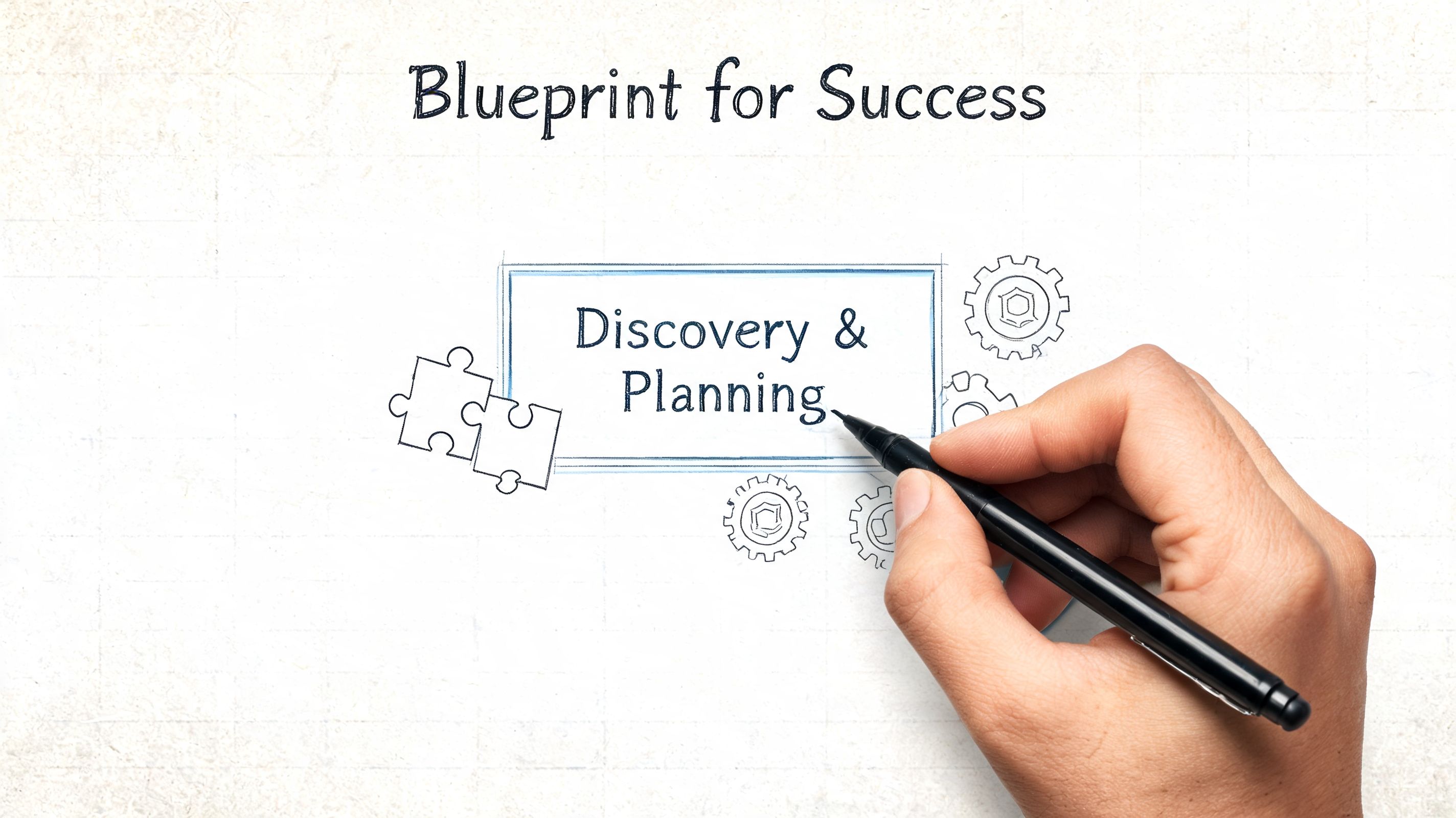
A strong upfront planning phase, usually 2 to 4 weeks, can reduce rework by 30 to 50%, and undefined user flows can create overruns of 20 to 40%, according to Soltech’s analysis of planning and rework in app projects. That tracks with what seasoned teams see on the ground. The cleanest projects spend real effort before development starts.
What good discovery actually produces
Discovery shouldn’t end with vague notes and a hopeful estimate. It should produce working documents the business can review.
That usually includes:
- Process maps: What happens now, where it breaks, and what the future flow should look like
- User stories: What drivers, admins, techs, customers, or managers need to do
- Wireframes in Figma: Screen-level thinking before expensive coding starts
- Data and integration notes: What systems the app reads from and writes to
- Security requirements: Authentication, permissions, logging, retention, and device rules
- Delivery scope: What belongs in MVP and what waits
For healthcare and defense-related work, discovery also needs to pull in compliance thinking early. HIPAA and CMMC controls can’t be bolted on after someone approves the design. They affect architecture, access patterns, and auditability from day one.
The best planning sessions are blunt
A solid discovery meeting isn’t a sales presentation. It’s usually a little uncomfortable.
Someone needs to ask why three managers all approve the same thing. Someone needs to ask whether that spreadsheet is a shadow database. Someone needs to ask what happens when the building internet fails, when a tablet is lost, or when an employee leaves and still has app access on a personal device.
Good planning removes false assumptions before they become code.
This is also where technical depth matters. A serious team thinks past the screens and into the underlying systems. They ask whether the app needs offline storage, whether immutable off-site backups are involved in related workflows, whether a Zero Trust model should gate access, and whether SOC-as-a-Service monitoring should watch the backend once it goes live.
Why local business owners benefit from this phase most
Johnson County companies often carry years of “we’ve always done it this way” process debt. Discovery is where that debt gets exposed without disrupting day-to-day operations.
A manufacturer near Greenwood may discover that the app itself is only half the fix. The other half may be replacing spotty floor coverage with latency-optimized mesh nodes, retiring a bad handoff between email and paper, or documenting a cleaner approval path. That kind of planning turns software into a business continuity tool instead of a shiny side project.
If your broader systems are due for the same kind of review, this Indiana business IT roadmap for 2026 lays out how the pieces fit together.
How We Compress Timelines With Modern Tools
Old-school app development wasted a lot of time on repetitive work. Manual setup. Manual testing. Manual handoffs between design, development, security, and deployment. That’s a big reason SMBs used to assume custom software would take too long to be practical.
The better approach is to cut wasted motion without cutting engineering discipline. Modern AI assistance can speed up coding by over 50% and reduce total project time by 30 to 50%. For many Indiana businesses, that can compress a 6+ month wait into a 4 to 8 week MVP launch, according to Essential Designs’ write-up on modern app timeline compression.
Where the time savings actually come from
It’s not magic. It’s workflow.
AI-assisted coding tools help generate boilerplate, accelerate refactoring, and speed up repetitive component work. Automated testing catches regressions faster than purely manual QA. CI/CD pipelines push validated builds into staging environments quickly, which means stakeholders review real progress instead of waiting for a giant reveal.
The gains usually come from a combination like this:
- AI coding assistants: Faster component scaffolding, cleaner repetitive logic, quicker first-pass implementation
- Automated test suites: More reliable regression checking across app changes
- CI/CD pipelines: Fast movement from code commit to testable build
- Parallel team workflows: Design, backend, frontend, and QA moving together instead of in a strict line
- MVP-first scope control: Shipping the core process before loading on edge features
Fast is only useful if the app is stable
Some teams hear “AI” and think speed without guardrails. That’s how you get brittle apps and expensive cleanup.
The right use of modern tools still depends on senior review, architecture discipline, and security design. A good team will use automation to move faster on predictable work while keeping human control over business logic, compliance-sensitive flows, data protection, and infrastructure decisions.
That matters in Indiana SMB environments where the app often sits on top of broader IT realities. If the office has segmented Wi-Fi, Bitdefender GravityZone on endpoints, identity policies, and monitored cloud infrastructure, the app rollout goes smoother. If the environment is messy, the app team spends time compensating for problems that should have been handled earlier.
Why this changes ROI for local companies
Consequently, the business case gets stronger. A faster MVP means operations improve sooner. Teams stop wasting hours on duplicate entry, callback chains, manual dispatch, and end-of-day reconciliation. Management gets cleaner visibility. Staff spend more time doing revenue-producing work and less time acting as human middleware.
The best compressed timeline isn’t the shortest possible launch. It’s the shortest path to a stable app that fixes a costly process.
For Southside companies, that often means building the smallest version that solves one expensive bottleneck well, then expanding after the workflow proves itself. That’s how you keep budget risk under control while still moving quickly.
Your Next Step To A Custom Business App
A mobile app development timeline isn’t one number. It’s the result of scope, complexity, security requirements, integration depth, and how disciplined the team is during planning. That’s why some projects move cleanly and others drag for months.
For Indiana businesses, the smartest move is usually simple. Start with the operational bottleneck that costs the most time, creates the most confusion, or threatens business continuity when someone or something fails. Then define the MVP around that problem, not around a wish list.
What a good project should give you
The app should do more than look modern. It should:
- Reduce downtime risk: Fewer manual handoffs and fewer single points of failure
- Protect productivity: Less wasted tech time and fewer repeated tasks
- Support compliance: Better control over access, records, and sensitive workflows
- Fit your environment: Works with your networking, cloud stack, and security posture
- Create predictable planning: Clear phases, clear scope, and a roadmap for future releases
That’s especially important in Greenwood, Indianapolis, and the broader Central Indiana market, where many SMBs are balancing growth with aging infrastructure. A custom app built without attention to Wi-Fi reliability, device management, cloud resilience, and secure access can introduce new problems instead of solving old ones.
Don’t separate app planning from security planning
If the app touches customer data, employee records, payment flows, health information, internal messaging, or field operations, security should be in the room from the first discussion. Zero Trust architecture, role-based access, secure cloud configuration, and proper monitoring aren’t optional extras. They’re part of whether the app will hold up in production.
That’s also where a technical partner earns their keep. Not just by writing code, but by understanding the surrounding stack. Networking. Endpoint controls. Backup strategy. Identity. Monitoring. Recovery planning. In one local case, when we dissembled a similar client’s failing RAID array during a separate infrastructure incident, the lesson was obvious. The software workflow was only as resilient as the systems beneath it. Business continuity is always bigger than the app screen.
If your company is in Greenwood or the Indianapolis area and you’re considering a custom app, start with the risk picture first, then the feature list.
If you’re planning a custom app for your Greenwood or Indianapolis business, talk with Finchum Fixes IT about a Free Network Assessment or Security Risk Audit first. It’s the fastest way to find out whether your Wi-Fi, cloud setup, endpoint security, and access controls are ready to support a mobile app without creating new downtime, compliance, or performance problems.