Custom Software vs Off the Shelf: An Indiana Guide
A lot of Johnson County owners hit this point the same way. The business grows, the team gets busier, and the software stack that felt “good enough” last year starts tripping people up every day. The accounting system doesn't sync cleanly with inventory. The CRM talks to marketing, but not service. Someone exports a spreadsheet, someone else rekeys it, and now orders heading up the I-65 corridor are delayed because two systems disagree.
That isn't just annoying. It's an operations problem.
When software forces your staff into manual workarounds, you lose more than time. You increase error risk, create downtime pressure, and burn labor on tasks that don't move revenue forward. Around Greenwood, I've seen this happen in medical offices with scheduling platforms, in small manufacturers with inventory and purchasing, and in field service companies trying to patch together dispatch, billing, and reporting from four different apps.
TL;DR
- Off-the-shelf software is faster to deploy and usually easier to start with.
- Custom software makes sense when your workflow is unusual, compliance-heavy, or central to your competitive edge.
- If software downtime hits operations, the decision affects business continuity, not just IT.
- For Indiana SMBs, HIPAA, CMMC, and NIST CSF alignment can push the choice toward more control.
- The comparison isn't solely sticker price. It's long-term cost, staff time, integration pain, and exit risk.
- A hybrid model often works best. Use packaged tools for commodity functions and custom apps for the parts that make your business different.
- Before buying anything, map your process, identify where staff waste time, and ask how hard it'll be to leave later.
Is Your Software Working Against You?
A Greenwood company in an older business park calls because shipping is backing up. Not because the warehouse team forgot how to work. Not because the internet is down. The core issue is software friction.
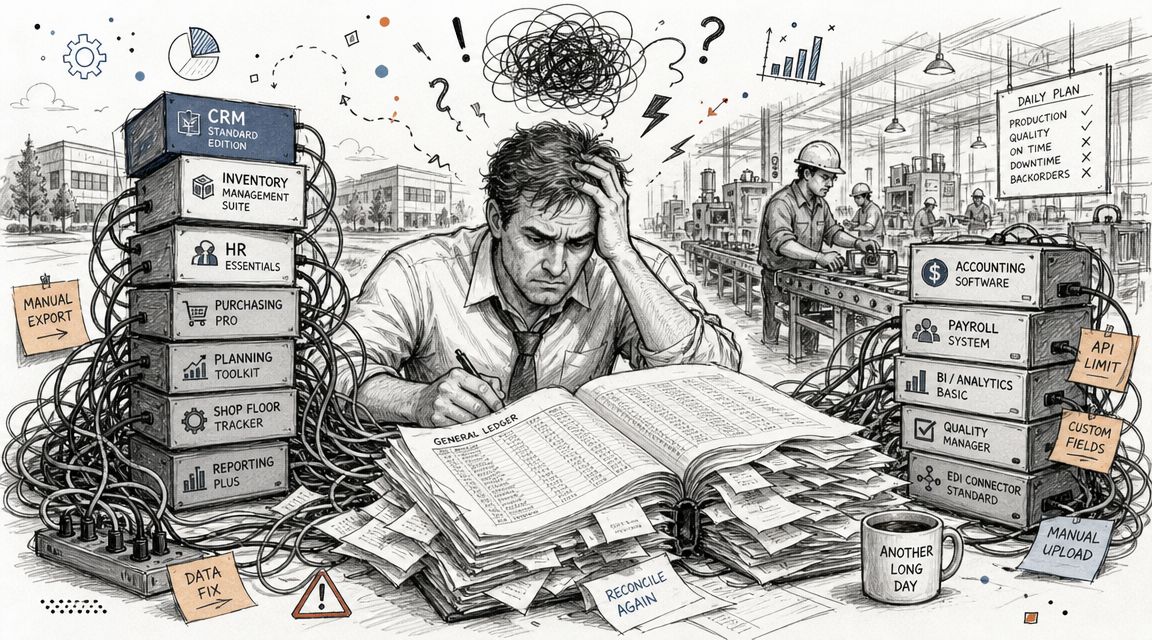
Their accounting package was fine when they were smaller. Their inventory platform also worked fine on its own. But now those systems don't line up cleanly, so staff members are fixing records by hand, checking purchase orders twice, and emailing screenshots back and forth to confirm what should already be obvious. In a busy week, that kind of mess turns small delays into missed deadlines.
The problem usually starts small
Most businesses don't wake up and decide to build a tangled software environment. It happens one purchase at a time.
You add QuickBooks. Then a warehouse tool. Then a CRM. Then a scheduling app. Then someone wants better reporting, so now there's a dashboard layer too. Each system solves one problem. Together, they create five more.
For shops in Greenwood, Franklin, and along the south side of Indy, the bottleneck often gets worse in older buildings with shaky Wi-Fi, aging server hardware, or patchy network design. A weak network won't create bad software architecture, but it will expose every crack in it. If your team waits on slow screens, retries sync jobs, or loses sessions because access points are poorly placed, software pain turns into downtime.
This is a continuity decision
Business owners often frame custom software vs off the shelf as a features question. I don't. I treat it as a continuity and ROI question.
If your team can't process orders, schedule patients, dispatch trucks, or close jobs without babysitting the software, your systems are working against the business. Downtime can cost up to $9,000 per minute according to the author brief for this piece, and most small companies don't need a total outage to feel that pain. Repeated slowdowns are enough.
Software doesn't have to crash to hurt you. It only has to waste your best people for a few hours every week.
That's why this choice matters. The right path reduces wasted tech time, keeps workflows moving, and gives you a budget you can plan around.
Defining the Two Paths Custom vs Off-the-Shelf
Over 17 years serving local businesses, I've found this decision gets easier when you stop thinking like a buyer of software and start thinking like an owner of a process.
Off-the-shelf means ready-made
Off-the-shelf software is a prebuilt product sold to many businesses. Think Microsoft 365, Shopify, QuickBooks, or a standard CRM. It's the department store suit. You can buy it fast, get it altered a bit, and wear it right away.
That model became the default decades ago. A major milestone came with the rise of packaged software in the 1970s and 1980s, when vendors started selling standardized products at scale. That shift made deployment much faster than building every system from scratch, and one industry analysis says off-the-shelf tools can be deployed about 60% faster than custom software (Full Scale analysis of custom vs off-the-shelf software).
If your process is common, this is usually the fastest route from problem to usable tool.
Custom means built around your operation
Custom software is designed for your business, your workflow, your data, and your constraints. It's the bespoke suit. It takes longer, costs more up front, and fits the way you work.
That matters when your process is the business. A local manufacturer with unusual quoting rules, a medical office with workflow constraints tied to HIPAA, or a contractor managing service dispatch across multiple counties may not fit neatly inside a standard app without a lot of duct tape.
Custom software also gives you tighter control over integration, user roles, reporting, and security architecture. If we're designing it properly, we can build around Zero Trust principles, connect to your existing systems, and keep the app aligned with the way staff already work instead of forcing everyone into a vendor's preferred process.
The plain-English difference
Here's the simplest way I explain it to Johnson County owners:
- Buy off-the-shelf when the need is common
- Build custom when the process is unusual
- Blend both when only part of the workflow creates your advantage
If you want a deeper local take on where custom development pays off, this guide to custom software development for Indy businesses lays out the business case in practical terms.
Comparison The Real Trade-Offs for Your Business
The custom software vs off the shelf debate usually gets mangled by oversimplified advice. One side says custom is too expensive. The other says packaged tools are too limiting. Both can be true.
What matters is where your business breaks if the software is wrong.
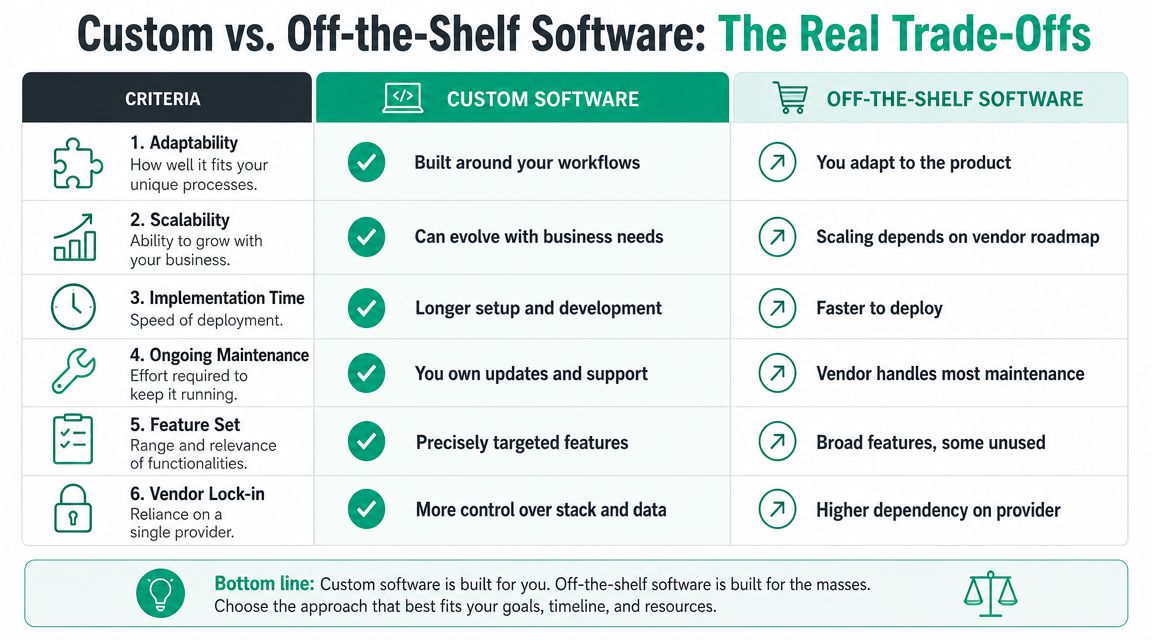
| Factor | Off-the-Shelf Software | Custom Software |
|---|---|---|
| Initial spend | Lower up front in most cases | Higher up front |
| Deployment speed | Fast for standard use cases | Slower because it must be designed and built |
| Workflow fit | Good for common processes | Built for your exact process |
| Integration flexibility | Limited by vendor APIs and connectors | Designed around your systems and data flow |
| Scalability | Fine until you hit a process ceiling | Can grow with your business model |
| Control | Vendor controls roadmap and major changes | You control priorities and evolution |
| Maintenance | Vendor handles platform updates | You or your partner own maintenance planning |
| Compliance alignment | May fit, may require compromises | Can be designed around HIPAA, CMMC, or internal controls |
| Data portability | Sometimes awkward or restricted | Usually easier to govern if designed correctly |
| Exit options | Can involve lock-in | Depends on code ownership and support structure |
Where off-the-shelf wins
For standard functions, packaged software is hard to beat. Payroll, email, common accounting, ticketing, and basic e-commerce usually don't need custom development. A vendor has already solved the mainstream version of that problem.
That speed matters for companies expanding quickly along the I-65 corridor or opening a second location and needing something operational right now. When your process is ordinary, speed and simplicity usually beat precision.
Where custom wins
Custom earns its keep when software supports the thing that makes you different. Maybe your field team follows a service process that generic FSM tools can't model cleanly. Maybe your internal approvals are tied to customer contracts, regulated documents, or project stages that standard systems treat as an afterthought.
That's where custom stops being a luxury and starts being a business tool.
Practical rule: If you're constantly saying, “Our team has to do this outside the system,” the system is already costing you more than the invoice shows.
The ugly middle ground
The worst setup is often not fully custom or fully packaged. It's a bad patchwork of plugins, add-ons, and partial integrations.
I've seen SMBs spend years stacking one workaround on top of another. Nobody owns the whole workflow. Nobody trusts the reporting. The office manager becomes the human API between systems. Then one vendor changes a connector, and billing breaks on a Monday morning.
That's also where infrastructure matters. If you're running shaky Wi-Fi in an old brick building, weak switches, or overworked firewalls, software issues hit harder. Solid UniFi networking, clean VLAN design, latency-optimized mesh nodes where needed, and basic device lifecycle planning won't fix bad app decisions, but they do remove the noise so you can see the underlying process problem.
A better way to compare
Use these questions instead of generic pros and cons:
- How unique is the process? If it's common, packaged is fine.
- What happens when the software is down? If operations stop, continuity matters more than convenience.
- Who controls change? Your vendor, your internal team, or a development partner.
- Can the tool support compliance? HIPAA, CMMC, and NIST CSF all raise the bar.
- Will this still fit in a few years? Growth exposes every shortcut.
The cheapest software is often the one that removes manual labor without creating a migration problem later.
Analyzing Cost ROI and Business Continuity
Sticker price fools a lot of smart owners.
A software demo goes well. The monthly fee looks manageable. The sales rep says it integrates with everything. Six months later, your staff is paying for the gap with spreadsheets, duplicate entry, and support tickets.
The cost question is bigger than the license
Industry guidance gets more useful when it sets a threshold. One expert benchmark says custom development starts to make sense when more than 30% of your requirements are unique, or when off-the-shelf tools meet less than roughly 50% of the functionality you need. The same guidance notes that companies choosing off-the-shelf often spend 2–3x more on customization, integrations, and workarounds than the original purchase would suggest over a 3–5 year horizon (Stratagem Systems comparison of custom software and off-the-shelf software).
That's the number many owners miss. They compare purchase cost to development cost, when they should compare full operational cost to full operational cost.
Wasted tech time is real money
Every extra click has a labor cost. Every broken handoff adds delay. Every manual reconciliation task pulls someone off work that produces revenue.
For Indiana SMBs, ROI shifts from theoretical to practical:
- Manual re-entry steals hours your staff could spend serving customers or billing work
- Poor integration creates downtime pressure when one failed sync blocks the next task
- Messy reporting slows decisions because no one trusts the numbers
- Unplanned fixes wreck budgets because software “savings” turn into emergency consulting
If you haven't mapped those process losses yet, a simple business impact analysis template for SMBs is a good place to start.
Business continuity changes the math
When software runs a core process, this isn't just an IT conversation. It's continuity planning.
A scheduler that fails at a healthcare clinic. A production dashboard that lags at a fabrication shop. A dispatch workflow that breaks for a service company during a busy storm week. Those failures ripple through payroll, customer service, and cash flow fast.
That's why I push owners to read a solid modern app continuity guide before signing a long-term software deal. If the app is central to operations, continuity planning should be part of the buying process, not a cleanup project after launch.
Fast deployment is helpful. Predictable operations are better.
A good software decision turns wasted tech time into productive time and gives you a cost model you can forecast. A bad one keeps charging you every month, even when the invoice says you're “saving money.”
Security Compliance and Long-Term Maintenance
A lot of software discussions stay shallow. Features. Price. Maybe integrations. That's fine until you're in healthcare, manufacturing tied to defense work, legal, finance, or any business where a bad control decision turns into an audit problem.
Then the software choice gets serious.
Compliance is not a bolt-on
If you handle protected health information, HIPAA has to shape access controls, logging, data handling, and backup planning. If you work with the defense supply chain, CMMC expectations will influence identity management, endpoint hygiene, and who can reach what. For general business security, NIST CSF gives a practical frame for identifying risks, protecting systems, detecting issues, responding, and recovering.
Custom software can be designed around those realities from the start. You can define role-based access more precisely, log the events you need, and build the workflow so people aren't forced into risky shortcuts. That can pair well with Zero Trust architecture, SOC-as-a-Service monitoring, immutable off-site backups, and endpoint protection such as Bitdefender GravityZone.
Off-the-shelf software can still work in regulated environments. But you need to verify how it handles identity, audit trails, retention, encryption, patching responsibility, and data export. “Compliant-ready” marketing language doesn't answer those questions.
Vendor lock-in is a business risk
One issue gets skipped too often. Leaving later.
A key concern with off-the-shelf software is vendor lock-in, and the actual cost should be measured over a 3–5 year total cost of ownership that includes subscription fees, add-ons, and staff time. One of the best questions an owner can ask is, How hard and expensive will it be to leave this platform later? (LaunchPad Lab on custom software vs off-the-shelf)
That question matters in plain English because a platform can look affordable until you need one extra integration, one extra module, one extra user tier, or a clean export of your own data.
If your data comes out in a mess, you're not choosing software. You're choosing a landlord.
Maintenance is where good intentions go to die
Custom software gives you control, but control means responsibility. Someone has to own updates, patching, code review, dependency management, backup validation, monitoring, and incident response. If nobody owns maintenance, custom software can age badly.
The same goes for packaged tools. Vendor-managed updates are convenient, but they can change screens, break workflows, or deprecate features on a schedule that doesn't match your operation.
This is why maintenance discipline matters more than the software model itself. Good patch hygiene, documented recovery procedures, and clear ownership are what keep systems usable. If that piece is weak, this plain-language look at patch management for business systems is worth a read.
Hybrid usually makes the most sense
For many Indiana SMBs, the smartest answer isn't all custom or all SaaS.
Use packaged software for commodity functions like payroll, email, and mainstream accounting. Use custom applications for the workflows that set you apart. That middle ground often reduces lock-in, keeps deployment practical, and protects the part of your operation that creates margin.
Making the Right Call for Your Indiana Business
Monday at 8:10 a.m., your front office is fielding calls, the warehouse is waiting on status updates, and someone is exporting data into Excel because the system still cannot do one basic task the way your team works. That is usually the moment this decision stops being theoretical.
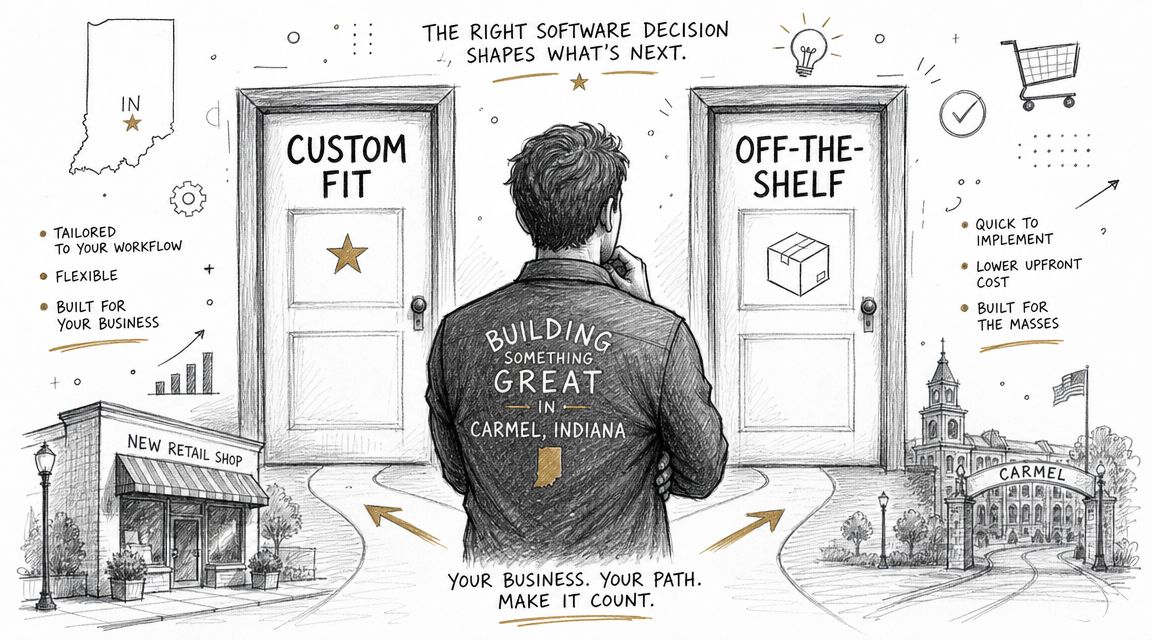
The right call for an Indiana business is rarely about features alone. It comes down to how the software affects cash flow, compliance, downtime risk, and the amount of manual work your staff is carrying just to keep the day moving. In Johnson County, I see owners make better decisions when they treat software like an operations choice, not a shopping exercise.
When off-the-shelf is the smart call
If your process is standard, buy the standard tool.
A new retailer in Carmel usually should not spend early cash on a custom commerce platform. Shopify, Square, and mainstream bookkeeping tools get the store open, shorten setup time, and make hiring easier because new staff have often seen those systems before.
The same logic applies to many small offices in Greenwood. If your workflow looks a lot like peer firms, and the software supports the business instead of creating your margin, packaged software is usually the better financial decision. You get a known product, a faster launch, and fewer surprises during year one.
That matters more than owners like to admit. A delayed software rollout can hurt a small business faster than an imperfect feature set.
When custom becomes the better bet
Custom starts to make sense when your process is part of what customers are paying for.
A logistics company in Plainfield with its own dispatch flow, routing rules, or customer update process should be careful about forcing that work into a generic platform. I have seen companies lose speed and accuracy because they bent the operation to fit the software instead of fitting software to the operation.
The same applies in regulated environments. A healthcare clinic may need scheduling logic, permission levels, and audit controls that match how the practice runs. A defense-adjacent manufacturer or contractor may need workflow controls, documentation trails, and user restrictions that line up more cleanly with CMMC expectations than a broad-market SaaS tool can offer without layers of workarounds.
In those cases, custom software is not a vanity project. It can protect revenue, reduce avoidable labor, and lower the operational risk that shows up every time a team has to improvise.
What this looks like around here
The pattern is pretty consistent across central Indiana.
- Manufacturing in Greenwood or Franklin: custom often earns its keep in quoting logic, production tracking, quality checkpoints, and inventory handoffs between departments.
- Healthcare practices on the south side: packaged platforms can work if access controls, audit requirements, and staff workflow all line up without forcing side processes outside the system.
- Field service teams across Johnson County: a hybrid model is often the practical answer. Keep standard accounting and use a custom dispatch, scheduling, or job-status layer.
- Growing firms near Indianapolis or Hamilton County: off-the-shelf software may work well early, then start slowing approvals, reporting, and integrations once the business gets more complex.
If you are sorting through vendors, developers, and sales demos, this Indy guide to choosing a software development company gives a practical way to compare them.
Here's a useful overview to watch before you commit to either path:
Finchum Fixes IT is one local firm that works across IT support, networking, cybersecurity, and custom software. That mix matters because this decision often ties directly to Wi-Fi reliability, endpoint security, remote access, backup recovery, and how well the business can keep operating during an outage.
Your Decision Checklist and Finding a Local Partner
Before you buy anything, answer these questions in writing.
Questions for your own team
- What problem are we solving? Name the workflow, not just the product category.
- Where are people doing manual work outside the system? Those workarounds are your warning signs.
- What part of our process is unique? Be honest. Not everything is special.
- What breaks if this system is unavailable? That tells you how much continuity planning you need.
- Do we have compliance requirements? HIPAA, CMMC, and internal policy controls all change the decision.
Questions for vendors or developers
- How does onboarding work? You want a real implementation plan, not a promise.
- Who owns the data and how do we export it? Ask before signing.
- What does support look like during an outage? Nights, weekends, and escalation paths matter.
- How are updates, patches, and security reviews handled? That's not a side issue.
- What will this likely cost over several years? Not just month one.
If you're vetting custom development help, this Indiana guide to hiring a custom application developer gives you a practical list of what to ask.
The best partner won't force you toward custom or off-the-shelf by default. They'll map your process, pressure-test the risks, and tell you when a standard tool is enough.
If you're in Greenwood, Indianapolis, or anywhere along the south side and you want a clear answer before spending money on the wrong platform, Finchum Fixes IT offers a Free Network Assessment and Security Risk Audit for local businesses. It's a practical way to sort out whether you need packaged software, a custom build, or a hybrid setup that protects uptime, budget, and growth.