Networking Cable Management: An Indiana Business Playbook
Professional networking cable management is a system for organizing network wiring so your business avoids downtime, troubleshoots faster, and keeps network performance stable. It matters because downtime can cost up to $9,000 per minute when someone unplugs the wrong line or wastes time tracing a bad cable through a mess.
If you're in a Greenwood office park or an older Indy building, you already know the scene. The server closet started clean years ago. Then a switch got added, then a second ISP handoff, then a couple of UniFi access points, then a printer got moved, then someone stuffed extra patch cords in the rack because “we'll tidy it later.” Later never came.
That mess isn't harmless. It's a business continuity problem hiding behind a locked closet door.
That Spaghetti Monster in Your Server Closet Is Costing You
A messy rack costs money in the least exciting way possible. It burns technician time, drags out outages, and raises the odds that somebody disconnects the wrong thing while trying to fix something else. In networking cable management, human error during troubleshooting is one of the main reasons for downtime, and labeling both ends plus color coding helps prevent wrong-cable disconnects that can contribute to downtime costing up to $9,000 per minute according to Brady's network cable management guide.
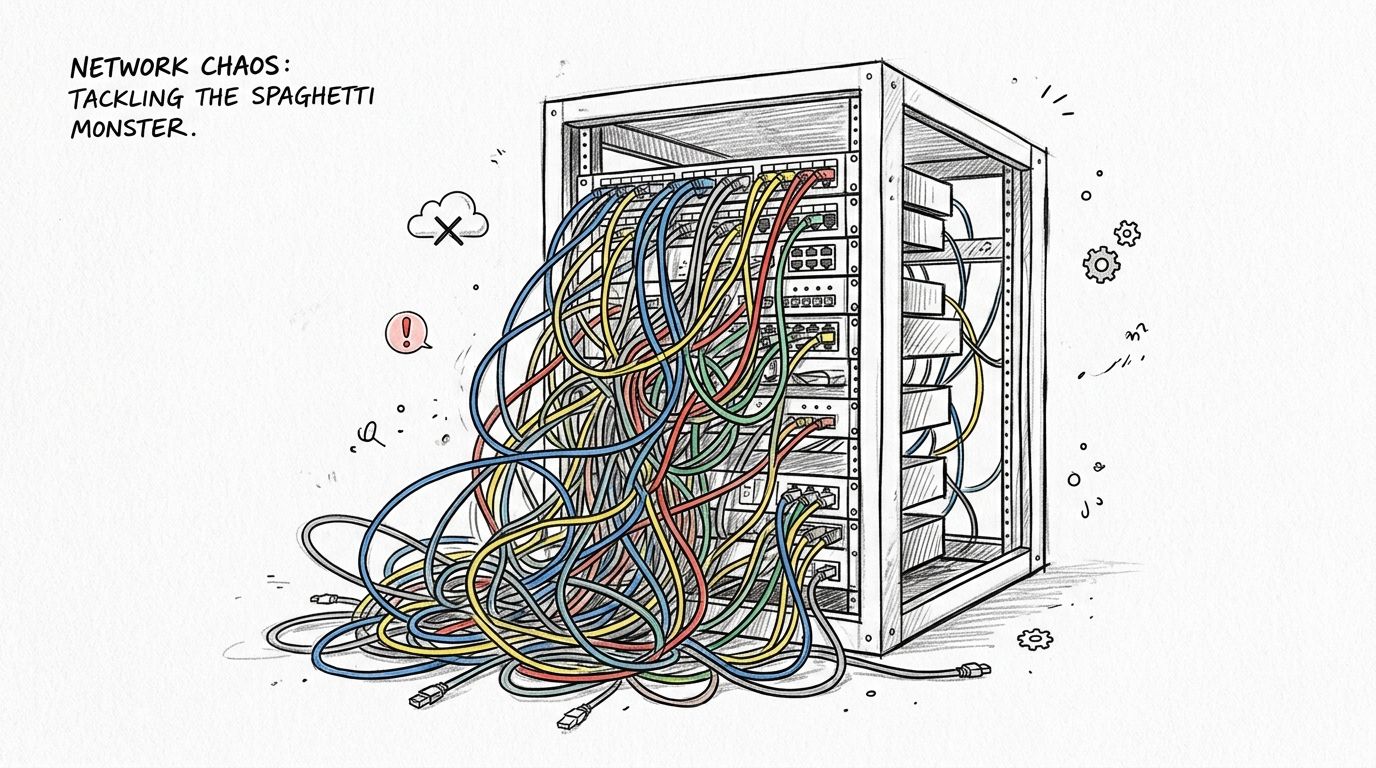
In our 17 years of local service, we've seen this over and over in Johnson County. A law office, dental practice, machine shop, or small distributor has a “network issue” that sounds complicated. Then you open the closet and find six different patch cable lengths, no labels, power and data mixed together, and an old cable bundle nobody wants to touch because nobody knows what still matters.
Why this turns into real business loss
The first cost is downtime. The second cost is wasted tech time. If a skilled technician spends an hour tracing one mystery cable by hand because the rack looks like a bowl of ramen, that hour isn't going to strategic work like Wi-Fi redesign, Bitdefender GravityZone policy tuning, Microsoft 365 hardening, or immutable off-site backups.
For local owners along the I-65 corridor, that matters because IT labor should move the business forward, not play hide-and-seek with patch cords.
Practical rule: If your network closet requires guesswork, it is already costing you more than the cleanup project would.
There's also a security angle people miss. Physical confusion slows response during an incident. If you're trying to isolate a device, reroute a connection, or verify what uplink feeds a firewall segment, bad cabling discipline works against Zero Trust architecture and against any sensible NIST CSF-aligned operational process.
A clean closet is not about vanity
Some owners hear “cable management” and think they're paying for neatness. Wrong frame. You're paying for faster recovery, safer changes, and less risk during growth. That's why any smart network infrastructure upgrade for Indiana SMBs has to include the physical layer, not just the shiny new switch.
A clean rack gives you three things immediately:
- Faster isolation: Techs can identify ports and pathways without trial and error.
- Safer moves adds and changes: You can add a phone, camera, access point, or workstation without disturbing production links.
- More predictable budgeting: You're converting random emergency labor into planned maintenance.
Messy closets create surprise invoices. Organized closets create control.
Your Blueprint for a Clean and Scalable Network
Before anybody grabs Velcro, start with a map. The global structured cabling market is projected at $13 billion to $16 billion in 2026, and professionals recommend planning cabling for at least two technology refresh cycles, typically 7 to 10 years, to handle future bandwidth needs from virtualization and AI according to The Network Installers structured cabling statistics. That same long-view mindset applies to a 12-person accounting office in Greenwood just as much as a bigger Hamilton County operation.
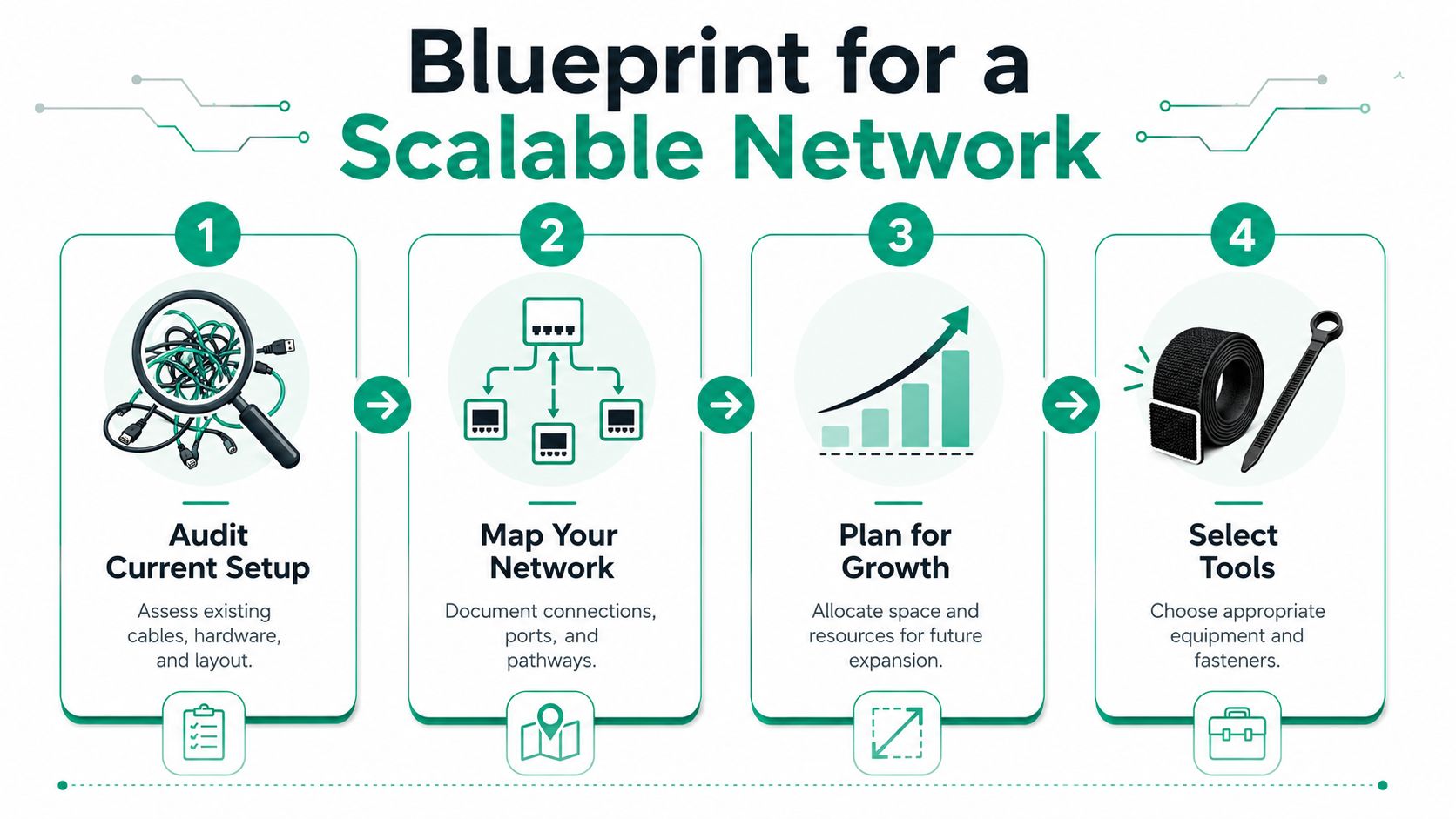
A lot of SMBs make the same mistake. They plan for today's headcount and today's devices. Then six months later they add cameras, door access, a second switch, two more access points, maybe a VoIP refresh, maybe a cloud migration project that changes traffic patterns. Suddenly the “clean” rack has no room to breathe and no documentation anyone trusts.
Start with an audit, not shopping
Walk the closet and document what physically exists before you decide what to replace.
- Identify live gear: Firewall, switch, patch panel, UPS, modem, controller, NAS, and anything wall-mounted nearby.
- Tag abandoned cabling: If a cable goes nowhere useful, flag it for removal during a maintenance window.
- Trace uplinks and critical runs: Internet handoff, server uplinks, voice circuits, AP drops, camera runs, and anything tied to production equipment.
- Record rack units and pathways: Count available rack space and note whether cables currently run overhead, in tray, along wall, or through furniture.
Use a simple spreadsheet and a basic port map. If you want something a little more structured, even a shared Excel file plus a Visio diagram is better than tribal knowledge. For mixed environments, I also like keeping a plain-text export from switch configs with command notes such as show interface status, show mac address-table, and show lldp neighbors so the logical map matches the physical one.
If your documentation lives only in one employee's memory, you don't have documentation.
Plan for future work, not rack beauty contests
Indiana SMBs require common sense in this regard. A perfect rack photo is not the goal. Operational agility is. In a non-dense environment, especially a smaller office with regular changes, some measured slack and room for future additions can be smarter than chasing showroom aesthetics.
That matters for healthcare offices managing HIPAA controls, defense-related firms dealing with CMMC, and everyone else trying to align security operations to NIST CSF. If your physical layer is undocumented, every audit, every incident response task, and every upgrade gets harder.
A useful blueprint usually includes:
- Growth zones: Leave space for future UniFi networking gear, patch panels, and PoE expansion.
- Compliance notes: Match cable IDs to rooms, devices, and business functions for audit clarity.
- Recovery priorities: Mark which circuits must come back first after a failure.
- Tool standards: Decide now that temporary routing uses Velcro, not zip ties.
If you need the bigger framework behind this physical work, structured cabling for business networks is the backbone that keeps small fixes from turning into expensive rewires.
Selecting the Right Racks Trays and Panels
Hardware choices decide whether your rack stays manageable or slides back into chaos. This isn't about buying the fanciest cabinet in a catalog. It's about matching form factor to the room, airflow, cable density, and the kind of changes your team makes.
What to choose and why
A simple comparison makes the decision cleaner:
| Component | Best fit | Why it works | What usually goes wrong |
|---|---|---|---|
| 2-post rack | Light network gear in a shallow closet | Easy access, lower cost, simpler cable reach | People overload it with heavy gear and create strain |
| 4-post rack | Mixed equipment, deeper hardware, cleaner front-to-back layout | Better support and stability | Takes more floor space in cramped rooms |
| Ladder tray | Overhead cable routing with frequent adds and changes | Good access and visibility | Bad planning turns it into a dumping ground |
| Solid-bottom or enclosed pathway | Spaces needing protection from incidental contact | Cleaner pathways and cable shielding | Harder to inspect quickly |
| Patch panel | Any business that wants predictable moves and troubleshooting | Keeps permanent cabling separate from patching | Skipped entirely in “temporary” installs that become permanent |
For most SMB closets, vertical cable managers are worth every dollar. They reduce strain at the switch face, keep patching readable, and improve airflow. That matters more in old brick buildings around downtown Indy and the south side, where HVAC in telecom closets is often an afterthought.
Buy for the next problem, not the current one
A cheap wall bracket might hold today's switch. It won't age well once you add another switch, a UPS, an ISP demarc extension, and PoE-heavy gear. The same goes for tiny trays and bargain patch panels that flex when you repatch them.
The expensive part of bad rack hardware isn't the hardware. It's paying twice when the first setup has to be ripped out.
I generally want a rack layout that separates permanent horizontal cabling from patching and gives enough room to route cleanly without stressing ports. That could mean a modest 4-post rack for a growing business even if a smaller option technically fits today.
For businesses planning remodels, office moves, or floor expansions in Johnson County, it pays to read this Indiana structured cabling contractor guide before buying piecemeal hardware online. A little planning up front beats a stack of “almost right” parts sitting in the back room.
What works in real closets
The setups that age well usually have these traits:
- Front access stays clear: Patching is visible and ports aren't buried behind loops.
- Cable paths are intentional: Overhead, side, or rear routing is chosen in advance.
- Power is treated separately: UPS, PDU cords, and data cabling don't get tangled together.
- Expansion space exists: Not huge. Just enough that the next project doesn't break the rack.
That's the difference between infrastructure and clutter.
Running Cables Without Causing Future Headaches
Networking cable management either pays off or falls apart at this critical stage. Most ugly failures don't come from exotic equipment faults. They come from basic physical mistakes made during install day, then hidden behind a rack door.
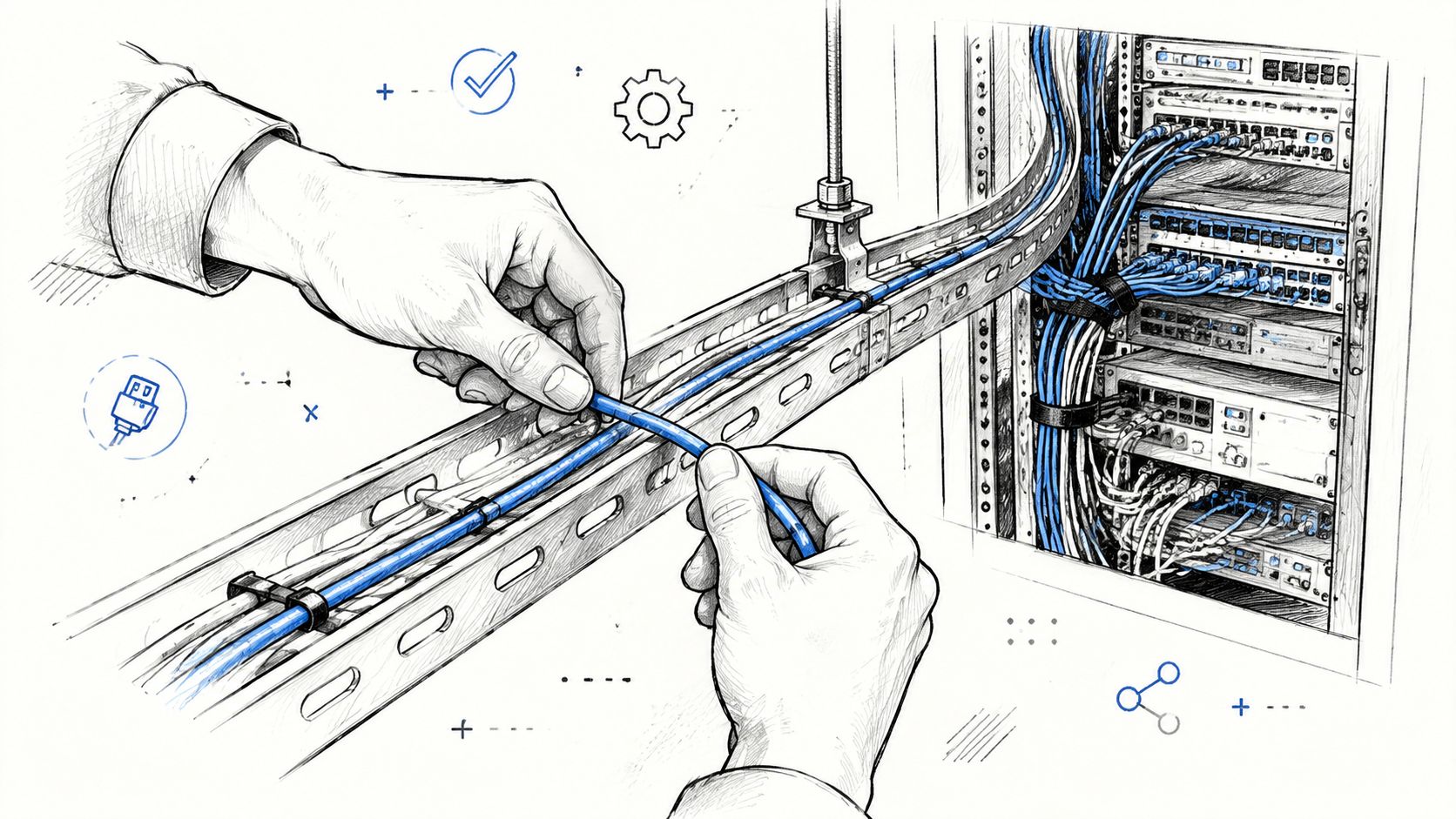
For PoE++ bundles, don't exceed 24 cables per bundle under TSB-184-A. Improper bundling and excessive tension account for over 30% of physical layer failures in enterprise data centers, and zip ties are a common culprit because they can crush the cable jacket, according to this guidance on network rack cable management.
The rack layout that keeps working
A practical stack for a busy SMB rack is straightforward:
- Top position: Patch panel
- Middle position: 1U horizontal cable manager
- Bottom position: Switch
That interleaving matters. It shortens patch paths, controls slack, and makes repatching less risky. For front-of-rack patching, use short pre-terminated Cat6A cords where appropriate so you're not stuffing extra cable into side channels.
For copper bend radius, keep to the applicable specification. One verified guideline says Cat 6 should maintain 4× outer diameter, while fiber should maintain 6× outer diameter in that source's context, and another verified source says copper should be at least 10× outer diameter when the datasheet is unspecified. The practical takeaway is simple. Don't force sharp bends, especially near the connector, because bad bends increase skew and hurt high-speed performance according to best practices for high-speed and high-density systems.
A field method that saves callbacks
When we rack out a small office closet, the install sequence is usually boring on purpose:
- Mount hardware first: Rack, managers, patch panels, switch, shelf, UPS.
- Route permanent cabling second: Keep pathways consistent and avoid crossing everything through the middle.
- Patch short and clean: Use the shortest patching that still allows serviceability.
- Bundle loosely: Velcro One-Wrap only. Snug, never crushing.
- Separate power and data: Maintain the required spacing where applicable and use partitioned pathways when needed.
If someone asks whether they can save time by trimming corners or cinching cables tight with plastic ties, the answer is no. Tight bundles look neat for about a week. Then heat, stress, and small moves start causing intermittent nonsense.
Leave enough order that the next technician can work fast, and enough flexibility that the next project doesn't wreck the install.
A lot of owners also ask about splicing because a run came up short or got nicked during a move. In a business setting, that should be the exception, not the plan. If you're weighing repair versus replacement, safe Cat5 splice methods for current networks lays out where shortcuts become long-term problems.
PoE and old buildings need extra care
Older Greenwood and Indianapolis offices create their own headaches. You may be retrofitting Wi-Fi 6, 6E, or newer gear into spaces that were never designed for dense PoE runs. Heat management matters. So does airflow around bundles, especially when cameras, phones, access points, and sensors all converge back to one switch stack.
That's one reason I prefer dedicated pathways or baskets for heavier PoE zones instead of just cramming everything into one side of the rack.
A solid visual helps here:
Diagnostics that prove the install is right
Don't stop at link lights. Use real checks.
- On the switch: Run commands like
show interface status,show interface counters, andshow logto catch drops, flaps, or speed mismatches. - On cable certification gear: Test each new run for wiremap, length, and performance.
- On Wi-Fi deployments: Validate the wired backhaul before blaming access points or mesh behavior.
This is the same mindset used in stronger cloud and security environments. If you care about SOC-as-a-Service monitoring, latency-optimized mesh nodes, and reliable endpoint protection, the physical layer has to stop sabotaging the stack underneath.
Making Your Network Intelligible and Easy to Manage
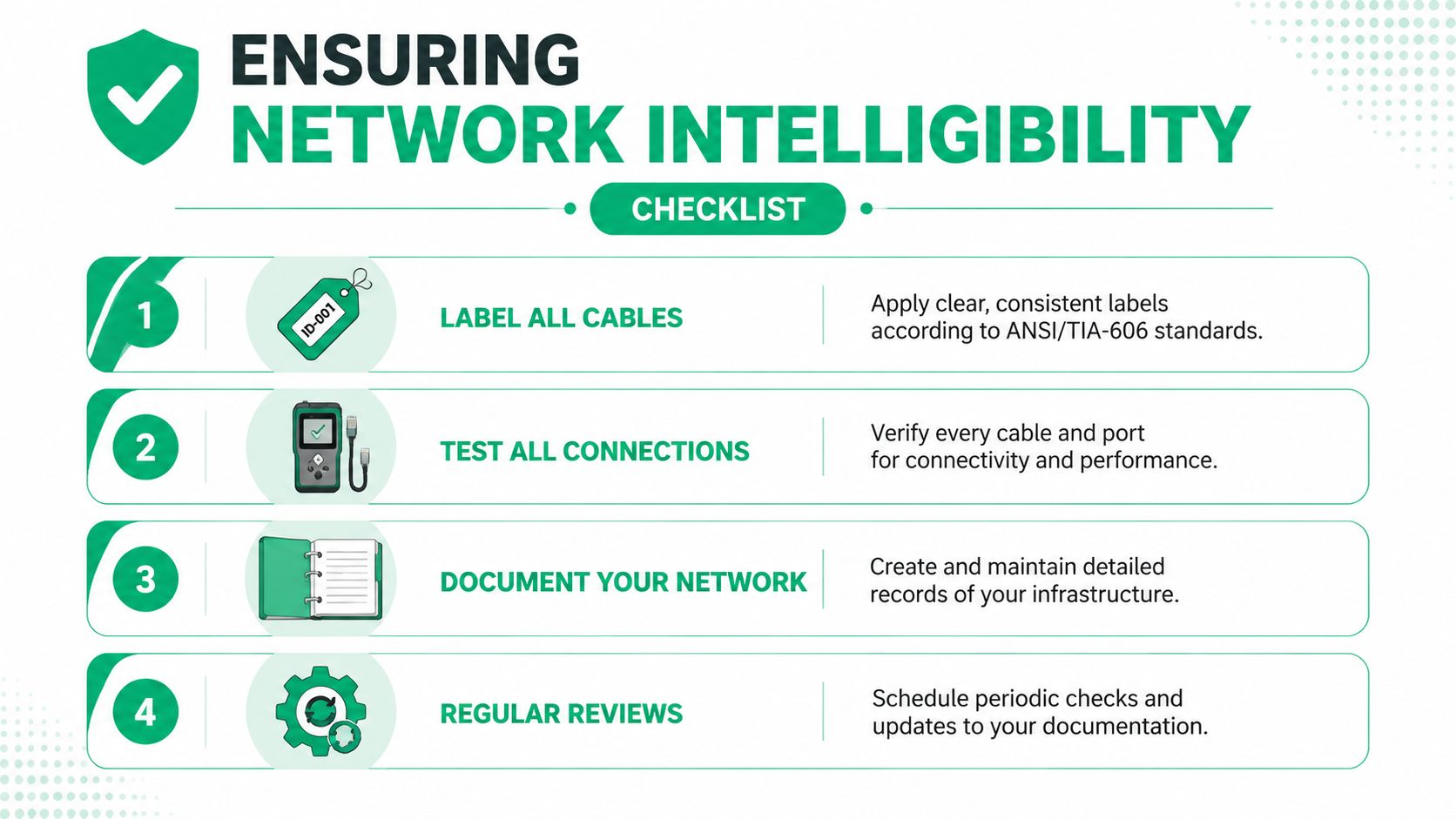
A clean install means nothing if nobody can read it later. The true measure of networking cable management is what happens six months from now when a switch fails at 4:45 p.m., a contractor moved a printer, or someone needs to isolate a bad run before a payroll deadline.
A documented method of unique alphanumeric codes and color-coding on both ends can reduce troubleshooting time by up to 70%, and abandoned cables can restrict airflow enough to contribute to 25% of data center overheating events according to TechTarget's cabling tips.
Label like you expect a stranger to work on it
That's the standard. Not “good enough for the guy who installed it.” Use ANSI/TIA-606 style thinking and make every cable identify itself at both ends.
A simple small-business format works well:
| Item | Example | Why it helps |
|---|---|---|
| Cable ID | A01, A02, B14 | Unique reference for tickets and diagrams |
| Rack position | PP1-24 to SW1-24 | Tells a tech exactly what's connected |
| Location tag | Exam2, FrontDesk, AP-West | Links the cable to a room or device |
| Color meaning | Blue data, another color for voice or uplink | Speeds visual identification |
Don't get fancy for the sake of fancy. Make it readable, consistent, and durable.
Test every drop before you call it done
Field reports show improper field termination errors, often caused by untwisting Cat 6 or 6A pairs beyond the 13 mm limit, are responsible for 83% of intermittent gigabit failures according to this cable management and testing article citing Fluke Networks field reports. That's why professional installs get tested, not just plugged in.
Use a proper tester. Fluke Networks certifiers are common in the field for a reason. A basic continuity tester can catch gross failures. It won't tell you the whole story on performance. After termination, test first, then label, then document. Not the other way around.
A patch cord that “works for now” is how intermittent tickets get born.
Documentation that actually gets used
The best documentation is the one your team will maintain. For most SMBs, that means:
- A rack elevation: What sits in each rack unit.
- A port map: Patch panel port to switch port to endpoint.
- A change log: Who moved what and when.
- A recovery note: Which links are critical for line-of-business apps, phones, cameras, and internet failover.
If you already track DHCP scopes, VLANs, and switch names, tie the physical labels into that same system. Good IP address management for Indianapolis businesses gets much easier when the physical port and the logical record match.
This is also where practical IT support and data recovery planning meet. If you're restoring a server, moving a firewall, or doing bit-level data recovery from a failed storage system, clear network documentation cuts panic and speeds recovery.
Keeping It Clean and Proving the Value
The job isn't done when the rack looks nice. It's done when it stays useful.
Field reports say improper field termination, including poor handling of twisted pairs beyond the 13 mm limit, causes 83% of intermittent gigabit failures, and quarterly physical inspections plus annual testing of critical links are best practices for catching degradation before it becomes an outage according to this field guidance on cable management maintenance.
A maintenance rhythm that SMBs can live with
Most Indiana SMBs don't need a full-time network engineer staring at cable trays. They do need a repeatable maintenance cadence.
- Quarterly physical checks: Look for sag, tight bends, crushed jackets, heat buildup, and mystery additions.
- Annual link testing: Re-test critical copper and fiber links before they fail during a busy week.
- Cleanup after every project: New camera, AP, workstation block, or server move means labels and docs get updated that same day.
That schedule keeps small problems from turning into outages during the worst possible week of the quarter.
Why owners should care beyond the closet
A stable physical layer supports everything above it. That includes cloud connectivity, immutable off-site backups, VoIP reliability, Bitdefender GravityZone deployment health, and security controls tied to Zero Trust architecture. If the cabling is sloppy, every higher-layer system inherits risk.
For healthcare, that instability can complicate HIPAA safeguards. For defense-adjacent shops, it can undermine the discipline needed for CMMC. For everybody else, it means unpredictable IT bills and more “why is the network weird today?” conversations.
Good cable management isn't a cleanup task. It's a way to turn random outages into planned maintenance and turn wasted tech time into productive work.
Along the south side, from Greenwood business parks to downtown Indy offices, the companies that handle this well usually aren't the ones with the fanciest racks. They're the ones with the least guesswork. That's what creates ROI. Less downtime, less emergency labor, and a network your team can manage.
If your server closet looks one bad move away from a work stoppage, it's time to fix the physical layer before it costs you another afternoon. Finchum Fixes IT offers a Free Network Assessment for businesses in the Greenwood and Indianapolis area, including rack cleanup planning, structured cabling review, Wi-Fi and UniFi networking design, compliance-minded documentation, and practical next steps that fit a predictable monthly IT budget.