Proactive IT Support: Stop Downtime Before It Starts
Proactive IT support means your provider monitors your network, servers, and laptops, fixes developing problems before they interrupt work, and tests recovery procedures on a schedule. For a Greenwood office fighting dropped Wi-Fi or an aging server, it replaces repeated emergency repairs with planned maintenance and a predictable monthly fee.
Your staff are standing near the stairwell because that's where the laptop finally connects. Meanwhile, the server in the closet sounds like a leaf blower, and payroll needs to run. Neither problem improves with another reboot and a hopeful pat on the case.
What Proactive IT Support Really Means
Break-fix support is the tow truck. Proactive support is the oil change, plus someone checking the warning lights before you head down I-65. You still need emergency help when something fails, but emergencies shouldn't be your maintenance strategy.
Say a Greenwood business park office calls about a slow PC. The technician discovers that the computer is waiting on a shared application running from an overloaded server. Replacing the PC wouldn't fix that bottleneck. It would give the employee a faster machine on which to watch the same spinning circle.
A managed approach checks the dependency chain: workstation, switch, server storage, application service, and backup system. The technician identifies the cause, schedules corrective work, and confirms that the application performs properly afterward.
Watch, maintain, and prove
The work falls into distinct jobs:
- Watch: Collect device health, service availability, and security alerts. Assign someone to investigate them.
- Maintain: Schedule updates, review configurations, replace deteriorating hardware, and document changes.
- Prove: Restore data deliberately and verify that critical applications work after recovery. A successful backup notification isn't a recovery demonstration.
For Johnson County business owners, the important distinction is ownership. Someone must own the alert, the repair decision, and the follow-up. An unattended dashboard is just a colorful way to postpone trouble.
Reactive support waits for the smoke. Proactive support checks the detectors.
Fix the cause, not the symptom
Offices expanding through Hamilton County or adding another location along the I-65 corridor need a network plan that matches the business plan. Copying the original office's equipment list isn't enough. Application traffic, internet failover, remote access, and permissions all need review.
Likewise, thick brick walls require a wireless survey and sensible access-point placement, not a permanent subscription to buying stronger routers. An aging server needs a supported replacement or migration plan, not endless resuscitation.
Permanent correction means removing the underlying bottleneck, then maintaining the replacement. It doesn't mean promising that hardware will never fail. Any provider making that promise should also explain how they've defeated gravity.
Five Core Components That Keep Systems Running
Monitoring, patching, backups, endpoint security, and network management work together. Buying them separately without coordinating ownership leaves gaps, particularly when one vendor assumes another vendor is watching.
This diagram shows the operational pieces that need to stay connected.
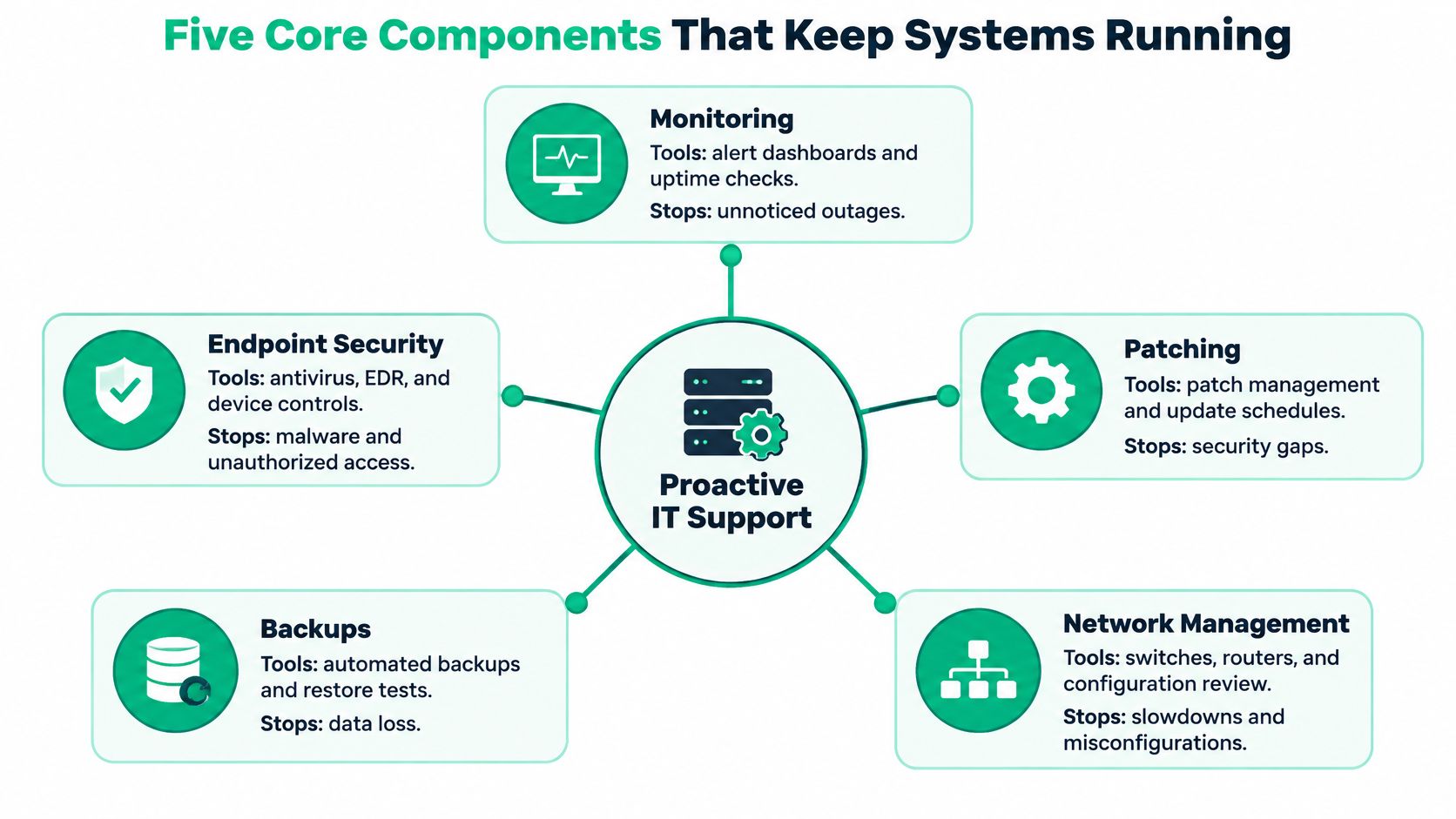
Core components, typical tools and what each prevents
| Component | Typical tools and setup | What it prevents |
|---|---|---|
| Monitoring | RMM agents plus SOC-as-a-Service alerting | Unnoticed failing disks, stopped services, and full drives |
| Patching | Windows Update for Business rings, Microsoft Intune, WSUS for existing on-premises deployments | Known exploits left open on laptops and servers |
| Backups | Separate backup repositories, immutable off-site copies with object lock, isolated restore testing | Permanent loss after ransomware encryption or file deletion |
| Endpoint security | Bitdefender GravityZone with EDR and Zero Trust access rules | Malware spread and misuse of stolen credentials |
| Network management | UniFi controller, VLAN segmentation, latency-optimized mesh nodes where appropriate | Dropped Wi-Fi, slow shared drives, and guest traffic reaching servers |
Monitoring needs a response path. An RMM agent can report a stopped database service; SOC-as-a-Service monitoring handles security investigation and escalation. Those aren't interchangeable jobs. For additional context on collecting server health signals, UpTime Web Hosting lets owners explore outsourced server monitoring.
Patching needs restraint, too. Microsoft Intune can coordinate deployment rings, but somebody must check application compatibility and rollback options. Existing WSUS installations also need maintenance and lifecycle planning, not automatic renewal by habit.
Design around failure
Object lock protects retained backup objects from alteration or deletion within their configured retention rules. It doesn't prove that the application inside the backup will start. That takes a restore test.
Similarly, Zero Trust architecture means granting access according to identity, device condition, and business need. Installing Bitdefender GravityZone doesn't automatically establish those access rules.
With UniFi networking, separate guest traffic from business systems using VLANs and firewall rules. In older Indianapolis buildings, prefer wired access-point backhaul where possible. Latency-optimized mesh nodes can help where cabling isn't practical, but brick walls also obstruct the wireless connection between mesh nodes.
The NIST Cybersecurity Framework 2.0 organizes security into Govern, Identify, Protect, Detect, Respond, and Recover, providing a vendor-neutral structure for assigning this work. Governance and inventory connect the technical components to actual business responsibilities.
Finally, users need a clear reporting route. A managed help desk for growing businesses connects staff complaints to technical evidence, so the recurring accounting slowdown becomes an investigation rather than another closed reboot ticket.
What Downtime Really Costs and Where the Savings Land
An assumed downtime cost of $9,000 per minute makes dramatic arithmetic. It isn't a universal business benchmark. Use it as an upper-end planning scenario, not a prediction of what your Greenwood office loses when the internet drops.
Your own exposure comes from interrupted transactions, idle employees, delayed production, recovery labor, and contractual consequences. A clinic's scheduling outage and a payment processor's outage won't produce the same bill.
Downtime cost by outage length at two rates
These are hypothetical calculations, using an assumed upper-end rate and an illustrative SMB rate. Neither rate is a measured average for Indiana businesses.
| Outage length | At $9,000 per minute (upper-end figure) | At $750 per minute (illustrative SMB rate) |
|---|---|---|
| 15 minutes | $135,000 | $11,250 |
| 1 hour | $540,000 | $45,000 |
| 4 hours | $2,160,000 | $180,000 |
| 8-hour workday | $4,320,000 | $360,000 |
The stronger argument is preventability: in Uptime Institute's global survey findings, four in five respondents said their most recent serious outage could have been prevented through better management, processes, or configuration. That finding concerns data-center respondents, but the operational lesson is useful: investigate correctable conditions before they become outages.
For a local office, those conditions might include exhausted storage, an expired service credential, or a firewall configuration nobody documented. None requires a cinematic cyberattack to ruin payroll.
Calculate the real monthly cost
Use this sequence when comparing a managed proposal with break-fix spending:
- Start with the monthly service fee. Add separately billed licensing, backup storage, and planned project costs.
- Subtract emergency spending reasonably avoided. Use your invoices, not a provider's optimistic guess.
- Subtract recovered productive time. Multiply staff hours reclaimed by their appropriate labor or contribution value.
- Evaluate downtime risk separately. Avoid counting the same lost labor again inside a broader outage estimate.
Say an employee spends six hours in a hypothetical month wrestling with Outlook profiles, password problems, and printers. Support can return that time to customer work. It becomes billable revenue only if demand and staffing allow the employee to bill it.
Budget rule: Don't count every recovered minute as revenue, and don't count the same saving twice.
For clearer management discussions, Fivenines' guidance on building stakeholder-facing incident reports offers useful context. Record the business interruption, not merely the device error.
A practical business continuity strategy also separates recurring service fees from hardware reserves. Predictable support spending helps cash flow, but replacement servers still need funding.
Warning Signs You Are Still Running Reactive
Your ticket history tells you more than the sales brochure. If every visit starts with somebody unable to work, your provider may be doing competent repairs without performing preventive management.
The familiar scene looks like this.
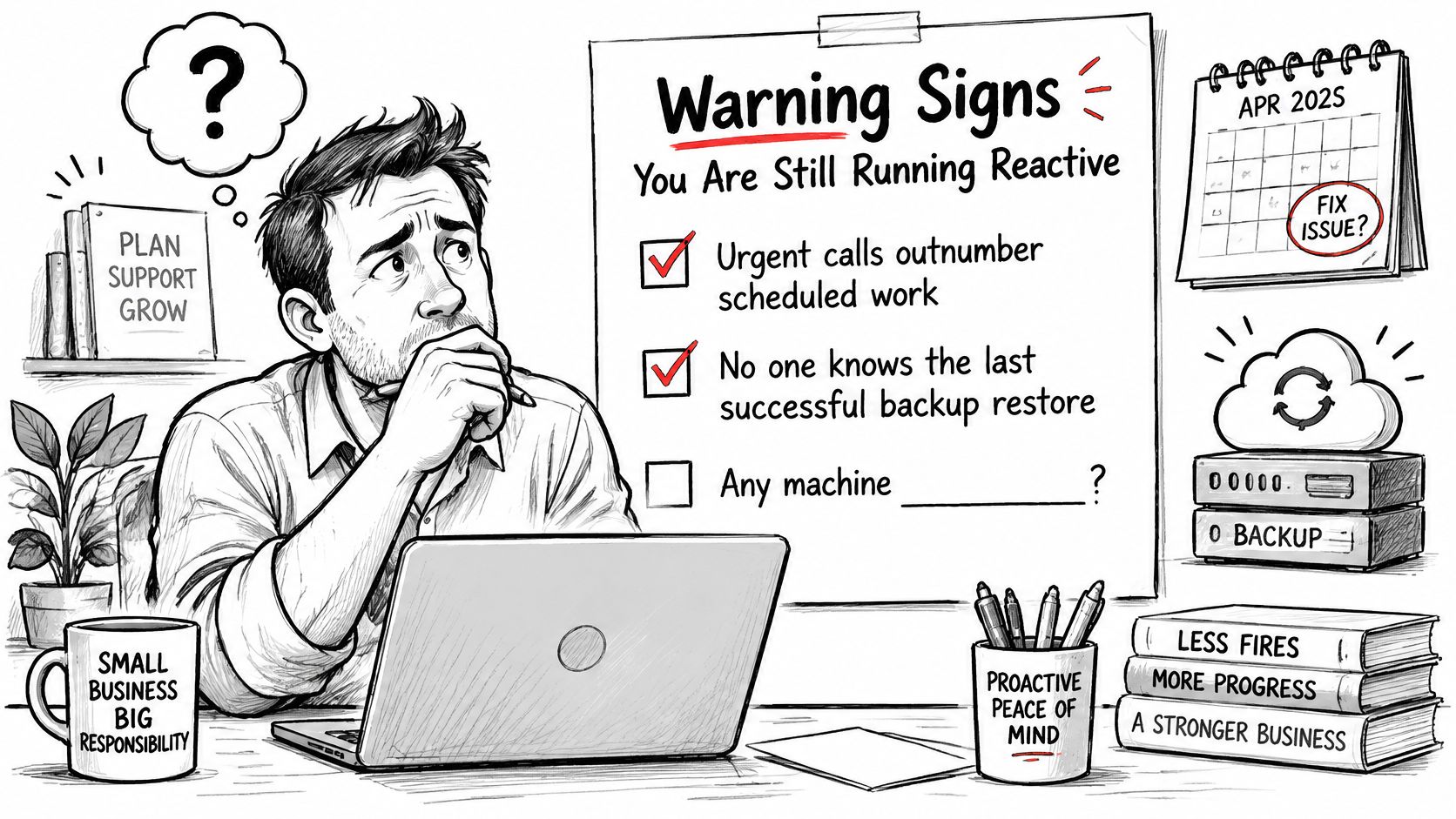
Checks an owner can make today
- Urgency dominates: Emergency requests outnumber scheduled maintenance tasks.
- Recovery has no witness: Nobody can name the last successful restore or produce its results.
- Operating systems lack a support plan: Windows 10 machines remain without a documented upgrade or applicable extended-support arrangement.
- Passwords live in stationery: Staff share credentials through sticky notes or spreadsheets.
- Firewall maintenance is invisible: Nobody can identify the installed firmware or explain the update schedule.
- Wireless dead zones are accepted: Employees move around brick stairwells or metal shelving to reconnect.
- Expansion outruns design: New sites and remote workers appear without capacity, access, or security planning.
CISA's Cybersecurity Performance Goals recommend accurate asset inventories and prioritizing known exploited vulnerabilities, especially on exposed, high-risk systems. Your provider should treat an internet-facing system affected by an actively exploited flaw as urgent, while evaluating safe remediation and compensating controls.
A Greenwood server check
Consider a hypothetical office using an aging tower server with a RAID 5 array. The fan is audible from the hallway, and backup messages say success, but nobody has demonstrated recovery. The noise could indicate heat, dust, a failed fan, or ordinary fan behavior under load. Diagnose it before ordering parts.
An authorized technician can run Get-PhysicalDisk | Select FriendlyName, HealthStatus in PowerShell. Hardware RAID controllers may hide individual disk health from Windows, so the controller's management utility and event logs matter too.
On Windows Server, wbadmin get versions lists backup versions known to Windows Server Backup. It won't inventory every third-party backup product, and listed versions don't establish recoverability.
Never start a RAID rebuild just because a console offers a convenient button.
Document drive bays, controller configuration, disk serial numbers, and current backups before invasive work. A rebuild reads heavily from surviving disks and can expose another failure.
If the array is unstable, stop unnecessary writes and get recovery advice. Bit-level data recovery may require imaging failing media before reconstruction, not repeatedly rebooting it. Use emergency IT support for Indiana businesses when active failure makes further experimentation risky.
How to Move From Reactive to Proactive Support
Start with visibility, not a shopping cart. A Johnson County office without a reliable inventory doesn't need an elaborate dashboard first. It needs to know what it owns, who uses it, and what would stop work if it failed.
Use the process below as a working transition plan.
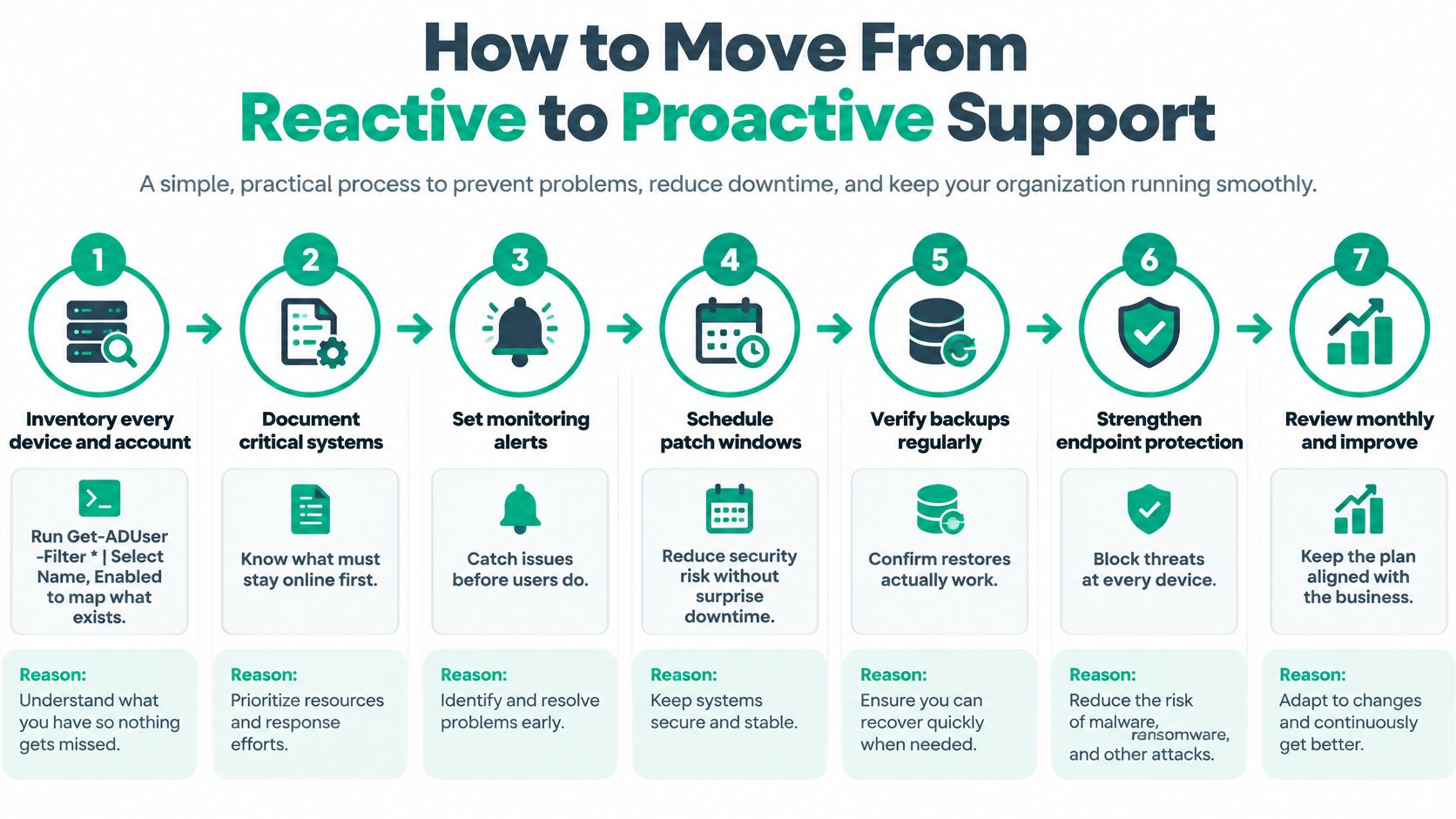
Build the operating routine
-
Inventory devices and accounts. Record each laptop, server, firewall, cloud service, and named owner. In an authorized Active Directory session with the appropriate module, run
Get-ADUser -Filter * | Select Name, Enabled; review cloud-only identities separately because this command won't find them. -
Record the patch and network baseline. Use
Get-HotFix | Sort-Object InstalledOn | Select -Last 5to inspect recent hotfix entries, andipconfig /allto capture workstation adapter details privately. Hotfix output isn't a complete software-compliance assessment, but it provides a starting point for investigation. -
Define deployment rings. An illustrative policy might pilot updates on about five percent of devices, then expand after fourteen days of stable operation. That's a proposed operating schedule, not a security standard; actively exploited vulnerabilities need an accelerated decision rather than a mandatory waiting period.
-
Perform an isolated recovery exercise. Restore a representative file and a full virtual machine, then time application validation as well as data transfer. Isolation prevents a recovered machine from colliding with production identities or reconnecting an unresolved infection.
-
Deploy agents with meaningful thresholds. An example starting alert is eighty-five percent disk utilization, adjusted for growth rate and application requirements. Failed backup jobs should create tickets immediately, with a named technician responsible for resolution.
-
Require multifactor authentication. Begin with email and administrative accounts, using phishing-resistant methods where supported. Review recovery methods and emergency access so stronger authentication doesn't accidentally lock out the business.
-
Write the runbook. Name who receives alerts, who can isolate an endpoint, who approves shutting down a critical service, and how staff communicate if email is unavailable. Keep an accessible copy outside the affected environment.
Match the plan to the business
For a very small office, inventory, baseline collection, and a basic restore exercise may fit into an initial working week if access and existing backup tools are available. Don't promise that timetable before discovering an undocumented application or missing administrator credentials.
The NFIB's 2025 technology survey found that 51% of businesses with one to nine employees had introduced new or significantly improved technology during the preceding two years. Small firms need workable routines, not an enterprise-size implementation dropped on the owner's desk.
When choosing ownership, compare in-house IT support with managed services for Indiana SMBs. An internal employee can retain business knowledge while a provider handles monitoring and specialist escalation.
I'd review progress monthly during the initial quarter, then move to quarterly risk reviews once responsibilities and evidence are dependable.
Checklist for Picking a Proactive Provider
Outsourcing is common, but a signed agreement doesn't establish resilience: GTIA's 2025 SMB research reports that 61% of surveyed North American SMBs outsource IT services regularly or occasionally. Ask what the provider will demonstrate, not just what software they'll install.
Questions for the sales call
- Service commitments: Will you provide a written SLA for urgent and routine requests?
- Actual coverage: Who watches alerts overnight, and what's the named escalation path?
- Recovery evidence: Are backups immutable and off-site, how are restores tested, and who signs the results?
- Technical qualifications: Can you show current Microsoft, CompTIA, or Cisco credentials relevant to the technicians assigned?
- Local hands: Can someone reach our Greenwood office for hardware replacement, and will reports identify tickets and work performed?
- Exit arrangements: How do we retrieve documentation, data, and administrator access if we leave?
- Regulated operations: Can you document applicable healthcare contingency procedures or support a defense contractor's defined CMMC scope?
For healthcare, HHS's ransomware guidance identifies HIPAA contingency-planning elements including data backup, disaster recovery, emergency-mode operations, criticality analysis, and testing or revision procedures. A security product alone doesn't establish compliance.
Reactive baseline versus proactive service-level targets
The following are proposed contract targets, not measured industry averages. Establish your actual baseline during onboarding.
| Metric | Reactive baseline | Proactive target |
|---|---|---|
| Urgent response time | Hours to next business day | Under 2 hours for urgent issues |
| Critical patch latency | Weeks to months | Risk-ranked deadlines, with expedited handling for exploited, exposed flaws |
| Backup restore testing | Never, or only after a disaster | Monthly single-file test and quarterly full restore test |
| Security alert handling | Found by users after the fact | Triaged within 60 minutes during business hours |
| Endpoint monitoring coverage | Unknown | Every in-scope supported endpoint enrolled, with exceptions documented |
| Business-hours downtime per quarter | Not tracked | Tracked in hours and reviewed each quarter |
Response isn't resolution. A fast acknowledgment won't restore a failed storage controller. Ask when technical investigation begins, how escalation works, and which parts or projects cost extra.
Connect each metric to operations. Restore performance affects delayed patient service; patch exceptions affect exposure; endpoint coverage affects readiness for another Hamilton County location. Track lost sales and interrupted production alongside technical results.
If a baseline is unknown, write an onboarding question rather than inventing a comforting number. This guide to choosing a managed service provider can help structure the comparison before you sign.
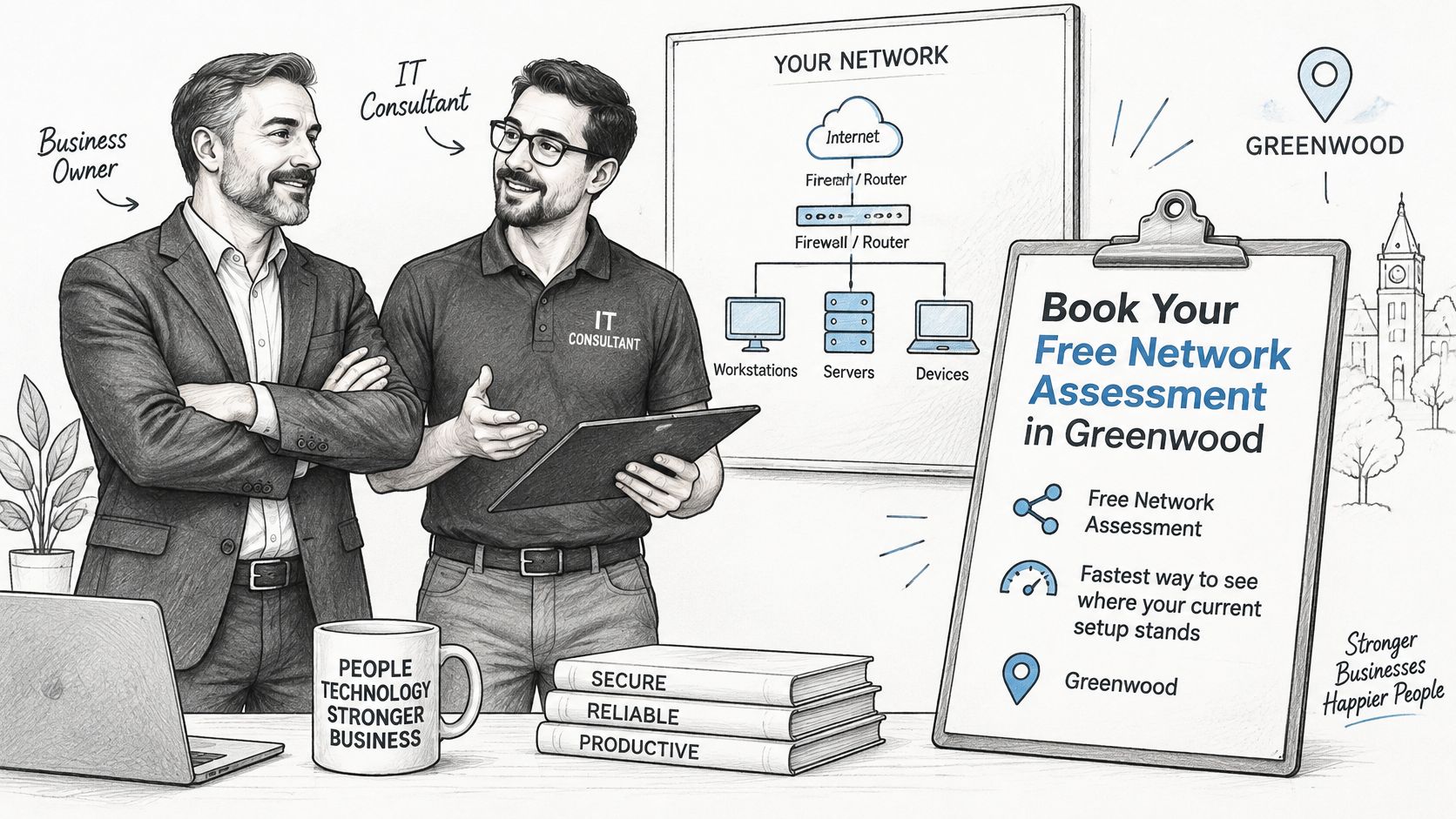
Book Your Free Network Assessment in Greenwood
A Free Network Assessment gives Greenwood and Indianapolis businesses a concrete starting point: what's installed, what's fragile, and what needs attention first. The useful outcome is a ranked work list, not a frightening slideshow followed by a mystery quote.
An assessment should connect technical findings to how your staff work.
Put the office on the checklist
Ask for these deliverables when booking:
- Wireless findings: A Wi-Fi heat map that includes brick stairwells, meeting rooms, and metal-shelving dead zones.
- Network review: Router and firewall configuration findings, with proposed corrections.
- Recovery evidence: Backup-log inspection and an agreed sample restore.
- Endpoint condition: Patch, encryption, and support-status checks.
- Business priorities: Ranked risks with plain-language cost implications and scoped remediation estimates.
For Johnson County offices, downtown Indy tech hubs, and businesses along the I-65 corridor, the priority is the same: test the actual working environment. Don't assume a diagram matches what somebody plugged in behind the copier.
Clinics can request a HIPAA contingency-plan review during the visit. If the initial assessment identifies concerns requiring deeper investigation, agree on a separately scoped Security Risk Audit.
Use this video as a conversation starter before discussing your office's requirements.
Book this week, propose an appointment within the next fortnight, and bring your device inventory, recurring-problem list, and backup-provider details. Share credentials only through an agreed secure process.
Finchum Fixes IT offers managed IT support, cybersecurity, networking, and recovery services for Greenwood and Indianapolis businesses. Visit Finchum Fixes IT to request a Free Network Assessment and identify which fixes belong in a predictable maintenance plan instead of your next emergency invoice.