Proactive System Monitoring That Prevents Costly Downtime
Proactive system monitoring is continuous, predictive oversight of your servers, network, endpoints, cloud apps, and backups that catches trouble before users notice it. It reduces outages, shortens detection time, and protects revenue for Indiana SMBs because downtime can cost about $427 per minute for small businesses and nearly $9,000 per minute for medium and large organizations (Atlassian incident management guide).
If you're in Greenwood, Southport, or anywhere along the I-65 corridor, you've probably seen the same movie. The office Wi-Fi drops in an old brick building. A line-of-business app crawls because the aging server in the back closet is cooking itself. Someone calls IT only after the phones start lighting up and staff can't work.
That's reactive support. It's the tech version of waiting for your truck to throw a rod on Emerson Avenue before checking the oil.
In our 17 years of local service, we've seen the same pattern across Johnson County business owners, downtown Indy tech hubs, and fast-growing offices pushing into Hamilton County. Break-fix work burns hours on emergency triage, after-hours labor, and frustrated staff standing around waiting. Proactive system monitoring flips that around. You watch for drift, error buildup, failed backups, weak signals, and weird behavior before they turn into a business interruption.

The business continuity piece matters more than most owners realize. Monitoring is what tells you a problem is forming. Disaster recovery is what gets you back after something still goes wrong. If you want the plain-English difference, this breakdown on business continuity vs disaster recovery is worth a read.
A healthy IT environment rarely fails all at once. It usually drifts first.
That drift shows up as rising disk latency, switch port errors, repeated login failures, backup jobs that finish with warnings, batteries losing runtime, or cloud apps timing out during busy hours. Catch those early and your team keeps billing, shipping, answering, and serving patients or customers without drama.
Introduction Why Indy Businesses Cannot Afford to Wait for Things to Break
It is 8:07 on a Monday in Greenwood. The phones are clipping, QuickBooks will not open over the network, two staff members cannot reach shared files, and the office manager is walking desk to desk asking whether anyone else is locked out. Revenue does not stop leaking because the outage is small. Billable time, patient scheduling, order entry, and payroll work all start backing up right away.
That is the problem with wait-until-it-breaks IT. A server can stay "up" and still be hurting the business.
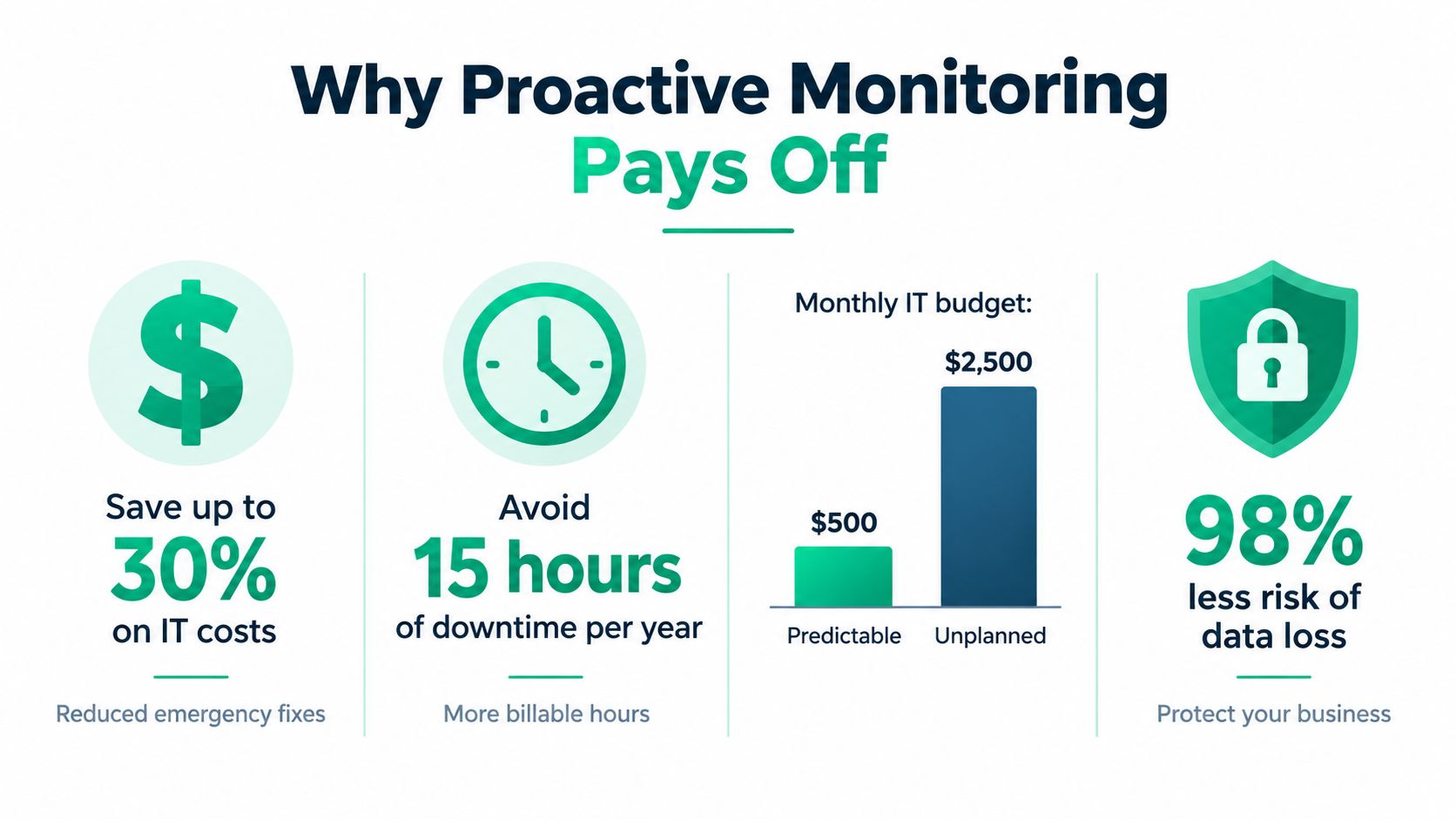
CorCystems cites Gartner-linked industry reporting that puts unplanned downtime at about $5,600 per minute, or as much as $300,000 per hour. The same summary says 98% of organizations using proactive IT monitoring report fewer outages than those that do not (CorCystems industry stats summary). For a Central Indiana SMB, you do not need a huge outage to feel that pain. You just need one bad morning where your systems block the work your team normally gets done before lunch.
The Southside version of this is rarely dramatic. It usually looks ordinary.
A medical office off County Line Road has a backup job finishing with warnings nobody reviews. A manufacturer near I-65 has a switch with ports throwing errors. A small defense subcontractor in Indy keeps passing around VPN complaints because remote access "usually works." Those are not random annoyances. They are early signs that business continuity is getting weaker, and they matter even more when HIPAA, CMMC, or NIST CSF controls require you to prove systems are available, protected, and watched.
That is why monitoring belongs in the same conversation as continuity planning. Monitoring helps you catch the wobble before the wheel comes off. Disaster recovery helps you restore operations after the failure. If you want the plain-English difference, read this guide on business continuity vs disaster recovery for small businesses.
Good monitoring also protects ROI. Owners in Greenwood, Franklin, and across the Indy metro already pay for internet, cloud apps, firewalls, backup systems, and line-of-business software. If nobody is watching whether those tools are healthy, you are paying for capacity without getting predictable uptime. That is like paying for a delivery fleet and never checking oil pressure, tire wear, or brake pads.
The market has grown for a reason. Business Research Insights says the global IT monitoring tools market was about US$22.68 billion in 2024 and is projected to reach US$79.74 billion by 2033, a CAGR of 15%. The same report also cites other market estimates pointing in the same direction (Business Research Insights on monitoring tools market growth). Companies are spending on monitoring because downtime costs money, interrupts compliance work, and steals hours from teams that should be serving customers instead of waiting on IT.
What Proactive System Monitoring Really Means
Proactive system monitoring works like the dashboard in a work truck. You do not wait for smoke from under the hood to learn the engine has a problem. You watch oil pressure, temperature, battery health, and warning lights while the truck is still earning money.
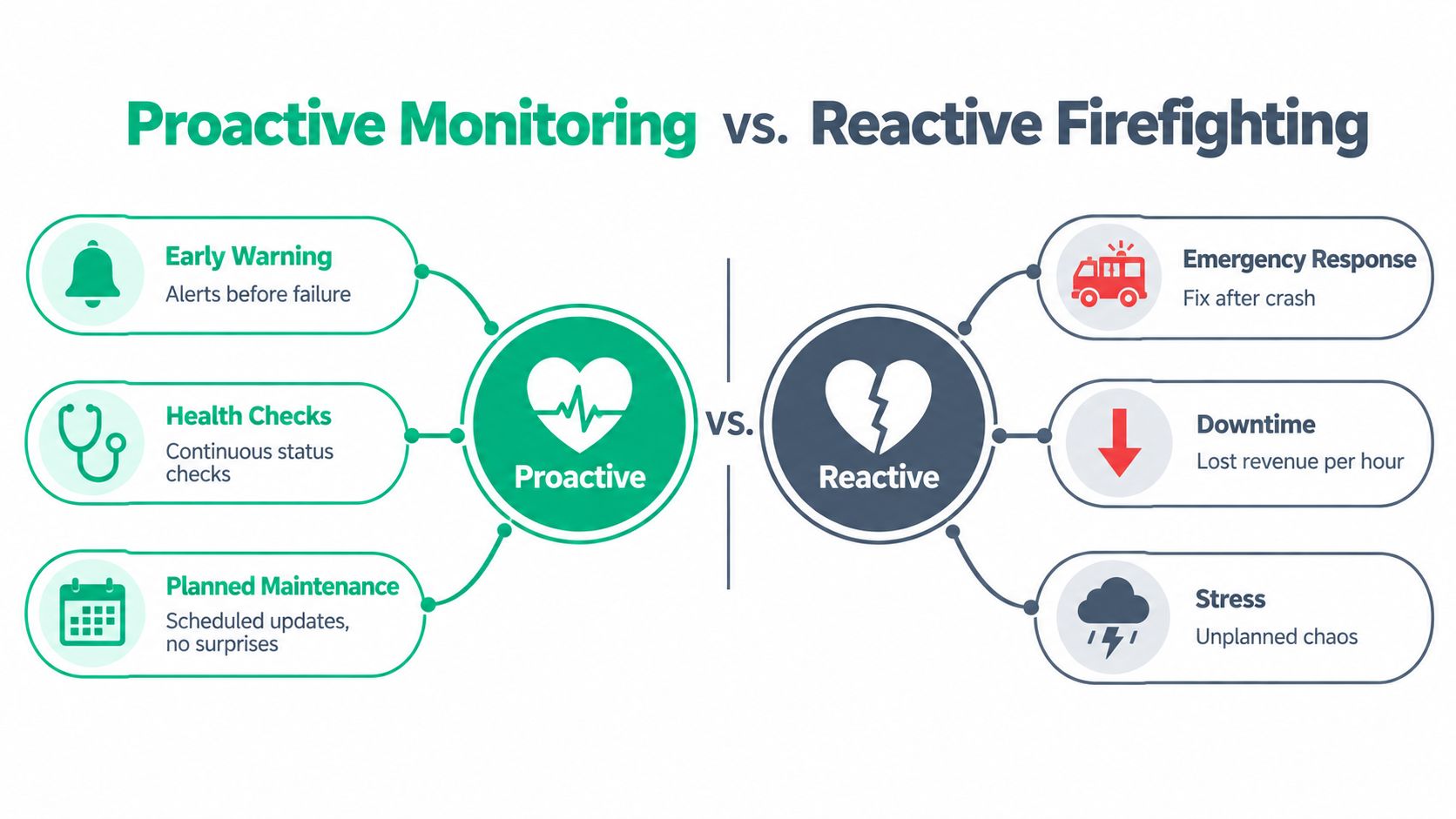
For a Greenwood or Central Indiana SMB, that difference matters because a slow drift often costs more than a dramatic outage. The server may still be on. Staff may still be logged in. But if login times stretch, backups start finishing late, or a line-of-business app throws intermittent errors, billable hours are already leaking out of the day. In a HIPAA, CMMC, or NIST CSF context, those weak signals also matter for audit readiness because they show whether you are watching systems that handle protected data.
It starts with continuous telemetry
Basic monitoring checks whether a device responds. Useful, yes. Enough, no.
Real monitoring collects a steady stream of telemetry and asks whether the system is healthy, changing, and still operating inside normal bounds. That means looking at patterns over time, not just single red-line failures.
A practical example helps. A file server might stay online all week while its disk latency creeps up every afternoon, backup windows run longer, and users report that QuickBooks or CAD files take forever to open. If no one watches those signals together, the first real alert may be a failed drive on payroll day.
Questions worth asking include:
- Is disk latency climbing at the same time every day?
- Are authentication failures rising on the firewall or Microsoft 365 tenant?
- Are UPS batteries losing capacity before the next power event?
- Did the backup finish successfully, and can the retention settings still protect recovery points?
- Are UniFi access points showing roaming trouble, interference, or channel congestion that slows staff down?
The pattern matters as much as the threshold. A server fan getting louder by itself may be background noise. A warmer chassis, rising SMART errors, and slower write performance in the same period is a different story. That combination points to degradation you can schedule around, instead of a surprise failure that stops work cold.
Research on concept drift and adaptive monitoring makes the same point from another angle. Systems change over time, and useful detection has to account for shifting baselines instead of treating every environment like a fixed machine (concept drift overview from DeepChecks). For business owners, the plain-English lesson is simple. Watch rate-of-change and related signals together, because failure usually shows up as a pattern before it shows up as a crash.
Monitoring scope is bigger than server uptime
Monitoring should cover more than ping checks and CPU graphs. NIST SP 800-61r3 describes continuous monitoring for unauthorized activity, deviations from expected activity, and security posture changes across networks and network services, computing hardware and software, runtime environments and their data, the physical environment, personnel activity and technology usage, and external service provider activities (NIST SP 800-61r3).
That scope clears up a common point of confusion. If your business depends on Microsoft 365, cloud backups, badge access, HVAC in a server closet, or a managed line-of-business app, those items belong in monitoring too. A clinic in Johnson County, for example, does not only need to know whether the server is online. It needs to know whether sign-in behavior changed, whether storage is filling up, whether backup integrity held, and whether room temperature is putting equipment at risk.
A good rule is easy to remember.
If a system can stop staff from working, expose regulated data, or weaken recovery, it belongs in your monitoring scope.
That is why identity, cloud admin changes, third-party services, and physical environment checks sit next to traditional infrastructure alerts. It is also why remote visibility matters for smaller teams that do not have an in-house operations center. If you want practical examples, this guide to remote monitoring tools that support SMB uptime and compliance shows how the tooling connects back to day-to-day operations, audit needs, and fewer surprise interruptions.
How Proactive Monitoring Protects Business Continuity and ROI
A Greenwood office can lose half a day before anyone says the server is down. Phones still ring. Staff still show up. Payroll is still running. But if people cannot open QuickBooks, pull patient charts, send estimates, or process orders, the business is paying for motion instead of output.
That is why monitoring belongs in a business continuity plan, not just an IT checklist.
Downtime hits operations first and finance right after
Business continuity sounds abstract until a line-of-business system stalls at 10:15 on a Tuesday.
A clinic loses appointment flow. A manufacturer along the I-65 corridor loses production visibility. A law office loses billable time because staff cannot reach documents or email. In each case, the cost shows up fast in payroll, delayed revenue, overtime, and cleanup work.
The math is simple. If ten employees are blocked for an hour, you are paying for ten hours of labor without getting ten hours of work back. If the outage also delays invoicing, dispatch, or customer response, the hit spreads beyond that hour.
For regulated businesses, the risk gets bigger. If monitoring misses backup failures, access anomalies, or system instability, a downtime event can turn into a HIPAA, CMMC, or NIST CSF problem. Recovery then costs more because you are not only restoring service. You are proving control.
Faster detection protects margin
Monitoring earns its keep by shrinking the gap between failure and response.
Analysts at New Relic found that organizations with full-stack observability more often detect outages in under 30 minutes, while high-business-impact outages still often take 30 or more minutes to find, and 21% take at least 60 minutes to detect. The same report found that adding tools such as log management, infrastructure monitoring, dashboards, error tracking, and Kubernetes monitoring was associated with faster MTTD and MTTR, with log management showing statistical significance at the 5% level (New Relic observability service level metrics).
That matters for SMBs because every extra minute of uncertainty burns money.
Monitoring works like a smoke alarm for operations. You do not wait for the whole building to fill with smoke before you act. You want an early signal, a clear location, and a short path to the fix.
How ROI shows up in billable hours and budget predictability
For Central Indiana SMBs, ROI from monitoring usually shows up in three places.
-
Fewer expensive surprises
Small issues get fixed before they become outages, after-hours calls, rushed hardware swaps, or corrupted data recovery projects. -
More productive staff time
Employees stay in the systems that make money. That includes schedulers, clinicians, estimators, accounting staff, sales teams, and production coordinators. -
Cleaner compliance and audit readiness
Alert history, system health trends, and documented response activity support the controls many organizations already need to show under HIPAA, CMMC, and NIST CSF.
A simple test helps here. If your team usually learns about a failure from an employee who says, "I can't get in," monitoring is arriving late. Late detection raises labor cost, stretches downtime, and makes root-cause review harder.
In practical terms, proactive monitoring converts break-fix chaos into a steadier operating model. Leadership gets fewer surprise invoices, fewer lost billable hours, and better odds that one bad morning does not become a business continuity event.
Key Metrics Alerts and Signals You Should Actually Watch
A Greenwood office usually does not fall apart all at once. It starts with a few strange hints. Backups run longer than usual on Tuesday. The line-of-business app feels sticky after lunch on Wednesday. By Thursday morning, somebody in accounting cannot save files, and now the problem is expensive.
That is why the right signals matter.
A good monitoring stack watches for symptoms that point to business interruption, not just technical oddities. If an alert cannot help you prevent downtime, protect billable work, or support HIPAA, CMMC, or NIST CSF control evidence, it should not sit at the top of the queue.
Start with signals tied to operational risk
For most Central Indiana SMBs, the best first alert set is the one that answers a simple question fast: what could stop people from doing revenue-producing work today?
| Layer | Key Signals | Alert Priority |
|---|---|---|
| Endpoints | Repeated failed logins, Bitdefender GravityZone detections, service crashes, patch failures | High |
| Network | WAN loss, switch port flaps, UniFi AP offline, packet loss, latency spikes | High |
| Servers | Disk latency drift, SMART warnings, memory pressure, failed services, event log errors | High |
| Applications | Error rate rise, slow transactions, database connection failures, queue buildup | High |
| Backups | Job failures, retention lock issues, missed off-site replication, restore test problems | High |
| Power and environment | UPS battery degradation, thermal rise, abnormal fan behavior | Medium to High |
| Cloud and identity | MFA anomalies, impossible travel patterns, privilege changes, API failures | High |
| Development platforms | Log spikes, container restarts, Kubernetes node pressure, failed deployments | Medium to High |
That table only works if you rank each signal by business cost.
A missed guest Wi-Fi alert matters less than a failed backup for a dental office in Greenwood. A print server issue is annoying. An EHR timeout, accounting database lockup, or MFA failure during payroll is a business continuity problem. Put alerts in that order and your team will respond in the order the business feels pain.
Watch for drift, not just red-line failures
Static thresholds catch obvious trouble. They also miss the slow slide that causes many ugly mornings.
A server with CPU at 92 percent for ten minutes might be fine during month-end processing. A backup job that stretches from 40 minutes to 95 minutes over three weeks is often a louder warning sign. The same goes for rising disk latency, a growing count of switch CRC errors, or an aging UPS battery that loses capacity a little at a time.
The pattern matters more than the single snapshot.
Use a simple filter for rate-of-change alerts:
-
Set a normal baseline
Record what healthy looks like during business hours, after hours, and your busiest weekly window. -
Track trend direction
Alert when a metric keeps worsening across multiple checks, even if it has not crossed a hard threshold yet. -
Require supporting context
Pair app slowness with storage delay, packet loss, authentication failures, or failed services so technicians see cause and symptom together. -
Attach business impact
Label alerts by affected department, system owner, and downtime cost so triage is faster.
That last step gets overlooked. It should not. If your team knows an alert affects scheduling, claims, production, or billable engineering time, they can act with the right urgency instead of treating every warning like a blinking light on a crowded dashboard.
A practical way to tune alerts
Monitoring works like the check-engine light in a work truck. You do not want it flashing for every bump on I-65. You want it to come on when the truck is heading toward a breakdown that will cancel jobs, delay deliveries, or create a compliance mess.
That means tuning out low-value noise.
Group duplicate events. Suppress repeat notifications for the same outage. Escalate only when a condition lasts long enough or affects a system people need to do their jobs. If an alert fires every week and never leads to action, fix the threshold or remove it.
Teams that want a grounded outside perspective on network monitoring for small businesses often find the basics easier to apply after they see examples framed around day-to-day operations instead of vendor jargon.
Signals that deserve faster escalation
Some alerts should move to the front of the line because the financial and compliance fallout rises quickly.
- Backup failures tied to regulated data
- Privilege changes in Microsoft 365 or line-of-business systems
- Repeated failed logins against VPN, email, or EHR platforms
- Storage latency affecting shared files or databases
- WAN instability at sites that cannot operate offline
- UPS and temperature issues in offices with on-prem servers or network closets
- Patch failures on systems covered by HIPAA, CMMC, or internal security policy
Those are not just IT events. They are warnings about lost labor, missed appointments, delayed invoices, and harder audit conversations later.
If you want a local reference for trimming noisy alerts and focusing on the signals that matter to Indiana companies, these network monitoring best practices for Indiana businesses are a useful checklist.
One rule keeps this section simple. Watch what threatens uptime, payroll, compliance, and customer trust first. Everything else comes after that.
Architecture and Tooling Options Without the Hype
A small business in Greenwood doesn't need a giant observability science project. It needs the right stack for the environment it has.
Agent, SNMP, and cloud telemetry
Different collection methods answer different questions.
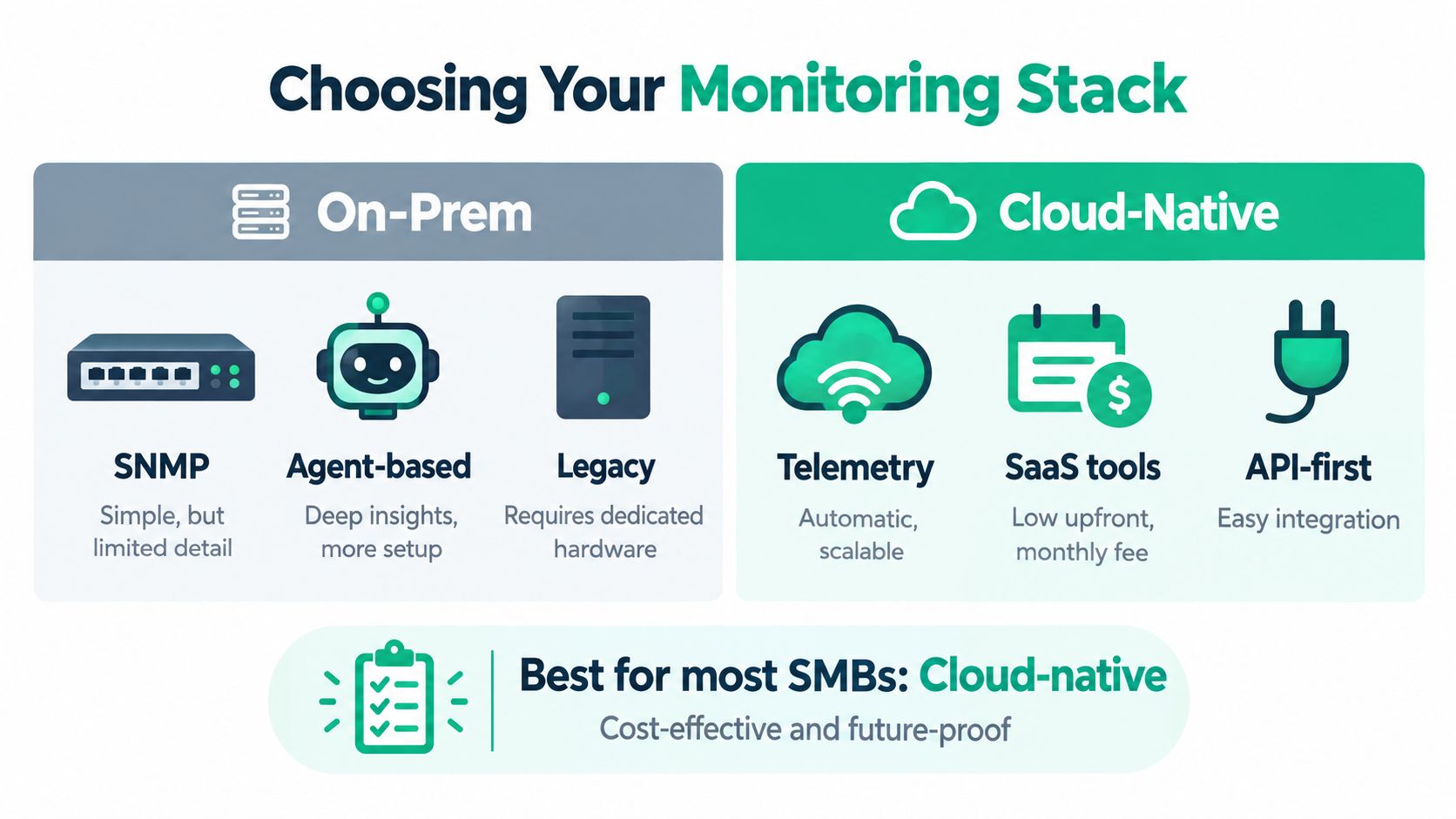
- SNMP works well for switches, routers, UPS units, printers, and other infrastructure that can expose counters and health data without installing anything.
- Agents work better for servers and endpoints where you need process visibility, event logs, patch status, disk health, and deeper performance metrics.
- Cloud-native telemetry fits Microsoft 365, Azure, AWS, SaaS apps, and identity platforms where API logs and service metrics tell the story.
SNMP is lightweight. It's also shallow. An agent gives richer context but adds management overhead. Cloud telemetry scales nicely, but only if somebody maps the alerts to business risk instead of dumping raw events into a dashboard graveyard.
On-prem, hybrid, and everywhere all at once
A lot of Indy businesses are hybrid whether they planned it or not. They have a line-of-business app on an office server, Microsoft 365 in the cloud, remote users on laptops, and a vendor-managed platform nobody fully controls.
That means your monitoring stack should answer four questions:
- Can it see local gear?
- Can it see cloud services and identity events?
- Can it confirm backup health and restore readiness?
- Can it support compliance language for HIPAA, CMMC, and NIST CSF?
For healthcare groups, you care about access anomalies, protected data exposure, and system availability. For defense contractors, CMMC pressure pushes documented monitoring and incident response discipline. For general business security, NIST CSF 2.0 Continuous Monitoring gives a clean standard for spotting anomalies and indicators of compromise across the environment (NIST CSF 2.0 continuous monitoring outcome).
What smaller organizations should choose
Most SMBs do best with a hybrid mix:
| Option | Best Use | Tradeoff |
|---|---|---|
| SNMP-heavy | Simple network visibility for switches, UPS, printers | Limited detail |
| Agent-heavy | Deep server and endpoint insight | More setup and maintenance |
| Cloud-first observability | Fast visibility for SaaS and cloud workloads | Can miss local issues |
| Unified platform | One pane for network, endpoint, logs, and alerts | Higher licensing complexity |
| Point tools | Cheap way to solve one problem fast | Fragmented workflows |
For Wi-Fi-heavy offices, latency-optimized mesh nodes and proper AP placement can reduce the number of “the internet is down” tickets that are really roaming and congestion issues. For security, endpoint context from Bitdefender GravityZone can enrich alerts so you know whether a slow device is overloaded, infected, or just overdue for patching. For resilience, monitor immutable off-site backups, not just whether a job said “success.”
Industry guidance defines immutable backups as backups that can't be modified or deleted during a retention period, often using WORM-style controls or object lock. The 3-2-1-1-0 rule means 3 copies of data, 2 media types, 1 off-site copy, 1 immutable or air-gapped copy, and 0 recovery errors through testing (immutable backup guidance and 3-2-1-1-0 rule).
One practical local option is the network monitoring tools roundup for Indiana businesses. Another is a managed stack such as Finchum Fixes IT's Total Protection Plan when a business wants remote monitoring, endpoint security context, and response wrapped into one monthly service instead of stitching tools together on its own.
Your Implementation Roadmap for Greenwood and Central Indiana SMBs
Good monitoring isn't “install software and hope.” It's a staged rollout with business priorities attached.
Phase 1 builds the map
Start with asset discovery. List servers, firewalls, switches, APs, laptops, backup targets, cloud services, and the vendor systems your staff depends on. Mark what would stop revenue, patient care, manufacturing, scheduling, or dispatch if it failed.
Then baseline normal behavior. You want to know average server load, usual WAN latency, backup windows, common login patterns, and how often key apps slow down during a busy day.
Useful commands during local diagnostics can be dead simple:
- Windows event review with
Get-WinEvent -LogName System -MaxEvents 50 - Service status checks with
systemctl --failed - Basic reachability tests with
pingandtracert - Storage health review with vendor RAID utilities and SMART reporting tools
When we dissembled a similar client's failing RAID array and moved into bit-level data recovery, the array hadn't “suddenly died.” It had been warning through latency, degraded member behavior, and error logs for days. Nobody had a pipeline watching those signs.
Phase 2 deploys telemetry and alert flow
Now install agents where you need depth. Use SNMP where devices support it cleanly. Pull cloud logs and identity events into one place. Build dashboards, but keep them secondary. The value is in routing the right alert to the right responder with a runbook attached.
A practical flow looks like this:
- Collect metrics, logs, and device health.
- Correlate symptoms with likely cause.
- Alert only on business-impacting conditions.
- Respond using a documented playbook.
- Review the event and tune thresholds.
For compliance-sensitive organizations, map those alerts to your obligations. HIPAA pushes availability and auditability concerns. CMMC expects disciplined monitoring and incident handling. NIST CSF gives the language leadership and auditors already understand.
Phase 3 verifies recovery, not just detection
Monitoring is incomplete if it ignores backups. Watch job status, replication success, retention locks, and restore testing results. Backup systems that only look healthy on paper are how bad weeks get worse.
Field note: A green backup dashboard means very little until somebody proves the restore works.
In our 17 years of local service, the strongest setups in Greenwood and Indianapolis all have the same trait. They don't rely on memory. They rely on documented alerts, tested restores, and clear ownership.
A phased roadmap also cleans up budgeting. Instead of random break-fix costs, you move toward predictable monthly service, planned hardware refreshes, and fewer expensive interruptions. If you're mapping that bigger picture, this guide on how to build a bulletproof Indiana business IT roadmap for 2026 fits well with a monitoring-first approach.
Conclusion Turn Monitoring Into Predictable Uptime
Proactive system monitoring isn't a fancy dashboard project. It's a business continuity control.
For Central Indiana SMBs, that matters because most outages don't begin with a dramatic crash. They begin with drift. A hot server. A noisy switch. A backup that “completed” but didn't lock properly. A cloud login pattern that doesn't make sense. A Wi-Fi environment in an old Southside building that keeps dropping calls and sessions during busy hours.
The companies that stay steady don't wait for users to report pain. They watch the environment continuously, tune alerts so humans can act fast, and confirm that recovery systems are real, not theoretical. That's how you protect billable hours, keep monthly budgets predictable, and avoid turning every issue into a scramble.
It also lines up with how serious organizations talk about risk. HIPAA-minded healthcare groups need visibility into system health and access anomalies. CMMC-focused manufacturers need disciplined monitoring and response. NIST CSF gives any business a practical standard for continuous monitoring that leadership can understand without needing a computer science degree.
If you're on the I-65 corridor, in Greenwood, or supporting a distributed team across Indy suburbs, the smart move is simple. Stop treating outages like weather. Build a system that spots trouble early, routes action fast, and verifies that your backups and recovery path are ready when needed.
That's when uptime stops being luck and starts becoming process.
If your business in Greenwood or the Indianapolis area needs cleaner alerts, stronger backup verification, or a monitoring stack that fits your environment, Finchum Fixes IT can help with a Free Network Assessment or Security Risk Audit. Visit Finchum Fixes IT to see how local managed IT, cybersecurity, networking, and recovery planning can turn reactive support into predictable uptime.