How to Monitor Network Traffic: Prevent Downtime & Boost ROI
A lot of Indiana businesses are running on hope more than visibility.
The pattern is familiar. A Greenwood manufacturer in an older brick building has Wi-Fi dead spots near the production floor. A medical office off the I-65 corridor has cloud apps that feel fine at 8:00 a.m. and crawl by lunch. A small defense subcontractor adds more devices, more remote access, more compliance pressure, and suddenly nobody knows whether the problem is the firewall, the switch stack, the ISP, or one employee’s machine flooding the network.
That is what “flying blind” looks like.
Network traffic monitoring is not a nerd hobby. It is a business continuity system. If you cannot see what is moving across your network, you cannot protect uptime, control user experience, or make smart upgrade decisions. Downtime can cost businesses up to $8,600 per minute according to the verified data tied to network monitoring context from Kentik. Whether your number is lower or higher, the point is simple. Lost connectivity burns money fast.
TL;DR
- Network monitoring protects continuity: It helps you catch bandwidth saturation, failing devices, and suspicious traffic before users call in angry.
- Start with the right visibility: SNMP shows device health, flow tools show who is talking, and packet capture helps with deep troubleshooting.
- Baselines matter: You need to know what “normal Tuesday traffic” looks like before you can spot a problem.
- Alerts should be selective: Good alerts warn you about business risk. Bad alerts train everyone to ignore them.
- Compliance changes the approach: HIPAA, CMMC, and NIST CSF all raise the stakes for logging, retention, and access control.
- DIY works up to a point: If your team is drowning in noise or outages, professional monitoring turns wasted tech time into predictable operations and budget control.
If you need a plain-English primer on what is network monitoring, that resource is a solid starting point before getting into the more hands-on side of traffic analysis.
For the business side of this conversation, this practical guide on infrastructure management is also worth reviewing: https://finchumfixesit.com/blog/it-infrastructure-management-your-guide-to-slashing-downtime-and-boosting-roi
Stop Flying Blind and Start Monitoring Your Network
Monday starts normally. By 10:15, the phones sound choppy, QuickBooks takes forever to load, and a warehouse scanner drops off Wi-Fi again. Nobody can point to one cause, but the business impact is immediate. Orders slow down, staff starts waiting on screens, and a problem that looked technical at 8:00 turns into a revenue problem before lunch.
That pattern shows up all over Greenwood and Johnson County.
Older buildings on the south side of Indy create network problems. Brick walls weaken wireless signals. Metal shelving scatters them. Old cabling, patched-in switches, security cameras, guest Wi-Fi, cloud apps, Teams calls, and remote access all compete for the same capacity. A network that felt fine for 15 employees can struggle once the business adds more devices, more traffic, and one more line-of-business app.
Without monitoring, businesses fall into a frustrating loop:
- Users report symptoms: “The Wi-Fi is bad.”
- Staff guess at causes: “Maybe the ISP is acting up.”
- Someone reboots equipment: Sometimes it helps for a while.
- The same issue returns: Usually during payroll, shipping, or a busy customer window.
That cycle costs money in quiet ways. Employees lose time. Customers wait longer. Owners approve upgrades without clear proof of what is broken. I have seen Indiana businesses replace hardware they did not need, when the core problem was a saturated uplink, a bad access point placement, or one device flooding the network.
Network monitoring fixes that by giving you evidence. You can see whether traffic spikes line up with slowdowns, whether one application is chewing through bandwidth, whether a firewall rule is breaking sessions, or whether an unknown device just appeared on the network. That matters for troubleshooting, but it also matters for continuity. If your phones, payment systems, EHR platform, or shipping tools depend on the network, monitoring is part of keeping the business open.
For regulated shops, the stakes go higher. A medical office in Greenwood has to care about HIPAA logging, access, and system reliability. A manufacturer or contractor supporting defense work has to think about CMMC and internal traffic that should not be moving between systems. In both cases, visibility supports compliance and shortens outages.
If you need a plain-English refresher on what is network monitoring, start there. Then come back to the practical side. Monitoring is not just an IT task. It supports the same goal covered in this guide to IT infrastructure management that cuts downtime and improves ROI.
The businesses that handle growth well are usually the ones that measure their networks before small slowdowns turn into full operational disruptions.
Planning Your Attack Before Deploying a Single Tool
Buying software first is how businesses end up with dashboards nobody trusts.
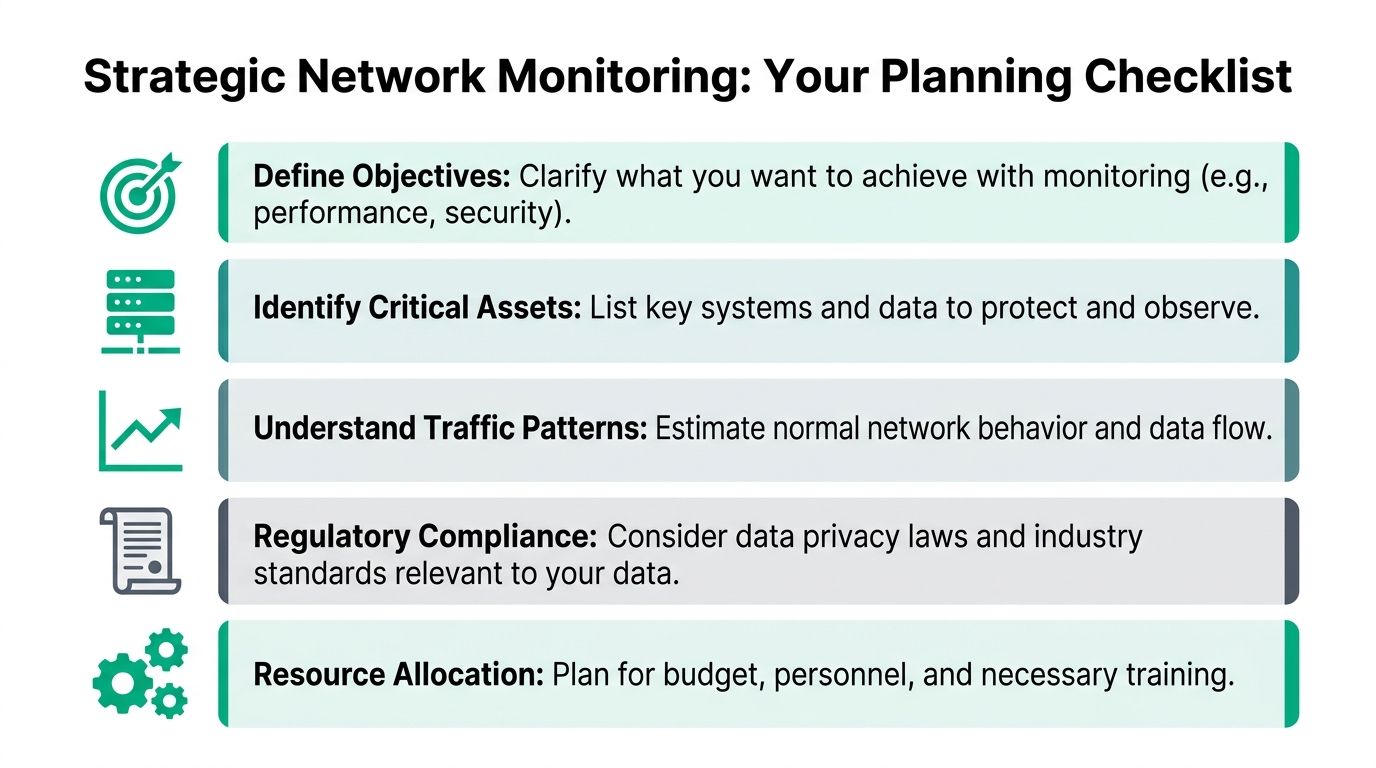
Before you choose Wireshark, PRTG, a UniFi console, a SIEM, or anything else, decide what problem you are solving. Performance and security both live inside traffic monitoring, but they do not ask the same questions.
Start with business goals
A small office with a few switches and cloud apps usually needs clear visibility into uptime, bandwidth use, and Wi-Fi trouble spots. A healthcare provider has a bigger logging and access-control burden because HIPAA turns “nice to have” into “document it.” A defense contractor dealing with CMMC has to care a lot more about traffic patterns, segmentation, and suspicious east-west movement inside the environment.
Ask direct questions:
- Performance goal: Are users complaining about slowness, dropped calls, or roaming issues?
- Security goal: Do you need to detect unusual outbound traffic, lateral movement, or unmanaged endpoints?
- Compliance goal: Do you need retained logs and evidence for HIPAA, CMMC, or a NIST CSF-aligned review?
- Growth goal: Are you adding staff, cameras, cloud apps, or another site in Hamilton County or the Indy metro?
If you cannot answer those, any tool choice is premature.
Inventory first, not last
Most SMBs underestimate how much stuff is already on their network. That is why device discovery matters.
A practical flow-based methodology starts with automatic inventory because it can reduce errors by up to 70% when assessing data sources and devices, according to NordLayer’s network traffic analysis guide. That same methodology recommends agentless flow export such as NetFlow or IPFIX, which can achieve 95% accuracy in anomaly detection with less than 1% CPU impact on routers, then building a 7 to 14 day baseline to support detection with 92% precision. It also notes that this flow-based approach resolves 85% of performance issues faster than packet capture.
That sequence tracks with real-world operations. You cannot monitor what you have not identified, and manual diagrams go stale almost immediately.
Choosing the method
Different monitoring methods answer different questions. That is why many mature environments use more than one.
| Method | Best For | Pros | Cons |
|---|---|---|---|
| SNMP | Device health, interface status, uptime | Broad support, simple, good for switches, routers, firewalls | Limited detail on who is using bandwidth |
| Flow analysis | Traffic patterns, top talkers, application visibility | Low overhead, scalable, strong for capacity planning and anomaly detection | Less detail than full packet capture |
| Deep packet inspection | Security investigations, protocol-level troubleshooting | Rich detail, useful for malware analysis and broken app sessions | More storage, more complexity, privacy considerations |
| Log analysis / SIEM | Security correlation, audit trails, compliance review | Pulls events from many systems into one place | Quality depends on log sources and tuning |
What works and what does not
SNMP is still useful. It tells you whether devices are up, interfaces are hot, and hardware is healthy. But it will not tell you enough about who is chewing up the WAN link.
Flow data is usually the best middle ground for SMBs. It gives enough context to answer business questions without the cost and overhead of full packet capture everywhere.
Deep packet inspection is powerful, but it is not the first tool I would throw at every small office. Use it where the stakes justify it. A clinic, manufacturer, or contractor with sensitive systems may need it in selected segments. A ten-person office often does not.
Log analysis is where performance and security start talking to each other. If a user reports slowness at the same moment the firewall logs a spike in denied connections, that correlation saves a lot of wasted effort.
Tip: If you are deciding how to monitor network traffic for the first time, build around flow monitoring and device health first. Add packet capture only where the extra detail solves a business problem.
For Indiana-specific best practices on deployment and upkeep, this local guide is useful: https://finchumfixesit.com/blog/10-best-practices-for-network-monitoring-your-indiana-business-needs-in-2026
Getting Your Hands Dirty with Monitoring Tools
A Greenwood office usually notices network trouble the same way. Phones start clipping on calls. QuickBooks hangs. The cloud backup that is supposed to finish overnight is still running at 9 a.m. By the time someone opens a support ticket, the business problem is already bigger than the network problem. Monitoring tools help you catch that earlier, which protects uptime, payroll hours, and revenue.
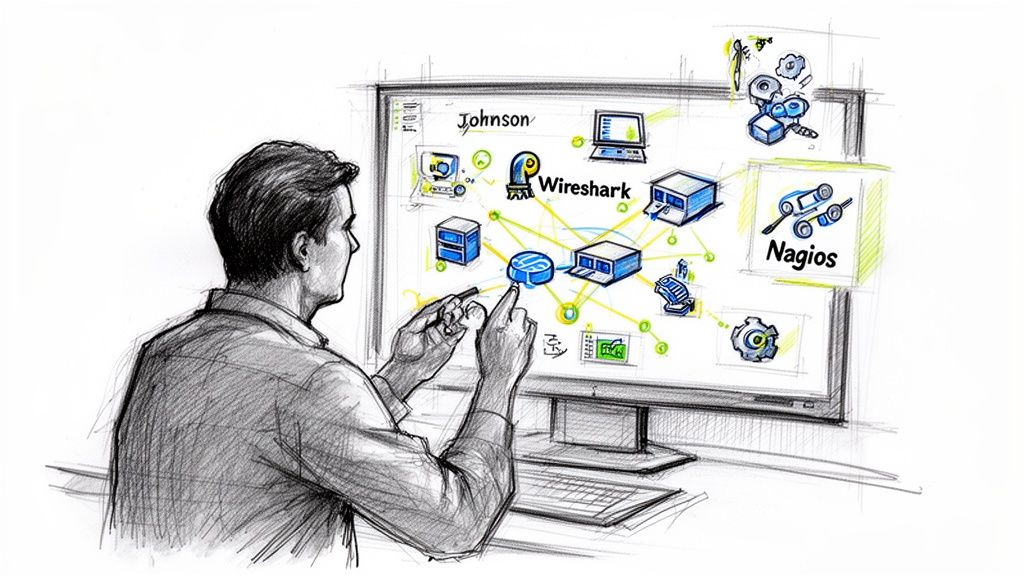
Business owners do not need to become packet analysts. They do need to know which tools answer which questions, so the IT person or managed provider can get to the cause fast instead of guessing.
A simple network monitoring introduction can help if you want a quick overview of what these tools watch in day-to-day use.
Wireshark for fast troubleshooting
Wireshark is still one of the best tools for short, specific investigations.
If one workstation in a Greenwood office is slow while the rest of the staff is working fine, capture traffic on that machine and check for retries, DNS failures, or an application that keeps opening unnecessary connections. That is a concrete workflow. It saves time because you are testing a theory instead of clicking through dashboards.
Try filters like these:
tcp
That narrows the view to TCP sessions.
dns
That shows whether the machine is constantly resolving names or timing out.
tcp.analysis.retransmission
That helps surface retransmissions, which often point to line quality problems, congestion, or an unstable path.
http or tls
That helps identify web-heavy traffic patterns on older line-of-business systems.
I have used this approach during VoIP complaints and file share slowdowns where the root cause turned out to be a noisy app on one device. Ten minutes of packet capture often settles an argument that could otherwise drag on for half a day.
Tcpdump when you need a quick CLI answer
Tcpdump earns its keep on Linux servers, firewalls, and appliances where a GUI is not practical.
Examples:
tcpdump -i any
Use that for a quick broad capture on all interfaces.
tcpdump -i any port 53
Good for checking whether DNS requests are flowing normally.
tcpdump -i any port 443
Useful when you want to confirm encrypted application traffic is moving.
tcpdump -i any host [target]
Good for isolating traffic to a specific device or service. Replace the placeholder with the relevant target in your environment.
Tcpdump is plain, fast, and dependable during an outage. That matters when a server is failing over, a VPN tunnel is unstable, or a vendor app is timing out and everyone is waiting.
Flow collectors for the bigger picture
Packet capture gives detail. Flow collectors show patterns across the business.
If your switches, routers, or firewall support NetFlow, IPFIX, or sFlow, send that telemetry to a collector. PRTG is one option. UniFi can also provide useful visibility in smaller environments. The practical value is speed. You can answer a few business questions without touching every endpoint:
- Who are the top bandwidth users right now?
- Which applications are driving the spike?
- Is the issue tied to one site, one VLAN, or one wireless area?
- Has this happened before during backups, sync jobs, or shift changes?
That is where ROI starts to show up. A small Indiana manufacturer does not just care that bandwidth is high. They care whether production tablets are being squeezed by camera traffic or an offsite backup job. A medical office needs to know whether the EHR slowdown is local congestion or a provider issue, because HIPAA risk goes up when staff start using workarounds to keep patient flow moving.
What the old and new tools each do well
SNMP still belongs in the stack. It answers basic operational questions fast. Is the switch up? Is an interface saturated? Is a device showing hardware stress?
Flow data adds the missing context. It identifies which systems and services are consuming capacity, so the fix is based on actual usage instead of assumptions. That pairing matters in practice. Device health points you to the problem area. Flow records explain why users are feeling it.
Packet capture is still the best choice when you need proof at the session level. I would not deploy full packet capture everywhere in a small office because storage, privacy, and administration costs go up quickly. I would use it on selected segments where downtime is expensive or compliance pressure is significant.
Logging for security and accountability
Traffic monitoring works better when it is tied to logs from firewalls, identity systems, endpoints, and cloud apps.
That is how performance troubleshooting becomes business continuity planning. If remote users cannot reach a file share, the issue may be network congestion. It may also be a blocked authentication request, an endpoint alert, or a failed VPN policy push. Putting those signals together shortens outages and gives you a record of what happened.
That record matters for regulated Indiana businesses. Healthcare groups need evidence around access and incident review. Defense contractors working toward CMMC need stronger logging discipline and clearer accountability. Monitoring is not just a tool purchase. It is part of how you prove you had visibility, responded appropriately, and kept a technical issue from turning into a legal or operational mess.
If you want lower-cost options before buying an enterprise platform, this list of free network monitoring tools for 2026 is a practical place to start.
A visual walkthrough can help if you are comparing interfaces and collection styles:
Key takeaway: Use packet capture for targeted troubleshooting, flow monitoring for recurring patterns and capacity issues, and centralized logs for security, audit support, and faster recovery from downtime.
Making Sense of the Noise Interpreting Traffic and Setting Alerts
Collecting traffic is easy. Reading it without drowning in false alarms is the true challenge.
A network generates constant motion. Staff log in, cloud apps sync, phones register, cameras stream, backups run, and guest devices wander in and out. If you do not know what normal looks like, every bump feels like a crisis.
Build a baseline first
Your baseline is the fingerprint of your business.
For a medical office, normal might mean predictable bursts when staff start appointments and upload records. For a manufacturer, normal may look heavier during shift changes or when production systems sync. For a professional services firm, normal often follows meeting-heavy mornings and quieter late afternoons.
Retaining historical network traffic data is a best practice that can reduce unplanned downtime by 40%, and by building baselines over weeks or months, modern tools can forecast future bandwidth demand with 10 to 15% accuracy, spot security incidents with 85% greater effectiveness, and accelerate issue resolution by 50% when visualized on dashboards, according to Auvik’s network traffic monitoring guide.
That is why mature teams keep history. Not because old graphs are fun. Because trend lines let you see when the present stops matching the business.

Know what an anomaly looks like
Good anomaly detection is not mystical. It is contrast.
Watch for patterns like these:
- Unexpected outbound traffic: A workstation sending a lot of data late at night deserves review.
- A new device class: If an unknown vendor appears on a business VLAN, someone should verify it.
- Sudden application dominance: One platform or service starts consuming far more bandwidth than usual.
- Persistent latency on a critical workflow: POS terminals, VoIP, and cloud ERP deserve tighter thresholds than guest Wi-Fi.
The trick is context. A backup appliance moving data after hours may be fine. The receptionist’s PC doing the same thing probably is not.
Alerts should protect operations, not annoy people
Most bad monitoring systems fail because they scream all day.
Set alerts around business impact:
| Alert Type | Good Trigger | Why It Matters |
|---|---|---|
| Latency alert | POS, VoIP, or line-of-business app response becomes unstable | Protects customer-facing work |
| Bandwidth alert | A core link or WAN path nears sustained saturation | Gives time to fix congestion before users feel it |
| Device alert | A switch, firewall, AP, or core service drops or flaps | Points to infrastructure failure early |
| Security alert | Unusual outbound flow, unknown endpoint, odd login pattern | Flags possible compromise or policy drift |
Thresholds should reflect the role of the system. The conference room TV can survive some lag. The warehouse scanner tied to order fulfillment should not.
Tip: Give every alert an owner and an action. If nobody knows who responds or what to do next, the alert is just decoration.
Use dashboards for decisions, not decoration
A good dashboard earns wall space. A bad one is wallpaper.
The most useful views are usually simple:
- current health of core devices
- WAN and internet usage
- wireless access point load
- top applications and top talkers
- open alerts tied to business-critical systems
Business owners do not need packet counts. They need to know whether the network is healthy, where pressure is building, and whether a planned upgrade is cheaper than another month of user frustration.
That is where ROI shows up. Better interpretation means fewer hours wasted on random troubleshooting, fewer surprise outages, and cleaner planning for hardware refreshes, ISP changes, and Wi-Fi redesigns.
Locking It Down Security and Privacy in Network Monitoring
Traffic monitoring is not just about speed. It is one of the strongest security controls most SMBs underuse.
Firewalls and endpoint protection matter. So do tools like Bitdefender GravityZone, email filtering, MFA, and immutable off-site backups. But if a threat gets past those layers, network behavior is often where it gives itself away. That is why monitoring belongs inside any serious Zero Trust architecture.

Why performance-only monitoring falls short
A lot of small businesses stop at “is the internet up?”
That is not enough anymore. A compromised endpoint may still look perfectly healthy from a basic uptime perspective. It can pass antivirus checks, keep the user productive, and talk to places it should not. If you are only looking at whether a device responds to ping or whether CPU is elevated, you may miss the problem.
A hybrid approach matters here. According to Varonis, combining flow data with deep packet inspection can catch 92% of attacks missed by flow analysis alone. The same source notes that modern encryption affects about 85% of web traffic, which can blind DPI unless you use techniques such as JA3 hashing. It also warns that 70% of security incidents originate from unmonitored endpoints, and that proper baselines can cut Mean Time To Resolution by 60%.
Those numbers line up with what regulated environments already know. Visibility gaps become incident gaps.
Compliance changes the rules
HIPAA, CMMC, and NIST CSF all push businesses toward stronger monitoring discipline, but for different reasons.
HIPAA environments
Healthcare offices need to care about who can see monitoring data, how long logs are retained, and whether the system itself creates privacy risk. Packet-level inspection can expose sensitive details if handled carelessly. Access control, audit trails, and purpose-limited use matter.
CMMC and defense work
Defense contractors and subcontractors have to think hard about segmentation, endpoint coverage, log retention, and suspicious internal traffic. A clean perimeter is not enough if unmanaged devices can still move around inside the network.
NIST CSF-minded businesses
Even companies without a hard compliance deadline benefit from the NIST CSF mindset. Identify, protect, detect, respond, recover. Network monitoring is strongest in the detect and respond lanes, but it also supports identification and recovery planning.
Protect the monitoring system itself
This part gets overlooked. Your monitoring stack sees a lot. Treat it accordingly.
- Restrict access: Only the right admins and security staff should see traffic data and logs.
- Segment the tools: Keep collectors, dashboards, and log servers away from general user traffic where possible.
- Retain with purpose: Keep what you need for operations, compliance, and incident review. Avoid collecting sensitive data with no reason.
- Review endpoint coverage: If laptops, wireless devices, cameras, or remote users sit outside your visibility, your blind spot is bigger than you think.
Practical advice: Monitoring should answer two questions during a security event. What happened, and where else did it spread? If your setup cannot answer both, it needs work.
For a deeper look at common risks facing local companies, this Indiana-focused security guide is worth reading: https://finchumfixesit.com/blog/a-guide-to-security-threats-to-a-network-for-indiana-businesses
When to Call for Backup and Your Next Steps
A Greenwood medical office loses access to its practice system at 9:10 a.m. Phones still work. Internet looks "up." Staff restart a few things, call the ISP, and lose half the day chasing the wrong cause. That is usually the point where business owners realize network monitoring is not an IT hobby. It is part of keeping revenue moving.
A basic do-it-yourself setup still has a place. For a small office with one location, stable systems, and one person who checks alerts every week, simple monitoring can be enough to catch obvious failures and recurring slowdowns.
The limit shows up fast, though. Once downtime starts costing appointments, production hours, or customer trust, the question changes from "Can we monitor this ourselves?" to "Can we afford to keep guessing?"
DIY is fine when the scope stays small
A lightweight setup works best in simple environments. One site. Predictable traffic. Few line-of-business apps. Clear ownership.
In those cases, basic device health checks, firewall visibility, and a short alert list can give you useful coverage. That helps with early warning. It does not give you full operational clarity.
I tell local business owners to watch for one practical test. If the person reviewing alerts can explain what failed, who it affected, and what to do next without a long chain of vendor calls, the setup is probably still sized right.
Bring in outside help when these signs show up
Outside help makes sense when the network has outgrown the time or skill available to manage it well.
You are there if any of these sound familiar:
- Alerts pile up: People ignore them because too many turn out to be noise.
- Root cause takes hours: The ISP blames the firewall, the software vendor blames the network, and your staff sits in the middle.
- Compliance is now part of the conversation: HIPAA, CMMC, cyber insurance forms, or customer questionnaires require logs, retention, and proof of response.
- The business has expanded: More sites, remote users, cloud platforms, wireless devices, cameras, and segmented networks create more failure points.
- The same problems keep returning: Choppy calls, random slowness, and intermittent outages show up again with no clear fix history.
Managed monitoring earns its keep by closing that gap. Someone has to tune thresholds, remove junk alerts, investigate patterns, and turn technical findings into decisions a business owner can act on.
The value of operational clarity
The primary return is fewer interruptions and better budgeting.
With a mature monitoring process, you can separate a bad switch from a bad internet circuit. You can prove whether a bandwidth upgrade is warranted or whether the issue is poor Wi-Fi design inside the building. You can also document incidents in a way that supports HIPAA and CMMC expectations around detection, response, and recovery.
That matters in Indiana because many local companies run lean. A manufacturer in Johnson County cannot afford repeated line interruptions. A healthcare office in Greenwood cannot shrug off dropped connectivity during patient hours. Monitoring protects uptime, but it also protects payroll efficiency, client confidence, and project schedules.
If you are putting process around this work, keep a cybersecurity incident response plan template tied to your monitoring alerts so your team knows who responds, what gets documented, and when to escalate.
If your network keeps causing delays, dropped calls, mystery slowness, or security concerns, stop guessing. Finchum Fixes IT helps Greenwood and Indianapolis area businesses turn messy networks into stable, monitored environments with clear next steps, stronger security, and predictable support. Schedule a Free Network Assessment or Security Risk Audit to get a picture of what your network is doing, where the weak points are, and what it will take to keep your business running without constant fire drills.