Recovery Time Objective Explained for Indiana SMBs
A recovery time objective is the maximum time a system can remain down before the business suffers material harm. Current downtime benchmarks put the average cost at $14,056 per minute, so an RTO is a financial decision as much as a technical one.
That distinction matters in Greenwood, across the I-65 corridor, and in the downtown Indy tech hubs. An aging server in a Southside business park, a ransomware-encrypted file share, or unstable Wi-Fi in an old brick building can turn a routine outage into lost production, missed appointments, stalled billing, and staff sitting idle. The practical question isn't whether your disaster recovery plan contains an RTO. It's whether your team, backups, network, and vendors can prove they'll meet it.
What a Recovery Time Objective Really Means
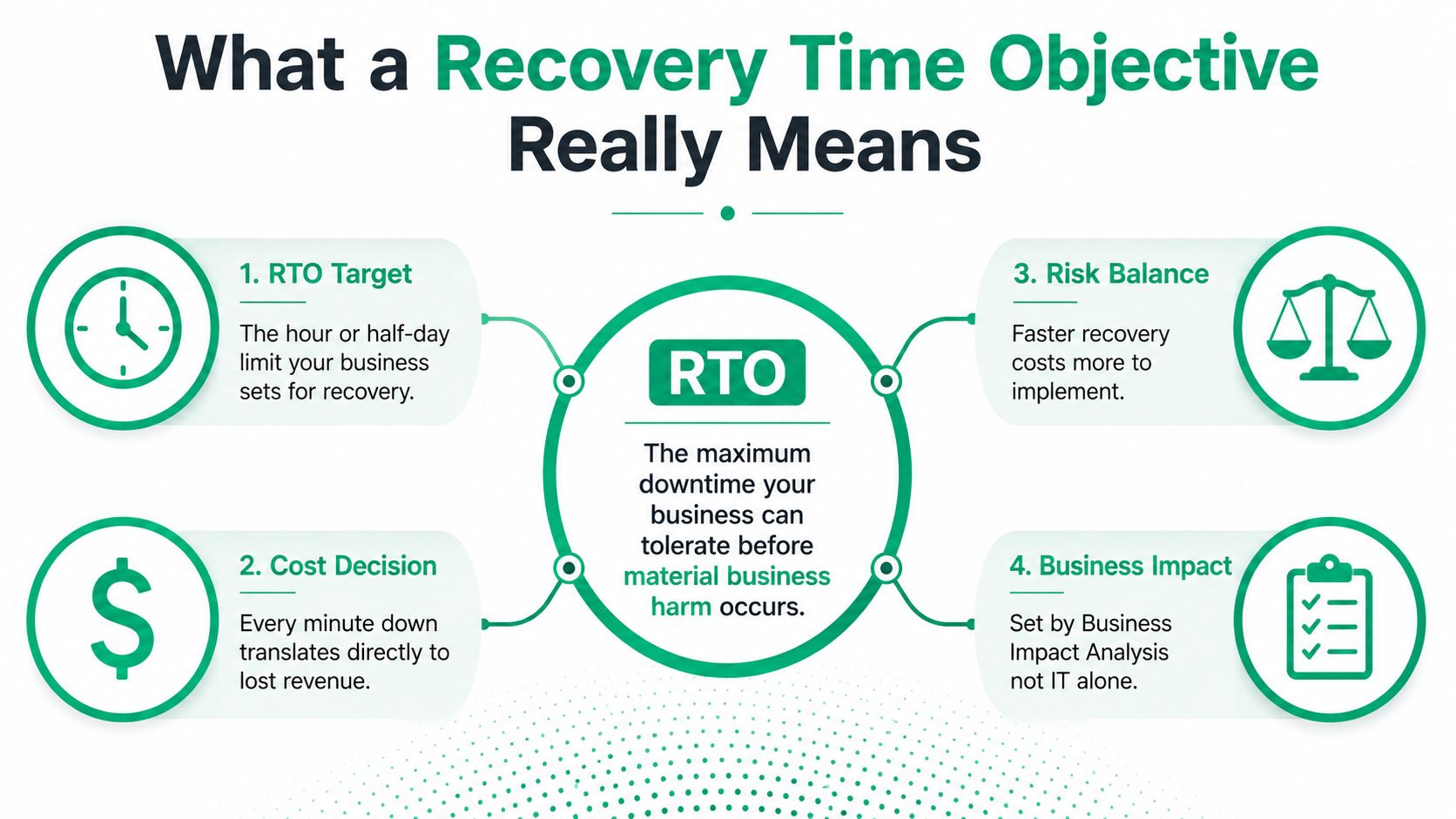
An RTO, or recovery time objective, is the maximum acceptable delay between a disruption and restoration of a business service. It sets the point at which downtime becomes unacceptable, based on business impact rather than an IT administrator's preference. AWS recovery guidance commonly frames mission-critical workloads around 15 minutes, important workloads around 4 hours, and lower-priority workloads around 8 to 24 hours.
Those bands aren't universal promises. They're useful starting points for a Business Impact Analysis, especially for small and medium-sized businesses that need to separate a production system from an internal application nobody needs during an emergency. The tighter the RTO, the more infrastructure, automation, failover testing, and operational discipline you'll need.
RTO is a leadership decision
IT can measure restore times, but leadership decides how much disruption the company can tolerate. A manufacturer may prioritize its MRP platform, a clinic may prioritize its EHR, and a professional-services firm may put billing and document access first. Each workload needs its own target.
NIST defines RTO as the length of time system components can remain in recovery before negatively affecting the organization's mission or business processes. That definition is important because recovery includes more than turning on an application. Data, configuration files, encryption keys, identity services, network access, and dependent systems all have to work together. NIST's recovery time objective glossary entry makes that dependency-based view explicit.
Practical rule: If your plan says “restore the server,” ask whether users can authenticate, open current data, reach the application, and resume the work that produces revenue.
RTO isn't the same as uptime percentage, mean time to repair, or RPO. Uptime describes availability over a period. Mean time to repair describes how long repair work usually takes. RTO describes the maximum acceptable recovery window for a specific service after a disruption.
Business owners who want the wider context can compare this metric with business continuity and disaster recovery planning. The useful outcome is a tested workload priority list, not a single impressive number on a vendor proposal.
RTO vs RPO vs MTPD vs SLA
These four terms answer different questions, and confusing them creates expensive recovery plans.
RTO asks how long the service can be unavailable. RPO asks how much data the business can lose. MTPD asks how long the organization can tolerate the disruption before its survival or mission is threatened. An SLA describes a provider's contractual service commitment, not necessarily your internal recovery capability.
NIST defines RPO as the point in time to which data must be recovered after an outage. A backup taken once a day may help with restoration, but it may not meet a business that can't recreate a day of transactions. Fast service restoration and acceptable data protection are separate engineering problems.
A Greenwood accounting firm illustrates the difference. The firm documented a four-hour RTO, and its server restoration finished inside that window. However, invoice backups ran daily. The systems came back, but a full day's transactions were missing. The firm met its recovery-time target while missing the data-loss requirement, and clients noticed the difference.
RTO comparison table
| Term | Question It Answers | Measured In | Who Owns It |
|---|---|---|---|
| RTO | How soon must the service work again? | Time to restore service | Business leadership and IT |
| RPO | How much recent data can we lose? | Time between the incident and recoverable data | Business owners, IT, and data custodians |
| MTPD | How long can the disruption continue before unacceptable organizational harm? | Maximum disruption period | Executive leadership |
| SLA | What does a provider contractually promise? | Availability, response, or service commitments | Vendor and contract owner |
ISO 22301 planning places the RTO below the MTPD, leaving room for recovery execution. One practical training example uses an MTPD of 72 hours, an RTO of 24 hours, and an RPO of 4 hours. That separation creates a safety margin instead of treating the entire tolerance window as recovery time. This SLA planning resource can help teams distinguish vendor response commitments from actual business recovery requirements.
A cloud provider's SLA won't automatically restore your application, dependencies, or lost transactions. Read it as one input to the plan, not as proof that your RTO is achievable.
Running a Business Impact Analysis for an SMB
A Business Impact Analysis turns broad concern into a workload-by-workload recovery plan. A Central Indiana SMB can complete a useful first pass in a working week if the right people participate, including operations, finance, compliance, production, and IT.
Start with business activity
Inventory every system that touches revenue, payroll, patient records, customer commitments, or production. Include less obvious dependencies such as Microsoft Active Directory, Microsoft 365 identity, VPN access, file shares, backup consoles, printers, label systems, and network switches.
Then ask what stops when each system stops. A manufacturing application may halt scheduling even if email remains available. A healthcare practice may still have internet access but be unable to document care safely if its EHR is unavailable.
Use three impact bands:
- Mission-critical: A failure directly stops care, production, shipping, payment collection, or another essential process.
- Important: The business can use a manual workaround temporarily, but delays create operational and customer problems.
- Low-priority: The system supports convenience, reporting, or internal work that can wait.
The published AWS bands provide a practical reference, but your leadership team must approve the target. Don't assign a 15-minute RTO because the number sounds resilient if the budget and dependencies support only same-day recovery.
Map dependencies before choosing technology
A server may depend on DNS, identity, storage, encryption keys, application licensing, and a working site-to-site connection. Document those relationships before selecting a backup or failover design.
| Tier | RTO Target | Example Systems | Supporting Strategy |
|---|---|---|---|
| Mission-critical | 15 minutes | Production control, critical EHR functions, transaction processing | Hot failover, real-time replication, automated health checks, tested runbook |
| Important | 4 hours | MRP support services, shared files, scheduling, line-of-business applications | Warm standby, frequent snapshots, pre-staged images, documented restoration |
| Low-priority | 8 to 24 hours | Archives, nonessential reporting, internal reference systems | Immutable backups, off-site storage, bare-metal restoration |
Regulatory obligations belong in the same worksheet. Healthcare organizations should account for HIPAA safeguards and documentation. Defense suppliers should consider CMMC requirements. Other businesses may need to evaluate PCI-DSS, contractual retention terms, and the controls within the NIST CSF.
A practical Business Impact Analysis template should end with named owners, approved RTO and RPO values, dependencies, and the evidence required to demonstrate recovery. If nobody owns a row in the spreadsheet, nobody owns the risk.
The Gap Between Paper RTO and Tested RTO
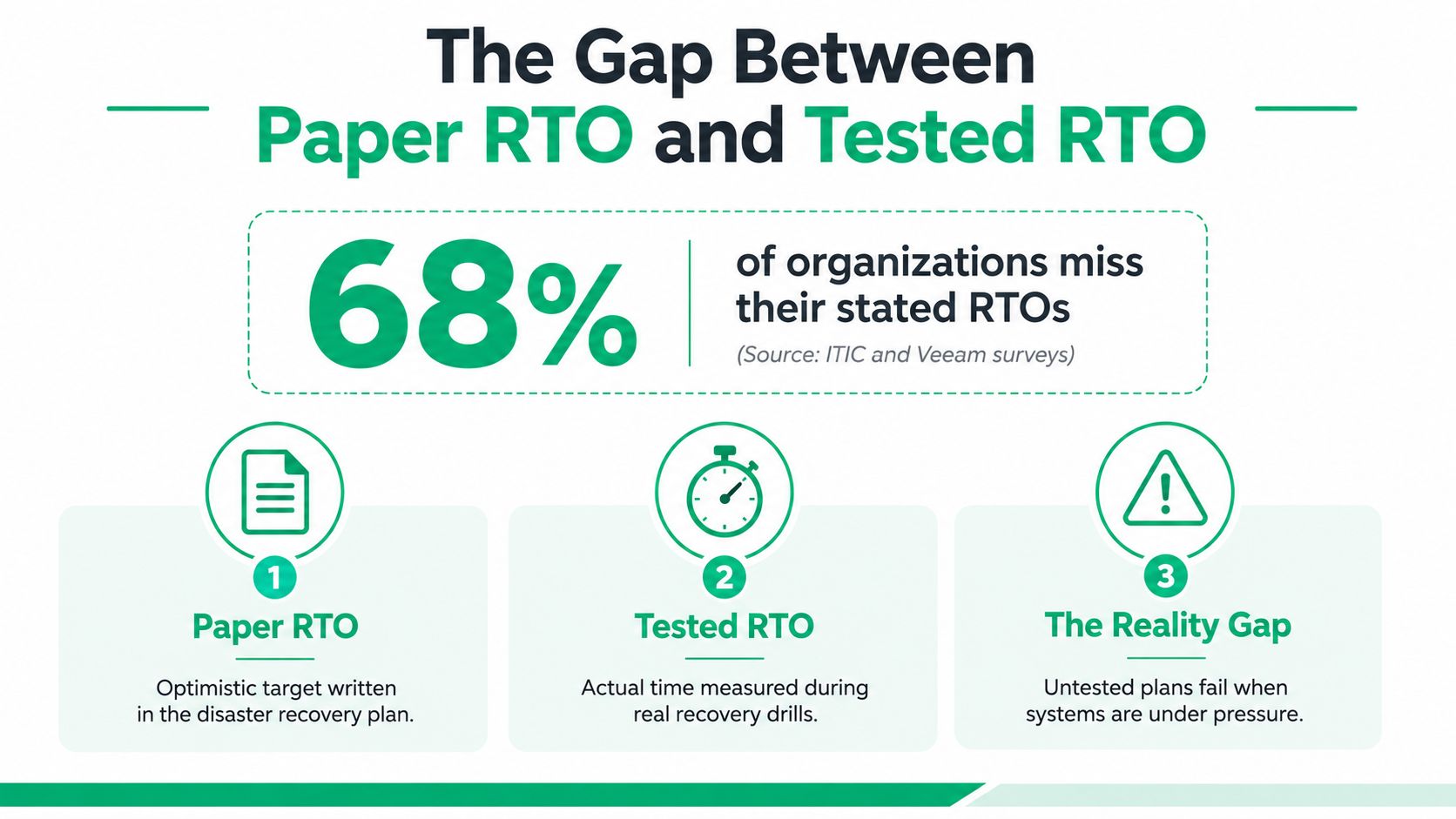
A documented RTO can look precise while saying very little about actual readiness. A recent tabletop-exercise research set found that 68% of organizations had an RTO on paper that differed materially from their realistic tested RTO. The 2025 disaster and cyber recovery trends report supports the central warning, written targets often outpace tested capability.
The reasons are familiar in real recovery work:
- Documentation ages: Server names, credentials, vendors, and dependencies change.
- Failover steps remain theoretical: Nobody confirms whether replication, licensing, routing, and authentication work together.
- Runbooks omit decisions: Teams know the commands but not who can declare a disaster.
- Staff lack rehearsal: The person assigned to recover a system may never have performed the process.
A calm tabletop exercise won't reproduce every pressure of a ransomware event. At three in the morning, DNS may be broken, the VPN may be unavailable, backup credentials may be stored on an encrypted workstation, and the on-call engineer may be trying to determine which copy is clean.
Measure recovery instead of guessing
A sensible cadence combines different types of tests:
- Annual tabletop: Walk through roles, communications, escalation, legal decisions, and vendor contacts without changing production.
- Semi-annual failover drill: Move a selected workload to its recovery environment and verify user access, integrations, and transaction processing.
- Quarterly restore verification: Restore files, databases, configurations, and system images from backup, then record what worked.
Capture the actual recovery time, data loss observed, dependency failures, credential delays, and the time required to make major decisions. Correct the runbook after every test.
An untested RTO is a wish written in a document. A tested RTO is a measured operational capability.
The number that matters is not what the plan claims. It's what the business can reproduce when systems are under pressure.
Why RTO Is a Budget Decision, Not Just a Tech One
Downtime turns technical failure into a financial event. One 2024 industry summary reports average unplanned IT downtime at $14,056 per minute. The 2024 downtime cost summary provides the benchmark, but each Indiana business should calculate its own exposure from lost output, idle labor, missed billing, customer commitments, compliance response, and recovery work.
A smaller company might not lose that full benchmark every minute, while a production line or revenue-generating platform may lose more through combined effects. The right question is not, “Can we afford hot-site recovery?” It's, “What risk are we keeping because we chose not to fund it?”
Faster recovery usually requires more than a larger backup disk. A 15-minute target may need automated failover, replicated databases, redundant network paths, identity availability, health checks, and staff who can execute the runbook. A 4-hour target may fit a warm standby and documented restoration process. A next-day target may be supported by immutable off-site backups and a verified bare-metal restore.
RTO cost comparison
| RTO Tier | Max Tolerable Downtime | Typical Monthly Cost for an Indiana SMB | Best Fit Workload |
|---|---|---|---|
| Near-immediate | 15 minutes | Higher, because it requires active redundancy and automation | Production control, critical clinical or transaction systems |
| Same-day | 4 hours | Moderate, with warm standby and frequent recovery points | MRP, scheduling, shared operational applications |
| Extended | 8 to 24 hours | Lower, with protected backups and planned restoration | Archives, reporting, and lower-priority internal systems |
The cost column must come from your environment and provider quote. Avoid assigning a dollar figure before mapping users, workloads, dependencies, and recovery evidence. A managed IT agreement can turn irregular emergency labor, emergency hardware, and rushed vendor decisions into a predictable monthly budget, but only if the service includes testing and reporting rather than backup alerts nobody reviews.
That budget also protects billable hours. When systems recover sooner, staff spend less time waiting, recreating work, and explaining delays to customers. For Johnson County business owners, the decision connects directly to revenue at risk, regulatory exposure, and customer SLAs. This IT budget planning guide offers a useful way to frame resilience as risk management instead of overhead.
Backup, Failover, and Immutable Strategies That Hit RTO
Recovery controls should match the workload tier. Buying a fast storage appliance won't create a 15-minute recovery path if identity, network routing, application licensing, or clean data still require manual work.
Build the recovery path by tier
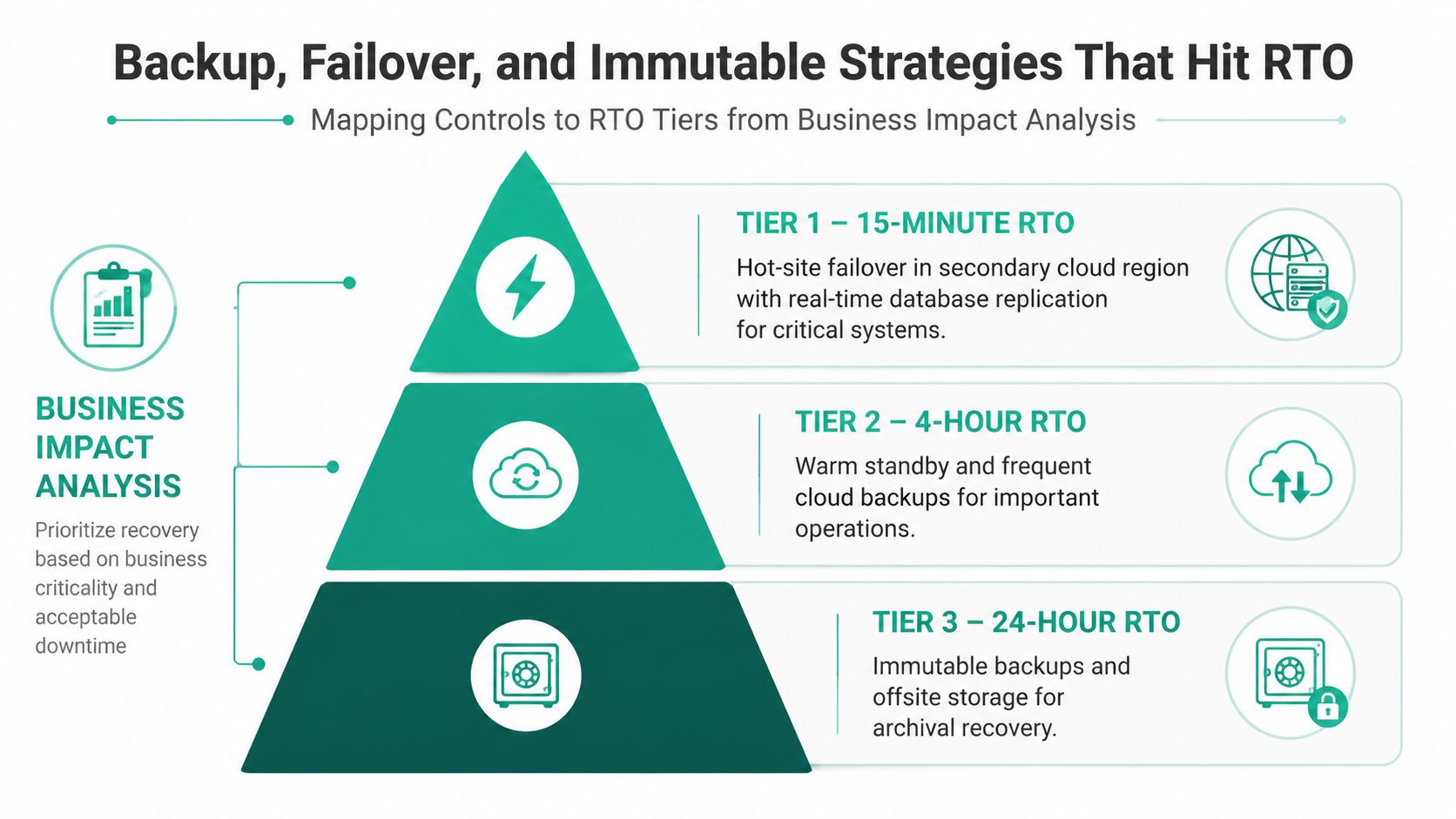
For a 15-minute target, use a hot recovery environment, real-time database replication, load-balanced application servers, and automated DNS failover with health checks. Test the complete path, including authentication, encryption keys, dependent services, and user access. A secondary cloud region can help, but geography alone doesn't make the design resilient.
For a 4-hour target, a warm standby is often more practical. Keep a recovery VM or pre-staged server image available, take frequent snapshots, and maintain a written failover runbook. The team should know which services start first, who approves the switch, and how users confirm that transactions are working.
For an 8-to-24-hour target, use nightly backups to immutable object storage, off-site replication, and full bare-metal recovery. Object Lock or WORM storage prevents approved backup data from being overwritten during its retention window. A separate clean copy should be offline or isolated from the main attack path.
Ransomware operators target backup repositories because they understand that encrypted production data is less damaging if a clean recovery copy remains available. This immutable backup checklist explains the proof points: protected data must not be deletable, overwritable, or shortened during the approved retention period, and restoration from that copy must be tested.
Protect the recovery system itself
Use Zero Trust architecture to segment production, backup management, and administrative access. Backup administrators shouldn't automatically have unrestricted access to every production system, and a compromised workstation shouldn't provide a straight path into the repository.
SOC-as-a-Service monitoring can watch for failed backup jobs, unusual deletion attempts, retention changes, and suspicious access patterns. Granular, bit-level data recovery can restore a specific file or database object without spinning up an entire virtual machine, which reduces recovery effort for smaller incidents.
Products such as Veeam, Azure Backup, and object storage with retention lock can fit different designs, but the product name isn't the control. The control is a protected copy, a documented recovery path, and evidence that restoration works. Enterprise data backup guidance is relevant when an SMB needs to connect backup architecture with uptime requirements.
Real-World Scenarios From Central Indiana
The same recovery framework produces different designs because business impact differs. A Johnson County manufacturer and a Hamilton County clinic shouldn't share an identical RTO because both have servers and internet access.
Consider a representative Johnson County manufacturer with 60 employees. Its MRP system runs on a single aging server, and ransomware encrypts shared files early in the morning. Production scheduling stops at 6 a.m., while the team isolates the affected systems, verifies the clean recovery point, and brings up a warm failover VM from hourly cloud replication.
The manufacturer's stated recovery window is four hours. Its technical design supports that target because the recovery image, replicated data, network access, and runbook were prepared before the incident. The roughly $22,000-per-hour revenue exposure makes the warm standby easier to justify than a low-cost nightly backup that leaves production waiting for a full rebuild.
A Hamilton County healthcare clinic has a different risk profile. Its EHR runs in a hosted private cloud, and a power event corrupts the primary database at noon. The clinic uses immutable Azure snapshots and a tested SQL restore, allowing providers to access the system again by 2:15 p.m. Staff can continue same-day charting while maintaining HIPAA documentation.
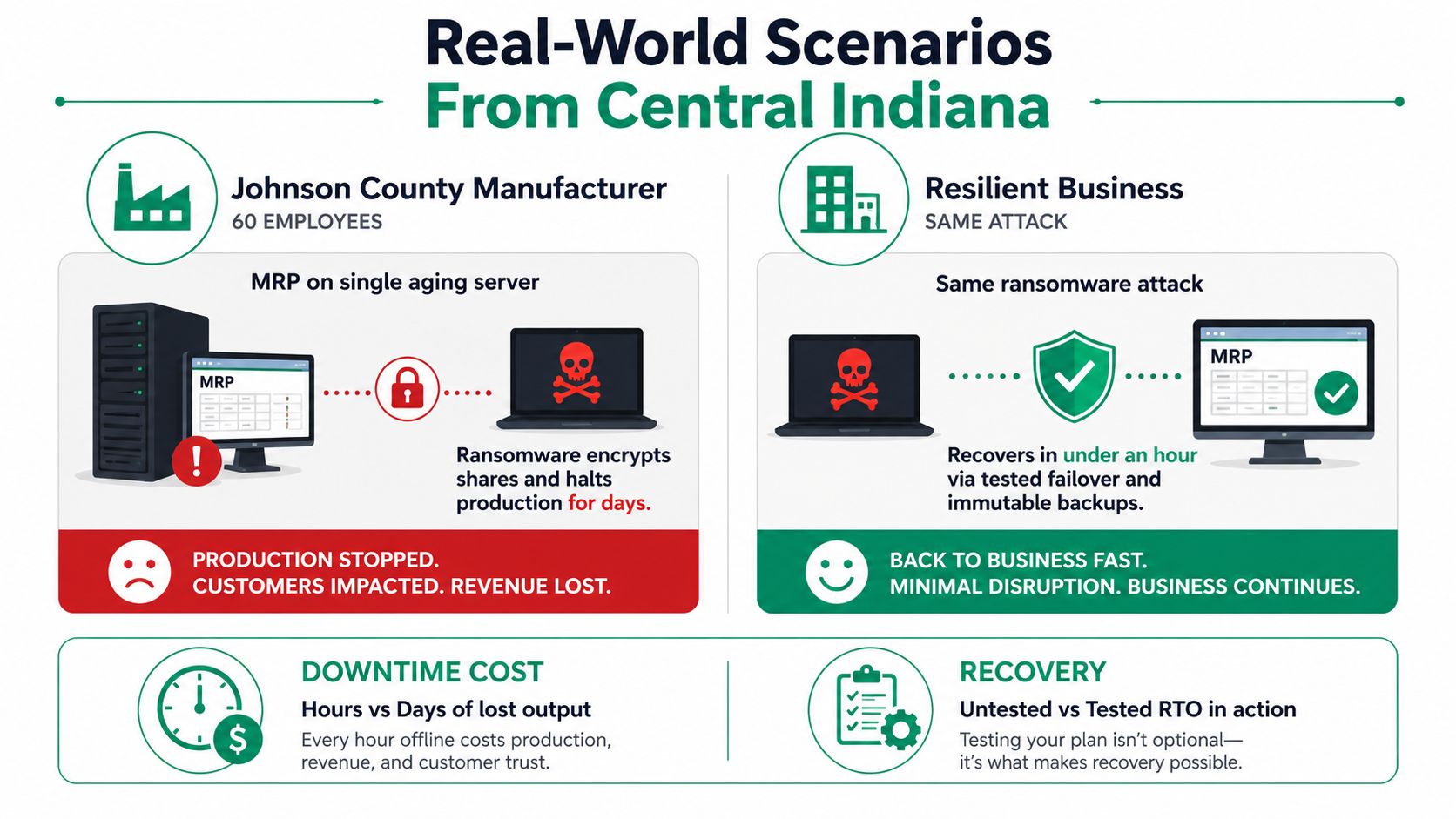
The manufacturer needs production continuity and dependable file recovery. The clinic needs patient-care access, data integrity, privacy controls, and an audit trail. Neither scenario proves that a particular vendor guarantees an outcome. Both show why workload tiering, dependency mapping, immutable copies, and recovery drills matter more than a generic “we have backups” statement.
In our 17 years of local service, we've seen the same pattern in different forms. When we dissembled a similar client's failing RAID array, the hardware problem was only the first obstacle. The delay came from undocumented application dependencies and a recovery copy that had never been validated. A storage repair can preserve data, but it can't substitute for a business-owned RTO.
Putting It Together and Taking the Next Step
A Greenwood owner should be able to hand the following checklist to an IT lead and get clear answers:
- Inventory systems: List every platform tied to revenue, payroll, patient care, production, and customer commitments.
- Assign tiers: Classify workloads as mission-critical, important, or low-priority.
- Set RTO and RPO: Record both targets for every tier. One controls downtime, the other controls acceptable data loss.
- Map dependencies: Include identity, networking, DNS, storage, encryption keys, licensing, and vendor access.
- Test failover: Run a meaningful failover drill at least twice a year, with quarterly restore verification.
- Validate immutable copies: Confirm retention locks, administrative access, clean-copy scope, tamper alerts, and actual restoration.
- Review SLAs: Revisit provider commitments annually and compare them with your internal recovery evidence.
- Track the budget: Connect each RTO tier to revenue exposure, compliance obligations, customer commitments, and the monthly cost of keeping the risk under control.
The right design may include UniFi networking, Bitdefender GravityZone, cloud replication, a warm standby, immutable off-site backups, or a fully redundant recovery environment. The tools should follow the BIA, not replace it. A Free Network Assessment or Security Risk Audit can expose whether an aging server, spotty Wi-Fi, weak segmentation, or untested backup path will block recovery when the business needs it.
Finchum Fixes IT helps Greenwood and Indianapolis businesses assess network dependencies, secure endpoints, design recovery-ready infrastructure, and test whether backups can meet their stated recovery time objectives. Visit Finchum Fixes IT to arrange a Free Network Assessment or Security Risk Audit before the next outage validates your plan for you.