Security Hardening That Actually Stops Attacks

A server in a Greenwood business park starts throwing disk warnings during payroll. Across town, a clinic's Wi-Fi drops while staff are trying to access patient records. In both cases, security hardening must reduce exposure without creating a new operational problem. The practical answer is a verified, recurring process across endpoints, identities, networks, cloud services, and backups.
Security hardening means removing unnecessary attack paths, restricting access, patching systems, and testing each change. Done properly, it reduces ransomware and account-compromise risk while keeping Windows, Mac, Linux, UniFi, and Microsoft 365 environments usable. It also turns wasted troubleshooting time into productive, billable work and replaces surprise outages with a predictable security program.
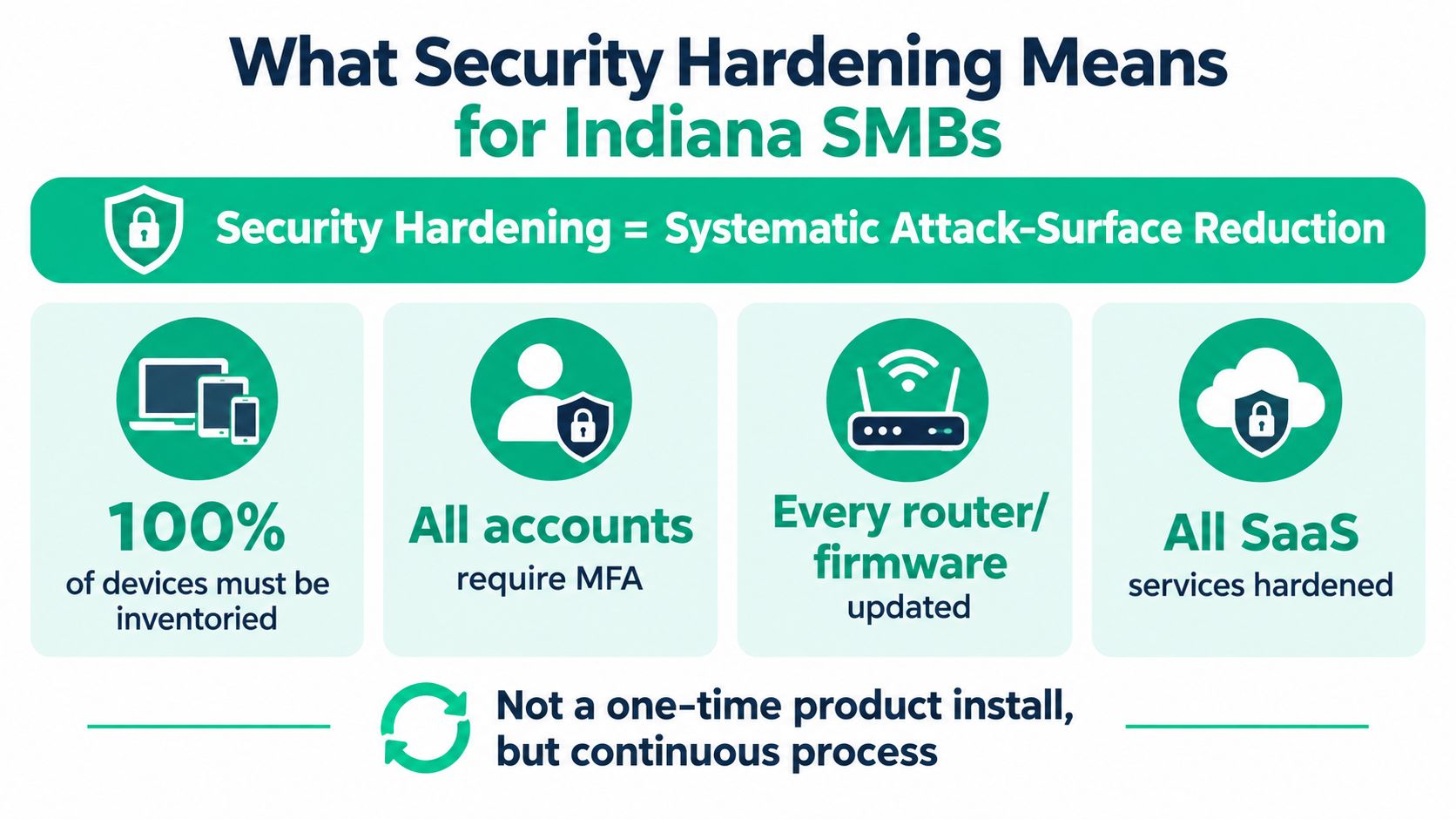
What Security Hardening Means for Indiana SMBs
Security hardening is systematic attack-surface reduction. It covers every endpoint, account, firewall, switch, wireless network, cloud service, and exposed application that an attacker could reach. Installing Bitdefender GravityZone or Microsoft Defender helps, but neither product hardens an environment by itself.
A typical I-65 corridor business might run Windows 11 laptops, a few Macs, an Ubuntu file server, UniFi switches and gateways, Microsoft 365, remote access tools, and a line-of-business application hosted elsewhere. Each platform has different defaults, patch cycles, logging options, and failure modes. Hardening closes unused ports, removes unnecessary software, limits local administrator rights, enforces multifactor authentication, updates firmware, and confirms that the controls actually work.
Downtime is the business case. Atlassian cites a Ponemon Institute estimate that places average downtime at nearly $9,000 per minute, while small businesses may lose $137 to $427 per minute, depending on the incident's scope. Those figures come from Atlassian's cost-of-downtime analysis. A four-hour outage can also trigger missed appointments, delayed shipments, payroll disruption, and contractual exposure, even when the immediate technical repair looks simple.
The baseline comes before the fix
Start with an inventory. Record device ownership, operating system, firmware, installed applications, user accounts, administrator privileges, cloud integrations, public services, and backup locations. Microsoft's guidance on hardening resources treats complete inventory as the first step because you can't protect systems you don't know exist.
Then classify exposure. A forgotten remote desktop rule, an old VPN account, or an unmanaged laptop deserves attention before cosmetic configuration work. For owners researching broader safeguards, this guide to protecting a small business from cyber threats is a useful companion to a local risk review.
The result should be a living baseline, not a binder that nobody opens. A documented baseline gives Johnson County business owners a defensible way to show what changed, what remains exempt, and which risks require funding. A managed approach can also pair remediation with immutable off-site backups, Zero Trust architecture, SOC-as-a-Service monitoring, and tested recovery procedures.
For a broader risk-management view, see cybersecurity risk management for Indiana SMBs. The principle is straightforward: every security change needs a verification step, and every exception needs an owner and review date.
The Hardening Workflow That Holds Up Under Review
A hardening program should follow an order an engineer can defend during an outage review. Discovery comes first, remediation follows, and each change must fit the business processes it could affect.
Start with discovery and a baseline
Run a discovery scan across internal devices, cloud identities, external services, wireless networks, and endpoint agents. Compare the results with DHCP and directory records. In a Johnson County insurance environment, that comparison could reveal personally purchased devices, old remote-support agents, or a forgotten cloud application outside the approved laptop list.
Compare the current state with relevant CIS Level 1 recommendations. Record exceptions before changing settings. A print server may need an older protocol for a business-critical device, while a clinic's EHR workstation may require a vendor-approved configuration. The exception remains a tracked risk, with an owner and review date, rather than an undocumented workaround.
Apply changes in rings
Create pilot groups for IT, then a small business department, followed by the remaining users. Test Bitdefender GravityZone policies, Microsoft Defender settings, Intune configuration profiles, firewall rules, and patch deployments in those groups first. Schedule maintenance windows around payroll, shipping, and patient scheduling instead of applying broad changes during those operations.
Practical rule: A control that breaks the print server during business hours has failed its rollout. Stage it, test it, document the exception, and set a review date.
The workflow has five practical phases:
- Discovery: Inventory devices, accounts, software, public exposure, and dependencies.
- Baseline: Compare configurations with CIS guidance and business requirements.
- Hardening: Apply endpoint, identity, network, cloud, and backup controls in rings.
- Validation: Scan with Tenable Nessus or Qualys, review Microsoft Secure Score, and test expected business functions.
- Monitoring: Watch for drift, missing agents, stale patches, new accounts, and altered firewall rules.
Keep the loop running
Microsoft's guidance warns that hardened systems require ongoing updates as new vulnerabilities emerge, while overly aggressive settings can disrupt applications. It also supports staged changes and evaluation before remediation. Quarterly reviews should compare the documented baseline with the live environment, verify business functions, and record approved exceptions instead of merely checking off an old list.
This short video provides a visual explanation of the workflow and its validation mindset.
A scan identifies work, remediation changes the environment, and a retest confirms that the controls work as intended. Continuous monitoring keeps drift, missing agents, stale patches, and altered firewall rules visible after deployment.
Picking the Right Framework for Your Business
Framework choice should follow the business problem. CIS Benchmarks provide prescriptive configuration guidance for specific platforms. NIST CSF 2.0 gives leadership a risk-based structure for governance, protection, detection, response, and recovery. Essential Eight adds maturity-oriented mitigation strategies that can matter to organizations working with Australian-aligned requirements or defense supply-chain expectations.
NIST CSF 2.0 is the current official NIST framework, published in February 2024, and its Govern function helps connect technical controls with ownership, risk decisions, and business priorities. The NIST CSF 2.0 publication is the authoritative reference. SMB leaders who want a plain-language orientation can also review this NIST 2.0 implementation guide for SMBs.
| Framework | Cost | Best Fit | Indiana SMB Profile |
|---|---|---|---|
| CIS Benchmarks | Free guidance | Platform configuration | A Carmel professional-services firm starting with CIS Level 1, MFA, and patching |
| NIST CSF 2.0 | Free framework | Risk, governance, and business alignment | A Fishers healthcare clinic mapping HIPAA priorities through Govern and Identify |
| Essential Eight | Free guidance | Maturity-based mitigation | A Shelbyville supplier layering maturity expectations onto CIS while pursuing DoD work |
A healthcare clinic shouldn't treat HIPAA as a checkbox exercise. Network segmentation, encryption, access control, immutable and offline backups, defined RTO and RPO by service tier, and tested clean-room recovery all belong in the operating model. For a defense contractor, CMMC requirements may drive evidence collection, privileged-access controls, patch management, and documented incident practices.
The trap is selecting the most demanding profile without staffing it. A small firm that can't maintain exceptions, test policies, or review alerts has created paper compliance rather than durable security. The framework should make good behavior repeatable.
For Indiana organizations building governance around technology decisions, this secure IT governance framework guide for Indiana SMBs adds useful planning context.
Hardening Windows, macOS, and Linux Endpoints
Endpoint security fails when configuration changes are applied without checking the result. Use a test device, record the previous state, apply one control, verify it, and check the user workflow before expanding deployment.
Windows 10 and 11
For Windows 10 and Windows 11, begin with Microsoft Intune configuration profiles and Microsoft Defender policies. Enable LSA Protection with RunAsPPL, deploy Credential Guard where hardware and application compatibility support it, disable SMBv1, and reduce NTLM use where business dependencies allow. Enforce BitLocker with TPM and PIN requirements for appropriate devices, then enable Defender Attack Surface Reduction rules in audit mode before moving selected rules to block mode.
Useful checks include:
- LSA Protection: Confirm the configured
RunAsPPLvalue in the relevant registry policy and review Event Viewer for LSA protection status. - BitLocker: Run
manage-bde -statusin an admin PowerShell session and confirm encryption, protection status, and TPM readiness. - SMBv1: Run
Get-WindowsOptionalFeature -Online -FeatureName SMB1Protocoland confirm it is disabled where no dependency exists. - Defender rules: Review Attack Surface Reduction events in Microsoft Defender for Endpoint before enforcing blocks.
- Local administrators: Use Intune or Entra ID group membership reports to confirm daily users aren't local admins.
macOS Ventura and Sonoma
On macOS Ventura and Sonoma, enable FileVault, Gatekeeper, System Integrity Protection, and XProtect protections for removable media. Jamf configuration profiles can enforce notarized application execution, restrict unmanaged extensions, and require approved security settings.
Verify FileVault in System Settings, under Privacy and Security, then FileVault. Confirm Gatekeeper with spctl --status, and check System Integrity Protection with csrutil status from the appropriate recovery environment. A profile compliance report should show whether the Mac received the intended Jamf settings.
Ubuntu and RHEL
Linux servers need a smaller, explicit control set. For Ubuntu 22.04, Ubuntu 24.04, and RHEL 9, place approved sysctl values in /etc/sysctl.d/99-nist.conf, then reload and inspect them:
cat <<'EOF' | sudo tee /etc/sysctl.d/99-nist.conf
net.ipv4.conf.all.rp_filter=1
net.ipv4.tcp_syncookies=1
net.ipv6.conf.all.accept_ra=0
kernel.randomize_va_space=2
EOF

sudo sysctl -p /etc/sysctl.d/99-nist.conf
sysctl net.ipv4.conf.all.rp_filter
sysctl net.ipv4.tcp_syncookies
sysctl net.ipv6.conf.all.accept_ra
sysctl kernel.randomize_va_space
The settings align with a NIST Cybersecurity Framework implementation example. Also remove unused packages, restrict SSH to approved administrative paths, disable password authentication where key-based access is ready, and review ss -tulpn for unexpected listeners.
| OS | Setting | Verification |
|---|---|---|
| Windows 11 | BitLocker with TPM and PIN | manage-bde -status |
| Windows 10 and 11 | SMBv1 disabled | Get-WindowsOptionalFeature -Online -FeatureName SMB1Protocol |
| macOS Ventura and Sonoma | Gatekeeper enabled | spctl --status |
| Ubuntu 22.04 and 24.04 | Kernel and network sysctl controls | sudo sysctl -p /etc/sysctl.d/99-nist.conf |
| RHEL 9 | Listening services reviewed | ss -tulpn |
The endpoint security best practices for Indianapolis SMBs approach is useful when turning these individual settings into a managed policy.
Securing Routers, Firewalls, and Wi-Fi Networks
A downtown Indianapolis tech hub can secure its laptops and still expose the business through an overlooked gateway. UniFi Dream Machines, FortiGate firewalls, and pfSense routers require firmware updates, restricted administration, secure wireless settings, centralized logging, and a rule base that someone has tested.
Start at the edge. Disable UPnP on the WAN, turn off WPS, replace default administrative credentials, and update firmware during a maintenance window. Use WPA3-Enterprise when identity integration is available, or WPA3-SAE for smaller deployments without an enterprise authentication service. Remove WPA2-only SSIDs after confirming that required devices support the replacement.
Segment before you troubleshoot
Place guest devices, IoT equipment, and point-of-sale systems on separate VLANs. Firewall rules should block lateral movement into the corporate VLAN while permitting only the services each device requires. Healthcare offices should isolate EHR, imaging, laboratory, and IoMT systems, encrypt protected health information in transit and at rest, and maintain immutable, offline backups with tested restoration procedures, as described in this NIST CSF 2.0 healthcare implementation guide.
On UniFi, enable Intrusion Prevention or Detection with the default IPS profile, configure the gateway to drop invalid TCP flags, and restrict management access to a dedicated administration VLAN on TCP 8443. For FortiGate and pfSense, confirm outbound deny-by-default where practical, log denied flows, and send events to a SIEM or at least a Bitdefender GravityZone event collector.
Verify outside the configuration screen. Run a Nessus scan against the gateway, inspect firewall logs for expected denies, and conduct an aircrack-ng-style wireless survey to find rogue SSIDs or legacy encryption. From an external test location, confirm that administrative interfaces and unnecessary services remain unreachable.
The firewall management guide for SMBs adds operational context, while this firewall configuration for SMBs reference covers configuration details. Every permitted path should be deliberate, logged, and easy to explain during an audit.
Patching, Accounts, and Endpoint Protection in Practice
A Greenwood dental practice received a phishing email on a Tuesday. The user clicked far enough to start the delivery chain, but the browser had been patched the prior Friday, Bitdefender GravityZone blocked the dropper, MFA protected the mailbox, and the user had no local administrator rights. That combination prevented a routine phishing message from becoming a ransomware-driven shutdown.
The result depended on four controls working together:
- Patch discipline: The practice used a monthly patch service-level agreement, with critical updates targeted within 72 hours. That timing is an operational policy, not a universal guarantee, so it must be adjusted when a vendor requires testing.
- Multifactor authentication: Entra ID enforced MFA on external services, including Microsoft 365 and remote-access tools.
- Least privilege: Staff used standard accounts for daily work, while administrative tasks required separate administrator accounts.
- Endpoint detection: Bitdefender GravityZone EDR monitored behavior, blocked the dropper, and supported rollback where its policy and endpoint state allowed it.
Without the browser patch, the exploit path might have remained open. Without MFA, a stolen password could have opened the mailbox. Without least privilege, the payload could have written more broadly. Without endpoint telemetry, the office might have discovered the problem only after files or systems became unavailable.
Hardening becomes a continuity investment. It reduces the chance that staff spend days rebuilding machines, restores confidence in backups, and lets the business keep serving patients. For other Indiana offices, this patch management guide for 2026 offers a useful operational reference.
A Johnson County office can run a monthly confirmation:
- Export missing-patch reports and record exceptions.
- Review Entra ID MFA registration and risky sign-in alerts.
- Compare local administrator membership with the approved list.
- Confirm GravityZone agents are online and policies are applied.
- Test a harmless alert workflow and verify someone receives it.
- Review rollback and recovery documentation without altering production data.
During our 17 years of local service, the recurring failure hasn't been a lack of available security products. It's been drift. A device misses enrollment, an account keeps old privileges, or a policy changes during troubleshooting and nobody records the exception.
Verifying Hardening and Locking In the Gains
Hardening earns trust only after independent verification. Schedule Nessus Essentials or Tenable.io scans against workstations and the UniFi gateway. Review Bitdefender GravityZone policy assignments, confirm Windows LAPS passwords rotate, and test firewall rules from outside the office.
Use Microsoft Defender Vulnerability Management to identify configuration drift. Capture traffic with Wireshark to check that legacy SMBv1, Telnet, and unintended unrestricted outbound traffic are absent where they should be blocked. Verify WPA3 on each active SSID, then compare the results with the CIS Controls selected during baseline work.
Keep the validation record concise:
- Evidence: Store scan results, screenshots, policy exports, and approval notes.
- Ownership: Assign each failed control to a named person.
- Retesting: Recheck failures within 30 days, using the original test.
- Exceptions: Record business impact, compensating controls, expiration date, and approver.
- Recovery: Confirm immutable off-site backups and test restoration, including bit-level recovery when damaged storage requires forensic handling.
A Greenfield or Carmel owner should not need to interpret dashboards every morning. A managed program can combine endpoint policy, UniFi networking, Zero Trust access, SOC-as-a-Service monitoring, and recovery validation into a recurring operating process. The downtime estimate cited by Atlassian reinforces why recovery testing belongs in the record.
A signed validation record makes the project auditable. It shows an insurer or client what changed, which exceptions remain, and when each control will be tested again.
Finchum Fixes IT provides security risk audits, managed endpoint and network hardening, UniFi and firewall configuration, Bitdefender GravityZone support, and backup validation for businesses in the Greenwood and Indianapolis area. Schedule a Free Network Assessment with Finchum Fixes IT to identify exposed systems and undocumented exceptions.