What Is Change Management in IT? Boost Indiana Business ROI
One of the most expensive words in a small business is “simple.”
A simple Windows patch. A simple firewall tweak. A simple Wi-Fi change in an old brick building off Main Street. Then the phones start ringing, QuickBooks won’t open, the printer fleet drops offline, and somebody is standing in the hallway asking why the internet died right before payroll.
That’s usually when business owners around Greenwood, Franklin, and the wider I-65 corridor run into what is change management in IT for the first time. Not in a boardroom. In a mess.
Change management in IT isn’t corporate fluff. It’s the discipline of making technology changes without breaking the business. If you handle cybersecurity updates, cloud migrations, UniFi networking upgrades, Bitdefender GravityZone rollouts, immutable off-site backups, or software releases, you already need it whether you call it that or not.
Good change management protects uptime, helps with compliance frameworks like HIPAA, CMMC, and NIST CSF, and keeps your team from burning paid hours on preventable cleanup. Bad change management turns routine maintenance into a downtime event.
TLDR What is IT Change Management
- IT change management is the process for planning, approving, implementing, and reviewing technology changes so they don’t wreck daily operations.
- It covers updates like server patches, firewall rules, cloud migrations, new laptops, Bitdefender GravityZone deployments, and UniFi network upgrades.
- For Indiana SMBs, it’s the difference between a controlled maintenance window and a surprise outage in the middle of the workday.
- The point isn’t red tape. The point is business continuity, security, and predictable IT spending.
- Good change management means every change has an owner, a risk check, a rollback plan, and clear communication.
- Low-risk repeat tasks can move fast. High-risk changes need review.
- If your team says “we’ll just make a quick tweak,” that’s usually when change management should kick in.
That 'Simple' Update That Crashed Your Whole Network
A lot of Southside IT disasters start the same way. A business has aging server hardware, a creaky switch stack, and a network closet nobody wants to touch unless smoke comes out of it. Then someone decides tonight is a good night to “just update it.”
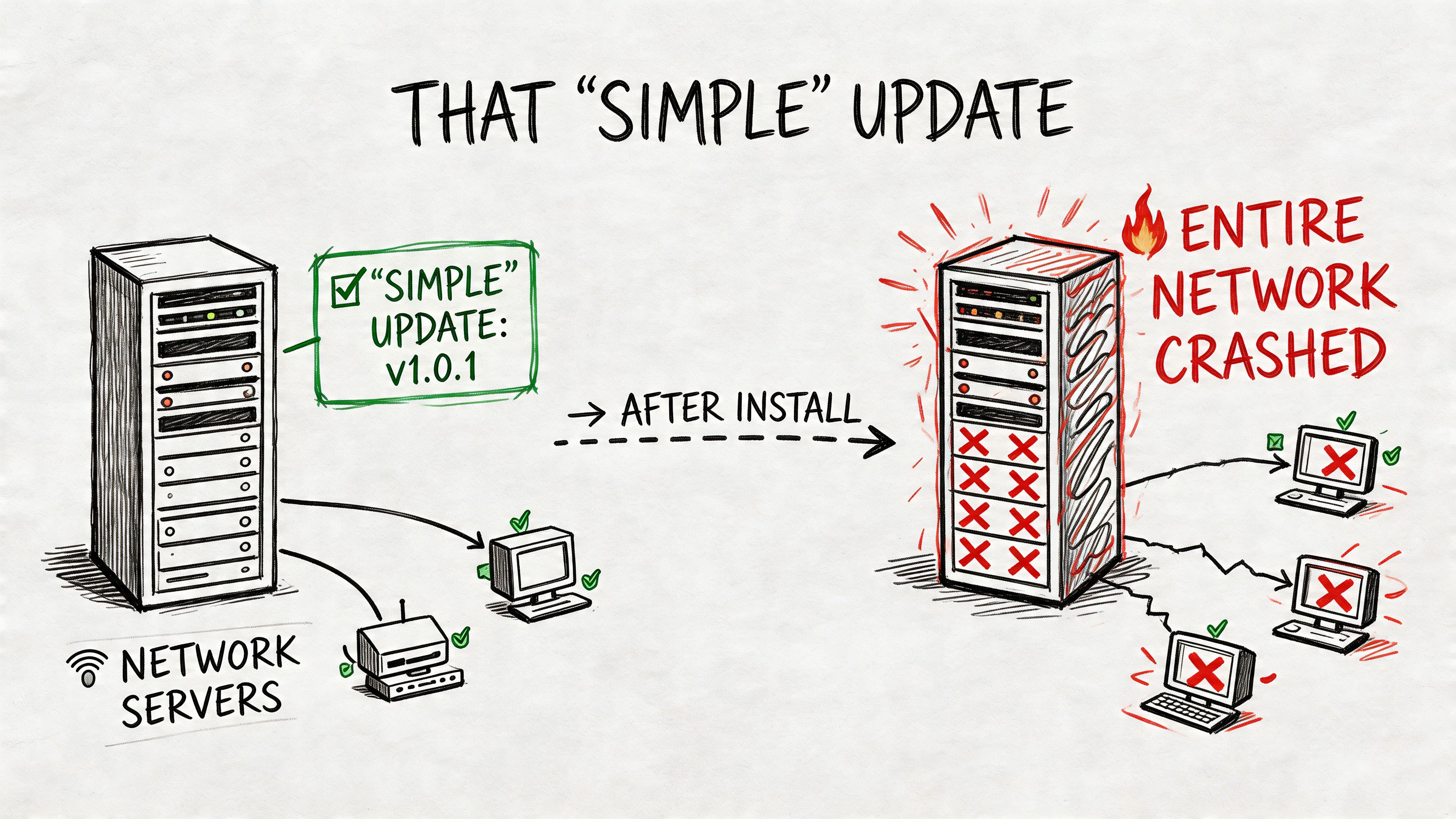
That’s not a tech problem alone. That’s a business continuity problem.
When a patch knocks out line-of-business software, your staff stops producing. Customer service gets jammed. Orders sit. Billing waits. Your internal “tech time” stops being productive and turns into emergency labor, finger-pointing, and rushed repairs. For enterprises, downtime costs reached $1.8 million per minute according to the Ponemon Institute in 2023, and poor change handling drives 43% of unplanned outages according to a 2022 Forrester report, both cited by InEight’s write-up on the evolution of change management. SMBs won’t measure pain at enterprise scale, but the lesson still lands hard. Outages are expensive fast.
What change management actually fixes
Think of IT change management like a pit crew at the Speedway. Nobody runs onto the track with a wrench and hopes for the best.
The crew knows:
- What’s being changed
- Who approved it
- What could break
- How to back out
- Who needs to know before the work starts
Without that, “fast” usually becomes slow. A rushed server patch can break an old accounting connector. A firewall rule can block remote staff. A switch firmware update can expose a cabling issue that was hiding under the surface. In old buildings around downtown Indy and Greenwood business parks, even simple Wi-Fi work can get weird because thick walls, outdated cabling, and patchwork additions don’t forgive sloppy changes.
Practical rule: If a change can affect security, connectivity, access, or data, it deserves a documented plan before anyone clicks “apply.”
Patch management is a good example. Installing updates matters, but random patching is how people create avoidable outages. If you’re sorting through that side of the puzzle, this breakdown of patch management software picks for 2026 helps frame the tooling side.
A quick visual helps make the point:
The permanent fix, not another fire drill
The businesses that handle changes well don’t rely on heroics. They build a repeatable process.
That process doesn’t have to be fancy. For a Johnson County company, it can be as simple as logging the request, checking risk, setting a maintenance window, verifying backups, testing the change, and reviewing the result the next morning. That’s change management.
It’s less exciting than a last-minute rescue. It’s also a lot cheaper.
Defining Change Management Without the Corporate Jargon
IT change management is your company’s operating rulebook for technology changes. It covers how you request, review, approve, carry out, and verify any change that could affect systems, users, security, or data.
That includes things business owners recognize immediately:
- Installing Bitdefender GravityZone on a new fleet of endpoints
- Moving files into Microsoft 365 or another cloud platform
- Replacing a firewall
- Changing permissions in a finance system
- Rolling out a new custom app
- Swapping old access points for UniFi networking
- Restoring from immutable off-site backups after a ransomware event
It sounds formal, but the basic idea is simple. Don’t let people make important technical changes in the dark.
The plain-English version
The best analogy is an IndyCar pit stop. The team works fast, but nobody improvises the fundamentals.
People know their role. The tools are ready. The sequence is planned. If something goes wrong, the team adjusts without taking the whole car out of the race.
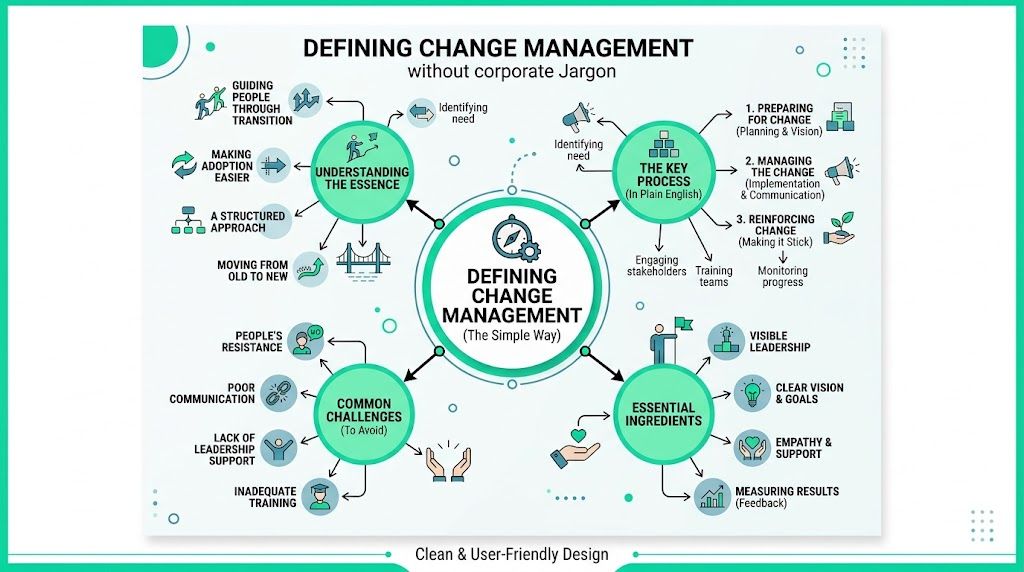
That’s how a healthy IT environment should run. Not slower. Just cleaner.
IT change management came out of the ITIL framework in 1989, built to control IT modifications after industry reports showed that up to 80% of major outages in early enterprise systems were caused by unplanned or poorly executed changes, as explained in Atlassian’s overview of IT change management.
What counts as a change
Some business owners think “change” means a giant migration project. In practice, it includes all kinds of things.
A few examples:
- Security changes such as MFA policy updates, Zero Trust architecture controls, endpoint protection changes, or email filtering rules
- Network changes such as VLAN updates, switch replacements, SSID redesigns, or latency-optimized mesh node placement
- Cloud changes such as mailbox migrations, storage restructuring, and permission model cleanup
- Support changes such as onboarding a new user, changing file access, or replacing a failed laptop
- Development changes such as pushing code updates to a customer portal or changing an API integration
Some are tiny. Some are risky. The common thread is impact.
Change management is what turns “we hope this works” into “we know who approved it, when it happens, what it affects, and how we recover if it misfires.”
Why this matters to ROI
Most Indiana SMBs don’t need enterprise ceremony. They need fewer surprises.
A business sees ROI from change management when:
- staff keep working during updates,
- security improvements don’t cause accidental lockouts,
- compliance evidence exists when an auditor asks,
- cloud moves don’t stall operations,
- and the IT budget goes into planned improvements instead of repeat damage control.
This is the definition. What is change management in IT? It’s the practical habit of making technology changes in a way that protects revenue, service delivery, and trust.
Standard Normal and Emergency Changes Explained
Not all changes deserve the same treatment. That’s where a lot of SMBs get tripped up.
If every change needs a committee, work slows to a crawl. If no change needs review, people break production systems with a grin and a coffee. The middle ground is a risk-based model.
Mature ITIL 4 practices use that model by auto-approving predefined Standard Changes and sending high-risk Normal Changes through formal evaluation. That structure reduces change-related unplanned outages by 30% to 50%, according to monday.com’s explanation of IT change management.
Comparison of IT Change Types
| Change Type | Risk Level | Example | Approval Process |
|---|---|---|---|
| Standard | Low | New user setup, approved endpoint security install, password policy update with a known procedure | Pre-approved using a documented checklist |
| Normal | Medium to high | Replacing core UniFi switching, changing firewall policies, migrating shared files to the cloud | Reviewed before implementation |
| Emergency | High and urgent | Responding to active ransomware behavior, critical security patching during an immediate threat | Fast approval with documentation completed right after |
Standard changes should move fast
A Standard Change is repeatable, tested, and predictable.
Examples include:
- onboarding a user into Microsoft 365 with a known checklist,
- deploying a standard laptop image,
- adding a printer with an established driver and policy set,
- applying a routine endpoint security policy that has already been validated.
These changes shouldn’t wait for a meeting every time. If the procedure is proven and the rollback is simple, pre-approve it and let your IT team run.
That speed matters. Otherwise, small tasks pile up and the whole department starts treating process as the enemy.
Normal changes deserve adult supervision
A Normal Change is where business owners need discipline. This is the category where most expensive mistakes happen.
A few local-style examples:
- replacing network gear in an older Greenwood office where the cabling history is a mystery,
- changing line-of-business software integrations,
- moving a server workload into the cloud,
- adjusting access controls tied to HIPAA, CMMC, or NIST CSF expectations,
- deploying a custom AI app that touches production data.
These aren’t impossible. They just need a plan.
A decent Normal Change usually includes:
- A clear purpose tied to a business need
- A risk review covering systems, users, security, and compliance
- Testing in a safe environment when possible
- A rollback plan that people can execute
- Communication to users before the window starts
If your company is building broader resilience around outages and cyber events, keep a practical incident response plan template next to your change process. The two belong together.
Emergency changes need speed, not chaos
An Emergency Change is what happens when waiting creates more damage than acting.
That could mean:
- patching an actively exploited vulnerability,
- blocking a malicious connection at the firewall,
- isolating a compromised endpoint,
- restoring a critical service after failure.
Emergency doesn’t mean sloppy. It means compressed.
The right move is to authorize fast, document what happened, and review it once the smoke clears. If your team keeps labeling ordinary work as “emergency,” that’s usually a sign the planning process is broken upstream.
High-performing SMBs don’t try to eliminate urgent work entirely. They stop pretending every rushed decision is unavoidable.
The smartest small businesses in Central Indiana do one thing well here. They reserve formal scrutiny for the changes that can actually hurt them, and they stop wasting time on the safe, repeatable stuff.
Who Is in Charge The CAB and Other Key Roles
Technology breaks when responsibility gets fuzzy.
One person thinks the vendor is handling the firewall change. The vendor thinks internal staff approved it. The office manager assumes someone warned the team about the accounting outage. Nobody owns the rollback. Then everybody owns the mess.
A good change process gives each move a human owner.
The key roles without the bureaucracy
Most SMBs don’t need an org chart that looks like a state agency. They need a few clearly defined jobs.
-
Change Owner
This is the person asking for the change because the business needs something. It might be the owner, operations manager, controller, or department lead. -
Change Manager
This person keeps the process honest. They make sure the request is documented, the risk gets checked, the timing makes sense, and somebody has a rollback plan. -
Implementer
The technician, engineer, developer, or service provider who does the actual work. -
Business Approver
The person who can say, “No, you cannot take that system down at 2 p.m. on the last day of the month.”
What a CAB should look like for an SMB
Big companies love to turn the Change Advisory Board, or CAB, into a traffic jam. Small businesses shouldn’t copy that.
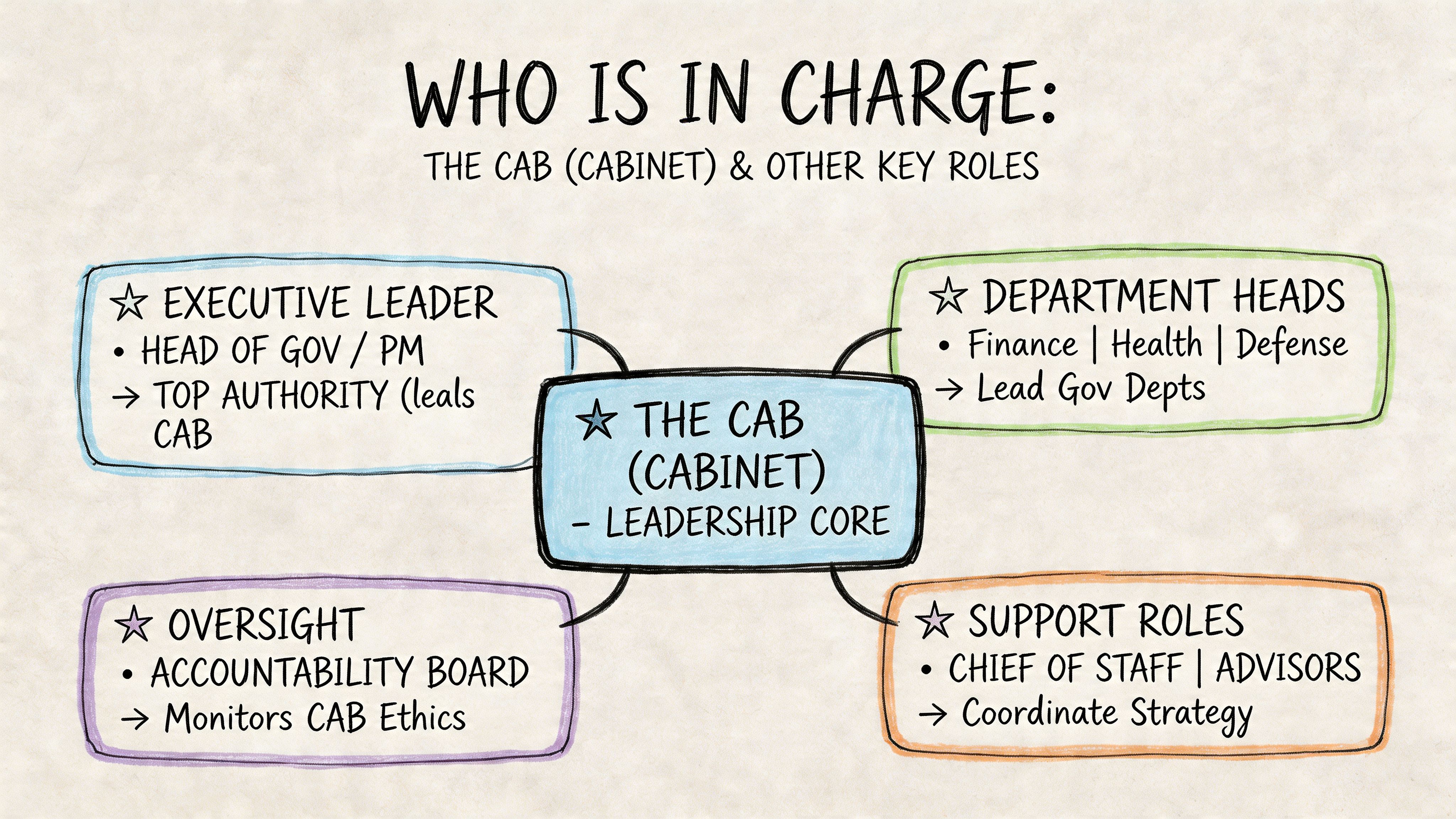
For an Indiana SMB, the CAB can be a short standing huddle. Maybe the owner, the office manager, the operations lead, and the IT lead meet once a week for fifteen minutes. They only review the risky items.
That’s not a watered-down version. That’s the correct version for a smaller operation.
According to Atlassian’s guidance on change management best practices, traditional CABs create bottlenecks, while a model focused only on high-risk changes can cut approval times by 50% and still keep the audit trail needed for compliance.
ITIL versus Agile from an SMB seat
The argument usually gets framed the wrong way. It’s not “old process” versus “modern speed.” It’s safety versus recklessness, and nobody should pick recklessness.
Here’s the practical comparison:
| Approach | What it does well | Where it causes pain |
|---|---|---|
| ITIL-style control | Excellent for auditability, infrastructure changes, and regulated work | Can become too formal if applied to every small task |
| Agile-style flow | Great for software updates, quick iterations, and small team decisions | Can create risk if teams skip documentation and impact review |
Most SMBs need both. Use ITIL discipline for core infrastructure, security controls, data handling, and compliance-sensitive work. Use Agile habits for low-risk software iterations and internal improvements that benefit from speed.
If the change touches payroll, protected health data, defense contract requirements, backups, identity systems, or your core network, slow down enough to review it properly.
That’s the line business owners should care about. Not terminology. Accountability.
Choosing Your Approach ITIL vs Agile Practices
If you search what is change management in IT, you’ll usually get pushed toward a framework war. That’s a waste of time for a business owner.
You don’t need a belief system. You need a method that keeps systems stable without turning every Wi-Fi tweak into a week-long paperwork exercise.
Where ITIL fits
ITIL is strong when the business needs control, repeatability, and proof.
That matters when you’re dealing with:
- HIPAA safeguards around patient data
- CMMC expectations for contractors and subcontractors
- NIST CSF alignment for broader security governance
- server changes that affect multiple departments
- backup and disaster recovery systems
- identity, permissions, and logging controls
- firewall, endpoint, and SOC-as-a-Service monitoring changes
ITIL gives structure to requests, approvals, implementation windows, and post-change review. For critical infrastructure, that’s useful. It keeps your team from “fixing” one thing by breaking three others.
Where Agile helps
Agile practices are handy when the work is iterative and the blast radius is small.
That’s common in:
- software development
- internal app changes
- dashboard updates
- workflow automation
- low-risk interface improvements
- pilot projects for AI-assisted tools
Agile keeps teams moving. It supports short feedback loops and quick correction. That’s valuable if your business is experimenting with process automation or custom development work.
The hybrid model most SMBs should use
A hybrid approach usually wins.
Use formal change control for infrastructure and compliance-sensitive systems. Use lighter, faster handling for small, tested, reversible updates. Add governance from COBIT 5/2019 when you need stronger accountability and audit support. Atomicwork’s guide to IT change management notes that COBIT-style auditable controls can result in up to 40% faster change velocity in compliant organizations by streamlining resource allocation and reducing rework.
That’s the sweet spot. Not rigid. Not loose.
A simple adoption checklist
If your business doesn’t have a dedicated internal IT department, start small.
-
List your critical systems
Include internet, line-of-business apps, cloud storage, email, endpoint security, backup systems, and any special compliance tooling. -
Sort changes by risk
Don’t overthink it. Low-risk repeat tasks go in one bucket. Core infrastructure and security-impacting work go in another. -
Pick one intake method
A shared form, ticket queue, or structured spreadsheet works. Random texts don’t. -
Require rollback notes
If the person doing the change can’t explain how to undo it, the change isn’t ready. -
Set change windows
After-hours for risky work. Planned business-hour windows only when the impact is minor and users know about it. -
Tie software work to a development method
If custom development is part of your stack, this guide to choosing software development life cycle models for Indiana businesses helps match the release style to the business risk.
The best approach is the one your team will follow. If the process is too heavy, people dodge it. If it’s too loose, your systems pay the price.
A Practical Checklist for Implementing Change Management
Most small businesses don’t need a consultant to hand them a 60-page playbook. They need a checklist they can start using this week.
The hard part isn’t usually the tech. It’s the people. Prosci’s discussion of IT change management points out that over 70% of change initiatives fail to meet their goals, largely because of people-side resistance and weak leadership sponsorship.
That’s why the best checklist is one your team will use.
Start with a visible request log
Use a shared ticketing system, a structured Teams form, or even a locked spreadsheet if that’s where you are today.
Log:
- What’s changing
- Why it’s changing
- Who requested it
- Who will do it
- When it will happen
- What systems it affects
- How to roll it back
A request that lives only in somebody’s head is where outages are born.
Pre-approve the boring stuff
Find your routine, low-risk changes and document them as standard work.
Good candidates:
- new user creation,
- approved laptop setup,
- standard software deployment,
- common permission adjustments,
- routine endpoint replacement.
This keeps the process from becoming a drag on simple support.
Schedule a short review meeting
Don’t build a ceremony. Build a habit.
A short meeting every other week is enough for many SMBs. Review the planned Normal Changes, check business timing, and make sure the owner of each task has done the homework.
Most failed changes announce themselves early. The rollback is vague. The testing is missing. The timing is bad. Nobody told accounting.
Require a real rollback plan
A rollback plan is not “we’ll fix it if it breaks.”
A real plan answers:
- What state are we returning to?
- What backup, snapshot, or config export exists?
- How long will rollback take?
- Who has authority to stop the change?
- What user impact should we expect?
This matters in everything from firewall updates to website moves. If your business is preparing for a site move, a practical outside reference like this WordPress website migration checklist is useful because it forces teams to think through dependencies before launch night.
Communicate before people get surprised
Users don’t hate change. They hate unexplained disruption.
Tell people:
- when the change will happen,
- what may be unavailable,
- what they should do before the maintenance window,
- who to contact if something looks wrong afterward.
This one step prevents a lot of panic.
Review what happened after the change
A post-change review doesn’t need to be dramatic. It just needs to be honest.
Ask:
- Did the change work?
- Did it affect anything unexpected?
- Was the timing right?
- Was the documentation clear enough?
- Should this become a Standard Change next time?
Over time, this is how a business builds operational memory. It’s also how you stop repeating the same expensive mistakes.
Keep the process tied to broader IT hygiene
Change management works best when it sits inside a wider discipline of system review, asset visibility, backup testing, cybersecurity policy, and infrastructure documentation. If you need a place to tighten those fundamentals, an IT infrastructure audit checklist for 2026 gives you a practical baseline.
The companies that get this right don’t aim for perfection. They aim for fewer surprises, cleaner execution, and less wasted time.
How Finchum Fixes IT Makes This Process Painless
A business owner in Greenwood shouldn’t have to become an ITIL librarian to keep the office running.
That’s where an experienced local IT partner matters. In our 17 years of local service, we’ve seen the same pattern from Greenwood to downtown Indy to the wider I-65 corridor. The businesses that struggle most aren’t careless. They’re busy. They let technical changes happen informally because everyone is moving fast.
Then the hidden risk catches up.
We’ve handled enough ugly recoveries to know what good change control looks like in the field. It isn’t theory. It’s checking whether the backup is restorable before touching production. It’s staging a firewall replacement so remote staff, VoIP, and cloud apps don’t all fail at once. It’s validating that Bitdefender GravityZone policy changes won’t lock out legitimate workflows. It’s building Zero Trust architecture in a way employees can live with. It’s using bit-level data recovery methods when failed storage and a rushed migration collide.
What this looks like in practice
For a network refresh, the process isn’t “swap gear and hope.”
It’s more like this:
- map the current environment,
- identify critical ports and dependencies,
- stage the UniFi hardware,
- schedule the cutover,
- preserve configs,
- test failback,
- verify wireless performance after the switch,
- then monitor for side effects.
For cybersecurity work, the same discipline applies. If a defense-related client needs tighter controls, the change process has to respect CMMC expectations. If a healthcare office is adjusting permissions or cloud storage, HIPAA risk and auditability matter. If a growing Indiana manufacturer needs broader governance, NIST CSF gives the security lens while the change process keeps execution orderly.
Managed service is really managed change
A lot of what people call managed IT is really managed change done well.
A competent provider tracks requests, separates low-risk tasks from risky infrastructure work, documents rollback paths, communicates maintenance windows, and reviews results after the fact. That’s what turns technology from a random source of downtime into a business tool.
If you’re evaluating ongoing support, Finchum’s managed IT services page gives the service view. The operational value behind it is stability, cleaner budgeting, faster response, and fewer “nobody told me this was happening” moments.
The best IT support doesn’t just fix failures. It prevents self-inflicted ones.
That matters in old Southside buildings with flaky wiring, in fast-growing Hamilton County offices adding cloud systems, and in Indianapolis companies pushing into AI apps, security hardening, and larger compliance obligations. Change is coming either way. The choice is whether it arrives as a controlled project or a Thursday afternoon outage.
If your business is tired of tech surprises, sloppy updates, and expensive cleanup, the answer usually isn’t more gadgets. It’s a better process.
If you run a business in Greenwood or the Indianapolis area and want a cleaner, safer way to handle upgrades, security changes, cloud projects, or network work, talk to Finchum Fixes IT. A Free Network Assessment or Security Risk Audit can show you where informal changes are putting uptime, compliance, and budget at risk before the next “simple” update turns into a real outage.