IT Budget Planning: A Guide to ROI & Resilience for SMBs
A lot of Indiana business owners land in the same spot. The server in the back closet is old, nobody remembers when the firewall warranty expired, Microsoft 365 licenses keep renewing, and the Wi-Fi drops every time the office gets busy. Then something breaks during payroll, month-end close, or a customer deadline, and suddenly the “IT budget” becomes a panic purchase.
That's backwards.
After 17 years of local service around Greenwood, downtown Indy, and the I-65 corridor, I can tell you this plainly. Good IT budget planning isn't accounting busywork. It's how you prevent downtime, protect cash flow, and stop wasting staff hours on recurring tech problems that should've been fixed the first time.
Your IT Budget Is Your Business Continuity Plan
TL;DR
- Treat IT budgeting as resilience planning: The real job is preventing downtime, security gaps, and surprise replacement costs.
- Start with inventory: Count hardware, software, cloud tools, renewals, and weak points before you approve spending.
- Use clear cost buckets: Separate hardware, cloud, security, networking, support, and projects so money has a job.
- Forecast instead of reacting: Build a contingency reserve, review spending quarterly, and reforecast when conditions change.
- Tie spend to outcomes: Budget requests should explain reduced downtime, stronger security, compliance readiness, and staff productivity.
- Know when to get help: If your team is constantly firefighting, an outside assessment can bring order fast.
A Greenwood company with an aging line-of-business server usually doesn't think it has a continuity problem. It thinks it has “an old server that still works.” Then a drive fails, backups turn out to be incomplete, and everyone learns the hard way that reactive spending is expensive spending.
That's why I tell clients to stop looking at the IT budget as a list of gadgets and invoices. It's a decision document. It tells you whether you'll fund stable networking, tested backups, security controls, replacement cycles, and enough support to keep operations moving when something goes sideways.
What the budget is really buying
A solid plan pays for more than devices.
- Operational continuity: Stable systems, support coverage, and documented recovery steps keep payroll, phones, files, and customer work moving.
- Risk reduction: Security spending should cover resilience, not just shiny tools. That means endpoint protection, employee training, incident response prep, and immutable off-site backups.
- Business flexibility: When Hamilton County growth adds headcount fast, your budget should already account for licensing, wireless capacity, and onboarding costs.
- Decision speed: Owners make better calls when the budget already shows what's critical, what can wait, and what creates avoidable risk.
Many teams doing serious building IT resilience work start with the same core idea. Budgeting and continuity planning belong together, not in separate binders.
If you want a local gut-check on what continuity planning should include, this Indiana business continuity planning checklist is a practical place to compare your current setup against what's needed.
If your IT budget doesn't answer “How do we keep working when something fails?”, it isn't finished.
First Take Inventory Before You Spend a Dime
Most bad budgets start with a guess. Somebody pulls last year's number, adds a little padding, and hopes the old server, old switches, and mystery SaaS subscriptions can survive another year.
That approach fails because it carries old assumptions forward. A more disciplined process starts with a baseline rebuild of prior spending, then a gap analysis of current infrastructure, and then project prioritization based on business criticality, ROI, and risk, as outlined in N-able's guidance on effective IT budgeting.
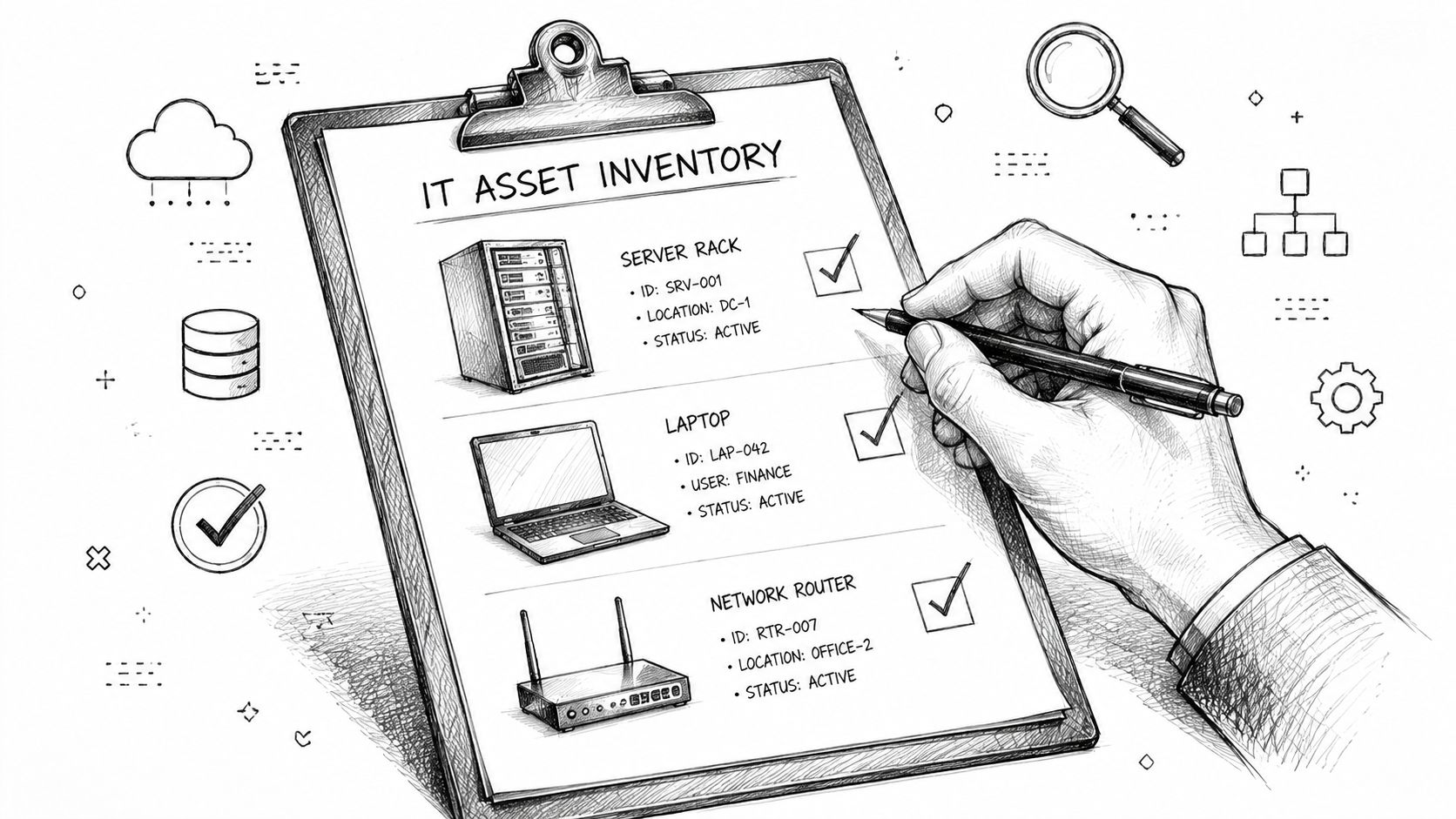
What a real inventory includes
When we audit a new client, we're not just counting laptops. We're building an operating picture.
Start with these categories:
- Hardware with age and role: Servers, desktops, laptops, firewalls, switches, access points, NAS devices, printers, and any specialty gear tied to production or healthcare workflows.
- Software and licenses: Microsoft 365, QuickBooks, line-of-business apps, Bitdefender GravityZone, remote support tools, and any software tied to HIPAA or CMMC documentation.
- Cloud services: Azure, AWS, backup platforms, VoIP systems, file sharing, e-signature tools, and all the small monthly SaaS charges that pile up.
- Dependencies: Which systems support payroll, shipping, scheduling, customer records, security cameras, door access, or medical charting.
- Recovery readiness: What's backed up, where it goes, how often it's tested, and whether recovery depends on one person who might be on vacation.
The money pits we see all the time
Johnson County businesses rarely overspend on purpose. They overspend because nobody had one clean list.
Common examples:
| Audit finding | Why it hurts |
|---|---|
| Duplicate software subscriptions | You pay twice for the same function |
| Unused licenses | Former staff accounts keep renewing |
| Aging network gear | Support tickets rise and Wi-Fi complaints never stop |
| Backup tools without testing | You think recovery is covered until restore day |
| Mixed hardware models | Parts, drivers, and troubleshooting get messier |
A proper inventory also helps expose hidden support costs. Standardized laptops, consistent firewalls, and one wireless platform are easier to patch, easier to document, and easier to support than a stack of one-off purchases made in a hurry.
Build the baseline before the budget
Use the inventory to answer a few blunt questions:
- What must stay running no matter what
- What is overdue for refresh
- What are we paying for but not using
- Where would one failure shut down the office
- Which tools are required for compliance or client contracts
That's the point where budgeting gets grounded in facts instead of wishful thinking. If you need a more detailed process for that first pass, these IT asset management best practices for Indiana businesses are a useful checklist.
Mapping Your IT Costs from Hardware to the Cloud
A lot of Indiana owners can tell you what they spent on IT last year. Fewer can tell you which dollars kept the business running and which ones just kept old problems alive. That distinction matters when a failing server in Greenwood knocks out access to files, phones, or line-of-business apps.
Budget categories should map to business risk and business value. If the budget is one big IT line item, it becomes hard to defend, hard to trim intelligently, and hard to tie back to uptime.
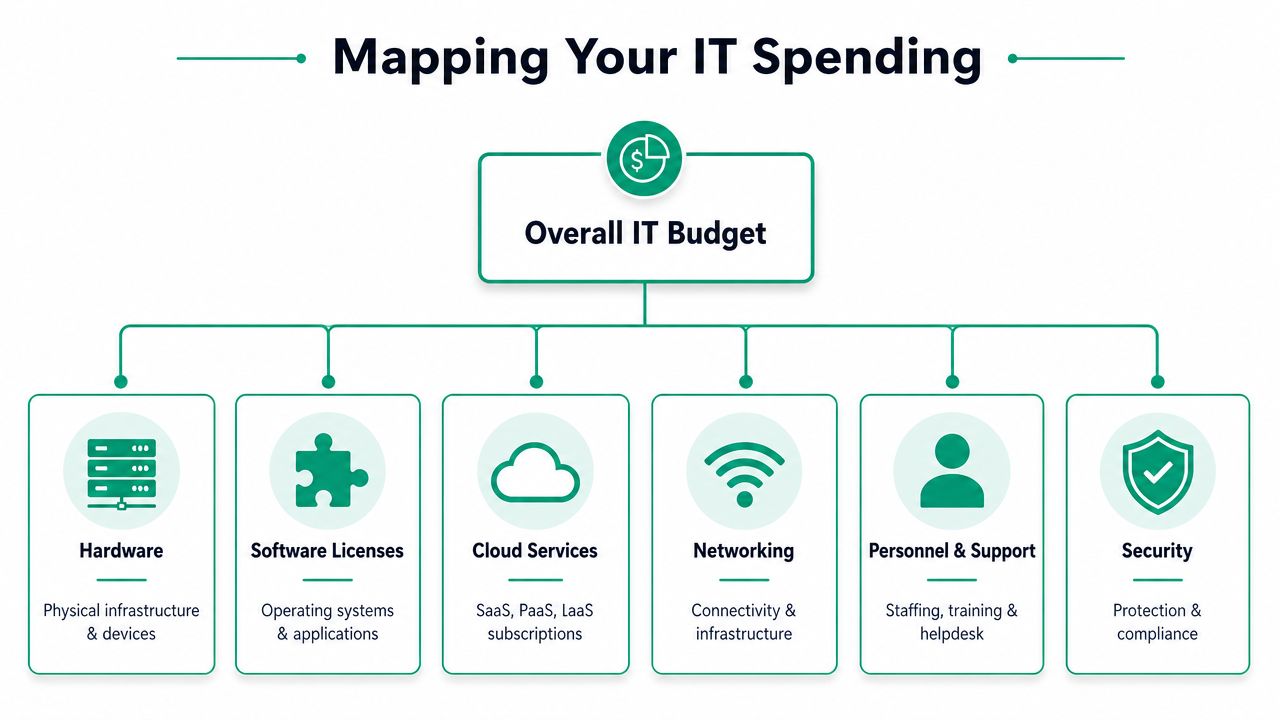
The buckets that matter
Hardware and lifecycle
This covers servers, laptops, desktops, switches, firewalls, UPS units, and planned replacements. Aging equipment usually looks cheap right up until it starts causing downtime, slow performance, warranty headaches, and rush purchases.
Software licenses and subscriptions Microsoft 365, accounting platforms, endpoint security, industry-specific apps, and operating system licensing belong here. This category tends to drift upward slowly if nobody is cleaning up unused seats and duplicate tools.
Cloud services
Hosted backups, Azure workloads, cloud storage, SaaS tools, remote desktop environments, and collaboration platforms fit in this bucket. For companies weighing whether to keep investing in old on-prem systems or shift spend toward hosted infrastructure, this cloud migration guide for Indianapolis businesses lays out the trade-offs clearly.
Networking
Internet circuits, backup connectivity, managed switches, wireless upgrades, firewall licensing, and segmentation work belong here. In older Indianapolis buildings, weak coverage is often a design problem, not a router problem.
A short visual helps when you're mapping categories across the whole environment.
Security and compliance
Firewalls, endpoint detection, MFA, security awareness training, vulnerability scanning, off-site backups, cyber insurance requirements, and policy work tied to standards such as HIPAA or CMMC all belong in one place. If those costs are scattered across the budget, owners usually underestimate what it takes to reduce real operational risk.
Support and managed services
Help desk coverage, patching, monitoring, vendor coordination, after-hours response, and strategic guidance belong here. This bucket buys consistency. It also makes IT performance easier to measure.
Projects
Office relocations, server migrations, SharePoint work, VoIP replacements, cabling, and application rollouts should stand apart from ongoing operations. Keep them separate or they distort the core budget.
A practical sample budget
The exact mix depends on the business. A manufacturer with aging plant-floor PCs will spend differently than a law office running mostly cloud apps. The point is to assign money based on exposure, dependency, and return, not habit.
A practical SMB model often puts the largest share into cybersecurity and risk reduction, followed by cloud and SaaS, hardware refreshes, backup and continuity, support, and then training or compliance work. That order tracks with what I see in the field. Security failures and downtime cost more than most small businesses expect, while delayed refreshes usually create a bigger bill later.
| Category | Example Components | Recommended Allocation (%) |
|---|---|---|
| Cybersecurity and risk reduction | Firewall, EDR, MFA, SOC monitoring, awareness training | 35% |
| Cloud and SaaS | Microsoft 365, hosted apps, cloud storage, collaboration tools | 25% |
| Hardware refreshes | Laptops, servers, switches, access points, UPS units | 15% |
| Backup and continuity | Immutable backups, disaster recovery, backup testing | 10% |
| IT support and managed services | Help desk, patching, monitoring, vendor management | 10% |
| Training, compliance, and AI adoption | HIPAA or CMMC prep, staff training, policy work | 5% |
Don't forget communications
Phone systems still get missed in IT budgeting, especially in smaller offices where they've been treated like a separate utility for years. They belong in the plan because phones affect sales, support, dispatch, and continuity during an outage. If you're comparing legacy hardware to hosted voice, this guide for SMBs on PBX gives a plain-English breakdown of what should be included.
The best IT budgets are easy to read. If an owner cannot quickly see what is being spent on security, cloud, support, and replacement planning, the budget is still too muddy.
Forecasting Future Needs and Avoiding Surprises
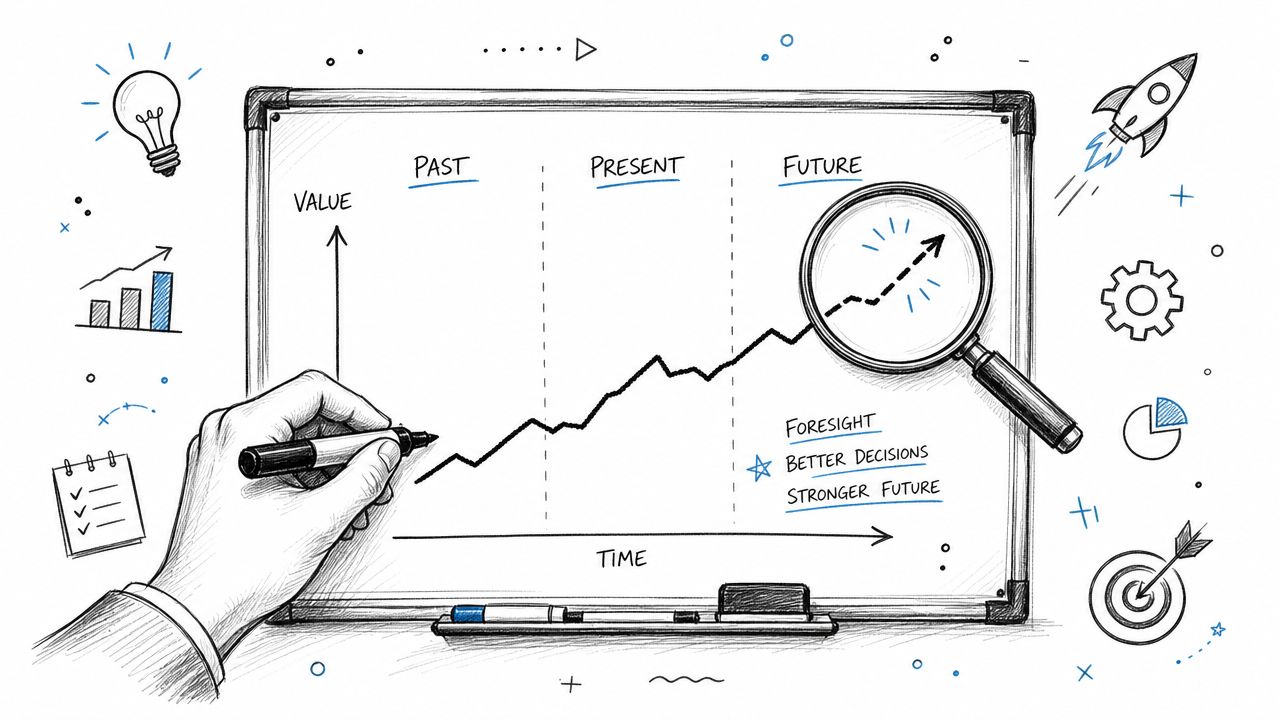
The fastest way to wreck a budget is to treat it like a one-time annual ritual. Tech costs move. Staff counts change. Software renewals jump. A vendor changes terms. A security issue forces emergency work. Static budgets don't hold up well in practice.
Modern budgeting practice has shifted toward contingency planning and regular review for a reason. One recent guide recommends building a 5% to 10% contingency reserve into the total IT budget and reviewing spending quarterly, while a recent survey found 51% of business leaders expected IT product and service costs to rise in 2024, according to Atlas Systems' IT budget planning guidance.
Where surprises usually come from
Most surprises aren't random. They're ignored patterns.
- Renewal creep: Licensing, support contracts, and cloud services rarely stay flat forever.
- Deferred refreshes: Old servers and old switches don't become cheaper because you waited.
- Growth pressure: New hires need devices, licenses, onboarding time, and often better wireless coverage.
- Security events: A critical patch, incident response work, or emergency containment effort doesn't ask whether the budget is ready.
Build a living forecast
I like a rolling view instead of a once-a-year spreadsheet graveyard. That means:
- Track actual spend against budget every quarter
- Update hardware replacement dates as equipment ages
- Flag renewals well before invoice month
- Model hiring plans with software and device costs attached
- Keep a reserve for ugly surprises
That reserve matters. Without it, one failed storage array or one rushed firewall replacement can wipe out money that should've gone toward planned improvements.
Practical rule: If a budget only works when nothing unexpected happens, it doesn't work.
Business owners who want a cleaner forecasting mindset can borrow ideas from broader budgeting and forecasting for service businesses. The mechanics differ, but the discipline is the same. Review often, compare actuals to plan, and make decisions before a problem becomes expensive.
For local companies planning expansion, office relocation, or system modernization, a documented Indiana business IT roadmap for 2026 helps connect budget timing to actual operational milestones.
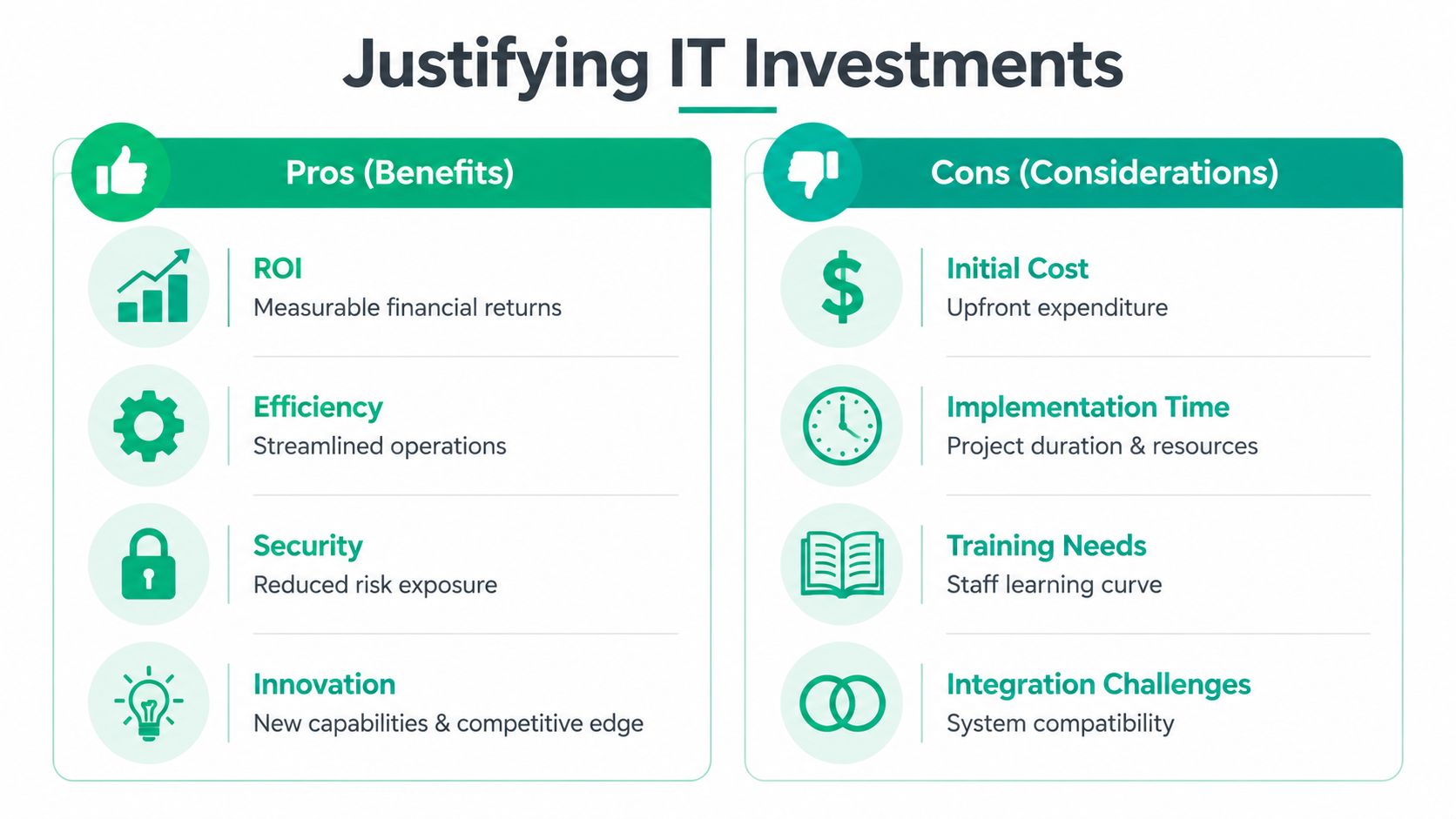
Justifying Your Spend with Clear ROI and Prioritization
Owners don't approve projects because IT says a switch is old. They approve projects because the business case is clear.
That's the shift too many teams miss. Technical accuracy matters, but budget approval usually comes down to three questions. What risk does this remove? What downtime does it prevent? What operational drag does it fix?
Translate technology into business language
Don't ask for “new access points with controller-based management.” Say this instead: the current Wi-Fi drops calls, interrupts order entry, and wastes staff time. A UniFi redesign with better placement and segmentation fixes that problem and reduces recurring support tickets.
Don't ask for “immutable off-site backups.” Say this: if ransomware or deletion hits, recovery depends on whether backups can't be altered by the same attacker. That's a resilience investment, not a storage expense.
The same rule applies to Zero Trust architecture, MFA, SOC-as-a-Service monitoring, and bit-level data recovery planning. Business leaders don't need every technical detail, but they do need to understand what failure looks like without the investment.
A simple prioritization filter
Run projects through this lens:
| Priority question | What to ask |
|---|---|
| Business criticality | Does failure stop revenue, operations, or customer service? |
| Risk reduction | Does this lower exposure to outage, breach, or noncompliance? |
| ROI | Will it reduce recurring waste, manual work, or emergency support costs? |
| Timing | Is this planned work, or are we waiting for a crisis? |
Cybersecurity often quickly gains priority. IBM reported the global average cost of a data breach reached USD 4.88 million in 2024, and the World Economic Forum noted 40% of organizations expect a cybersecurity incident in the next 12 months, as summarized in this Lumos overview of IT strategy and budget planning. When you frame security spend around resilience, recovery, and reduced business interruption, the budget conversation gets sharper.
What usually doesn't work
I've seen plenty of bad justifications. These are the common ones:
- “We need it because the vendor recommends it.” Vendors recommend many things. That isn't a business case.
- “The equipment is old.” Age matters, but impact matters more.
- “We've always done it this way.” That's how stale systems survive until they fail during a busy week.
- “Security is important.” True, but vague. Name the control, the risk, and the operational consequence.
For a stronger model, use a practical playbook for prioritizing IT projects and tie each request to continuity, compliance, and staff productivity.
A good budget request makes the owner feel the cost of doing nothing.
Budgeting for Compliance and Smart Procurement
Compliance spending gets mishandled in two ways. Some businesses ignore it until a client questionnaire lands on someone's desk. Others treat it like a one-time project, buy a few tools, and assume they're done.
Neither approach holds up.
Compliance is an operating cost
If you're in healthcare, HIPAA work usually includes ongoing control review, secure endpoint management, access controls, backup validation, user training, and policy upkeep. If you support defense contracts, CMMC preparation often requires more documentation, stronger access discipline, logging, and tighter process control than a typical small business has in place. For general security maturity, NIST CSF gives a useful structure for identifying gaps and organizing spend.
Budget for the ongoing work, not just the initial purchase:
- Security controls: Endpoint protection, MFA, secure email, firewall services, logging, and backup resilience
- Policy and documentation: Acceptable use, incident response, vendor management, and account lifecycle procedures
- Assessment and remediation: Gap reviews, corrective actions, and proof that controls are operating as intended
- Training: Staff behavior is part of compliance whether people like it or not
A local medical practice might need stronger endpoint controls and documented recovery procedures. A machine shop serving defense work may need tighter access rules and evidence that systems are managed consistently. Different industries, same reality. Compliance has monthly and annual costs, not just startup costs.
Buy for total cost, not sticker price
Procurement mistakes often start with “cheapest wins.” That sounds disciplined until the budget absorbs extra support time, random failures, and mismatched gear.
Smarter buying usually looks like this:
-
Standardize models where possible
One laptop family, one firewall platform, one wireless stack, fewer weird issues. -
Check lifecycle and support status before purchase
If hardware is near end of support, it isn't a bargain. -
Bundle support into the decision
A lower upfront price means little if deployment, warranty, and troubleshooting are painful. -
Review subscription terms carefully
Seat minimums, auto-renewals, and feature tiers can cause long-term waste to accumulate. -
Match the tool to the environment
UniFi networking may fit one office well. Another may need different wireless density, segmentation, or compliance features.
Plainly put, smart procurement reduces future labor. That matters because labor is where many bad buying decisions come back to bite the business.
When to Partner with a Managed Service Provider
There's a point where DIY budgeting stops saving money. It starts creating blind spots.
If your office manager is approving renewals, your controller is chasing software invoices, your operations lead is rebooting network gear, and nobody owns strategy, you don't have a system. You have scattered effort.
The trigger points are usually obvious
An MSP starts making sense when one or more of these are true:
- Your team spends too much time on tech distractions instead of serving customers or doing billable work
- You need specialized security depth like Zero Trust architecture, SOC monitoring, or backup recovery planning
- Compliance expectations are rising and internal staff can't realistically own HIPAA, CMMC, or NIST CSF work alone
- Projects keep slipping into emergencies because nobody has time to plan refresh cycles and vendor decisions
- Leadership wants predictable monthly costs instead of surprise invoices and emergency replacements
In our 17 years of local service, that's the pattern we've seen across Central Indiana. Businesses don't reach out because they suddenly love IT strategy. They reach out because the chaos tax has gotten too high.
What a good MSP relationship changes
A strong managed partner should bring structure. That means regular reviews, cleaner asset data, standardized procurement, documented recovery expectations, and guidance that sounds like business advice instead of gadget talk.
It should also bring technical depth. Not “a geek with a screwdriver,” but people who understand segmentation, backup immutability, cloud cost control, endpoint policy, vendor management, and what happens when a RAID array starts failing and the data is critical.
If your current budget feels reactive, messy, or built around wishful thinking, it's probably time for outside eyes.
Frequently Asked IT Budgeting Questions
How much should an Indiana SMB spend on IT
Start with a range, then pressure-test it against risk.
For many Indiana SMBs, IT spend lands somewhere between modest maintenance and meaningful investment, depending on how much the business depends on uptime, cloud systems, compliance, and customer data. A Greenwood manufacturer running aging on-prem servers has a different budget reality than a professional services firm built on Microsoft 365, SaaS apps, and remote access. Revenue matters, but operational risk matters more.
The better question is not, “What percent should we spend?” It is, “What business interruption are we trying to prevent, and what capacity do we need to grow without breaking things?”
What's the biggest budgeting mistake you see
Copying last year's numbers and calling it a plan.
That approach keeps bad assumptions alive. Companies keep paying for licenses nobody uses, push old firewalls and servers past their safe life, and miss renewal increases until the invoice hits. Then a preventable issue turns into an emergency purchase, usually at the worst time.
Should cybersecurity be its own line item
Yes, but not as a silo.
Security should be visible enough that leadership can see what they are funding. It also needs to show up across backup, identity, endpoint protection, email security, user training, incident response, and vendor decisions. If security only appears in one row on the spreadsheet, the budget often understates the actual cost of staying operational after a phishing attack, ransomware event, or failed restore.
How should an SMB divide its IT budget
There is no perfect formula, but the budget should reflect actual exposure.
A practical split usually includes core infrastructure, cloud and SaaS, security controls, support, backup and recovery, compliance work, and a reserve for projects or replacements. Businesses in Central Indiana with older equipment often need to weight the budget harder toward refresh and resiliency first. Companies with newer systems may spend more on security maturity, process improvement, and vendor consolidation.
If every dollar is going to keep old equipment alive, the budget is warning you about technical debt.
Can an MSP actually reduce costs
Yes, if the business already pays too much for disorder.
The savings rarely come from magic discounts. They come from fewer outages, fewer rushed purchases, better license control, cleaner standards, and less internal time wasted on recurring issues. That is the fundamental trade-off. You pay a steady monthly amount to reduce surprise spending and cut downtime that hurts revenue.
How often should the budget be reviewed
Quarterly works for most SMBs.
That cadence is frequent enough to catch hardware failures, cloud changes, staffing shifts, insurance requirements, and security gaps before they become expensive. Annual approval by itself is too static, especially for businesses trying to control risk and prove ROI from each IT decision.
If your company in Greenwood or the greater Indianapolis area needs a clearer handle on IT spend, downtime risk, and security exposure, Finchum Fixes IT can help. Start with a Free Network Assessment or a Security Risk Audit and get a practical view of what you have, what's overdue, and where your budget should go next.